


Debug
Debug your WordPress site by safely toggling the built-in debug flags and getting real-time email alerts when errors occur.

Escolha sólida
Debug is a solid plugin choice in 2026, with a few things worth checking first. It runs on 2K+ sites, is rated 4.6/5 and was last updated 3 months ago, and scores 77/100 on our health check.
- Testado com as últimas WordPress (7.1)
Como ele se acumula?
Lado a lado em instalações, atualizações, avaliações e suporte


Downloads diários
Os picos de download geralmente seguem uma nova versão — cada site que atualiza automaticamente é um download.
Rankings
Where Debug stands todayWordPress.org Classificações de pesquisa
Posição ao vivo na pesquisa de plugins, top 100| Palavra chave | Posição |
|---|---|
| debug | #3 |
| error log | #36 |
| error notification | #34 |
| error reporting | #13 |
| wp-config | #34 |
Adoção da versão
Compartilhamento de sites ativos por lançamento.
Divisão de classificação
★★★★★★★★★★ 4.6 from 11 reviews
About Debug
From the official readme · v1.14Descrição
Debug is a development and production tool that helps you find and fix bugs on your WordPress site (including multisite). It gives you a clean admin panel to toggle WordPress’s built-in debug constants, read the error log, and receive instant email notifications when meaningful errors happen — all without editing wp-config.php by hand.
What it does for you
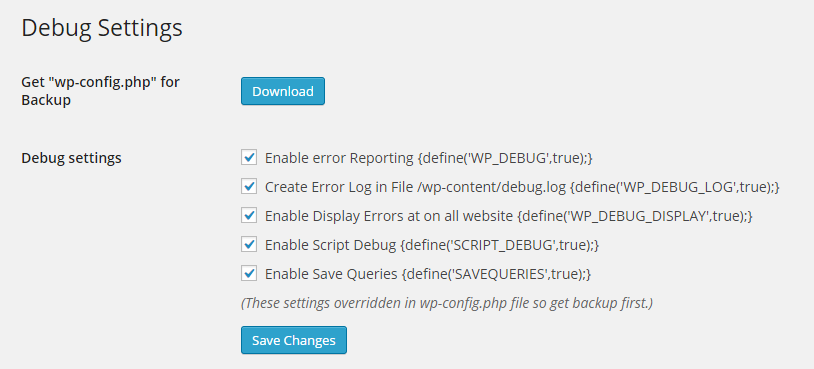
- One-click debug flags — toggle
WP_DEBUG,WP_DEBUG_LOG,WP_DEBUG_DISPLAY,SCRIPT_DEBUGandSAVEQUERIESdirectly from the settings page. - Error log viewer — view, clear and download the tail of your
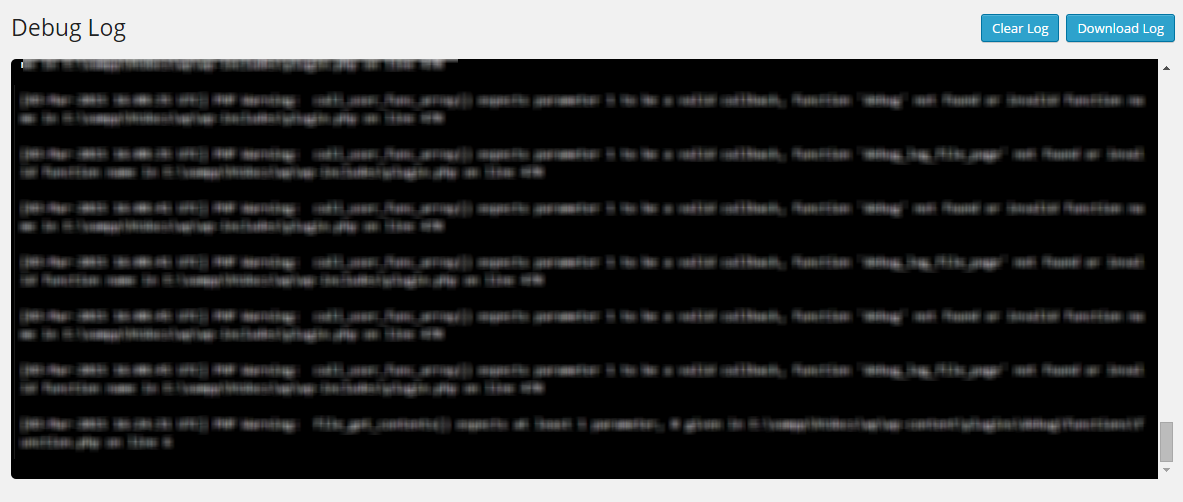
wp-content/debug.log(last 1 MB) right from the admin. - Real-time email alerts — get notified when errors and warnings occur, with a throttled, level-filtered handler that ignores deprecation notices and suppressed (
@) code. - Safe wp-config editing — a timestamped backup is created automatically before every change, with one-click restore if you ever need to roll back.
Why you can trust it
The plugin never lets you download wp-config.php (a common credential leak in older debug plugins). All file access is strictly path-guarded, all admin actions are protected with nonces and capability checks, and backups let you revert any change instantly.
Perguntas frequentes
Is my wp-config.php safe?
Yes. The plugin creates a timestamped backup of wp-config.php before every change, and the settings page lets you restore any backup with one click. wp-config.php is never downloadable from the browser.
Can I use this on a production site?
Yes — and that’s a core use case. Error notifications only fire for meaningful error levels (errors and warnings), never for deprecation notices. Emails are queued and throttled so a busy site won’t flood your inbox, and WP_DEBUG_DISPLAY is kept off by default so errors are not shown to visitors.
Why am I not getting email notifications?
Make sure Email Notification is enabled and a valid address is set, and that wp_mail() works on your host. Only errors and warnings trigger emails (notices and deprecations are filtered out).
The plugin says wp-config.php is not writable. What do I do?
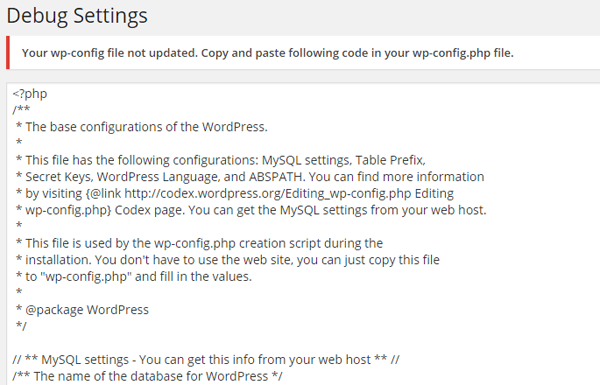
Check your file permissions. Most hosts run with the web user owning wp-config.php (usually 0644). If the plugin still cannot write it, it shows you the exact code to paste into wp-config.php manually — so you’re never stuck.
What does “Error Log” show?
It shows the last 1 MB of wp-content/debug.log, so you can inspect recent errors without loading a huge file. You can clear the log or download it as a plain text file.
Does this work on multisite?
Yes. All settings are stored per-site and the wp-config.php edits apply globally, which is the expected behaviour for network-wide debug toggling.
Contacts
For support or the development team of the Debug plugin: https://soninow.com/contact
Instalação
- Upload the
debugfolder to/wp-content/plugins/, or install via Plugins → Add New in your WordPress admin. - Activate the plugin through the Plugins menu.
- Go to Debug → Settings and configure your preferences.
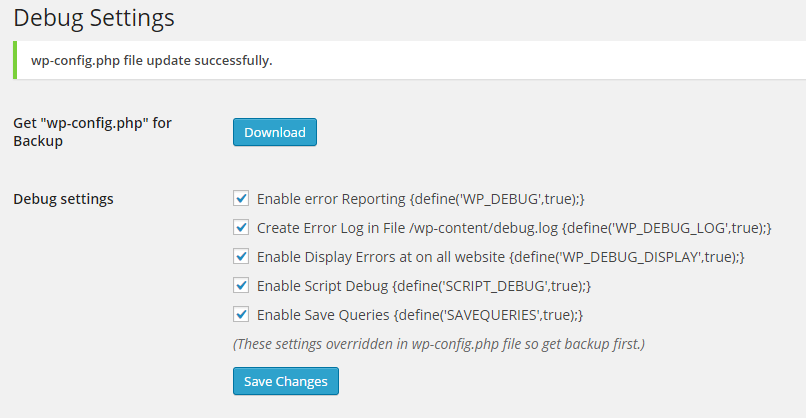
- Hit Save Changes — a backup of
wp-config.phpis created automatically.
Note: If wp-config.php is not writable, the plugin will show you the code to paste manually.
Log de Changes
Adds translation support, earlier error-handler coverage, automatic backup retention, and compatibility with the latest WordPress. Recommended update.
1.14
- New: full translation support — added
languages/debug.potandload_plugin_textdomain()(fixes Plugin Check missing-translation warning). - New: “Send Test Notification” button on the settings page — verify your email alert setup works before relying on it in production.
- New: error-log viewer auto-refresh toggle (every 5s) for watching logs live.
- Improved: error handler now registers on
plugins_loadedfor earlier, wider coverage (catches theme/plugin load-time errors). - Improved: wp-config backups are now auto-pruned (keeps the latest 10) so the site root never fills up, and a delete action lets you remove backups individually.
- Cleanup: removed the last inline script (post-save auto-reload) — the page no longer force-refreshes and wipes admin notices, and the plugin is now 100% CSP-friendly.
- Fix: wp-config
define()editing now tolerates multiline/annotated defines (no more accidental duplicates). - Cleanup:
README.mdis now excluded from the WordPress.org SVN deploy (Plugin Check flagged it as root clutter). - Compatibility: tested up to WordPress 7.1.
1.13
- Security: removed the ability to download
wp-config.php(full credential leak). Debug log download now only serves the log via a cleanadmin-post.phpendpoint. - Security: added strict path allowlisting + traversal guards to all file reads/writes.
- Security: automatic timestamped
wp-config.phpbackup before every save + one-click restore UI. - Security: error handler now only registers when email notifications are on, filters out deprecation/notice noise, respects
error_reporting(), throttles and queues emails, and chains the previous handler. - Fix: broken Settings link
href(missing closing quote) on the plugin list page. - Fix:
esc_html_e()misuse replaced with correct escaping. - Fix: tolerant, case/format-insensitive regex in
debug_add_option— no more duplicatedefine()creation. - Fix: nonce action strings standardized + consistent failure notices.
- Fix: read tail capped to 1 MB.
- Improvements: enqueued CSS instead of inline
<style>(CSP-friendly), modernized baseline (PHP 7.4+, WP 5.0+),uninstall.phpcleanup.
1.12: Apr 1, 2024
- BugFix: Fix all bug reporting in plugin https://wordpress.org/plugins/plugin-check/.
- BugFix: Fix duplicate define variable creation error.
1.11: Mar 25, 2024
- BugFix: Cross Site Request Forgery (CSRF) issue.
1.10: Jun 29, 2022
- Increase security for direct access of files.
1.9: Dec 15, 2019
- Compatible with new version.
Capturas de tela

Para desenvolvedores
Este é o seu plugin? Mostre os números.
Adicione um crachá ao vivo ao seu site, Documentos ou Readme do GitHub. Ele é atualizado por conta própria - nenhuma conta necessária.
Best Debug alternatives
All debug plugins →




FAQ
Debug: quick answers
Respostas diretas, extraídas de dados ao vivo WordPress.org.
Fonte: WordPress.org
Is Debug free?
Yes. Debug is free to download and use from the official WordPress.org plugin directory.
Is Debug safe to use in 2026?
Debug is a solid plugin choice in 2026, with a few things worth checking first. It runs on 2K+ sites, is rated 4.6/5 and was last updated 3 months ago, and scores 77/100 on our health check.
How many websites use Debug?
Debug is active on 2K+ WordPress websites and has been downloaded 98,790 times since it launched in April 2017. It was downloaded 992 times in the last 30 days.
Does Debug work with WordPress 7.1?
Yes. The developer has tested Debug up to WordPress 7.1.5, the latest release. It requires WordPress 5.0 or newer.
What PHP version does Debug need?
Debug requires PHP 7.4 or higher. Most hosts run PHP 8.x today, so it works on any modern WordPress hosting.
When was Debug last updated?
The latest version, 1.14, was released on September 9, 2026 (3 months ago).
Who makes Debug?
Debug is developed and maintained by SoniNow.
What are the best alternatives to Debug?
The most popular alternatives to Debug are WP Crontrol (300K+ installs), Query Monitor (200K+ installs) and Debug Bar (20K+ installs).
Alimentado por PageForge
Um modelo e uma planilha. Uma página real para cada pesquisa.
PageForge Transforma cada linha de um CSV em uma página WordPress com seu próprio título, URL, SEO campos e esquema, construído no layout que você já desenhou. Gratuito em WordPress.org.
- CSV e XLSX, mais Google Sheets em Profissional e Empresarial
- Seu próprio título, URL, SEO campos e esquema para cada página
- Funciona com o editor de blocos, Elementor, Divi e Avada
- Gratuito em WordPress.org, sem cartão de crédito