


Projectopia – Project Management Tool
the Ultimate WordPress Project Management Plugin for WordPress.

Choix solide
Projectopia is a solid plugin choice in 2026, with a few things worth checking first. It runs on 200+ sites, is rated 5/5 and was last updated 1 month ago, and scores 77/100 on our health check.
- Testé avec le dernier WordPress (7.1)
- Momentum — Téléchargements en hausse de 34,7 % par rapport aux 30 jours précédents
- Petite base d'utilisateurs (plus de 200 installations actives)
Comment s'accumule-t-il ?
Côte à côte sur les installations, les mises à jour, les évaluations et le support



Téléchargements quotidiens
Les pics de téléchargement suivent généralement une nouvelle version - chaque site qui met à jour automatiquement compte comme un téléchargement.
Classements
Where Projectopia stands todayWordPress.org Classements de recherche
Position en direct dans la recherche de plugins, Top 100| Mot-clé | Position |
|---|---|
| project | #7 |
| project management | #6 |
Adoption de version
Part de sites actifs par version.
Répartition des notes
★★★★★ ★★★★★ 5 sur 7 avis
About Projectopia – Project Management Tool
From the official readme · v5.1.26Description
Projectopia – the Ultimate WordPress Project Management Plugin
Freelancer or agency, this WordPress plugin will help you to run your business efficiently and effectively, providing all of the tools that you need to communicate with your clients and your team. Keep all your information in one place, easily accessbile and conveniently placed on your own WordPress website.
What does this plugin do?
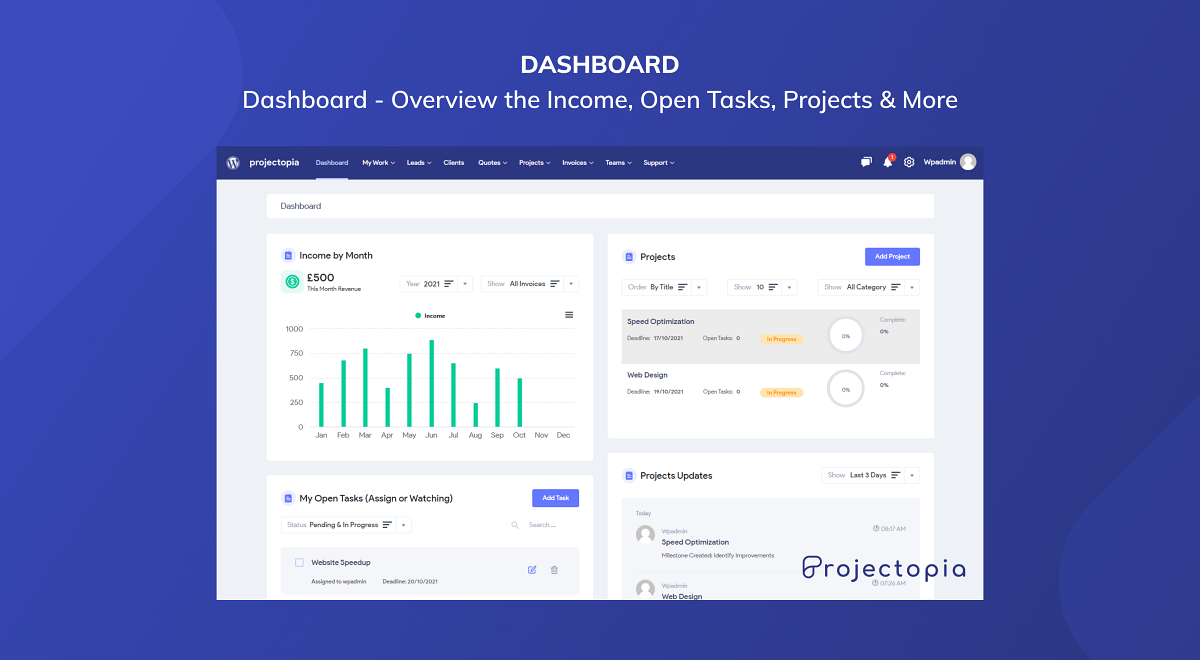
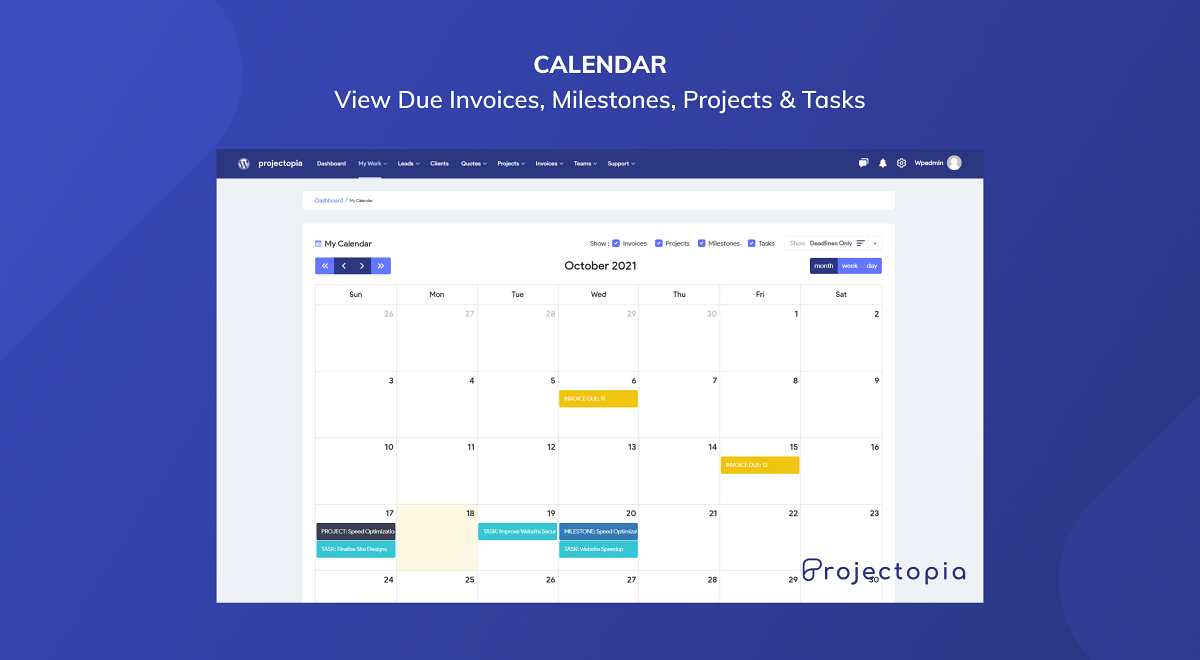
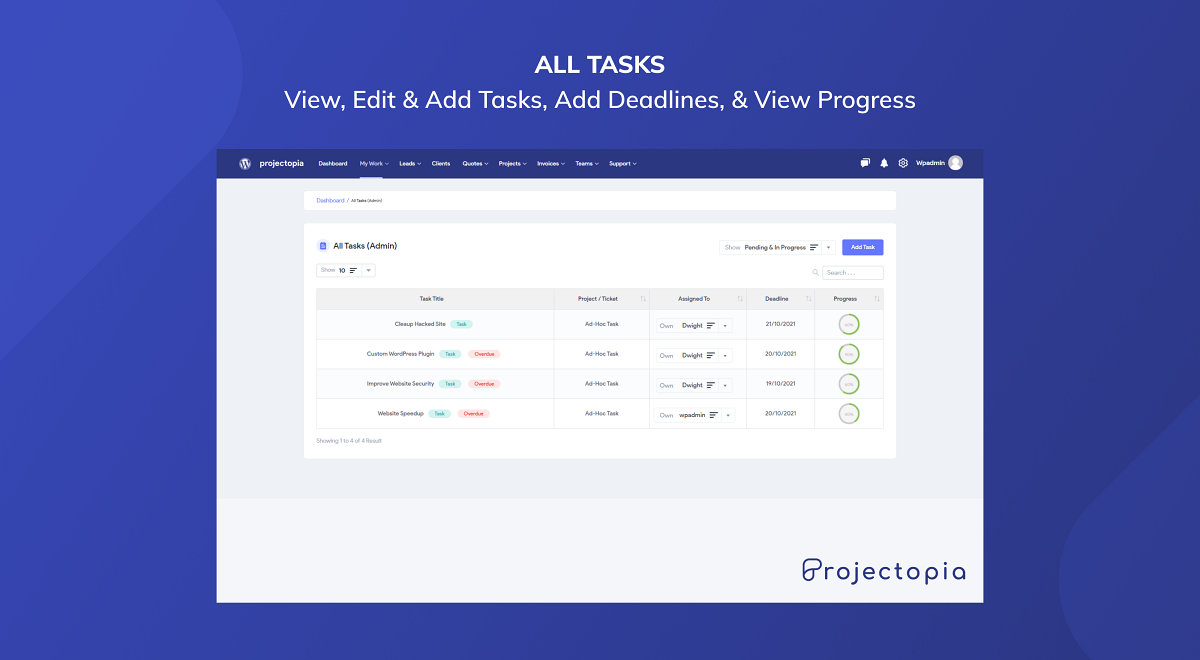
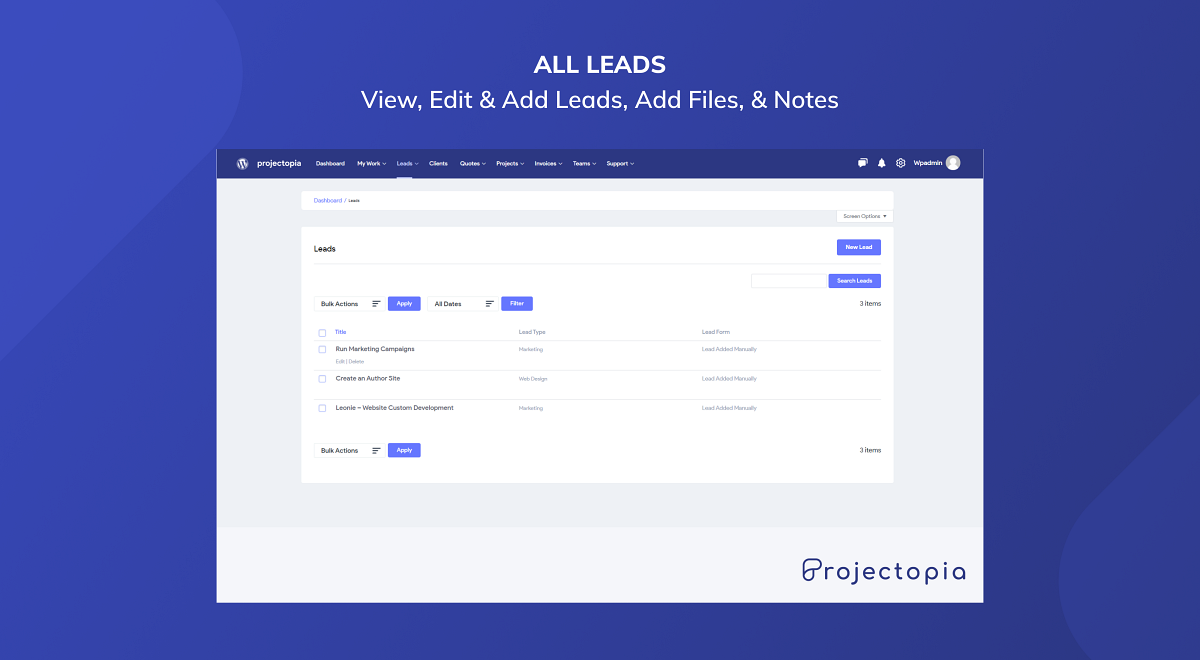
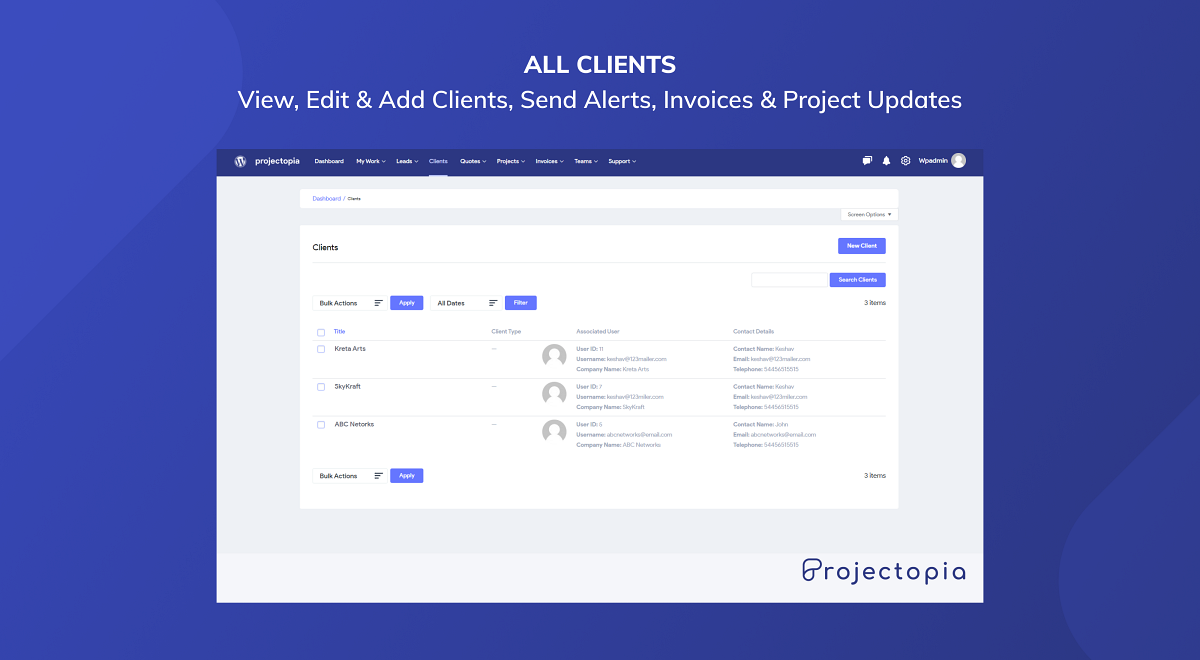
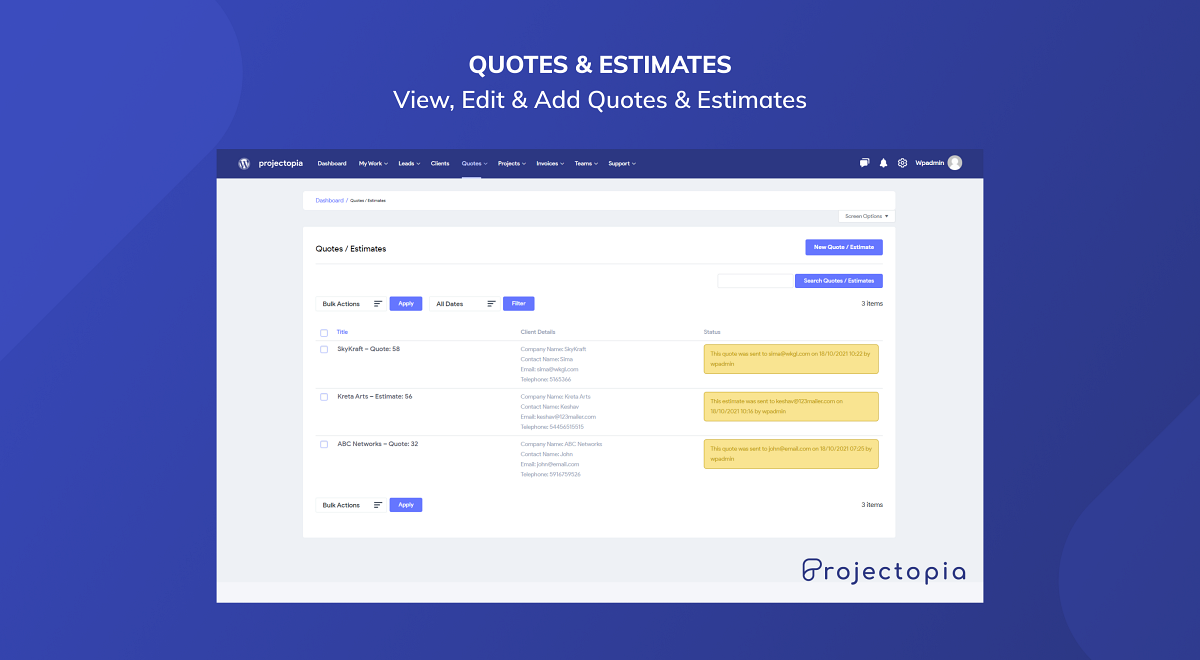
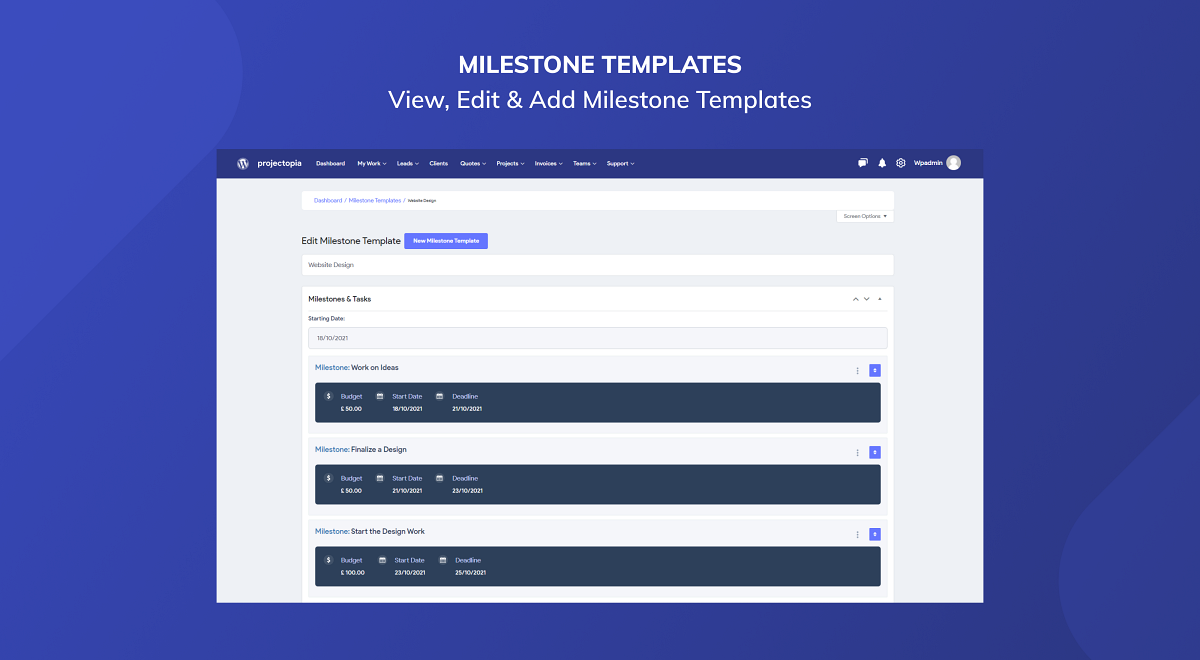
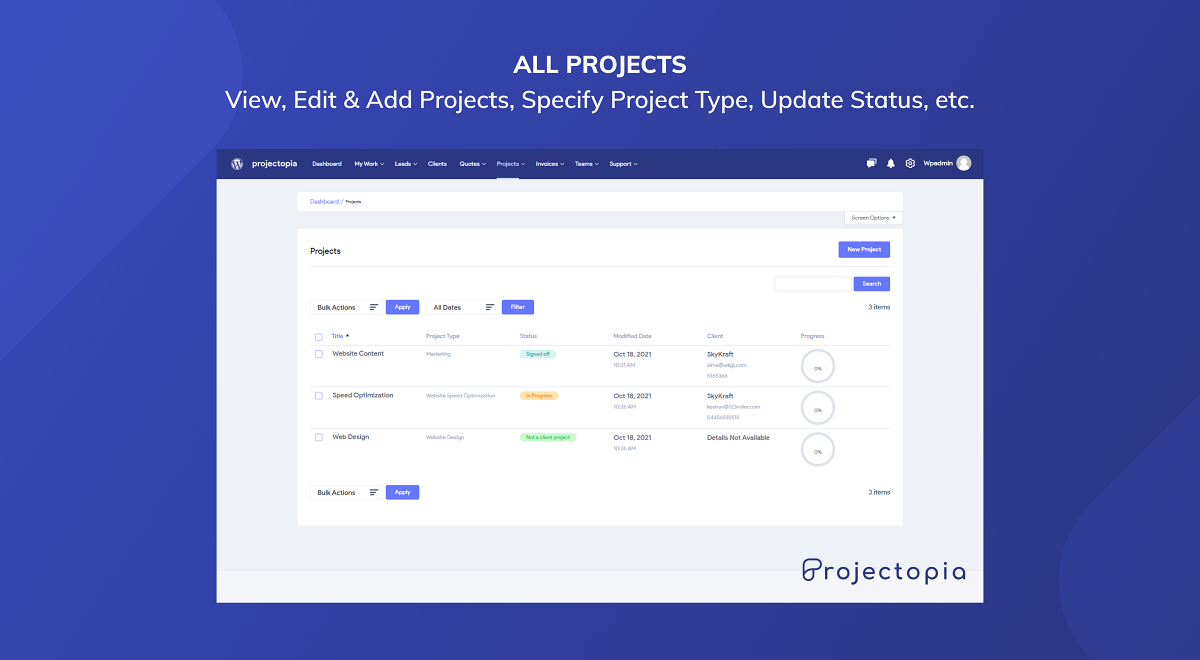
Never again lose a client owing to silly reasons. Use Projectopia and its Project Management Tools to always stay updated with the latest advancements and track your team�s progress.Projectopia is a powerhouse that assists you in managing. Its leading features include: Adding Team embers, Client anagement, Generating Leads, Time-Tracking Projects, Setting up ilestones/Tasks, Generating Invoices, Raising Support Tickets, and much more.
Compatibilité
- This plugin is fully compatible with WordPress Version 5.3.0 and beyond and also compatible with any WordPress theme.
- Fully compatible with Yoast SEO, Rank Math, All in One SEO Pack, SEOPress, Schema and other many plugins.### Projectopia – the Ultimate WordPress Project Management Plugin
Freelancer or agency, this WordPress plugin will help you to run your business efficiently and effectively, providing all of the tools that you need to communicate with your clients and your team. Keep all your information in one place, easily accessbile and conveniently placed on your own WordPress website.
What does this plugin do?
Never again lose a client owing to silly reasons. Use Projectopia and its Project Management Tools to always stay updated with the latest advancements and track your team�s progress.Projectopia is a powerhouse that assists you in managing. Its leading features include: Adding Team embers, Client anagement, Generating Leads, Time-Tracking Projects, Setting up ilestones/Tasks, Generating Invoices, Raising Support Tickets, and much more.
Compatibilité
- This plugin is fully compatible with WordPress Version 5.3.0 and beyond and also compatible with any WordPress theme.
- Fully compatible with Yoast SEO, Rank Math, All in One SEO Pack, SEOPress, Schema and other many plugins.
🌐 Our Products
If you like this plugin, consider exploring our other themes and plugins:
🧱 Gutena – A full site editing (block) theme for WordPress with ready made full page templates. Elegant and functional – follows all the best practices by WP, and yeah, no jQuery!
⏱️Quiz and Survey Master – Best WordPress Quiz Plugin to create engaging quizzes, surveys, & exams using WordPress and convert your website into a lead generation machine.
☰ Responsive Menu – Best WordPress Menu Builder Plugin to create awesome and interactive mobile & desktop menus for WordPress websites.
📅 Booking Ultra – Appointment Booking plugin for WordPress – Show a quick form to accept bookings for your services with pre-set booking slots. Ideal for salons, medical professionals, lawyers, consultants, etc.
⚡ InstaWP – Launch a quick WordPress site with this sandbox service. Create New WordPress instance within a second.
Projectopia – Project Management Tool
Contributors: projectopia
Tags: project, project management
Requires at least: 5.3
Tested up to: 7.1
Stable tag: 5.1.26
Requires PHP: 7.4
License: GPLv3
License URI: http://www.gnu.org/licenses/gpl.html
the Ultimate WordPress Project Management Plugin for WordPress.
🌐 Our Products
If you like this plugin, consider exploring our other themes and plugins:
🧱 Gutena – A full site editing (block) theme for WordPress with ready made full page templates. Elegant and functional – follows all the best practices by WP, and yeah, no jQuery!
⏱️Quiz and Survey Master – Best WordPress Quiz Plugin to create engaging quizzes, surveys, & exams using WordPress and convert your website into a lead generation machine.
☰ Responsive Menu – Best WordPress Menu Builder Plugin to create awesome and interactive mobile & desktop menus for WordPress websites.
📅 Booking Ultra – Appointment Booking plugin for WordPress – Show a quick form to accept bookings for your services with pre-set booking slots. Ideal for salons, medical professionals, lawyers, consultants, etc.
⚡ InstaWP – Launch a quick WordPress site with this sandbox service. Create New WordPress instance within a second.
Installation
- Visit ‘Plugins > Add New’.
- Search for ‘Projectopia’ and install it.
- Or you can upload the
projectopia-corefolder to the/wp-content/plugins/directory manually. - Activate Projectopia from your Plugins page.
- After activation go to ‘Sidebar > Projectopia’.
- Enable options and save changes.1. Visit ‘Plugins > Add New’.
- Search for ‘Projectopia’ and install it.
- Or you can upload the
projectopia-corefolder to the/wp-content/plugins/directory manually. - Activate Projectopia from your Plugins page.
- After activation go to ‘Sidebar > Projectopia’.
- Enable options and save changes.
Journal de modifications
5.1.26
Release Date: October 24, 2026
Fixed
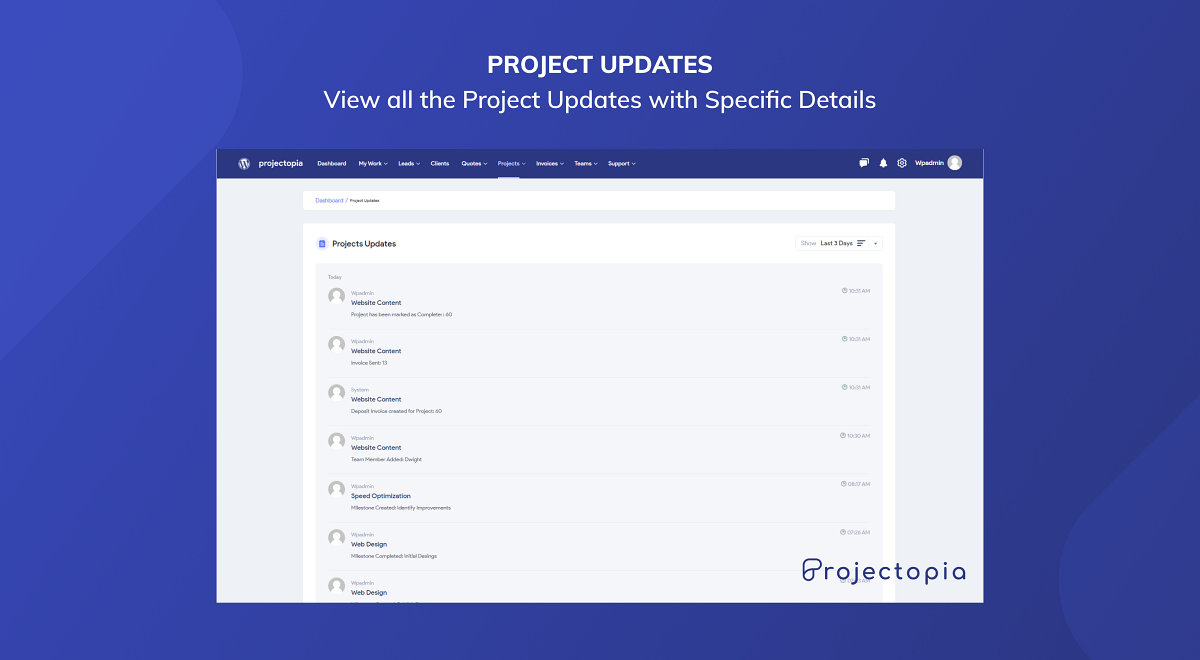
– Project creation and update times showing several hours earlier than they actually happened, on the client dashboard and in Dashboard -> Project Updates. Projects created from a WooCommerce order were storing a time that had the site’s timezone applied twice. Requires the matching WooCommerce Add-On update.
– Activity log entries filed under the wrong day. The date heading was worked out in UTC while the time beside it used the site timezone, so anything recorded late in the evening appeared under the next day.
– The “Yesterday” heading never appeared in activity logs, project updates, quote messages or task messages. Yesterday’s entries showed a plain date instead.
– Invoice due dates on the client dashboard ignored the plugin’s date format setting and could show a day early.
– “Days to Launch” showing a nonsense figure of roughly 20,700 days on projects with no finish date. An empty date was being read as 1 January 1970 and counted from there. Projects with no finish date now fall back to their last milestone deadline, so existing projects get a real countdown without any change to stored data, and only show N/A when there is genuinely no date to count towards. Projects created from a WooCommerce order using a Milestone/Task Template were the common case, because the add-on never set a finish date; it now records one from the template milestones as well.
– Translation tools such as Loco Translate could not read the plugin’s text, reporting “No translations found” and blocking edits with “File access disallowed”. The bundled Freemius library’s own translations were being mistaken for the plugin’s. A translation manifest (loco.xml) now points these tools at the correct template and excludes the bundled third-party libraries, so the plugin’s labels can be translated or renamed normally.
Added
– Clients can mark their own tasks as complete from their dashboard. Off by default, enable in Settings -> Client Dashboard.
– Clients can mark their own milestones as complete. Separate setting, also off by default.
– Setting to restrict completing tasks and milestones to team members, administrators and the client the project belongs to.
– Setting to block Projectopia actions for logged-in users who are neither a team member nor a client. Login, registration and password reset are unaffected.
– Clearer messages when an action is refused, telling the user whether the feature is switched off or their account is not linked to a client or team member record.
Security
– Completing a task or milestone now confirms the user is entitled to act on that item. Previously any signed-in user could complete any task, which could also roll a milestone to complete and raise a milestone completion invoice.
– Clients can only act on projects belonging to their own client record. This applies regardless of the settings above.
– A project reference sent with a completion request is no longer trusted from clients, so an activity entry cannot be written into another project’s log.
– Client contact management is no longer reachable by logged-out visitors. Adding, editing and removing client contacts, and updating a client profile, were registered for logged-out visitors and protected only by a nonce that the plugin prints on the public registration, quote and lead forms. Anyone able to load one of those pages could change or delete the WordPress account behind a client contact, and the edit handler would then issue a login cookie for that account. Reported privately against 5.1.25.2 by an external reviewer.
– Managing a client contact now requires either the client-editing capability or ownership of the client record in question, and the contact must belong to the client named in the request, so one client cannot reach another client’s contacts.
– A contact entry that points at an administrator account is refused, closing a privilege-escalation route through client contact editing.
– Removing a client contact can no longer delete the client’s main contact account, a team member, or an administrator through that handler; only ordinary contact accounts can be removed this way.
– Changing a password only re-issues a login cookie when the user is changing their own. Previously an administrator who set a contact’s password was silently signed in as that contact.
– Clearing a client alert now requires rights over that client record.
– Creating tasks, listing tasks across the whole install, and sending contract emails are restricted to team members. All three were reachable without signing in.
Updated
– Tested against WordPress 7.1 on PHP 7.4 and PHP 8.5.12, with WooCommerce and all twelve Projectopia add-ons active. Syntax checked across PHP 7.4, 8.2, 8.3, 8.4 and 8.5.12.
– Minimum PHP raised from 5.6 to 7.4. The plugin has not actually run on PHP 5.6 for several releases: the PHP 8 compatibility work in 5.1.21 and 5.1.24 introduced null coalescing operators that PHP 5.6 cannot parse, and the bundled PDF library needs PHP 7 as well. The requirement is now declared in the plugin header as well as the readme, so WordPress blocks activation on an unsupported version instead of the site failing at load. Add-ons declare the same requirement.
5.1.25.2
Release Date: April 29, 2026
Fixed
– File uploads failing on cached sites (Cloudflare, Cloudways, LiteSpeed). Uploads now bypass cached page tokens and work reliably.
– Profile photo upload getting stuck on “Uploading…” with no error message.
– Profile photo showing a broken image preview after upload on sites with a non-standard thumbnail size.
– Client Files and Task Files not appearing on the client dashboard after clicking “Submit Files”.
– Admin list tables (Teams, Clients, Projects, Quotes, Invoices, Leads, Tickets, Tasks, Bugs, Lead Forms, FAQs) appearing detached from the page and floating when scrolling. Caused by a styling conflict with some other plugins or themes.
– “Allowed file types” hint showing an empty list on some sites, which caused every upload to be rejected.
– Long “Allowed file types” text overflowing the upload box on narrow screens — it now wraps cleanly.
– Clearer upload error messages: the user is now told exactly why an upload was rejected (wrong file type, file too large, session expired, etc.) instead of a generic error.
Added
– A hint below every upload field showing the allowed file types and your server’s maximum upload size.
– A live upload progress counter — shows percentage and size (e.g. “Uploading… 42% (4.2 MB / 10.0 MB)”) so users see real feedback on large files instead of a frozen badge. Switches to “Processing…” once the file has finished transferring.
– Profile pictures and avatars are now limited to image files only (JPG, JPEG, PNG, GIF, WebP, AVIF, BMP, ICO). The file picker also pre-filters to images so users can’t pick a PDF or video by mistake.
– The Company Logo, Dashboard Logo, Invoice Logo and Login/Register Background fields in plugin settings are now restricted to image files only, with the same protection.
– A progress overlay when saving the plugin settings page with a new logo or background image. Shows upload percentage and size, then “Processing…” while WordPress finishes saving.
– Files are now checked against allowed types and size BEFORE upload starts — if the file isn’t allowed, the user sees the error immediately instead of waiting for the upload to finish.
Updated
– Expanded the default list of allowed file extensions to include modern image formats (WebP, AVIF, BMP, ICO), more document formats (ODT, PPT/PPTX, PPS/PPSX, PSD), all common audio/video formats (MP3, M4A, OGG, WAV, FLAC, MP4, MOV, AVI, etc.) and additional archives (GZ, RAR).
– Existing sites get these new extensions automatically on update without losing any custom additions.
– Logo upload fields on the settings page now also accept modern image formats (WebP, AVIF, BMP) in addition to JPG/PNG/GIF.
5.1.24
Release Date: March 20, 2026
- Fixed: Replaced deprecated FILTER_SANITIZE_STRING (removed in PHP 8.2) with sanitize_text_field() + wp_unslash() across quote_functions.php, ticket_functions.php, and initial-settings.php
- Fixed: File uploads now work correctly for client users on async-upload.php via user_has_cap filter
- Fixed: Stripe SDK duplicate class collision (E_COMPILE_ERROR) when pto-subscriptions addon is active
- Fixed: CPT rewrite rules now auto-flush when addons are activated, resolving 404 errors on support ticket, quote, and invoice URLs
- Fixed: Quote email now shows specific error when client record has no email address, instead of generic settings message
- Fixed: Days until launch shows 0 instead of misleading countdown for completed/closed projects
- Fixed: foreach() warning – added is_array() guard on json_decode() result in invoice_cd.php, fe/invoice.php, and client-dashboard/client-settings.php to prevent “argument must be of type array|object, string given” errors
- Fixed: foreach() warning – fixed $weights fallback from empty string to array() in template_functions.php
- Fixed: foreach() warning – added is_array() guard on $quote_elements in quote_functions.php
- Fixed: foreach() warning – added is_array() guard on $field->values for checkbox-group, radio-group, and select field types in invoice_cd.php
- Tested and confirmed compatible with PHP 7.4, 8.0, 8.1, 8.2, 8.3, 8.4
5.1.23
Release Date: February 09, 2026
* Fixed: Email sanitization – Fixed error that was causing blocking sending Quote Emails
* Fixed: Invoice Project details – Fixed PHP 8 compatibility, cannot access offset of type string for empty project details on invoice edit page
* New feature: Payment history added to invoices – Added toggle to enable payment history in invoices is available in invoice settings
* New feature: Projectopia Admin dashboard icon – Added toggle to hide or display for (all/admin/non-admin) users in admin dashboard settings
* New feature: Projectopia Admin dashboard notices – Added toggle to h or display for (all/admin/non-admin) users in admin dashboard settings
* New feature: Projectopia Admin dashboard screen options – Added toggle to hide or display for (all/admin/non-admin) users in admin dashboard settings
5.1.22
Release Date: December 16, 2025
* Fixed: PHP 8 compatibility for settings page
5.1.21
Release Date: December 15, 2025
* Fixed: Freemius SDK 2.1.30 file error.
Captures d'écran
Pour les développeurs
Est-ce votre plugin ? Montrez les chiffres.
Ajoutez un badge en direct à votre site, docs ou github readme. Il se met à jour par lui-même - aucun compte n'est nécessaire.
Best Projectopia alternatives
All project plugins →




FAQ
Projectopia: quick answers
Réponses directes, extraites des données en direct WordPress.org.
Source : WordPress.org
Is Projectopia free?
Yes. Projectopia is free to download and use from the official WordPress.org plugin directory.
Is Projectopia safe to use in 2026?
Projectopia is a solid plugin choice in 2026, with a few things worth checking first. It runs on 200+ sites, is rated 5/5 and was last updated 1 month ago, and scores 77/100 on our health check.
How many websites use Projectopia?
Projectopia is active on 200+ WordPress websites and has been downloaded 26,071 times since it launched in October 2021. It was downloaded 746 times in the last 30 days.
Does Projectopia work with WordPress 7.1?
Yes. The developer has tested Projectopia up to WordPress 7.1.5, the latest release. It requires WordPress 5.3 or newer.
What PHP version does Projectopia need?
Projectopia requires PHP 7.4 or higher. Most hosts run PHP 8.x today, so it works on any modern WordPress hosting.
When was Projectopia last updated?
The latest version, 5.1.26, was released on October 28, 2026 (1 month ago).
Who makes Projectopia?
Projectopia is developed and maintained by Projectopia.
What are the best alternatives to Projectopia?
The most popular alternatives to Projectopia are FluentBoards (6K+ installs), SureFeedback Client Site (5K+ installs) and Project Manager (5K+ installs).
Propulsé par PageForge
Un modèle et une feuille de calcul. Une vraie page pour chaque recherche.
PageForge transforme chaque ligne d'un CSV en une page WordPress avec son propre titre, URL, SEO et schéma, construit sur la mise en page que vous Déjà conçu. Gratuit sur WordPress.org.
- CSV et XLSX, plus Google Sheets sur les professionnels et les entreprises
- Son propre titre, URL, SEO champs et schéma pour chaque page
- Fonctionne avec l'éditeur de blocs, Elementor, Divi et Avada
- Gratuit sur WordPress.org, pas de carte de crédit