


UpStream: a Project Management Plugin for WordPress
UpStream is a free but very powerful project management plugin for WordPress.

Choix solide
UpStream: a Project Management… is a solid plugin choice in 2026, with a few things worth checking first. It runs on 500+ sites, is rated 4.2/5 and was last updated 4 months ago, and scores 68/100 on our health check.
- Momentum — downloads up 87.4% vs the previous 30 days
- Petite base d'utilisateurs (plus de 500 installations actives)
Comment s'accumule-t-il ?
Côte à côte sur les installations, les mises à jour, les évaluations et le support



Téléchargements quotidiens
Les pics de téléchargement suivent généralement une nouvelle version - chaque site qui met à jour automatiquement compte comme un téléchargement.
Classements
Where UpStream: a Project Managem… stands todayWordPress.org Classements de recherche
Position en direct dans la recherche de plugins, Top 100| Mot-clé | Position |
|---|---|
| manage | >100 |
| management | #67 |
| project | #9 |
| project management | #4 |
| project manager | #15 |
Adoption de version
Part de sites actifs par version.
Répartition des notes
★★★★★★★★★★ 4.2 from 74 reviews
About UpStream: a Project Management Plugin f…
À partir du Lisezmoi officiel · v2.1.1Description
UpStream is a free project management plugin.
UpStream allows you to manage any type of project from inside your WordPress site.
Your clients can track the progress of their project via the frontend project view. Your team can see all the tasks and bugs that are assigned to them.
Click here to try a free demo of UpStream
The UpStream core is totally free. We encourage you to try the demo and see how it works. UpStream also has a range of extensions that allow you to extend the features available for your projects.
View our Premium Extensions here.
Project Features
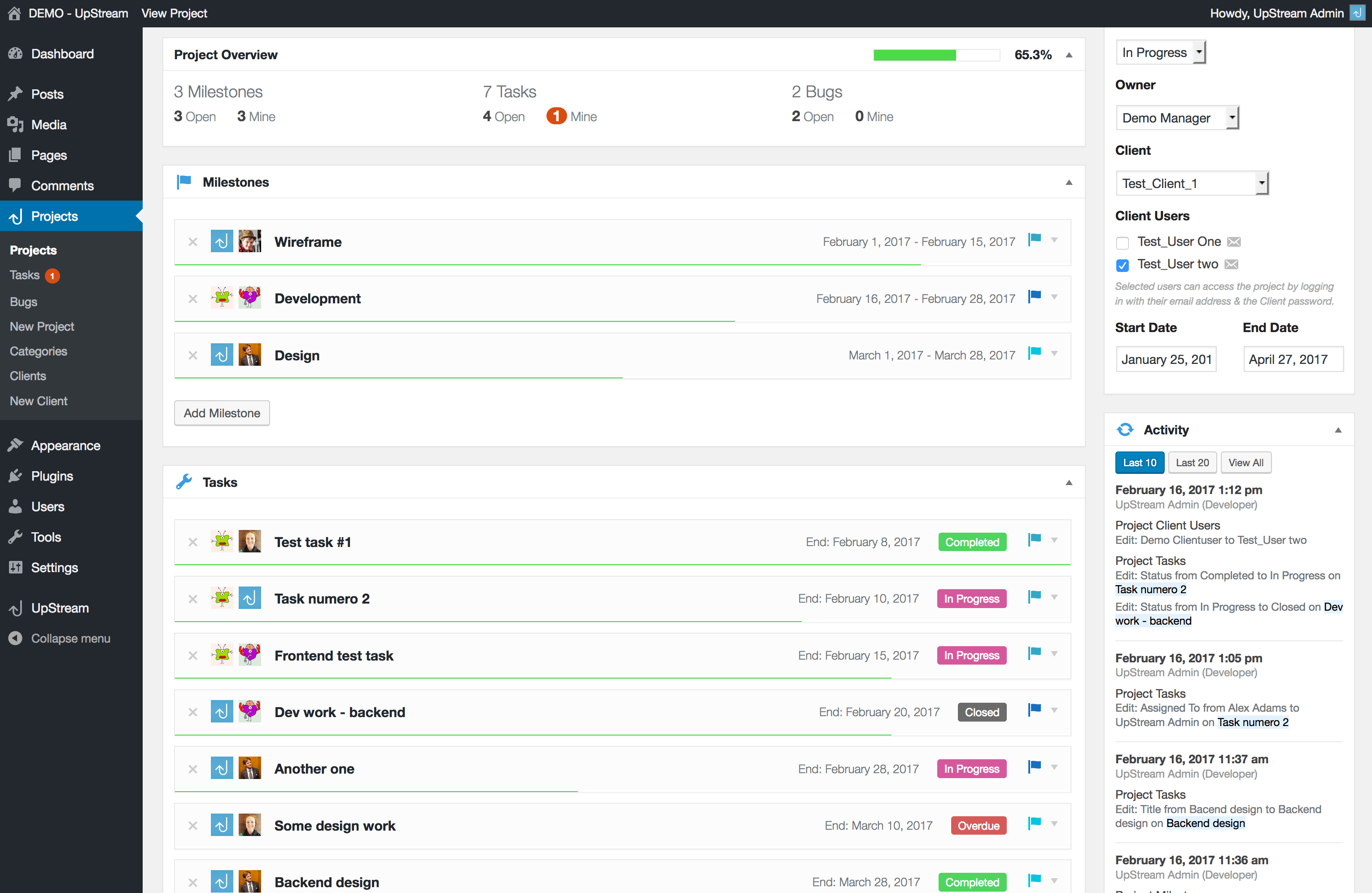
- Milestones & Tasks (that can be linked)
- Bug/Issue Tracker
- Upload Files & Documents
- Project Discussion thread
- Automatic Progress Tracking
- Champs personnalisés
- Custom Statuses
Client Features
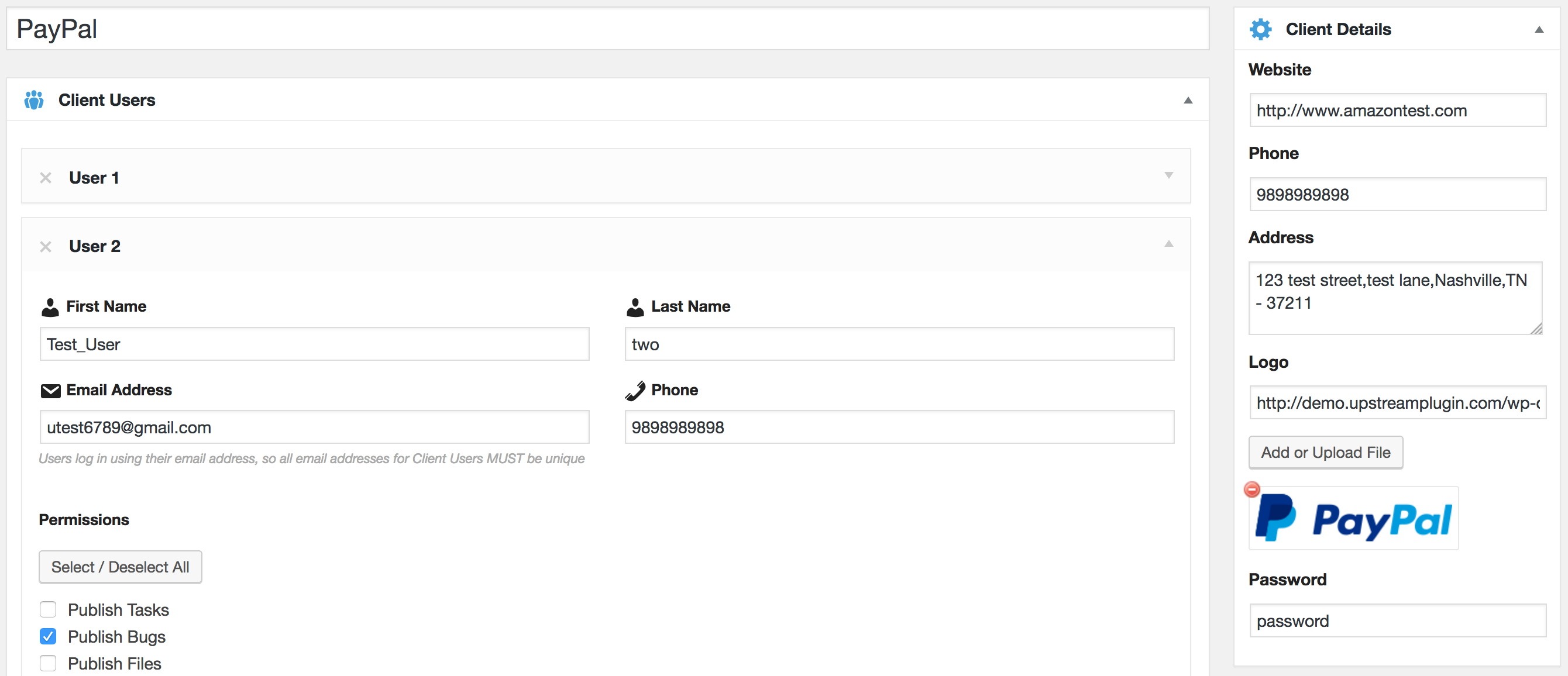
- Client contact details, address, logo
- Champs personnalisés
- Client Users (employees)
- Client login page to view their projects
Caractéristiques générales
- Built in Roles – Project Manager & Project User
- Custom Capabilities & Permissions
- Awesome looking frontend
- Customizable frontend templates
- Label Projects, Clients, Milestones, Tasks, Files & Bugs anything you like
- Developer friendly and highly customizable
- Traduction prêt
Premium Extensions
Add even more awesome features through the use of our extensions.
- Frontend Edit
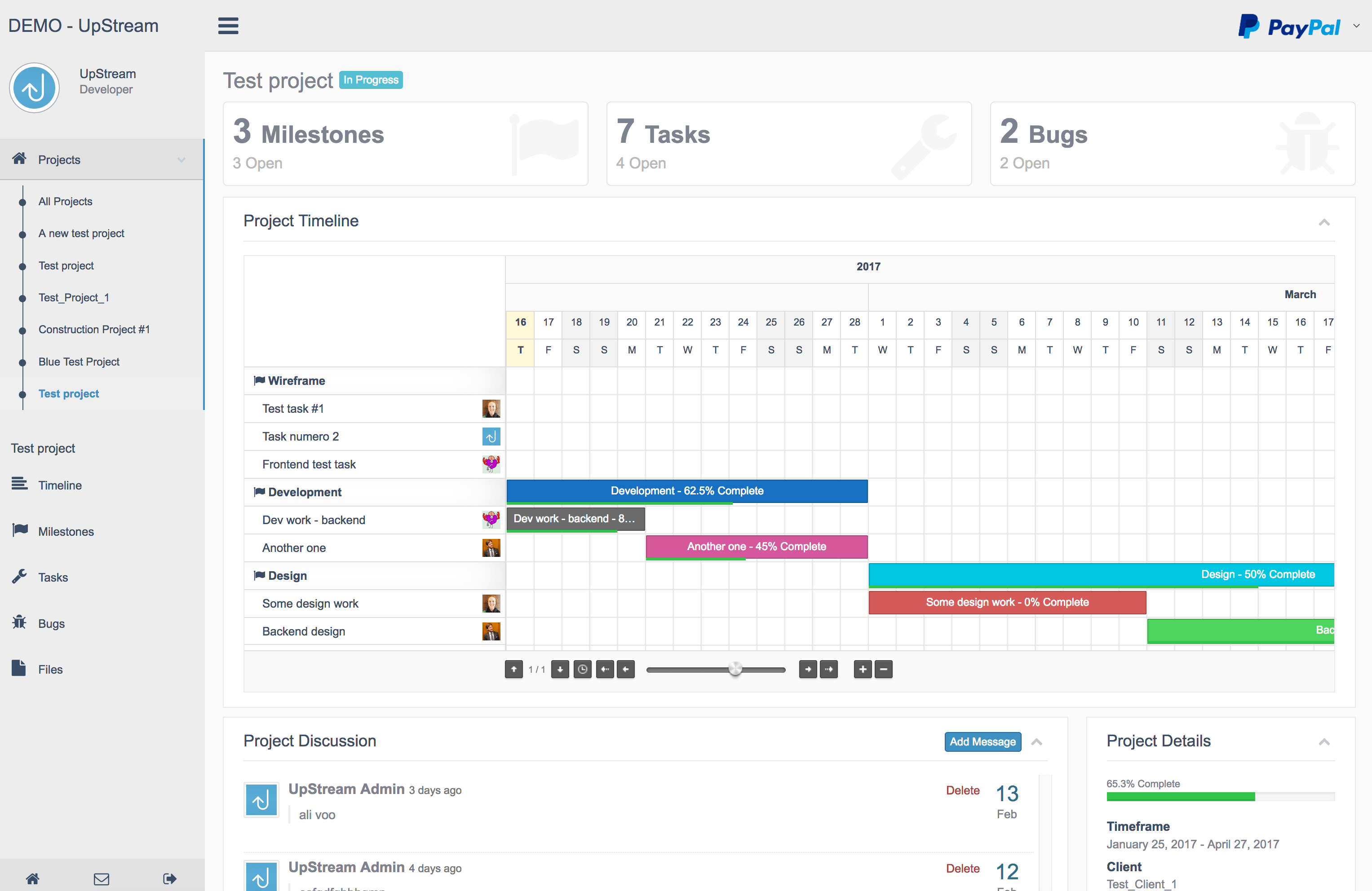
- Project Timeline
- Customizer
- Email Notifications
- Copy Project
- Calendar View
- Champs personnalisés
Milestones & Tasks
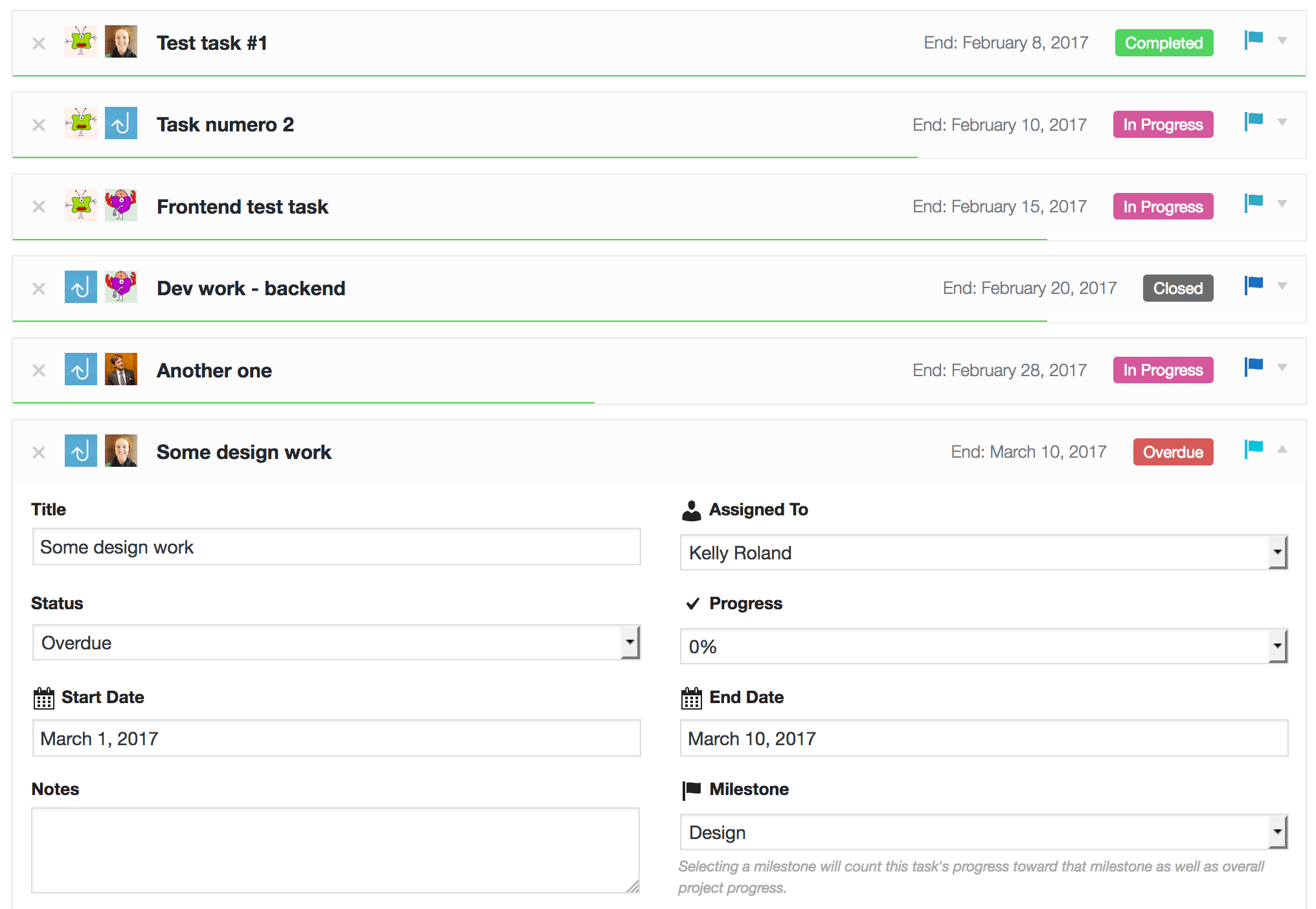
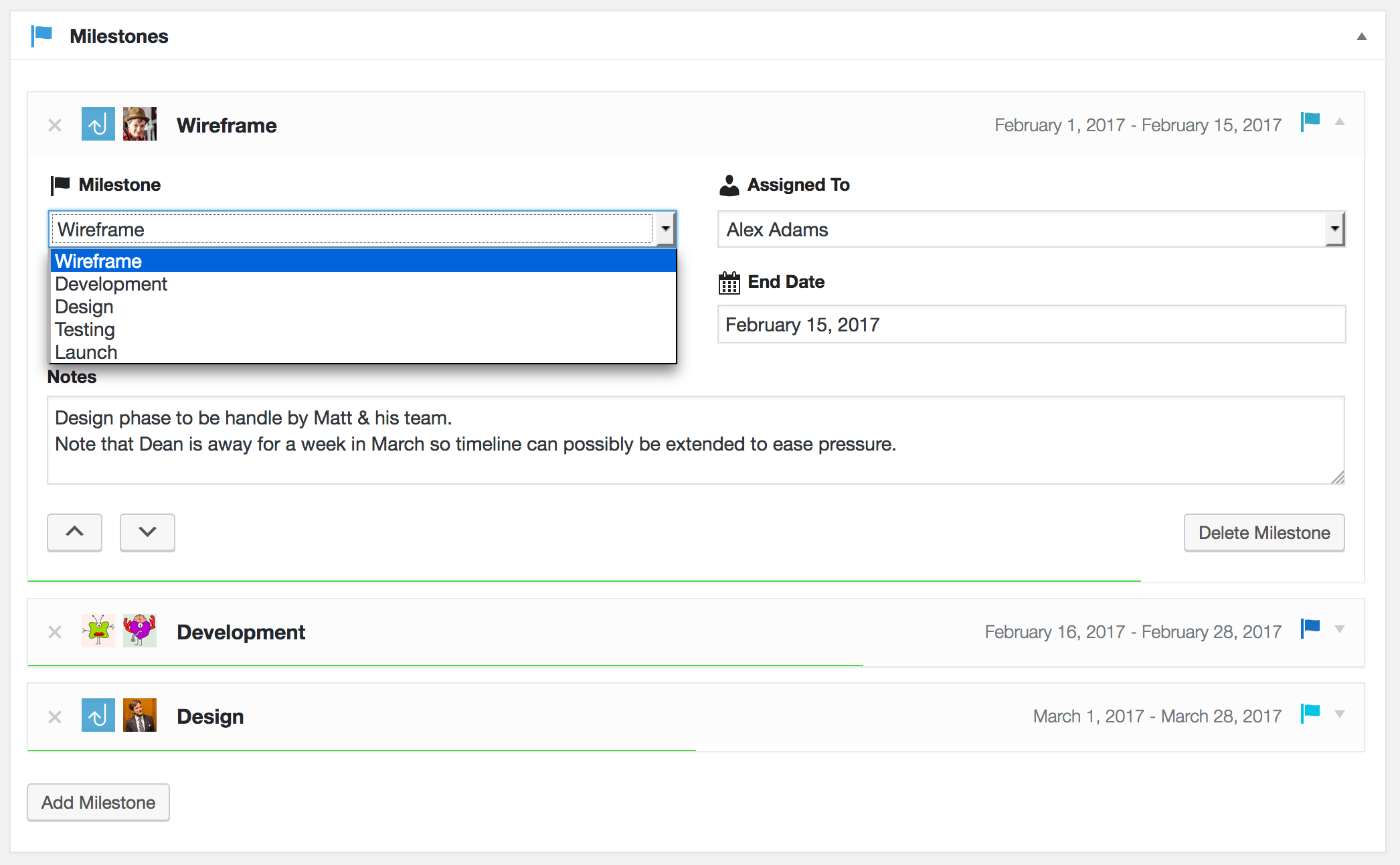
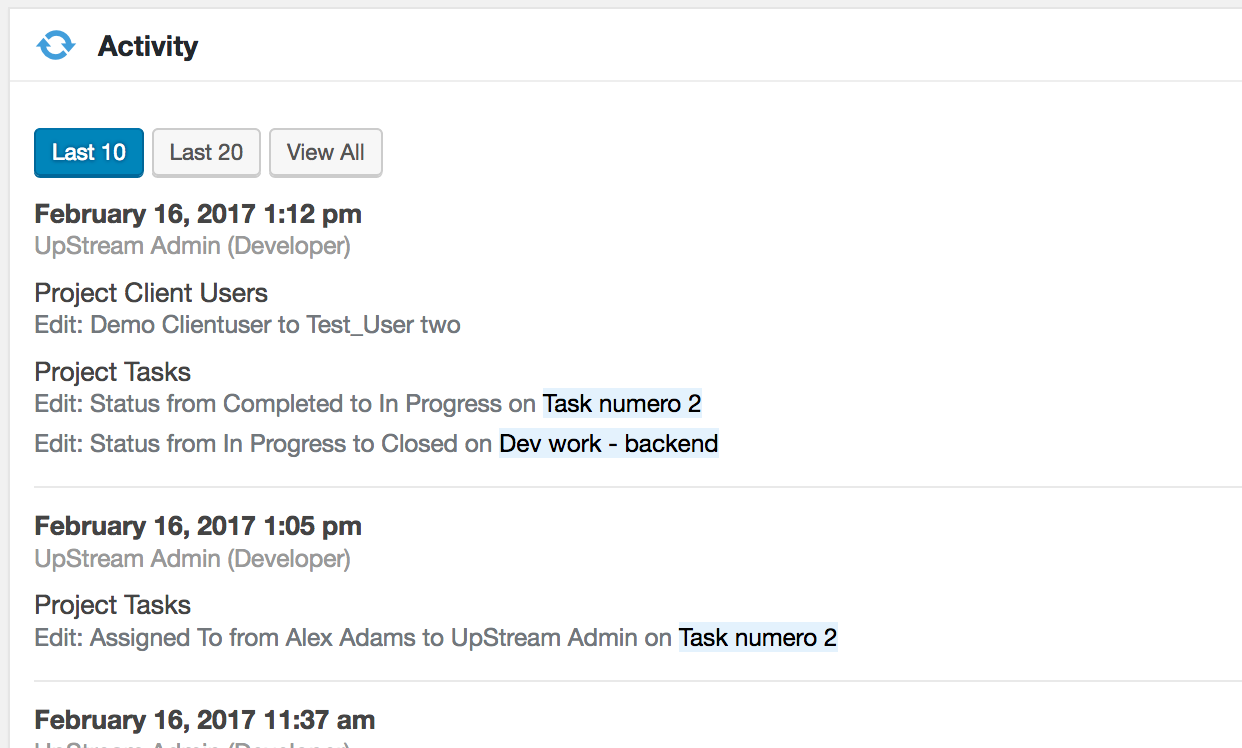
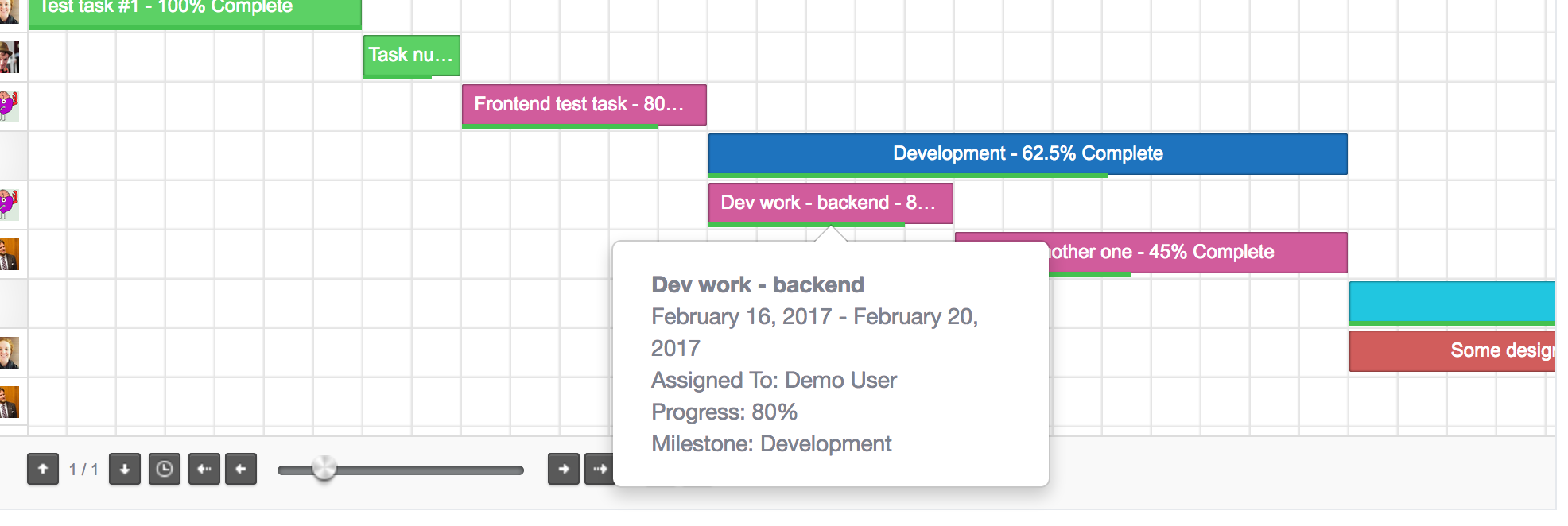
Milestones & tasks help you to successfully plan, track and manage your project from start to finish. Assign tasks & milestones to users, add start & end dates, color-coded statuses, notes and progress of the tasks & milestones. You can even add your own custom fields.
Bug Tracking & Issue Reporting
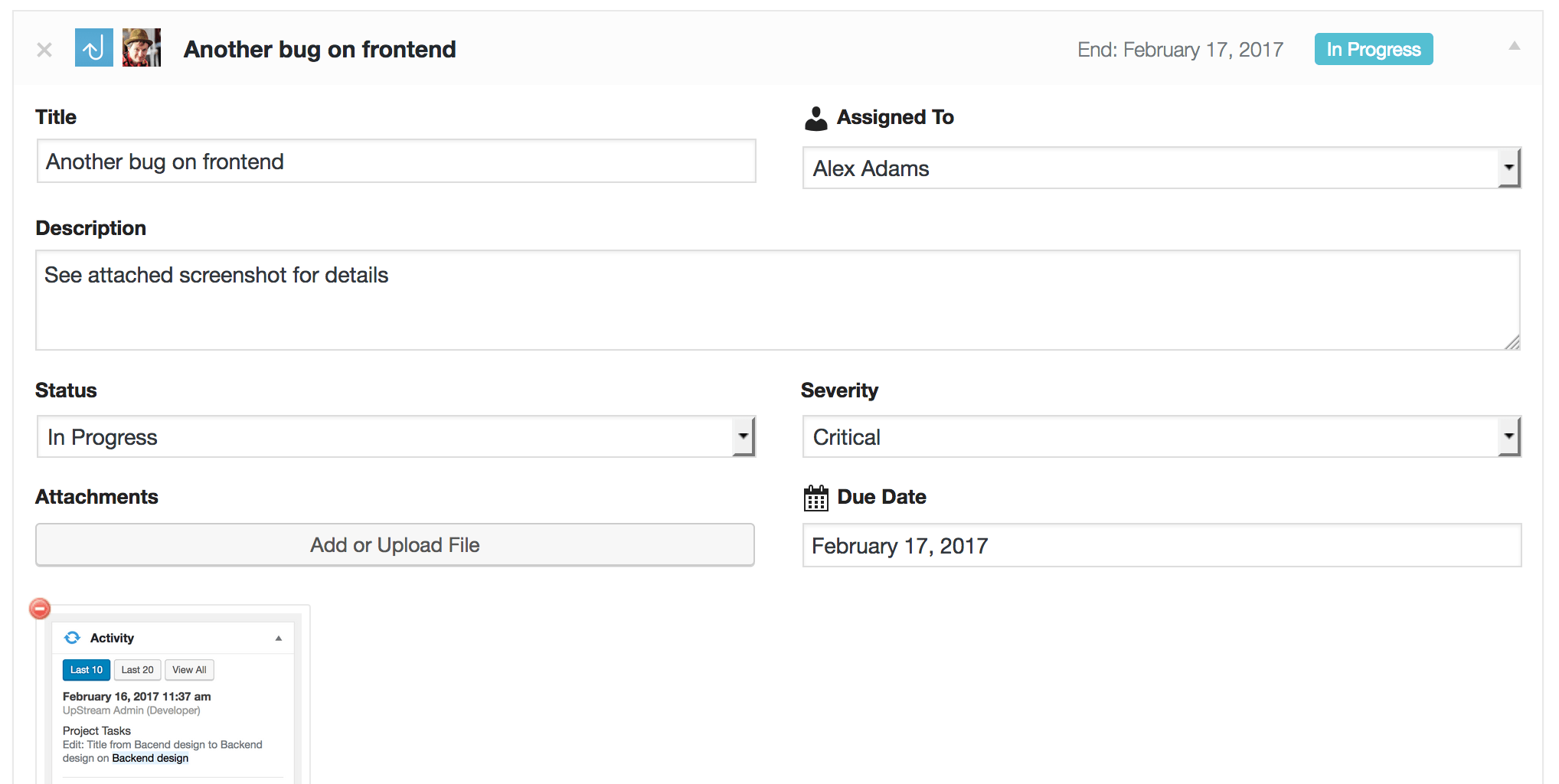
Easily report bugs or issues as they arise and just like milestones & tasks, you can assign the bug to a user, add a status, severity of the bug, a description, due date & attach files to each individual bug.
Project Discussion
Avoid email trails and keep the entire discussion about your project right where it should be, within the project! Any user can add to the discussion and with the Front End Edit extension and you can also allow your clients to add to the discussion.
Front End View
Your clients can view the details and the progress of the project via the front end. Clients can never access the WordPress admin. Using a customized login system, you can determine which users of your client can have access to the project and also to which parts of the project they can view.
Highly Customizable
Well thought out settings and options, customizable templates, add your own CSS, create custom fields wherever you like, create your own statuses with whatever colors you choose plus lots more. You can even rename projects, milestones, tasks, bugs, files and clients. Prefer to rename ‘Bugs’ as ‘Issues’? Rather call a ‘Project’ a ‘Plan’ or call a ‘Client’ a ‘Customer’? Go for it!
Installation
Exigences minimales
- WordPress 4.5 or greater
- PHP version 5.6.20 or greater
Setting Up
- Activer le plugin
- Go to UpStream > General Settings and configure the options as required
- Create a Client by going to Projects > New Client
- Create a Project by going to Projects > New Project
- For a Quick Start guide and more detailed instructions, please visit the Documentation page.
Journal de modifications
The format is based on Keep a Changelog
[2.1.1] – 2026-08-04
- Tested on WordPress v7.0
[2.1.0] – 2024-05-22
- Fixed the compatibility issue with Elementor plugin
- Tested on WordPress v6.5.3
[2.0.9] – 2022-11-02
- Fixed: Upstream Client User Role can’t view projects that were assigned to them
- Fixed some label issues
[2.0.8] – 2022-10-23
- Fixed admin notification appearance
- Fixed failed to open stream: includes/libraries/cmb2/includes/CMB2_Hookup.php
[2.0.7] – 2022-06-27
- Code refactoring to WordPress Coding Standard
[2.0.0] – 2022-04-30
- Updated CMB2 v2.10.1
- Updated Bootstrap to v5.1.3
- Fixed: New bugs-severity is not listed
- Fixed: Listing error on bugs-severity with a default color
- Fixed: Cannot edit ‘Assigned To’ field on ‘Milestones’ editor
- Fixed: “Milestones Categories” submenu is not highlighted when “Milestones Categories” page is opened
- Fixed: “Clients” submenu is not highlighted when Add or Edit client
- Fixed: PHP7 deprecated arguments on preg_replace_callback
- Fixed: Bug on new comment notification
- Fixed: Warning notification on project table submission
- Updated: Redirect the edit milestone link on admin page to the edit project page
- Various CSS fixes and code updates
Captures d'écran

Pour les développeurs
Est-ce votre plugin ? Montrez les chiffres.
Ajoutez un badge en direct à votre site, docs ou github readme. Il se met à jour par lui-même - aucun compte n'est nécessaire.
Best UpStream: a Project Managemen… alternatives
All manage plugins →



FAQ
UpStream: a Project Management Plug…: quick answers
Réponses directes, extraites des données en direct WordPress.org.
Source : WordPress.org
Is UpStream: a Project Management… free?
Yes. UpStream: a Project Management… is free to download and use from the official WordPress.org plugin directory.
Is UpStream: a Project Management… safe to use in 2026?
UpStream: a Project Management… is a solid plugin choice in 2026, with a few things worth checking first. It runs on 500+ sites, is rated 4.2/5 and was last updated 4 months ago, and scores 68/100 on our health check.
How many websites use UpStream: a Project Management…?
UpStream: a Project Management… is active on 500+ WordPress websites and has been downloaded 98,441 times since it launched in January 2017. It was downloaded 656 times in the last 30 days.
Does UpStream: a Project Management… work with WordPress 7.1?
UpStream: a Project Management… is officially tested up to WordPress 7.0.9, while the latest release is 7.1.5. It may still work, but try it on a staging site first.
What PHP version does UpStream: a Project Management… need?
UpStream: a Project Management… requires PHP 5.6.20 or higher. Most hosts run PHP 8.x today, so it works on any modern WordPress hosting.
When was UpStream: a Project Management… last updated?
The latest version, 2.1.1, was released on August 4, 2026 (4 months ago).
Who makes UpStream: a Project Management…?
UpStream: a Project Management… is developed and maintained by upstreamplugin.
What are the best alternatives to UpStream: a Project Management…?
The most popular alternatives to UpStream: a Project Management… are VOD Infomaniak (20K+ installs), iControlWP (900+ installs) and Dashboard Commander (800+ installs).
Propulsé par PageForge
Un modèle et une feuille de calcul. Une vraie page pour chaque recherche.
PageForge transforme chaque ligne d'un CSV en une page WordPress avec son propre titre, URL, SEO et schéma, construit sur la mise en page que vous Déjà conçu. Gratuit sur WordPress.org.
- CSV et XLSX, plus Google Sheets sur les professionnels et les entreprises
- Son propre titre, URL, SEO champs et schéma pour chaque page
- Fonctionne avec l'éditeur de blocs, Elementor, Divi et Avada
- Gratuit sur WordPress.org, pas de carte de crédit