


Accessibilité Web (anciennement connue sous le nom d'Ally) - Numérisation WCAG, corrections guidées, widget d'utilisabilité
Web Accessibility (formally known as Ally) is a free, powerful, and user-friendly plugin that helps WordPress creators build more accessible websites with ease. It simplifies accessibility with three essential tools:

Choix solide
Web Accessibility (formally kno… is a solid plugin choice in 2026, with a few things worth checking first. It runs on 500K+ sites, is rated 2.9/5 and was last updated 3 months ago, and scores 62/100 on our health check.
- Prouvé à grande échelle sur plus de 500 000 000
- Mixed reviews — 2.9/5 from 163 ratings
Comment s'accumule-t-il ?
Côte à côte sur les installations, les mises à jour, les évaluations et le support



Téléchargements quotidiens
Les pics de téléchargement suivent généralement une nouvelle version - chaque site qui met à jour automatiquement compte comme un téléchargement.
Classements
Where Web Accessibility (formally… stands todayWordPress.org Classements de recherche
Position en direct dans la recherche de plugins, Top 100| Mot-clé | Position |
|---|---|
| a11y | #6 |
| accessibilité | #6 |
| Accessibility statement | #3 |
| wcag | #3 |
| web accessibility | #1 |
Adoption de version
Part de sites actifs par version.
Répartition des notes
★★★★★★★★★★ 2.9 from 163 reviews
About Web Accessibility (formally known as Al…
From the official readme · v4.1.4Description
Web Accessibility (formally known as Ally) is a free, powerful, and user-friendly plugin that helps WordPress creators build more accessible websites with ease.
It simplifies accessibility with three essential tools:
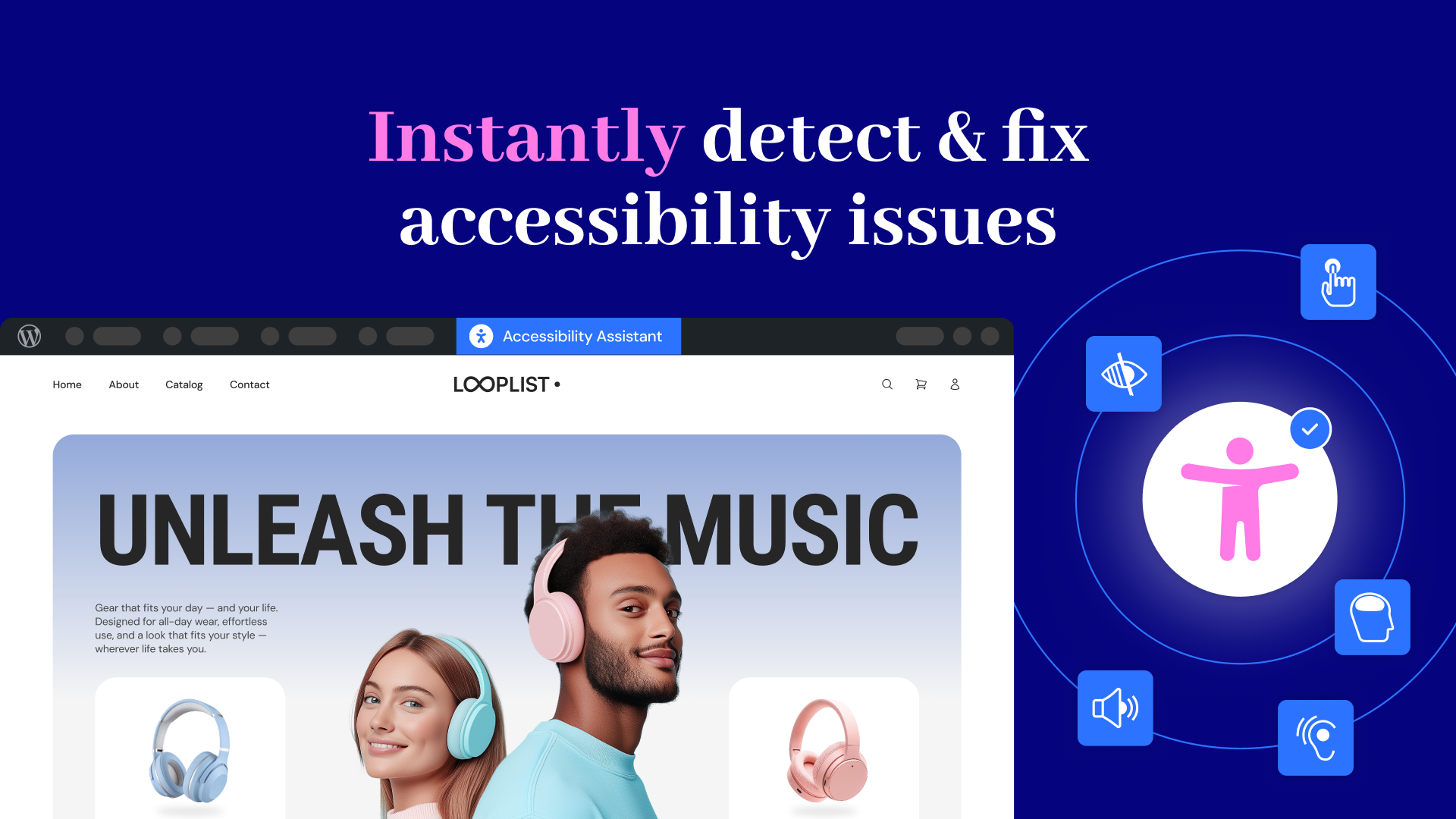
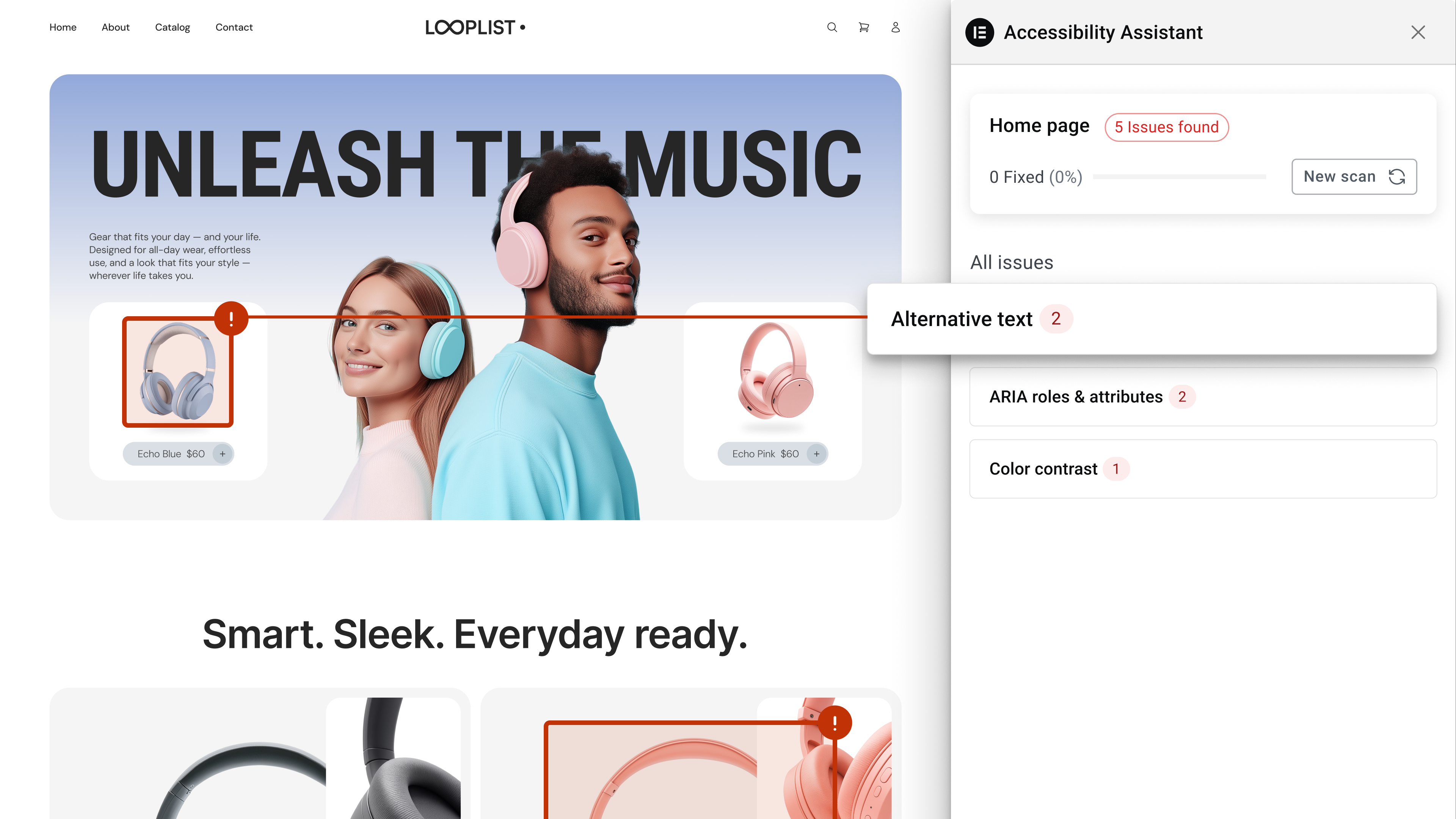
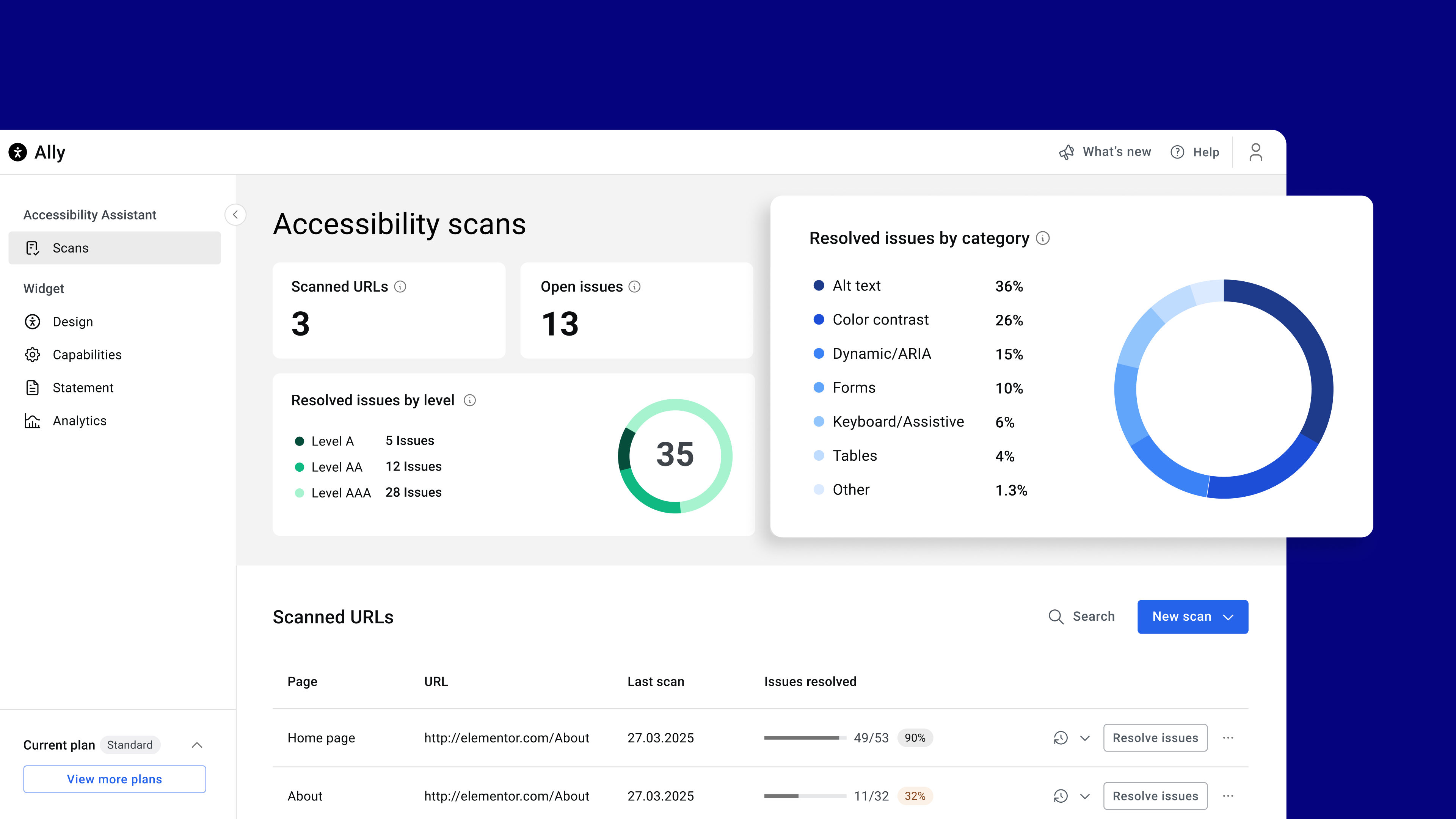
- Accessibility Assistant – Scan your pages, detect accessibility violations, and follow guided steps to fix them. Make manual adjustments or apply AI-powered suggestions, and track your progress.
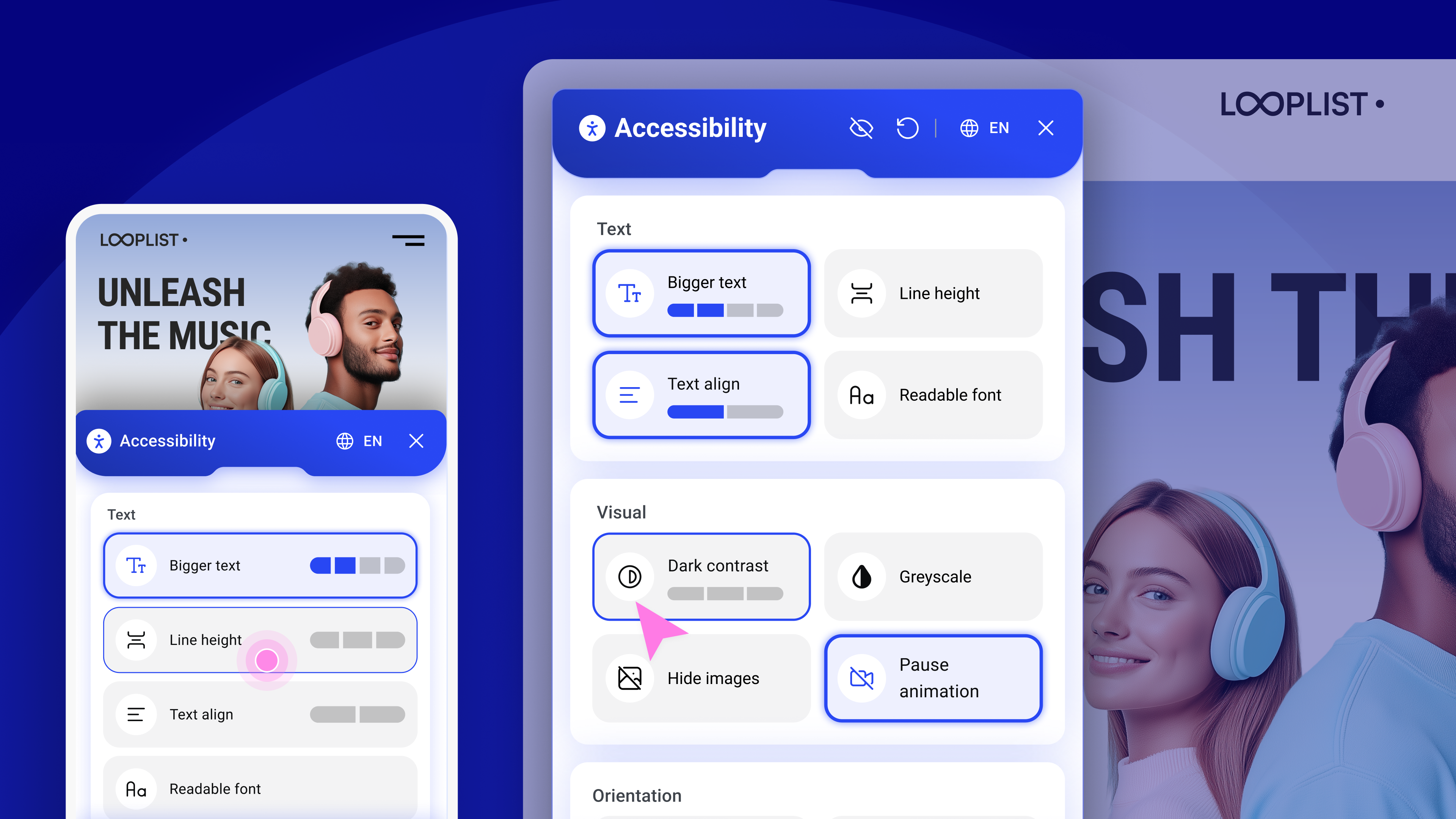
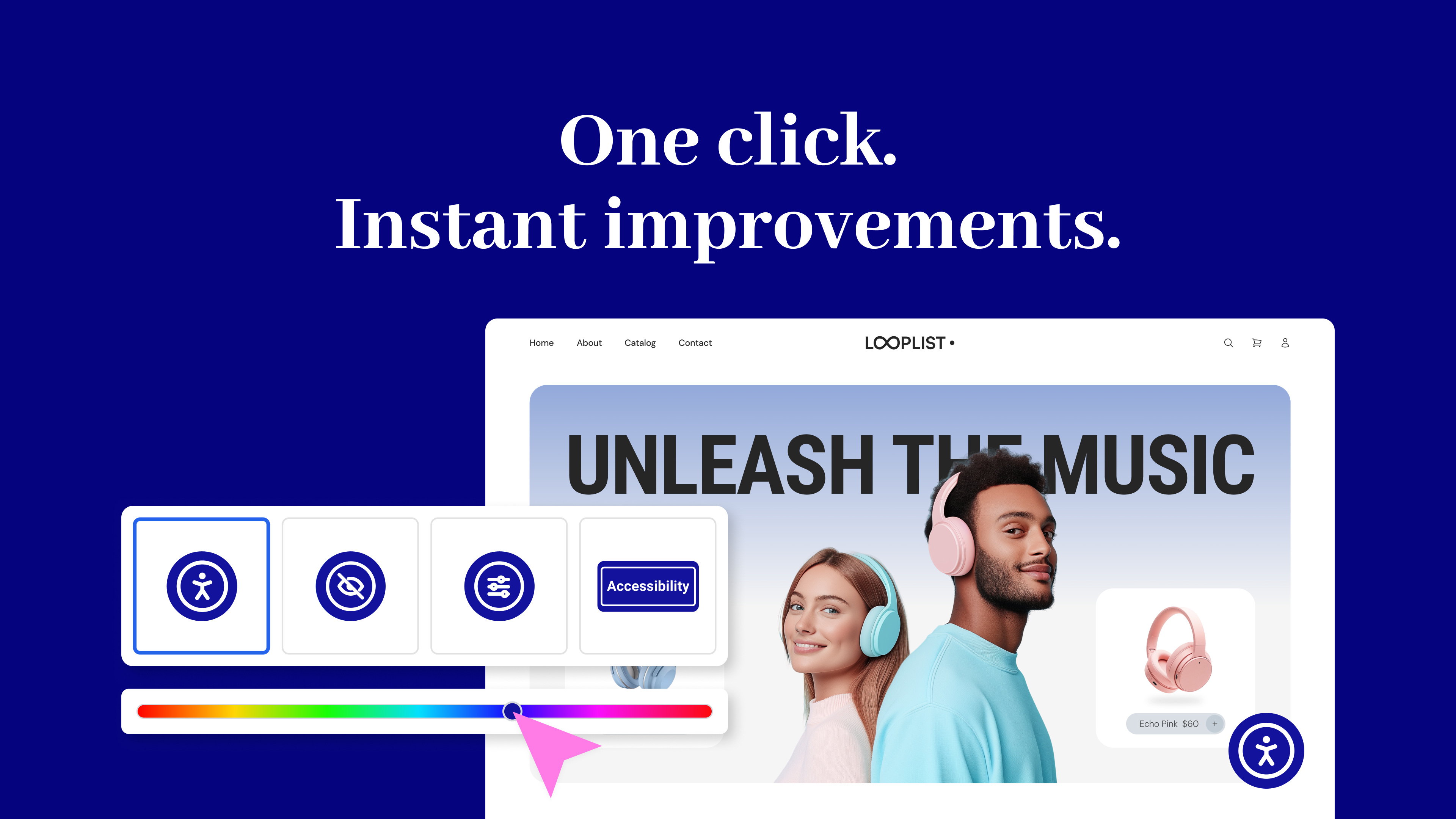
- Usability widget – Let visitors personalize their browsing experience with a floating accessibility menu. Features include font resizing, color contrast, image hiding, animation pausing, language selection, screen reader support, and more.
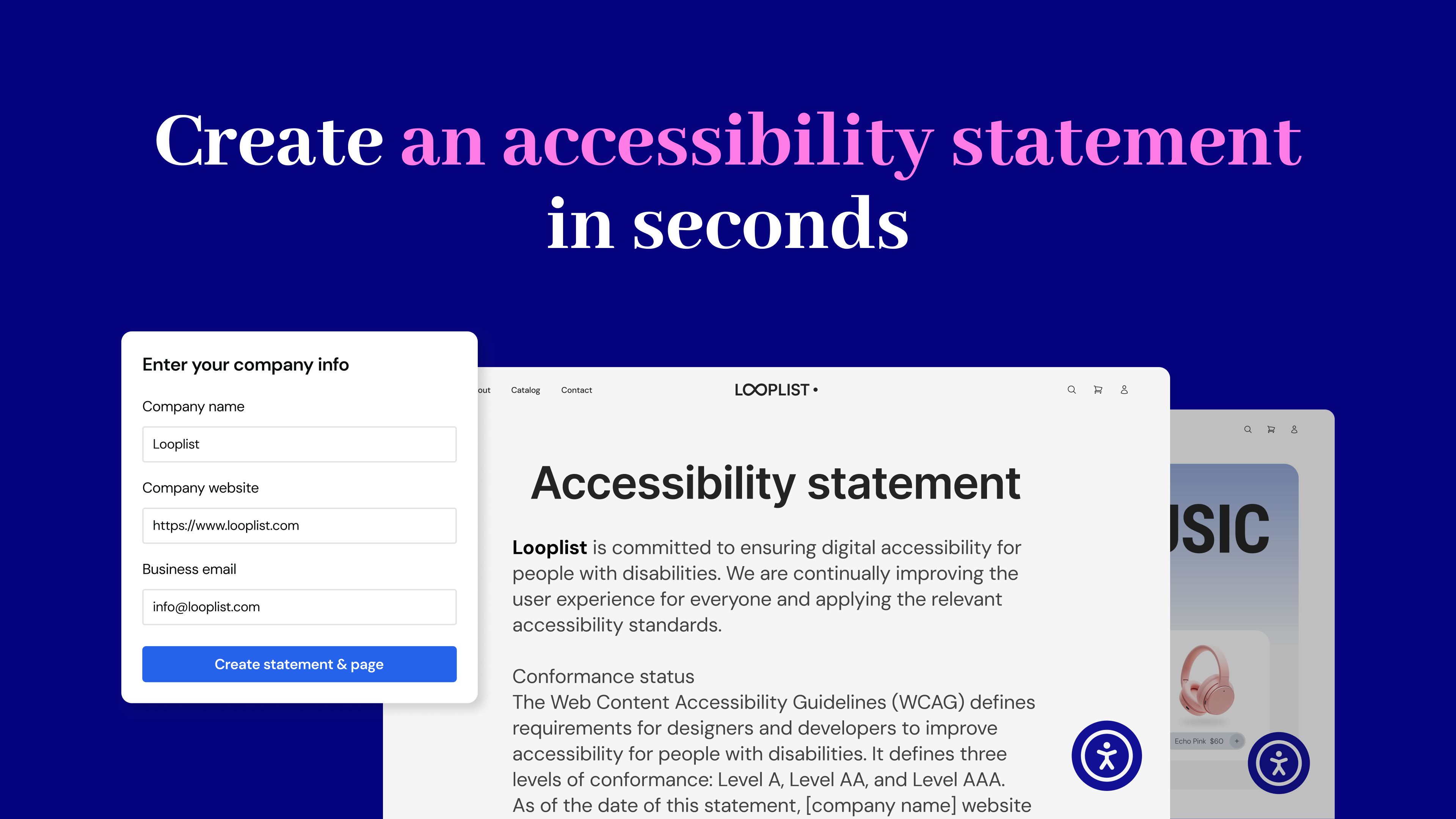
- Accessibility statement generator – Create a fully customized accessibility statement and publish it automatically on your site, helping meet WCAG and legal requirements.
No expertise required – Just activate, configure, and start making your site more inclusive today. Built by Elementor and designed for every WordPress site.
Why does web accessibility matter?
- Who Needs It? Every website owner, for businesses, creators, and agencies.
- Who is Responsible? Website owners are legally and ethically responsible for accessibility. The web creator who designs and builds the site must implement and adjust accessibility features to ensure compliance with WCAG guidelines and provide an inclusive experience for all users.
- Why Now? Rising legal requirements (WCAG, EAA) and better user experience.
- Why Should You Care? An accessible website isn’t just ethical; it’s good business. By prioritizing inclusivity, you improve user experience for everyone, boost your search engine rankings, and attract a wider audience.
It’s the Law
As accessibility standards continue to evolve and become mandatory, it’s important to start making website adjustments to comply with fast-approaching global regulations. Among its other capabilities, this plugin lets you instantly generate your website’s Accessibility Statement, which is now mandatory in most locales.
The Web Accessibility plugin is not a substitute for a thorough accessibility audit and is NOT intended to completely make your website legally compliant. However, with it, you’re one step closer to making your website inclusive to more visitors, including those with visual, auditory, or cognitive challenges.
Ensuring that your website complies with all applicable accessibility requirements is your responsibility. We recommend working with qualified accessibility professionals to help achieve full compliance.
Key Features & Benefits
Accessibility Assistant
- Scan any URL on demand to detect accessibility gaps
- Launch directly from WordPress or Elementor
- Step-by-step guidance to fix issues
- AI-powered remediation suggestions
- Progress tracking via a visual dashboard
- No accessibility expertise required
Comment cela fonctionne
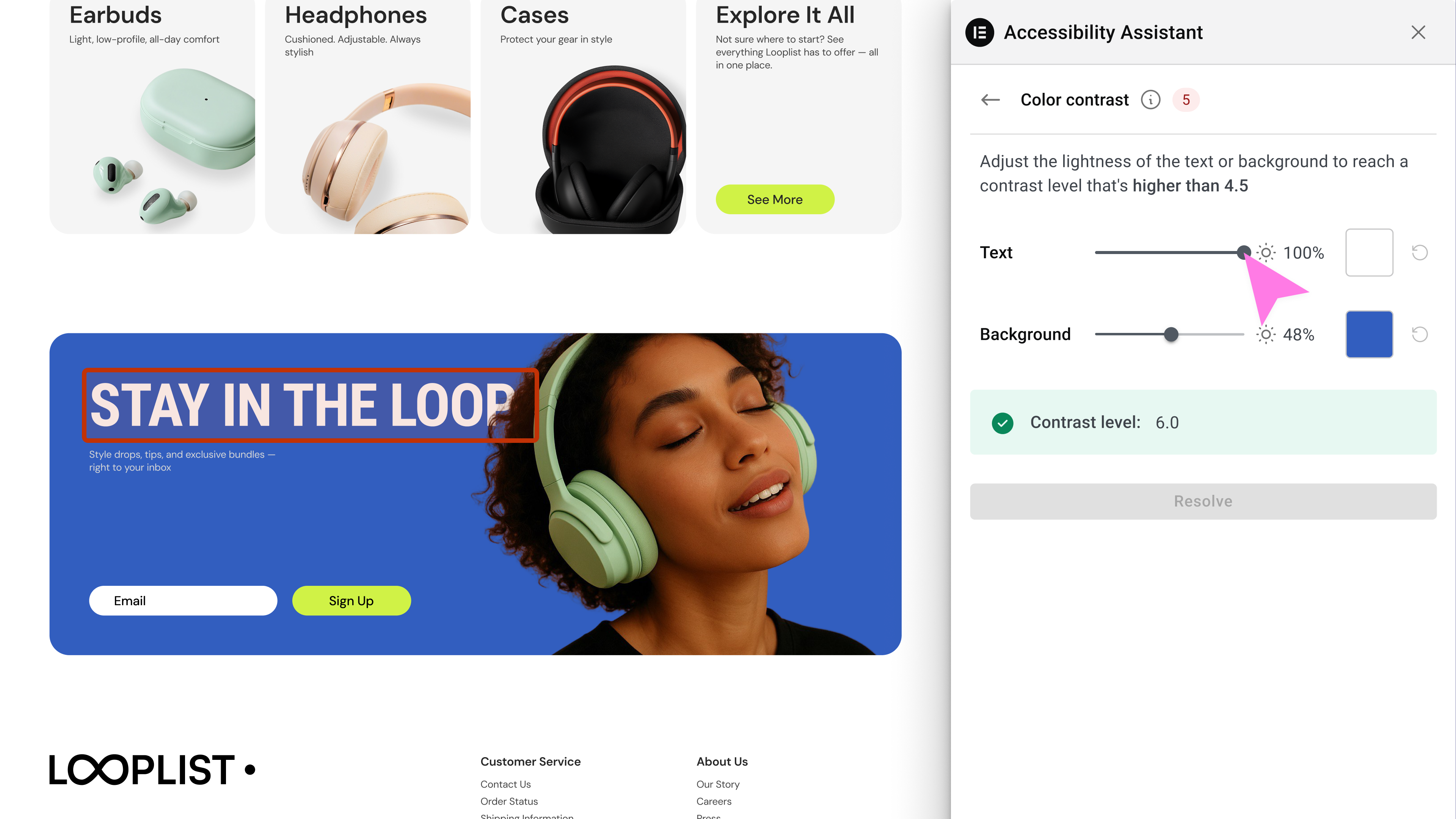
Accessibility Assistant scans individual URLs for accessibility violations, categorizes them by type and severity, and provides actionable insights. You can apply manual fixes manually or use AI suggestions while tracking your progress over time. Accessibility Assistant helps you:
- Detect missing alternative text
- Label dynamic content & ARIA landmarks
- Validate forms & flag input errors
- Ensure keyboard & assistive tech compatibility
- Identify accessibility violations in tables
- Repair incorrect page structure & navigation
- Flag color contrast & visual style violations (coming soon)
- And detect 180+ other common accessibility violations based on WCAG 2.1 AA
Accessibility Statement Generator
- Auto-generate a complete accessibility statement
- Customize and publish to a dedicated page
- Link it using the widget
Usability Widget
- Offer visitors a customizable menu with features like:
- Contrast Modes (high, dark, light, negative)
- Font resizing & readable font toggle
- Pause animations & hide images
- Line height & text alignment options
- Keyboard navigation enhancements
- Underlined links & reading guide
- Skip to content / sitemap viewer
- Language selector
- Skip to Main Content
- Restore defaults & widget toggle
Premium widget features are also available within paid plans, including:
- Screen reader compatibility improvements
- White labeling (remove Elementor branding)
- Language selector directly in the widget
- Usage analytics to gain actionable insights from visitor interactions
Widget customization options for web creators
Tailor the widget’s look and behavior with options like:
- Show/hide widget icon on mobile or desktop
- Select icon type and size
- Choose colors for icon, header, and text
- Define icon position (corner selection)
- Add/edit sitemap URL
- Enable/disable features per device or user role
Get Started Today
Create a better user experience for all with Web Accessibility
Need help? Visit our help center or contact Support.
This plugin requires a connection to an active Elementor account to identify the user and provide the purchased service. This connection is initiated manually by the user via the plugin’s settings panel. Learn more about our terms and conditions. This plugin uses a 3rd party service operated by Elementor.
More accessibility features are on the way, so stay tuned!
Related Plugins
- Email Deliverability: Manage transactional emails with ease. High deliverability, detailed logs and statistics, and no SMTP plugins needed.
- Image Optimizer: Compress and optimize your images, giving you leaner, faster websites. Automatically optimize any new image you upload or run a bulk optimization process for existing uploads.
Installation
Installation automatique
- Install using the WordPress built-in Plugin installer > Add New
- Activez le plugin via le menu « Plugins » dans WordPress
- Go to the plugin page (under Dashboard > Accessibility)
- Faites plaisir!
Installation manuelle
- Extract the zip file and just drop the contents in the
wp-content/plugins/directory of your WordPress installation - Activez le plugin via le menu « Plugins » dans WordPress
- Go to the plugin page (under Dashboard > Accessibility)
- Faites plaisir!
Journal de modifications
4.1.4 – 2026-08-xx
- Tweak: Versioned the rendered-HTML cache so previously cached (potentially corrupted) HTML is regenerated after the rendering pipeline changes
- Fix: Prevented the remediation runner from corrupting inline
<script>and<style>blocks (e.g. WooCommerce archive scripts with multibyte characters) during the DOMDocument round-trip, which caused console syntax errors and broken page layouts - Fix: Scanner error on pages with no headings
- Fix: Plugin row links throws errors on Jetpack cron
4.1.3 – 2026-06-29
- Tweak: Widget button custom position alignment
- Tweak: Ally AI fixes improvments
- Tweak: Assets renaming
- Fix: Accessibility in deactivation modal
- Fix: WordPress Dahsboard stats not updating
4.1.2 – 2026-06-01
- Tweak: Improved admin screens in RTL view
- Tweak: Reduce bundle size for faster loading
- Tweak: Improved Internal caching purge
- Tweak: Added support for setups where
home_urlis different thansite_url
4.1.1 – 2026-03-31
- Tweak: Improved WPML support
- Tweak: WordPress 7.0 design compatibility
4.1.0 – 2026-02-23
- New: Added bulk remediation flow to generate AI alt text or mark multiple images as decorative
- Tweak: Added the ability to disable the accessibility widget to prevent it from loading on your site
- Tweak: Security enhancement to prevent potential SQL injection
- Tweak: Security enhancement to remove unsecure composer package
- Fix: Display WordPress admin notices inside the settings page
- Fix: Resolved conflict in Beaver Builder by preventing remediation runner from executing during page builder sessions
4.0.3 – 2026-01-28
- Tweak: Security enhancements for access control
Captures d'écran
Pour les développeurs
Est-ce votre plugin ? Montrez les chiffres.
Ajoutez un badge en direct à votre site, docs ou github readme. Il se met à jour par lui-même - aucun compte n'est nécessaire.
Best Web Accessibility (formally k… alternatives
All a11y plugins →


FAQ
Web Accessibility (formally known a…: quick answers
Réponses directes, extraites des données en direct WordPress.org.
Source : WordPress.org
Is Web Accessibility (formally kno… free?
Yes. Web Accessibility (formally kno… is free to download and use from the official WordPress.org plugin directory.
Is Web Accessibility (formally kno… safe to use in 2026?
Web Accessibility (formally kno… is a solid plugin choice in 2026, with a few things worth checking first. It runs on 500K+ sites, is rated 2.9/5 and was last updated 3 months ago, and scores 62/100 on our health check.
How many websites use Web Accessibility (formally kno…?
Web Accessibility (formally kno… is active on 500K+ WordPress websites and has been downloaded 6,292,234 times since it launched in October 2015. It was downloaded 86,401 times in the last 30 days.
Does Web Accessibility (formally kno… work with WordPress 7.1?
Web Accessibility (formally kno… is officially tested up to WordPress 7.0.9, while the latest release is 7.1.5. It may still work, but try it on a staging site first.
What PHP version does Web Accessibility (formally kno… need?
Web Accessibility (formally kno… requires PHP 7.4 or higher. Most hosts run PHP 8.x today, so it works on any modern WordPress hosting.
When was Web Accessibility (formally kno… last updated?
The latest version, 4.1.4, was released on August 24, 2026 (3 months ago).
Who makes Web Accessibility (formally kno…?
Web Accessibility (formally kno… is developed and maintained by Elementor.
What are the best alternatives to Web Accessibility (formally kno…?
The most popular alternatives to Web Accessibility (formally kno… are WP Accessibility (60K+ installs), AccessibleWP (10K+ installs) and WP Accessibility Helper (WA… (10K+ installs).
Propulsé par PageForge
Un modèle et une feuille de calcul. Une vraie page pour chaque recherche.
PageForge transforme chaque ligne d'un CSV en une page WordPress avec son propre titre, URL, SEO et schéma, construit sur la mise en page que vous Déjà conçu. Gratuit sur WordPress.org.
- CSV et XLSX, plus Google Sheets sur les professionnels et les entreprises
- Son propre titre, URL, SEO champs et schéma pour chaque page
- Fonctionne avec l'éditeur de blocs, Elementor, Divi et Avada
- Gratuit sur WordPress.org, pas de carte de crédit