


Oorly Accessibility Widget
17 accessibility controls for your visitors, plus a free dashboard with visitor stats, broken links and WCAG errors.

Utiliser avec prudence
Oorly Accessibility Widget works, but test it on a staging site before relying on it in 2026. Was last updated 1 month ago, and scores 60/100 on our health check.
- Testé avec le dernier WordPress (7.1)
- Petite base d'utilisateurs (<10 installations actives)
- Très peu de critiques jusqu'à présent
Comment s'accumule-t-il ?
Côte à côte sur les installations, les mises à jour, les évaluations et le support


Téléchargements quotidiens
Les pics de téléchargement suivent généralement une nouvelle version - chaque site qui met à jour automatiquement compte comme un téléchargement.
Classements
Where Oorly Accessibility Widget stands todayWordPress.org Classements de recherche
Position en direct dans la recherche de plugins, Top 100| Mot-clé | Position |
|---|---|
| accessibilité | >100 |
| accessibility toolbar | >100 |
| accessibility widget | >100 |
| wcag | >100 |
| wordpress accessibility | >100 |
About Oorly Accessibility Widget
À partir du Lisez-moi officiel · v2.0.0Description
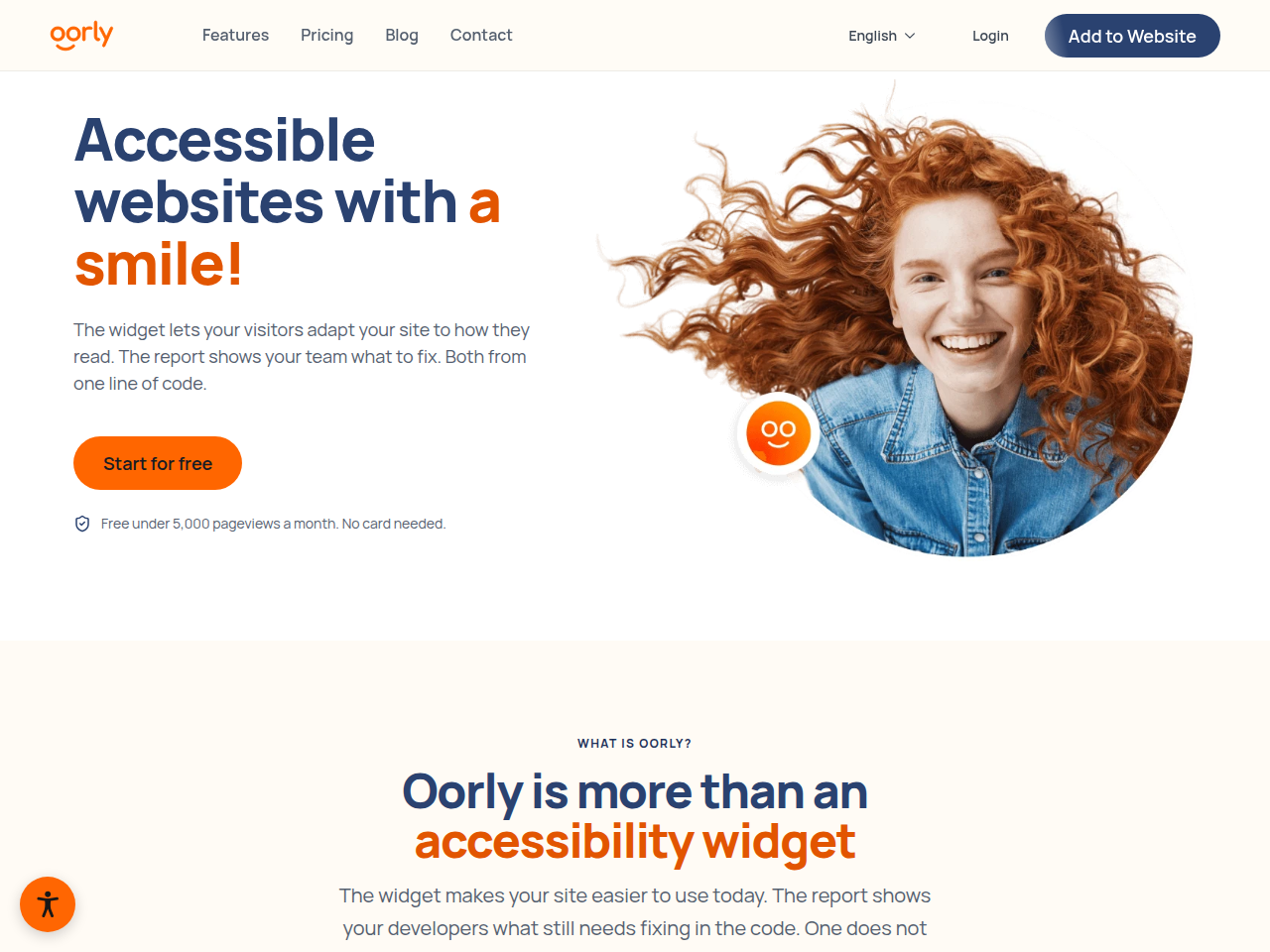
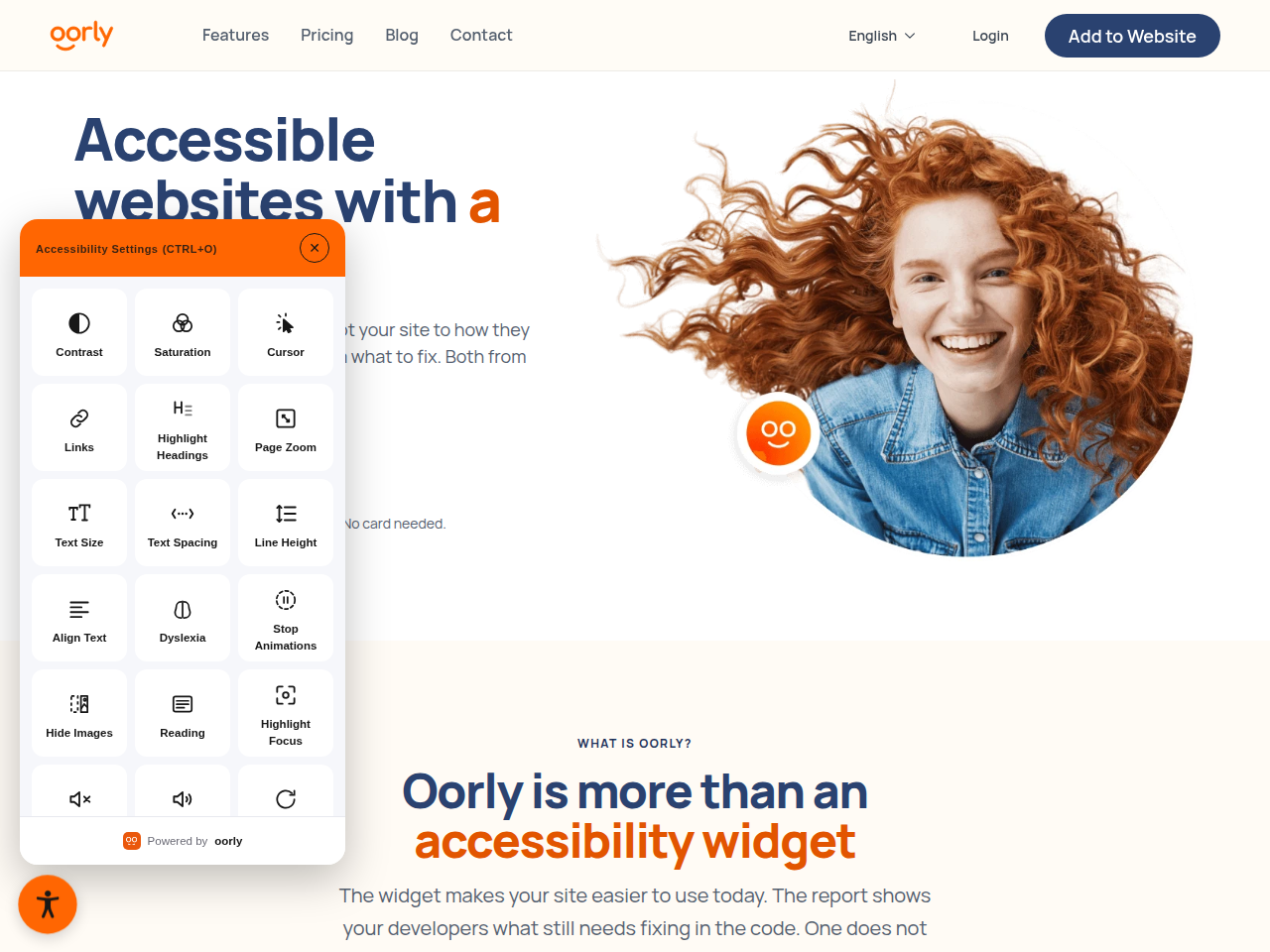
People read the web in very different ways. Someone with low vision zooms in, someone with dyslexia struggles with tightly set text, someone with a migraine needs the motion to stop. Oorly Accessibility Widget puts a small button on every page of your WordPress site that opens a panel of 17 controls. Each visitor chooses what helps them, and the page changes for that visitor only.
Setup takes about two minutes. Create a free Oorly account, paste your site code under Settings > Oorly, and the widget appears. You don’t need to edit your theme or header.php, and there is no build step.
Free dashboard for every account
Every Oorly account, including the free plan, comes with the dashboard at dash.oorly.com:
- Daily visitors: see how many people visit your site each day.
- Widget usage: see how often the widget is opened and which controls your visitors rely on most.
- Broken links: find links on your site that lead nowhere, so you can fix them before visitors run into them.
- Accessibility errors: get every WCAG issue on your site, with the exact element and how to fix it.
You add the widget for your visitors and get an overview of your site’s health in the same account.
Your path to WCAG, ADA and EAA compliance
Laws such as the Americans with Disabilities Act (ADA) in the US and the European Accessibility Act (EAA) in the EU expect websites to be usable by people with disabilities, and both point to WCAG as the technical standard. Oorly gives you the two things you need to get there:
- The widget helps visitors with different needs use your site today, from larger text to read aloud.
- The free WCAG report checks your pages against WCAG 2.1 AA and WCAG 2.2 and lists every issue with the exact element and how to fix it, so you can fix them in your site’s code.
Compliance lives in your site’s HTML, so no widget can deliver it alone. Fix what the report finds and keep it scanning to move your site toward WCAG conformance, the standard the ADA and EAA refer to.
Important: Oorly does not guarantee legal compliance. Neither the widget nor the report can promise that your site fully meets WCAG, the ADA, the EAA or any other law. Automated scans catch many issues but not all of them, and some requirements can only be checked by a person. For full assurance, combine Oorly with a manual accessibility audit and, where needed, legal advice.
Pourquoi c'est important
- Around one in six people worldwide live with a significant disability, and many more have temporary or age-related needs such as tired eyes, a broken arm or a small screen in bright sunlight.
- Text that is easier to read keeps people on the page longer, so they read further and are more likely to finish a form or a purchase.
- Many of the issues the report finds, such as missing alt text, unclear link text and skipped headings, also affect how search engines understand your pages.
The 17 visitor controls
Nothing is switched on by default. Visitors turn on only what they need, and their choices are remembered in their own browser.
Reading
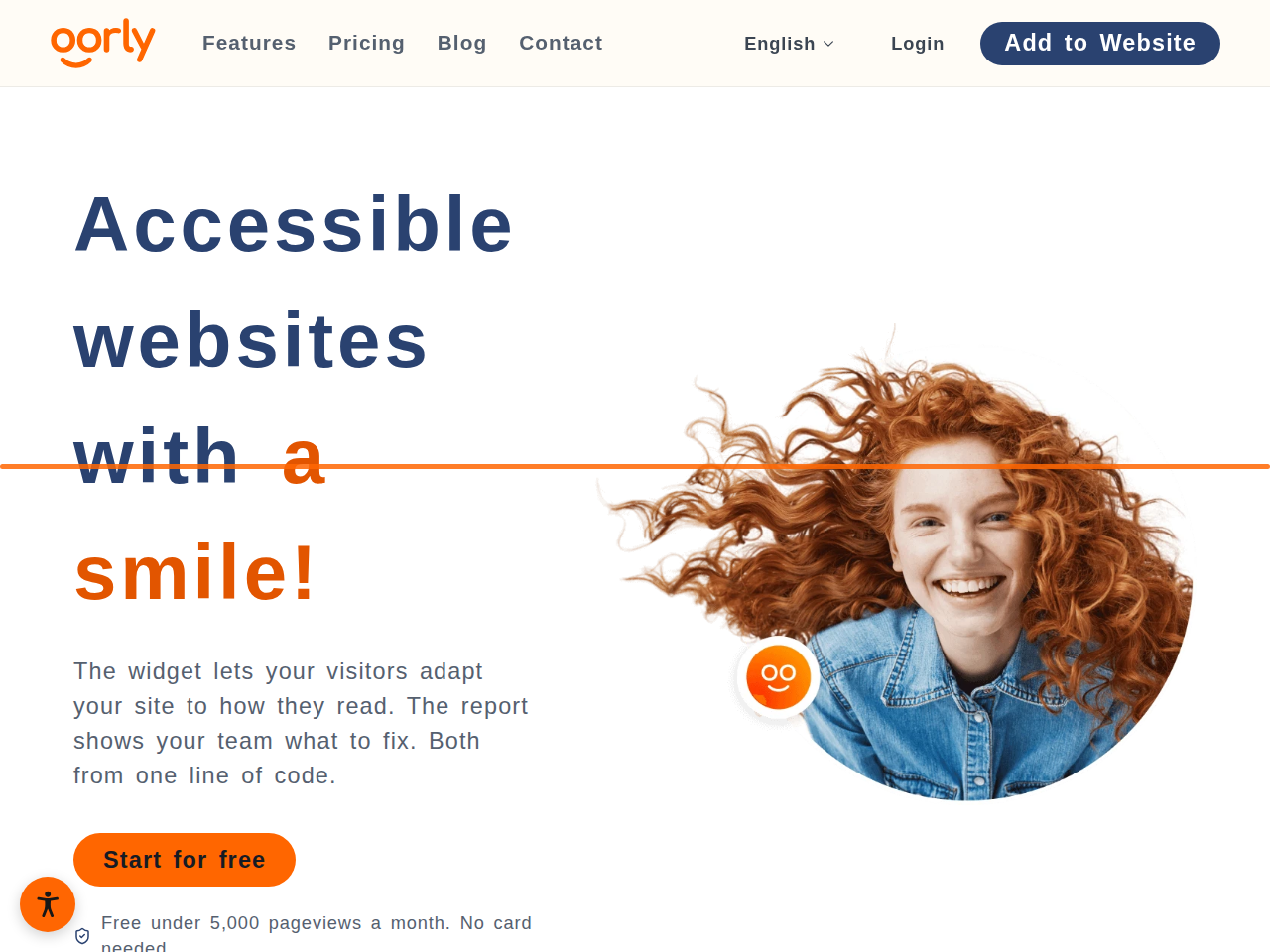
- Text size: scale the text up step by step while the layout holds together.
- Text spacing: put more room between letters and words.
- Line height: open up the space between lines of a paragraph.
- Text align: turn justified text into ragged-right text, which is easier to track.
- Dyslexia font: swap to a typeface whose letters are harder to confuse.
- Read aloud: hear the page sentence by sentence, at the visitor’s own pace.
Seeing
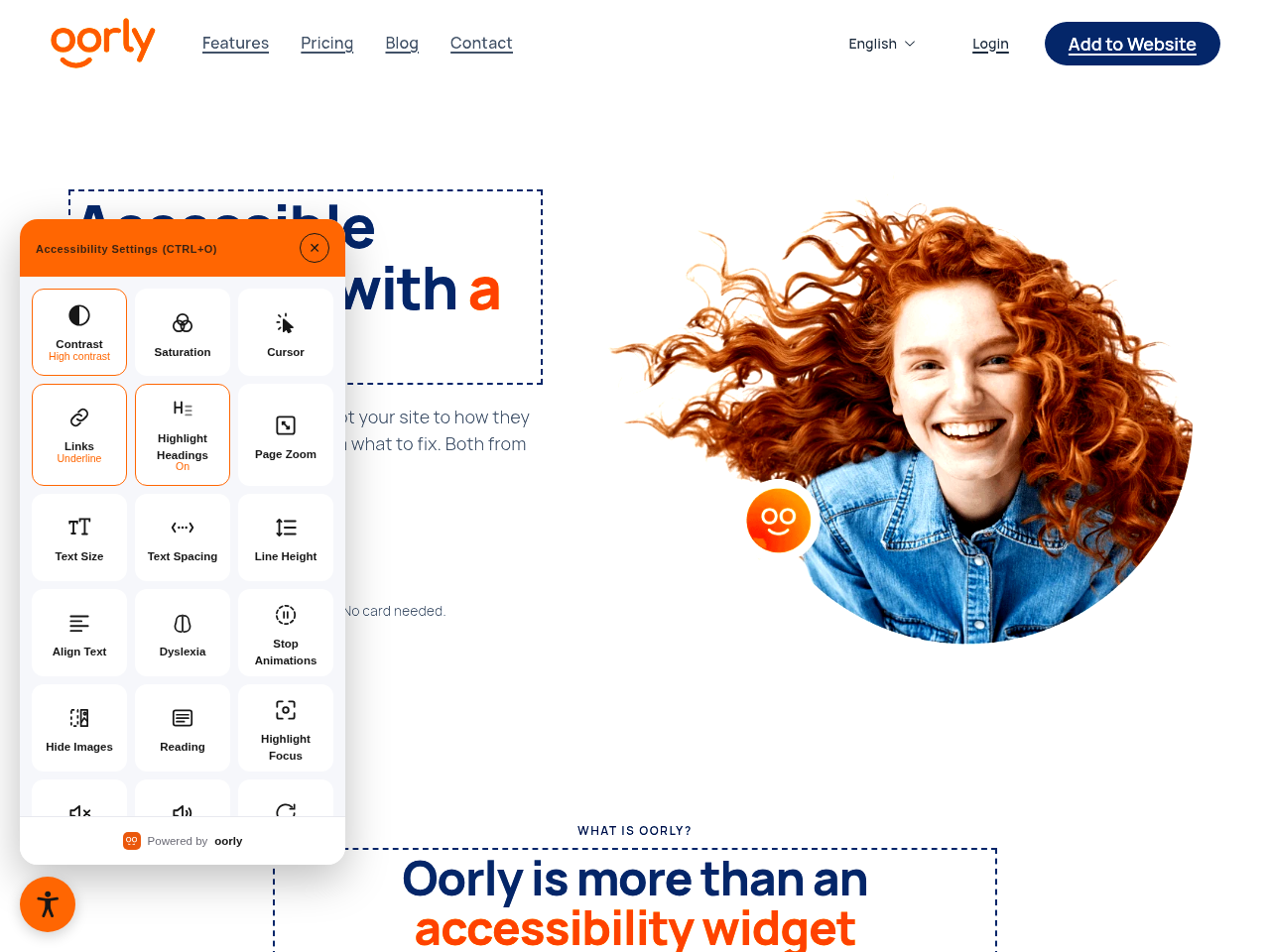
- Contrast: choose high contrast, inverted colours or a low-light mode.
- Saturation: boost, soften or remove colour completely.
- Page zoom: enlarge everything, including images and buttons.
- Big cursor: a larger pointer that is easier to spot.
- Highlight links: underline and outline every link on the page.
- Highlight headings: outline headings so the structure of the page stands out.
Focusing
- Reading guide: a ruler that follows the pointer down the page.
- Focus highlight: dim the rest of the page around the section being read.
- Stop animations: pause motion, autoplay and parallax effects.
- Hide images: take decorative images away and keep the text.
- Mute sounds: silence audio that starts on its own.
The Oorly report (no plugin needed)
The report is part of the free dashboard. It runs on Oorly’s side, so it works whether or not this plugin is installed.
- Scheduled and on-demand scans against WCAG 2.1 AA or WCAG 2.2.
- The rule and its WCAG reference for every finding, with an impact level of serious, moderate or minor.
- The exact CSS selector and markup the crawler saw, so developers find the problem straight away.
- Fix guidance explaining why each issue matters and how to fix it.
- History across scans, with regressions reopened automatically and a PDF export for clients or audits.
Why site owners choose this plugin
- Lightweight: one readable PHP file. Nothing is minified or bundled, and the plugin adds no database tables, cron jobs or REST routes.
- Plays by WordPress rules: the script is loaded with
wp_enqueue_script()and thedeferstrategy, so it never blocks rendering and can be dequeued by itsoorly-widgethandle. - Safe input: the site code is restricted to
[A-Za-z0-9_-]before it is saved, and only users withmanage_optionscan change it. - Easy to switch off: clear the code and the script is gone from every page. Deleting the plugin removes its one stored option.
- Multisite friendly: each site keeps its own code and can be switched on or off independently.
- Translatable: every string can be translated, and translations are delivered through translate.wordpress.org.
Services externes
This plugin relies on Oorly, a third-party service operated by Drupart, to provide the widget.
Once you save a site code, the visitor’s browser loads https://widget.oorly.com/widget.js on every front-end page, with that code as the c query parameter. Like any file request, this tells Oorly the visitor’s IP address, user agent and the page they are on. Once running, the widget sends anonymous usage measurements to Oorly (page views and which controls are used) to produce the visitor and usage statistics shown in your dashboard. The plugin does not host or modify the script and makes no server-side calls to Oorly. What the widget does once it runs is handled on Oorly’s side and tied to your site code. Clearing the site code stops the script from loading.
- Website: https://oorly.com
- Terms of service: https://oorly.com/terms-of-service
- Privacy policy: https://oorly.com/privacy-policy
Soutien
Questions about the plugin belong in this plugin’s support forum. Questions about your Oorly account, your site code or the report go to https://oorly.com.
Installation
- In your dashboard go to Plugins > Add New, search for “Oorly” and click Install Now, then Activate. You can also upload the
oorlyfolder to/wp-content/plugins/yourself. - Sign up at https://oorly.com (no card required) and add your domain.
- Copy your site code from the Implementation tab in the Oorly dashboard.
- Paste it under Settings > Oorly and click Save.
That’s it. Open any page on your site and the accessibility button appears. To double-check, view the page source and search for widget.oorly.com.
If your site sends a Content Security Policy, allow widget.oorly.com in it.
Journal de modifications
The plugin folder and its stored option are renamed, and WordPress 6.3 is now the minimum. Enter your site code again at Settings > Oorly after upgrading, and delete the old oorly_integration folder if it is still present.
2.0.0
- Renamed from “Oorly Integration” to Oorly Accessibility Widget; the directory, main file and text domain are now
oorly. - The widget is enqueued with
wp_enqueue_script()and thedeferloading strategy instead of being printed by hand onwp_head. Other plugins can now dequeue it by theoorly-widgethandle. - Minimum WordPress version raised to 6.3, which is where the
deferloading strategy arrived. - All functions and constants use the
oorly_prefix. - The stored option moved from
oorly_integration_client_codetooorly_site_code. - Dropped the
load_plugin_textdomain()call; WordPress loads the bundled translations on its own. - The plugin name is no longer a translatable string — “Oorly” is spelled the same in every language.
- readme rewritten: what the widget does and does not do, and a full disclosure of the external service.
1.1.0
- Menu entry and page title made translatable.
- Explanation of what Oorly does, and a “Get your site code” link to the dashboard, added to the settings page.
- Interface translated into Turkish (tr_TR) and German (de_DE).
- Field label renamed from “Client code” to “Site code”.
1.0.0
- Version initiale.
- Site code field under Settings.
- Widget script added via
wp_headwith thedeferattribute. - Input sanitization and a live preview of the saved tag.
- Setting removed from the database when the plugin is deleted.
Captures d'écran
Pour les développeurs
Est-ce votre plugin ? Montrez les chiffres.
Ajoutez un badge en direct à votre site, docs ou github readme. Il se met à jour par lui-même - aucun compte n'est nécessaire.
Best Oorly Accessibility Widget alternatives
Tous les plugins d'accessibilité →





FAQ
Oorly Accessibility Widget: quick answers
Réponses directes, extraites des données en direct WordPress.org.
Source : WordPress.org
Is Oorly Accessibility Widget free?
Yes. Oorly Accessibility Widget is free to download and use from the official WordPress.org plugin directory.
Is Oorly Accessibility Widget safe to use in 2026?
Oorly Accessibility Widget works, but test it on a staging site before relying on it in 2026. Was last updated 1 month ago, and scores 60/100 on our health check.
How many websites use Oorly Accessibility Widget?
Oorly Accessibility Widget is active on <10 WordPress websites and has been downloaded 236 times since it launched in September 2026. It was downloaded 90 times in the last 30 days.
Does Oorly Accessibility Widget work with WordPress 7.1?
Yes. The developer has tested Oorly Accessibility Widget up to WordPress 7.1.5, the latest release. It requires WordPress 6.3 or newer.
What PHP version does Oorly Accessibility Widget need?
Oorly Accessibility Widget requires PHP 7.4 or higher. Most hosts run PHP 8.x today, so it works on any modern WordPress hosting.
When was Oorly Accessibility Widget last updated?
The latest version, 2.0.0, was released on October 20, 2026 (1 month ago).
Who makes Oorly Accessibility Widget?
Oorly Accessibility Widget is developed and maintained by Seyfettin KAHVECİ.
What are the best alternatives to Oorly Accessibility Widget?
The most popular alternatives to Oorly Accessibility Widget are Web Accessibility (formally… (500K+ installs), Auto Image Attributes From… (100K+ installs) and Accessibility by UserWay (80K+ installs).
Propulsé par PageForge
Un modèle et une feuille de calcul. Une vraie page pour chaque recherche.
PageForge transforme chaque ligne d'un CSV en une page WordPress avec son propre titre, URL, SEO et schéma, construit sur la mise en page que vous Déjà conçu. Gratuit sur WordPress.org.
- CSV et XLSX, plus Google Sheets sur les professionnels et les entreprises
- Son propre titre, URL, SEO champs et schéma pour chaque page
- Fonctionne avec l'éditeur de blocs, Elementor, Divi et Avada
- Gratuit sur WordPress.org, pas de carte de crédit