


Menu réactif – Menu mobile et constructeur de menus hamburgers
Mobile menu & hamburger menu builder for WordPress. Accessible, keyboard-friendly and works with any theme or page builder. 150+ options, no code.

Choix solide
Responsive Menu is a solid plugin choice in 2026, with a few things worth checking first. It runs on 70K+ sites, is rated 4.5/5 and was last updated 2 weeks ago, and scores 78/100 on our health check.
- Prouvé à grande échelle sur plus de 70 000 sites actifs
- Loved by users — 4.5/5 from 576 reviews
- Développé activement — Dernière mise à jour il y a 2 semaines
- Testé avec le dernier WordPress (7.1)
Comment s'accumule-t-il ?
Côte à côte sur les installations, les mises à jour, les évaluations et le support


Téléchargements quotidiens
Les pics de téléchargement suivent généralement une nouvelle version - chaque site qui met à jour automatiquement compte comme un téléchargement.
Classements
Where Responsive Menu stands todayWordPress.org Classements de recherche
Position en direct dans la recherche de plugins, Top 100| Mot-clé | Position |
|---|---|
| accessibilité | >100 |
| hamburger menu | #1 |
| mobile menu | #2 |
| off-canvas menu | #1 |
| responsive menu | #2 |
Adoption de version
Part de sites actifs par version.
Répartition des notes
★★★★★★★★★★ 4.5 from 576 reviews
About Responsive Menu
From the official readme · v4.7.5Description
Responsive Menu is a free mobile menu and hamburger menu plugin for WordPress. More than 70,000 sites use it, and it’s rated 4.5★ from 570+ reviews. Pick any WordPress menu and Responsive Menu turns it into a hamburger button and a slide-in mobile menu. It works with any theme, keyboard and screen-reader users can use it, and you set it up from one screen without writing CSS.
See it in action: responsive.menu · Live demo
Why choose Responsive Menu
- Works with any theme or page builder. Classic themes, block themes, Elementor, Divi and others all work. Responsive Menu adds its own mobile menu and hides your theme’s menu, so you don’t need to rebuild your header.
- Accessible out of the box. The menu button is a real
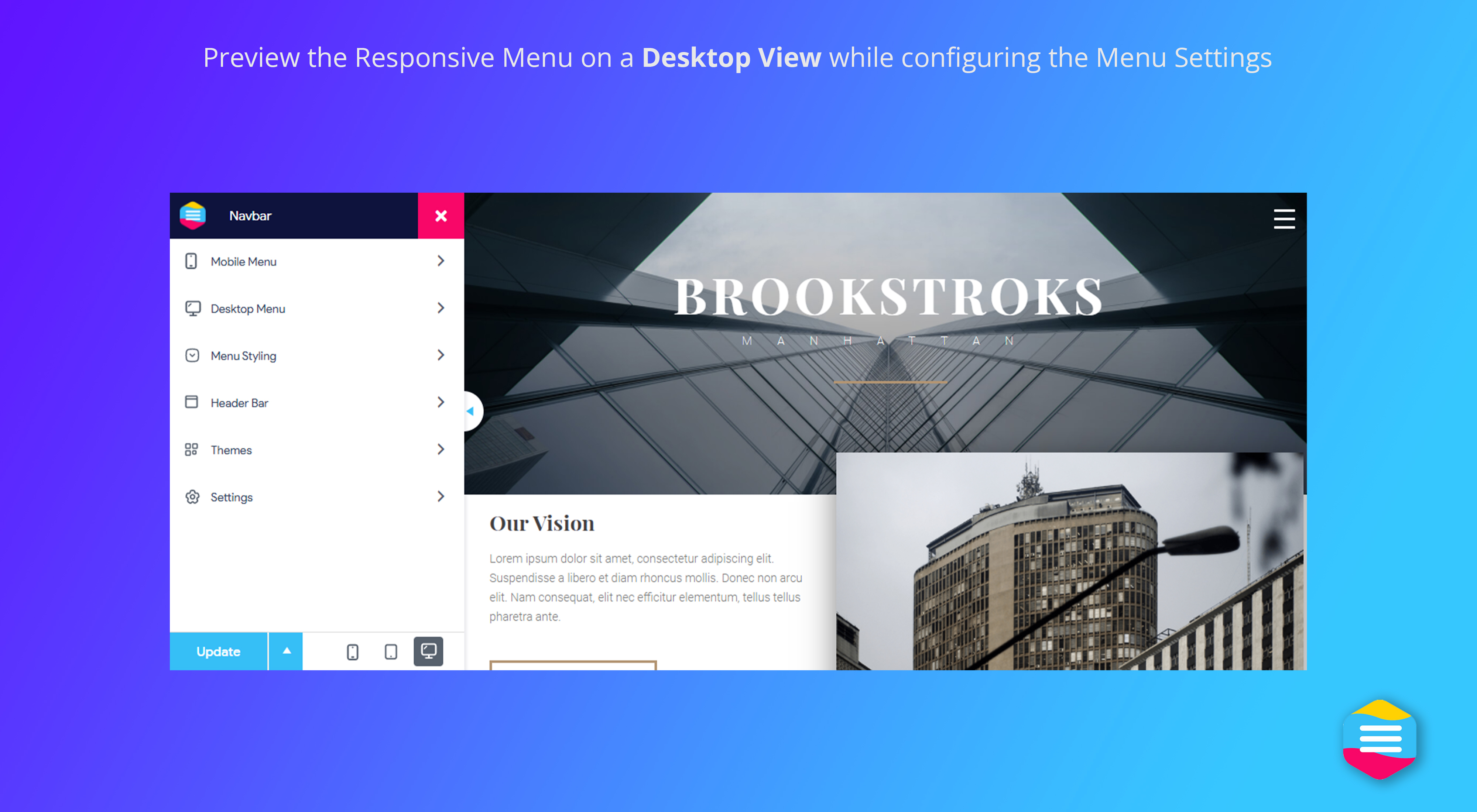
<button>witharia-expanded. Submenu toggles are labelled, focus stays inside the open menu, Escape closes it, focus outlines are visible, and reduced motion is respected. We test it with axe-core against WCAG 2.0–2.2 A/AA rules (see the results). - 150+ options, no code. Set colours, fonts, animations, position, breakpoints and sub-menu depth in a live editor with phone, tablet and desktop previews.
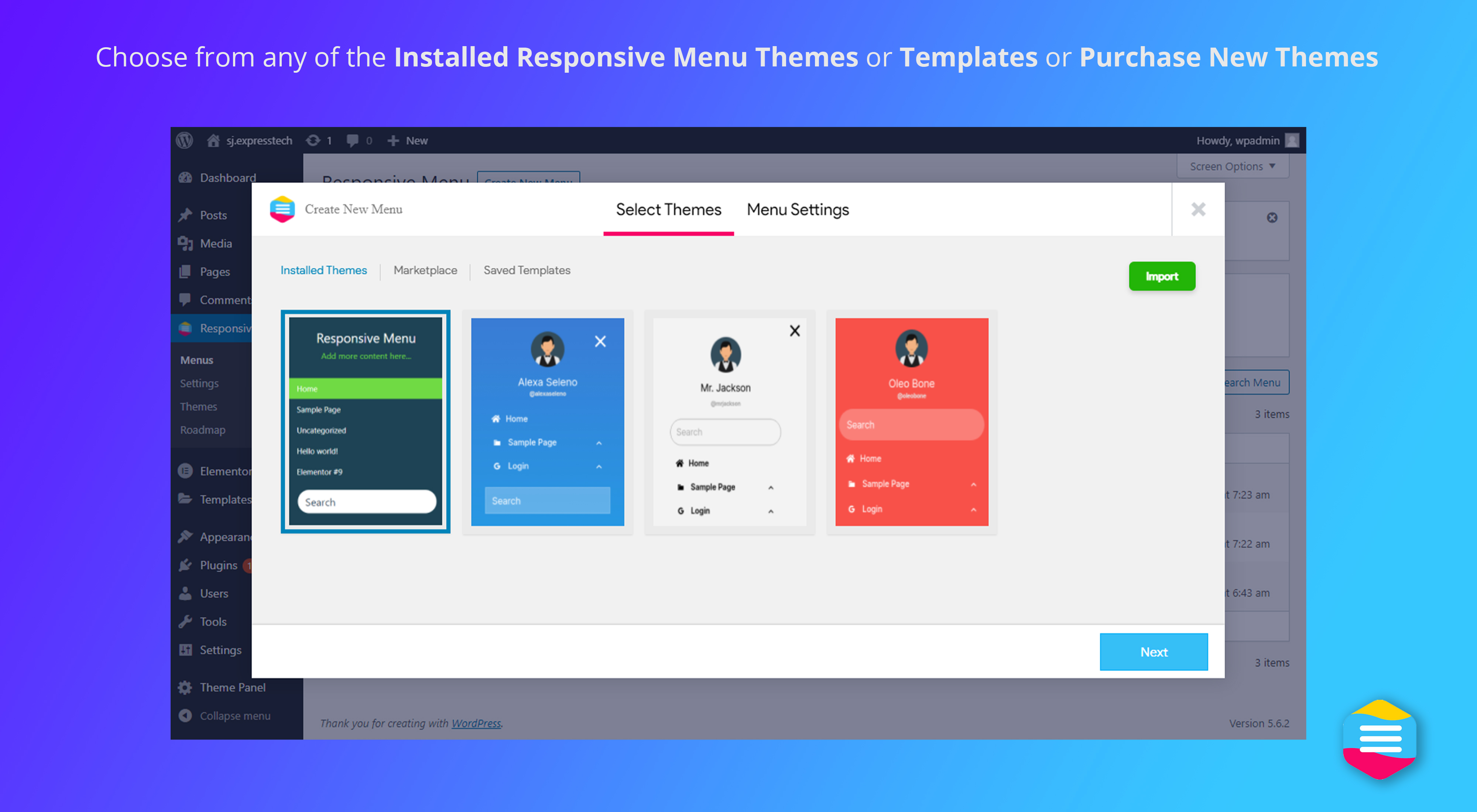
- Pre-built menu themes. Start from a ready-made design and adjust it.
- One menu to maintain. Responsive Menu reads from your existing WordPress menu, so when you edit the menu, the mobile version updates too.
- Show items to the right people. Hide menu items from logged-in or logged-out visitors, or show them only to selected user roles.
Popular ways to use Responsive Menu
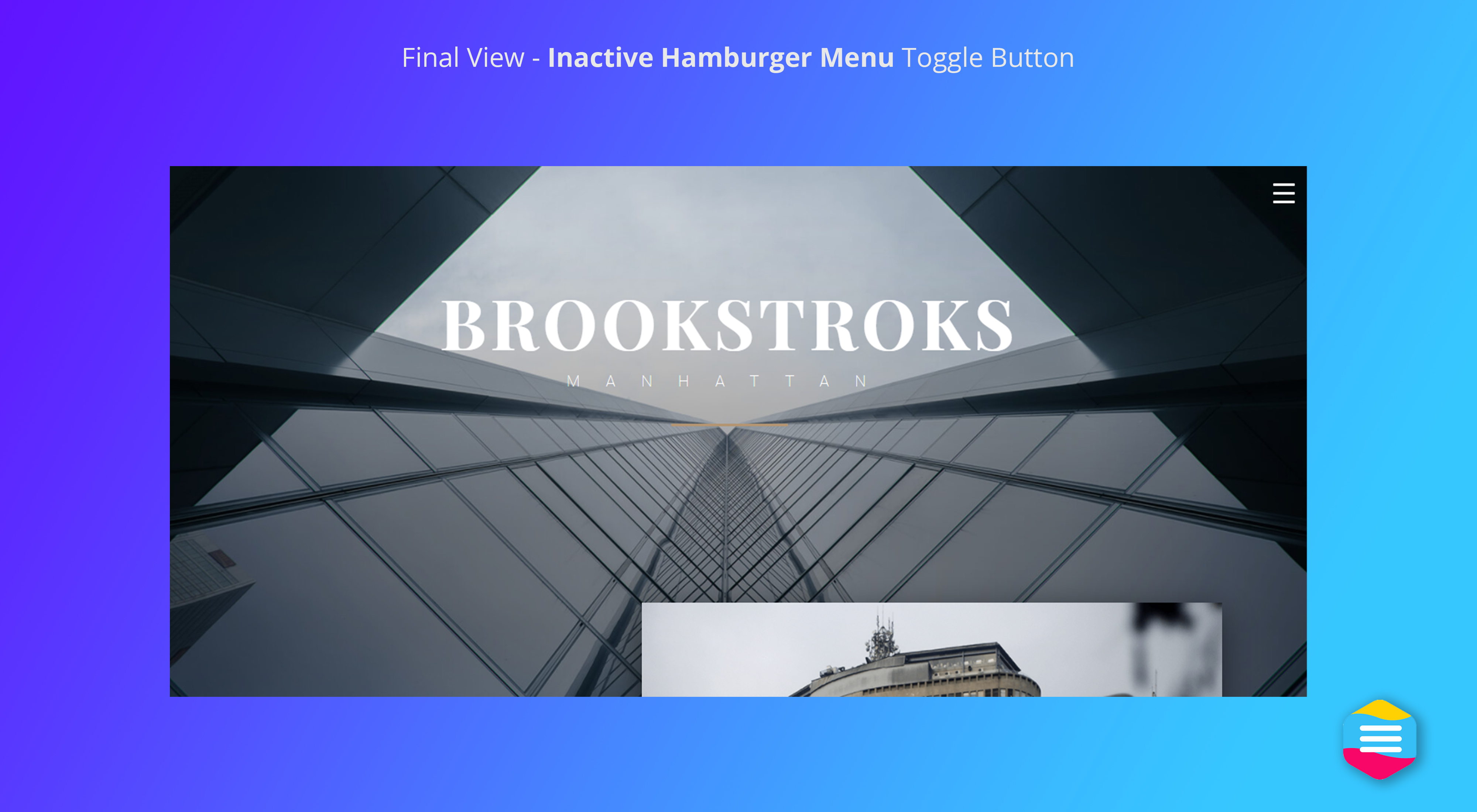
- Mobile hamburger menu. Add a tap-friendly hamburger menu to any theme.
- Off-canvas side menu. Slide the menu in from the left, right, top or bottom, with a slide or push animation.
- Fix a theme menu that breaks on mobile. Replace a theme or page-builder menu that doesn’t work well on phones.
- Sticky mobile header. Keep the menu button fixed as visitors scroll.
- Member-aware menus. Show “My account” to logged-in users and “Log in” to everyone else.
Fonctions gratuites
- Live editor with phone, tablet and desktop preview
- Pre-built menu themes, plus import and export of settings
- Every text, background and border colour, with opacity
- Fonts, font sizes and text alignment
- Menu side (left, right, top or bottom) and slide or push animation
- Button position, fixed or scrolling, with custom icon colours
- Breakpoint: choose the screen width where the mobile menu takes over
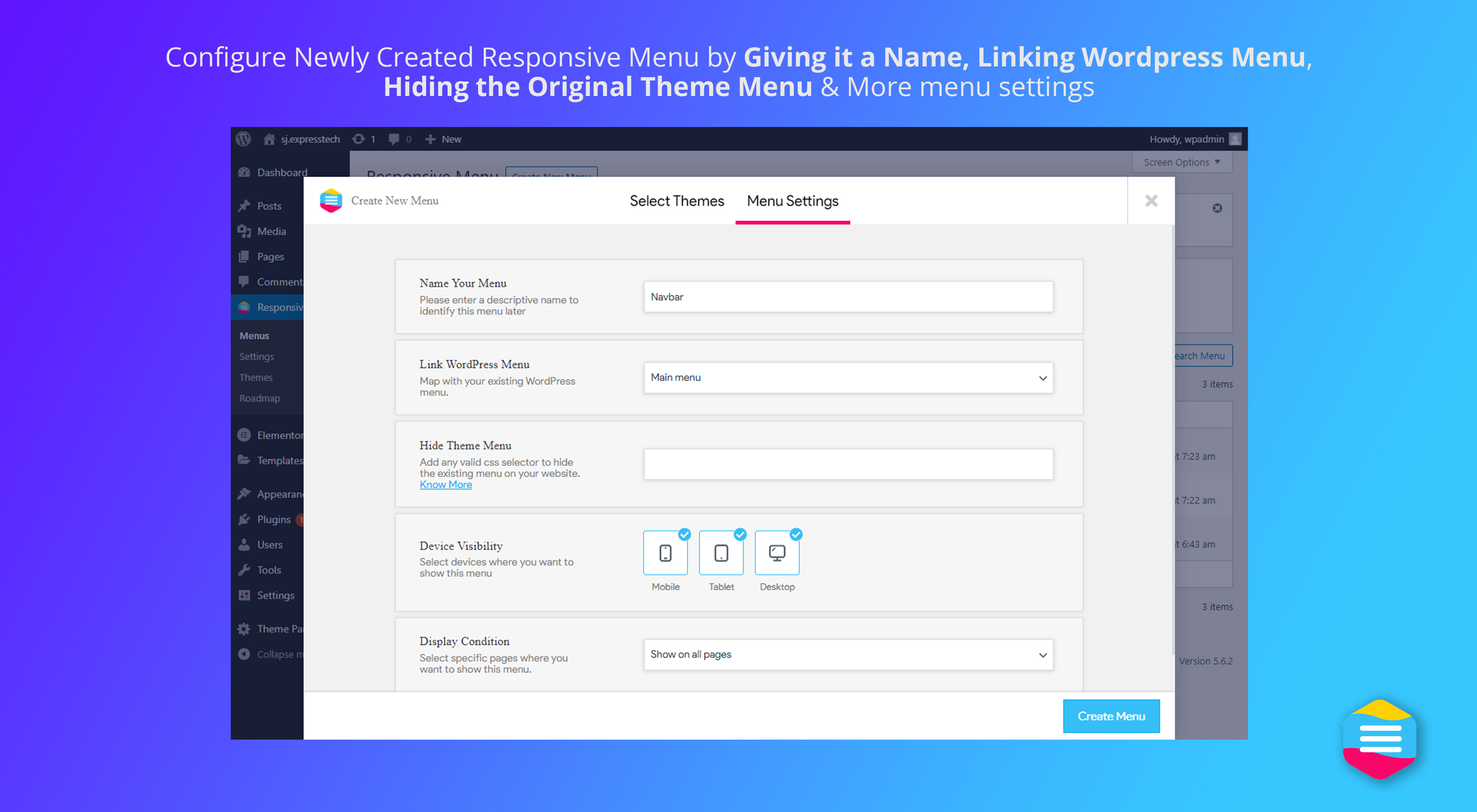
- Hide your theme’s original menu with a CSS selector
- Sub-menu depth, active-item highlighting and custom menu triggers
- Integrated search, logo, title, social and action icons (call, email, links)
- Custom HTML content and custom SVG or icon code on menu items
- Hide items by login state or user role
- Keyboard and screen-reader accessibility (see above)
- Prêt pour la traduction
- Option to load scripts minified and in the footer
Responsive Menu Pro
Pro adds desktop navigation and finer control. Every plan includes every Pro feature:
- Desktop & mega menu. Build multi-column dropdowns with links and widgets. On phones the same menu becomes the slide-in menu, so you only maintain one menu.
- Header bar with logo, title, search and custom content.
- 26 animated hamburger buttons, from Spin to Vortex.
- Font icons on any menu item.
- Show on specific pages. Include or exclude the menu page by page and by device.
- WooCommerce menu cart with an item count, opened as a dropdown, drawer or link.
- WPML and Polylang, so the menu follows the visitor’s language.
- Scroll lock to stop the page scrolling behind an open menu.
- Priority support from the team that builds the plugin.
Plans start at $49 a year, with a 14-day refund policy. Your menu keeps working if you stop renewing. Compare Free vs Pro
More from ExpressTech
⏱️ Quiz and Survey Master: create quizzes, surveys and exams in WordPress and turn your site into a lead-generation tool.
⚡ InstaWP: launch a WordPress sandbox site in seconds.
Installation
- In your WordPress admin, go to Plugins → Add New and search for “Responsive Menu”.
- Cliquez sur Installer maintenant, puis sur activer.
- Open Responsive Menu in the admin menu, pick the WordPress menu to use, and choose a theme or design your own.
- If your theme’s menu still shows on mobile, add its CSS selector under “Hide theme menu”.
Manual install: upload the responsive-menu folder to /wp-content/plugins/ and activate it from the Plugins screen.
Journal de modifications
Menu markup changed for accessibility: the submenu toggle is now a button beside the link, and the menu is wrapped in a nav element. Custom CSS targeting .rmp-menu-item-link .rmp-menu-subarrow should target .rmp-menu-subarrow. Sub-items of a hidden menu item are now hidden too.
4.7.5 (3rd November 2026)
- Security: Patched a stored XSS vulnerability in uploaded menu themes.
- Bug: Fixed “Hide Theme Menu” accidentally hiding Responsive Menu when using broad selectors like
nav - Enhancement: Added WPML String Translation support for menu titles, button titles, and additional content
4.7.4 (1st October 2026)
- Feature: Added an option to display menu items only to selected user roles.
- Enhancement: Improved keyboard and screen reader accessibility.
- Bug: Fixed an issue where sub-items of a hidden menu item appeared in its place instead of remaining hidden.
- Bug: Fixed an issue where editing a menu in the Customizer reset per-item visibility settings.
- Bug: Fixed a PHP 8 fatal error that occurred when saving a menu theme.
- Bug: Fixed the live preview showing the wrong element for the title, search and social icons.
- Bug: Fixed admin notices not appearing on Responsive Menu screens.
4.7.3 (20th August 2026)
- Security: Prevented menu theme ZIPs from placing executable files in public uploads
- Enhancement: Added pre-extraction validation and plugin-level permissions for theme uploads
- Enhancement: Resolved PHP 8+ deprecation warnings and theme upload rejection messages
4.7.2 (20th May 2026)
- Patch: Resolved a cross-site scripting (XSS) vulnerability in additional content HTML
4.7.1 (2nd March 2026)
- Bug: Resolved the menu item ordering issue
4.7.0 (12th February 2026)
- Feature: Added support for placing action/social icons inside the menu container (e.g., call, email, facebook, social links)
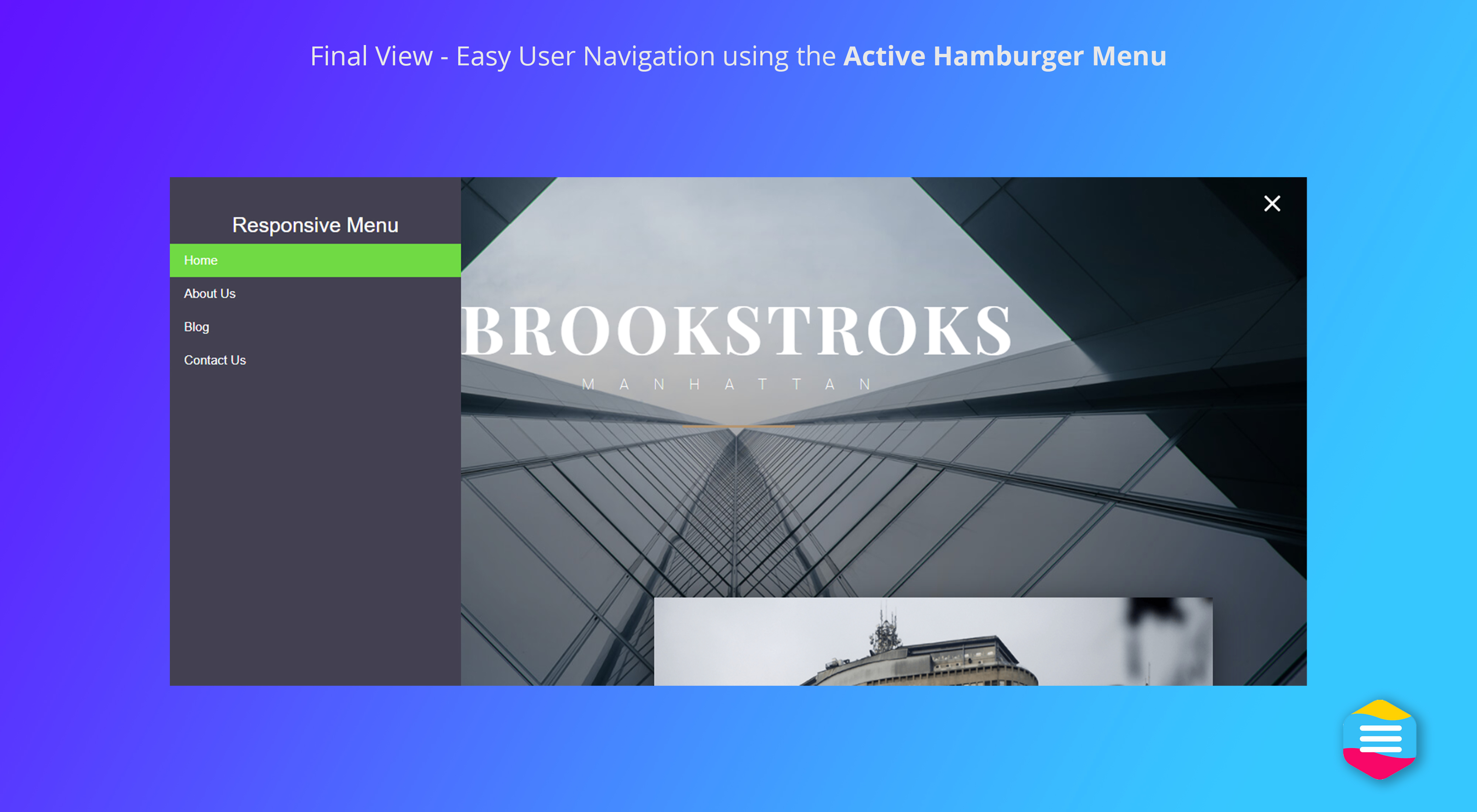
Captures d'écran


Pour les développeurs
Est-ce votre plugin ? Montrez les chiffres.
Ajoutez un badge en direct à votre site, docs ou github readme. Il se met à jour par lui-même - aucun compte n'est nécessaire.
Best Responsive Menu alternatives
Tous les plugins d'accessibilité →





FAQ
Responsive Menu: quick answers
Réponses directes, extraites des données en direct WordPress.org.
Source : WordPress.org
Is Responsive Menu free?
Yes. Responsive Menu is free to download and use from the official WordPress.org plugin directory.
Is Responsive Menu safe to use in 2026?
Responsive Menu is a solid plugin choice in 2026, with a few things worth checking first. It runs on 70K+ sites, is rated 4.5/5 and was last updated 2 weeks ago, and scores 78/100 on our health check.
How many websites use Responsive Menu?
Responsive Menu is active on 70K+ WordPress websites and has been downloaded 4,681,963 times since it launched in February 2014. It was downloaded 47,237 times in the last 30 days.
Does Responsive Menu work with WordPress 7.1?
Yes. The developer has tested Responsive Menu up to WordPress 7.1.5, the latest release. It requires WordPress 3.6 or newer.
What PHP version does Responsive Menu need?
Responsive Menu requires PHP 7.1 or higher. Most hosts run PHP 8.x today, so it works on any modern WordPress hosting.
When was Responsive Menu last updated?
The latest version, 4.7.5, was released on November 3, 2026 (2 weeks ago).
Who makes Responsive Menu?
Responsive Menu is developed and maintained by ExpressTech Systems.
What are the best alternatives to Responsive Menu?
The most popular alternatives to Responsive Menu are Web Accessibility (formally… (500K+ installs), Auto Image Attributes From… (100K+ installs) and Accessibility by UserWay (80K+ installs).
Propulsé par PageForge
Un modèle et une feuille de calcul. Une vraie page pour chaque recherche.
PageForge transforme chaque ligne d'un CSV en une page WordPress avec son propre titre, URL, SEO et schéma, construit sur la mise en page que vous Déjà conçu. Gratuit sur WordPress.org.
- CSV et XLSX, plus Google Sheets sur les professionnels et les entreprises
- Son propre titre, URL, SEO champs et schéma pour chaque page
- Fonctionne avec l'éditeur de blocs, Elementor, Divi et Avada
- Gratuit sur WordPress.org, pas de carte de crédit