


Modern Comments
Modern Comments restyles and enhances the comment area you already have. It builds on top of WordPress’s own comment functions rather than swapping in a separate system, so your comments, moderation, spam filtering, and…

Utiliser avec prudence
Modern Comments works, but test it on a staging site before relying on it in 2026. Was last updated 5 months ago, and scores 49/100 on our health check.
- Petite base d'utilisateurs (<10 installations actives)
- Très peu de critiques jusqu'à présent
Comment s'accumule-t-il ?
Côte à côte sur les installations, les mises à jour, les évaluations et le support



Téléchargements quotidiens
Les pics de téléchargement suivent généralement une nouvelle version - chaque site qui met à jour automatiquement compte comme un téléchargement.
Classements
Where Modern Comments stands todayWordPress.org Classements de recherche
Position en direct dans la recherche de plugins, Top 100| Mot-clé | Position |
|---|---|
| ajax comments | >100 |
| les commentaires | >100 |
| mode sombre | >100 |
| élémentorateur | >100 |
| WooCommerce | >100 |
About Modern Comments
À partir du Lisez-moi officiel · v1.0.0Description
Modern Comments restyles and enhances the comment area you already have. It builds on top of WordPress’s own comment functions rather than swapping in a separate system, so your comments, moderation, spam filtering, and data stay exactly where they are — they just look and behave better.
Because it hooks WordPress at the comment layer (the comments block and the comment template), it is builder-agnostic by design: the same enhancement applies whether your site uses a block theme, a classic theme, or a page builder.
Tested and supported
Support is claimed only for environments that have been directly verified: WordPress block themes (verified with Twenty Twenty-Five) and classic themes (verified with Twenty Twenty-One), the bundled Elementor widget, and WooCommerce product reviews. The plugin is designed to work with any standards-compliant block or classic theme. Bricks, Beaver Builder, and Oxygen are not yet officially tested; the plugin is expected to enhance any builder that renders the native comment template, and verified support for those will be added based on testing or confirmed user reports rather than assumption.
Principales caractéristiques
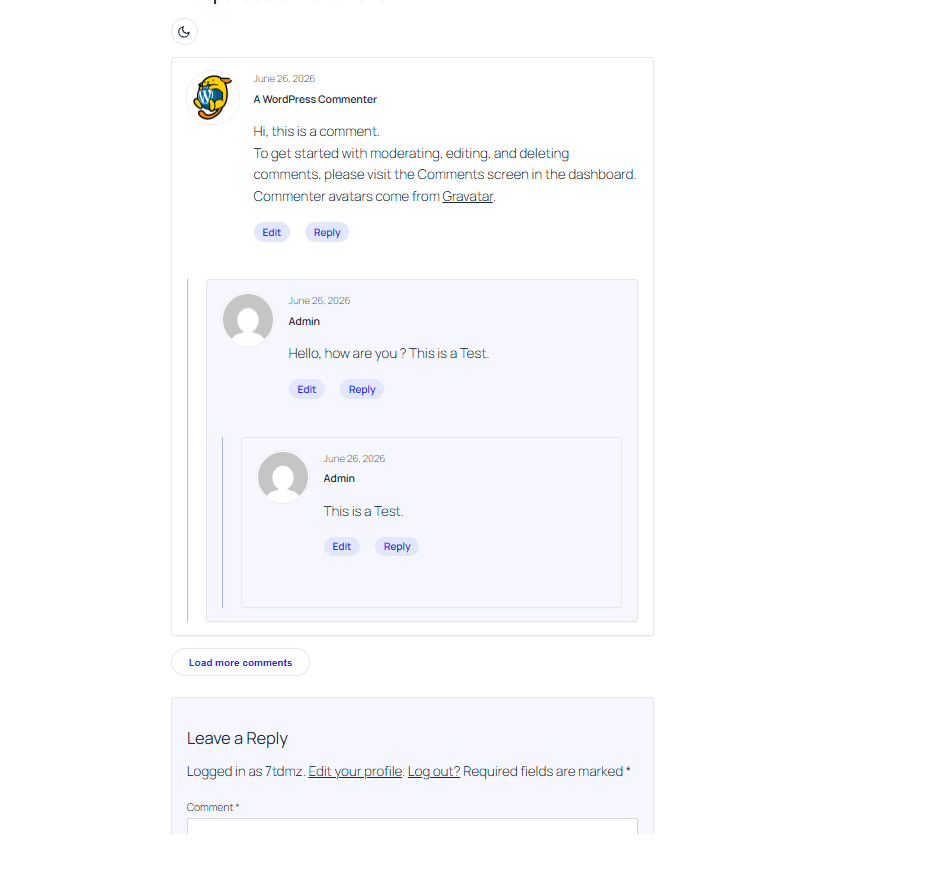
- Modern comment cards with avatars, clean typography, and threaded-reply rails — on both block (FSE) and classic themes.
- AJAX comment submission: post without a page reload, with inline validation and correct “awaiting moderation” handling for held comments.
- AJAX load-more: load comments in batches instead of pagination.
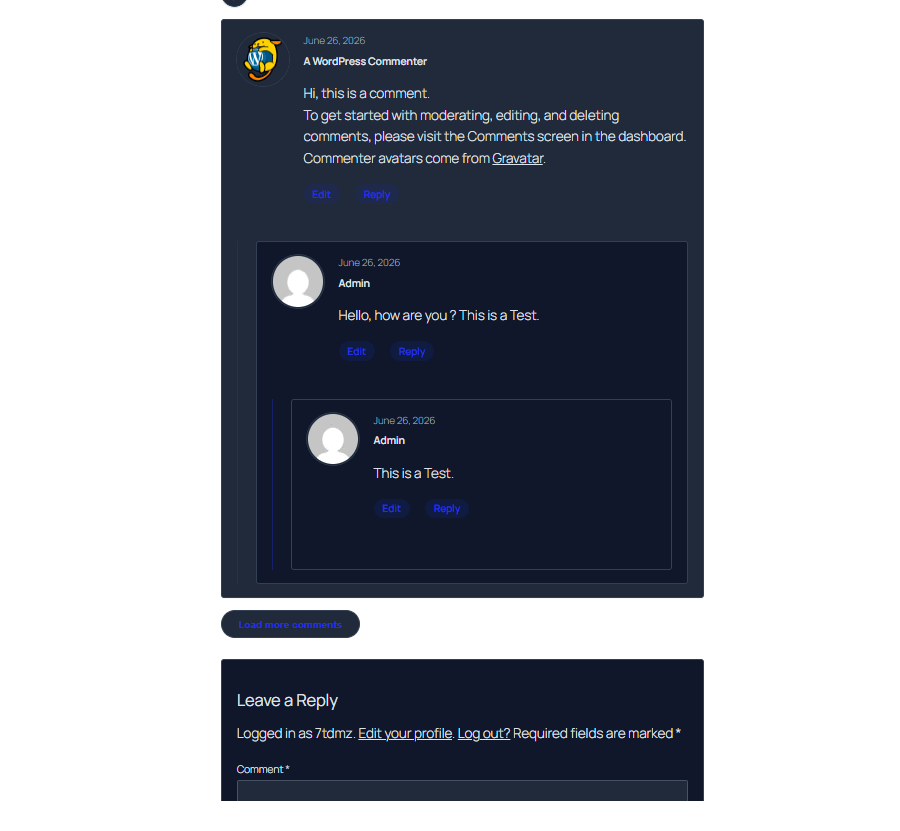
- Dark mode: automatic (follows the visitor’s OS) plus an optional manual toggle that remembers the choice per device.
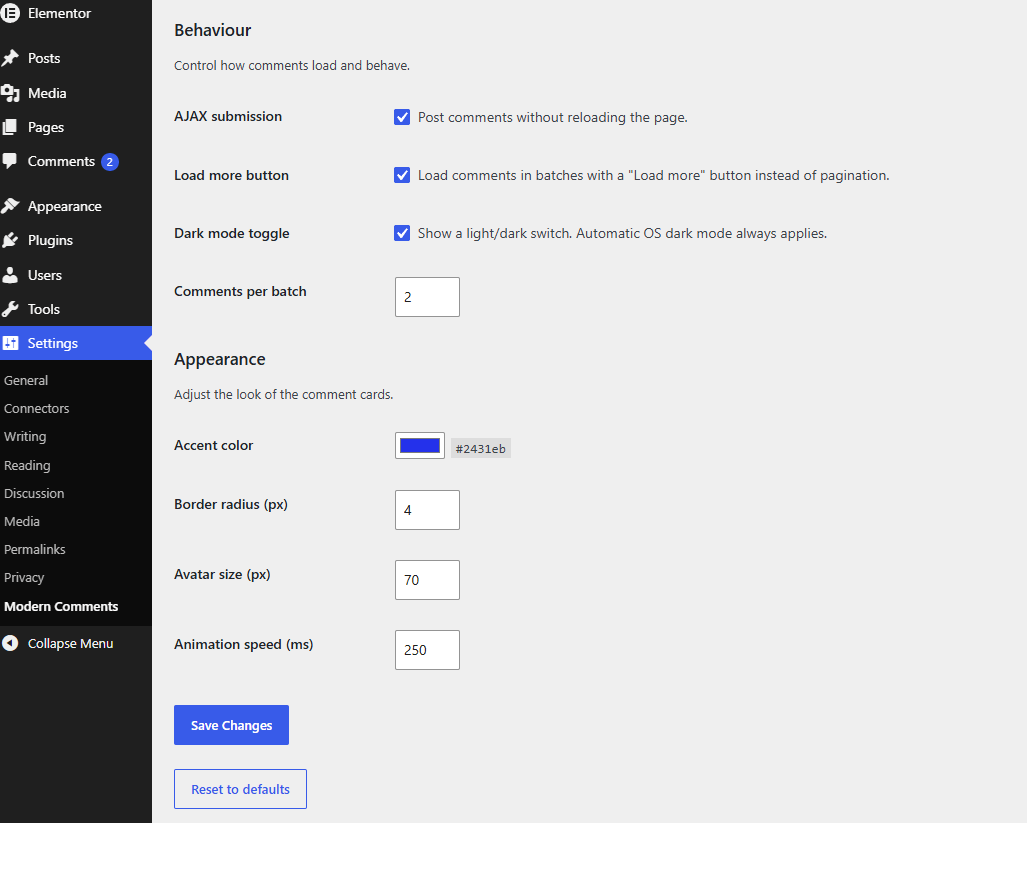
- A settings page for accent color, border radius, avatar size, batch size, and feature toggles.
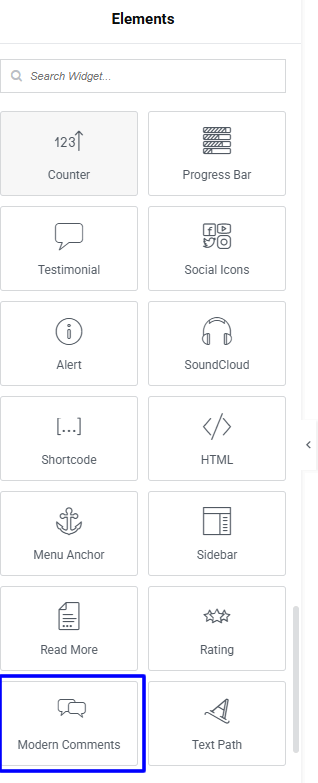
- A native Elementor widget that renders the real WordPress comments, with per-instance styling overrides.
- Accessibility-minded: keyboard focus styles, ARIA live regions for status messages, reduced-motion support.
- Lightweight: no jQuery, assets load only where comments appear.
Ce qu'il ne fait pas
This free version focuses on a beautiful, fast, native comment experience. It does not add reactions, mentions, notifications, media uploads, or social login.
Installation
- Upload the
modern-commentsfolder to/wp-content/plugins/, or install the ZIP via Plugins → Add New → Upload Plugin. - Activate the plugin through the Plugins menu.
- Visit any single post or page that has comments enabled — the comment area is enhanced automatically.
- Adjust options under Settings → Modern Comments.
Journal de modifications
First public release of Modern Comments.
1.0.0
- Première publication publique.
- Modern comment cards for block themes and classic themes.
- AJAX comment submission with safe moderation handling.
- AJAX load-more for comments.
- Automatic and manual dark mode (per-device).
- Settings page: accent color, border radius, avatar size, batch size, and feature toggles.
- Native Elementor widget with per-instance styling.
- WooCommerce product review styling, including dark mode and accent.
- Production hardening: WordPress Coding Standards clean, security/performance/accessibility reviewed, and translation-ready (.pot included).
0.9.4
- WooCommerce product reviews verified and added to officially supported environments.
- WooCommerce reviews: accent color now applies to the star rating and review Submit button; review form styled as a card so labels stay readable in dark mode.
0.9.3
- WooCommerce reviews: fix leftover inner border on review cards (specificity), and defer review loading to WooCommerce’s native pagination on product pages.
0.9.2
- Add styling for WooCommerce product reviews (CSS-only, scoped to #reviews). Maps the card design and dark mode onto WooCommerce’s review markup.
0.9.1
- Compatibility claims revised to verified-only: official support is stated solely for environments that have been directly tested (block themes, classic themes, Elementor). Release candidate for 1.0.0.
0.9.0
- Production-readiness pass: WordPress Coding Standards (PHPCS) clean, security/performance/accessibility audit, translation template (.pot), and removal of development artifacts.
Captures d'écran
Pour les développeurs
Est-ce votre plugin ? Montrez les chiffres.
Ajoutez un badge en direct à votre site, docs ou github readme. Il se met à jour par lui-même - aucun compte n'est nécessaire.
Best Modern Comments alternatives
All ajax comments plugins →



FAQ
Modern Comments: quick answers
Réponses directes, extraites des données en direct WordPress.org.
Source : WordPress.org
Is Modern Comments free?
Yes. Modern Comments is free to download and use from the official WordPress.org plugin directory.
Is Modern Comments safe to use in 2026?
Modern Comments works, but test it on a staging site before relying on it in 2026. Was last updated 5 months ago, and scores 49/100 on our health check.
How many websites use Modern Comments?
Modern Comments is active on <10 WordPress websites and has been downloaded 337 times since it launched in June 2026. It was downloaded 65 times in the last 30 days.
Does Modern Comments work with WordPress 7.1?
Modern Comments is officially tested up to WordPress 7.0.9, while the latest release is 7.1.5. It may still work, but try it on a staging site first.
What PHP version does Modern Comments need?
Modern Comments requires PHP 8.0 or higher. Most hosts run PHP 8.x today, so it works on any modern WordPress hosting.
When was Modern Comments last updated?
The latest version, 1.0.0, was released on June 30, 2026 (5 months ago).
Who makes Modern Comments?
Modern Comments is developed and maintained by thisisvince.
What are the best alternatives to Modern Comments?
The most popular alternatives to Modern Comments are Comments – wpDiscuz (60K+ installs), Simple Comment Editing (2K+ installs) and FluentComments (800+ installs).
Propulsé par PageForge
Un modèle et une feuille de calcul. Une vraie page pour chaque recherche.
PageForge transforme chaque ligne d'un CSV en une page WordPress avec son propre titre, URL, SEO et schéma, construit sur la mise en page que vous Déjà conçu. Gratuit sur WordPress.org.
- CSV et XLSX, plus Google Sheets sur les professionnels et les entreprises
- Son propre titre, URL, SEO champs et schéma pour chaque page
- Fonctionne avec l'éditeur de blocs, Elementor, Divi et Avada
- Gratuit sur WordPress.org, pas de carte de crédit