


Modern Comments
Modern Comments restyles and enhances the comment area you already have. It builds on top of WordPress’s own comment functions rather than swapping in a separate system, so your comments, moderation, spam filtering, and…

Use com cautela
Modern Comments works, but test it on a staging site before relying on it in 2026. Was last updated 5 months ago, and scores 49/100 on our health check.
- Base de usuários pequenas (<10 instalações ativas)
- Muito poucos comentários até agora
Como ele se acumula?
Lado a lado em instalações, atualizações, avaliações e suporte



Downloads diários
Os picos de download geralmente seguem uma nova versão — cada site que atualiza automaticamente é um download.
Rankings
Where Modern Comments stands todayWordPress.org Classificações de pesquisa
Posição ao vivo na pesquisa de plugins, top 100| Palavra chave | Posição |
|---|---|
| ajax comments | >100 |
| COMENTÁRIOS | >100 |
| dark mode | >100 |
| Elementor | >100 |
| WooCommerce | >100 |
About Modern Comments
Do Readme oficial · v1.0.0Descrição
Modern Comments restyles and enhances the comment area you already have. It builds on top of WordPress’s own comment functions rather than swapping in a separate system, so your comments, moderation, spam filtering, and data stay exactly where they are — they just look and behave better.
Because it hooks WordPress at the comment layer (the comments block and the comment template), it is builder-agnostic by design: the same enhancement applies whether your site uses a block theme, a classic theme, or a page builder.
Tested and supported
Support is claimed only for environments that have been directly verified: WordPress block themes (verified with Twenty Twenty-Five) and classic themes (verified with Twenty Twenty-One), the bundled Elementor widget, and WooCommerce product reviews. The plugin is designed to work with any standards-compliant block or classic theme. Bricks, Beaver Builder, and Oxygen are not yet officially tested; the plugin is expected to enhance any builder that renders the native comment template, and verified support for those will be added based on testing or confirmed user reports rather than assumption.
Key features
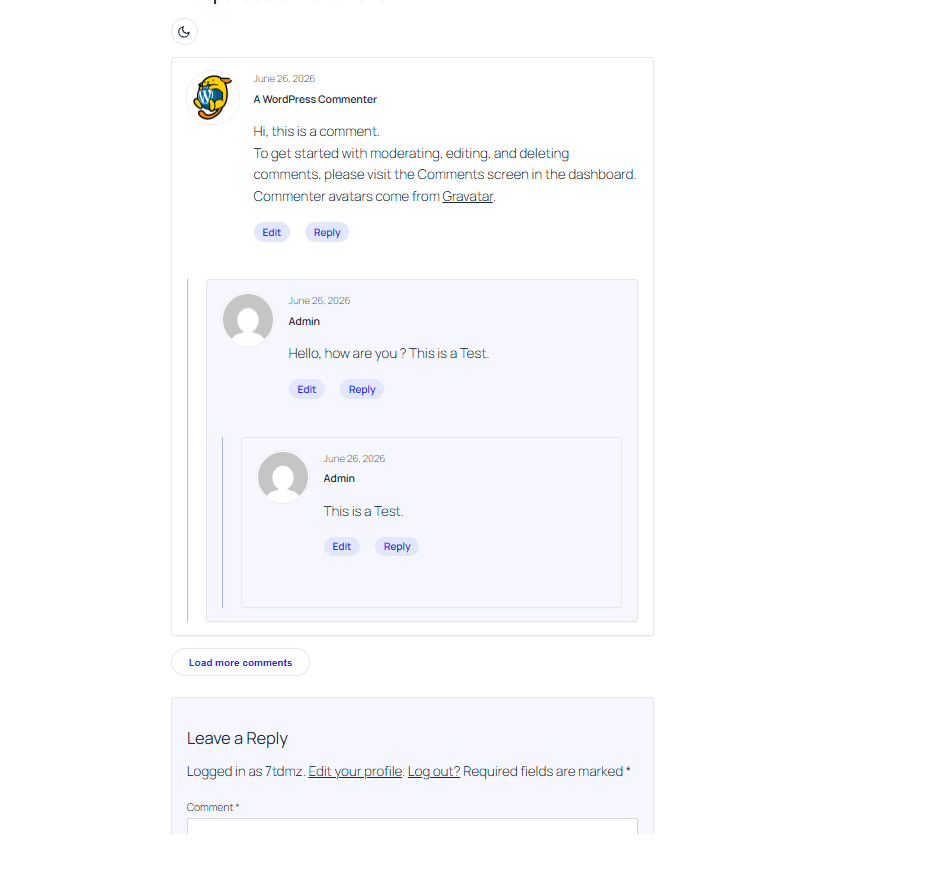
- Modern comment cards with avatars, clean typography, and threaded-reply rails — on both block (FSE) and classic themes.
- AJAX comment submission: post without a page reload, with inline validation and correct “awaiting moderation” handling for held comments.
- AJAX load-more: load comments in batches instead of pagination.
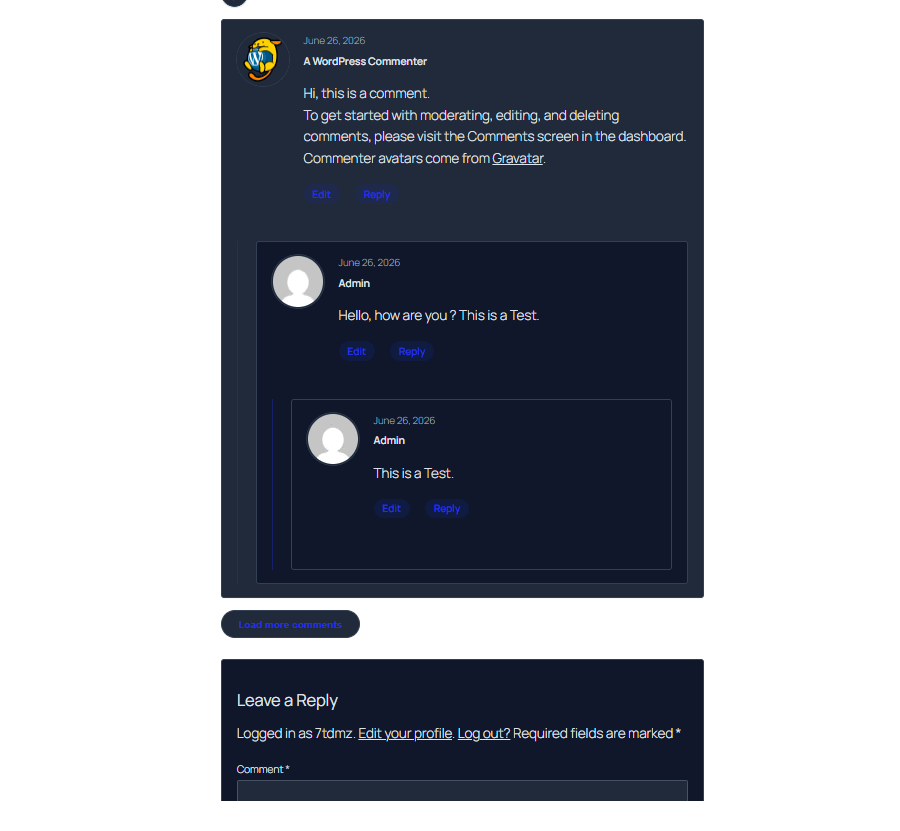
- Dark mode: automatic (follows the visitor’s OS) plus an optional manual toggle that remembers the choice per device.
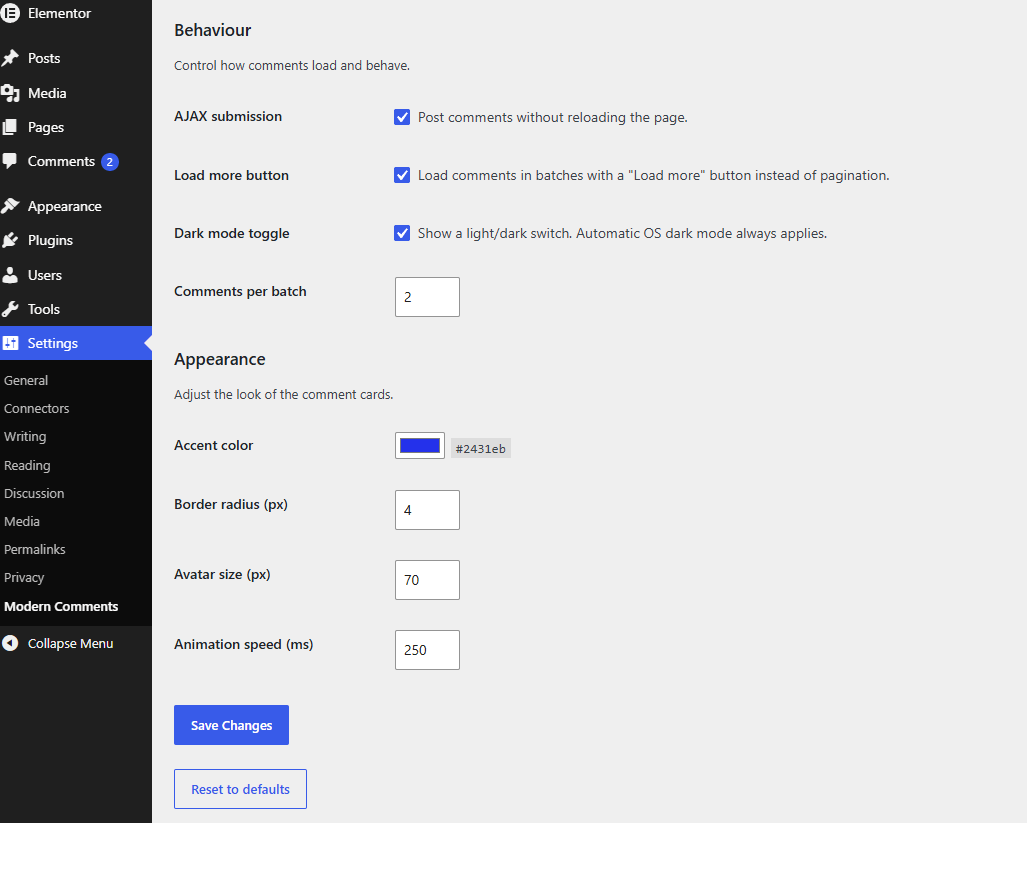
- A settings page for accent color, border radius, avatar size, batch size, and feature toggles.
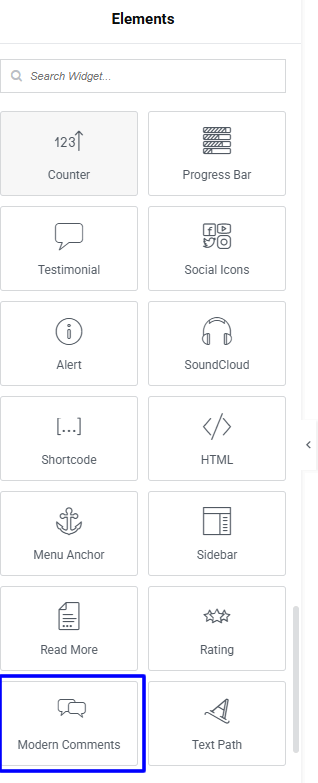
- A native Elementor widget that renders the real WordPress comments, with per-instance styling overrides.
- Accessibility-minded: keyboard focus styles, ARIA live regions for status messages, reduced-motion support.
- Lightweight: no jQuery, assets load only where comments appear.
O que não faz
This free version focuses on a beautiful, fast, native comment experience. It does not add reactions, mentions, notifications, media uploads, or social login.
Instalação
- Upload the
modern-commentsfolder to/wp-content/plugins/, or install the ZIP via Plugins → Add New → Upload Plugin. - Activate the plugin through the Plugins menu.
- Visit any single post or page that has comments enabled — the comment area is enhanced automatically.
- Adjust options under Settings → Modern Comments.
Log de Changes
First public release of Modern Comments.
1.0.0
- First public release.
- Modern comment cards for block themes and classic themes.
- AJAX comment submission with safe moderation handling.
- AJAX load-more for comments.
- Automatic and manual dark mode (per-device).
- Settings page: accent color, border radius, avatar size, batch size, and feature toggles.
- Native Elementor widget with per-instance styling.
- WooCommerce product review styling, including dark mode and accent.
- Production hardening: WordPress Coding Standards clean, security/performance/accessibility reviewed, and translation-ready (.pot included).
0.9.4
- WooCommerce product reviews verified and added to officially supported environments.
- WooCommerce reviews: accent color now applies to the star rating and review Submit button; review form styled as a card so labels stay readable in dark mode.
0.9.3
- WooCommerce reviews: fix leftover inner border on review cards (specificity), and defer review loading to WooCommerce’s native pagination on product pages.
0.9.2
- Add styling for WooCommerce product reviews (CSS-only, scoped to #reviews). Maps the card design and dark mode onto WooCommerce’s review markup.
0.9.1
- Compatibility claims revised to verified-only: official support is stated solely for environments that have been directly tested (block themes, classic themes, Elementor). Release candidate for 1.0.0.
0.9.0
- Production-readiness pass: WordPress Coding Standards (PHPCS) clean, security/performance/accessibility audit, translation template (.pot), and removal of development artifacts.
Capturas de tela
Para desenvolvedores
Este é o seu plugin? Mostre os números.
Adicione um crachá ao vivo ao seu site, Documentos ou Readme do GitHub. Ele é atualizado por conta própria - nenhuma conta necessária.
Best Modern Comments alternatives
All ajax comments plugins →



FAQ
Modern Comments: quick answers
Respostas diretas, extraídas de dados ao vivo WordPress.org.
Fonte: WordPress.org
Is Modern Comments free?
Yes. Modern Comments is free to download and use from the official WordPress.org plugin directory.
Is Modern Comments safe to use in 2026?
Modern Comments works, but test it on a staging site before relying on it in 2026. Was last updated 5 months ago, and scores 49/100 on our health check.
How many websites use Modern Comments?
Modern Comments is active on <10 WordPress websites and has been downloaded 337 times since it launched in June 2026. It was downloaded 65 times in the last 30 days.
Does Modern Comments work with WordPress 7.1?
Modern Comments is officially tested up to WordPress 7.0.9, while the latest release is 7.1.5. It may still work, but try it on a staging site first.
What PHP version does Modern Comments need?
Modern Comments requires PHP 8.0 or higher. Most hosts run PHP 8.x today, so it works on any modern WordPress hosting.
When was Modern Comments last updated?
The latest version, 1.0.0, was released on June 30, 2026 (5 months ago).
Who makes Modern Comments?
Modern Comments is developed and maintained by thisisvince.
What are the best alternatives to Modern Comments?
The most popular alternatives to Modern Comments are Comments – wpDiscuz (60K+ installs), Simple Comment Editing (2K+ installs) and FluentComments (800+ installs).
Alimentado por PageForge
Um modelo e uma planilha. Uma página real para cada pesquisa.
PageForge Transforma cada linha de um CSV em uma página WordPress com seu próprio título, URL, SEO campos e esquema, construído no layout que você já desenhou. Gratuito em WordPress.org.
- CSV e XLSX, mais Google Sheets em Profissional e Empresarial
- Seu próprio título, URL, SEO campos e esquema para cada página
- Funciona com o editor de blocos, Elementor, Divi e Avada
- Gratuito em WordPress.org, sem cartão de crédito