


GSpeech TTS – WordPress Text To Speech Plugin
Free WordPress text to speech audio player for accessibility. Add audio to posts with OpenAI, Gemini and Google Cloud voices. No API keys.

Choix
Yes — GSpeech TTS is a safe, well-maintained plugin to use in 2026. It runs on 3K+ sites, is rated 4.8/5 and was last updated 1 month ago, and scores 83/100 on our health check.
- Loved by users — 4.8/5 from 179 reviews
- Testé avec le dernier WordPress (7.1)
Comment s'accumule-t-il ?
Côte à côte sur les installations, les mises à jour, les évaluations et le support


Téléchargements quotidiens
Les pics de téléchargement suivent généralement une nouvelle version - chaque site qui met à jour automatiquement compte comme un téléchargement.
Classements
Where GSpeech TTS stands todayWordPress.org Classements de recherche
Position en direct dans la recherche de plugins, Top 100| Mot-clé | Position |
|---|---|
| accessibilité | >100 |
| speech | #5 |
| text to audio | #7 |
| text to speech | #4 |
| tts | #2 |
Adoption de version
Part de sites actifs par version.
Répartition des notes
★★★★★★★★★★ 4.8 from 179 reviews
About GSpeech TTS
From the official readme · v3.23.1Description
WordPress Text to Speech for Accessibility with OpenAI and Gemini Voices
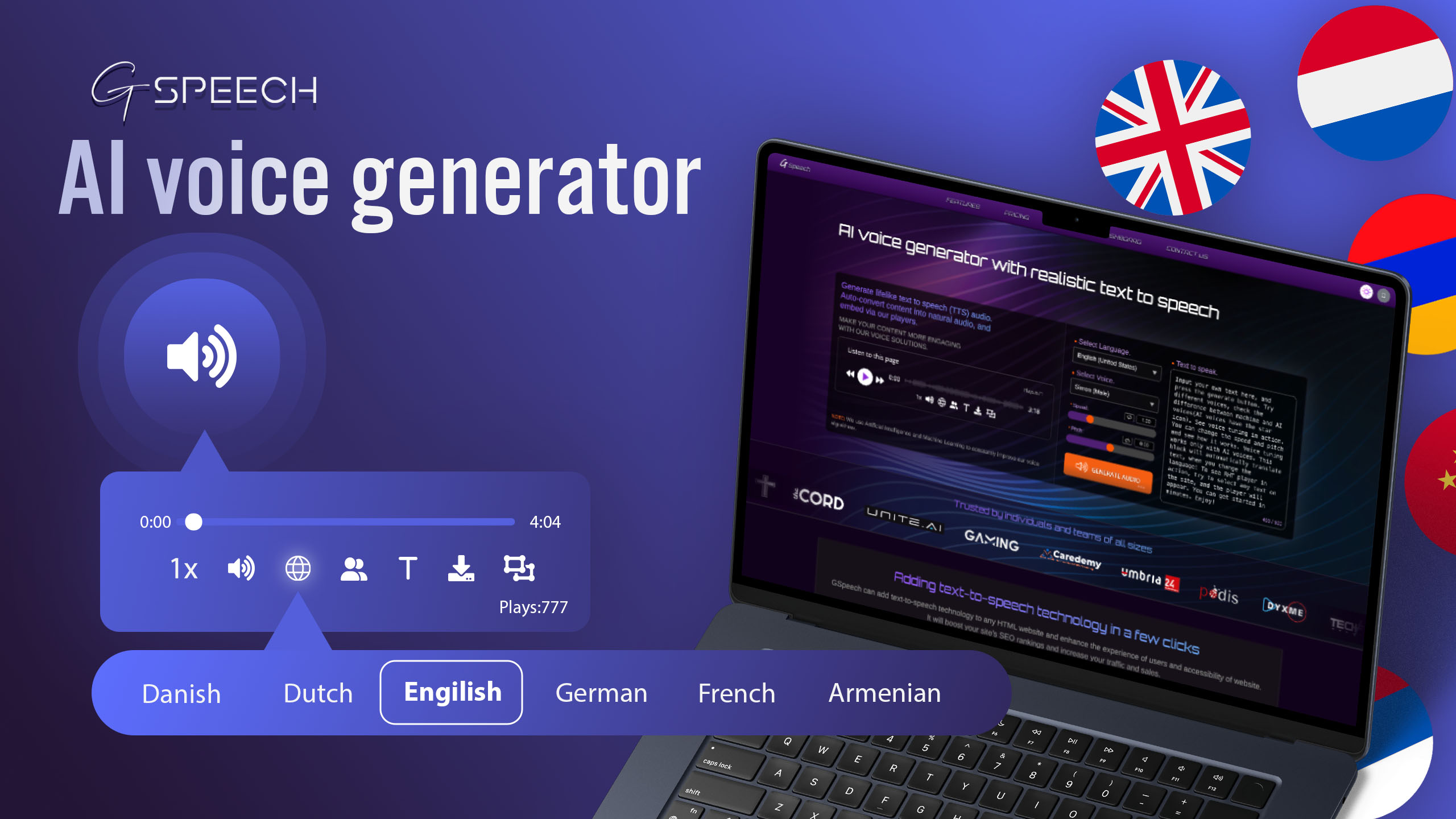
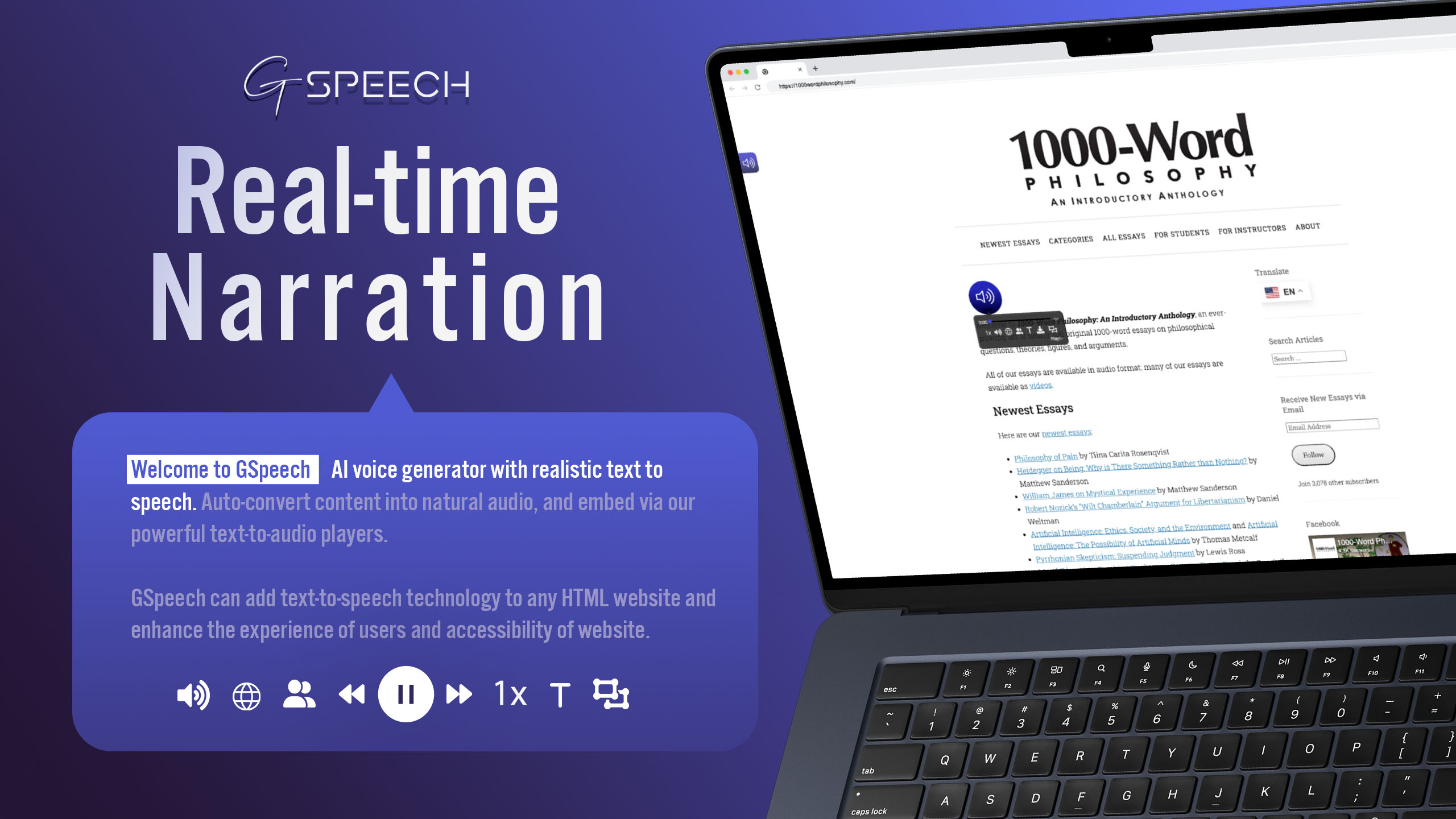
GSpeech is a WordPress text-to-speech plugin and audio player with ultra-realistic OpenAI and Gemini AI voices on paid AI plans. It can automatically add a customizable WordPress audio player to your website, improving accessibility by letting visitors listen to natural-sounding text-to-audio narration of posts, pages, WooCommerce product descriptions, or selected passages.
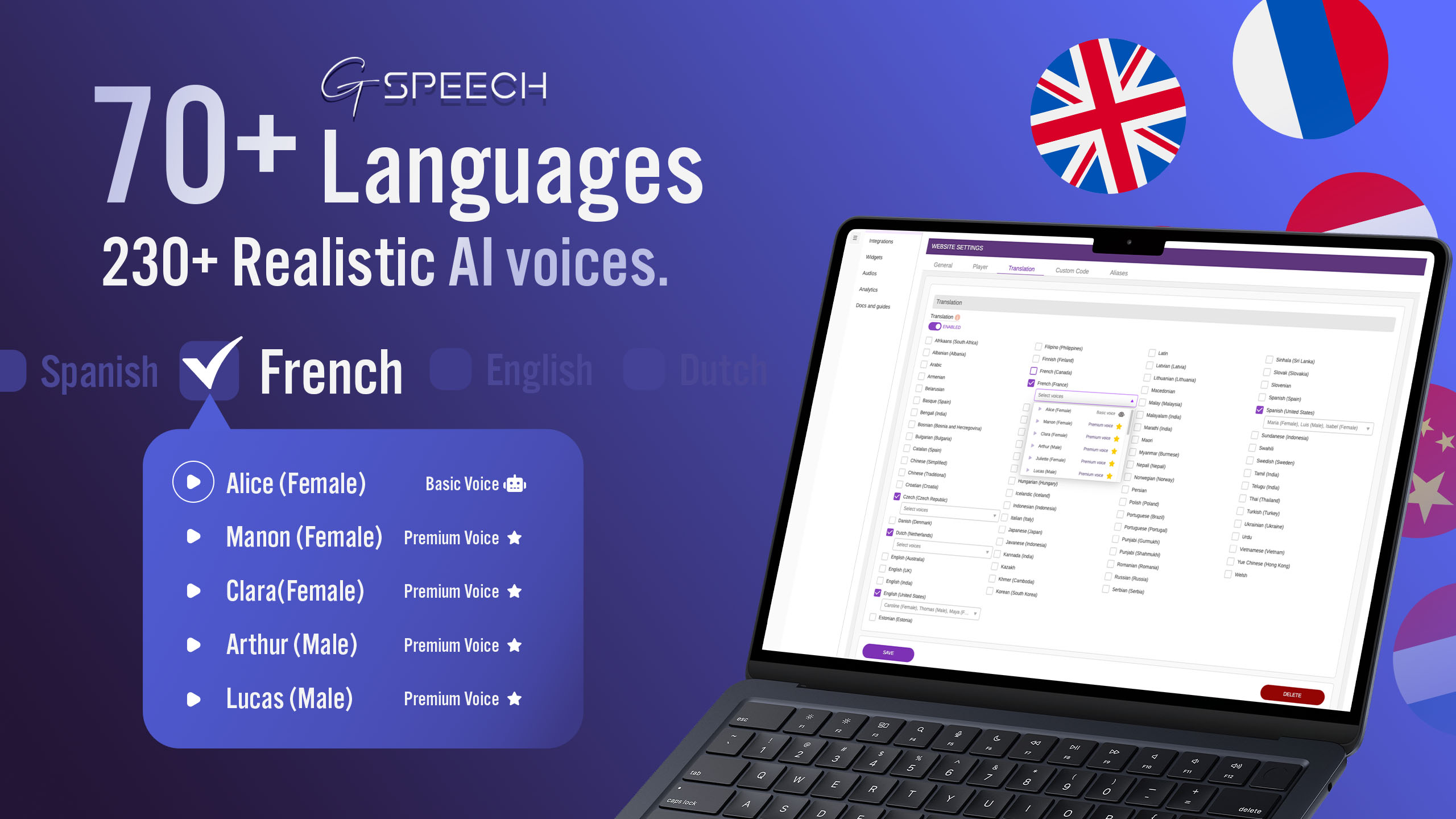
The GSpeech plugin acts as a lightweight WordPress text-to-speech bridge to the GSpeech Cloud, bringing together 300+ AI voices across 98 languages, voice selection, audio players, and real-time audio translation in 98 languages. Voice synthesis, audio storage, smart caching, and playback delivery run in the cloud instead of on your WordPress server, helping your site stay fast while visitors listen to your content. No API keys required: GSpeech manages provider connections and billing through the GSpeech Cloud Console, with transparent all-in-one pricing.
Voice options include OpenAI TTS, Gemini Pro TTS, Gemini Flash TTS, and Google Cloud Text-to-Speech voice families such as Chirp 3 HD, Neural2, Polyglot, and WaveNet. The Voice Vibes system offers 100+ ready-made expressive voice styles, each customizable; controls and language availability vary by model. The free WordPress cloud plan uses machine voices in 68 languages.
🔗 WordPress Text to Speech Plugin Setup & Useful Links
AI Voice Demo | Player Demos | Setup Guide | Support | Dashboard | Pricing | Videos | Blog
⚡ Add Text to Speech to WordPress in Minutes
GSpeech combines simple setup with a powerful cloud audio platform built for publishers, businesses, and content creators.
- ✅ Add Text to Speech to Your Website – Convert WordPress posts, pages, WooCommerce content, and selected text into natural-sounding audio.
- ✅ Unified AI Voice Engine (commercial plans) – Access 300+ voices in 98 languages powered by Google Cloud Text-to-Speech, OpenAI, Gemini, Chirp3 HD, Neural2, Polyglot, and WaveNet through one GSpeech platform, without managing separate provider accounts or API keys.
- ✅ GSpeech Cloud Console – Manage multiple websites, voices, audio players, translations, analytics, and generated audio files from one unified cloud dashboard.
- ✅ Real-Time Audio Translation (commercial plans) – Translate website content and selected text into listenable audio using any GSpeech player, including Read Highlighted Text, even on single-language websites.
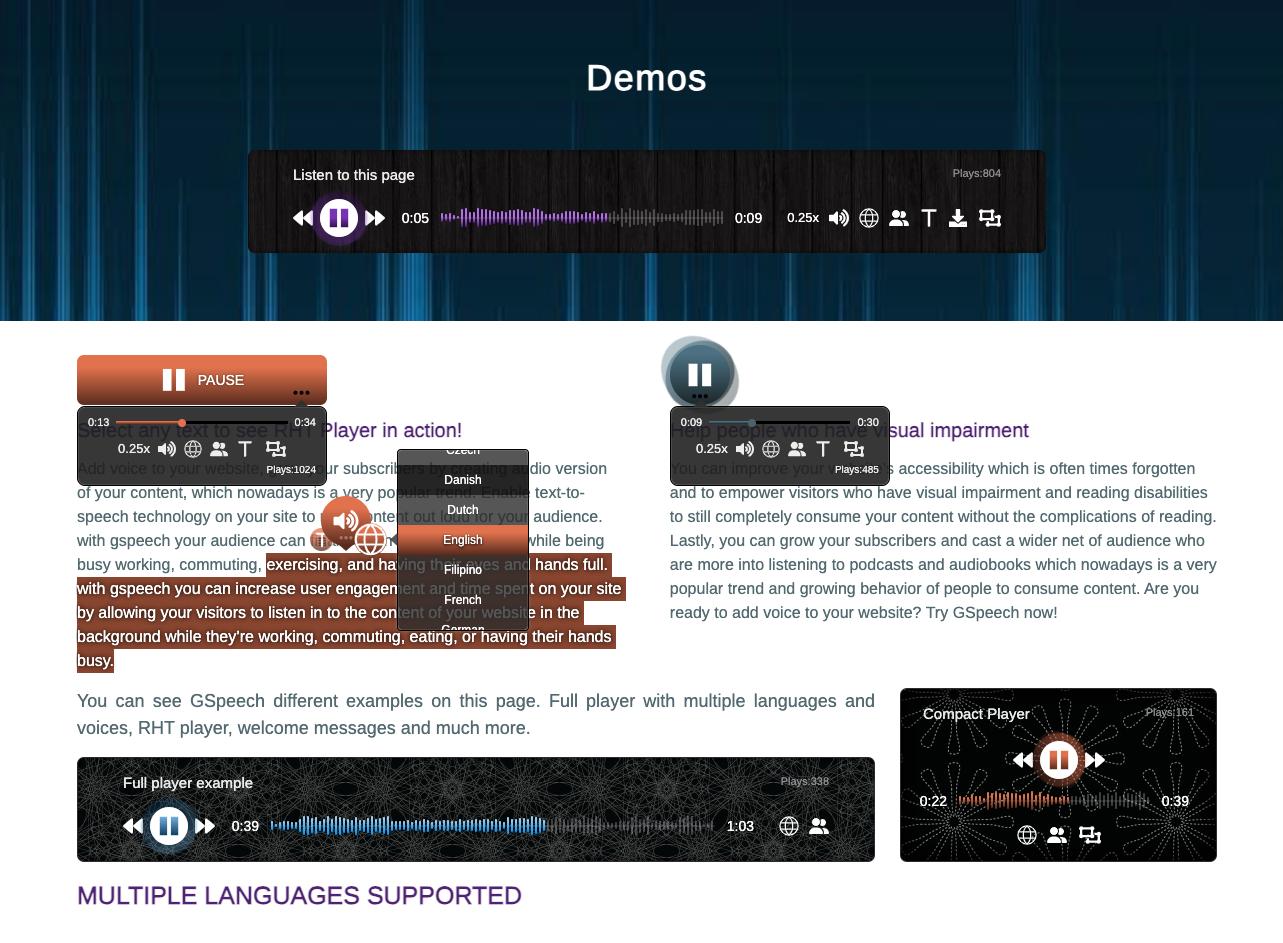
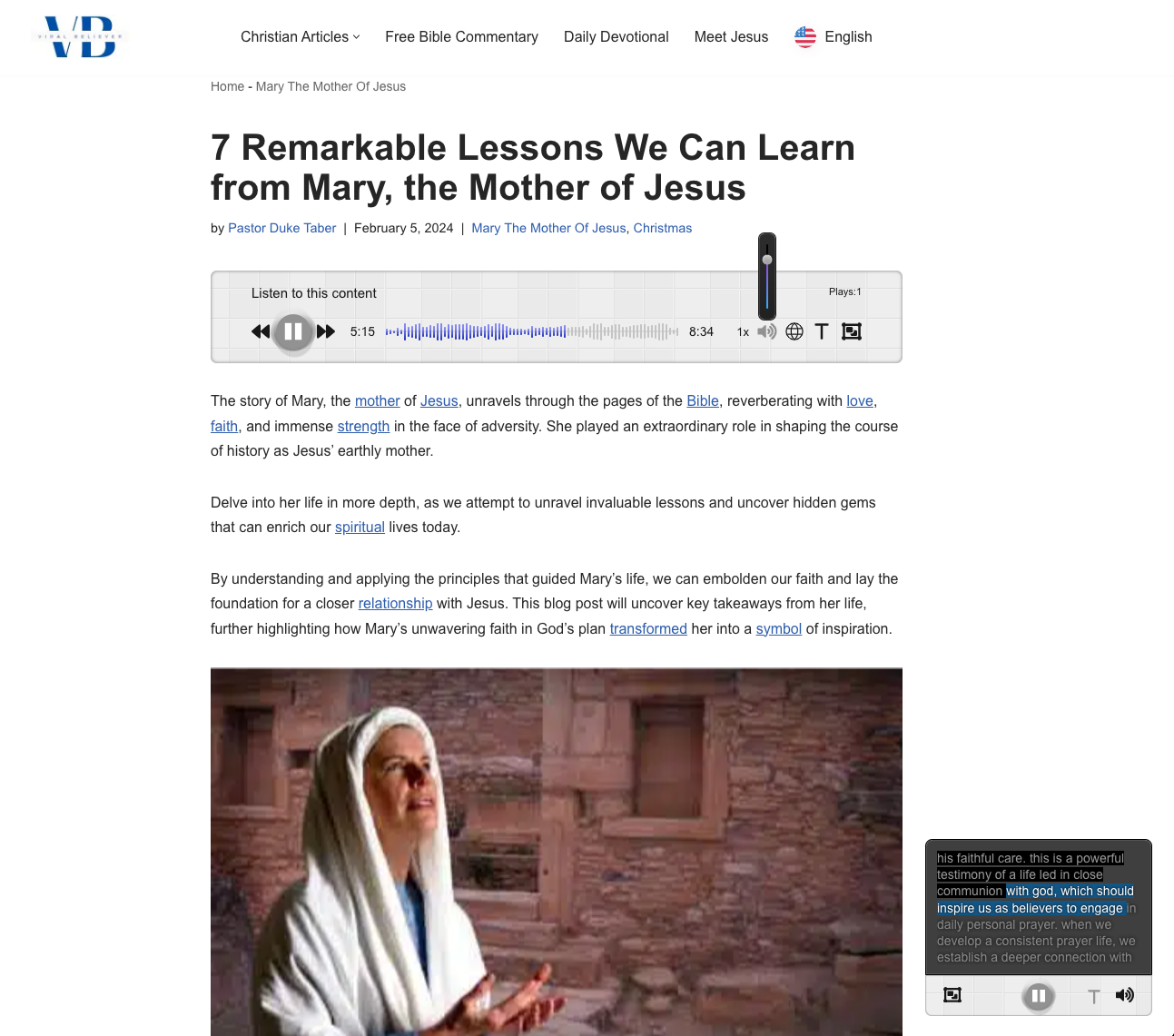
- ✅ Multiple Customizable Audio Players – Choose from Full Page, Button, Circle, Floating, Context, and Read Highlighted Text (RHT) players for different layouts and listening experiences.
- ✅ First-Listen Cloud Generation – Audio is generated in the GSpeech Cloud when a visitor first requests playback, then securely stored and intelligently cached for future plays without repeated synthesis or additional WordPress server load.
- ✅ Back-Catalog Cloud Generation – Posts from past years generate on first listen. You do not pre-generate the entire archive or spend characters on unread old articles.
- ✅ Secure Cloud Storage – Generate Once, Keep and Play – Audio is generated once and securely stored in the GSpeech Cloud. Canceling your plan does not delete your audio library. Existing files remain available in your dashboard for playback and download.
- ✅ One-Click Activation – Activate the GSpeech Cloud Console from WordPress Admin and start generating audio in minutes.
- ✅ Cloud Processing, No Server Load – Voice synthesis, audio storage, smart caching, and playback delivery are handled in the GSpeech Cloud, keeping your WordPress hosting fast and lightweight.
- ✅ No API Keys Required – Use cloud text-to-speech voices without managing Google, OpenAI, Gemini, or other external API accounts.
- ✅ Smart Audio Sync – Updated WordPress content automatically regenerates audio so visitors always hear the latest version.
- ✅ Intelligent Content Isolation – Target the real article content and exclude menus, sidebars, ads, footers, URLs, shortcodes, and other unwanted elements from audio playback using flexible content rules.
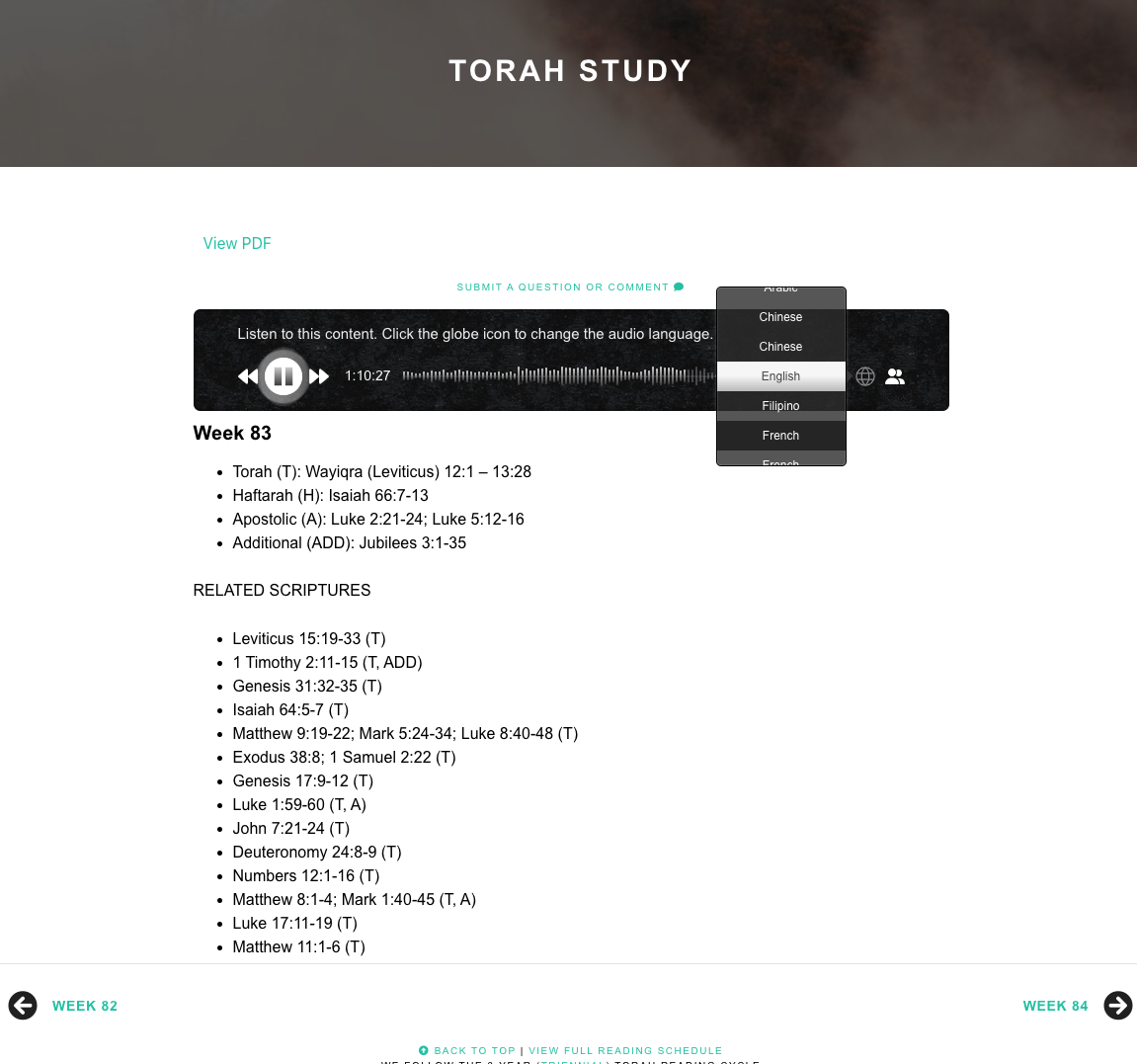
- ✅ Multilingual Audio (commercial plans) – Automatically adapt audio to the active website language and let visitors listen in 98 languages, making GSpeech ideal for multilingual WordPress websites.
- ✅ Voice Prompts & Emotions (commercial plans) – Use custom prompts, voice instructions, emotions, and styles to control narration tone, delivery, and brand voice.
Trusted by thousands of websites, GSpeech processes over 200 million characters per month, is rated ⭐4.8/5 on WordPress.org, and has 220+ five-star reviews across WordPress.org, Joomla (JED), AppSumo, and Trustpilot.
Since 2012, GSpeech has pioneered WordPress text-to-speech innovations now widely adopted across the industry, starting with Listen to Selected Text, which evolved into today’s Read Highlighted Text (RHT) Player.
In 2023, GSpeech pioneered First-Listen Cloud Generation for WordPress with the GSpeech Cloud Console. Unread articles do not consume generation characters. Similar first-listen patterns have since become common.
Unlike many text-to-speech plugins that rely on limited browser voices or require users to configure and pay for external API keys, GSpeech provides a cloud-powered WordPress text-to-speech platform with simple setup, transparent all-in-one pricing, included generation credits, and no API key management. Audio is generated using advanced cloud voices, optimized through the GSpeech cloud infrastructure, and cached for fast playback across browsers and devices. GSpeech can also generate audio for very long articles, supporting content with up to 7 hours of playback per article.
The GSpeech Cloud Console lets users generate and manage WordPress text-to-speech audio directly from the WordPress admin panel.
The same GSpeech engine can also be integrated into Shopify, Wix, Joomla, and custom HTML websites, enabling publishers to add text-to-speech audio across multiple platforms.
🎬 WordPress Text-to-Speech Plugin – Step-by-Step Video Tutorial
For current OpenAI and Gemini voice samples, use the Live AI Voice Demo. The video below demonstrates plugin setup and player features.
🎬 GSpeech – Full Text-to-Speech Platform Overview
Listen to our AI voices in the Live AI Voice Demo.
👆 Why Use the GSpeech Text-to-Speech Plugin?
- ✅ Improve Website Accessibility – Provide audio versions of your content for visitors who prefer listening instead of reading.
- ✅ Increase Engagement – Let users listen to articles, blog posts, and product descriptions while browsing or multitasking.
- ✅ Boost SEO and Time on Page – Audio content can improve engagement signals and create a richer user experience.
- ✅ Repurpose Written Content – Turn posts, pages, tutorials, and WooCommerce descriptions into reusable audio experiences.
🎯 Use Cases – Where WordPress Text-to-Speech Is Most Valuable
GSpeech helps different types of websites turn written content into engaging audio experiences.
- 📰 Blogs and News Websites – Let readers listen to long articles and narrated blog posts while multitasking, commuting, or working.
- 🛒 WooCommerce Product Pages – Add audio narration to product descriptions to improve accessibility and engagement.
- 🎓 Education and E-Learning – Help students absorb lessons and documentation through audio learning.
- 📚 Long-Form Articles and Documentation – Make guides, tutorials, and reports easier to consume through text-to-speech narration.
- 🌍 International Audiences – Offer translated audio from a single-language website, or match narration to an existing multilingual site.
👉 Text to Speech by GSpeech – Core Plugin Features
- ✅ Easy Setup & One-Click Activation: Activate the GSpeech Cloud Console from WP Admin and add audio to posts, pages, custom post types, and WooCommerce content without server configuration.
- ✅ 98 Languages & Cloud Voices: Generate natural-sounding speech through GSpeech-managed cloud engines. Voice and language availability varies by plan (Free machine voices: 68 languages; Personal and higher: 300+ AI voices in 98 languages), with no external API keys required.
- ✅ Cloud Processing, Smart Caching & Sync: Voice generation, storage, and delivery run in the GSpeech Cloud, keeping WordPress fast and lightweight. Audio is generated once, played unlimited times, and automatically regenerated when content changes.
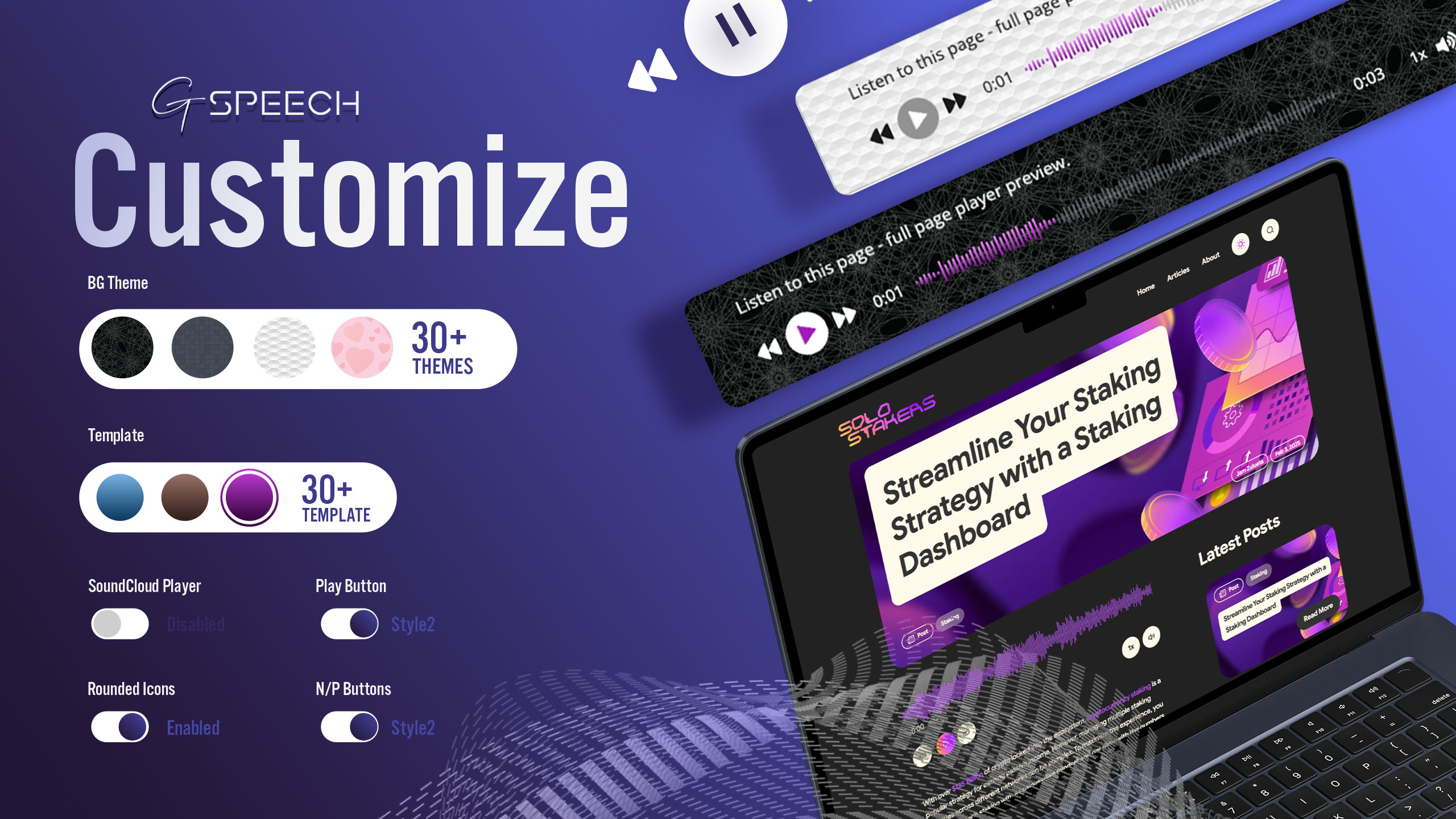
- ✅ Multiple Audio Players: Use Full Page, Button, Circle, Floating, Context, and Read Highlighted Text (RHT) players for different layouts and listening experiences.
- ✅ Read Highlighted Text (RHT): The modern evolution of GSpeech’s original Listen to Selected Text feature, introduced in 2012. Visitors can select any passage and listen instantly – Demo.
- ✅ Gutenberg Player Block: Full, Button, or Circle player in the editor.
- ✅ Shortcodes & Display Rules: Insert players with [gspeech], [gspeech-button], or [gspeech-circle] and control where they appear across your website.
- ✅ Long-Article Support: Generate audio for content with up to 7 hours of playback per article.
- ✅ Intelligent Content Isolation: Exclude menus, ads, sidebars, footers, URLs, shortcodes, special characters, and other unwanted elements from audio output.
- ✅ Smart Pronunciation Aliases: Customize how brand names, acronyms, technical terms, and names are spoken using global, language-based, or locale-specific pronunciation rules, while keeping the visible website text unchanged. Learn more.
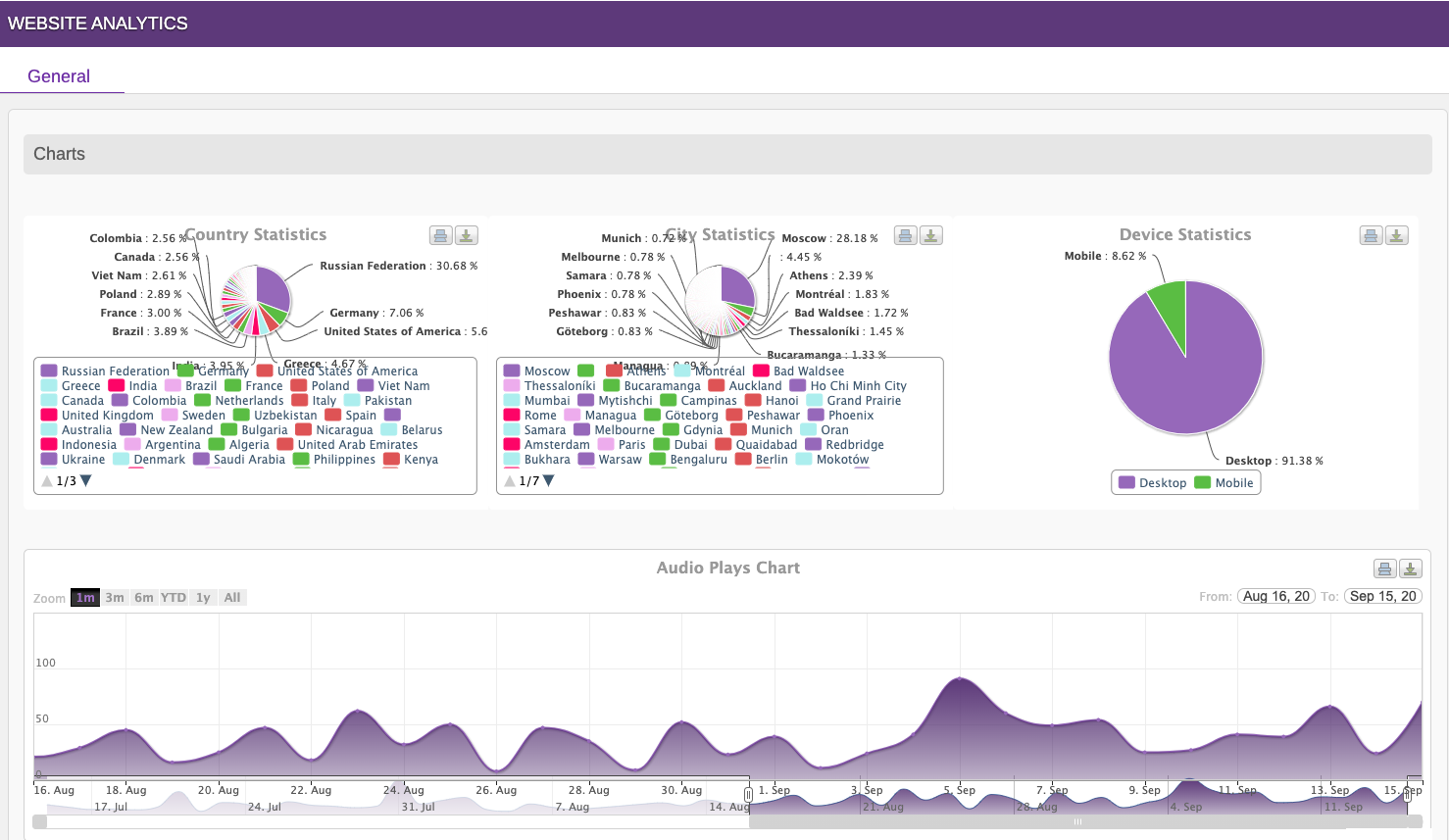
- ✅ Audio Database & Analytics: Administrators can manage and download generated audio files, and track plays by country, city, and device directly from WP Admin.
- ✅ Welcome Messages: Greet visitors with automatic audio and control where and how often messages play.
- ✅ Customizable Responsive Players: Choose from 16+ themes with modern, mobile-friendly, and cross-browser-compatible designs.
⚙️ WordPress Compatibility
GSpeech works seamlessly with most WordPress environments, including popular themes, page builders, multilingual plugins, caching systems, and WooCommerce websites.
- ✅ Gutenberg Editor
- ✅ WooCommerce
- ✅ Divi
- ✅ Elementor
- ✅ WPBakery
- ✅ GTranslate, WPML, Polylang, TranslatePress
- ✅ WP Rocket, LiteSpeed Cache, W3 Total Cache
- ✅ Yoast SEO, RankMath, All in One SEO
The plugin works with most WordPress themes and hosting environments without requiring special server configuration.
🌍 Supported Languages – WordPress Text to Speech in 98 Languages
GSpeech supports 98 languages for text-to-speech generation on single-language and multilingual WordPress websites. Free machine voices cover 68 languages. Personal includes 100K AI + 1M machine credits monthly, with AI voices in 98 languages.
Some of the most popular supported languages include:
- English (US, UK, AU) (English): Text to Speech
- Spanish (Spain, US, Latin America, Mexico) (Español): Texto a voz
- French (France, Canada) (Français): Synthèse vocale
- German (Deutsch): Text-zu-Sprache
- Italian (Italiano): Sintesi vocale
- Portuguese (Brazil, Portugal) (Português): Texto para fala
- Russian (Русский): Преобразование текста в речь
- Armenian (Հայերեն): Տեքստից խոսք
- Arabic (العربية): تحويل النص إلى كلام
- Hebrew (עברית): טקסט לדיבור
- Hindi (हिन्दी): पाठ से वाक्
- Bengali (বাংলা): টেক্সট টু স্পিচ
- Chinese (中文): 文字转语音
- Japanese (日本語): テキスト読み上げ
- Korean (한국어): 텍스트 음声 변환
Additional supported languages include Afrikaans, Albanian, Amharic, Basque, Bosnian, Bulgarian, Catalan, Cantonese, Croatian, Czech, Danish, Estonian, Filipino, Finnish, Galician, Greek, Gujarati, Georgian, Hungarian, Icelandic, Indonesian, Javanese, Kannada, Kazakh, Khmer, Latin, Latvian, Lithuanian, Luxembourgish, Lao, Macedonian, Malay, Malayalam, Marathi, Maori, Mongolian, Nepali, Norwegian, Persian, Punjabi, Romanian, Serbian, Sinhala, Slovak, Slovenian, Swedish, Swahili, Tamil, Telugu, Thai, Urdu, Welsh, and more.
See the full list of supported languages in the FAQ section.
📚 Usage and Shortcodes
- ✅ Activate the GSpeech Cloud Console directly from WP Admin with one click.
- ✅ The audio player can automatically appear on posts, pages, and WooCommerce products.
- ✅ Manage player settings in Cloud Console → Widgets.
- ✅ Use shortcodes: [gspeech], [gspeech-button], and [gspeech-circle].
- ✅ The Read Highlighted Text (RHT) player works automatically after activation.
- ✅ Exclude elements from audio playback using the class nospeech.
- ✅ View player examples on the Demo Page.
🛟 Support
For free plugin questions, please use the WordPress.org support forum.
For GSpeech account, billing, Cloud Console, commercial features, or website-specific setup, please contact GSpeech Support.
💬 WordPress Text to Speech Plugin – CUSTOMER TESTIMONIAL
A Premium Text-to-Speech Service ⭐⭐⭐⭐⭐
Unite.AI praised GSpeech for natural voice quality, accessibility, and stronger user engagement on long-form AI content.
— Antoine Tardif – CEO Unite.AI
⭐ What Users Say About GSpeech
Read real feedback from publishers, bloggers, and website owners on the GSpeech Testimonials page.
🚀 Upgrade to GSpeech Commercial Plans for Advanced Features
Unlock premium features by upgrading to GSpeech Commercial.
The commercial version of the plugin provides advanced capabilities, premium AI voices, and the best listening experience for your visitors.
🌟 GSpeech Text-to-Speech – Commercial Features
- ✅ Unified AI Voice Engine: Access 300+ voices in 98 languages through one GSpeech platform. Choose from premium AI voices powered by OpenAI, Google Cloud Text-to-Speech, Gemini AI voice models, Chirp3 HD, Neural2, Polyglot, and WaveNet without managing separate provider accounts or API keys. Control speed, pitch, and voice style to match your content. See demo (AI voices marked with a star).
- ✅ Real-Time Audio Translation: Translate website content instantly into supported languages and let visitors listen using any GSpeech player, including selected text with the Read Highlighted Text feature. See the language list in the FAQ.
- ✅ Multilingual Mode: Automatically detects the active website language and generates speech with the appropriate voice. Perfect for multilingual WordPress websites using GTranslate, WPML, Polylang or TranslatePress.
- ✅ Custom Voice Prompts, Instructions and Emotions: Use custom prompts, voice instructions, expressive styles, and emotional delivery to control tone, mood, narration style, and brand voice.
- ✅ Voice Vibes: Choose from 100+ expressive voice styles, including emotional, warm, confident, calm, whisper, narrator, and branded voice directions. Edit any preset to create custom Voice Vibes.
- ✅ Voice Tuning: Adjust speaking pitch (±20 semitones) and speed (up to 4× faster or slower).
- ✅ Smart Pronunciation Aliases: Language- and locale-based spoken replacements for brands, acronyms, and names. Visible copy stays unchanged. Learn more.
- ✅ Advanced Player Features: Includes real-time captions, a sticky context player, voice selection, and real-time audio translation directly from the player.
- ✅ GTranslate Compatibility: Works seamlessly with the GTranslate multilingual plugin.
- ✅ Simple Pricing, No API Keys Required: Access premium OpenAI, Google Cloud, and Gemini AI voices with one straightforward GSpeech plan. No separate API accounts, usage tracking, or external billing required.
- ✅ RHT Advanced Views: Access RHT Player View 2 and View 3 with translation and text panels. See demo.
- ✅ Download Audio: Allow visitors to download audio files (.mp3) directly from the player.
- ✅ Seamless Updates: Cloud-based SaaS architecture – no manual updates required.
👉 Web Content Accessibility (WCAG) Guideline
Text-to-Speech by GSpeech helps WordPress websites improve accessibility and support WCAG standards with just one click.
🎬 GSpeech Text to Speech – WordPress Video Tour
🎬 Text to Speech for WordPress – Transform Text into Audio with AI Voices
🎬 Why GSpeech Lifetime Deal Is a Powerful WordPress Text-to-Speech Solution
🌟 Expert Reviews & Featured Mentions
GSpeech is recommended by technology reviewers and listed among the best WordPress text-to-speech plugins.
- Top 10 Text-to-Speech Plugins for WordPress – Unite AI
- GSpeech Review – Techozens
- Best Text-to-Speech Plugins for WordPress – BDThemes
- 7 Best Text-to-Speech WordPress Plugins – WPExplorer
⚙️ GSpeech Text to Speech (3.X) Usage Terms
GSpeech 3.X is powered by the GSpeech cloud backend. By using it, you agree to the Terms of Service.
GSpeech also includes legacy GSpeech 2.X mode.
GSpeech 2.X legacy features:
- ✅ Unlimited text-to-speech conversions
- ✅ Place speakers anywhere using
{gspeech}text to speech{/gspeech} - 🔗 Live Demo
- 🔗 Documentation
Installation
- Go to the WordPress plugin installer and search for “GSpeech”.
- Install the plugin or upload the plugin file downloaded from WordPress.org.
- Activez le plugin via le menu plugins dans WordPress.
- After activation, you will see the GSpeech menu in your WordPress admin panel.
- Click Activate Cloud Console (one click). The required widgets will be created automatically.
- Insert a Full Page Player using the shortcode: [gspeech].
- Insert a Button Player using the shortcode: [gspeech-button].
- Insert a Circle Player using the shortcode: [gspeech-circle].
- The Read Highlighted Text (RHT) Player will be activated automatically.
Journal de modifications
V 3.23.1 – 07/10/2026
- Fixed Aliases and other commercial text fields remaining read-only after switching to an active paid plan.
- Added pronunciation alias instructions and examples for all languages, individual languages, and specific locales in website and widget settings.
V 3.23.0 – 03/10/2026
- Updated the plugin description to highlight the audio player and existing OpenAI, Gemini, and Google Cloud AI voices.
- Clarified real-time audio translation for single-language websites and visitor language selection.
- Added voice-model, free-plan, API-key, and narration-style FAQs, plus direct links to the live AI voice demo.
- Clarified accessibility options, cross-platform support, model-dependent controls, included TTS and translation API access, and cloud voice processing.
V 3.22.2 – 29/09/2026
- Refactored legacy code.
- Legacy player shows only when Cloud is not activated. Cloud stays on if it is connected.
- Legacy mode supports up to five shortcode players per page.
- Removed the unused Legacy switch. Speak Any Text can be disabled while shortcode players remain available.
V 3.22.1 – 28/09/2026
- Cloud shortcodes use the WordPress shortcode API.
- Legacy and Cloud curly tags run on content, excerpt, widgets, and ACF fields.
- Auto excerpts keep GSpeech players.
- Legacy player scripts load after jQuery.
- Legacy UI loads only when Legacy mode is on.
- Gutenberg Cloud block for Full, Button, and Circle players.
- Removed full-page output buffer processing.
V 3.22.0 – 28/09/2026
- Security fix on the Legacy path.
- Legacy streamer updates.
- Faster Cloud Console load.
- Style corrections on the Cloud Console dashboard.
- Legacy player tooltip.
- Removed the Legacy greeting.
V 3.21.5 – 02/09/2026
- Content corrections.
- Style corrections.
Captures d'écran

Pour les développeurs
Est-ce votre plugin ? Montrez les chiffres.
Ajoutez un badge en direct à votre site, docs ou github readme. Il se met à jour par lui-même - aucun compte n'est nécessaire.
Best GSpeech TTS alternatives
Tous les plugins d'accessibilité →





FAQ
GSpeech TTS: quick answers
Réponses directes, extraites des données en direct WordPress.org.
Source : WordPress.org
Is GSpeech TTS free?
Yes. GSpeech TTS is free to download and use from the official WordPress.org plugin directory.
Is GSpeech TTS safe to use in 2026?
Yes — GSpeech TTS is a safe, well-maintained plugin to use in 2026. It runs on 3K+ sites, is rated 4.8/5 and was last updated 1 month ago, and scores 83/100 on our health check.
How many websites use GSpeech TTS?
GSpeech TTS is active on 3K+ WordPress websites and has been downloaded 207,518 times since it launched in February 2013. It was downloaded 2,575 times in the last 30 days.
Does GSpeech TTS work with WordPress 7.1?
Yes. The developer has tested GSpeech TTS up to WordPress 7.1.5, the latest release. It requires WordPress 3.5 or newer.
What PHP version does GSpeech TTS need?
GSpeech TTS requires PHP 7.2 or higher. Most hosts run PHP 8.x today, so it works on any modern WordPress hosting.
When was GSpeech TTS last updated?
The latest version, 3.23.1, was released on October 13, 2026 (1 month ago).
Who makes GSpeech TTS?
GSpeech TTS is developed and maintained by Creative-Solutions.
What are the best alternatives to GSpeech TTS?
The most popular alternatives to GSpeech TTS are Web Accessibility (formally… (500K+ installs), Auto Image Attributes From… (100K+ installs) and Accessibility by UserWay (80K+ installs).
Propulsé par PageForge
Un modèle et une feuille de calcul. Une vraie page pour chaque recherche.
PageForge transforme chaque ligne d'un CSV en une page WordPress avec son propre titre, URL, SEO et schéma, construit sur la mise en page que vous Déjà conçu. Gratuit sur WordPress.org.
- CSV et XLSX, plus Google Sheets sur les professionnels et les entreprises
- Son propre titre, URL, SEO champs et schéma pour chaque page
- Fonctionne avec l'éditeur de blocs, Elementor, Divi et Avada
- Gratuit sur WordPress.org, pas de carte de crédit