


Firebase Authentication
This plugin allows login into WordPress using Firebase user credentials and maps Firebase user data to WordPress user profile.

Choix
Yes — Firebase Authentication is a safe, well-maintained plugin to use in 2026. It runs on 400+ sites, is rated 4/5 and was last updated 6 days ago, and scores 82/100 on our health check.
- Développé activement — Dernière mise à jour il y a 6 jours
- Testé avec le dernier WordPress (7.1)
- Momentum — downloads up 115.9% vs the previous 30 days
- Petite base d'utilisateurs (400+ installations actives)
Comment s'accumule-t-il ?
Côte à côte sur les installations, les mises à jour, les évaluations et le support



Téléchargements quotidiens
Les pics de téléchargement suivent généralement une nouvelle version - chaque site qui met à jour automatiquement compte comme un téléchargement.
Classements
Where Firebase Authentication stands todayWordPress.org Classements de recherche
Position en direct dans la recherche de plugins, Top 100| Mot-clé | Position |
|---|---|
| authentication | #15 |
| firebase | #1 |
| jwt | #13 |
| login | >100 |
| WooCommerce Intégration | >100 |
Adoption de version
Part de sites actifs par version.
Répartition des notes
★★★★★★★★★★ 4 from 20 reviews
About Firebase Authentication
À partir du Lisezmoi officiel · v1.7.3Description
WordPress Firebase Authentication Plugin allows you to login to WordPress sites using your Firebase user login credentials or via Social Login.
WordPress Firebase Authentication works using the default WordPress login page. We support Firebase WooCommerce Integration and other third-party login pages along with custom login forms.
Traits
- WordPress Firebase Authentication : WordPress login using Firebase authentication user login credentials
-
Auto Create Users : After login using Firebase login credentials, new user automatically gets created in WordPress
-
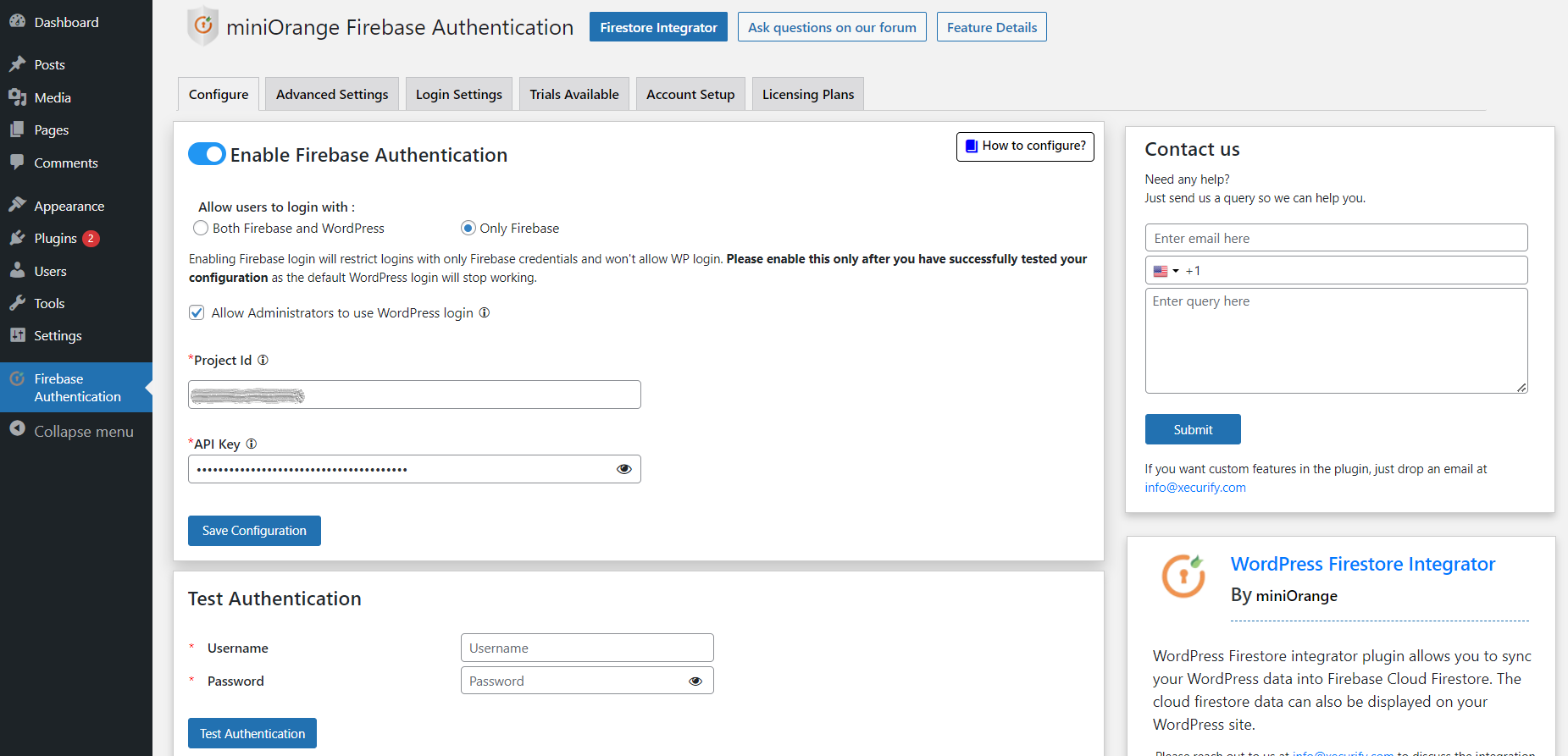
Configurable login options :
Provide option to login with,
a) Only Firebase credentials
b) Only WordPress credentials
c) Both Firebase and WordPress credentials -
Auto Register WooCommerce Users to Firebase : Provide an option to sync a WordPress user to Firebase whenever an end-user registers into the WordPress site via the WooCommerce registration form. User is created in Firebase with only an email address and password.
-
Support for Firebase Phone Authentication method : Users will be asked to enter OTP provided via Firebase to login into WordPress (Passwordless login). This works for WooCommerce as well.
-
Support for Firebase Social Login : With Firebase authentication, users will be provided an option to login in to WordPress using selected social login providers
Providers supported are:- Le Facebook
- Apple
- Gazouillement
- Github
- Yahoo
- Microsoft
-
Firebase WooCommerce Integration : Integrate WooCommerce with the WordPress Firebase Authentication plugin and allow users to log in to your WooCommerce site using firebase login credentials on WooCommerce Checkout and My account page.
- WordPress Firestore Integration: Sync WordPress User Meta to Cloud Firestore Collections, WooCommerce products, orders, subscription sync to Firebase database.
-
Support for Social Login buttons Shortcode : Use a shortcode to place Firebase social login buttons anywhere in your Theme or Plugin
-
Sync Firebase UID to WordPress : Users can map email, Firebase user-id to their WordPress user profile using this WordPress Firebase Authentication feature.
-
Custom Redirect Login and Logout URL : Automatically Redirect users after successful login/logout. This works for WooCommerce as well.
-
Support for Firebase Login and Registration form Shortcode : Using login form shortcode, users can enter their Firebase credentials to login into the WP site, and using the registration form shortcode, users can register into the WordPress site, and that user is also auto created in Firebase with an email address and password.
-
WP Hooks for Different Events : WordPress Firebase authentication provides support for different hooks for user defined functions.
-
WordPress login with Firebase JWT: WordPress login with Firebase JWT allows you to create a user login session on a WordPress site using their Firebase JWT token, eliminating the need to enter their login credentials again. This is highly recommended when there are multiple websites/applications and the user is already logged in to any of them.
Installation
- Visit
Plugins > Add New - Search for
firebase authentication. Find and InstallFirebase Authenticationplugin by miniOrange - Activer le plugin
Journal de modifications
Security Fixes
1.7.3
- Security Fixes
1.7.2
- Added compatibility with WP 7.1
- Fixed the issue with the Request for Demo
1.7.1
- Security fix: Firebase login now requires a verified email by default, with a new setting to allow unverified logins if needed.
1.7.0
- Security fixes.
- Improved Firebase login validation.
- Enhanced account linking security.
1.6.9
- Added compatibility with WP 7.0
- Corrections de sécurité
1.6.8
- Added compatibility with WP 6.8
- URL migration
Captures d'écran


Pour les développeurs
Est-ce votre plugin ? Montrez les chiffres.
Ajoutez un badge en direct à votre site, docs ou github readme. Il se met à jour par lui-même - aucun compte n'est nécessaire.
Best Firebase Authentication alternatives
All authentication plugins →





FAQ
Firebase Authentication: quick answers
Réponses directes, extraites des données en direct WordPress.org.
Source : WordPress.org
Is Firebase Authentication free?
Yes. Firebase Authentication is free to download and use from the official WordPress.org plugin directory.
Is Firebase Authentication safe to use in 2026?
Yes — Firebase Authentication is a safe, well-maintained plugin to use in 2026. It runs on 400+ sites, is rated 4/5 and was last updated 6 days ago, and scores 82/100 on our health check.
How many websites use Firebase Authentication?
Firebase Authentication is active on 400+ WordPress websites and has been downloaded 30,648 times since it launched in November 2019. It was downloaded 1,017 times in the last 30 days.
Does Firebase Authentication work with WordPress 7.1?
Yes. The developer has tested Firebase Authentication up to WordPress 7.1.5, the latest release. It requires WordPress 4.6 or newer.
What PHP version does Firebase Authentication need?
Firebase Authentication requires PHP 7.0 or higher. Most hosts run PHP 8.x today, so it works on any modern WordPress hosting.
When was Firebase Authentication last updated?
The latest version, 1.7.3, was released on November 24, 2026 (6 days ago).
Who makes Firebase Authentication?
Firebase Authentication is developed and maintained by miniOrange.
What are the best alternatives to Firebase Authentication?
The most popular alternatives to Firebase Authentication are Limit Login Attempts (200K+ installs), Two Factor (100K+ installs) and WPS Limit Login (100K+ installs).
Propulsé par PageForge
Un modèle et une feuille de calcul. Une vraie page pour chaque recherche.
PageForge transforme chaque ligne d'un CSV en une page WordPress avec son propre titre, URL, SEO et schéma, construit sur la mise en page que vous Déjà conçu. Gratuit sur WordPress.org.
- CSV et XLSX, plus Google Sheets sur les professionnels et les entreprises
- Son propre titre, URL, SEO champs et schéma pour chaque page
- Fonctionne avec l'éditeur de blocs, Elementor, Divi et Avada
- Gratuit sur WordPress.org, pas de carte de crédit