


Firebase Authentication
This plugin allows login into WordPress using Firebase user credentials and maps Firebase user data to WordPress user profile.

Escolha segura
Yes — Firebase Authentication is a safe, well-maintained plugin to use in 2026. It runs on 400+ sites, is rated 4/5 and was last updated 6 days ago, and scores 82/100 on our health check.
- Desenvolvido ativamente — última atualização 6 dias atrás
- Testado com as últimas WordPress (7.1)
- Momentum — downloads up 115.9% vs the previous 30 days
- Base de usuários pequenas (mais de 400 instalações ativas)
Como ele se acumula?
Lado a lado em instalações, atualizações, avaliações e suporte



Downloads diários
Os picos de download geralmente seguem uma nova versão — cada site que atualiza automaticamente é um download.
Rankings
Where Firebase Authentication stands todayWordPress.org Classificações de pesquisa
Posição ao vivo na pesquisa de plugins, top 100| Palavra chave | Posição |
|---|---|
| authentication | #15 |
| firebase | #1 |
| jwt | #13 |
| login | >100 |
| WooCommerce Integration | >100 |
Adoção da versão
Compartilhamento de sites ativos por lançamento.
Divisão de classificação
★★★★★★★★★★ 4 from 20 reviews
About Firebase Authentication
From the official readme · v1.7.3Descrição
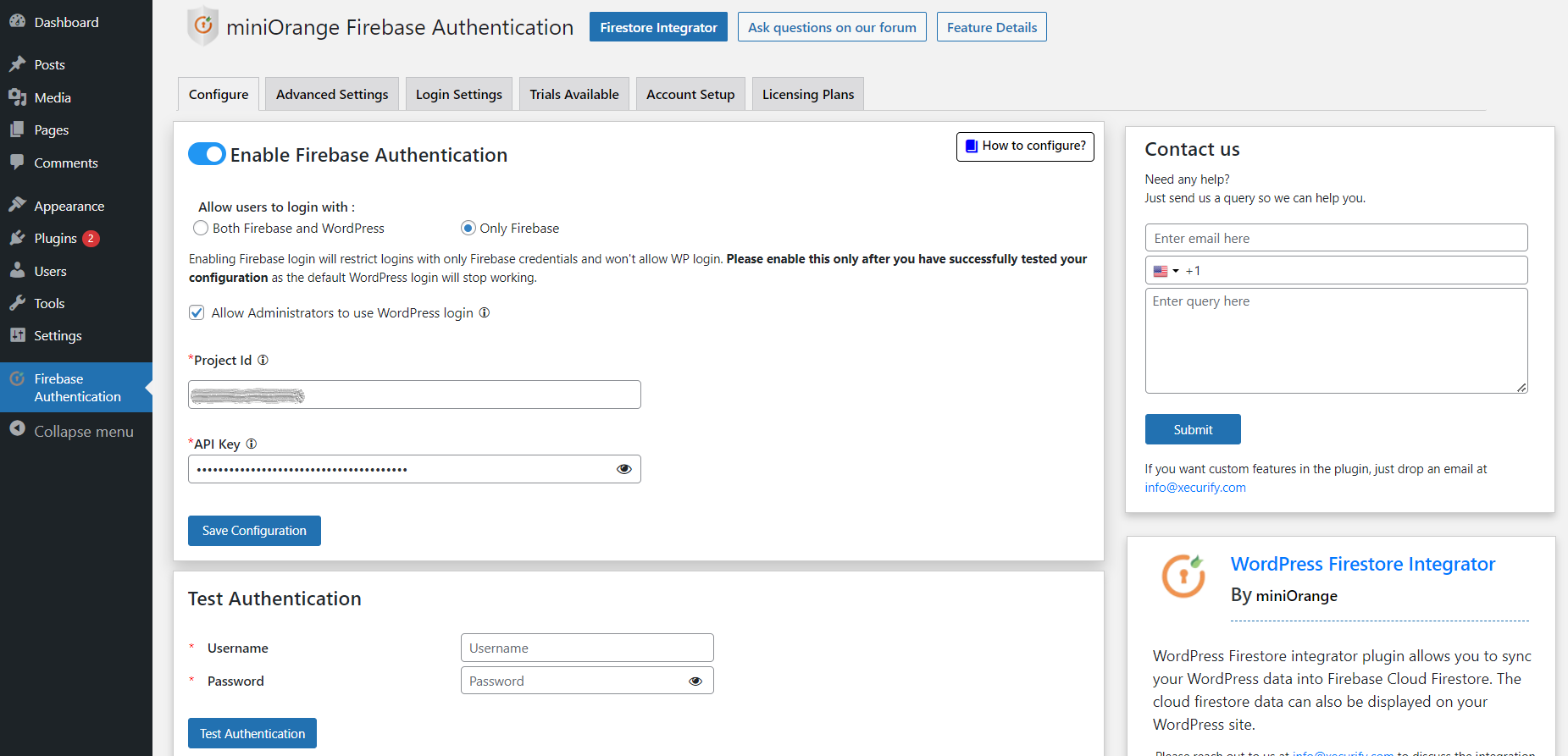
WordPress Firebase Authentication Plugin allows you to login to WordPress sites using your Firebase user login credentials or via Social Login.
WordPress Firebase Authentication works using the default WordPress login page. We support Firebase WooCommerce Integration and other third-party login pages along with custom login forms.
Recursos
- WordPress Firebase Authentication : WordPress login using Firebase authentication user login credentials
-
Auto Create Users : After login using Firebase login credentials, new user automatically gets created in WordPress
-
Configurable login options :
Provide option to login with,
a) Only Firebase credentials
b) Only WordPress credentials
c) Both Firebase and WordPress credentials -
Auto Register WooCommerce Users to Firebase : Provide an option to sync a WordPress user to Firebase whenever an end-user registers into the WordPress site via the WooCommerce registration form. User is created in Firebase with only an email address and password.
-
Support for Firebase Phone Authentication method : Users will be asked to enter OTP provided via Firebase to login into WordPress (Passwordless login). This works for WooCommerce as well.
-
Support for Firebase Social Login : With Firebase authentication, users will be provided an option to login in to WordPress using selected social login providers
Providers supported are: -
Firebase WooCommerce Integration : Integrate WooCommerce with the WordPress Firebase Authentication plugin and allow users to log in to your WooCommerce site using firebase login credentials on WooCommerce Checkout and My account page.
- WordPress Firestore Integration: Sync WordPress User Meta to Cloud Firestore Collections, WooCommerce products, orders, subscription sync to Firebase database.
-
Support for Social Login buttons Shortcode : Use a shortcode to place Firebase social login buttons anywhere in your Theme or Plugin
-
Sync Firebase UID to WordPress : Users can map email, Firebase user-id to their WordPress user profile using this WordPress Firebase Authentication feature.
-
Custom Redirect Login and Logout URL : Automatically Redirect users after successful login/logout. This works for WooCommerce as well.
-
Support for Firebase Login and Registration form Shortcode : Using login form shortcode, users can enter their Firebase credentials to login into the WP site, and using the registration form shortcode, users can register into the WordPress site, and that user is also auto created in Firebase with an email address and password.
-
WP Hooks for Different Events : WordPress Firebase authentication provides support for different hooks for user defined functions.
-
WordPress login with Firebase JWT: WordPress login with Firebase JWT allows you to create a user login session on a WordPress site using their Firebase JWT token, eliminating the need to enter their login credentials again. This is highly recommended when there are multiple websites/applications and the user is already logged in to any of them.
Instalação
- Visit
Plugins > Add New - Search for
firebase authentication. Find and InstallFirebase Authenticationplugin by miniOrange - Activate the plugin
Log de Changes
Security Fixes
1.7.3
- Security Fixes
1.7.2
- Added compatibility with WP 7.1
- Fixed the issue with the Request for Demo
1.7.1
- Security fix: Firebase login now requires a verified email by default, with a new setting to allow unverified logins if needed.
1.7.0
- Security fixes.
- Improved Firebase login validation.
- Enhanced account linking security.
1.6.9
- Added compatibility with WP 7.0
- Security fixes
1.6.8
- Added compatibility with WP 6.8
- URL migration
Capturas de tela


Para desenvolvedores
Este é o seu plugin? Mostre os números.
Adicione um crachá ao vivo ao seu site, Documentos ou Readme do GitHub. Ele é atualizado por conta própria - nenhuma conta necessária.
Best Firebase Authentication alternatives
All authentication plugins →





FAQ
Firebase Authentication: quick answers
Respostas diretas, extraídas de dados ao vivo WordPress.org.
Fonte: WordPress.org
Is Firebase Authentication free?
Yes. Firebase Authentication is free to download and use from the official WordPress.org plugin directory.
Is Firebase Authentication safe to use in 2026?
Yes — Firebase Authentication is a safe, well-maintained plugin to use in 2026. It runs on 400+ sites, is rated 4/5 and was last updated 6 days ago, and scores 82/100 on our health check.
How many websites use Firebase Authentication?
Firebase Authentication is active on 400+ WordPress websites and has been downloaded 30,648 times since it launched in November 2019. It was downloaded 1,017 times in the last 30 days.
Does Firebase Authentication work with WordPress 7.1?
Yes. The developer has tested Firebase Authentication up to WordPress 7.1.5, the latest release. It requires WordPress 4.6 or newer.
What PHP version does Firebase Authentication need?
Firebase Authentication requires PHP 7.0 or higher. Most hosts run PHP 8.x today, so it works on any modern WordPress hosting.
When was Firebase Authentication last updated?
The latest version, 1.7.3, was released on November 24, 2026 (6 days ago).
Who makes Firebase Authentication?
Firebase Authentication is developed and maintained by miniOrange.
What are the best alternatives to Firebase Authentication?
The most popular alternatives to Firebase Authentication are Limit Login Attempts (200K+ installs), Two Factor (100K+ installs) and WPS Limit Login (100K+ installs).
Alimentado por PageForge
Um modelo e uma planilha. Uma página real para cada pesquisa.
PageForge Transforma cada linha de um CSV em uma página WordPress com seu próprio título, URL, SEO campos e esquema, construído no layout que você já desenhou. Gratuito em WordPress.org.
- CSV e XLSX, mais Google Sheets em Profissional e Empresarial
- Seu próprio título, URL, SEO campos e esquema para cada página
- Funciona com o editor de blocos, Elementor, Divi e Avada
- Gratuito em WordPress.org, sem cartão de crédito