


Able Player, accessible HTML5 media player
Accessible HTML5 media player

Utiliser avec prudence
Able Player, accessible HTML5 m… works, but test it on a staging site before relying on it in 2026. It runs on 300+ sites, is rated 4.7/5 and was last updated 5 months ago, and scores 49/100 on our health check.
- Petite base d'utilisateurs (plus de 300 installations actives)
- Très peu de critiques jusqu'à présent
Comment s'accumule-t-il ?
Côte à côte sur les installations, les mises à jour, les évaluations et le support


Téléchargements quotidiens
Les pics de téléchargement suivent généralement une nouvelle version - chaque site qui met à jour automatiquement compte comme un téléchargement.
Classements
Where Able Player, accessible HTM… stands todayWordPress.org Classements de recherche
Position en direct dans la recherche de plugins, Top 100| Mot-clé | Position |
|---|---|
| accessibilité | >100 |
| acoustique | #100 |
| HTML5 | #7 |
| médias | >100 |
| vidéo | >100 |
Adoption de version
Part de sites actifs par version.
Répartition des notes
★★★★★★★★★★ 4.7 from 3 reviews
About Able Player, accessible HTML5 media pla…
From the official readme · v2.4.0Description
This plug-in uses Able Player, an open-source fully-accessible cross-browser HTML5 media player, to embed audio or video within your WordPress page.
Instructions for Use
There are currently three ways to add an Able Player instance to a WordPress site:
- Go to Settings > Able Player > Settings and enable the options to use Able Player for all video, audio, and playlists. Able Player will automatically replace MediaElement.js or the default WordPress video/audio blocks with Able Player.
- Go to Settings > Able Player > Shortcodes to generate an
[ableplayer]shortcode. - Enter or paste any valid HTML5 Able Player code into your web page. Full documentation is available on the Able Player project page on GitHub.
Using the media rewriting in option #1, Able Player will replace any audio or video block. Any tracks added to that block will be automatically handled, giving you support for all the standard Able Player features: captions, navigable transcripts, subtitles, chapters, and audio description.
Using option #2, you can create Able Player shortcodes that support most of the basic Able Player features, with support for Vimeo, YouTube, or local video.
Option #3 supports the full scope of Able Player features.
The [ableplayer] shortcode
The [ableplayer] shortcode supports the following attributes.
Required attributes (one of these)
youtube-id– 11-character YouTube ID or YouTube URL.vimeo-id– Vimeo ID or URL.media-id– An attachment ID for a media file in your WordPress media library or the URL to a hosted video.
Additional Player Content
captions– Attachment ID or URL to.vttcaptions file. Optional pipe separator for language code and label.subtitles– Attachment ID or URL to.vttsubtitles file. Optional pipe separator for language code and label.chapters– Attachment ID or URL to.vttchapters file. Optional pipe separator for language code and label.descriptions– Attachment ID or URL to.vttaudio descriptions file. Optional pipe separator for language code and label.youtube-desc-id– YouTube URL or ID of a described version of the videoyoutube-sign-src– YouTube URL or ID of a sign language interpreted accompanying videovimeo-desc-id– Vimeo URL or ID of a described version of the video
All captions, subtitles, chapters, and descriptions tracks must be in .vtt format. The shortcode only supports a single set of values for each type of data; to add multiple tracks of the same type you can use the Video block or add custom HTML.
Either an attachment ID or a URL for your track .vtt is required; you can optionally add a language code and a custom label:
captions="/path/to/file.vtt|es|Español"
By default, the language will be your WordPress installation language, with the labels “Captions”, “Subtitles”, “Chapters” or “Audio Description”.
Player Options
youtube-nocookie– “true” or “false” (use “true” to embed YouTube untracked, for added privacy)autoplay– “true” or “false” (default is “false”)loop– “true” or “false” (default is “false”)playsinline– “true” or “false” (default is “true”). By setting to “false”, some devices (e.g., iPhones) will play the video in their own media player rather than in Able Player.hidecontrols– “true” or “false” (default is “false”). Set to “true” to enable the player controls to fade away during playback. They will appear again if the user hovers over the player or pressing a key, and they are always accessible to screen reader users.poster– the URL of a poster image, displayed before the user presses Playwidth– a value in pixels (by default, the player will be sized to fit its container)height– a value in pixels (by default, the height of the player will be in proportion to the width)heading– The HTML heading level (1-6) of the visually hidden “Media Player” heading that precedes the player (for the benefit of screen reader users). If omitted, a heading level will be intelligently assigned based on context.speed– “animals” or “arrows” (default is “animals”)start– start time at which to start playing the media, in seconds. Some browsers do not support this.volume– “0” to “10” (default is “7” to avoid overpowering screen reader audio). Some browsers do not support this.seekinterval– number of seconds to forward/rewind with the Forward and Rewind buttons. If omitted, the interval will be intelligently assigned based on length of the video.nowplaying– “true” or “false” to include a “Selected Track” section within the media player (default is “false”).transcript-div– ID attribute of a target element that will contain the video transcriptid– a unique id for the player (if omitted, one will be automatically assigned)
Exemples
Example 1
This example uses HTML to add an audio player to the page, with one source (an MP3 file).
html

  <audio id="audio1" preload="auto" data-able-player src="path_to_audio.mp3"></audio>
Example 2
This example uses HTML to add a video player to the page, with one source (an MP4 file) and four tracks (for captions, descriptions, and chapters in English; and subtitles in Spanish).
html

  <video id="able-player-1" data-able-player preload="auto" poster="path_to_image.jpg">

    <source type="video/mp4" src="path_to_video.mp4">

    <track kind="captions" src="path_to_captions.vtt" srclang="en" label="English">

    <track kind="subtitles" src="path_to_subtitles.vtt" srclang="es" label="Español">

    <track kind="descriptions" src="path_to_descriptions.vtt" srclang="en">

    <track kind="chapters" src="path_to_chapters.vtt" srclang="en">

  </video>
Example 3
This example uses the shortcode to add a video player to the page, with one source (an MP4 file) and four tracks (for captions, descriptions, and chapters in English; and subtitles in Spanish). All sources are fetched as WordPress media attachments.
html

  [ableplayer poster="21" media-id="24" captions="25|en|English" subtitles="26|es|Español" descriptions="27" chapters="28"]
Example 4
This example uses a shortcode to add a YouTube player to the page, with two versions of the video, one with audio description and the other without (the user can toggle between the two versions using the D button).
[ableplayer youtube-id="XXXXXXXXXXX" youtube-desc-id="YYYYYYYYYYY"]
Example 5
This example uses a shortcode to add a Vimeo player to the page, with two versions of the video, one with audio description and the other without (the user can toggle between the two versions using the D button).
[ableplayer vimeo-id="XXXXXXXXX" vimeo-desc-id="YYYYYYYYY"]
The Able Player plugin was originally created by Terrill Thompson.
Installation
- Upload the unzipped folder
ableplayerto the/wp-content/plugins/directory. - Activate the Able Player plugin through the ‘Plugins’ menu in WordPress.
- Follow the Instructions for Use.
Journal de modifications
2.4.0
- Feature: Add support to generate Able Player shortcodes using media URLs.
- Feature: Add option dynamic replacement for YouTube embeds.
- Bug fix: Don’t show a notice in shortcode generator when no action taken.
- Bug fix: Fix positioning of shortcode ‘copied’ indicator.
- Bug fix: Add an uninstall routine.
- Update to Able Player v5.0.0
- New filter:
ableplayer_capabilityto modify who has access to Able Player settings. - Dev: Get Able Player from NPM
- Docs: Update hook docs generation method.
- Remove obsolete assets following change to use NPM.
2.3.0
- Add Playground previews on .org
- Update to Able Player v4.8.0.
- New feature to enable/disable cookies.
- Bug fix: Use history.pushState on tabs change.
2.2.1
- Bug fix: Speed parameter variable misnamed in JS, so icons always defaulted to arrows.
- Bug fix: Minified JS out of date.
2.2.0
- Update to Able Player v4.7.0.
- Add support for sign language sources from YouTube, new in Able Player 4.7.
- Remove
data-hreffrom allowed attributes in Able Player KSES. - Trim all shortcode attributes of whitespace.
- Cast poster attribute to int if is numeric.
- Update screenshots.
2.1.0
- Privacy: Only load Vimeo player.js if used in shortcode or enabled in settings.
- Styling: Updates to shipped styling to better avoid layout conflicts.
- Bug fix: Invalid comparison set all video types to
video/mp4. - Bug fix: Switch to
audioplayer if file loaded is audio only. - Bug fix: Address a couple cases where attributes could be unnecessarily added to content.
- Change: Load Able Player and video scripts deferred.
2.0.2
- Bug fix: Default
nowplayingattribute to empty, rather than false. - Bug fix: Omit skin attribute if empty or 2020.
- Bug fix: If video mimetype is
video/quicktime, override and set asvideo/mp4, as some browsers require this.
Captures d'écran
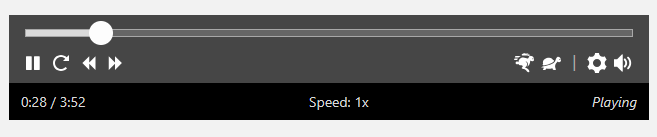
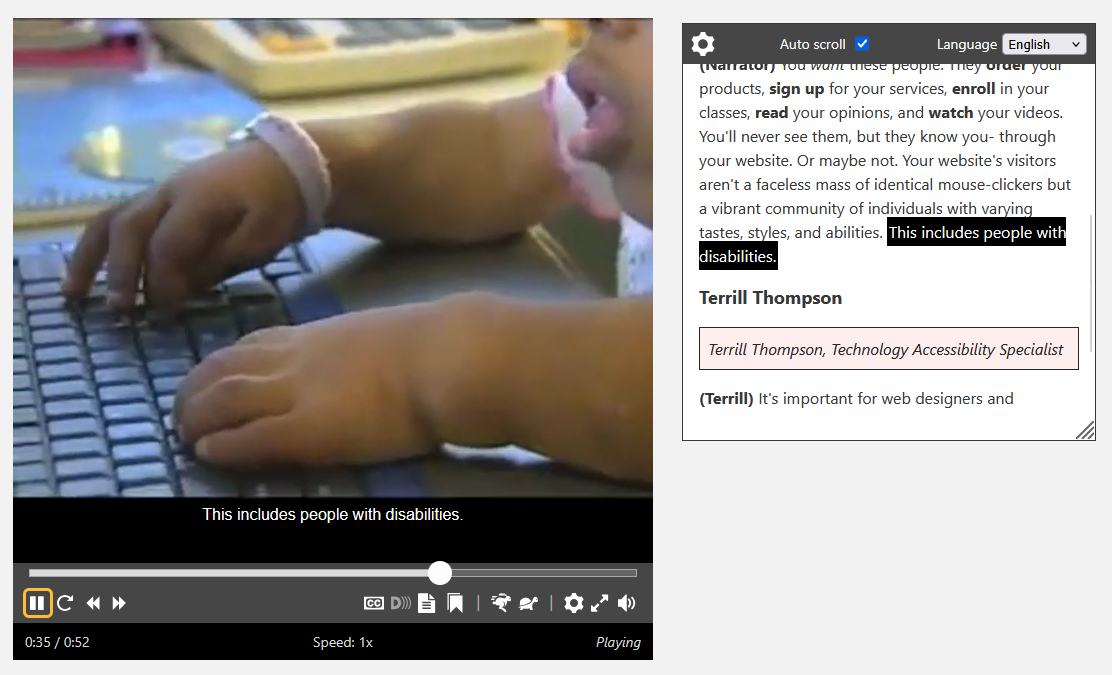
Pour les développeurs
Est-ce votre plugin ? Montrez les chiffres.
Ajoutez un badge en direct à votre site, docs ou github readme. Il se met à jour par lui-même - aucun compte n'est nécessaire.
Best Able Player, accessible HTML5… alternatives
Tous les plugins d'accessibilité →





FAQ
Able Player, accessible HTML5 media…: quick answers
Réponses directes, extraites des données en direct WordPress.org.
Source : WordPress.org
Is Able Player, accessible HTML5 m… free?
Yes. Able Player, accessible HTML5 m… is free to download and use from the official WordPress.org plugin directory.
Is Able Player, accessible HTML5 m… safe to use in 2026?
Able Player, accessible HTML5 m… works, but test it on a staging site before relying on it in 2026. It runs on 300+ sites, is rated 4.7/5 and was last updated 5 months ago, and scores 49/100 on our health check.
How many websites use Able Player, accessible HTML5 m…?
Able Player, accessible HTML5 m… is active on 300+ WordPress websites and has been downloaded 9,570 times since it launched in November 2019. It was downloaded 362 times in the last 30 days.
Does Able Player, accessible HTML5 m… work with WordPress 7.1?
Able Player, accessible HTML5 m… is officially tested up to WordPress 7.0.9, while the latest release is 7.1.5. It may still work, but try it on a staging site first.
What PHP version does Able Player, accessible HTML5 m… need?
Able Player, accessible HTML5 m… requires PHP 7.4 or higher. Most hosts run PHP 8.x today, so it works on any modern WordPress hosting.
When was Able Player, accessible HTML5 m… last updated?
The latest version, 2.4.0, was released on June 21, 2026 (5 months ago).
Who makes Able Player, accessible HTML5 m…?
Able Player, accessible HTML5 m… is developed and maintained by Joe Dolson.
What are the best alternatives to Able Player, accessible HTML5 m…?
The most popular alternatives to Able Player, accessible HTML5 m… are Web Accessibility (formally… (500K+ installs), Auto Image Attributes From… (100K+ installs) and Accessibility by UserWay (80K+ installs).
Propulsé par PageForge
Un modèle et une feuille de calcul. Une vraie page pour chaque recherche.
PageForge transforme chaque ligne d'un CSV en une page WordPress avec son propre titre, URL, SEO et schéma, construit sur la mise en page que vous Déjà conçu. Gratuit sur WordPress.org.
- CSV et XLSX, plus Google Sheets sur les professionnels et les entreprises
- Son propre titre, URL, SEO champs et schéma pour chaque page
- Fonctionne avec l'éditeur de blocs, Elementor, Divi et Avada
- Gratuit sur WordPress.org, pas de carte de crédit