


WPIDE – File Manager & Code Editor
Manage WordPress files, edit code and add PHP, CSS, JavaScript and HTML snippets from your dashboard.

Solide Wahl
WPIDE is a solid plugin choice in 2026, with a few things worth checking first. It runs on 40K+ sites, is rated 4.8/5 and was last updated 2 weeks ago, and scores 79/100 on our health check.
- Bewährt auf 40.000 aktiven Standorten
- Loved by users — 4.8/5 from 306 reviews
- Aktiv entwickelt — letztes Update vor 2 Wochen
- Getestet mit dem neuesten WordPress (7.1)
- Momentum — downloads up 177% vs the previous 30 days
Wie stapelt es sich?
Side-by-side bei Installationen, Updates, Bewertungen und Support



Tägliche Downloads
Download-Spitzen folgen normalerweise einer neuen Version - jede Website, die automatisch aktualisiert wird, gilt als Download.
Ranglisten
Where WPIDE stands todayWordPress.org Ranglisten suchen
Live-Position in der Plugin-Suche, Top 100| Stichwort | Position |
|---|---|
| code editor | #3 |
| code-snippets | #14 |
| file editor | #8 |
| file manager | #13 |
| snippets | #27 |
Versionsübernahme
Anteil aktiver Sites pro Release.
Bewertungsaufschlüsselung
★★★★★★★★★★ 4.8 from 306 reviews
About WPIDE – File Manager & Code Editor
From the official readme · v3.6.5Beschreibung
Manage your WordPress site from one workspace. WPIDE brings a file manager, code editor and code snippets together in your dashboard, so you can browse files, edit code and add functionality without switching to FTP or changing your theme. Start free, then add advanced developer tools as your needs grow.
Video overview
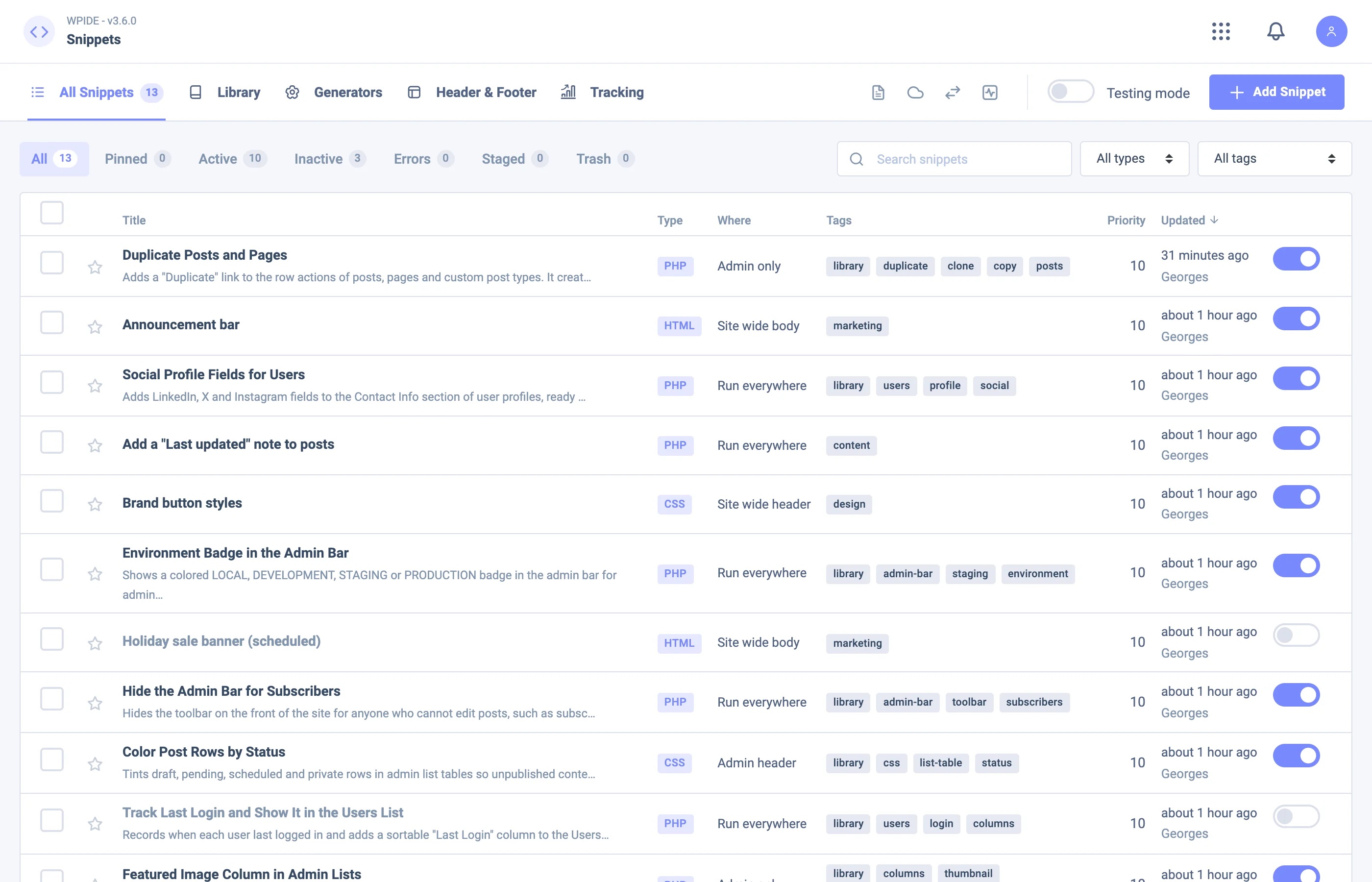
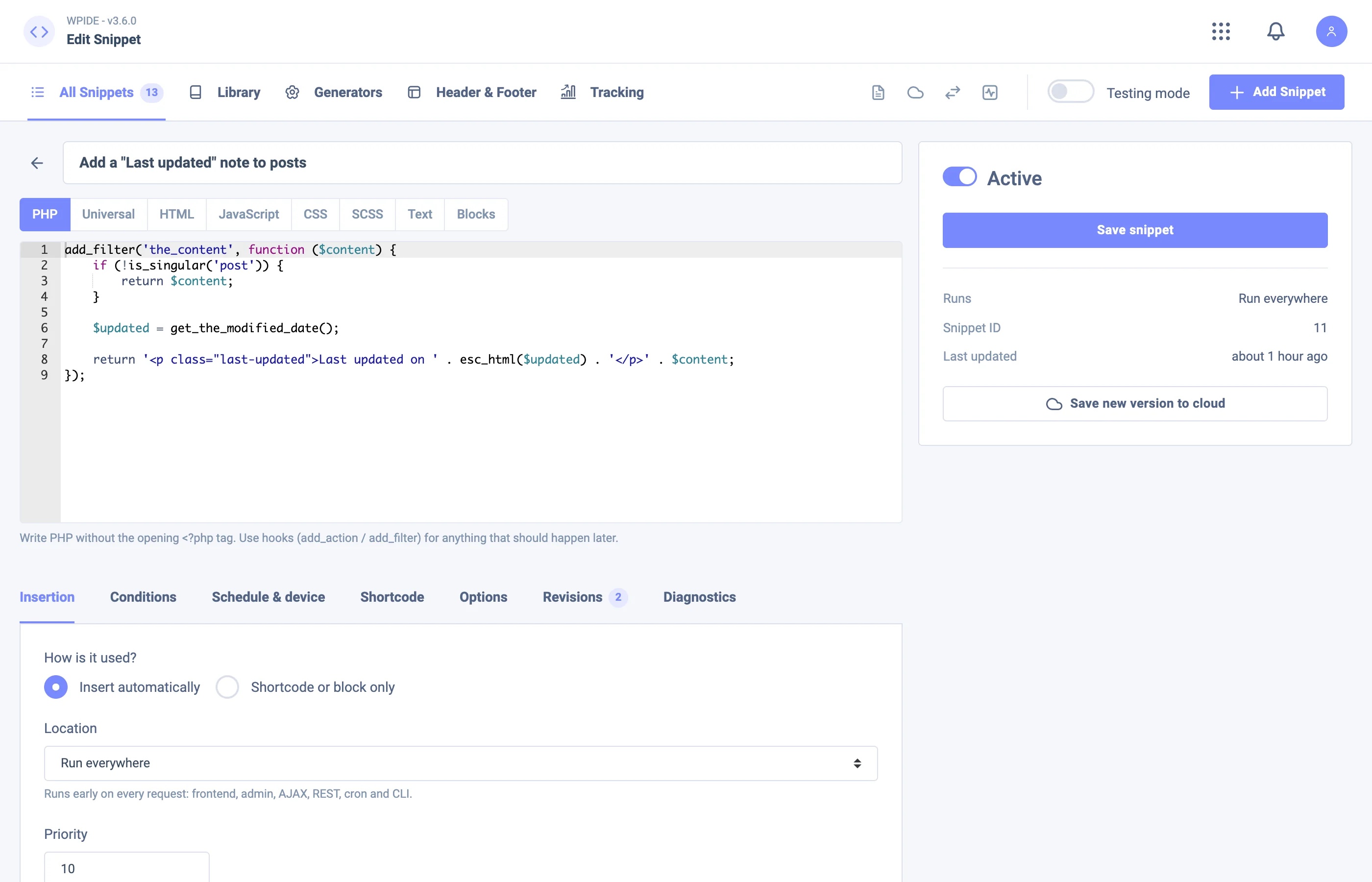
Code snippets for WordPress — free
Add custom functionality, styles, scripts and markup without editing your theme’s files. Keep your snippets in one place, activate or deactivate them, and choose where they run.
- Create PHP, JavaScript, CSS, HTML, Universal and Text snippets.
- Insert code across your site, in the header, body or footer, around posts, content, paragraphs and excerpts, or in the admin area. Use shortcodes and attributes to place snippets yourself.
- Set conditions for pages, post types, users, roles, URLs, referrers and taxonomies.
- Explore a library of 3,000+ ready-made snippets and 10 one-click packs. The library includes an offline fallback and does not require an account to browse.
- Generate code for post types, taxonomies, menus, cron jobs, schema markup and more with 32 generators.
- Import from WPCode, Code Snippets, Header Footer Code Manager, Post Snippets, Simple Custom CSS & JS and Woody, or export snippets to JSON.
- PHP syntax is checked before saving. Snippets that repeatedly fail can be deactivated automatically, and safe mode helps you recover access.
- Publish snippets to the public WPIDE library; link-only and private publishing require a paid plan.
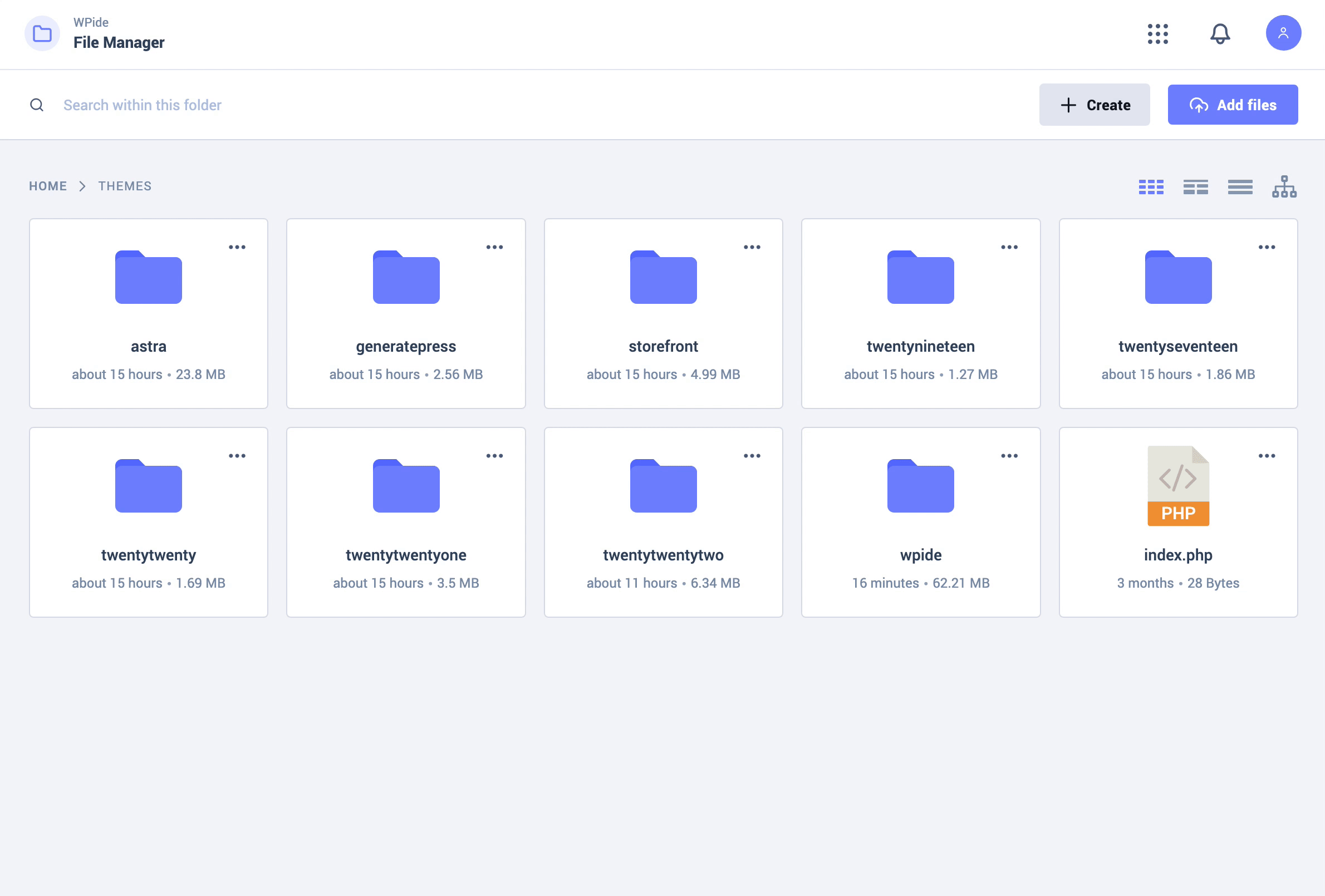
File manager — free
Work with files and folders in WordPress without switching to an FTP client or hosting control panel.
- Browse a file tree, use the context menu and set a custom root path.
- Create, copy, move, duplicate, rename and delete files and folders.
- Upload files and folders with drag and drop, download in batches, create or extract ZIP archives, search folders and calculate folder sizes.
- Preview images in a gallery and play supported audio and video files.
- Use the WordPress Filesystem API for file operations.
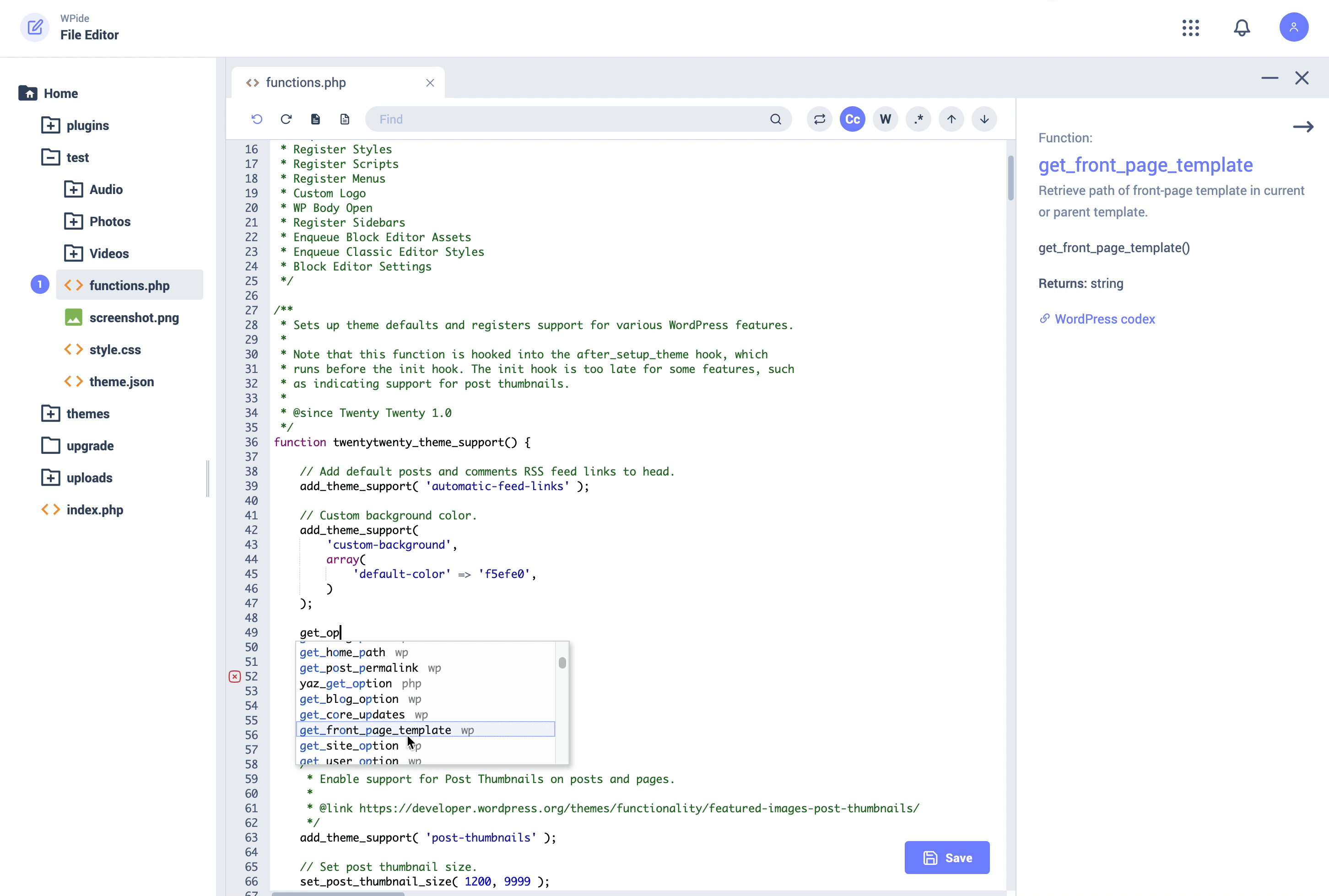
Code editor — free
Edit files in your wp-content folder with a tabbed editor built on Ace.
- Open multiple files, with syntax highlighting, line numbers, matching parentheses, code folding, automatic indentation, find and replace, and keyboard shortcuts.
- Use WordPress and PHP autocomplete and function references.
- Check PHP syntax before saving; file backups and the recovery wizard can help restore a file after an error.
- Choose from editor themes and dark mode.
WPIDE paid plans
Compare WPIDE plans for the current feature and site limits. Availability varies by plan; the features below are not all included in every paid plan.
- Advanced snippets: Add SCSS and Blocks snippets, insert at CSS selectors and in WooCommerce, Easy Digital Downloads or MemberPress, and target devices, schedules, cookies, store pages and more. Use smart tags, custom shortcode names, revisions, testing mode, page scripts, special files and error emails.
- Conversion tracking: Connect Meta, Google Analytics 4, Google Ads, TikTok, Pinterest, Snapchat and OpenAI Ads; configure click events, consent options and supported server-side and store events.
- WPIDE Cloud and AI: Keep a private snippet library, deploy to connected sites with rollback on eligible plans, and use the AI assistant to write, explain, improve or fix snippets. AI usage is subject to credits and plan limits; additional credits are available separately.
- Developer tools: Edit WordPress core files and wp-config.php in advanced mode. Recover unsaved drafts, compare changes with quick diff and use fullscreen editing. View, add, update and remove wp-config.php constants with duplicate checks.
- Database manager: Browse and create tables, manage rows, structure and indexes. Search and replace includes a preview and undo on eligible plans and supports serialized data.
- Image editor and media optimizer: Crop and resize images; add filters, frames, text, stickers, patterns and gradients. On eligible plans, optimize the media library, create WebP or AVIF copies where supported, optimize uploads, replace an image while keeping its URL, and restore backed-up originals.
- Teams and networks: Role-based access, geographic conditions, cloud team roles and multisite network snippets are available on eligible plans.
External services and privacy
The public snippet library periodically requests its catalog from WPIDE Cloud at cloud.wpide.com; a bundled catalog is available when it cannot be reached. Publishing a snippet or using optional cloud features sends the information needed for that action to WPIDE Cloud. When you use the AI assistant, your request and relevant snippet code are sent through WPIDE Cloud to an AI provider after your consent. Conversion tracking sends configured events to the providers you enable. WPIDE also uses Freemius for licensing and optional account services. See the XplodedThemes privacy policy and Freemius privacy policy.
Installation
- Install WPIDE from Plugins > Add New in your WordPress dashboard, or upload the plugin folder to
/wp-content/plugins/. - Activate WPIDE from the Plugins screen.
- Open WPIDE in the WordPress admin menu and choose File Manager, File Editor or Snippets.
Änderungsprotokoll
V.3.6.5 – 2026-11-08
- security: WPIDE requests that change data now also refuse plain-text and form-encoded bodies, as an extra layer on top of request verification. Suggested by Patchstack.
V.3.6.4 – 2026-11-08
- security: Enforced request verification across all WPIDE admin pages to prevent cross-site request forgery. Reported by Greg Otto.
- security: Hardened output escaping, request input sanitization, SQL placeholders and direct file access protection following a WordPress Plugin Check review.
- update: WPIDE now requires WordPress 5.9 or newer, matching the WordPress functions it uses.
V.3.6.2 – 2026-10-31
- security: On multisite, WPIDE and its actions are now limited to super administrators. A subsite administrator could previously get file permissions through the authenticated API and edit network-shared plugin files. Reported by Veer Gosai.
- fix: The Snippet Library’s category sidebar now stays on screen while the results scroll, with a slim overlay-style scrollbar for long category lists.
V.3.6.1 – 2026-10-30
- fix: Open the file tree and database tables from the mobile editor, with clearer empty states and smoother sidebar transitions.
- fix: Improved mobile scrolling across WPIDE, including the AI assistant dialog.
- fix: Improved the media optimizer layout on mobile.
- fix: Kept the full release history available on the in-plugin changelog page.
V.3.6.0 – 2026-10-27
- Added free code snippets, a public snippet library, generators, import and export, and snippet safety tools.
- Added paid advanced snippets, conversion tracking, WPIDE Cloud, AI, database search and replace, and media optimization. Availability varies by plan.
- Improved recovery and compatibility with PHP 8.4 and 8.5.
V.3.5.11 – 2026-10-21
- fix: Plans and Pricing now shows “/ month” for monthly plans instead of “/ year”, and no period for lifetime plans.
- fix: Corrected the annual “Normally” price, which showed the monthly price instead of 12 months of monthly billing.
- update: Annual and lifetime savings badges are now shown inside the billing cycle switcher, which stays on one row at any screen width.
See the full changelog for detailed release notes and earlier releases.
Screenshots


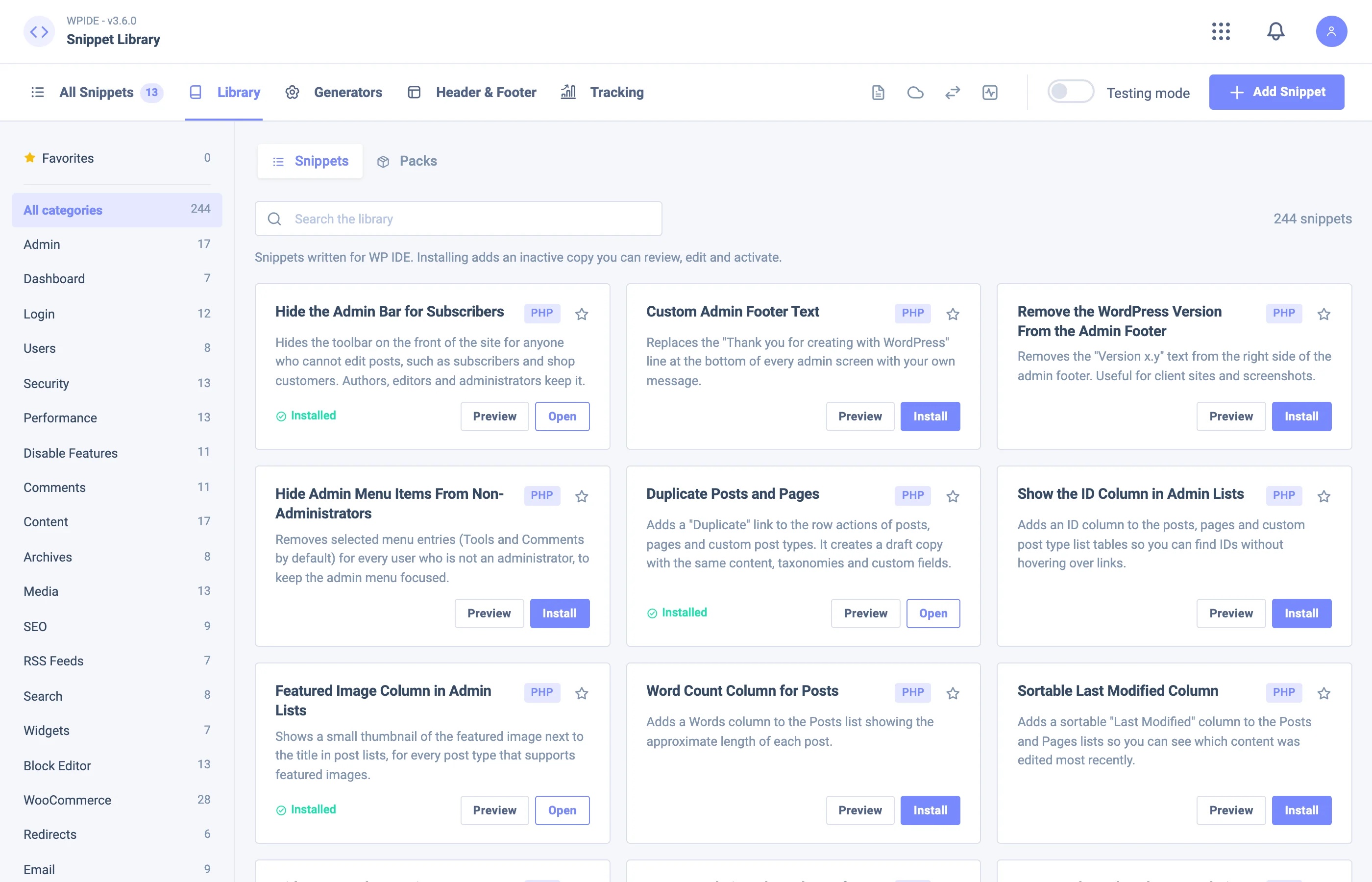
Für Entwickler
Ist das dein Plugin? Zeigen Sie die Zahlen.
Fügen Sie Ihrer Website, Docs oder GitHub Readme ein Live-Badge hinzu. Es wird von selbst aktualisiert - kein Konto erforderlich.
Best WPIDE alternatives
All code editor plugins →




Fragen und Antworten
WPIDE – File Manager & Code Editor: quick answers
Gerade Antworten, gezogen von Live WordPress.org Daten.
Quelle: WordPress.org
Is WPIDE free?
Yes. WPIDE is free to download and use from the official WordPress.org plugin directory.
Is WPIDE safe to use in 2026?
WPIDE is a solid plugin choice in 2026, with a few things worth checking first. It runs on 40K+ sites, is rated 4.8/5 and was last updated 2 weeks ago, and scores 79/100 on our health check.
How many websites use WPIDE?
WPIDE is active on 40K+ WordPress websites and has been downloaded 1,114,669 times since it launched in November 2011. It was downloaded 70,589 times in the last 30 days.
Does WPIDE work with WordPress 7.1?
Yes. The developer has tested WPIDE up to WordPress 7.1.5, the latest release. It requires WordPress 5.9 or newer.
What PHP version does WPIDE need?
WPIDE requires PHP 7.4.0 or higher. Most hosts run PHP 8.x today, so it works on any modern WordPress hosting.
When was WPIDE last updated?
The latest version, 3.6.5, was released on November 8, 2026 (2 weeks ago).
Who makes WPIDE?
WPIDE is developed and maintained by XplodedThemes.
What are the best alternatives to WPIDE?
The most popular alternatives to WPIDE are WP Editor (20K+ installs), HTML Editor for Contact For… (1K+ installs) and KB HTML Site Importer & Vis… (90+ installs).
Angetrieben von PageForge
Eine Vorlage und eine Tabelle. Eine echte Seite für jede Suche.
PageForge Verwandelt jede Zeile eines CSV in eine WordPress-Seite mit eigenem Titel, URL, SEO Felder und Schema entworfen. Kostenlos auf WordPress.org.
- CSV und XLSX, plus Google Sheets auf Beruf und Unternehmen
- seinen eigenen Titel, URL, SEO Felder und Schema für jede Seite
- Arbeitet mit dem Blockeditor, Elementor, Divi und Avada
- Kostenlos auf WordPress.org, keine Kreditkarte