


KB HTML Site Importer & Visual Editor
Import a static website from a ZIP file and manage its pages, content, images and files in WordPress.

Solide Wahl
KB HTML Site Importer & Visual… is a solid plugin choice in 2026, with a few things worth checking first. It runs on 90+ sites and was last updated 1 month ago, and scores 64/100 on our health check.
- Getestet mit dem neuesten WordPress (7.1)
- Kleine Benutzerbasis (90+ aktive Installationen)
- Bisher sehr wenige Bewertungen
Wie stapelt es sich?
Side-by-side bei Installationen, Updates, Bewertungen und Support



Tägliche Downloads
Download-Spitzen folgen normalerweise einer neuen Version - jede Website, die automatisch aktualisiert wird, gilt als Download.
Ranglisten
Where KB HTML Site Importer & Vis… stands todayWordPress.org Ranglisten suchen
Live-Position in der Plugin-Suche, Top 100| Stichwort | Position |
|---|---|
| code editor | >100 |
| html importer | #19 |
| static website | >100 |
| visual editor | #56 |
| zip importer | #24 |
Versionsübernahme
Anteil aktiver Sites pro Release.
About KB HTML Site Importer & Visual Editor
From the official readme · v1.1.2Beschreibung
Upload your website ZIP and publish its pages in WordPress. Preview different screen sizes, make visual edits, or update files with the built-in code editor.
Key features
- Import multi-page static sites as WordPress pages or posts.
- Keep your site’s images and files together when importing.
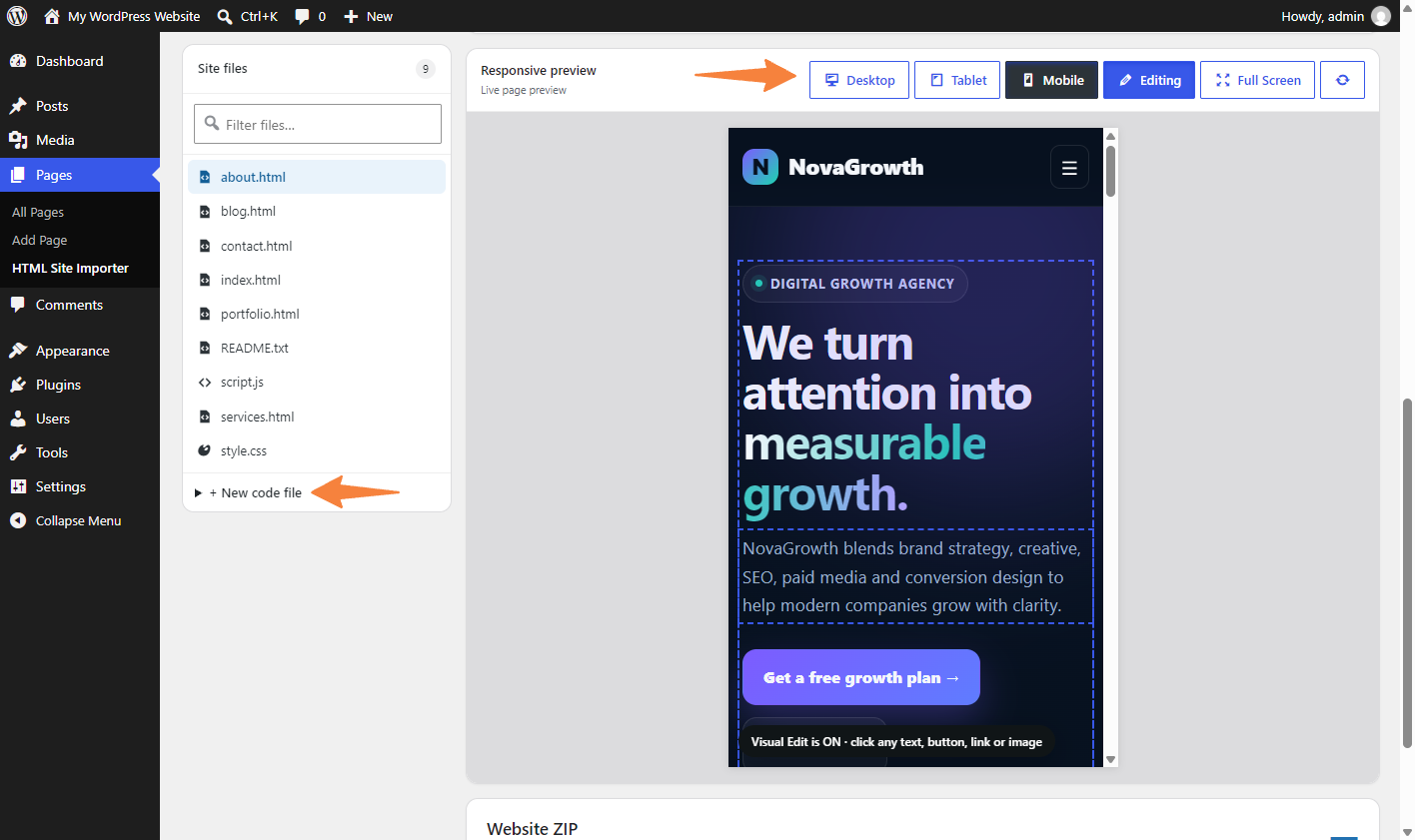
- Preview desktop, tablet and mobile screen sizes.
- Edit text, links, buttons, images and page layout visually.
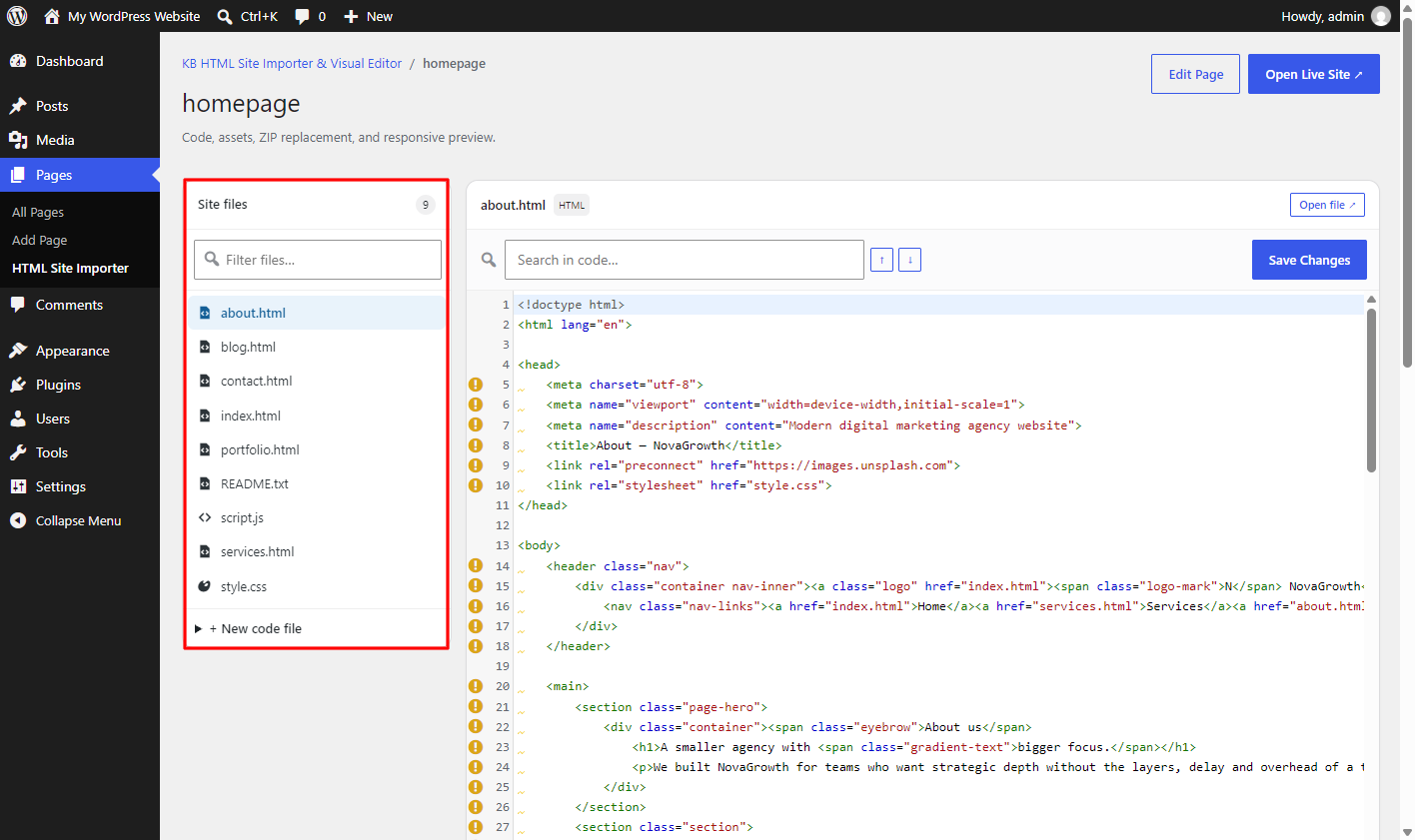
- Edit and format website files, search and replace code, and download a site ZIP.
- Replace images and website files while keeping your published page links.
Security and permissions
Import and editing tools are available to site administrators. ZIP files are checked before their contents are added.
KB HTML Site Importer & Visual Editor does not make automatic requests to external services. The plugin dashboard contains optional links to Key2blogging support and YouTube resources; those sites are only opened when an administrator clicks the links.
Multi-page imports
Each HTML/HTM file becomes a WordPress page. Nested paths use hyphenated slugs. WordPress adds a suffix if an unrelated page already owns a slug. Select a non-Plain permalink structure for clean URLs.
For existing imports, use Sync HTML Pages. Matching source paths retain their page IDs. Sources removed during ZIP replacement become drafts. Navigation links are rewritten at render time; arbitrary JavaScript navigation and form endpoints are not converted.
Visual editor
A compact, single-row toolbar sits above the website preview. Responsive controls are available from the Preview dropdown. Undo, Redo and Revert original are available there. The settings panel floats over the preview and remembers its position and size. Toggle the sidebar with the settings icon, or close it with its close button or Escape. Clicking a page element opens its settings. Inspector sections behave as an accordion.
The initial preview is Desktop at 1920 × 1080. Choose Desktop, Tablet or Mobile, select a preset, or enter a custom width and height. Rotate swaps dimensions. Fit preview scales the display while preserving the selected CSS viewport dimensions. Device presets simulate viewport size, not device hardware or browser behavior.
Select text, headings, buttons, images or containers. Use text formatting, button links and hover colors, image controls, and Layout & box model controls. Clear a layout field to remove its inline override. The element breadcrumb selects ancestors.
Click supported text in the preview to edit it directly; the caret is placed in the selected text. Text edits save automatically after a short pause without refreshing the preview. Text size changes apply to the site text, not the editor field. Undo remains available from the toolbar. Administrators also see the WordPress admin bar and a floating Visual Edit button on imported live pages. Replacement image uploads remain a separate operation. Use the live-page arrow to open the published page in a new tab; the × exits the editor.
The Element CSS section edits inline declarations for the selected element. It also displays accessible matching stylesheet rules for reference. Saved declarations apply at all viewport sizes; this control does not rewrite shared stylesheets or create media queries. Unsupported or unsafe declarations are rejected.
Revert original restores the selected source file’s baseline captured before visual changes. Saved visual revisions use HTML backup files rather than copies of page content in the database. The code editor also includes a Wrap code option.
Installation
- Upload the
html-site-importer-visual-editorfolder to/wp-content/plugins/, or install the plugin ZIP from Plugins > Add New > Upload Plugin. - Activate KB HTML Site Importer & Visual Editor from the WordPress Plugins screen.
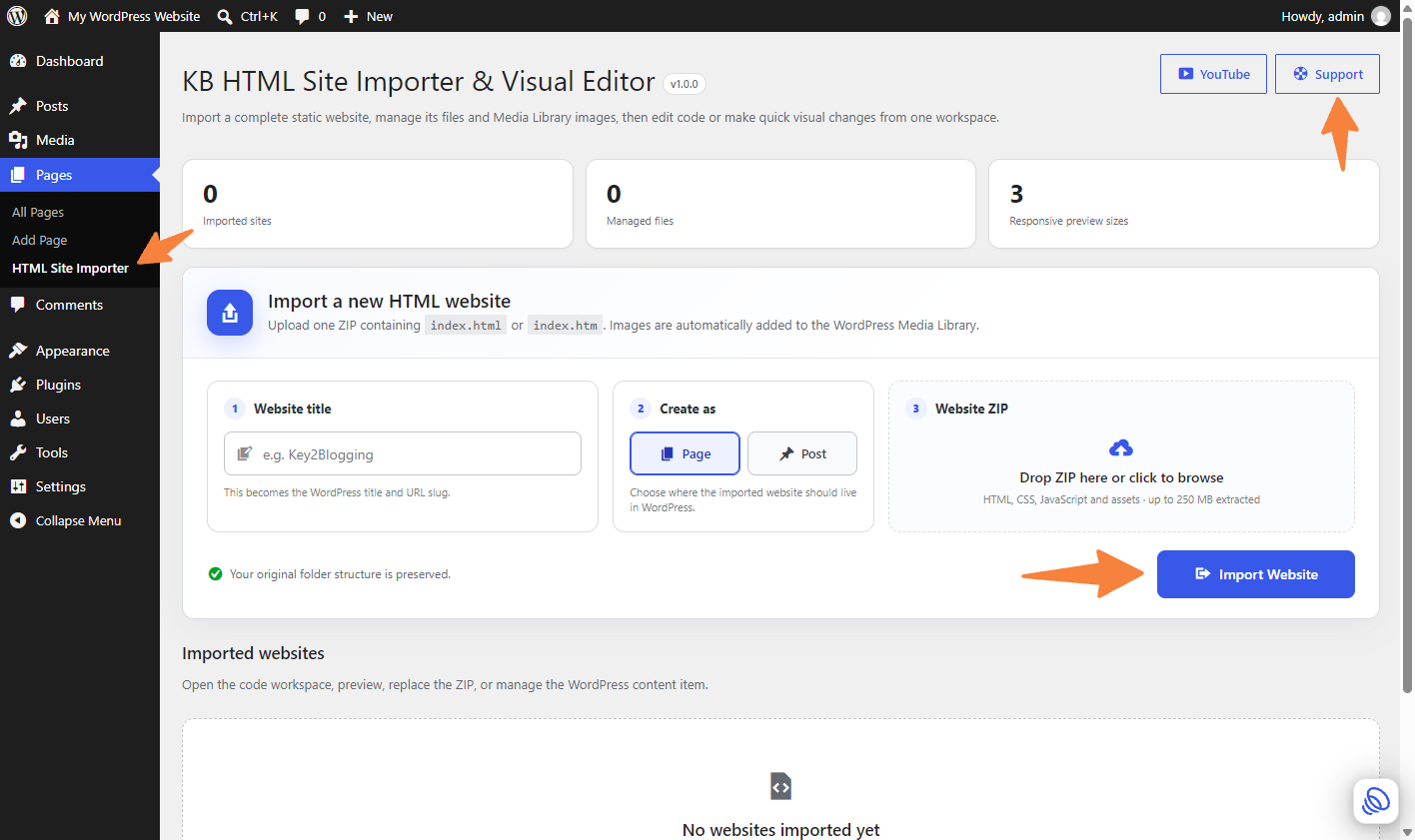
- Open Pages > HTML Site Importer in the WordPress admin menu.
- Enter a website title, choose Page or Post, and upload a ZIP containing
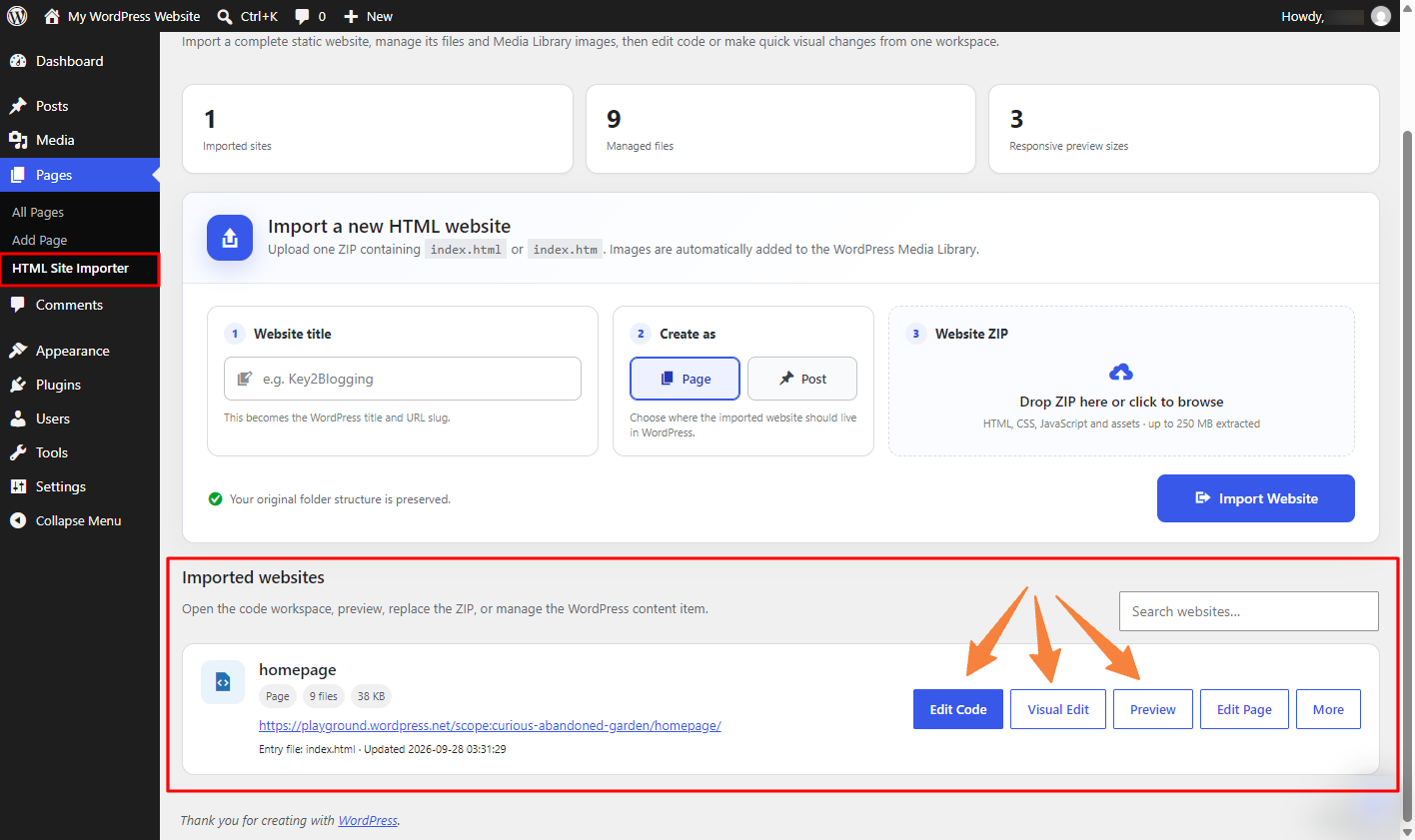
index.htmlorindex.htm. - Use Edit Code, Visual Edit, or Preview to manage the imported website.
Änderungsprotokoll
Improved code editor controls on smaller screens.
1.1.2
- Align code editor controls on laptop and smaller screens.
- Move Beautify, Wrap code and Save Changes beside an icon-only Open file button.
1.1.1
- Format HTML, CSS, JavaScript, JSON, XML and SVG; add search and replace.
- Improve button styling and accessible controls; change paragraph and heading types.
- Fix visual editor scrolling, toolbar icons and a WordPress Plugin Check warning.
- Improve file actions, code wrapping, sync controls and responsive previews.
1.1.0
- Import and sync multiple HTML pages with WordPress permalinks; preserve page IDs when replacing a ZIP.
- Improve visual editing with inline text, button and style controls, layout settings, CSS editing, undo and revisions.
- Add a responsive preview workspace with device presets, a draggable settings panel and a compact toolbar.
- Apply live link and image styling, upload Media Library replacements, and autosave preview changes without refreshes.
- Add live-page admin-bar access and code wrapping.
- Refresh the dashboard with readable full-width styling and links to each imported page.
- Address WordPress coding-standard findings and improve request validation.
1.0.0
- Initial release with static-site ZIP import, Page/Post creation and code and visual editors.
- Added responsive previews, Media Library support, secure ZIP validation and WordPress Filesystem operations.
Screenshots

Für Entwickler
Ist das dein Plugin? Zeigen Sie die Zahlen.
Fügen Sie Ihrer Website, Docs oder GitHub Readme ein Live-Badge hinzu. Es wird von selbst aktualisiert - kein Konto erforderlich.
Best KB HTML Site Importer & Visua… alternatives
All code editor plugins →




Fragen und Antworten
KB HTML Site Importer & Visual Edit…: quick answers
Gerade Antworten, gezogen von Live WordPress.org Daten.
Quelle: WordPress.org
Is KB HTML Site Importer & Visual… free?
Yes. KB HTML Site Importer & Visual… is free to download and use from the official WordPress.org plugin directory.
Is KB HTML Site Importer & Visual… safe to use in 2026?
KB HTML Site Importer & Visual… is a solid plugin choice in 2026, with a few things worth checking first. It runs on 90+ sites and was last updated 1 month ago, and scores 64/100 on our health check.
How many websites use KB HTML Site Importer & Visual…?
KB HTML Site Importer & Visual… is active on 90+ WordPress websites and has been downloaded 885 times since it launched in September 2026. It was downloaded 379 times in the last 30 days.
Does KB HTML Site Importer & Visual… work with WordPress 7.1?
Yes. The developer has tested KB HTML Site Importer & Visual… up to WordPress 7.1.5, the latest release. It requires WordPress 5.8 or newer.
What PHP version does KB HTML Site Importer & Visual… need?
KB HTML Site Importer & Visual… requires PHP 7.4 or higher. Most hosts run PHP 8.x today, so it works on any modern WordPress hosting.
When was KB HTML Site Importer & Visual… last updated?
The latest version, 1.1.2, was released on October 9, 2026 (1 month ago).
Who makes KB HTML Site Importer & Visual…?
KB HTML Site Importer & Visual… is developed and maintained by Key2Blogging.
What are the best alternatives to KB HTML Site Importer & Visual…?
The most popular alternatives to KB HTML Site Importer & Visual… are WPIDE (40K+ installs), WP Editor (20K+ installs) and HTML Editor for Contact For… (1K+ installs).
Angetrieben von PageForge
Eine Vorlage und eine Tabelle. Eine echte Seite für jede Suche.
PageForge Verwandelt jede Zeile eines CSV in eine WordPress-Seite mit eigenem Titel, URL, SEO Felder und Schema entworfen. Kostenlos auf WordPress.org.
- CSV und XLSX, plus Google Sheets auf Beruf und Unternehmen
- seinen eigenen Titel, URL, SEO Felder und Schema für jede Seite
- Arbeitet mit dem Blockeditor, Elementor, Divi und Avada
- Kostenlos auf WordPress.org, keine Kreditkarte