


Slideshow SE
Completely free, open source plugin to easily add slideshows to your WordPress site.

Solide Wahl
Slideshow SE is a solid plugin choice in 2026, with a few things worth checking first. It runs on 2K+ sites, is rated 4.9/5 and was last updated 3 months ago, and scores 73/100 on our health check.
- Getestet mit dem neuesten WordPress (7.1)
- Momentum – Downloads um 33,8% gegenüber den letzten 30 Tagen
Wie stapelt es sich?
Side-by-side bei Installationen, Updates, Bewertungen und Support



Tägliche Downloads
Download-Spitzen folgen normalerweise einer neuen Version - jede Website, die automatisch aktualisiert wird, gilt als Download.
Ranglisten
Where Slideshow SE stands todayWordPress.org Ranglisten suchen
Live-Position in der Plugin-Suche, Top 100| Stichwort | Position |
|---|---|
| carousel | >100 |
| Kostenlos | >100 |
| Galerie | >100 |
| image | >100 |
| Diashow | #3 |
Versionsübernahme
Anteil aktiver Sites pro Release.
Bewertungsaufschlüsselung
★★★★★★★★★★ 4.9 from 8 reviews
About Slideshow SE
From the official readme · v2.7.2Beschreibung
Slideshow SE provides an easy way to add a slideshow to any WordPress installation.
Any image can be loaded into the slideshow by picking it from the WordPress media page, even images you’ve already uploaded can be inserted into your slideshow right away!
Fancy doing something crazy? You can create and use as many slideshows as you’d like, with different images, settings, and styles for each one of them.
Merkmale
- Gutenberg block
- Create as many slideshows with as many slides as you like
- Image slides
- Text slides
- YouTube Video slides
- Ansprechbar
- Place it anywhere on your website
- Run multiple slideshows on the same page
- Change animations and handling
- Customizable stylesheets
- COMPLETELY FREE AND OPEN SOURCE
Need the (uncompressed) source code?
The forked code is available on GitHub.
The original project’s source code is also in a GitHub repository.
Golfplatz
Installation
-
Install Slideshow SE either via the WordPress.org plugin directory or by uploading the files to your server.
-
After activating Slideshow SE, click on ‘Slideshows’ and create a new slideshow.
-
Click on ‘Insert Image Slide’ to insert an image slide, a popup will appear where you can search for the desired
image. Insert the image by clicking ‘Insert’. The same goes for text and video slides, don’t forget to save! -
Add the slideshow to your post.
If you are using the Classic editor, go to a post or a page and click the ‘Insert Slideshow’ button above the editor. A popup appears where you can select your newly created slideshow to insert. You can also use the shortcode or code snippet visible in your slideshow admin panel to deploy your slideshow anywhere on your website. Use the widget to show any of your slideshows in the sidebar of your website.
If you are using Gutenberg, add a new block and search for Slideshow SE or choose Common > Slideshow SE from the blocks list. Choose the slideshow you want to add from the popup menu.
Änderungsprotokoll
2.7.2
- Changes to the Gutenberg block preview to remove ServerSideRender and fix CSS cascading problems
- Sanitizing, escaping, and other fixes suggested by Plugin Check.
2.7.1
- Update the Gutenberg block to support useBlockProps, which is required by API v3
2.7.0
- Add preview to the Gutenberg block. The first slide of the slideshow will display as the preview.
- Fixed: styling controls now appear on a new text slide.
- Set the Block API to version 3, per WP recommendation. This means that WP 6.3 is the new minimum version.
- Start to implement some of the code recommendations from Plugin Check (minor changes).
2.6.0
- New feature: Adds styled text to Text slides
- Lots of security fixes, including a fix for CVE-2024-35769.
- Address some code style issues (linting, typos, etc).
- Changes to webpack config to combine and minimize the Javascript files as part of the build (the old process was not working any more).
2.5.20
- Fix link display issue.
2.5.19
- Fix widget display issue.
- Fix issue where settings aren’t displaying correctly.
Screenshots

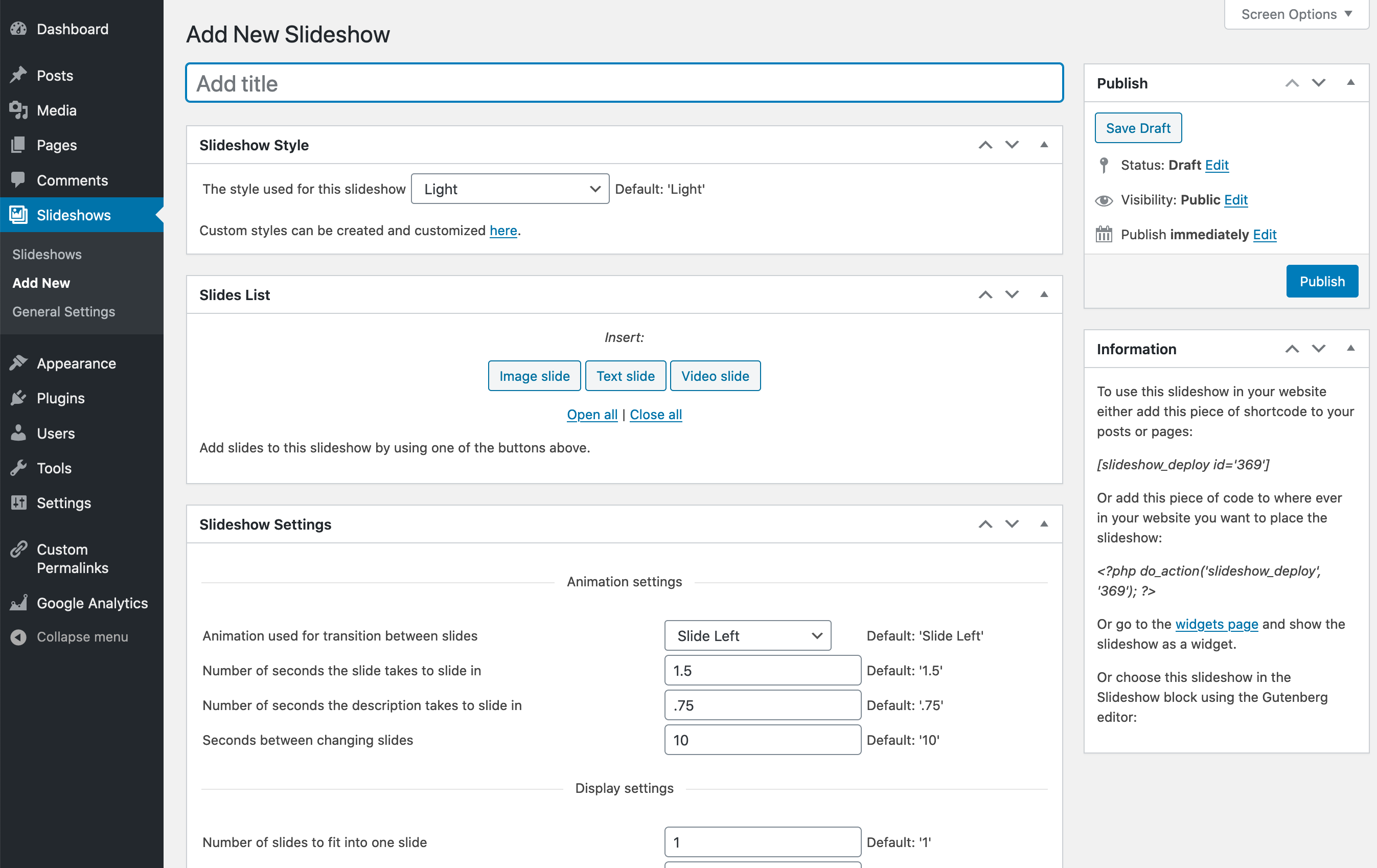

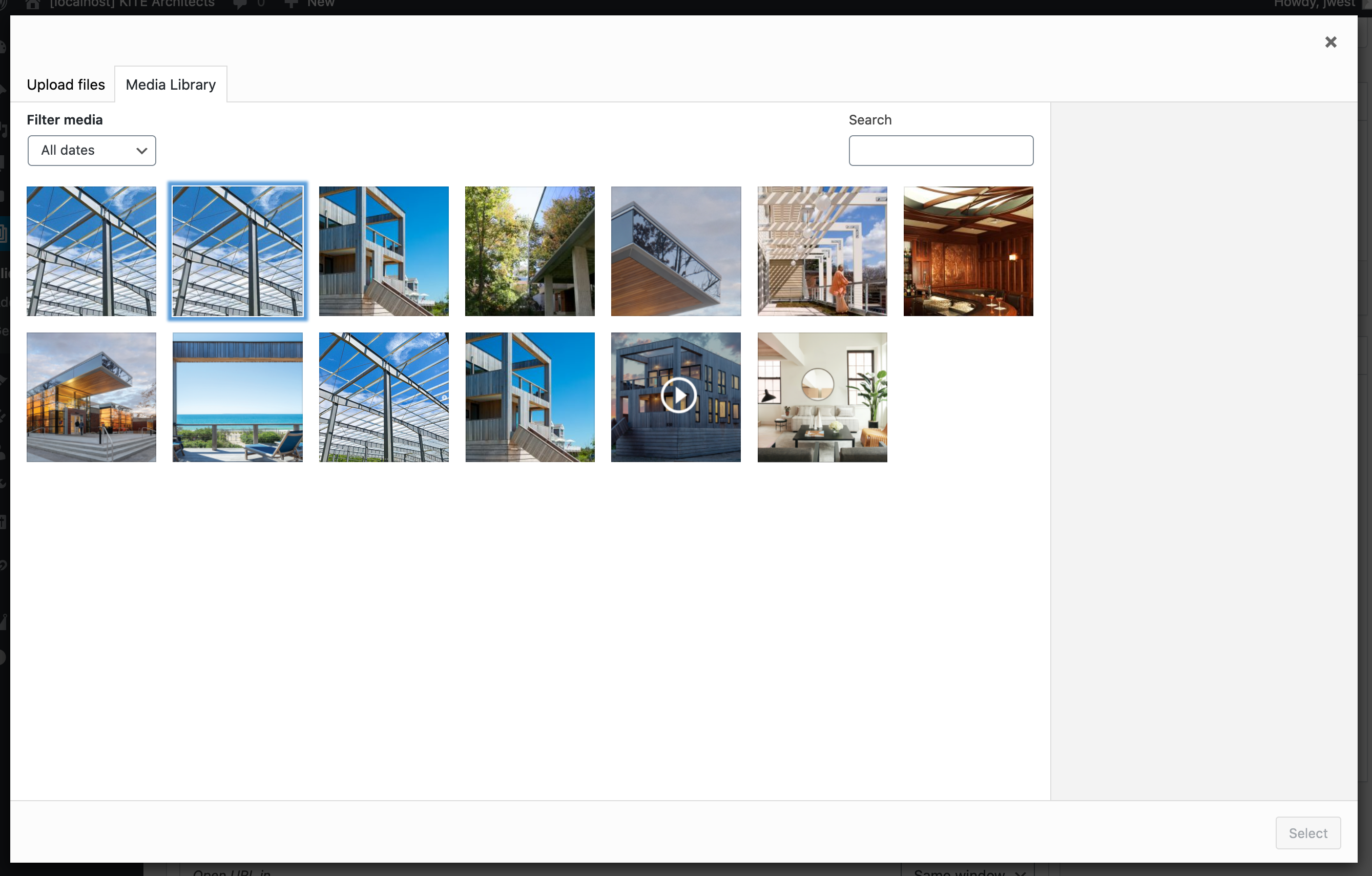
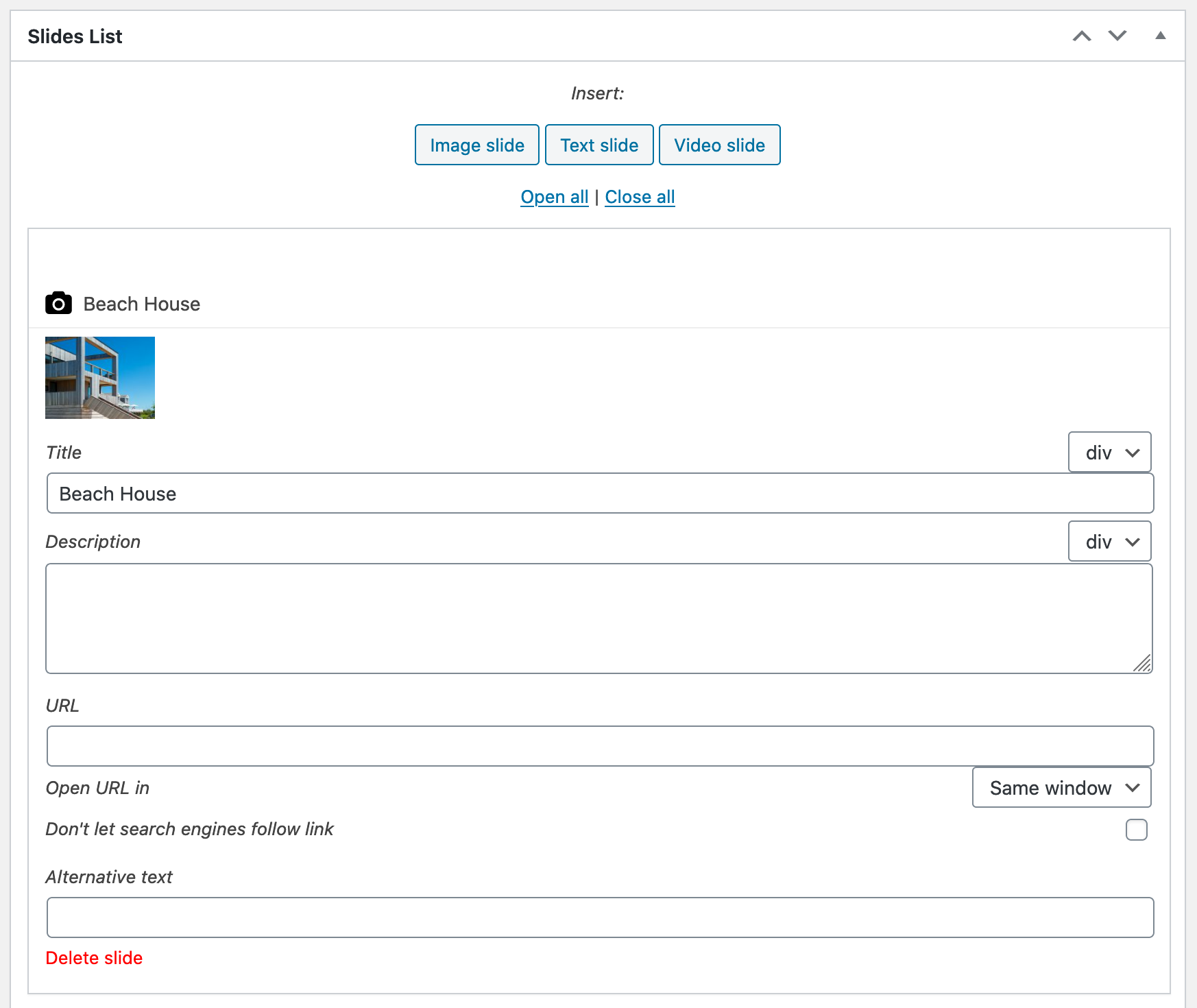

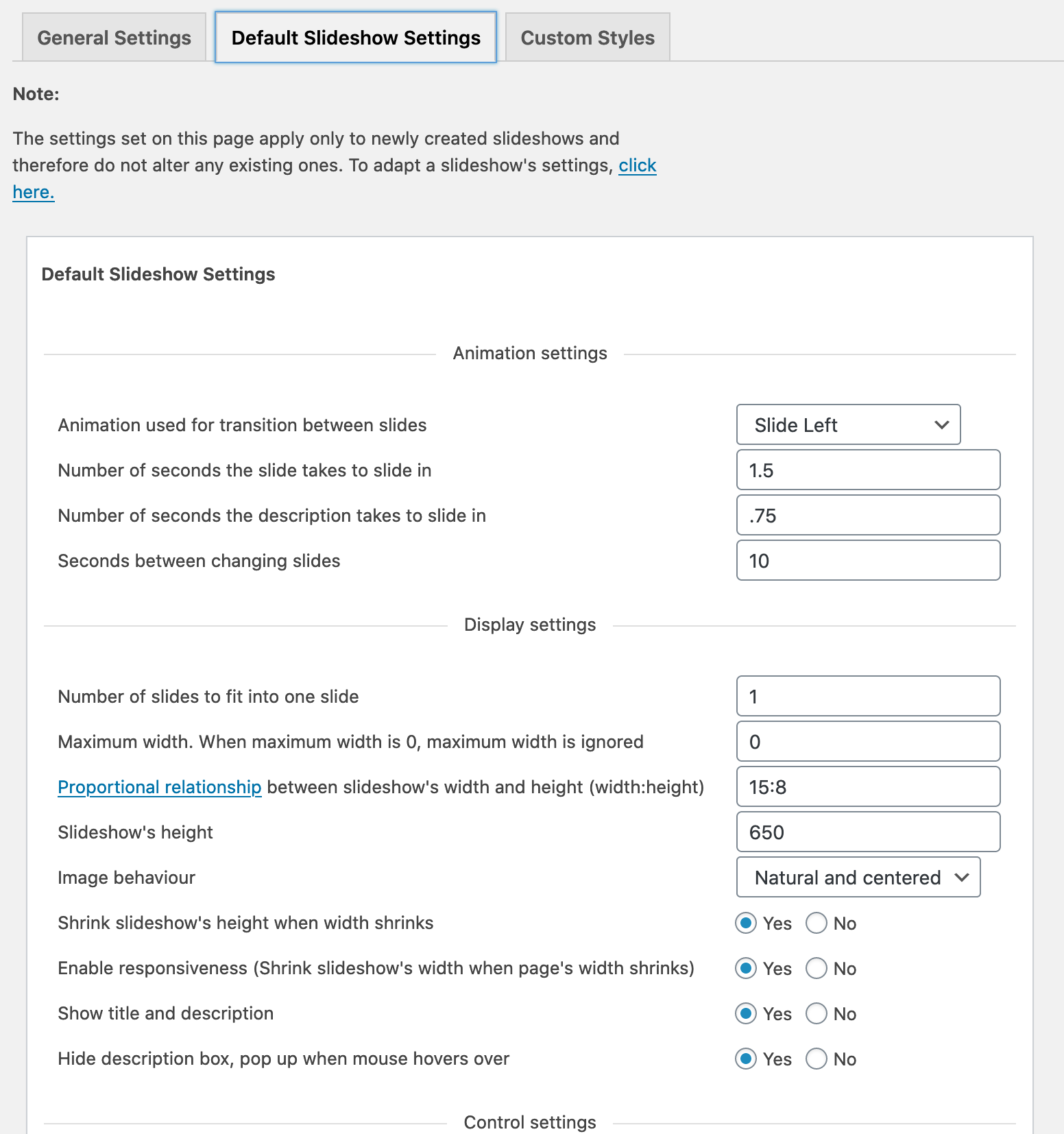
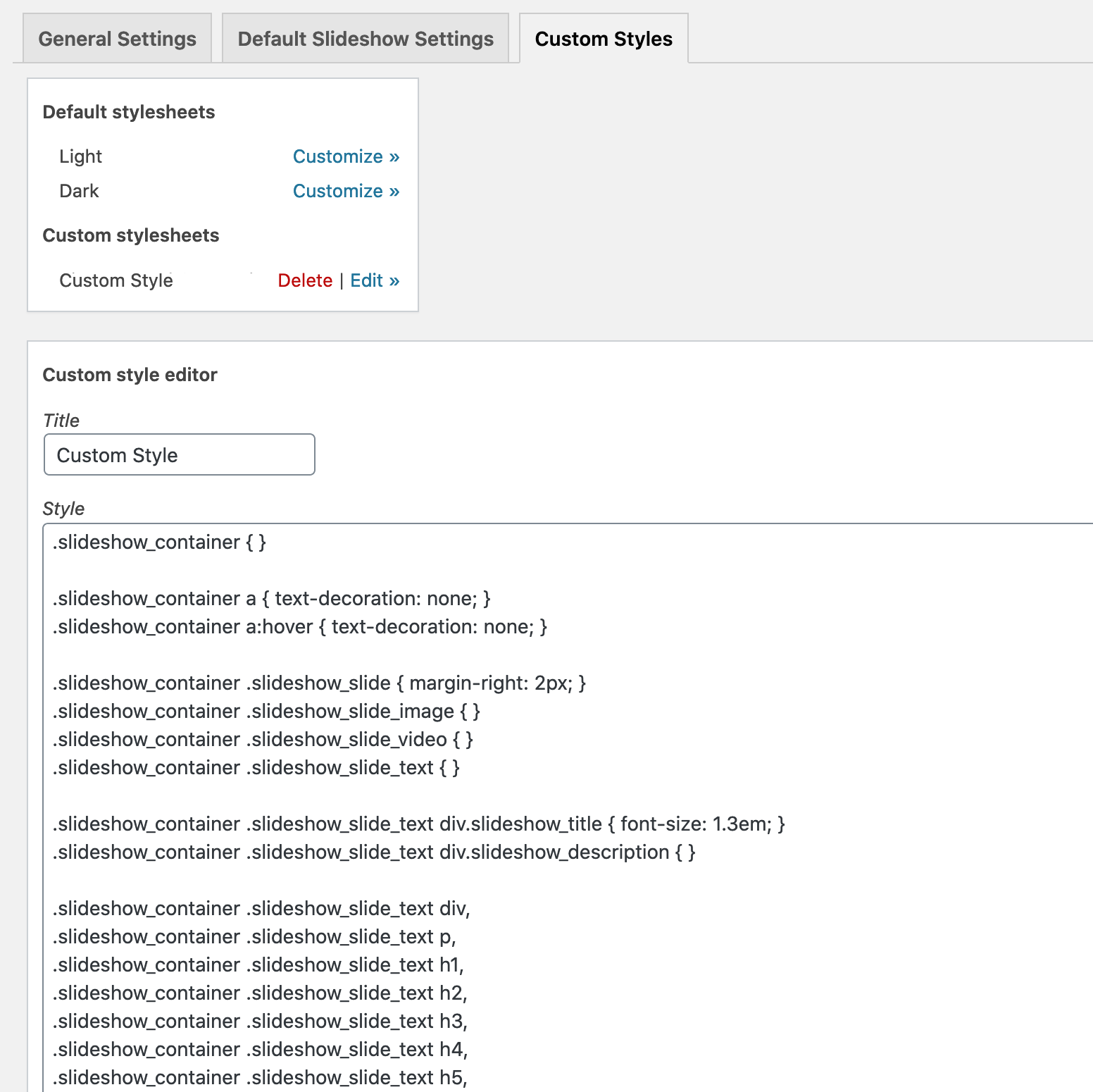

Für Entwickler
Ist das dein Plugin? Zeigen Sie die Zahlen.
Fügen Sie Ihrer Website, Docs oder GitHub Readme ein Live-Badge hinzu. Es wird von selbst aktualisiert - kein Konto erforderlich.
Best Slideshow SE alternatives
All carousel plugins →





Fragen und Antworten
Slideshow SE: quick answers
Gerade Antworten, gezogen von Live WordPress.org Daten.
Quelle: WordPress.org
Is Slideshow SE free?
Yes. Slideshow SE is free to download and use from the official WordPress.org plugin directory.
Is Slideshow SE safe to use in 2026?
Slideshow SE is a solid plugin choice in 2026, with a few things worth checking first. It runs on 2K+ sites, is rated 4.9/5 and was last updated 3 months ago, and scores 73/100 on our health check.
How many websites use Slideshow SE?
Slideshow SE is active on 2K+ WordPress websites and has been downloaded 37,395 times since it launched in August 2020. It was downloaded 866 times in the last 30 days.
Does Slideshow SE work with WordPress 7.1?
Yes. The developer has tested Slideshow SE up to WordPress 7.1.5, the latest release. It requires WordPress 6.3 or newer.
What PHP version does Slideshow SE need?
Slideshow SE requires PHP 7.0 or higher. Most hosts run PHP 8.x today, so it works on any modern WordPress hosting.
When was Slideshow SE last updated?
The latest version, 2.7.2, was released on August 23, 2026 (3 months ago).
Who makes Slideshow SE?
Slideshow SE is developed and maintained by John West.
What are the best alternatives to Slideshow SE?
The most popular alternatives to Slideshow SE are Shortcodes Ultimate (400K+ installs), AI-Powered Carousel, Slider… (60K+ installs) and Carousel Slider Block for G… (50K+ installs).
Angetrieben von PageForge
Eine Vorlage und eine Tabelle. Eine echte Seite für jede Suche.
PageForge Verwandelt jede Zeile eines CSV in eine WordPress-Seite mit eigenem Titel, URL, SEO Felder und Schema entworfen. Kostenlos auf WordPress.org.
- CSV und XLSX, plus Google Sheets auf Beruf und Unternehmen
- seinen eigenen Titel, URL, SEO Felder und Schema für jede Seite
- Arbeitet mit dem Blockeditor, Elementor, Divi und Avada
- Kostenlos auf WordPress.org, keine Kreditkarte