


Slideshow SE
Completely free, open source plugin to easily add slideshows to your WordPress site.

Choix solide
Slideshow SE is a solid plugin choice in 2026, with a few things worth checking first. It runs on 2K+ sites, is rated 4.9/5 and was last updated 3 months ago, and scores 73/100 on our health check.
- Testé avec le dernier WordPress (7.1)
- Momentum — Téléchargements en hausse de 33,8 % par rapport aux 30 jours précédents
Comment s'accumule-t-il ?
Côte à côte sur les installations, les mises à jour, les évaluations et le support



Téléchargements quotidiens
Les pics de téléchargement suivent généralement une nouvelle version - chaque site qui met à jour automatiquement compte comme un téléchargement.
Classements
Where Slideshow SE stands todayWordPress.org Classements de recherche
Position en direct dans la recherche de plugins, Top 100| Mot-clé | Position |
|---|---|
| carrousel | >100 |
| Libérer | >100 |
| galerie | >100 |
| image | >100 |
| slideshow | #3 |
Adoption de version
Part de sites actifs par version.
Répartition des notes
★★★★★★★★★★ 4.9 from 8 reviews
About Slideshow SE
From the official readme · v2.7.2Description
Slideshow SE provides an easy way to add a slideshow to any WordPress installation.
Any image can be loaded into the slideshow by picking it from the WordPress media page, even images you’ve already uploaded can be inserted into your slideshow right away!
Fancy doing something crazy? You can create and use as many slideshows as you’d like, with different images, settings, and styles for each one of them.
Traits
- Gutenberg Bloc
- Create as many slideshows with as many slides as you like
- Image slides
- Text slides
- YouTube Video slides
- Sensible
- Place it anywhere on your website
- Run multiple slideshows on the same page
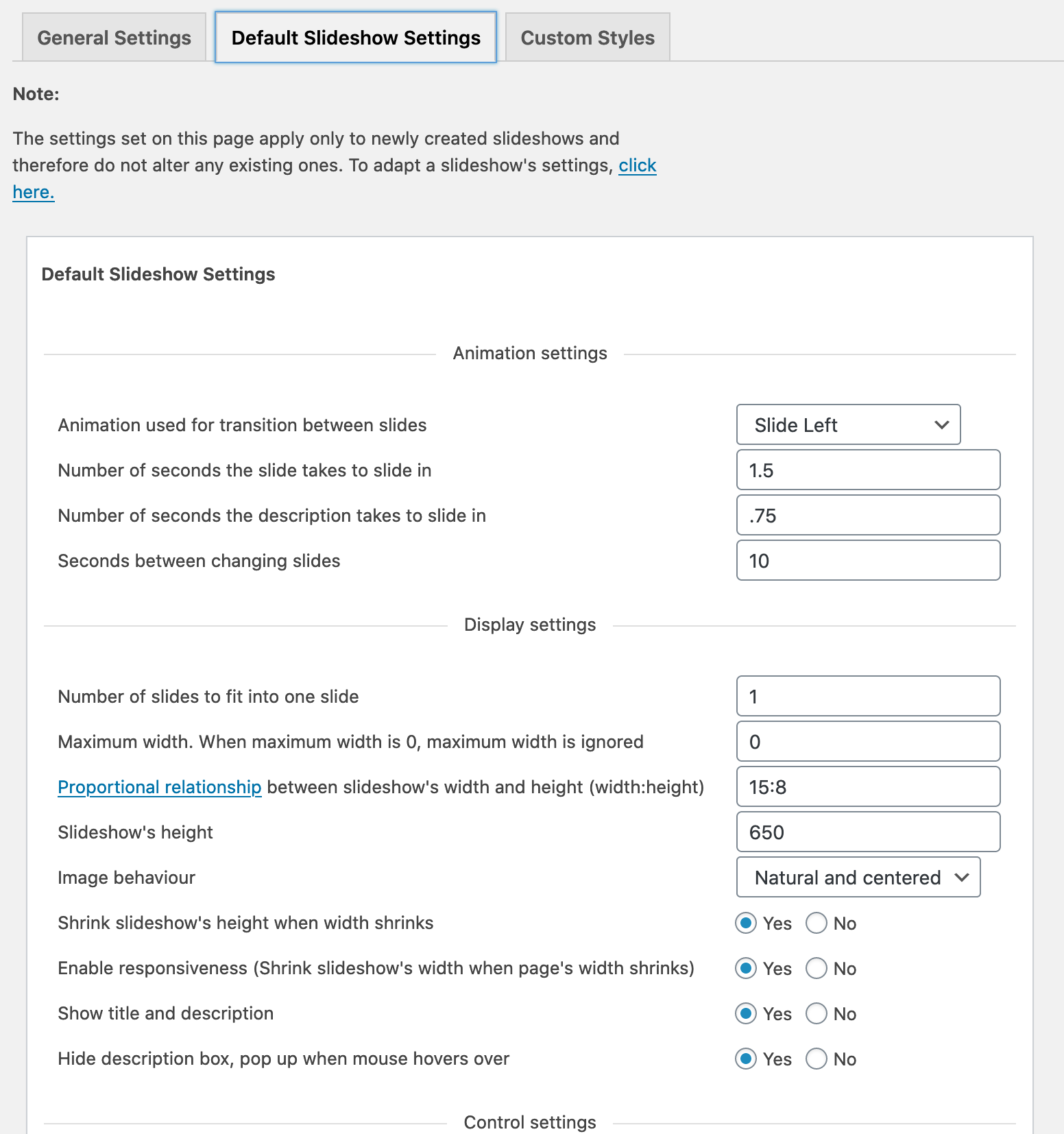
- Change animations and handling
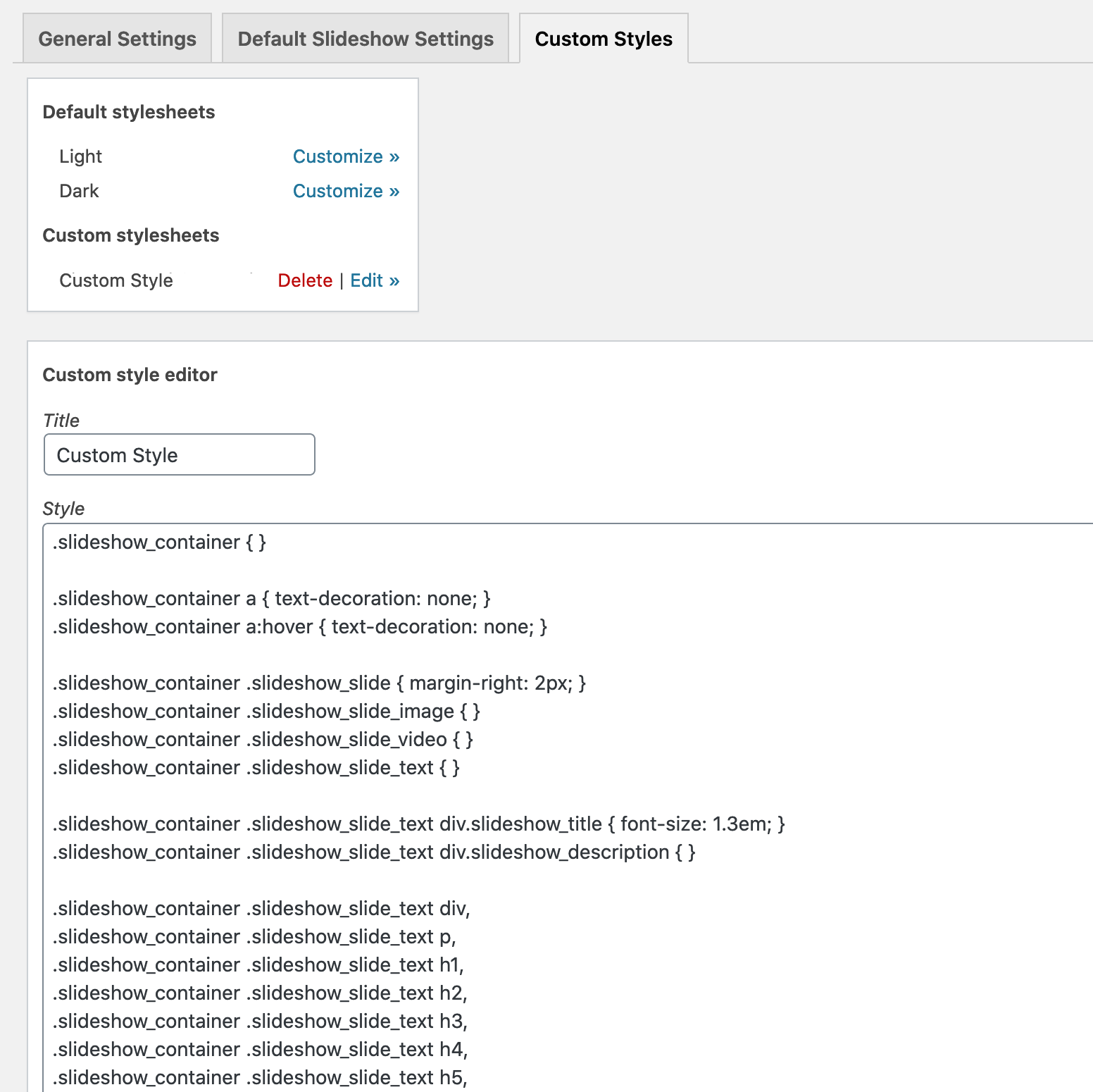
- Customizable stylesheets
- COMPLETELY FREE AND OPEN SOURCE
Need the (uncompressed) source code?
The forked code is available on GitHub.
The original project’s source code is also in a GitHub repository.
Links
Installation
-
Install Slideshow SE either via the WordPress.org plugin directory or by uploading the files to your server.
-
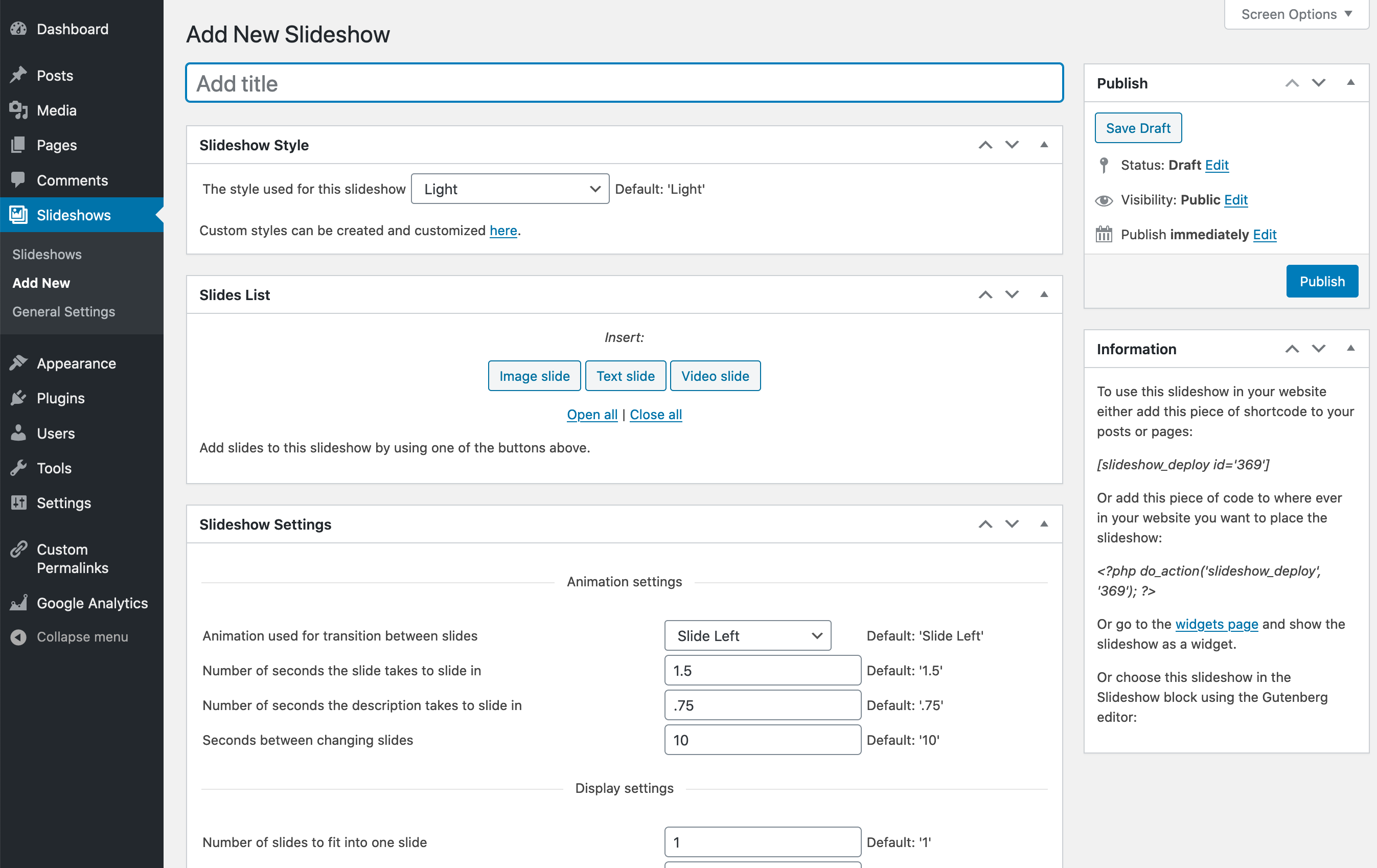
After activating Slideshow SE, click on ‘Slideshows’ and create a new slideshow.
-
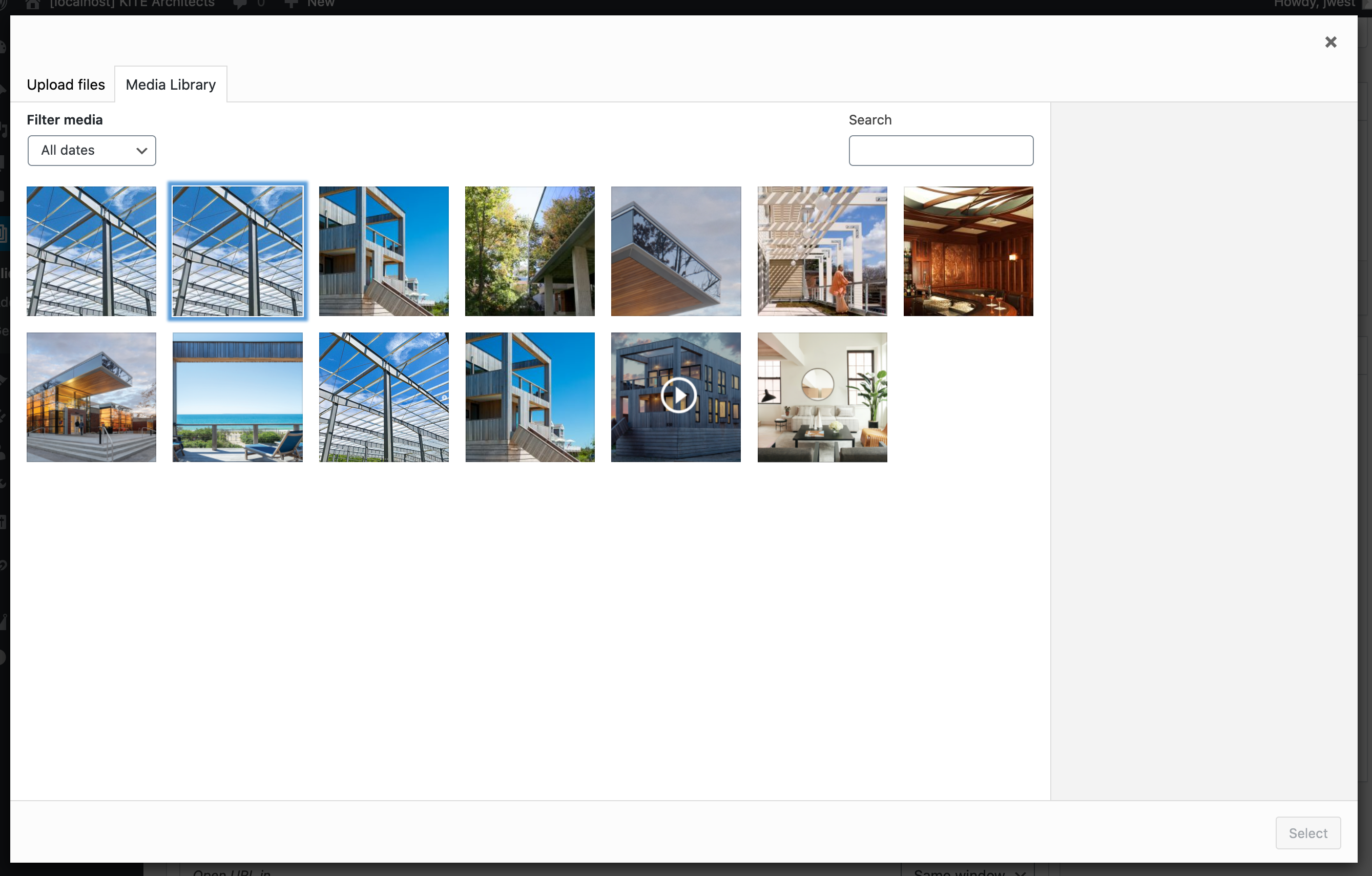
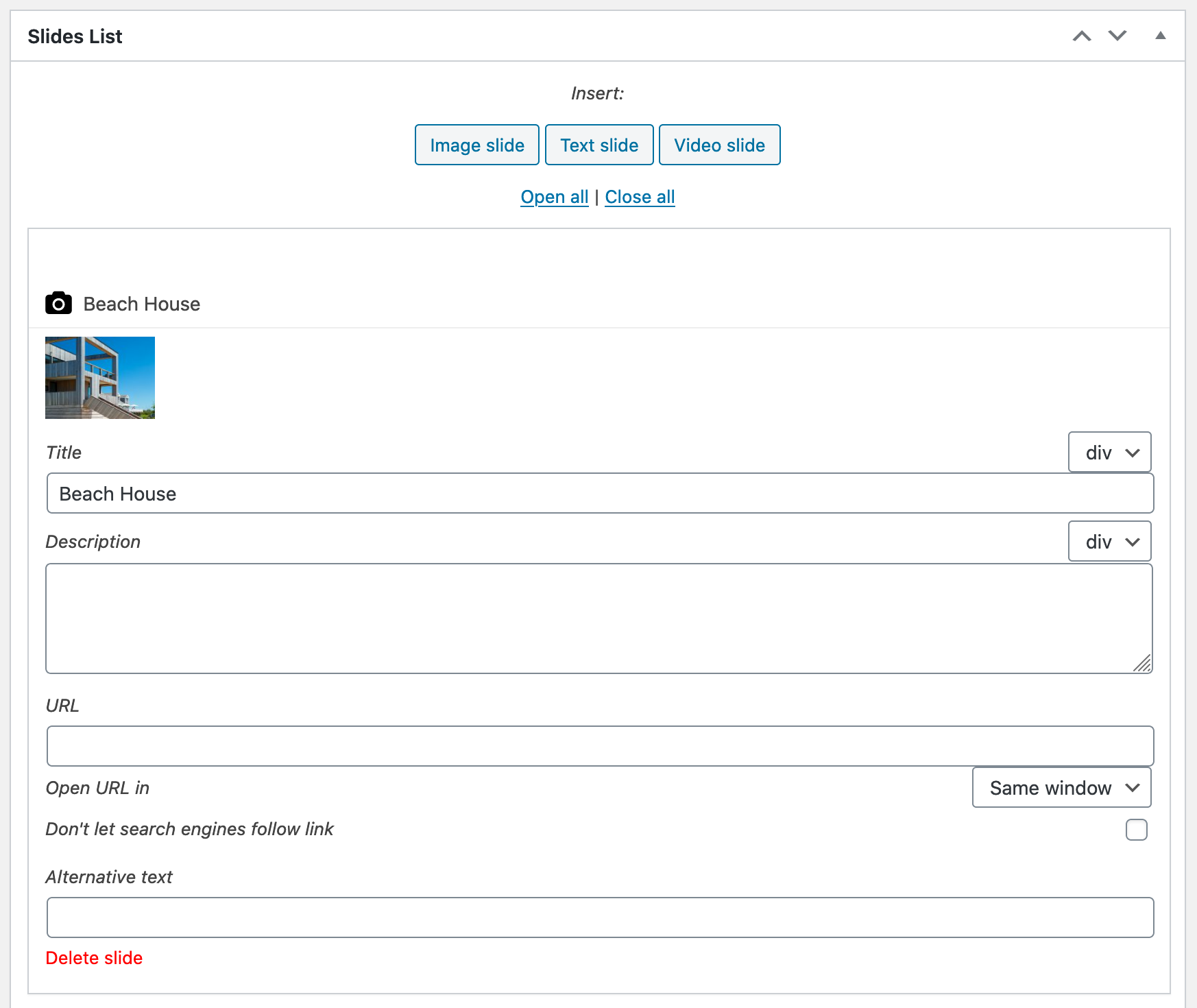
Click on ‘Insert Image Slide’ to insert an image slide, a popup will appear where you can search for the desired
image. Insert the image by clicking ‘Insert’. The same goes for text and video slides, don’t forget to save! -
Add the slideshow to your post.
If you are using the Classic editor, go to a post or a page and click the ‘Insert Slideshow’ button above the editor. A popup appears where you can select your newly created slideshow to insert. You can also use the shortcode or code snippet visible in your slideshow admin panel to deploy your slideshow anywhere on your website. Use the widget to show any of your slideshows in the sidebar of your website.
If you are using Gutenberg, add a new block and search for Slideshow SE or choose Common > Slideshow SE from the blocks list. Choose the slideshow you want to add from the popup menu.
Journal de modifications
2.7.2
- Changes to the Gutenberg block preview to remove ServerSideRender and fix CSS cascading problems
- Sanitizing, escaping, and other fixes suggested by Plugin Check.
2.7.1
- Update the Gutenberg block to support useBlockProps, which is required by API v3
2.7.0
- Add preview to the Gutenberg block. The first slide of the slideshow will display as the preview.
- Fixed: styling controls now appear on a new text slide.
- Set the Block API to version 3, per WP recommendation. This means that WP 6.3 is the new minimum version.
- Start to implement some of the code recommendations from Plugin Check (minor changes).
2.6.0
- New feature: Adds styled text to Text slides
- Lots of security fixes, including a fix for CVE-2024-35769.
- Address some code style issues (linting, typos, etc).
- Changes to webpack config to combine and minimize the Javascript files as part of the build (the old process was not working any more).
2.5.20
- Fix link display issue.
2.5.19
- Fix widget display issue.
- Fix issue where settings aren’t displaying correctly.
Captures d'écran




Pour les développeurs
Est-ce votre plugin ? Montrez les chiffres.
Ajoutez un badge en direct à votre site, docs ou github readme. Il se met à jour par lui-même - aucun compte n'est nécessaire.
Best Slideshow SE alternatives
Tous les plugins du carrousel →





FAQ
Slideshow SE: quick answers
Réponses directes, extraites des données en direct WordPress.org.
Source : WordPress.org
Is Slideshow SE free?
Yes. Slideshow SE is free to download and use from the official WordPress.org plugin directory.
Is Slideshow SE safe to use in 2026?
Slideshow SE is a solid plugin choice in 2026, with a few things worth checking first. It runs on 2K+ sites, is rated 4.9/5 and was last updated 3 months ago, and scores 73/100 on our health check.
How many websites use Slideshow SE?
Slideshow SE is active on 2K+ WordPress websites and has been downloaded 37,395 times since it launched in August 2020. It was downloaded 866 times in the last 30 days.
Does Slideshow SE work with WordPress 7.1?
Yes. The developer has tested Slideshow SE up to WordPress 7.1.5, the latest release. It requires WordPress 6.3 or newer.
What PHP version does Slideshow SE need?
Slideshow SE requires PHP 7.0 or higher. Most hosts run PHP 8.x today, so it works on any modern WordPress hosting.
When was Slideshow SE last updated?
The latest version, 2.7.2, was released on August 23, 2026 (3 months ago).
Who makes Slideshow SE?
Slideshow SE is developed and maintained by John West.
What are the best alternatives to Slideshow SE?
The most popular alternatives to Slideshow SE are Shortcodes Ultimate (400K+ installs), AI-Powered Carousel, Slider… (60K+ installs) and Carousel Slider Block for G… (50K+ installs).
Propulsé par PageForge
Un modèle et une feuille de calcul. Une vraie page pour chaque recherche.
PageForge transforme chaque ligne d'un CSV en une page WordPress avec son propre titre, URL, SEO et schéma, construit sur la mise en page que vous Déjà conçu. Gratuit sur WordPress.org.
- CSV et XLSX, plus Google Sheets sur les professionnels et les entreprises
- Son propre titre, URL, SEO champs et schéma pour chaque page
- Fonctionne avec l'éditeur de blocs, Elementor, Divi et Avada
- Gratuit sur WordPress.org, pas de carte de crédit