


Gallery – Photo Albums Plugin
Gallery Image – Photo Albums Plugin will help you to create gallery, filterable image gallery, photo album, portfolio and also simple picture to an image slider, image carousel, youtube and vimeo video gallery and audio…

Solide Wahl
Gallery – Photo Albums Plugin is a solid plugin choice in 2026, with a few things worth checking first. It runs on 2K+ sites, is rated 3.8/5 and was last updated 3 months ago, and scores 78/100 on our health check.
- Getestet mit dem neuesten WordPress (7.1)
Wie stapelt es sich?
Side-by-side bei Installationen, Updates, Bewertungen und Support



Tägliche Downloads
Download-Spitzen folgen normalerweise einer neuen Version - jede Website, die automatisch aktualisiert wird, gilt als Download.
Ranglisten
Where Gallery stands todayWordPress.org Ranglisten suchen
Live-Position in der Plugin-Suche, Top 100| Stichwort | Position |
|---|---|
| Galerie | #72 |
| Bildergalerie | #70 |
| image slider | >100 |
| Fotogalerie | #34 |
| slider | >100 |
Versionsübernahme
Anteil aktiver Sites pro Release.
Bewertungsaufschlüsselung
★★★★★★★★★★ 3.8 from 277 reviews
About Gallery – Photo Albums Plugin
From the official readme · v1.3.171Beschreibung
Homepage | Documentation | Support | Demo | Premium Version
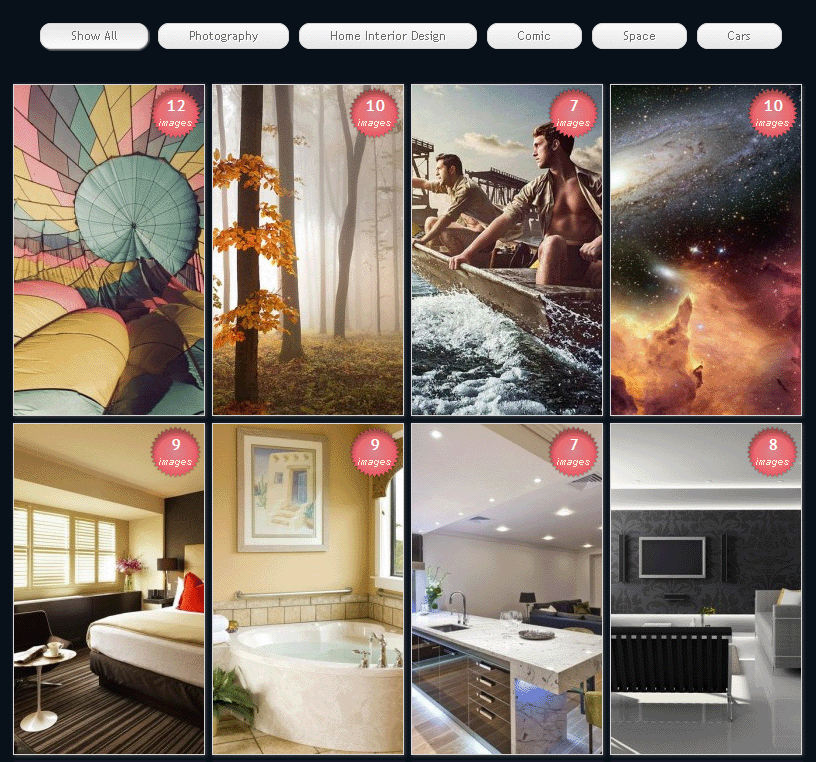
Gallery Image – Photo Albums Plugin will help you to create gallery, filterable image gallery, photo album, portfolio and also simple picture to an image slider, image carousel, youtube and vimeo video gallery and audio playlist. This free gallery plugin represents a perfect solution for your website.
This gallery plugin also very customizable that allow you to adjust colors, positions, grid, media sizes, hover effect and much more with one easy control panel. That easy control panel for experts it would save your time, and for you who do not have more knowledge about web programming, of course this Image Gallery plugin will allow you to manage all of your media much more easily.
Gallery and Photo Albums Demo
Demo for Lite and Pro Version
- Image Gallery
- Photo Albums
- Gallery / Grid Gallery / Photo Gallery
- Photo Albums Lite
- Gallery / Grid Gallery / Photo Gallery Lite
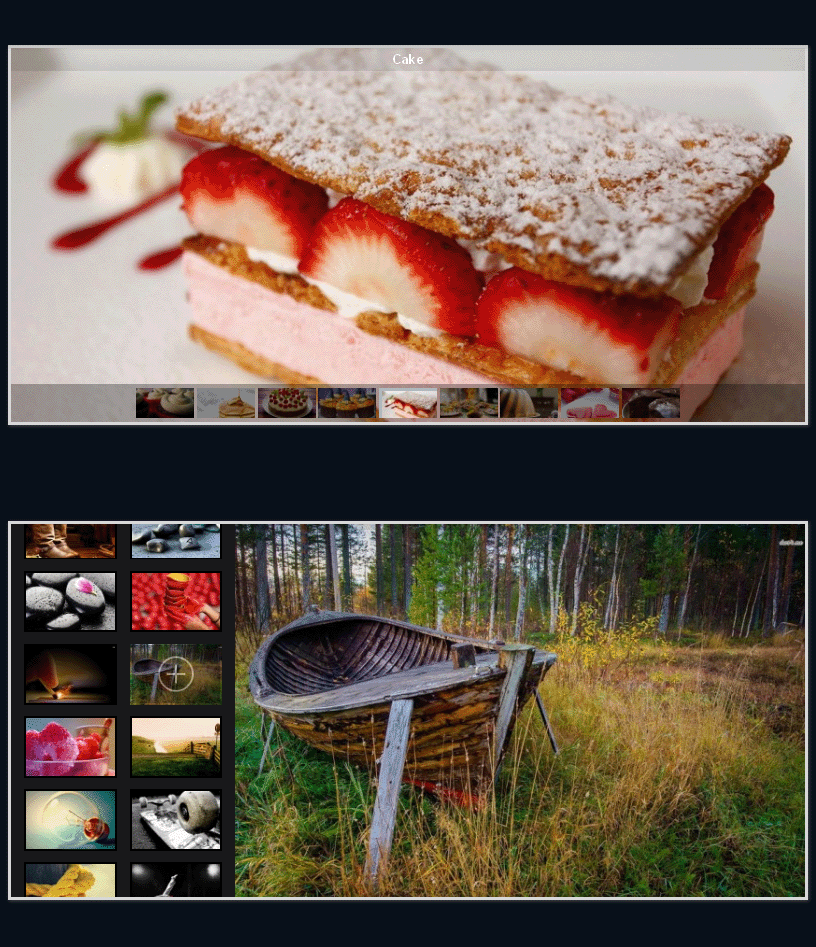
- Image Slider
- Image Slider Fotorama
- Image Carousel
- Gallery with Pagination
- Portefeuille
- Video Gallery
- Google Maps / Google Street View
- Embed from Reverbnation or Soundcloud
- Gallery with Default Lightbox ( Light, dark transparent skins )
- Gallery with Photobox
- Gallery with FooBox
- Gallery with FancyBox 2
- Gallery with ColorBox
- Gallery with LightBox 2
- Gallery with PrettyPhoto
- Gallery with PhotoSwipe
- Demo Video Gallery
- Demo Audio Gallery
Gallery / Image Gallery
Just create gallery using Multiple Image ( Slider ) media type , select/uploads an images and save the media, after that put the gallery using Easy Media Shortcode Generator. DONE! Your gallery will ready just in minutes. NO NEED to RE-UPLOAD all your images, NO NEED to SET ANY FOLDER PERMISSION. You can choose and insert an images that already uploaded in WordPress media library. When you upgrade to pro version you will be able to create gallery with pagination, gallery with filter / category and gallery with more than 10 lightbox styles. Learn more here
Photo Albums
With Lite Version you can create up to 3 photo album or gallery ( max 15 images per album ). You can upgrade to Pro Version to be able to create unlimited galleries and photo albums.
Image Slider / Photo Slider
With Pro version you can create image slider easily. We also already provide another plugin to create image slider. Please try Image Slider Plugin.
Image Carousel
In Pro version you will easily built Image Carousel. Same as the slider features, we also provide separated plugin named Image Carousel plugin. Enjoy it!
Video
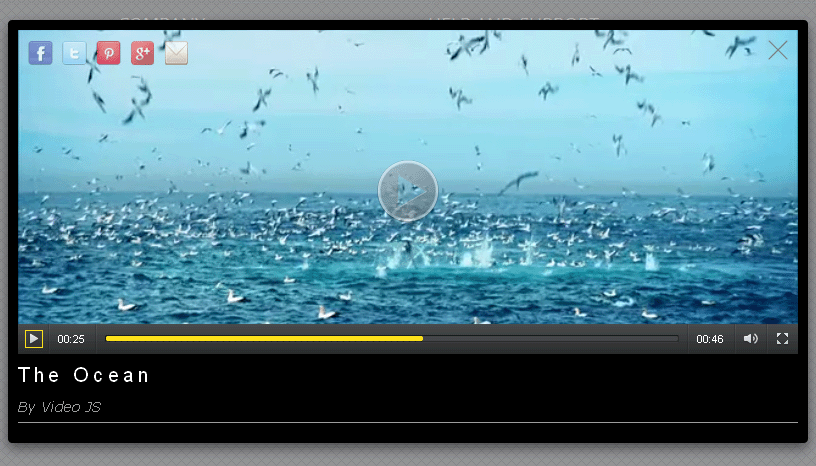
This plugin allows you to embed and displaying videos using lightbox overlay. You can embed Youtube, Vimeo and MP4 video. Pro version of this media gallery plugin will provide a good video interface created with HTML5.
Audio
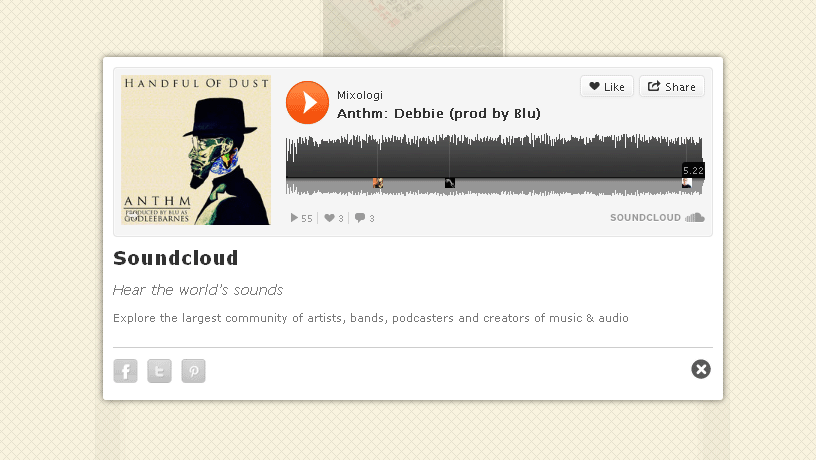
Not only Video, Easy Media Gallery also allows you to embed audio. You can embed mp3 audio format with ease. We also added another feature that enabled you to embed audio from Soundcloud and Reverbnation in Pro Version.
Google Maps
The Importance of Getting Your Business Listed in Google Maps. With PRO Version you can embed Google maps, Google street view and Google business view easily.
Video and Audio Features
Easy Media Gallery supports a wide range of video and audio. Simply link to hosted video or Youtube/Vimeo and also mp3 audio. You can embed video from the following sites :
- Youtube
- Vimeo
- Veoh
- DailyMotion
- MetaCafe
- Google Video
- Livestream
- Revver
- Rutube
- Flickr
- Ustream
- Youku
- Tudou
- Viddler
- MP4 (MP4 HTML5 player for Pro version and Flash player for Lite version), MOV, SWF, M4V, M4A, FLV
And also can be used to embed audio from :
- SoundCloud
- Reverbnation
- 4shared
- Self hosted MP3
UPGRADE TO PRO VERSION
Take your gallery to the next level with Gallery Pro Version, which gives you additional features such as:
- Super Easy to use for Beginners
- Create unlimited number of gallery or album
- Adjustable Gallery Rows/Columns/Spacings
- Various Animation Types for Slider or Lightbox Gallery
- No coding, the plugin takes care of everything
- Media / gallery are built on-the-fly as you enter and select options
- Works with all modern browsers, degrades gracefully for others
- Fully CSS3 compliant with text shadowing, box shadowing, gradients, etc
- Color picker for unlimited color combinations
- Display your media gallery on different theme
- 3 Skins for main Lightbox See Example
- More than 10 lightboxes for your gallery or photo albums See Example
- Backup & Restore Settings
- Powerfull control panel and Shortcode Manager make getting started super easy
- Responsive & Mobile Optimized
- Extensive Documentation & Tutorial Videos
- 24/7 Technical Support
GALLERY PRO FEATURES AND DEMO
- You can see all awesome features here Best Gallery and Portfolio plugin features.
- You can learn more by watching the video from YouTube Channel.
Recommended Plugins
The following are other recommended plugins by the author:
- Page Builder – Powerful page builder revolutionizing website creation.
- Media Library Folders – User-friendly WordPress plugin that helps you manage your media library images by organizing them into folders.
- Contact Form Plugin – The Best Contact Form Plugin to create awesome Contact Form just in minutes.
- Slider Plugin – Easy Image Slider Widget – Displaying your image as slider in widget/sidebar area with very easy. Allows you to customize it to looking exactly what you want.
- Instagram Feed Plugin – Display your Instagram media as masonry gallery in WordPress site with very easily.
- Icon Fonts Plugin – Select and insert icon into your post or page just in one click. More than 2.5k icons available.
- Gallery Lightbox – Gallery Lightbox – Displays all gallery images into the lightbox slider in just a few seconds.
- Image Carousel – Touch enabled WordPress plugin that lets you create a beautiful responsive image carousel.
- Popup Builder Plugin – The Best Popup and Subscription Form Plugin to display notify popup, announcement and subscribe form with very ease, fancy and elegant.
Translation
- Italiano / Italia
- Deutsch / Deutschland
- Espanol / Espana
- Französisch
- French (Belgium)
- Bahasa Indonesia
- Nederlands / Nederland
- Polski / Polska
- Brasil
- Hebrew
- Romana / Romania
- Hungarian
- Russisch
- Russian – Ukraine
- Malay / Malaysia
- Turkish
- Slovak
- Swedish
- Chinese – Singapore
- Bulgarian
- Portugiesisch
- Spanish (Chile)
NOTE
If you would like to create your own language pack or update the existing one, you can send the text of PO and MO files for GhozyLab and we’ll add it to the plugin. You can download the latest version of the program for work with PO and MO files Poedit.
Technical Support
If any problem occurs or if you think, that you found a bug please contact us at here.
Installation
For automatic installation:
The simplest way to install is to click on ‘Plugins’ then ‘Add’ and type ‘Gallery – Photo Albums – Portfolio’ in the search field.
For manual installation 1:
- Login to your website and go to the Plugins section of your admin panel.
- Click the Add New button.
- Under Install Plugins, click the Upload link.
- Select the plugin zip file (easy-media-gallery.x.x.x.zip) from your computer then click the Install Now button.
- You should see a message stating that the plugin was installed successfully.
- Click the Activate Plugin link.
For manual installation 2:
- You should have access to the server where WordPress is installed. If you don’t, see your system administrator.
- Copy the plugin zip file (easy-media-gallery.zip) up to your server and unzip it somewhere on the file system.
- Copy the “easy-media-gallery” folder into the /wp-content/plugins directory of your WordPress installation.
- Login to your website and go to the Plugins section of your admin panel.
- Look for “Easy Media Gallery” and click Activate.
For Mac Users
- Go to your Downloads folder and locate the folder with the plugin.
- Right-click on the folder and select Compress.
- Now you have a newly created .zip file which can be installed as described here.*
- Click “Install Now” button.
- Click “Activate Plugin” button for activating the plugin.
Änderungsprotokoll
1.3.171
- Update : WordPress 6.9+ and Gutenberg compatibility
- Fixed : Shortcode generator modal in Block and Classic Editor
- Fixed : Settings panel accordion interaction
- Fixed : Security hardening and output escaping
- Fixed : Many other PHP and CSS clean and optimization
1.3.170
- Update : WordPress 6.3 compatibility
- Fixed : Many other PHP and CSS clean and optimization
1.3.169
IMPORTANT! SECURITY BUGS FIX, PLEASE UPDATE NOW!= 1.3.169 =
* Update : WordPress 5.9 compatibility
* Fixed : Sorter image not works as expected
* Fixed : Many other PHP and CSS clean and optimization
1.3.167
- Update : WordPress 5.8 compatibility
- Fixed : Many other PHP and CSS clean and optimization
1.3.165
- Fixed : Many other PHP and CSS clean and optimization
1.3.163
- Update : WordPress 5.7 compatibility
- Fixed : Shortcode button not appear in WordPress Classic Block
Screenshots





Für Entwickler
Ist das dein Plugin? Zeigen Sie die Zahlen.
Fügen Sie Ihrer Website, Docs oder GitHub Readme ein Live-Badge hinzu. Es wird von selbst aktualisiert - kein Konto erforderlich.
Best Gallery – Photo Albums Plugin alternatives
Alle Galerie-Plugins →


Fragen und Antworten
Gallery – Photo Albums Plugin: quick answers
Gerade Antworten, gezogen von Live WordPress.org Daten.
Quelle: WordPress.org
Is Gallery – Photo Albums Plugin free?
Yes. Gallery – Photo Albums Plugin is free to download and use from the official WordPress.org plugin directory.
Is Gallery – Photo Albums Plugin safe to use in 2026?
Gallery – Photo Albums Plugin is a solid plugin choice in 2026, with a few things worth checking first. It runs on 2K+ sites, is rated 3.8/5 and was last updated 3 months ago, and scores 78/100 on our health check.
How many websites use Gallery – Photo Albums Plugin?
Gallery – Photo Albums Plugin is active on 2K+ WordPress websites and has been downloaded 1,660,832 times since it launched in March 2013. It was downloaded 1,531 times in the last 30 days.
Does Gallery – Photo Albums Plugin work with WordPress 7.1?
Yes. The developer has tested Gallery – Photo Albums Plugin up to WordPress 7.1.5, the latest release. It requires WordPress 4.6 or newer.
What PHP version does Gallery – Photo Albums Plugin need?
Gallery – Photo Albums Plugin requires PHP 7.2 or higher. Most hosts run PHP 8.x today, so it works on any modern WordPress hosting.
When was Gallery – Photo Albums Plugin last updated?
The latest version, 1.3.171, was released on September 1, 2026 (3 months ago).
Who makes Gallery – Photo Albums Plugin?
Gallery – Photo Albums Plugin is developed and maintained by GhozyLab.
What are the best alternatives to Gallery – Photo Albums Plugin?
The most popular alternatives to Gallery – Photo Albums Plugin are Smart Slider 3 (800K+ installs), Slider, Gallery, and Carous… (500K+ installs) and Photo Gallery, Sliders, Pro… (300K+ installs).
Angetrieben von PageForge
Eine Vorlage und eine Tabelle. Eine echte Seite für jede Suche.
PageForge Verwandelt jede Zeile eines CSV in eine WordPress-Seite mit eigenem Titel, URL, SEO Felder und Schema entworfen. Kostenlos auf WordPress.org.
- CSV und XLSX, plus Google Sheets auf Beruf und Unternehmen
- seinen eigenen Titel, URL, SEO Felder und Schema für jede Seite
- Arbeitet mit dem Blockeditor, Elementor, Divi und Avada
- Kostenlos auf WordPress.org, keine Kreditkarte