


Data Tables – present your data in clean, customizable tables
Create responsive WordPress data tables with sorting, paging, and filtering. Build tables visually with a Gutenberg block or embed via shortcode.

Mit Vorsicht verwenden
Data Tables works, but test it on a staging site before relying on it in 2026. It runs on 100+ sites, is rated 5/5 and was last updated 4 months ago, and scores 53/100 on our health check.
- Kleine Benutzerbasis (100+ aktive Installationen)
- Bisher sehr wenige Bewertungen
- Nur getestet bis WordPress 6.8 (letzt ist 7.1)
Wie stapelt es sich?
Side-by-side bei Installationen, Updates, Bewertungen und Support



Tägliche Downloads
Download-Spitzen folgen normalerweise einer neuen Version - jede Website, die automatisch aktualisiert wird, gilt als Download.
Ranglisten
Where Data Tables stands todayWordPress.org Ranglisten suchen
Live-Position in der Plugin-Suche, Top 100| Stichwort | Position |
|---|---|
| Daten | #41 |
| data tables | #11 |
| Tabelle | >100 |
| Table Builder | >100 |
| tables | #44 |
Versionsübernahme
Anteil aktiver Sites pro Release.
Bewertungsaufschlüsselung
★★★★★★★★★★ 5 from 2 reviews
About Data Tables
From the official readme · v1.1.2Beschreibung
Turn raw data into clean, sortable, filterable tables your visitors can actually read – built visually, with no code required.
Why Data Tables?
Data Tables gives you a Gutenberg block to build data tables visually, plus shortcode support so you can embed the same table in multiple areas. Create a table once and reuse it across posts, pages, and widgets.
Sorting, paging, and filtering are built in, so even large datasets stay easy to browse – all with minimal effort on your side.
Kostenlose Funktionen
- Visual Table Builder: Create and edit tables directly in the Gutenberg editor.
- Shortcode Support: Embed any table in posts, pages, or widgets.
- Reusable Tables: Build a table once and use it anywhere on your site.
- Sorting: Let visitors sort table columns instantly.
- Paging: Split long tables into easy-to-browse pages.
- Filtering: Help visitors find the exact rows they need.
- Serial & Attachment Columns: Add a serial number column and enable an attachment column.
- Unlimited Tables: Publish as many tables as you want.
How to Use – Quick Start
- Install and activate the Data Tables plugin.
- Open a post or page in the Gutenberg editor.
- Click the + icon and add the Data Tables block.
- Build your table visually and configure sorting, paging, and filtering.
- Publish – or copy the shortcode to reuse the table in other posts, pages, or widgets.
Anwendungsfälle
- Pricing & Comparison Tables: Present products or plans side by side.
- Reports & Statistics: Publish sortable data readers can explore.
- Directories & Lists: Share member lists, schedules, or catalogs with filtering.
- Downloads: Use the attachment column to list files alongside data.
Installation
From your WordPress dashboard (recommended):
- Go to Plugins → Add New.
- Search for “Data Tables”.
- Klicken Sie auf Jetzt installieren und dann Aktivieren.
- Add the Data Tables block to any post or page, or use the shortcode.
Manual installation:
- Upload the plugin folder to the
/wp-content/plugins/directory. - Aktivieren Sie das Plugin über das Menü Plugins in WordPress.
- Use the shortcode in any page, post, or widget.
- To embed in theme PHP, place
<?php echo do_shortcode('YOUR_SHORTCODE'); ?>in your template.
Änderungsprotokoll
1.1.2 – 26 July, 2025
- Fixed: Can’t edit table content
1.1.1 – 25 Dec, 2024
- Fixed: undefined index error
1.1
- Added Option to add Serial
- Added option to enabled Attachment Column
1.0
- Erste Freigabe
Screenshots
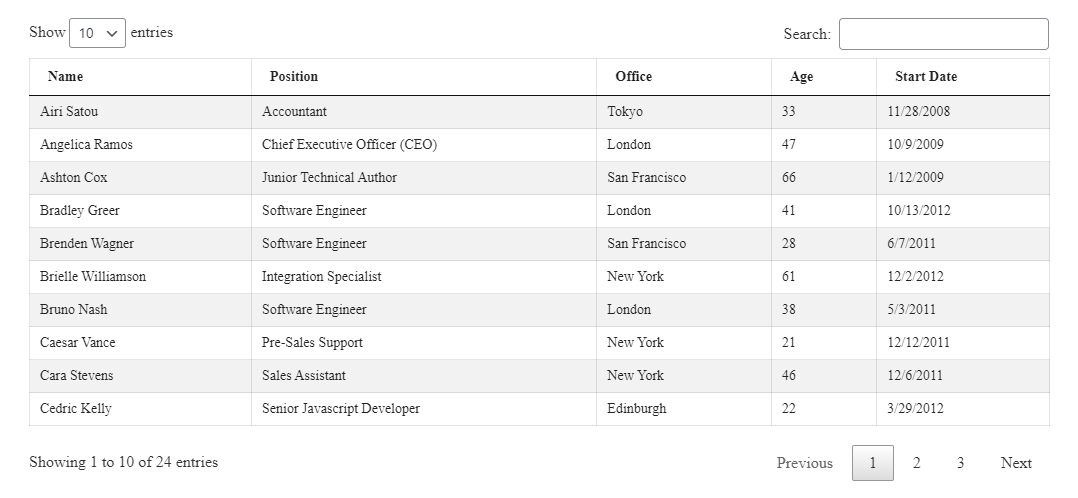
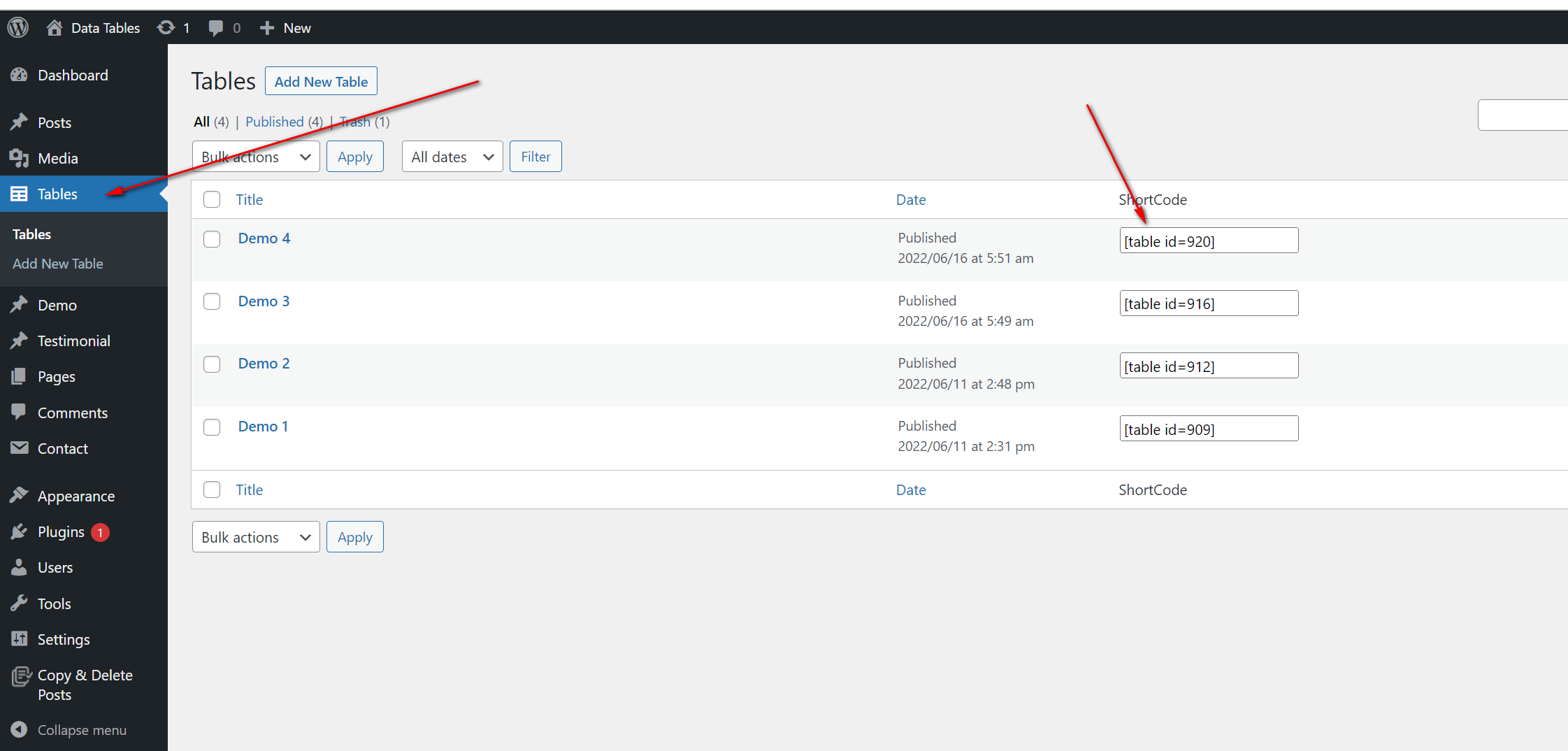


Für Entwickler
Ist das dein Plugin? Zeigen Sie die Zahlen.
Fügen Sie Ihrer Website, Docs oder GitHub Readme ein Live-Badge hinzu. Es wird von selbst aktualisiert - kein Konto erforderlich.
Best Data Tables alternatives
All data plugins →




Fragen und Antworten
Data Tables: quick answers
Gerade Antworten, gezogen von Live WordPress.org Daten.
Quelle: WordPress.org
Is Data Tables free?
Yes. Data Tables is free to download and use from the official WordPress.org plugin directory.
Is Data Tables safe to use in 2026?
Data Tables works, but test it on a staging site before relying on it in 2026. It runs on 100+ sites, is rated 5/5 and was last updated 4 months ago, and scores 53/100 on our health check.
How many websites use Data Tables?
Data Tables is active on 100+ WordPress websites and has been downloaded 5,688 times since it launched in June 2022. It was downloaded 178 times in the last 30 days.
Does Data Tables work with WordPress 7.1?
Data Tables is officially tested up to WordPress 6.8.13, while the latest release is 7.1.5. It may still work, but try it on a staging site first.
What PHP version does Data Tables need?
Data Tables requires PHP 7.1 or higher. Most hosts run PHP 8.x today, so it works on any modern WordPress hosting.
When was Data Tables last updated?
The latest version, 1.1.2, was released on July 26, 2026 (4 months ago).
Who makes Data Tables?
Data Tables is developed and maintained by bPlugins.
What are the best alternatives to Data Tables?
The most popular alternatives to Data Tables are Rara One Click Demo Import (20K+ installs), TutorMate (10K+ installs) and Get Use APIs (5K+ installs).
Angetrieben von PageForge
Eine Vorlage und eine Tabelle. Eine echte Seite für jede Suche.
PageForge Verwandelt jede Zeile eines CSV in eine WordPress-Seite mit eigenem Titel, URL, SEO Felder und Schema entworfen. Kostenlos auf WordPress.org.
- CSV und XLSX, plus Google Sheets auf Beruf und Unternehmen
- seinen eigenen Titel, URL, SEO Felder und Schema für jede Seite
- Arbeitet mit dem Blockeditor, Elementor, Divi und Avada
- Kostenlos auf WordPress.org, keine Kreditkarte