


Data Tables – present your data in clean, customizable tables
Create responsive WordPress data tables with sorting, paging, and filtering. Build tables visually with a Gutenberg block or embed via shortcode.

Use com cautela
Data Tables works, but test it on a staging site before relying on it in 2026. It runs on 100+ sites, is rated 5/5 and was last updated 4 months ago, and scores 53/100 on our health check.
- Base de usuários pequenas (mais de 100 instalações ativas)
- Muito poucos comentários até agora
- Testado apenas até WordPress 6.8 (mais recente é 7.1)
Como ele se acumula?
Lado a lado em instalações, atualizações, avaliações e suporte



Downloads diários
Os picos de download geralmente seguem uma nova versão — cada site que atualiza automaticamente é um download.
Rankings
Where Data Tables stands todayWordPress.org Classificações de pesquisa
Posição ao vivo na pesquisa de plugins, top 100| Palavra chave | Posição |
|---|---|
| data | #41 |
| data tables | #11 |
| table | >100 |
| Table Builder | >100 |
| tables | #44 |
Adoção da versão
Compartilhamento de sites ativos por lançamento.
Divisão de classificação
★★★★★ ★★★★★ 5 de 2 comentários
About Data Tables
Do Readme oficial · v1.1.2Descrição
Turn raw data into clean, sortable, filterable tables your visitors can actually read – built visually, with no code required.
Why Data Tables?
Data Tables gives you a Gutenberg block to build data tables visually, plus shortcode support so you can embed the same table in multiple areas. Create a table once and reuse it across posts, pages, and widgets.
Sorting, paging, and filtering are built in, so even large datasets stay easy to browse – all with minimal effort on your side.
Free Features
- Visual Table Builder: Create and edit tables directly in the Gutenberg editor.
- Shortcode Support: Embed any table in posts, pages, or widgets.
- Reusable Tables: Build a table once and use it anywhere on your site.
- Sorting: Let visitors sort table columns instantly.
- Paging: Split long tables into easy-to-browse pages.
- Filtering: Help visitors find the exact rows they need.
- Serial & Attachment Columns: Add a serial number column and enable an attachment column.
- Unlimited Tables: Publish as many tables as you want.
How to Use – Quick Start
- Install and activate the Data Tables plugin.
- Open a post or page in the Gutenberg editor.
- Click the + icon and add the Data Tables block.
- Build your table visually and configure sorting, paging, and filtering.
- Publish – or copy the shortcode to reuse the table in other posts, pages, or widgets.
Casos de uso
- Pricing & Comparison Tables: Present products or plans side by side.
- Reports & Statistics: Publish sortable data readers can explore.
- Directories & Lists: Share member lists, schedules, or catalogs with filtering.
- Downloads: Use the attachment column to list files alongside data.
Instalação
From your WordPress dashboard (recommended):
- Go to Plugins → Add New.
- Search for “Data Tables”.
- Click Install Now, then Activate.
- Add the Data Tables block to any post or page, or use the shortcode.
Instalação manual:
- Carregue a pasta de plugins no diretório
/wp-content/plugins/. - Ative o plugin através do menu plugins em WordPress.
- Use the shortcode in any page, post, or widget.
- To embed in theme PHP, place
<?php echo do_shortcode('YOUR_SHORTCODE'); ?>in your template.
Log de Changes
1.1.2 – 26 July, 2025
- Fixed: Can’t edit table content
1.1.1 – 25 Dec, 2024
- Fixed: undefined index error
1.1
- Added Option to add Serial
- Added option to enabled Attachment Column
1.0
- Initial Release
Capturas de tela
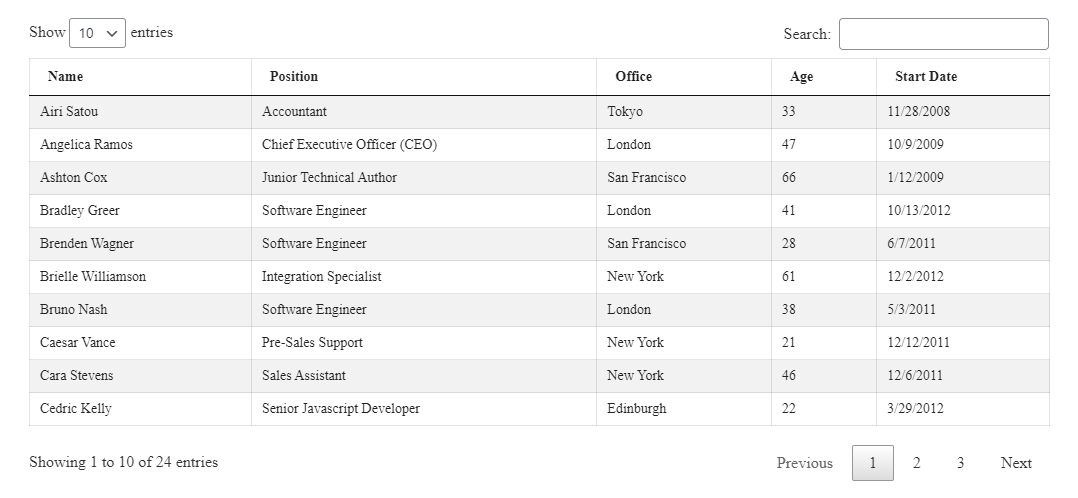
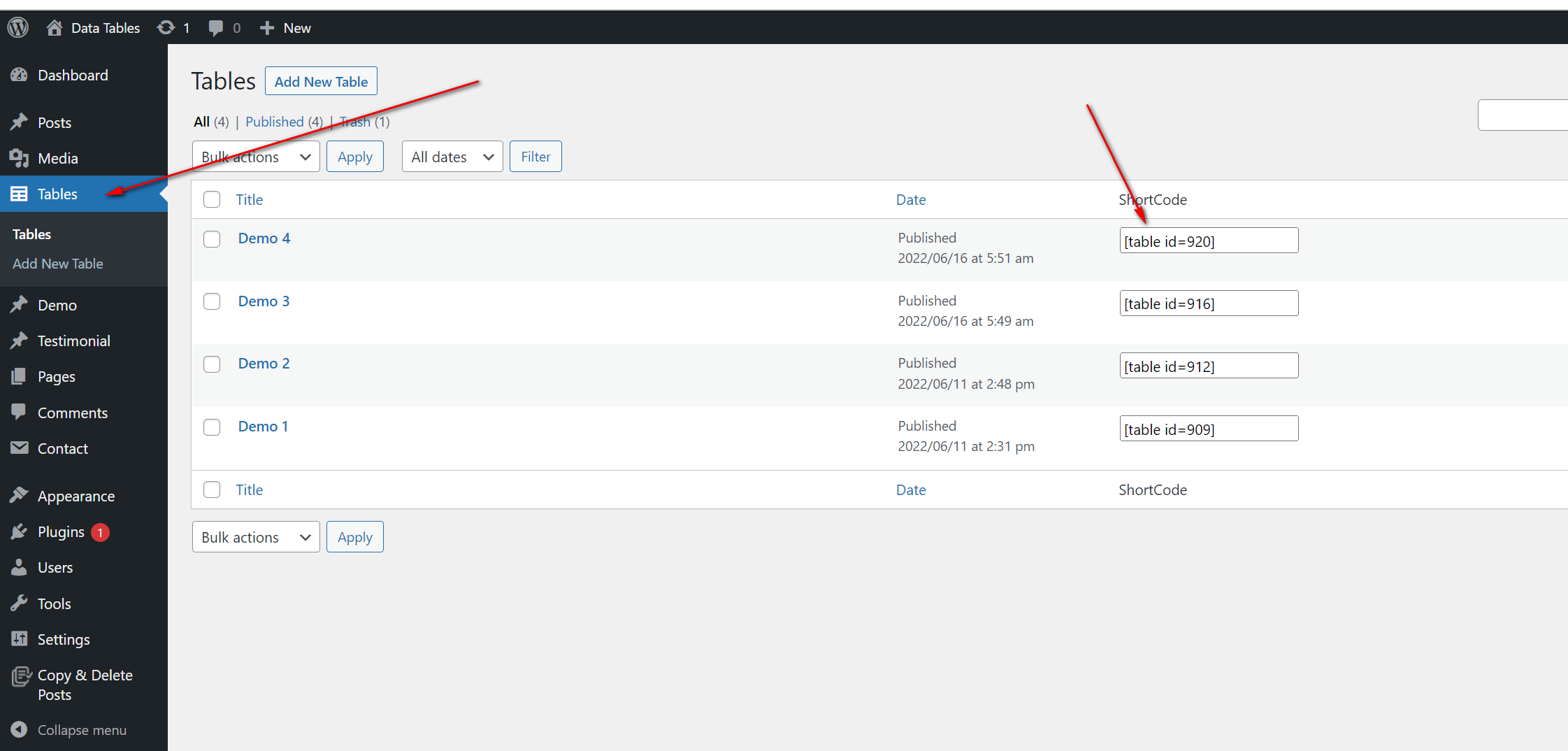


Para desenvolvedores
Este é o seu plugin? Mostre os números.
Adicione um crachá ao vivo ao seu site, Documentos ou Readme do GitHub. Ele é atualizado por conta própria - nenhuma conta necessária.
Best Data Tables alternatives
All data plugins →




FAQ
Data Tables: quick answers
Respostas diretas, extraídas de dados ao vivo WordPress.org.
Fonte: WordPress.org
Is Data Tables free?
Yes. Data Tables is free to download and use from the official WordPress.org plugin directory.
Is Data Tables safe to use in 2026?
Data Tables works, but test it on a staging site before relying on it in 2026. It runs on 100+ sites, is rated 5/5 and was last updated 4 months ago, and scores 53/100 on our health check.
How many websites use Data Tables?
Data Tables is active on 100+ WordPress websites and has been downloaded 5,688 times since it launched in June 2022. It was downloaded 178 times in the last 30 days.
Does Data Tables work with WordPress 7.1?
Data Tables is officially tested up to WordPress 6.8.13, while the latest release is 7.1.5. It may still work, but try it on a staging site first.
What PHP version does Data Tables need?
Data Tables requires PHP 7.1 or higher. Most hosts run PHP 8.x today, so it works on any modern WordPress hosting.
When was Data Tables last updated?
The latest version, 1.1.2, was released on July 26, 2026 (4 months ago).
Who makes Data Tables?
Data Tables is developed and maintained by bPlugins.
What are the best alternatives to Data Tables?
The most popular alternatives to Data Tables are Rara One Click Demo Import (20K+ installs), TutorMate (10K+ installs) and Get Use APIs (5K+ installs).
Alimentado por PageForge
Um modelo e uma planilha. Uma página real para cada pesquisa.
PageForge Transforma cada linha de um CSV em uma página WordPress com seu próprio título, URL, SEO campos e esquema, construído no layout que você já desenhou. Gratuito em WordPress.org.
- CSV e XLSX, mais Google Sheets em Profissional e Empresarial
- Seu próprio título, URL, SEO campos e esquema para cada página
- Funciona com o editor de blocos, Elementor, Divi e Avada
- Gratuito em WordPress.org, sem cartão de crédito