

Get Use APIs – JSON Content Importer
Connects an API to WordPress: Get API-data (JSON, XML, CSV...), show it with a Shortcode, a JCI Block or PHP. Generate a template with the JCI Block

Sichere Auswahl
Yes — Get Use APIs is a safe, well-maintained plugin to use in 2026. It runs on 5K+ sites, is rated 4.9/5 and was last updated 2 weeks ago, and scores 93/100 on our health check.
- Loved by users — 4.9/5 from 78 reviews
- Aktiv entwickelt — letztes Update vor 2 Wochen
- Getestet mit dem neuesten WordPress (7.1)
- Momentum — downloads up 208.2% vs the previous 30 days
Wie stapelt es sich?
Side-by-side bei Installationen, Updates, Bewertungen und Support



Tägliche Downloads
Download-Spitzen folgen normalerweise einer neuen Version - jede Website, die automatisch aktualisiert wird, gilt als Download.
Ranglisten
Where Get Use APIs stands todayWordPress.org Ranglisten suchen
Live-Position in der Plugin-Suche, Top 100| Stichwort | Position |
|---|---|
| API | #23 |
| CSV | #56 |
| Daten | #86 |
| JSON | #1 |
| xml | #82 |
Versionsübernahme
Anteil aktiver Sites pro Release.
Bewertungsaufschlüsselung
★★★★★★★★★★ 4.9 from 78 reviews
About Get Use APIs – JSON Content Importer
From the official readme · v2.0.17Beschreibung
The simplest method to link WordPress with external APIs
JCI simplifies the task of retrieving data from a third-party REST API. The returned JSON-, XML, CSV, TXT-data can be neatly arranged and showcased on your WordPress site via a shortcode, a JCI Block or PHP. The plugin can generate a template for the data display.
20 seconds: Load API and display data
7 minutes: Basic intro to JCI free
Examples, Preview
Check out the live demonstration to explore how we’re interfacing with various APIs
LIVE PREVIEW – WordPress and a external API
Video: How to use the Wikipedia API
Main Plugin Features
- Low code usage: Save time and avoid coding using an API
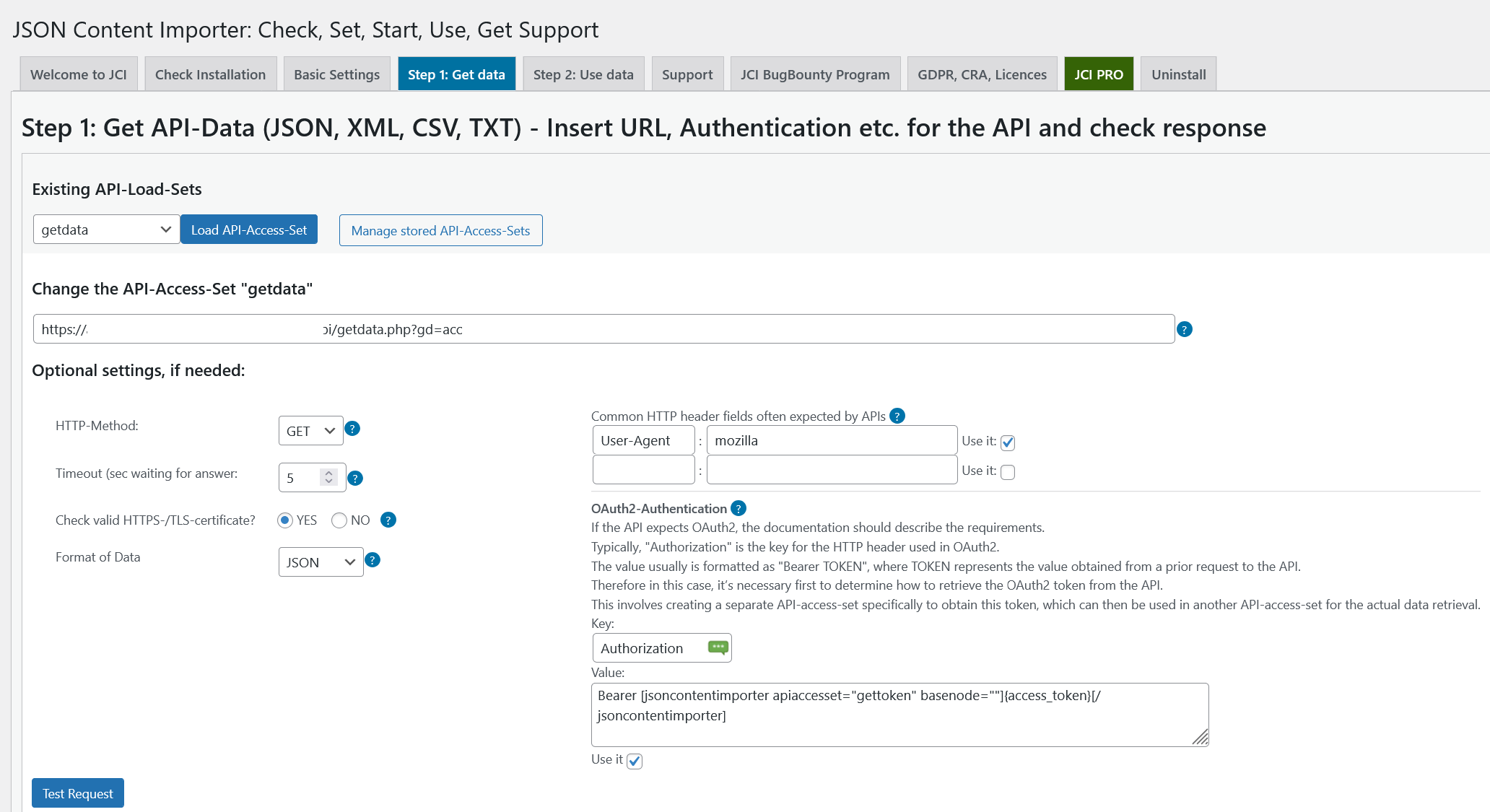
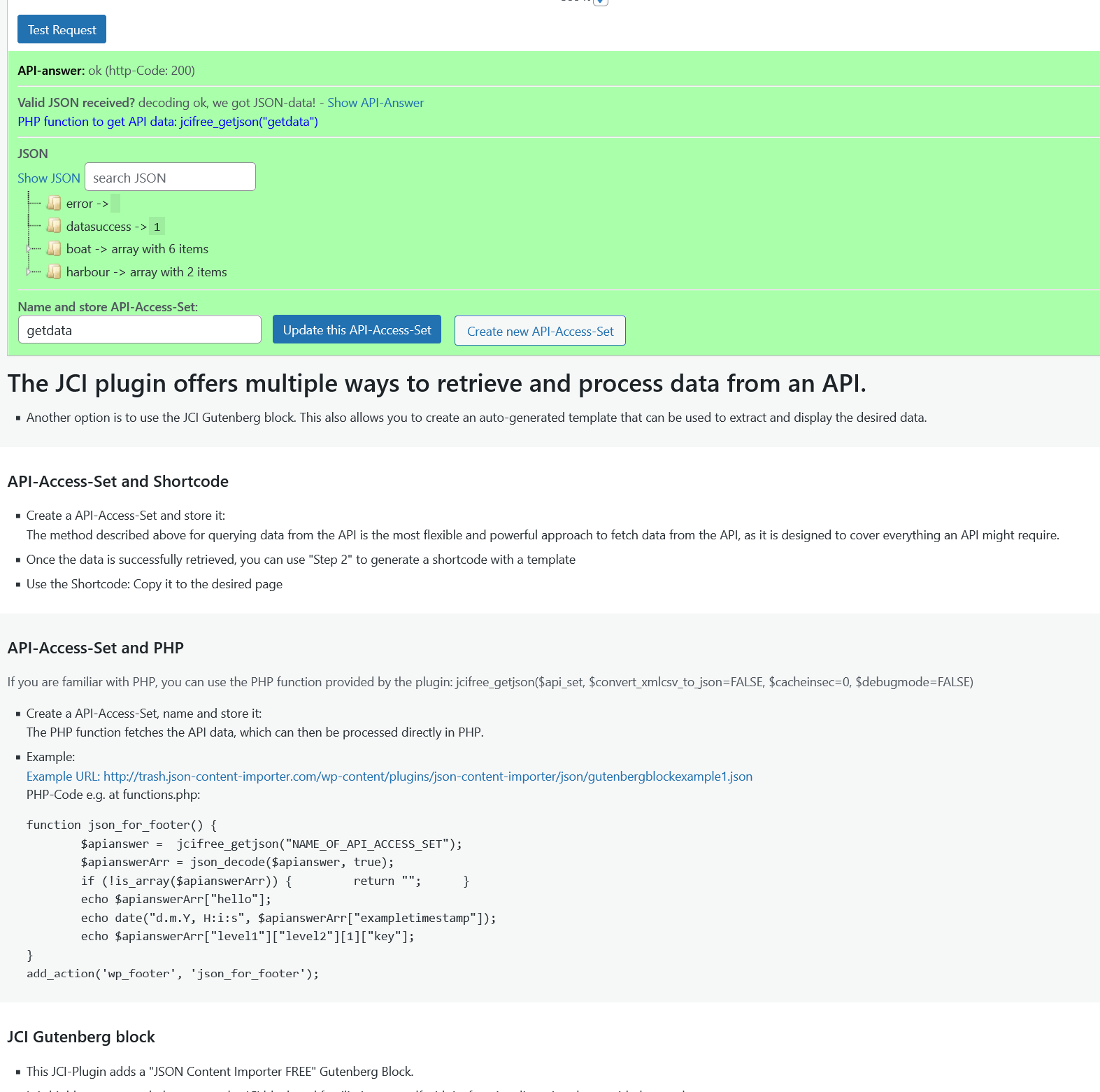
- Insert an API-URL into Step 1: Data is loaded, and and displayed. Save it as API-Access-Set.
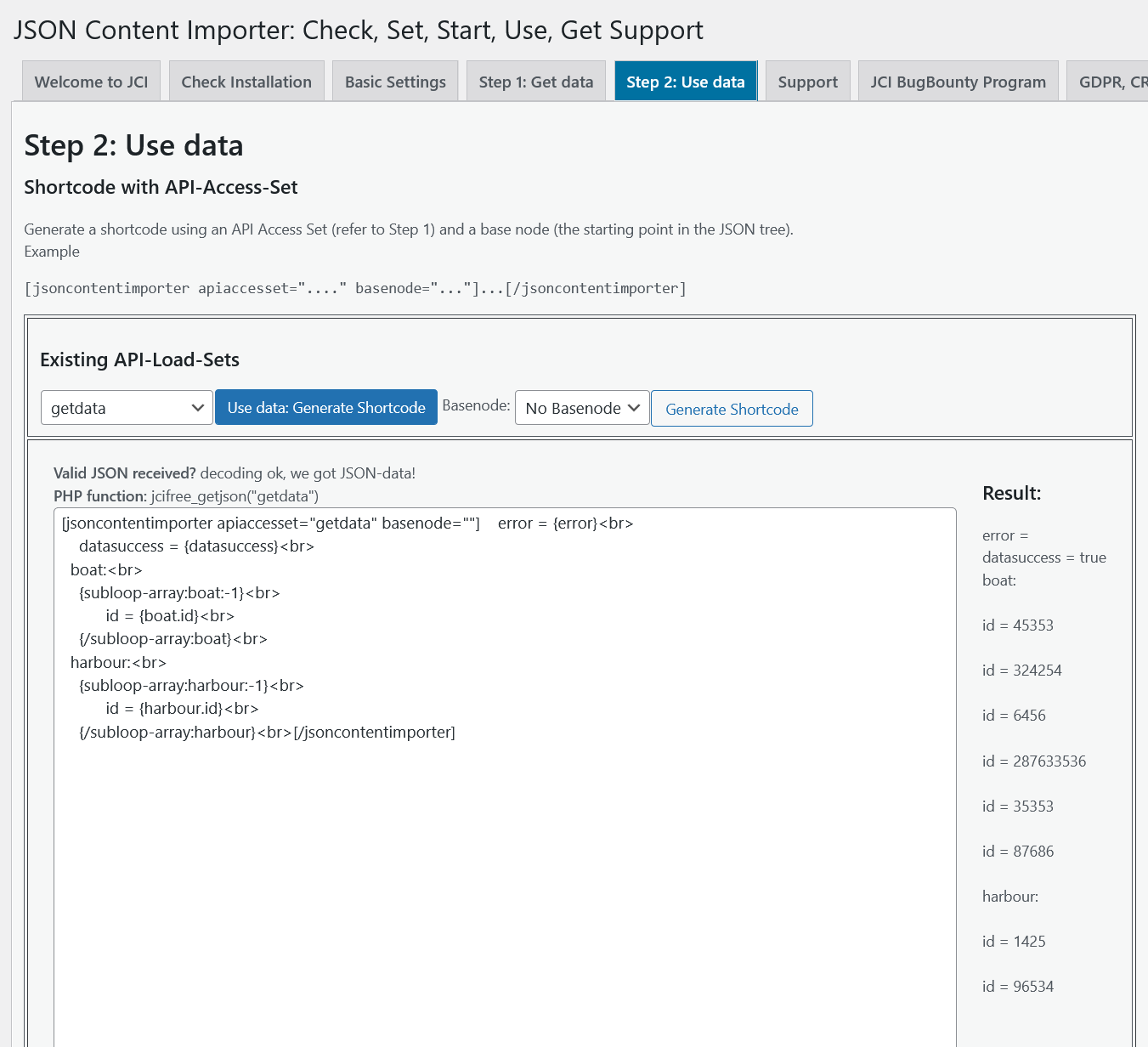
- Use the API-Access-Set in Step 2 to create a Shortcode
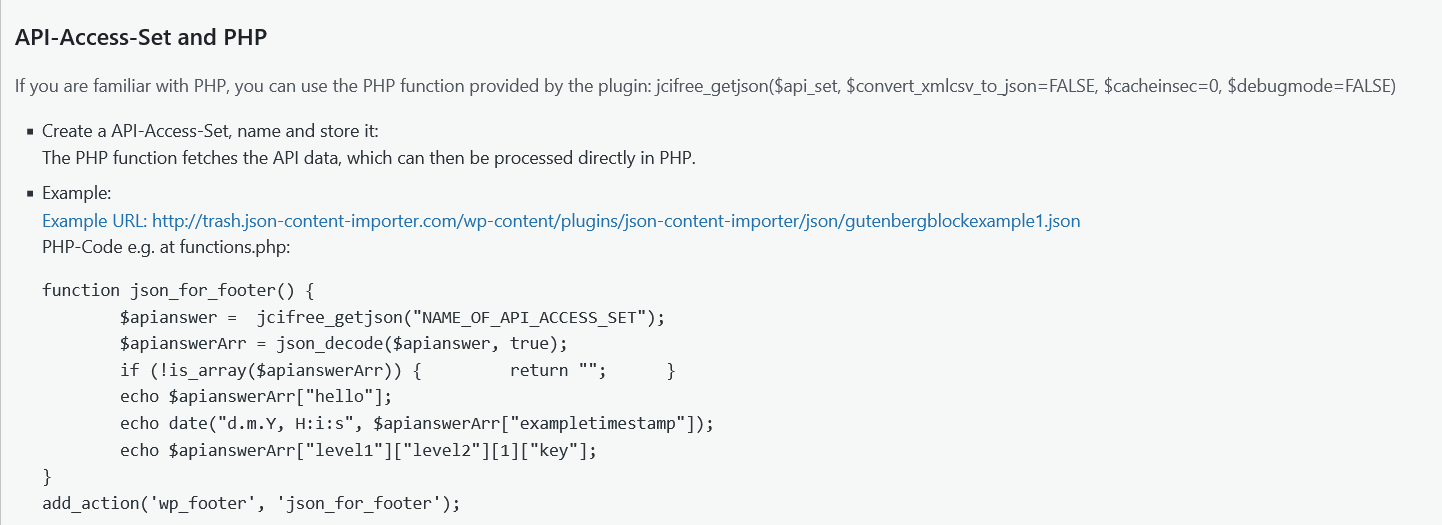
- Optional for maximum flexibility: Use the API-Access-Set n PHP code
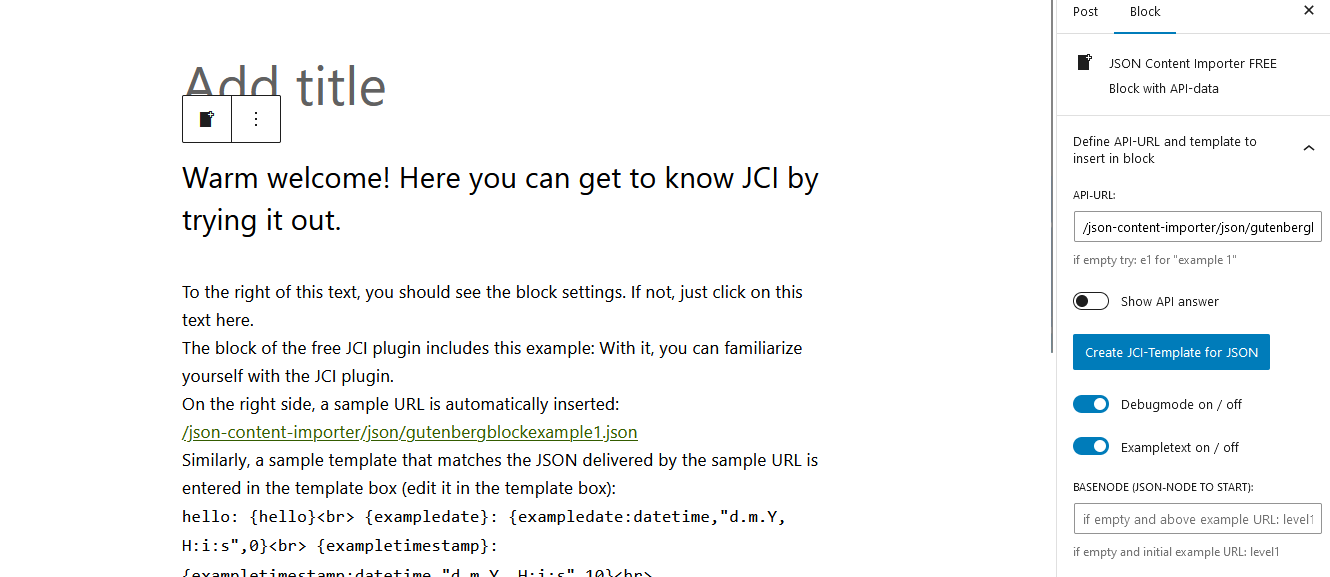
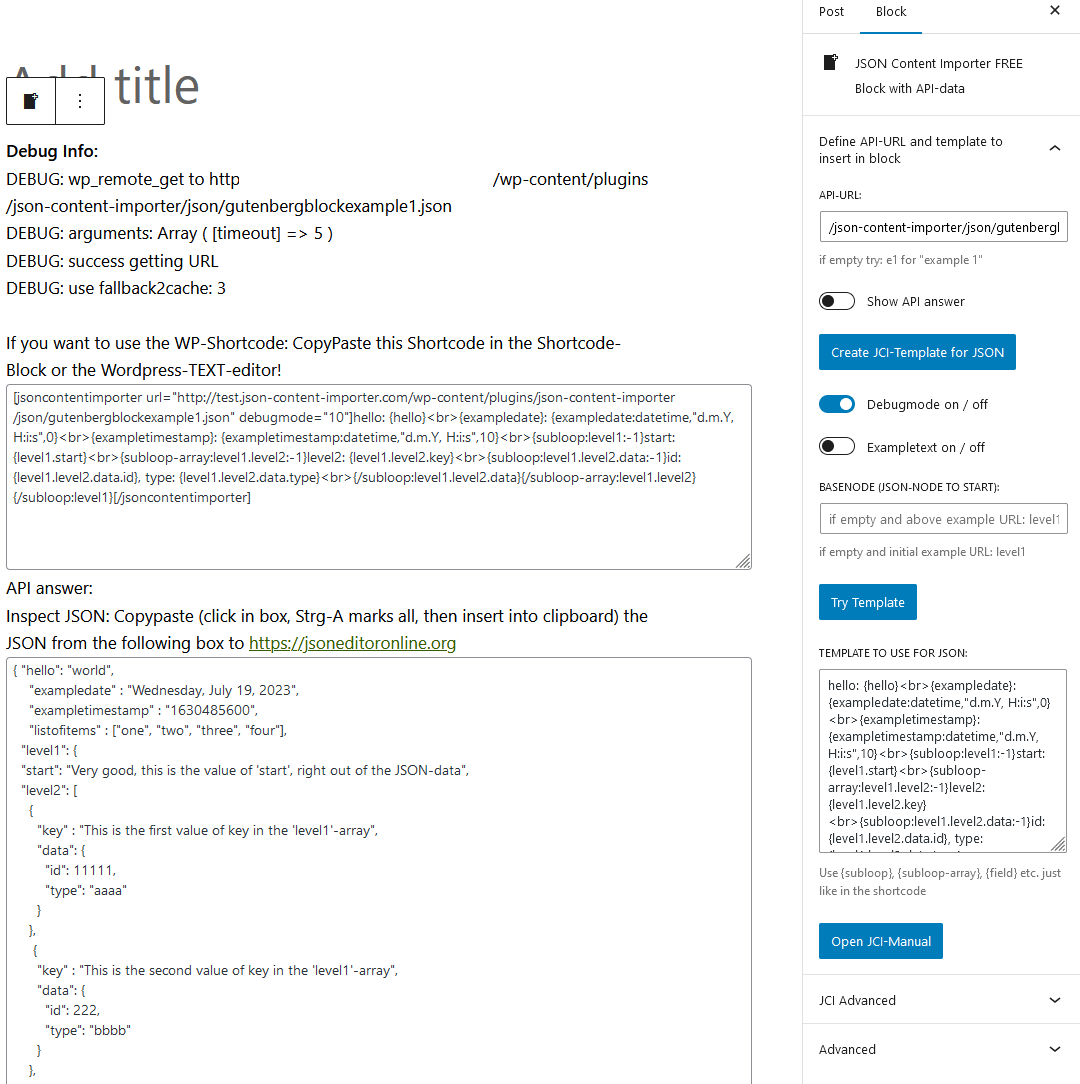
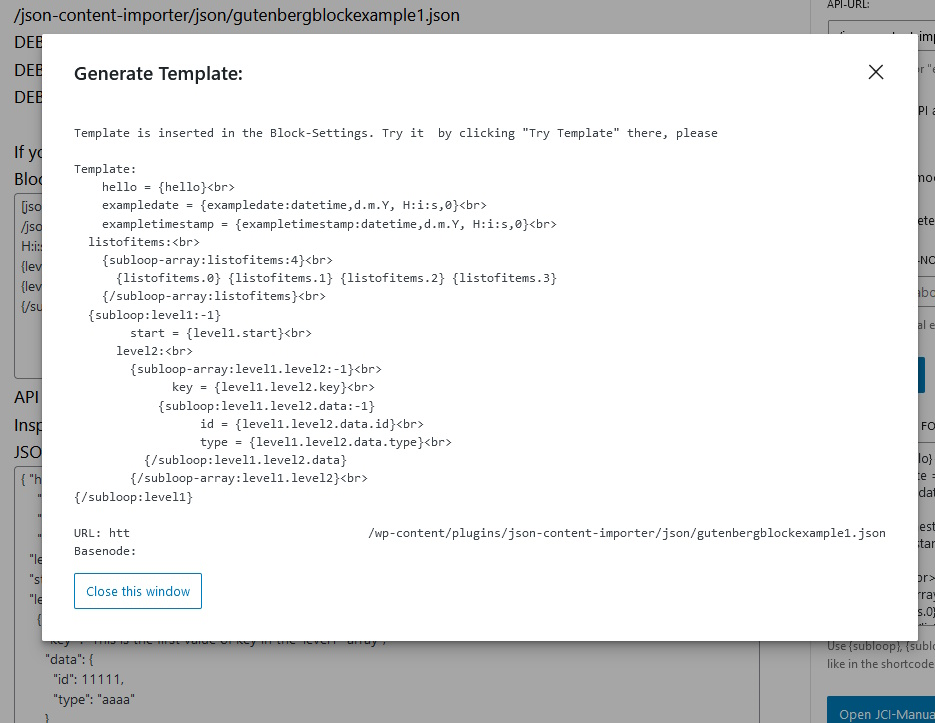
- Insert an API-URL into the JCI Block: Data is loaded, and a template can be generated to display the data.
- Easy to start: Check Installation – Is your WordPress ready for JCI? Most probably!
- Basic Settings: Check SSL, Cacher, Gutenberg and Authentication
- ContactForm7 Integration: Populate CF7 forms with JSON data and forward CF7-submitted data to an API.
- Use the JCI cacher to avoid many API requests
- JCI-Block : Use the simple JCI Block interface to get data! Query the API and check the response. Then utilize the simple template generator inside the JCI Block to use the data!
- Contact Form 7 Integration: Fill form and submit to API
Important Note Starting with Version 2.0.11
Starting with version 2.0.11, any HTML code present in the shortcode or block is filtered to prevent dangerous code (e.g. JavaScript) from being output.
However, if you want to allow certain tags or attributes as a deliberate choice:
In the plugin’s “Basic Settings” there is a field called “Allow additional HTML tags (advanced)”.
There you can enter comma-separated tags that should not be filtered out. For example, “iframe,script” would preserve these two tags in the HTML output.
“tr#onclick” would preserve the “onclick” attribute in ”, which would otherwise be removed.
Dokumentation
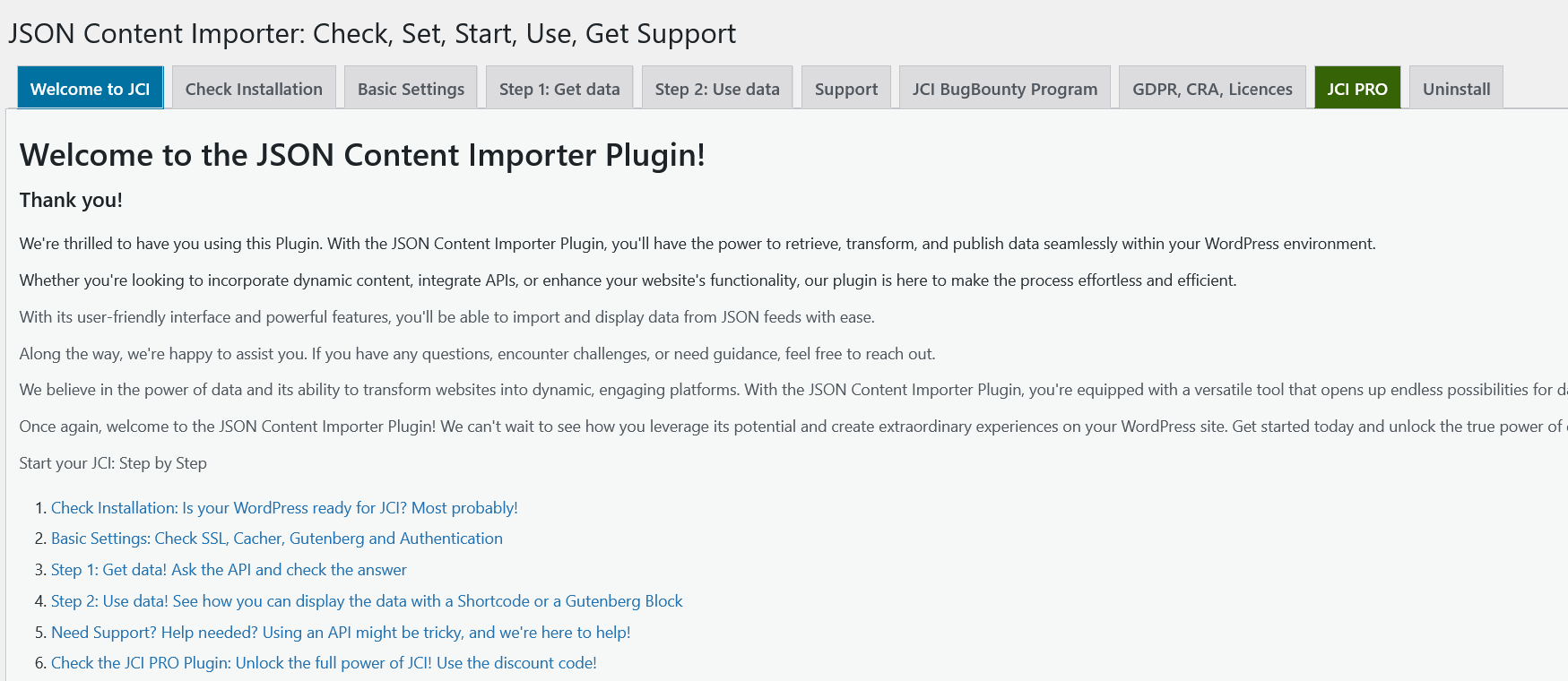
There’s a wealth of resources and support at your fingertips. Explore the articles listed below to begin your journey:
- JCI Manual
- Step 1: Access the Data
- Step 2: Using the Data
- Shortcode – Basic structure
- Contact Form 7 Integration
- Free JCI Plugin: Overview Videos
- Free JCI Plugin: Getting Started
You need more?
JSON Content Importer PRO
Both the free and PRO JCI Plugins serve the same purpose: retrieving data, transforming it, and publishing the results.
However, while the free Plugin can only handle basic challenges, the PRO JCI Plugin offers nearly full control over WordPress, the database, and applications.
Compare: Free vs. JCI PRO Plugin
PRO features:
* application building by creating a searchform and connect it to a JSON-API in the background: pass GET-Variables to use a dynamic JSON-Feed-URL (“talk to API / webservice”)
* much better and more flexible templateengine: twig
* create and use Custom Post Types
* store Templates independent of pages
* more Shortcode-Parameters
* executing Shortcodes inside a template
* more features…
Änderungsprotokoll
FIX: the block now works only for Administrators and Editors, and the API token is no longer shown to other users. Thanks to kta1kri HARDENING: TLS verification no longer disabled when sending API credentials
2.0.17
- FIX: Resolved two security issues in the block. The block now only works for Administrators and Editors; Authors and Contributors see an “access denied” message instead of a preview, and the API access token is no longer visible to non-administrators. We recommend updating. Thanks to https://github.com/kta1kri
- HARDENING: TLS verification no longer disabled when sending API credentials
- CHECK: Plugin ok with WordPress “Plugin Check (PCP)” version 2.1.0.
2.0.16
- FIX: Caching-Bug fixed
- REQUIRED: WordPress 6.9. required at least
- CHECK: Plugin ok with WordPress 7.1
- CHECK: Plugin compatible with WordPress “Plugin Check (PCP)” version 2.1.0.
2.0.15
- FIX: Quotation marks in HTML code within JSON data could cause broken output. Fixed.
- FIX: replaced utf8_encode with mb_convert_encoding
- CHECK: Plugin compatible with WordPress “Plugin Check (PCP)” version 2.0.0.
2.0.14
- IMPROVED: Characters like “%+.#@?&()[]{}|~$” are now supported in {start:ifNotEmptyAddRight:extratext}, {start:ifNotEmptyAddLeft:extratext}, {start:ifNotEmptyAdd:extratext} and {start:ifNotEmptyAddLeftRight:extratext_left##extratext_right##}. See https://doc.json-content-importer.com/json-content-importer/free-show-the-data/ for details.
- FIX: Replaced deprecated utf8_encode() with mb_convert_encoding().
- CHECK: Plugin compatible with WordPress “Plugin Check (PCP)” version 2.0.0.
2.0.13
- IMPROVED: Now the “Allow additional HTML tags” also works for the JCI Block
2.0.12
- IMPROVED: Starting with version 2.0.11, any HTML code present in the shortcode or block is filtered to prevent dangerous code (e.g. JavaScript) from being output. However, if you want to allow certain tags or attributes as a deliberate choice: In the plugin’s “Basic Settings” there is a field called “Allow additional HTML tags (advanced)”. There you can enter comma-separated tags that should not be filtered out. For example, “iframe,script” would preserve these two tags in the HTML output. “tr#onclick” would preserve the “onclick” attribute in ”, which would otherwise be removed.
Screenshots

Für Entwickler
Ist das dein Plugin? Zeigen Sie die Zahlen.
Fügen Sie Ihrer Website, Docs oder GitHub Readme ein Live-Badge hinzu. Es wird von selbst aktualisiert - kein Konto erforderlich.
Best Get Use APIs alternatives
Alle API-Plugins →





Fragen und Antworten
Get Use APIs – JSON Content Importer: quick answers
Gerade Antworten, gezogen von Live WordPress.org Daten.
Quelle: WordPress.org
Is Get Use APIs free?
Yes. Get Use APIs is free to download and use from the official WordPress.org plugin directory.
Is Get Use APIs safe to use in 2026?
Yes — Get Use APIs is a safe, well-maintained plugin to use in 2026. It runs on 5K+ sites, is rated 4.9/5 and was last updated 2 weeks ago, and scores 93/100 on our health check.
How many websites use Get Use APIs?
Get Use APIs is active on 5K+ WordPress websites and has been downloaded 419,441 times since it launched in January 2015. It was downloaded 4,589 times in the last 30 days.
Does Get Use APIs work with WordPress 7.1?
Yes. The developer has tested Get Use APIs up to WordPress 7.1.5, the latest release. It requires WordPress 6.9 or newer.
What PHP version does Get Use APIs need?
Get Use APIs requires PHP 7.0 or higher. Most hosts run PHP 8.x today, so it works on any modern WordPress hosting.
When was Get Use APIs last updated?
The latest version, 2.0.17, was released on November 6, 2026 (2 weeks ago).
Who makes Get Use APIs?
Get Use APIs is developed and maintained by berkux.
What are the best alternatives to Get Use APIs?
The most popular alternatives to Get Use APIs are WP Consent API (300K+ installs), Disable REST API (80K+ installs) and Mailgun for WordPress (80K+ installs).
Angetrieben von PageForge
Eine Vorlage und eine Tabelle. Eine echte Seite für jede Suche.
PageForge Verwandelt jede Zeile eines CSV in eine WordPress-Seite mit eigenem Titel, URL, SEO Felder und Schema entworfen. Kostenlos auf WordPress.org.
- CSV und XLSX, plus Google Sheets auf Beruf und Unternehmen
- seinen eigenen Titel, URL, SEO Felder und Schema für jede Seite
- Arbeitet mit dem Blockeditor, Elementor, Divi und Avada
- Kostenlos auf WordPress.org, keine Kreditkarte