


WP Activity Log
The #1 user-rated activity log plugin for event logging, activity monitoring and change tracking.

Escolha segura
Yes — WP Activity Log is a safe, well-maintained plugin to use in 2026. It runs on 300K+ sites, is rated 4.7/5 and was last updated 2 weeks ago, and scores 94/100 on our health check.
- Comprovado em escala em mais de 300 mil sites ativos
- Loved by users — 4.7/5 from 493 reviews
- Desenvolvido ativamente — última atualização 2 semanas atrás
- Testado com as últimas WordPress (7.1)
- Suporte responsivo — 86% dos tópicos recentes resolvidos
Como ele se acumula?
Lado a lado em instalações, atualizações, avaliações e suporte



Downloads diários
Os picos de download geralmente seguem uma nova versão — cada site que atualiza automaticamente é um download.
Rankings
Where WP Activity Log stands todayWordPress.org Classificações de pesquisa
Posição ao vivo na pesquisa de plugins, top 100| Palavra chave | Posição |
|---|---|
| Activity Log | #1 |
| event log | #1 |
| history | #6 |
| logger | #2 |
| user tracking | #5 |
Adoção da versão
Compartilhamento de sites ativos por lançamento.
Divisão de classificação
★★★★★★★★★★ 4.7 from 493 reviews
About WP Activity Log
From the official readme · v5.7.0Descrição
Monitor activity on your WordPress sites and get clear insights into what’s happening with detailed user and event logging.
Keep WordPress logs of everything that happens on your sites and multisite networks with WP Activity Log instantly, without writing a line of code.
- Easily detect suspicious activity on your WordPress site before it escalates
- Record failed login attempts to detect potential security breaches and strengthen site protection
- Track user logins and logouts to ensure SLAs are consistently met
- Monitor user activity and productivity to boost accountability
- Know exactly what all your users are doing in real time
- Know what happened before an outage for faster, easier troubleshooting
- Ensure compliance with regulations and standards like GDPR and PCI DSS
- Better manage & organize your site and users for smoother operations
- Simple setup ensures you start benefiting quickly and easily
WP Activity Log is a complete logging solution, helping hundreds of thousands of administrators and security professionals track changes on their websites thanks to real-time user activity monitoring.
💎 Need more extensive features? Unlock advanced reporting, exports/mirroring, session management, and real-time alerts with WP Activity Log premium or enterprise.
What WordPress changes WP Activity Log tracks
A website activity log is important for improving troubleshooting, compliance, user management, and security.
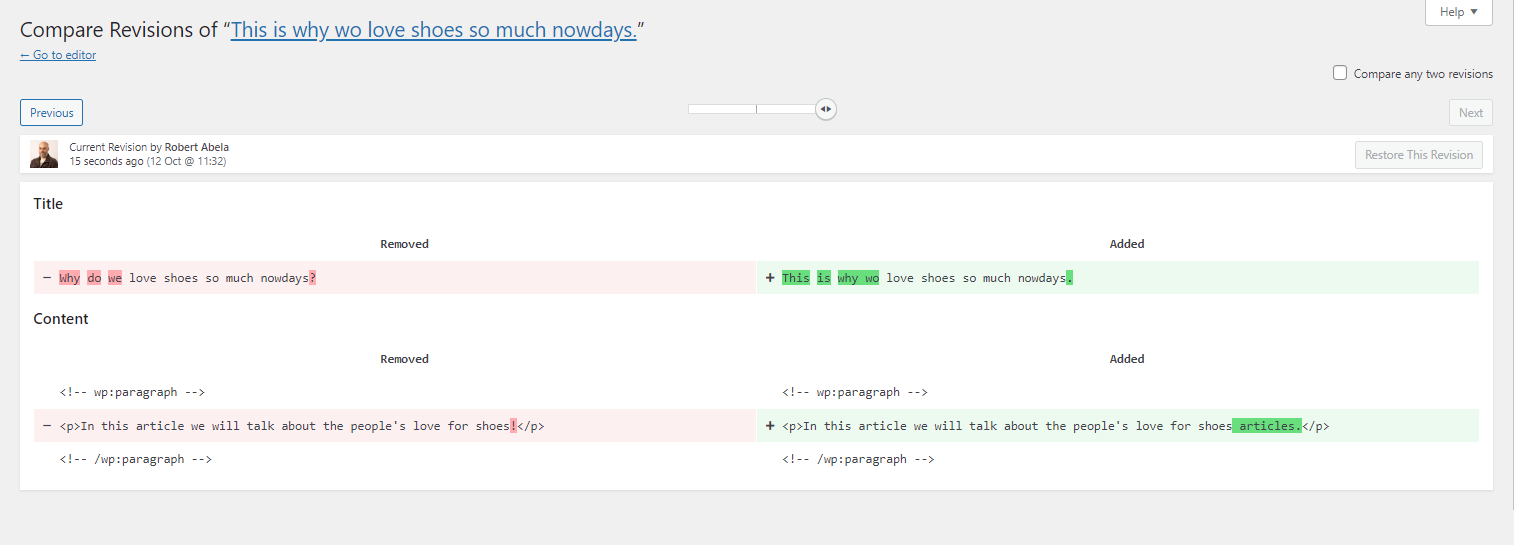
Get WP Activity Log and keep track of events on your site. The log not only tells you that a post, a user profile, or an object was updated, it also lets you know exactly what changed, when, and includes a user log (by whom), so you always have the information you need.
Below is a summary of the changes that the plugin can keep a record of:
-
Post, page, and custom post type changes: Status, content changes, title, URL, custom field, and other metadata changes
-
Tags and category changes: Creating, modifying, deleting, and adding/removing them from posts
-
Widget and menu changes: Creating, modifying, or deleting them
-
User changes: User created or registered, deleted, or added to a site on multisite network
-
User profile changes: Password, email, display name, and role changes
-
Access logging: User login, logout, failed logins, and terminating other sessions
-
WordPress core and settings changes: Installed updates, permalinks, default role, URL, and other site-wide changes
-
WordPress multisite network changes: Adding, deleting, or archiving sites, adding or removing users from sites, etc.
-
Plugin and Theme changes: Installing, activating, deactivating, uninstalling, and updating
-
WordPress database changes: When a plugin adds or removes a table
-
Third-party plugin changes: WooCommerce Stores & products, Yoast SEO, RankMath, Termly, WPForms, Gravity Forms, Advanced Custom Fields (ACF), MainWP, ManageWP, WP Umbrella, and other popular WordPress plugins
-
WordPress site file changes: New files added, or existing files modified or deleted.
Event details recorded
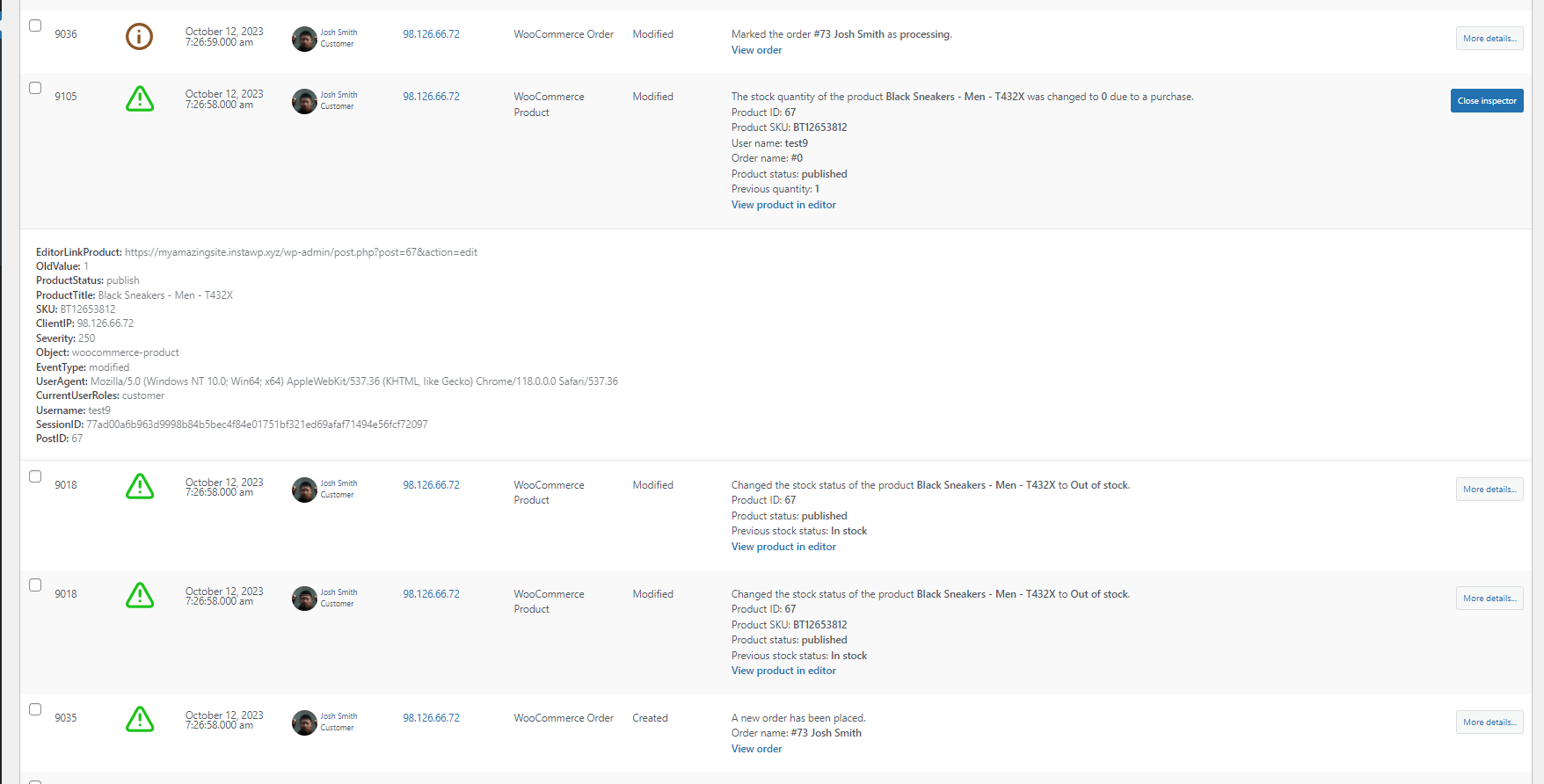
Detailed event logging ensures that for every event that the plugin records, it reports the:
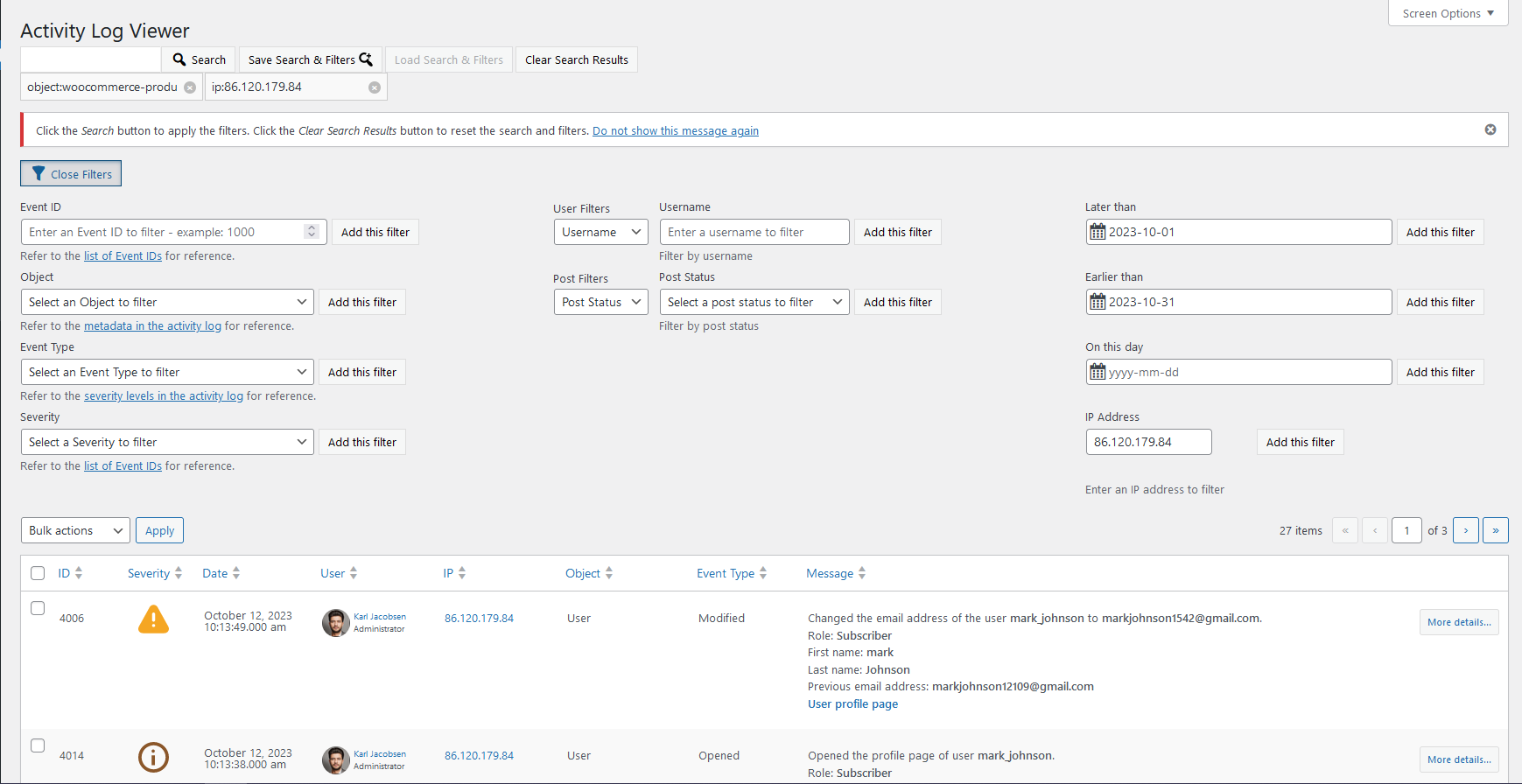
- Date & time (and milliseconds) of when it happened
- User & role of the user who did the change
- Source IP address from where the change happened
- The object on which the change has taken place
Refer to WordPress activity log event IDs for a complete list of all the changes WP Activity Log can keep a record of and a detailed explanation of what change every event ID represents.
💎 Upgrade to WP Activity Log Premium and get even more
The premium edition of WP Activity Log takes WordPress user activity tracking to the next level. It comes bundled with even more features, including log mirroring, enterprise-grade support, user session management, and much more!
Premium features list
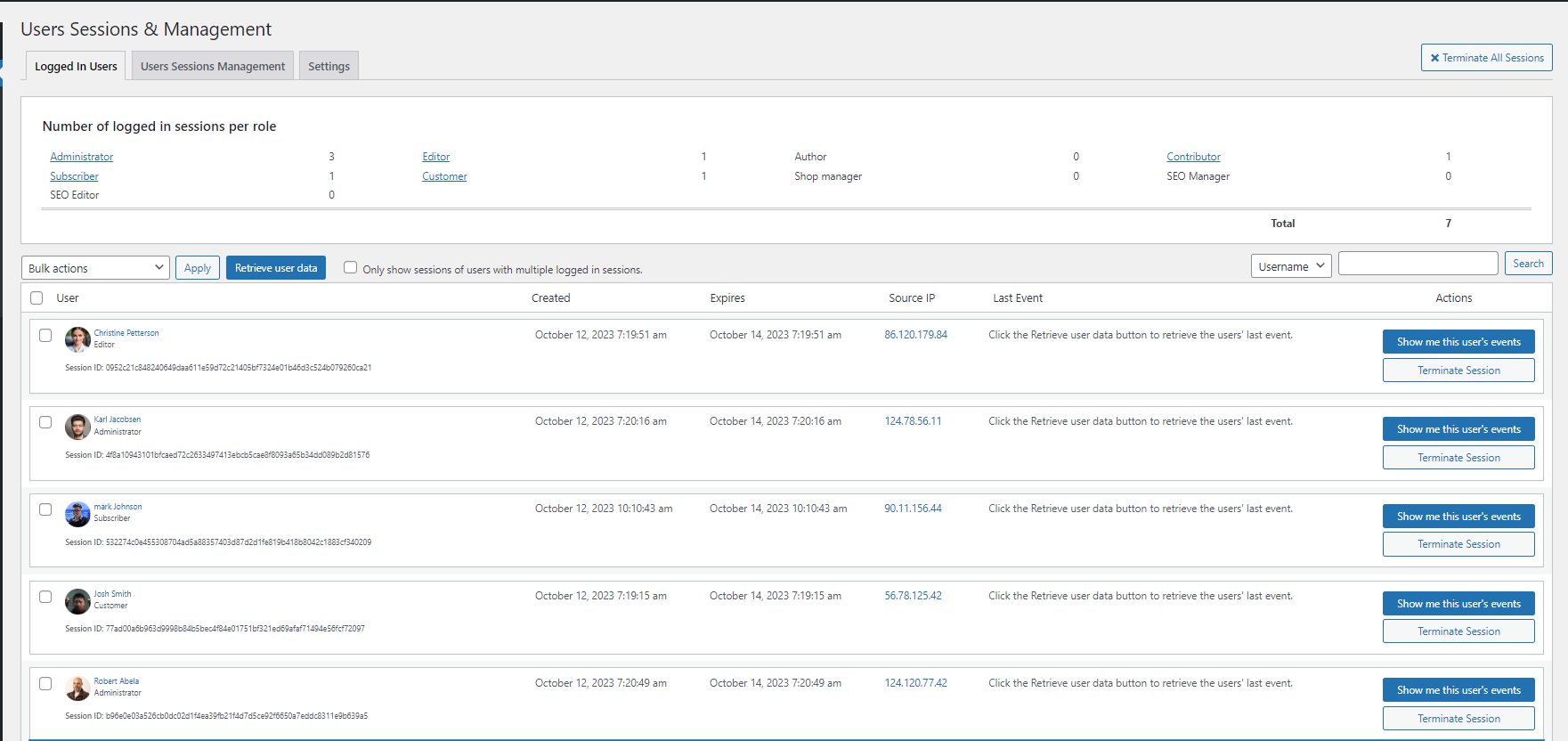
- See who is logged in and monitor their current activities in real-time
- Log off any user at the click of a button
- Generate fully-configurable HTML and CSV reports for easy data analysis
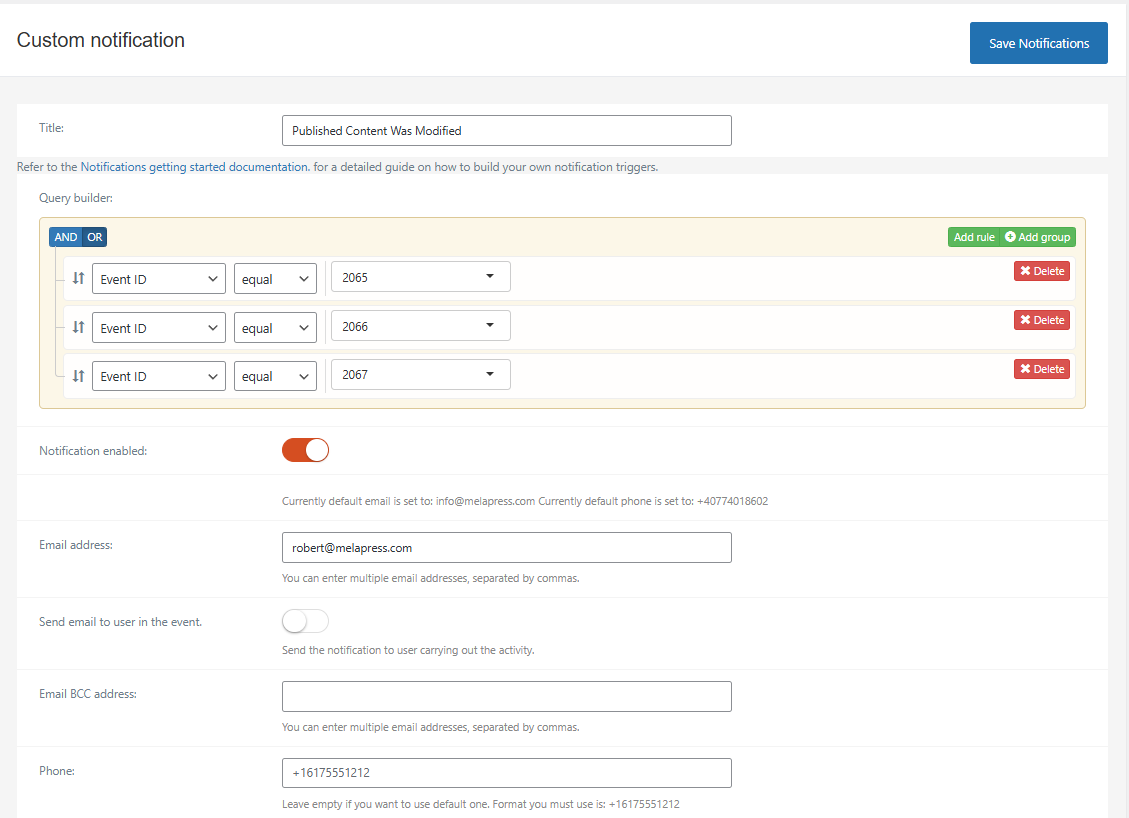
- Receive email, SMS, and Slack notifications for important changes (fully configurable)
- Use search filters to fine-tune results and find what you need in seconds
- Store the activity logs in an external database to enhance security and scalability
- Mirror the activity log to log management systems such as AWS CloudWatch, Loggly, Papertrail, and others in real-time
- Mirror the logs to business communication systems like Slack
- Send a copy of your website’s activity log to a log file on your web server
- Archive old activity log data to another database for improved storage and log management
- Add notes to activity log entries for better context and internal documentation
Refer to the WP Activity Log plugin features and benefits page to learn more about the benefits of upgrading to WP Activity Log Premium.
🔌 WP Activity Log third-party plugin support
All WP Activity Log editions include activity tracking for third-party plugins, including (in alphabetical order):
- Advanced Custom Fields (ACF) – Log changes to post types, taxonomies, and taxonomy terms
- bbPress – Track changes to forums, topics, and bbPress settings
- Gravity Forms – Track changes to Gravity Forms settings, forms, and entries (leads)
- LearnDash – Track changes to courses, lessons, and other system changes, as well as student activity such as course, lesson, and quiz enrollments and completions.
- MemberPress – Log changes to plugin settings, memberships, payments, subscriptions, and other actions
- Multisite & management tools – Track changes across your network for MainWP, ManageWP, Modular DS, Infinite WP, WP Umbrella, WP Remote, and other multisite management plugins
- Paid Membership Pro – Log changes to membership levels, user assignments, and more. Premium users can also track order and checkout activity, and access a Members Activity panel inside each member’s profile for instant visibility into recent actions.
- RankMath – Log changes to RankMath settings, SEO configurations, and on-page SEO edits
- Redirection – Keep a log of changes to redirections and redirection groups
- Termly – Log changes to Termly settings and configurations
- WooCommerce – Keep a log of changes to store settings, orders, products, coupons, and more
- WPForms – Log changes to WPForms settings, forms, form files, and entries (leads)
- Yoast SEO – Track changes to Yoast SEO settings and on-page SEO in the Yoast SEO meta box
Extra Features for Enhanced Monitoring and Management
Both free and premium editions of WP Activity Log include a number of non-logging specific features that make the plugin a complete WordPress monitoring solution. Here is what is included:
Livre
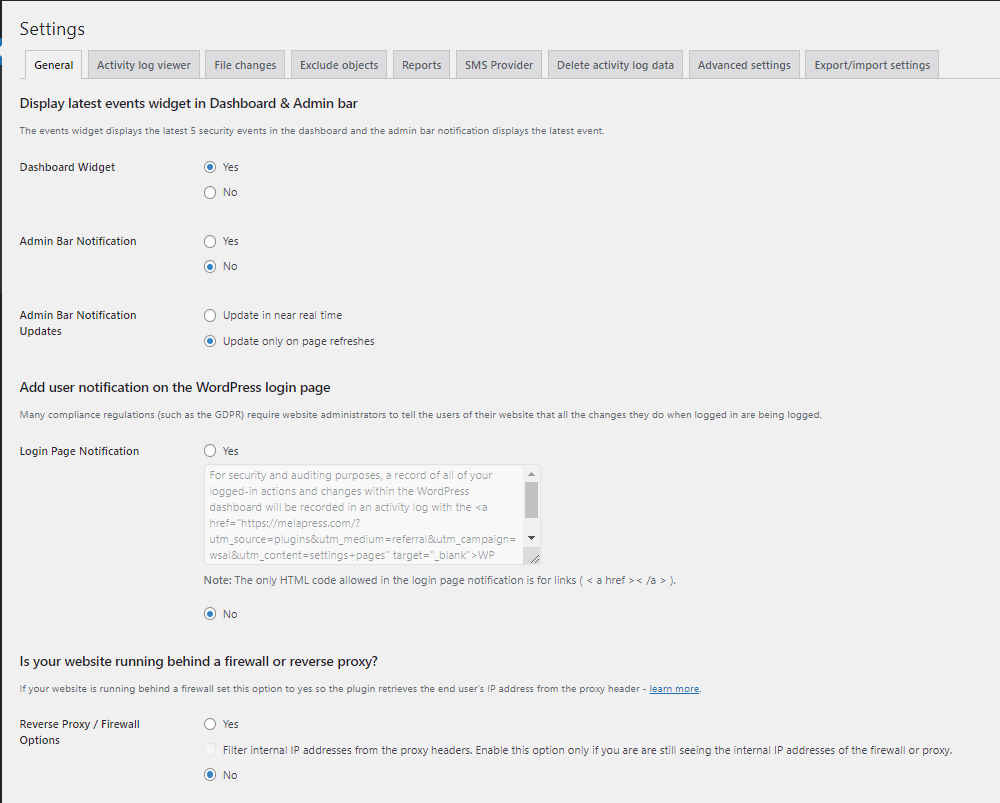
- Built-in support for reverse proxies and web application firewalls
- Integration with WhatIsMyIpAddress.com – get all information about an IP address with a single click
- Limit who can view the WordPress activity log by users or roles
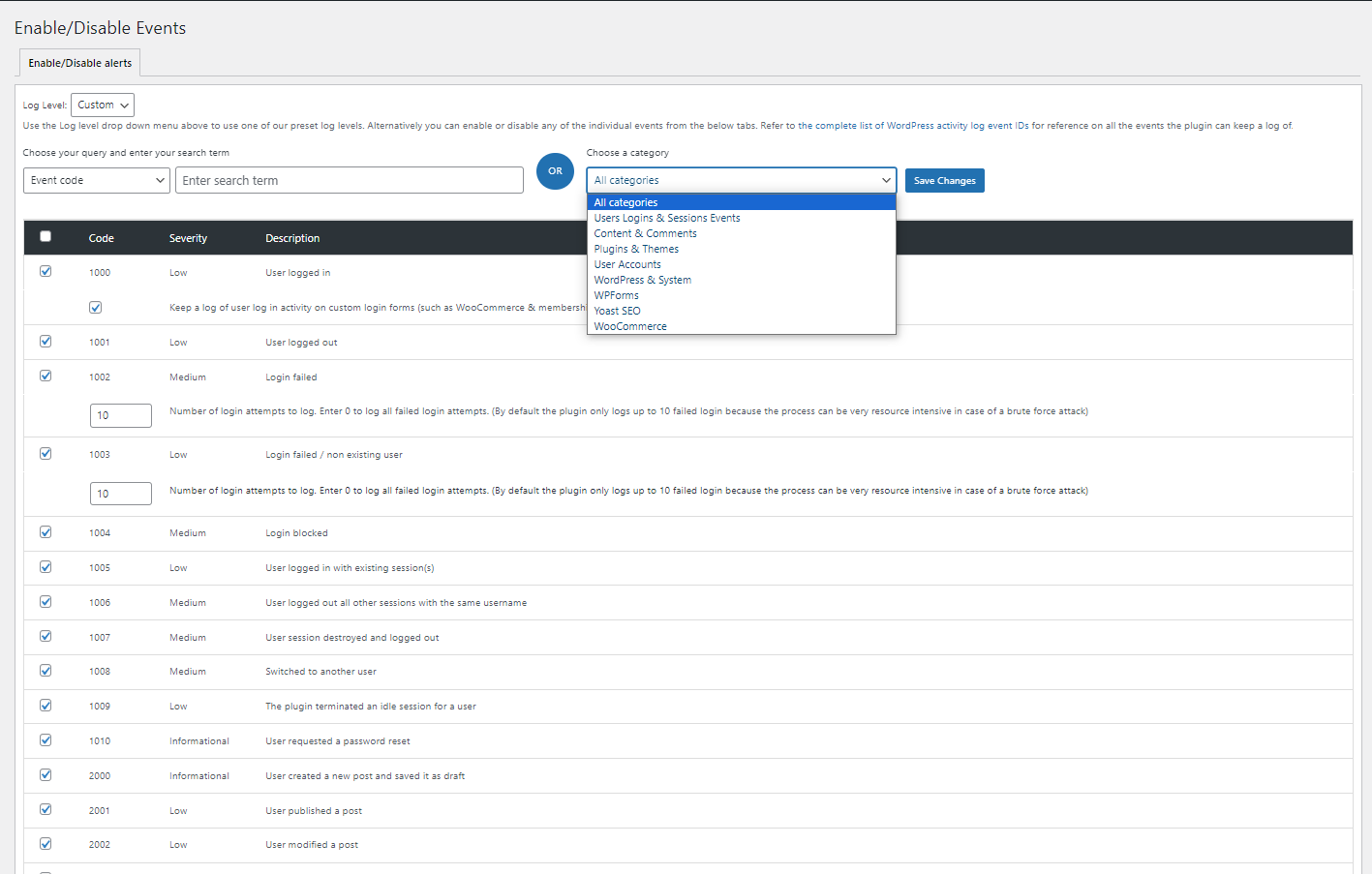
- Enable or disable individual event IDs from the activity log
- Configurable dashboard widget highlighting the most recent critical activity
- Configurable WordPress activity log retention policies
- Display user avatars in events for better recognizability
- And much more!
Premium
Everything that’s included in the Free edition, plus:
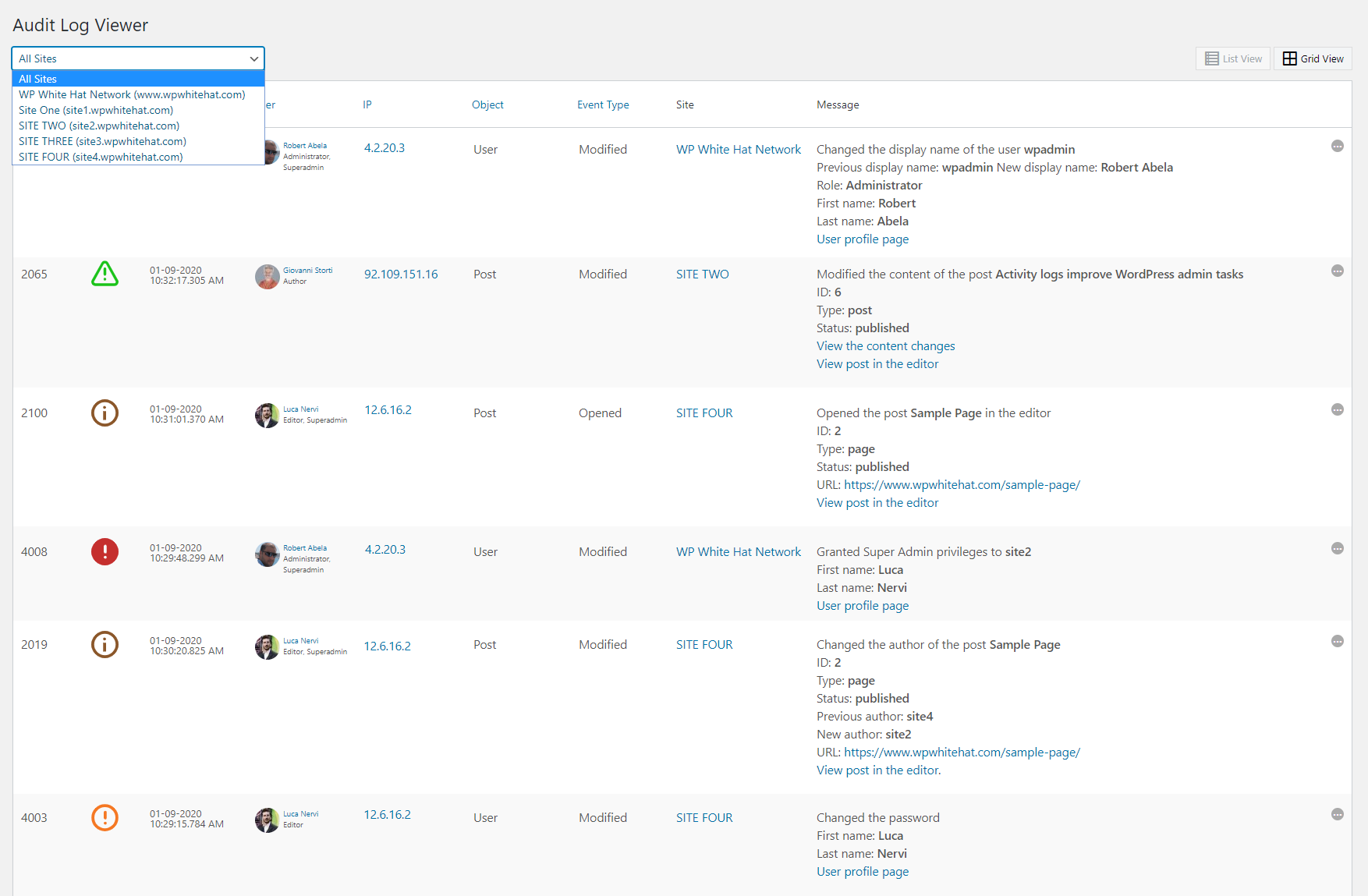
- Full WordPress multisite support
- Create custom alerts & notifications to monitor additional functionality
- Import and export plugin settings
- Real-time activity log visible in the WordPress admin toolbar
- And much more!
🛠️ Free and premium plugin support
If you encounter any issues with the free edition of WP Activity Log, you can post and get help on the WordPress.org support forums. You can also find more technical information and plugin documentation on the Melapress knowledge base.
Premium plugins include a full year of free updates and dedicated one-to-one premium email support. This means you get direct access to our support team who will assist you with any questions or issues related to the plugins.
As featured on:
- Kinsta
- Pagely
- Shout Me Loud
- The Dev Couple
- WPKube
- Techwibe
- Tidy Repo
- KitPloit
- and many others.
MAINTAINED & SUPPORTED BY MELAPRESS
Melapress develops high-quality WordPress management and security plugins such as Melapress Login Security, WP 2FA, and Melapress Role Editor.
Browse our list of WordPress security and administration plugins to see how our plugins can help you better manage and improve the security and administration of your WordPress websites and users.
Installing WP Activity Log
Install WP Activity Log from within WordPress
- Visite 'Plugins> Adicionar novo'
- Search for ‘WP Activity Log’
- Install and activate the WP Activity Log plugin
- Allow or skip diagnostic tracking
Install WP Activity Log manually
- Extract the plugin ZIP file and upload it to the
/wp-content/plugins/directory - Activate the WP Activity Log plugin from the ‘Plugins’ menu in WordPress
- Allow or skip diagnostic tracking
Log de Changes
5.7.0 (2026-11-05)
-
New feature & functionality
- Added support for Atarim AI agent; plugin reports “AI Agent” in the activity log when changes are done by Atarim’s AI agent.
-
Security fix
- Fixed a cross-site scripting (XSS) issue in activity log. Thanks to Mateusz Będziński for responsibly reporting this issue.
-
Functionality & plugin improvements
- Improved MySQL connection errors when testing or saving a connection. Messages now explain the reason for failure and clarify that the database must already exist. Also improved message translation support and handling of user-entered values.
- Prevented the connection wizard from closing when clicking outside it, so entered details are not lost.
- Added a dismissible Black Friday banner, scheduled to appear from November 17 through December 1.
- Clarified the reports email-domain filter instructions: use
@example.comto match the exact domain. - Removed references to unsupported JSON and PDF report formats. Reports remain available in CSV and HTML.
- Improved text handling in generated HTML reports while preserving report content and formats.
- Updated user and IP address lookups in settings to respect WP Activity Log access restrictions and site boundaries on multisite.
- Reduced unnecessary plugin inventory scans on unrelated admin pages, including User Sessions.
- Improved custom notifications sent to the user carrying out an activity. These now work with default recipients and are sent separately to keep other recipient addresses private. Users already included in the recipients receive only one email.
-
Correções de bugs
- Fixed archiving deleting source events and metadata when writes to the archive database fail. Failed writes now report an error instead of indicating success.
- Fixed archiving and storage migration overwriting existing destination events and metadata when database row IDs overlap.
- Fixed multisite settings saved as
falsebeing ignored when the network option had not previously been saved, including the Cleanup expired session data setting. - Fixed the fatal error
Call to undefined function wsal_freemius()during plugin initialization. - Fixed post deletion event
2008showing “Unknown User” instead of “System” when no user is logged in, including deletions through Action Scheduler and direct scheduled-cleanup calls. - Fixed activity log searches applying only the last wildcard username filter and discarding exact usernames entered alongside wildcard patterns.
- Fixed theme update event
5031showing the previous version as the new version after a WordPress automatic theme update. - Fixed the PHP 8.5 deprecation notice
Using null as an array offset is deprecatedwhen displaying recent events in the dashboard widget. - Fixed the PHP warning
Undefined array key "catalog_visibility"when WooCommerce product variations are created through the REST API. - Fixed plugin and theme updates performed by WP Engine Smart Plugin Manager being logged as installations. They now use update events
5004and5031, with the previous plugin version included in event5004.
Refer to the complete plugin changelog for more detailed information about what was new, improved and fixed in previous version updates of WP Activity Log.
Capturas de tela

Para desenvolvedores
Este é o seu plugin? Mostre os números.
Adicione um crachá ao vivo ao seu site, Documentos ou Readme do GitHub. Ele é atualizado por conta própria - nenhuma conta necessária.
Best WP Activity Log alternatives
All Activity Log plugins →





FAQ
WP Activity Log: quick answers
Respostas diretas, extraídas de dados ao vivo WordPress.org.
Fonte: WordPress.org
Is WP Activity Log free?
Yes. WP Activity Log is free to download and use from the official WordPress.org plugin directory.
Is WP Activity Log safe to use in 2026?
Yes — WP Activity Log is a safe, well-maintained plugin to use in 2026. It runs on 300K+ sites, is rated 4.7/5 and was last updated 2 weeks ago, and scores 94/100 on our health check.
How many websites use WP Activity Log?
WP Activity Log is active on 300K+ WordPress websites and has been downloaded 10,446,451 times since it launched in May 2013. It was downloaded 360,500 times in the last 30 days.
Does WP Activity Log work with WordPress 7.1?
Yes. The developer has tested WP Activity Log up to WordPress 7.1.5, the latest release. It requires WordPress 5.5 or newer.
What PHP version does WP Activity Log need?
WP Activity Log requires PHP 7.4 or higher. Most hosts run PHP 8.x today, so it works on any modern WordPress hosting.
When was WP Activity Log last updated?
The latest version, 5.7.0, was released on November 5, 2026 (2 weeks ago).
Who makes WP Activity Log?
WP Activity Log is developed and maintained by Melapress.
What are the best alternatives to WP Activity Log?
The most popular alternatives to WP Activity Log are Activity Log (200K+ installs), Stream (70K+ installs) and Shield Security (30K+ installs).
Alimentado por PageForge
Um modelo e uma planilha. Uma página real para cada pesquisa.
PageForge Transforma cada linha de um CSV em uma página WordPress com seu próprio título, URL, SEO campos e esquema, construído no layout que você já desenhou. Gratuito em WordPress.org.
- CSV e XLSX, mais Google Sheets em Profissional e Empresarial
- Seu próprio título, URL, SEO campos e esquema para cada página
- Funciona com o editor de blocos, Elementor, Divi e Avada
- Gratuito em WordPress.org, sem cartão de crédito