


Stylish Google Sheet Reader – Embed Google Sheets as Interactive Tables with Built-in Form Submissions
Effortlessly create responsive, searchable, auto-refreshable data tables — now with built-in form submissions to receive orders or inquiries directly.

Use com cautela
Stylish Google Sheet Reader works, but test it on a staging site before relying on it in 2026. It runs on 200+ sites, is rated 3.3/5 and was last updated 6 months ago, and scores 59/100 on our health check.
- Pequena base de usuários (mais de 200 instalações ativas)
- Mixed reviews — 3.3/5 from 12 ratings
Como ele se acumula?
Lado a lado em instalações, atualizações, avaliações e suporte



Downloads diários
Os picos de download geralmente seguem uma nova versão — cada site que atualiza automaticamente é um download.
Rankings
Where Stylish Google Sheet Reader stands todayWordPress.org Classificações de pesquisa
Posição ao vivo na pesquisa de plugins, top 100| Palavra chave | Posição |
|---|---|
| datatables | #38 |
| embed google sheets | #8 |
| Order Forms | >100 |
| Table Builder | >100 |
| WP Table Plugin | >100 |
Adoção da versão
Compartilhamento de sites ativos por lançamento.
Divisão de classificação
★★★★★★★★★★ 3.3 from 12 reviews
About Stylish Google Sheet Reader
From the official readme · v5.3Descrição
Effortlessly create responsive, searchable, auto-refreshable data tables — now with built-in form submissions to receive orders or inquiries directly.
Create Fully Customizable, Responsive, and Up-to-date Data Tables from Google Sheets
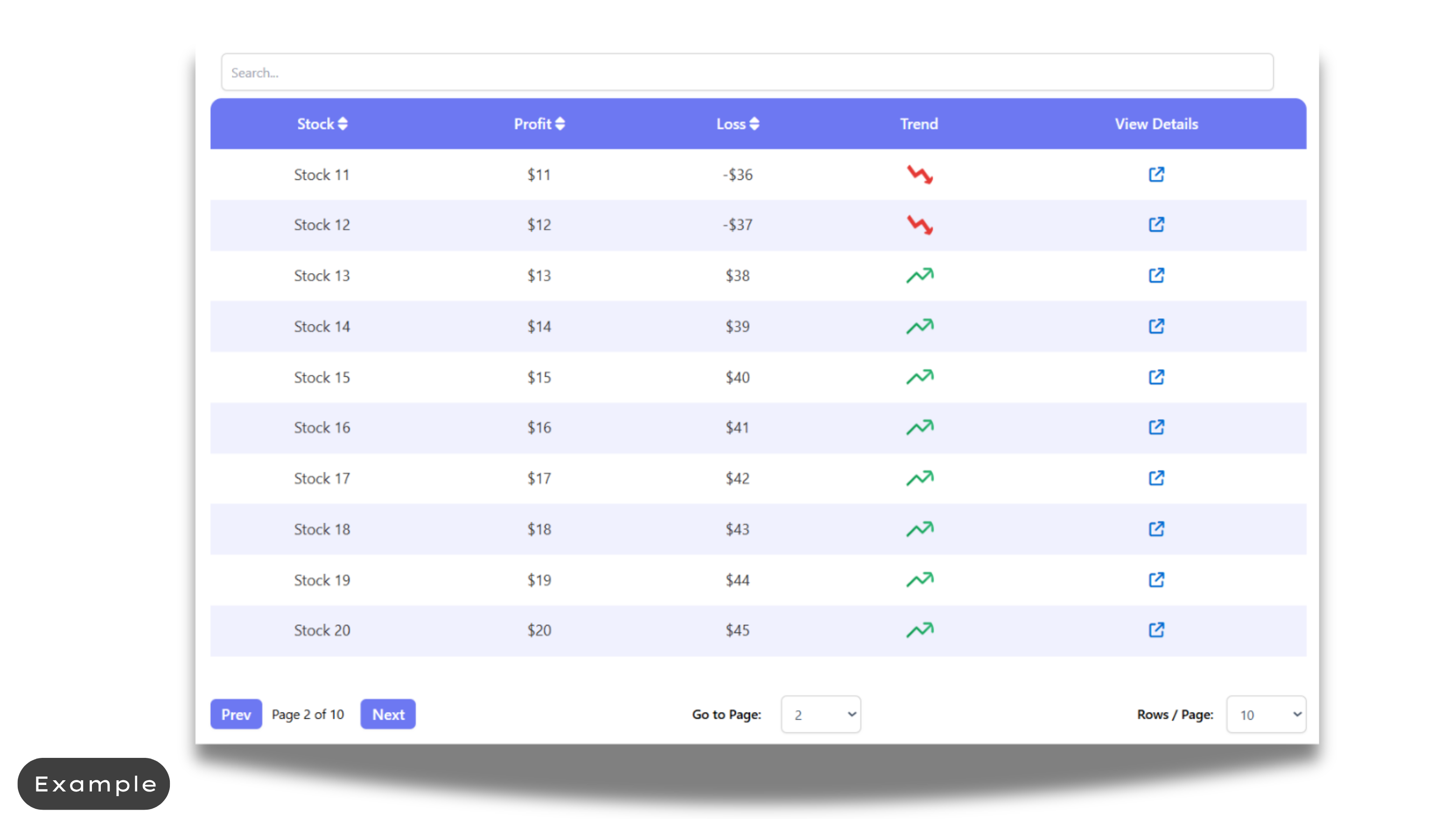
The Stylish Google Sheet Reader plugin for WordPress makes it easy to convert Google Sheets data into fully responsive, interactive data tables on your website. The new Version 5.0 comes with enhanced features, allowing you to personalize the look of your tables, manage multiple sheets effortlessly, and customize every detail to match your website’s theme.
Key Features of Version 5.1
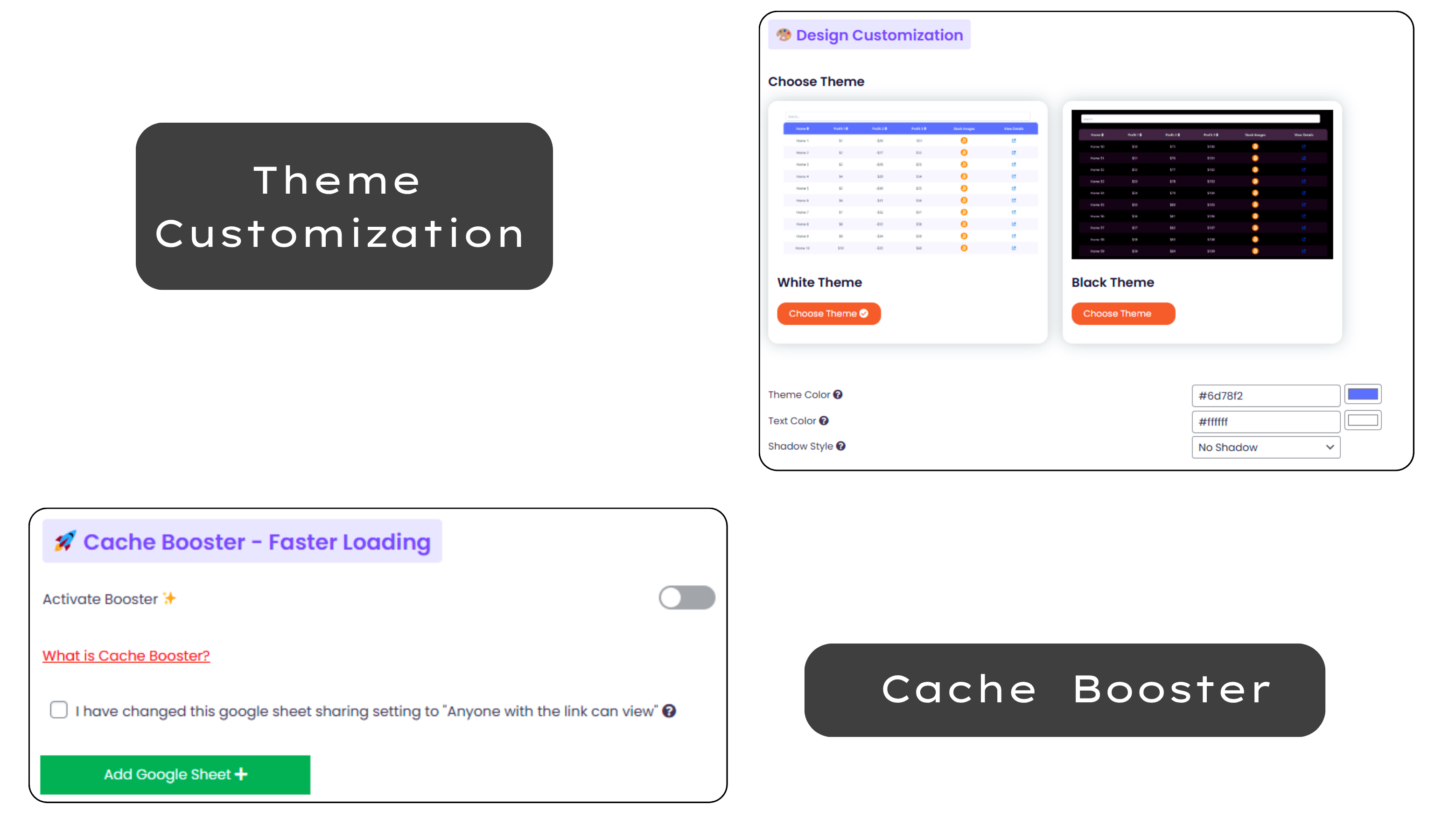
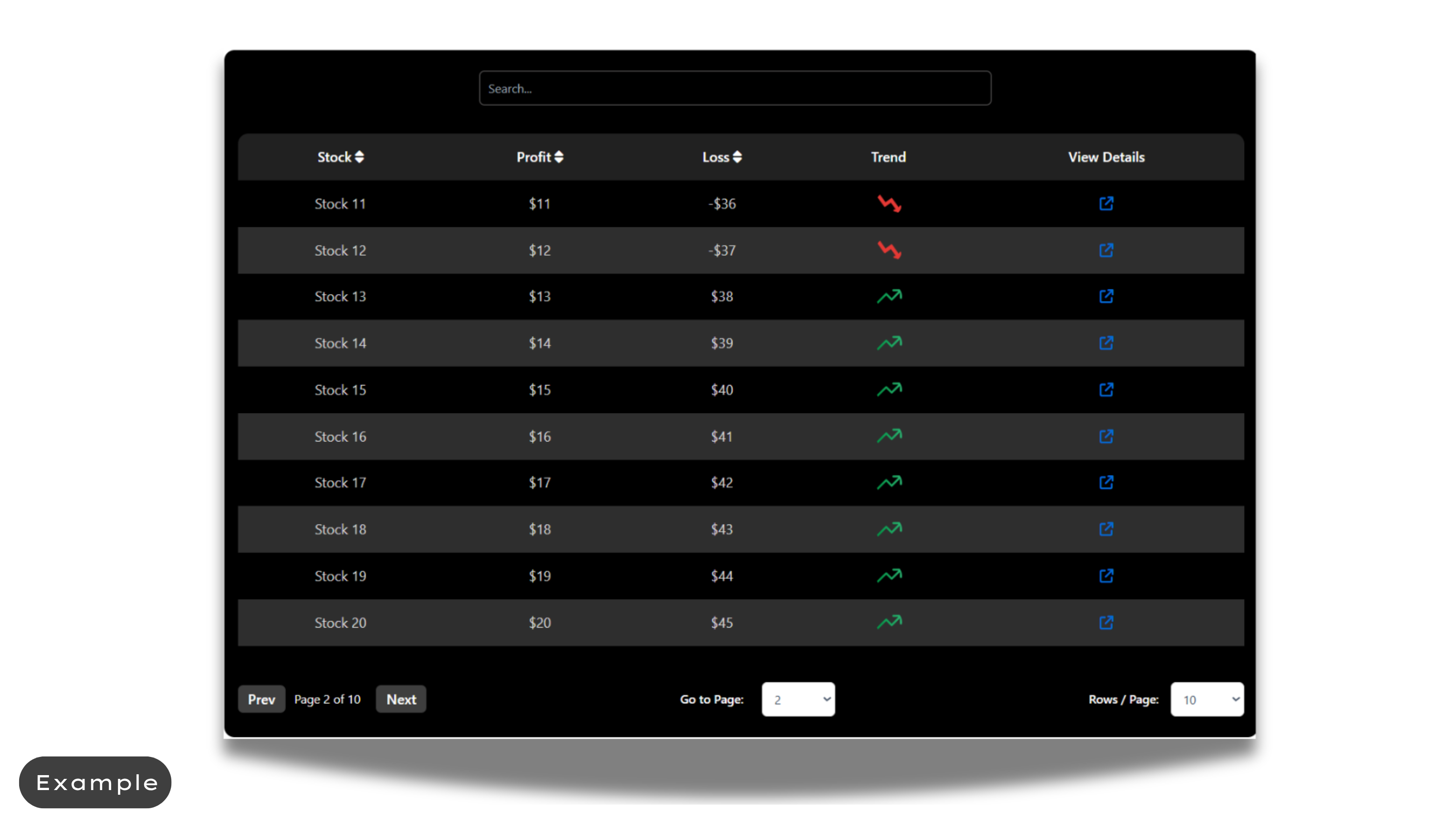
- Theme Customization: Choose between different themes such as White or Black, and further tweak background colors, text colors, and table styles to perfectly fit your website’s design.
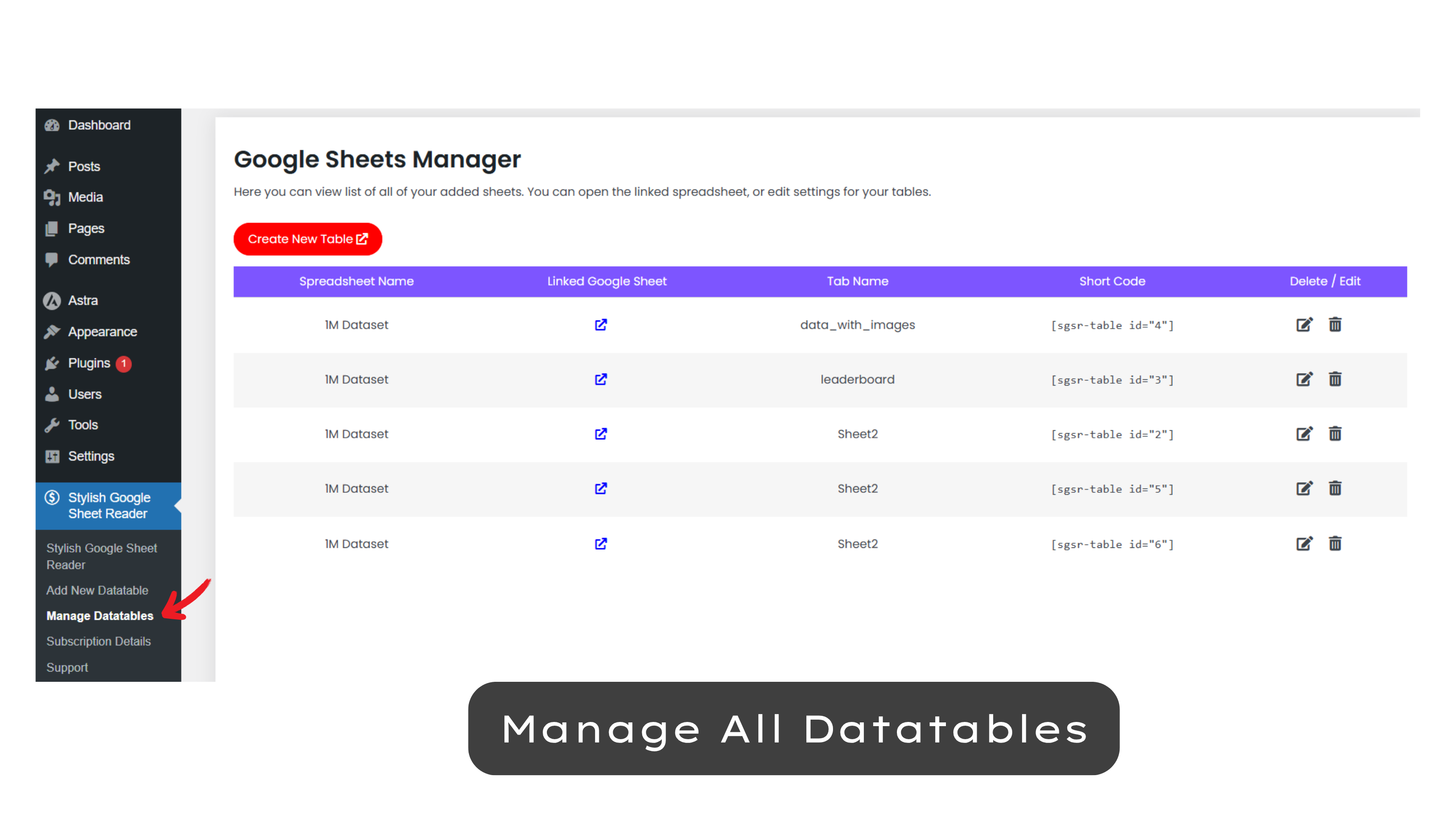
- Manage Multiple Sheets: Easily add, edit, and organize all your Google Sheets from one central menu.
- Advanced Styling Options: Adjust elements like border-radius, shadow effects, and custom scrollbars for a more modern and sleek table design.
- Mobile Responsiveness: Ensure your tables are fully functional and easy to read on any device, with enhanced mobile-friendly features.
- Cache Booster: Activate the cache booster for faster loading times, especially beneficial for large datasets.
- Auto Refresh: Enable auto-refresh for live data updates.
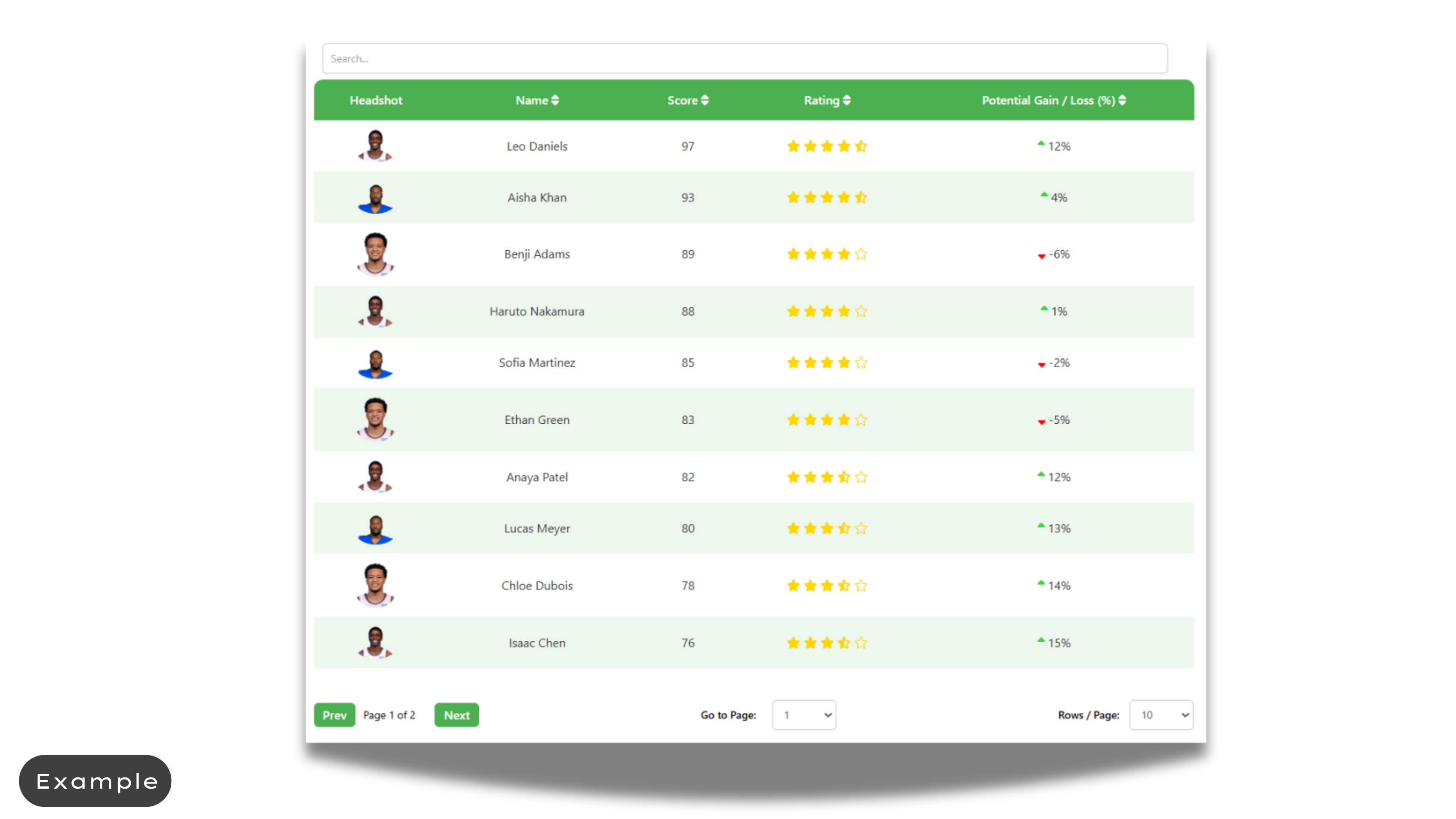
- Rich Content Support: Display images, badges, and hyperlinks within your tables to enhance the presentation and interactivity.
- Form Submissions (NEW): Add dropdowns, input fields, and checkboxes directly inside your tables. Users can select rows, enter details, and submit orders, inquiries, or feedback through the built-in submission form — no third-party forms required.
- Powerful Sorting & Searching: Efficiently sort and search through large datasets, even with thousands of rows, ensuring quick access to the information you need.
Who Can Use Form Submissions?
The new built-in submission feature opens up powerful possibilities:
- E-commerce stores – Allow customers to select products from your datatable, specify quantities, and send an order form directly.
- Service providers – Collect bookings, appointments, or project details directly from a service listing table.
- Educational platforms – Let students select courses or training sessions and submit their enrollment details.
- Event organizers – Enable participants to choose sessions or ticket options and confirm attendance with a simple form.
- Internal teams – Use it as a lightweight internal tool to collect team inputs, inventory requests, or approvals without needing a separate form builder.
Full Documentation:
Explore our extensive documentation for the Stylish Google Sheet Reader plugin. You’ll find detailed guides, advanced features, and troubleshooting tips to help you maximize the plugin’s potential. Whether you’re just getting started or looking to dive into advanced capabilities, our documentation provides everything you need to create and manage responsive, dynamic data tables with ease.
View the Stylish Google Sheet Reader Documentation
Why Upgrade to Stylish Google Sheet Reader Pro?
For users who need more advanced functionalities, Stylish Google Sheet Reader Pro offers:
- Unlimited Sheets Integration: No limits on the number of Google Sheets you can connect and manage.
- Pro-Level Customization: Gain access to premium styling options, including skin changes and more detailed customization controls.
- Priority Support: Enjoy priority access to our support team and live chat for any help or troubleshooting.
Plugin Usage Data
To ensure continuous improvement, the plugin may collect non-sensitive usage data, helping us to identify and resolve issues effectively.
Instalação
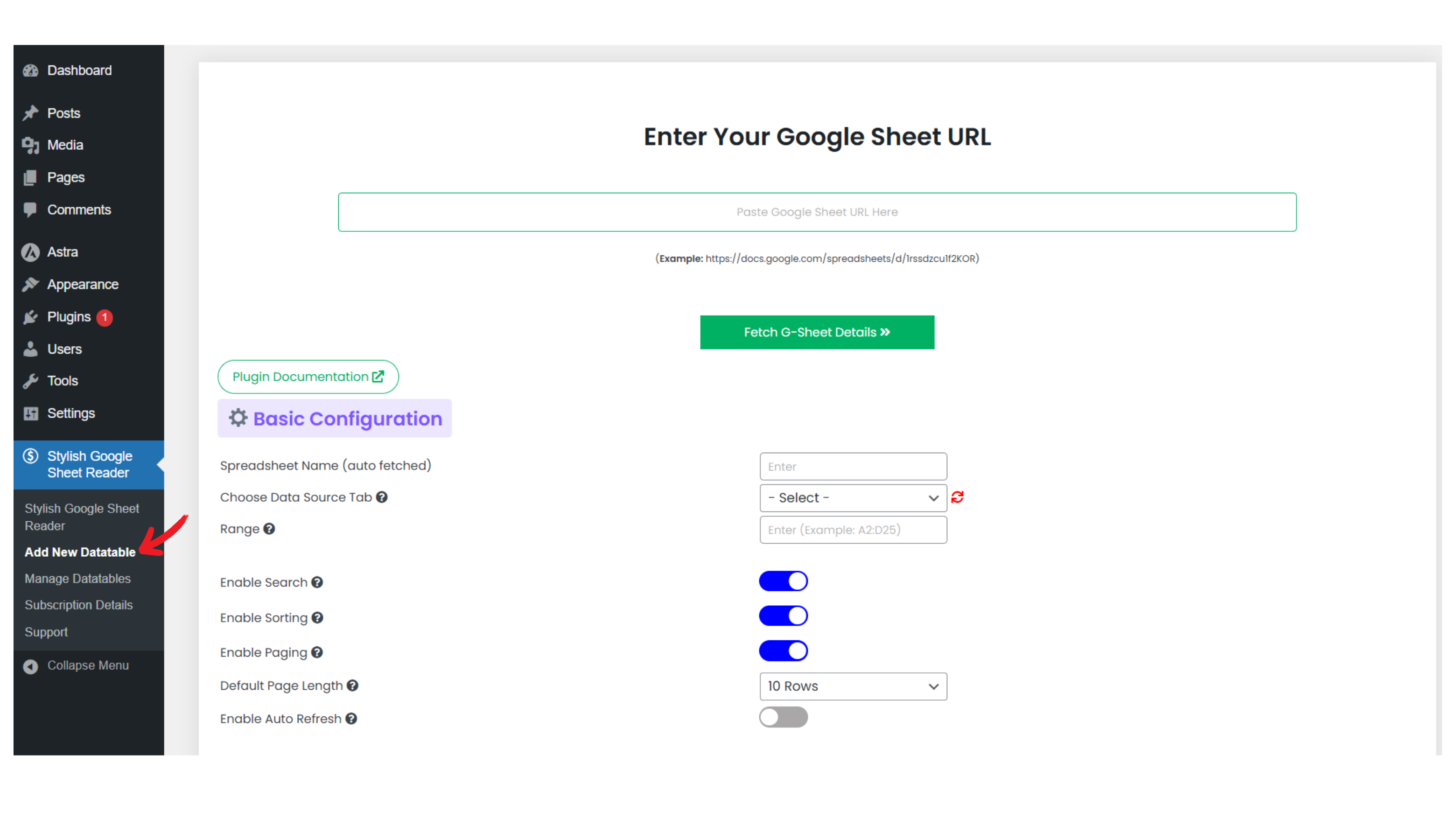
Installing the plugin is simple:
- WordPress Admin Installation:
- Navigate to Plugins -> Add New -> Search for “Stylish Google Sheet Reader”, and click Install.
- Manual Installation:
- Download the plugin as a ZIP file and upload it via the WordPress Admin panel.
- Alternatively, extract the ZIP and upload the contents to your
/wp-content/plugins/directory via FTP.
- Activate the plugin through the ‘Plugins’ menu.
Capturas de tela
Para desenvolvedores
Este é o seu plugin? Mostre os números.
Adicione um crachá ao vivo ao seu site, Documentos ou Readme do GitHub. Ele é atualizado por conta própria - nenhuma conta necessária.
Best Stylish Google Sheet Reader alternatives
All datatables plugins →




FAQ
Stylish Google Sheet Reader: quick answers
Respostas diretas, extraídas de dados ao vivo WordPress.org.
Fonte: WordPress.org
Is Stylish Google Sheet Reader free?
Yes. Stylish Google Sheet Reader is free to download and use from the official WordPress.org plugin directory.
Is Stylish Google Sheet Reader safe to use in 2026?
Stylish Google Sheet Reader works, but test it on a staging site before relying on it in 2026. It runs on 200+ sites, is rated 3.3/5 and was last updated 6 months ago, and scores 59/100 on our health check.
How many websites use Stylish Google Sheet Reader?
Stylish Google Sheet Reader is active on 200+ WordPress websites and has been downloaded 21,157 times since it launched in July 2021. It was downloaded 318 times in the last 30 days.
Does Stylish Google Sheet Reader work with WordPress 7.1?
Stylish Google Sheet Reader is officially tested up to WordPress 7.0.9, while the latest release is 7.1.5. It may still work, but try it on a staging site first.
What PHP version does Stylish Google Sheet Reader need?
Stylish Google Sheet Reader requires PHP 5.6 or higher. Most hosts run PHP 8.x today, so it works on any modern WordPress hosting.
When was Stylish Google Sheet Reader last updated?
The latest version, 5.3, was released on June 5, 2026 (6 months ago).
Who makes Stylish Google Sheet Reader?
Stylish Google Sheet Reader is developed and maintained by wppluginboxdev.
What are the best alternatives to Stylish Google Sheet Reader?
The most popular alternatives to Stylish Google Sheet Reader are WP DataTable (500+ installs), Table Editor (100+ installs) and SheetFusion (50+ installs).
Alimentado por PageForge
Um modelo e uma planilha. Uma página real para cada pesquisa.
PageForge Transforma cada linha de um CSV em uma página WordPress com seu próprio título, URL, SEO campos e esquema, construído no layout que você já desenhou. Gratuito em WordPress.org.
- CSV e XLSX, mais Google Sheets em Profissional e Empresarial
- Seu próprio título, URL, SEO campos e esquema para cada página
- Funciona com o editor de blocos, Elementor, Divi e Avada
- Gratuito em WordPress.org, sem cartão de crédito