


Painterro
Paste screenshots and edit images directly in your wordpress admin area. Use Painterro button in visual editor for images editing.

Considere uma alternativa
Painterro shows warning signs in 2026 — compare the alternatives below before installing. It runs on 10+ sites and was last updated 1 year ago, and scores 26/100 on our health check.
- Pequena base de usuários (10+ instalações ativas)
- Muito poucos comentários até agora
- Nenhuma atualização em mais de um ano
- Only tested up to WordPress 5.5 (latest is 7.1)
Como ele se acumula?
Lado a lado em instalações, atualizações, avaliações e suporte


Downloads diários
Os picos de download geralmente seguem uma nova versão — cada site que atualiza automaticamente é um download.
Rankings
Where Painterro stands todayWordPress.org Classificações de pesquisa
Posição ao vivo na pesquisa de plugins, top 100| Palavra chave | Posição |
|---|---|
| crop | >100 |
| image | >100 |
| Image editor | >100 |
| paint | >100 |
Adoção da versão
Compartilhamento de sites ativos por lançamento.
About Painterro
From the official readme · v1.2.92Descrição
Paste screenshots and edit images directly in your wordpress admin area. Use Painterro button in visual editor for images editing. Absolutely free and open source. Painterro js paint features review on hinty Painterro Demo With Painterro you can: – Paste image from clipboard (e.g. screenshot), drag and drop it into widget, or load with open dialog – Crop image by defined area – Paint primitives (alpha color can be used) – Add text – Rotate, Resize, Scale image – Pixelize some area to hide sensitive data Supported hotkeys: – Ctrl + Z – Cancel last operation – Ctrl + V – Paste image from clipboard – Ctrl + C – Copy selected area to clipboard (*internal) – Shift – when drawing rect/ellipse, Draw square/circle – Shift – when drawing line, draw at angles of 0, 45, 90, 135 etc degrees – Alt – when using pipette, open zoom helper – Ctrl + Wheel mouse up/down – Zoom image to 100% and back. Works only if image doesn’t fit in the draw area (e.g. area 800x600 and you draw 1920x1080 image) – Ctrl + S – Save image
Log de Changes
Initial plugin version
0.2.21
- Initial plugin version based on painterro 0.2.21
0.2.21.5
- WordPress 3.7 icon fix
Capturas de tela


Para desenvolvedores
Este é o seu plugin? Mostre os números.
Adicione um crachá ao vivo ao seu site, Documentos ou Readme do GitHub. Ele é atualizado por conta própria - nenhuma conta necessária.
Best Painterro alternatives
All crop plugins →




FAQ
Painterro: quick answers
Respostas diretas, extraídas de dados ao vivo WordPress.org.
Fonte: WordPress.org
Is Painterro free?
Yes. Painterro is free to download and use from the official WordPress.org plugin directory.
Is Painterro safe to use in 2026?
Painterro shows warning signs in 2026 — compare the alternatives below before installing. It runs on 10+ sites and was last updated 1 year ago, and scores 26/100 on our health check.
How many websites use Painterro?
Painterro is active on 10+ WordPress websites and has been downloaded 4,267 times since it launched in July 2017. It was downloaded 41 times in the last 30 days.
Does Painterro work with WordPress 7.1?
Painterro is officially tested up to WordPress 5.5.25, while the latest release is 7.1.5. It may still work, but try it on a staging site first.
When was Painterro last updated?
The latest version, 1.2.92, was released on July 30, 2025 (1 year ago).
Who makes Painterro?
Painterro is developed and maintained by Ivan Borshchov.
What are the best alternatives to Painterro?
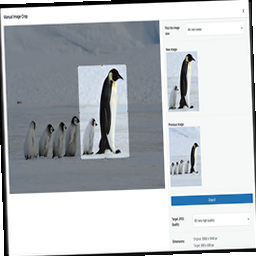
The most popular alternatives to Painterro are Image Aspect Ratio Crop Fie… (20K+ installs), Manual Image Crop (7K+ installs) and Image Regenerate & Select C… (7K+ installs).
Alimentado por PageForge
Um modelo e uma planilha. Uma página real para cada pesquisa.
PageForge Transforma cada linha de um CSV em uma página WordPress com seu próprio título, URL, SEO campos e esquema, construído no layout que você já desenhou. Gratuito em WordPress.org.
- CSV e XLSX, mais Google Sheets em Profissional e Empresarial
- Seu próprio título, URL, SEO campos e esquema para cada página
- Funciona com o editor de blocos, Elementor, Divi e Avada
- Gratuito em WordPress.org, sem cartão de crédito