


Meta Tag Manager
Easily add and manage custom meta tags to various parts of your site or on individual posts, such as Yahoo and Google verification tags.

Escolha sólida
Meta Tag Manager is a solid plugin choice in 2026, with a few things worth checking first. It runs on 70K+ sites, is rated 4.8/5 and was last updated 2 months ago, and scores 75/100 on our health check.
- Comprovado em escala em mais de 70 mil sites ativos
- Loved by users — 4.8/5 from 84 reviews
- Testado com as últimas WordPress (7.1)
- Momentum — downloads up 15.8% vs the previous 30 days
Como ele se acumula?
Lado a lado em instalações, atualizações, avaliações e suporte


Downloads diários
Os picos de download geralmente seguem uma nova versão — cada site que atualiza automaticamente é um download.
Rankings
Where Meta Tag Manager stands todayWordPress.org Classificações de pesquisa
Posição ao vivo na pesquisa de plugins, top 100| Palavra chave | Posição |
|---|---|
| meta | #2 |
| Meta tags | #2 |
| open graph | #18 |
| SEO | >100 |
| tags | #9 |
Adoção da versão
Compartilhamento de sites ativos por lançamento.
Divisão de classificação
★★★★★★★★★★ 4.8 from 84 reviews
About Meta Tag Manager
From the official readme · v3.3Descrição
Meta Tags Manager is a powerful yet simple, lightweight plugin which allows you to add custom meta tags to your site. Features include:
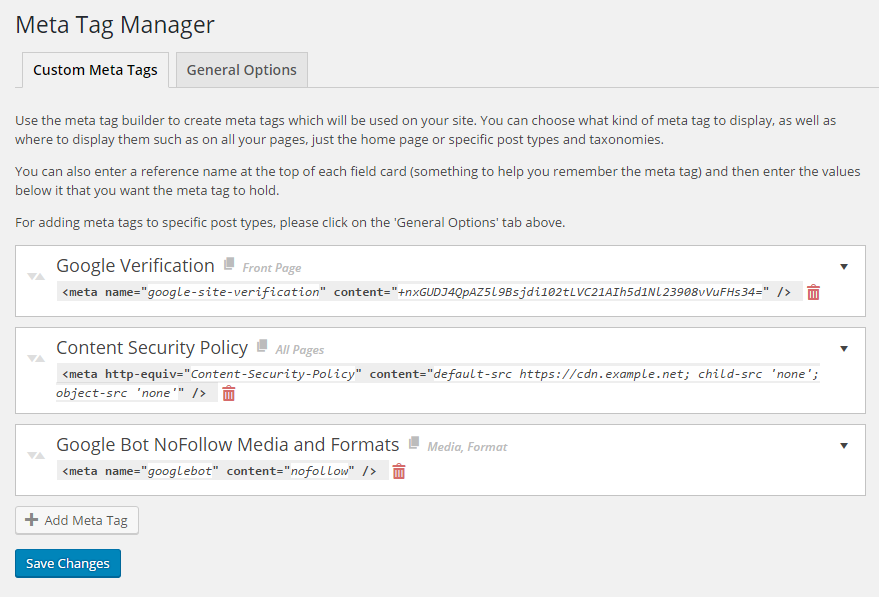
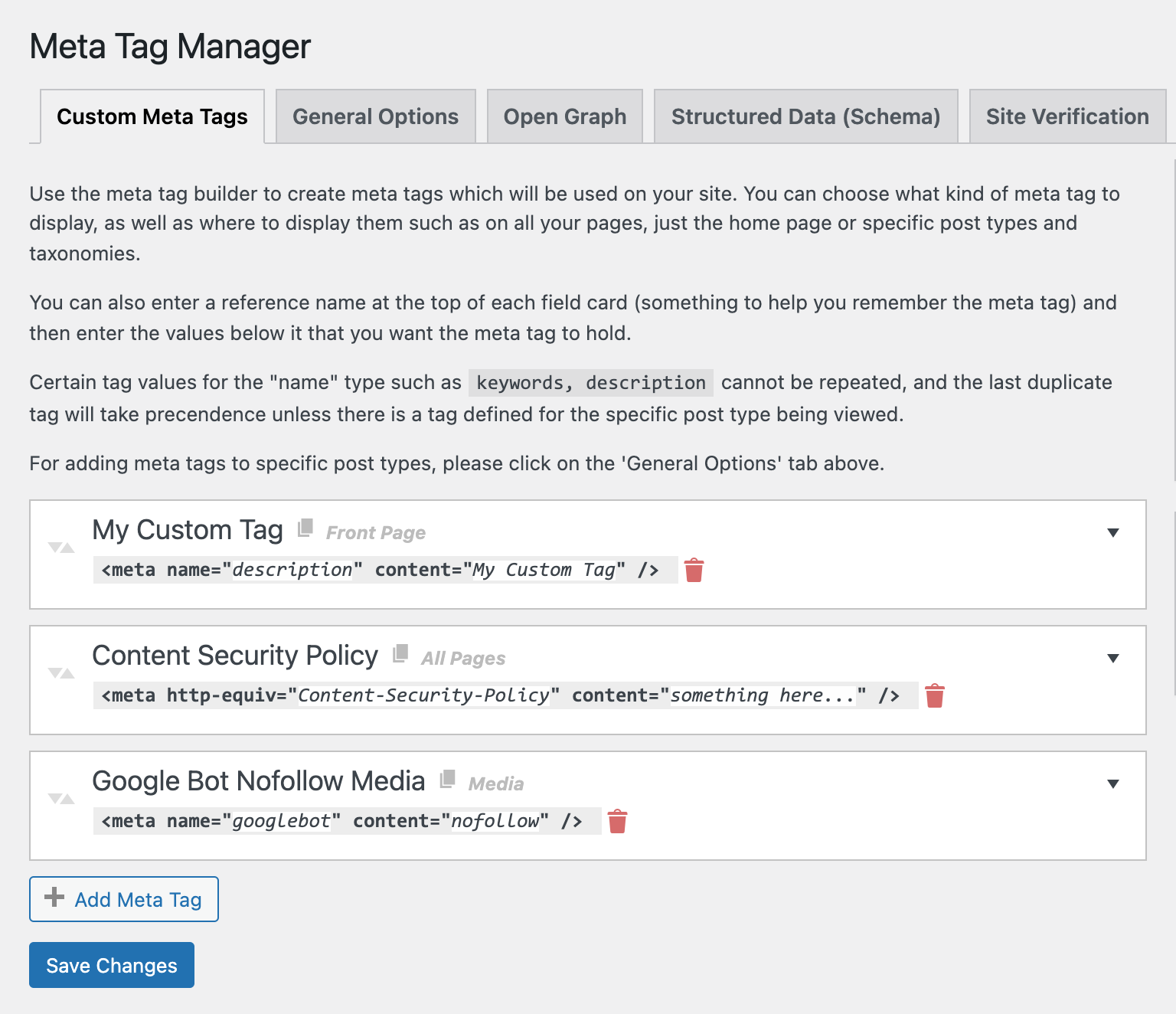
- Supports meta tags including the name, property, http-equiv, charset and itemprop attributes.
- Choose from predefined types, such as ‘name=”keyword”‘ or create your own by typing it in.
- Add meta tags to specific posts, choose what Custom Post Types to support from our settings page.
- Add global meta tags that will display on specific CPTs, Taxonomies, your front page or your whole site.
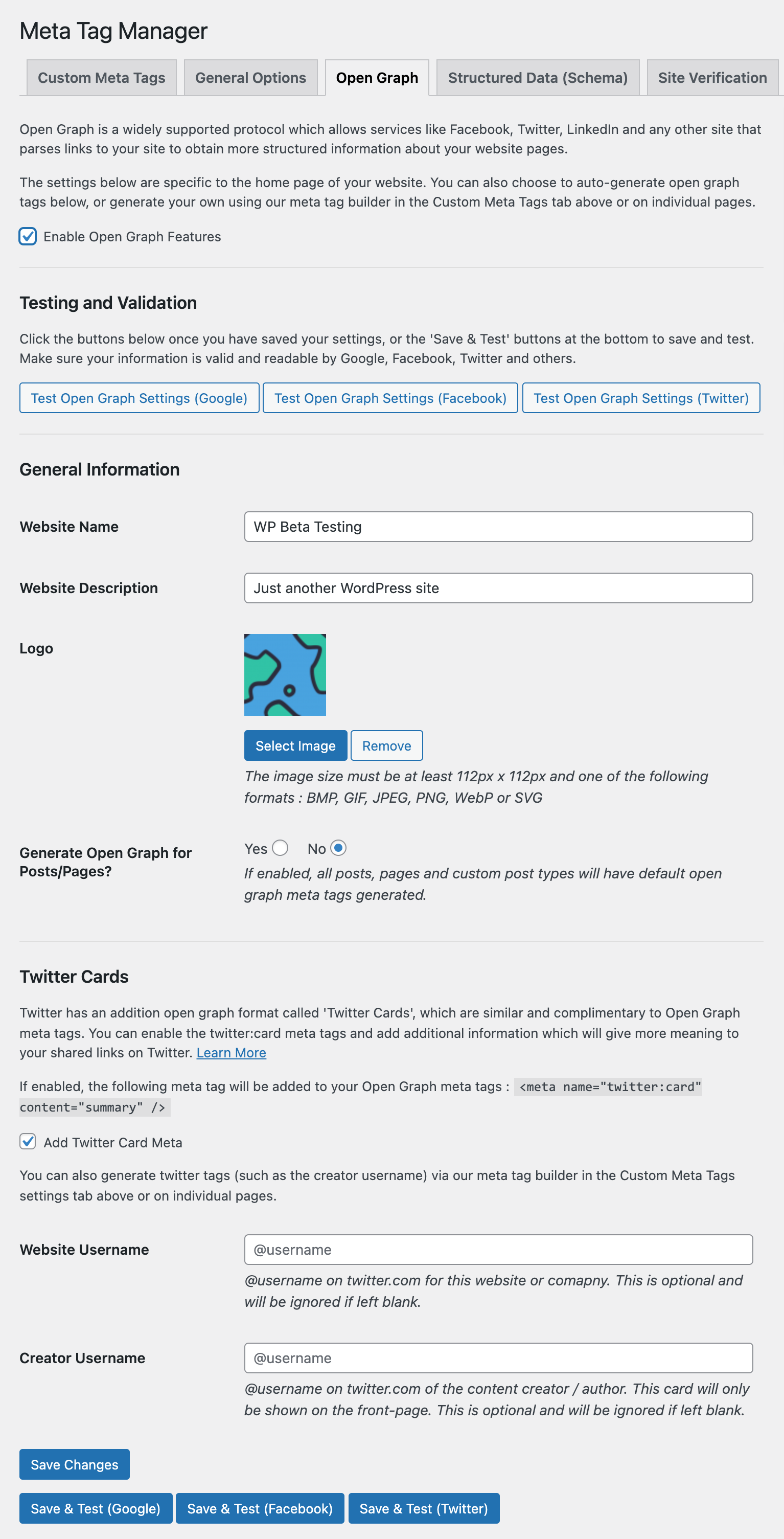
- Automatically add Open Graph details to your home page.
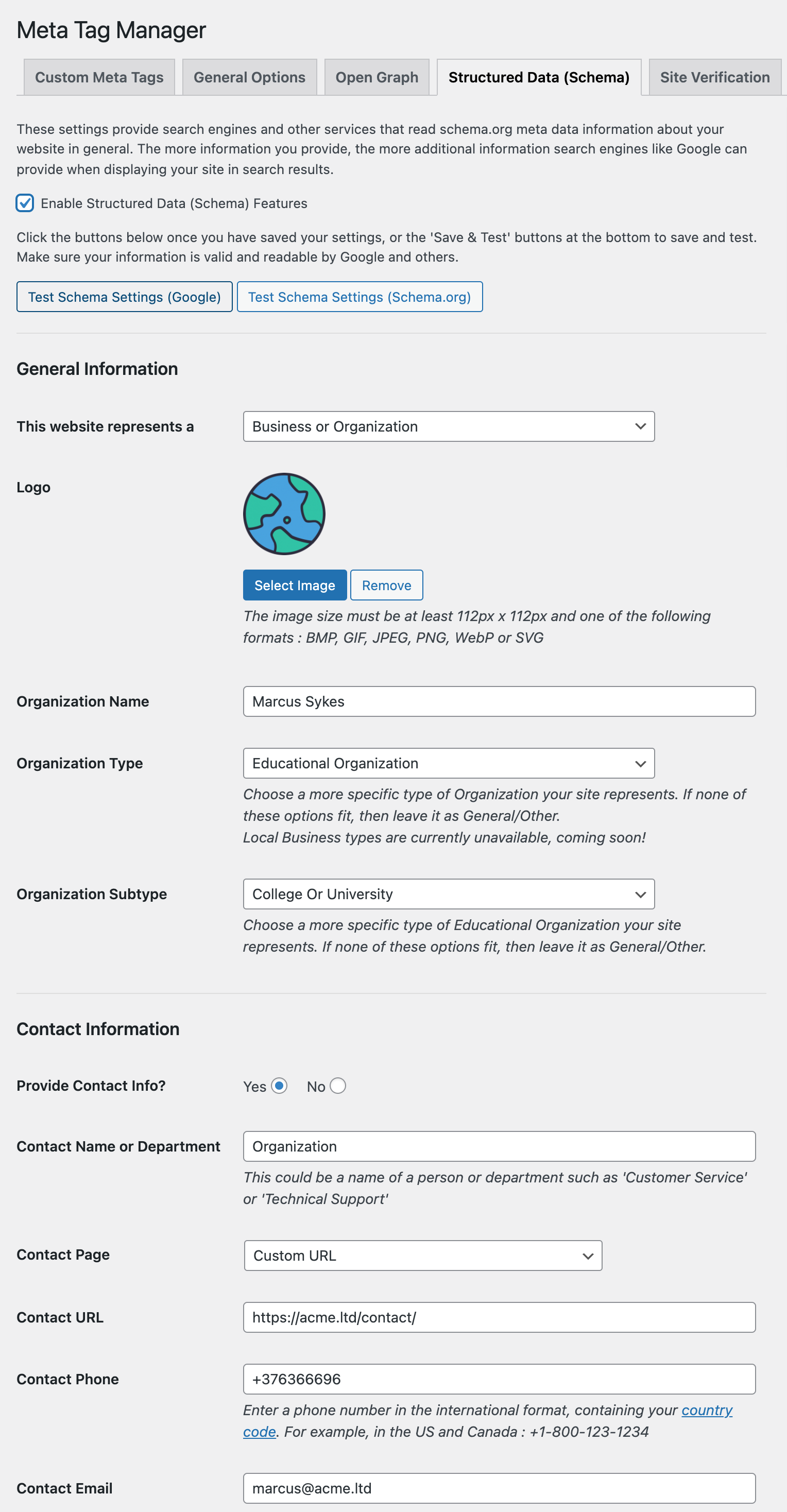
- Automatically add Schema and Structured Data to your home page.
- Add Google Sitelinks and Sitelinks Search markup.
- Easily add verification codes for services like Facebook, Google Webmaster Tools, Bing Webmaster Tools, Yandex and more (or… create your own custom meta tags!).
Use cases include:
- Adding Google and Yahoo site verification tags
- Adding additional open graph, twitter card or other social media meta info not supported by other SEO/Meta plugins
Go Pro for many newly added features, including:
- Dynamic placeholders to include data about the page being displayed, such as page title, comment count, thumbnail URLs and more!
- Additional contexts to add global meta tags, as well as exclusion rules for finer-grained controls.
- Shortcode support within meta descriptions, allowing for more dynamic data insertion with plugins such as ACF
- Unique tag detaction of Meta Tag Manager tags with hierarchical precedence, avoid creating duplicate meta tags.
- Taxonomy support – create meta tags for individual taxonomy term pages such as a single tag or category.
- More to come! Go Pro now and get an early-bird discount of up to 50%!
Instalação
- Upload the entire
meta-tag-managerdirectory to the/wp-content/plugins/directory - Ative o plugin através do menu 'Plugins' em WordPress
- Go to Settings > Meta Tag Manager
- Start adding Meta Tags! See the FAQ for
Log de Changes
3.3
- scoped selectize CSS to avoid conflicts with other plugins using selectize
- fixed low-severuty vulnerability allowing unauthorized redirects to other sites in posts created by editors or lower
3.2
- fixed security vulnerability CVE-2025-22260 reported by Rafie Muhammad via PatchStack
3.1
- fixed PHP 8.x warnings
- fixed minor PHP warning
- fixed minor security vulnerability where admin notices can be dismissed by unauthenitcated user (reported by Patchstack)
- fixed security vulnerability where arbritrary code could be exeuted by unserialize (kudos to Wordfence Security)
3.0.2
- fixed bug preventing settings from saving if schema settings are not selected
- added backward compatibility to 4.9 by allowing determine_locale() > get_locale() fallback
3.0.1
- fixed issues with schema settings saving
- fixed open graph twitter test link
- fixed some admin notice dismiss issues
3.0
- added open graph settings and support for home page
- added twitter card open graph settings and support for home page
- added schema / structured data / rich snippets front-page support
- added easy site verification settings
- added SCRIPT_DEBUG and MTM_DEBUG constant checks to decide whether to load non-minified files
- moved context checking for a tag into MTM_Tag functions,
- added Meta_Tag_Manager::is_archive()
- fixed Meta_Tag_Manager::is_archive_page() to account for static posts page
- added multiple actions and filters to MTM_Builder output
- added multiple actions and filters to MTM_Tag object
- fixed Array PHP caused by potentially non-existent contexts in a meta tag admin panel
- added extra sanitization/validation of submitted context list in a tag
- added MTM_Builder::get_contexts_list() to remove redundant code when excluding
- tweaked JS and display issues for showing context lists in header of admin meta tag card
- fixed css aesthetic issue when clicking a selectize active item turing grey
- tweaked context selectize js to be more flexible and reusable for other context fields
- moved admin-related files into admin folder
- moved settings tab sections into dedicated files
- moved handling of setting saving to Meta_Tag_Manager_Admin with a redirect instead of saving on same page load
Capturas de tela


Para desenvolvedores
Este é o seu plugin? Mostre os números.
Adicione um crachá ao vivo ao seu site, Documentos ou Readme do GitHub. Ele é atualizado por conta própria - nenhuma conta necessária.
Best Meta Tag Manager alternatives
All meta plugins →




FAQ
Meta Tag Manager: quick answers
Respostas diretas, extraídas de dados ao vivo WordPress.org.
Fonte: WordPress.org
Is Meta Tag Manager free?
Yes. Meta Tag Manager is free to download and use from the official WordPress.org plugin directory.
Is Meta Tag Manager safe to use in 2026?
Meta Tag Manager is a solid plugin choice in 2026, with a few things worth checking first. It runs on 70K+ sites, is rated 4.8/5 and was last updated 2 months ago, and scores 75/100 on our health check.
How many websites use Meta Tag Manager?
Meta Tag Manager is active on 70K+ WordPress websites and has been downloaded 1,156,485 times since it launched in April 2009. It was downloaded 4,545 times in the last 30 days.
Does Meta Tag Manager work with WordPress 7.1?
Yes. The developer has tested Meta Tag Manager up to WordPress 7.1.5, the latest release. It requires WordPress 3.6 or newer.
When was Meta Tag Manager last updated?
The latest version, 3.3, was released on September 24, 2026 (2 months ago).
Who makes Meta Tag Manager?
Meta Tag Manager is developed and maintained by Marcus (aka @msykes).
What are the best alternatives to Meta Tag Manager?
The most popular alternatives to Meta Tag Manager are Advanced Custom Fields (ACF… (2M+ installs), Meta for WooCommerce (400K+ installs) and Meta pixel for WordPress (400K+ installs).
Alimentado por PageForge
Um modelo e uma planilha. Uma página real para cada pesquisa.
PageForge Transforma cada linha de um CSV em uma página WordPress com seu próprio título, URL, SEO campos e esquema, construído no layout que você já desenhou. Gratuito em WordPress.org.
- CSV e XLSX, mais Google Sheets em Profissional e Empresarial
- Seu próprio título, URL, SEO campos e esquema para cada página
- Funciona com o editor de blocos, Elementor, Divi e Avada
- Gratuito em WordPress.org, sem cartão de crédito