


Metricool – Social media and site statistics
Site metrics and social media analytics for Instagram, Facebook, YouTube, LinkedIn, X Twitter. The single best tool for Social Media Managers!

Escolha segura
Yes — Metricool is a safe, well-maintained plugin to use in 2026. It runs on 90K+ sites, is rated 4.4/5 and was last updated 1 week ago, and scores 93/100 on our health check.
- Comprovado em escala em mais de 90 mil sites ativos
- Desenvolvido ativamente — última atualização 1 semana atrás
- Testado com as últimas WordPress (7.1)
- Suporte responsivo — 100% dos tópicos recentes resolvidos
- Momentum — downloads up 24.9% vs the previous 30 days
Como ele se acumula?
Lado a lado em instalações, atualizações, avaliações e suporte



Downloads diários
Os picos de download geralmente seguem uma nova versão — cada site que atualiza automaticamente é um download.
Rankings
Where Metricool stands todayWordPress.org Classificações de pesquisa
Posição ao vivo na pesquisa de plugins, top 100| Palavra chave | Posição |
|---|---|
| analytics | #61 |
| #28 | |
| #10 | |
| meta | #28 |
| social | #7 |
Adoção da versão
Compartilhamento de sites ativos por lançamento.
Divisão de classificação
★★★★★★★★★★ 4.4 from 23 reviews
About Metricool
From the official readme · v2.2.1Descrição
Metricool brings powerful analytics, actionable statistics, and complete social media insights directly into your WordPress dashboard. With a simple setup, this plugin connects your website to Metricool and automatically inserts the tracking JavaScript needed to collect accurate site analytics and statistics—no complicated configuration required.
Once connected, you can monitor your website performance alongside your social media analytics in one unified place. Track visits, user behavior, and key statistics from your WordPress site, while also gaining insights into your Instagram, Facebook, YouTube, LinkedIn, and X (Twitter) accounts. Metricool is designed for creators, businesses, and social media managers who want clear, visual analytics without the complexity.
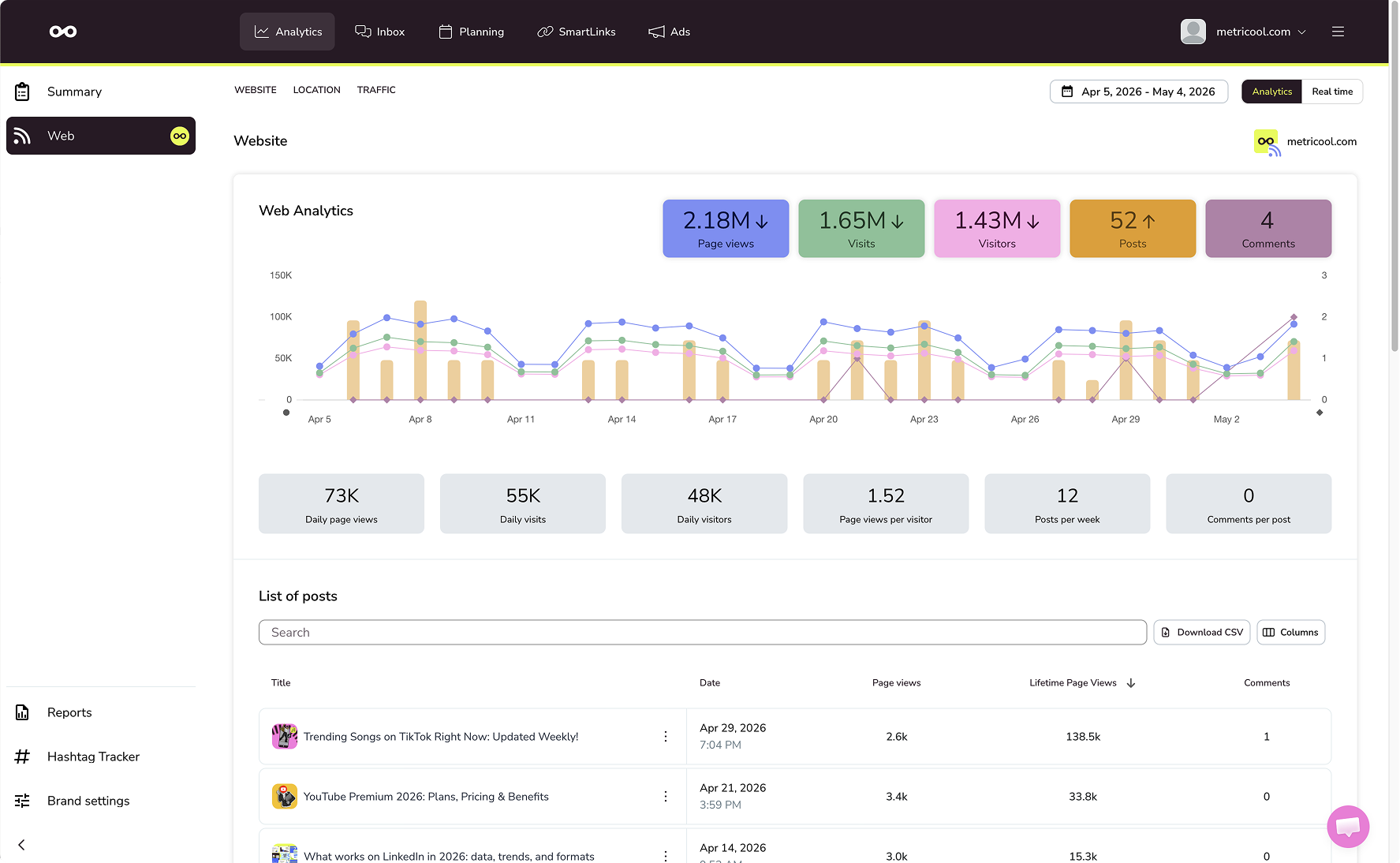
The plugin adds a lightweight tracking script to your front-end, enabling precise website analytics similar to tools like Google Analytics, but with a strong focus on social media performance and cross-channel statistics. Inside wp-admin, your data is presented in clean, easy-to-understand graphs, making it simple to analyze trends, measure growth, and optimize your social strategy.
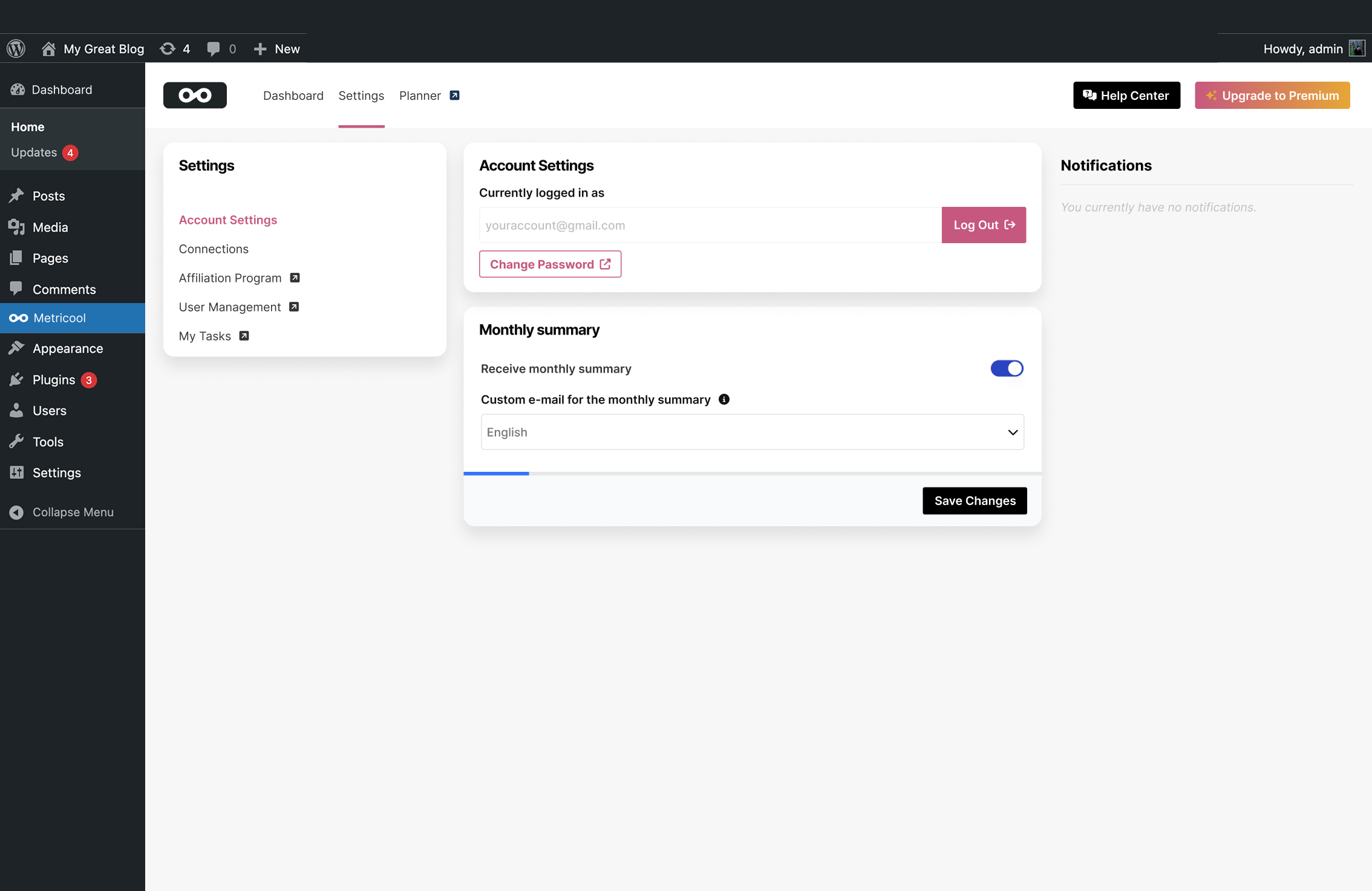
Getting started is effortless thanks to the built-in onboarding flow. You can quickly create a free Metricool account or connect an existing one, allowing you to start collecting analytics and statistics immediately. From there, you’ll have access to a complete overview of your social media and website performance in one place.
Metricool supports a wide range of social media platforms, advertising channels, and reporting tools, allowing you to centralize all your analytics and statistics:
- Youtube
- X (Twitter)
- Threads
- Bluesky
- TikTok
- TikTok Business
- Google Business Profile
- Twitch
- Meta Ads
- Google Ads
- TikTok Ads
- Estúdio Looker
Whether you’re tracking Instagram engagement, analyzing Facebook reach, optimizing TikTok performance, monitoring YouTube views, reviewing LinkedIn statistics, or understanding your X (Twitter) audience, Metricool centralizes all your analytics and statistics into a single, intuitive dashboard.
If you’re familiar with tools like Google Analytics or plugins like Smash, Metricool offers a more integrated approach—combining website analytics with social media analytics and advertising statistics for a complete picture of your digital performance.
Why Metricool?
Metricool is built to simplify analytics and make social media statistics accessible, visual, and actionable. Instead of juggling multiple tools for your website and your social media channels, Metricool gives you everything in one place.
With Metricool, you can:
- Track your website analytics and user behavior with accurate, real-time statistics
- Measure performance across all major social media platforms, including Instagram, Facebook, TikTok, LinkedIn, YouTube, and X (Twitter)
- Analyze advertising statistics from Meta Ads, Google Ads, and TikTok Ads
- Monitor visibility through platforms like Google Business Profile and streaming performance on Twitch
- Plan, schedule, and automatically publish content across your social media channels
- Manage your social media calendar with a visual planner for all platforms
- Use an AI writing assistant to create and optimize social media posts
- Track competitor social media strategies and benchmark your performance
- Discover the best times to post using advanced analytics and audience statistics
- Generate professional reports combining website analytics, social media analytics, and ad statistics
- Build custom dashboards and reports with Looker Studio
- Monitor hashtags, trends, and content performance across your social media
- Centralize all your messages and interactions for better social media management
- Understand your social media growth with clear, visual analytics
- Compare social and website statistics side by side
- Make data-driven decisions using easy-to-read graphs inside WordPress
Unlike traditional analytics tools, Metricool focuses on combining web analytics with social media analytics, helping you understand how your content performs across every channel—including Meta platforms like Facebook, Instagram, and Threads.
The platform is designed to be powerful yet easy to use. No complex dashboards, no overwhelming data—just the statistics that matter for your social media and website growth.
For users coming from Google Analytics or using tools like Smash, Metricool provides a more complete solution by connecting your social media analytics, advertising analytics, and website analytics into one seamless experience.
Whether you’re growing your brand on Instagram, managing campaigns on Facebook, creating content for TikTok, publishing on YouTube, networking on LinkedIn, engaging on X (Twitter), or exploring newer platforms like Threads and Bluesky, Metricool gives you the analytics and statistics you need to succeed.
About Really Simple Plugins:
Really Simple Plugins is the creator of most-used plugins Really Simple Security and Complianz. With a total of ~6 million installs, we focus on making the most user-friendly and easy-to-use plugins. We work with Metricool to make the very best social media metrics and planning tool available directly in your WordPress dashboard.
Instalação
- Upload
metricool.zipvia WordPress -> Plugins -> Add New or the unzipped file via FTP to the/wp-content/plugins/directory - Activate the plugin through the Plugins menu in WordPress
- Follow the short plugin onboarding and immediately enjoy useful site and social media analytics!
Log de Changes
2.2.1 – 2026-11-11
- Added: Toast notifications now inform signed-in users when an action succeeds or fails.
- Added: Support for more special characters in passwords when creating an account.
- Added: Account confirmation e-mails are now available in all languages currently supported by the Metricool platform (en, es, fr, pt-PT, pt-BR, de, it, da, nl, tr, cs).
- Changed: The sign-in link now appears below the create account form for improved visibility.
- Changed: The marketing consent checkbox in the account setup is now unchecked by default.
2.2.0 – 2026-10-28
- Fixed: The Other Plugins overview no longer hides plugins, so the list is never left empty.
- Fixed: Clearer error message when the security check during sign-up or sign-in fails to load.
- Fixed: Line charts on the dashboard are animated again.
- Fixed: Metric tiles with no data can no longer be clicked in the analytics dashboard.
- Added: A sign-in window that appears when the connection to your Metricool account is lost.
- Added: A message when there is no data to show yet, instead of an empty block.
- Added: A settings link for plugins already installed from the Other Plugins overview.
- Added: Compatibility with the upcoming Real-Time Collaboration feature in the WordPress editor.
- Added: kellydekker is added as contributor.
- Changed: Focus styles on buttons and links have been updated.
- Changed: Data tables now use all available height within their block.
- Changed: Improved scroll-based event performance.
2.1.2 – 2026-10-13
- Fixed: A fatal error triggered under certain conditions caused by a conflict with other plugins that bundle the Composer autoloader.
2.1.1 – 2026-10-06
- Fixed: Trunk folder is no longer included in the plugin.
2.1.0 – 2026-08-06
- Fixed: Website tracking is no longer removed when the connection with Metricool cannot be renewed.
- Fixed: Notices in the WordPress admin can now be dismissed reliably.
- Fixed: Texts in the plugin are shown in your own language again.
- Added: A permission check when connecting a brand, so only brands you may manage are connected.
- Changed: Settings and other submitted data are now validated more strictly, with clearer error messages.
- Changed: The connection with Metricool is renewed more reliably.
- Changed: Dependencies are now scoped, preventing conflicts with other plugins that ship the same libraries.
2.0.2 – 2026-06-17
- Fixed: An issue when trying to connect to a brand.
- Fixed: An issue when using Redis Object Cache.
- Improved: Error handling for better user experience.
Capturas de tela

Para desenvolvedores
Este é o seu plugin? Mostre os números.
Adicione um crachá ao vivo ao seu site, Documentos ou Readme do GitHub. Ele é atualizado por conta própria - nenhuma conta necessária.
Best Metricool alternatives
All analytics plugins →





FAQ
Metricool: quick answers
Respostas diretas, extraídas de dados ao vivo WordPress.org.
Fonte: WordPress.org
Is Metricool free?
Yes. Metricool is free to download and use from the official WordPress.org plugin directory.
Is Metricool safe to use in 2026?
Yes — Metricool is a safe, well-maintained plugin to use in 2026. It runs on 90K+ sites, is rated 4.4/5 and was last updated 1 week ago, and scores 93/100 on our health check.
How many websites use Metricool?
Metricool is active on 90K+ WordPress websites and has been downloaded 1,211,653 times since it launched in April 2015. It was downloaded 119,798 times in the last 30 days.
Does Metricool work with WordPress 7.1?
Yes. The developer has tested Metricool up to WordPress 7.1.5, the latest release. It requires WordPress 6.6 or newer.
What PHP version does Metricool need?
Metricool requires PHP 7.4 or higher. Most hosts run PHP 8.x today, so it works on any modern WordPress hosting.
When was Metricool last updated?
The latest version, 2.2.1, was released on November 11, 2026 (1 week ago).
Who makes Metricool?
Metricool is developed and maintained by Really Simple Plugins.
What are the best alternatives to Metricool?
The most popular alternatives to Metricool are Site Kit by Google (5M+ installs), MonsterInsights (2M+ installs) and WP Statistics (500K+ installs).
Alimentado por PageForge
Um modelo e uma planilha. Uma página real para cada pesquisa.
PageForge Transforma cada linha de um CSV em uma página WordPress com seu próprio título, URL, SEO campos e esquema, construído no layout que você já desenhou. Gratuito em WordPress.org.
- CSV e XLSX, mais Google Sheets em Profissional e Empresarial
- Seu próprio título, URL, SEO campos e esquema para cada página
- Funciona com o editor de blocos, Elementor, Divi e Avada
- Gratuito em WordPress.org, sem cartão de crédito