


WP OPcache
Manage OPcache inside your WordPress admin dashboard.

Escolha segura
Yes — WP OPcache is a safe, well-maintained plugin to use in 2026. It runs on 10K+ sites, is rated 4.8/5 and was last updated 2 months ago, and scores 85/100 on our health check.
- Comprovado em escala em sites ativos de mais de 10 mil
- Loved by users — 4.8/5 from 20 reviews
- Testado com as últimas WordPress (7.1)
- Precisa de PHP 8.1 ou mais recente
Como ele se acumula?
Lado a lado em instalações, atualizações, avaliações e suporte



Downloads diários
Os picos de download geralmente seguem uma nova versão — cada site que atualiza automaticamente é um download.
Rankings
Where WP OPcache stands todayWordPress.org Classificações de pesquisa
Posição ao vivo na pesquisa de plugins, top 100| Palavra chave | Posição |
|---|---|
| esconderijo | >100 |
| flush | #1 |
| Multisite | #75 |
| OPcache | #1 |
| php | #47 |
Adoção da versão
Compartilhamento de sites ativos por lançamento.
Divisão de classificação
★★★★★★★★★★ 4.8 from 20 reviews
About WP OPcache
From the official readme · v4.3.0Descrição
Flush OPcache
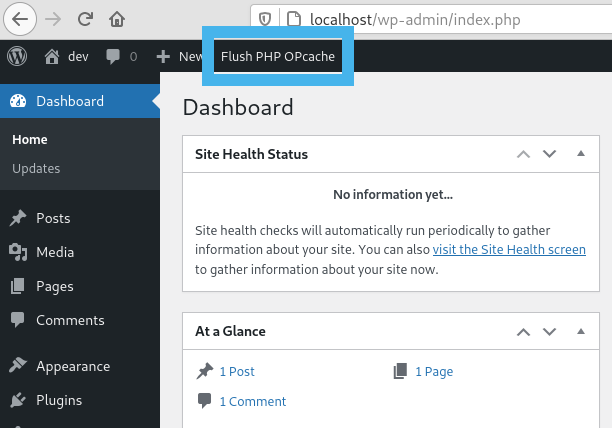
- creates a button in admin bar to flush OPcache
- flush only files in WordPress absolute path
- individual or bulk file invalidation
- support both memory and file caching
- support multisite
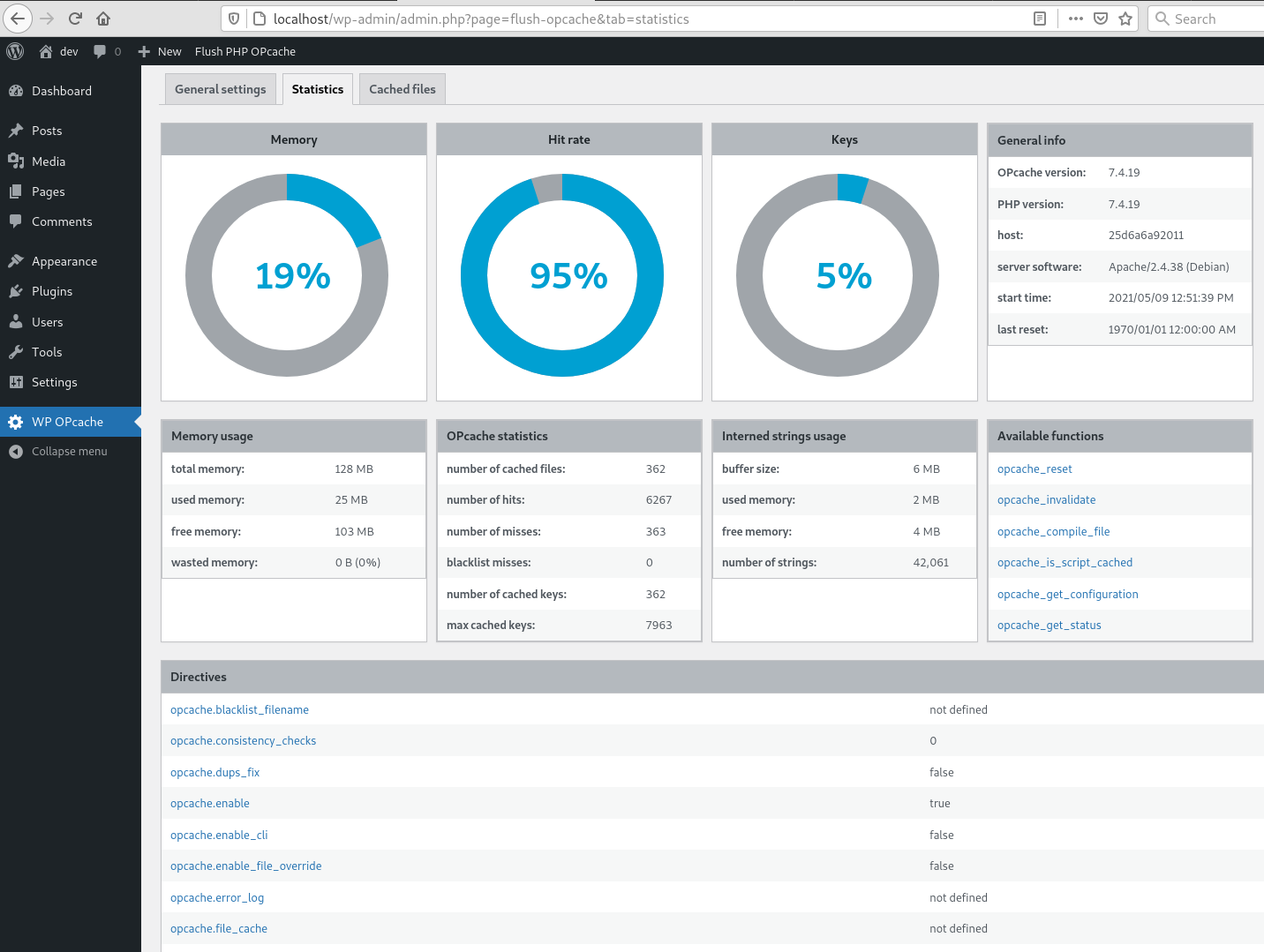
OPcache Statistics
- memory, hits, strings and keys statistics
- directives, functions and general informations
- list all files
- fully responsive
WP CLI ready
- add flush-opcache command to flush cache with cli:
wp flush-opcache flush - don’t forget to add
opcache.enable_cli=1to your PHP configuration
There are three tabs in admin page under Tools:
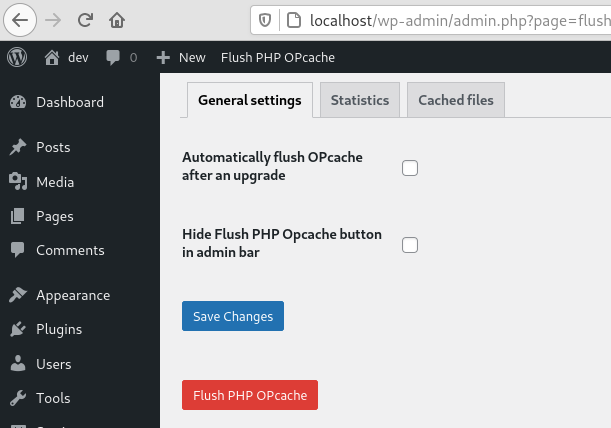
- General settings: plugin settings
- Statistics: responsive dashboard about OPcache statistics
- Cached files: list of cached files with the possibility of invalidating them
Instalação
As usual…
Log de Changes
4.3.0
- Fix i18n bugs
- Fix bug in multisite mode
- Support Windows/IIS files listing
- Fix bug in cached files list where timestamp is not set
- Add OPcache JIT statistics to dashboard
- Better detection of OPcache
4.2.3
- Ensure user is admin or superadmin to display flush button in admin bar
- Ensure to not continue if OPcache is disabled or not installed to avoid printing PHP errors
4.2.1
- Liberação de manutenção
- Menu moved under Tools
4.2.0
- Add CLI support
4.1.4
- Fix a bug on clearing cache after upgrade
- Flush files even when WP use its own directory
- Use WordPress 6.0 as default
- Use php8.0 as default
4.1.3
- Fix a bug on datetime in cached file list
Capturas de tela



Para desenvolvedores
Este é o seu plugin? Mostre os números.
Adicione um crachá ao vivo ao seu site, Documentos ou Readme do GitHub. Ele é atualizado por conta própria - nenhuma conta necessária.
Best WP OPcache alternatives
Todos os plugins de cache →



FAQ
WP OPcache: quick answers
Respostas diretas, extraídas de dados ao vivo WordPress.org.
Fonte: WordPress.org
Is WP OPcache free?
Yes. WP OPcache is free to download and use from the official WordPress.org plugin directory.
Is WP OPcache safe to use in 2026?
Yes — WP OPcache is a safe, well-maintained plugin to use in 2026. It runs on 10K+ sites, is rated 4.8/5 and was last updated 2 months ago, and scores 85/100 on our health check.
How many websites use WP OPcache?
WP OPcache is active on 10K+ WordPress websites and has been downloaded 246,651 times since it launched in February 2017. It was downloaded 3,093 times in the last 30 days.
Does WP OPcache work with WordPress 7.1?
Yes. The developer has tested WP OPcache up to WordPress 7.1.5, the latest release. It requires WordPress 6.0 or newer.
What PHP version does WP OPcache need?
WP OPcache requires PHP 8.1 or higher. Most hosts run PHP 8.x today, so it works on any modern WordPress hosting.
When was WP OPcache last updated?
The latest version, 4.3.0, was released on October 3, 2026 (2 months ago).
Who makes WP OPcache?
WP OPcache is developed and maintained by nierdz.
What are the best alternatives to WP OPcache?
The most popular alternatives to WP OPcache are WP Super Cache (1M+ installs), WP Fastest Cache (1M+ installs) and WP-Optimize (1M+ installs).
Alimentado por PageForge
Um modelo e uma planilha. Uma página real para cada pesquisa.
PageForge Transforma cada linha de um CSV em uma página WordPress com seu próprio título, URL, SEO campos e esquema, construído no layout que você já desenhou. Gratuito em WordPress.org.
- CSV e XLSX, mais Google Sheets em Profissional e Empresarial
- Seu próprio título, URL, SEO campos e esquema para cada página
- Funciona com o editor de blocos, Elementor, Divi e Avada
- Gratuito em WordPress.org, sem cartão de crédito