


WP OPcache
Manage OPcache inside your WordPress admin dashboard.

Sichere Auswahl
Yes — WP OPcache is a safe, well-maintained plugin to use in 2026. It runs on 10K+ sites, is rated 4.8/5 and was last updated 2 months ago, and scores 85/100 on our health check.
- Bewährt im Maßstab auf 10k + aktiven Standorten
- Loved by users — 4.8/5 from 20 reviews
- Getestet mit dem neuesten WordPress (7.1)
- Benötigt PHP 8.1 oder neuer
Wie stapelt es sich?
Side-by-side bei Installationen, Updates, Bewertungen und Support



Tägliche Downloads
Download-Spitzen folgen normalerweise einer neuen Version - jede Website, die automatisch aktualisiert wird, gilt als Download.
Ranglisten
Where WP OPcache stands todayWordPress.org Ranglisten suchen
Live-Position in der Plugin-Suche, Top 100| Stichwort | Position |
|---|---|
| Zwischenspeicher | >100 |
| flush | #1 |
| multisite | #75 |
| OPcache | #1 |
| php | #47 |
Versionsübernahme
Anteil aktiver Sites pro Release.
Bewertungsaufschlüsselung
★★★★★★★★★★ 4.8 from 20 reviews
About WP OPcache
From the official readme · v4.3.0Beschreibung
Flush OPcache
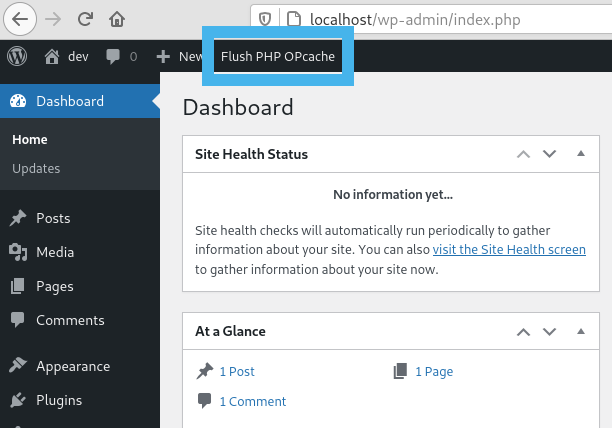
- creates a button in admin bar to flush OPcache
- flush only files in WordPress absolute path
- individual or bulk file invalidation
- support both memory and file caching
- support multisite
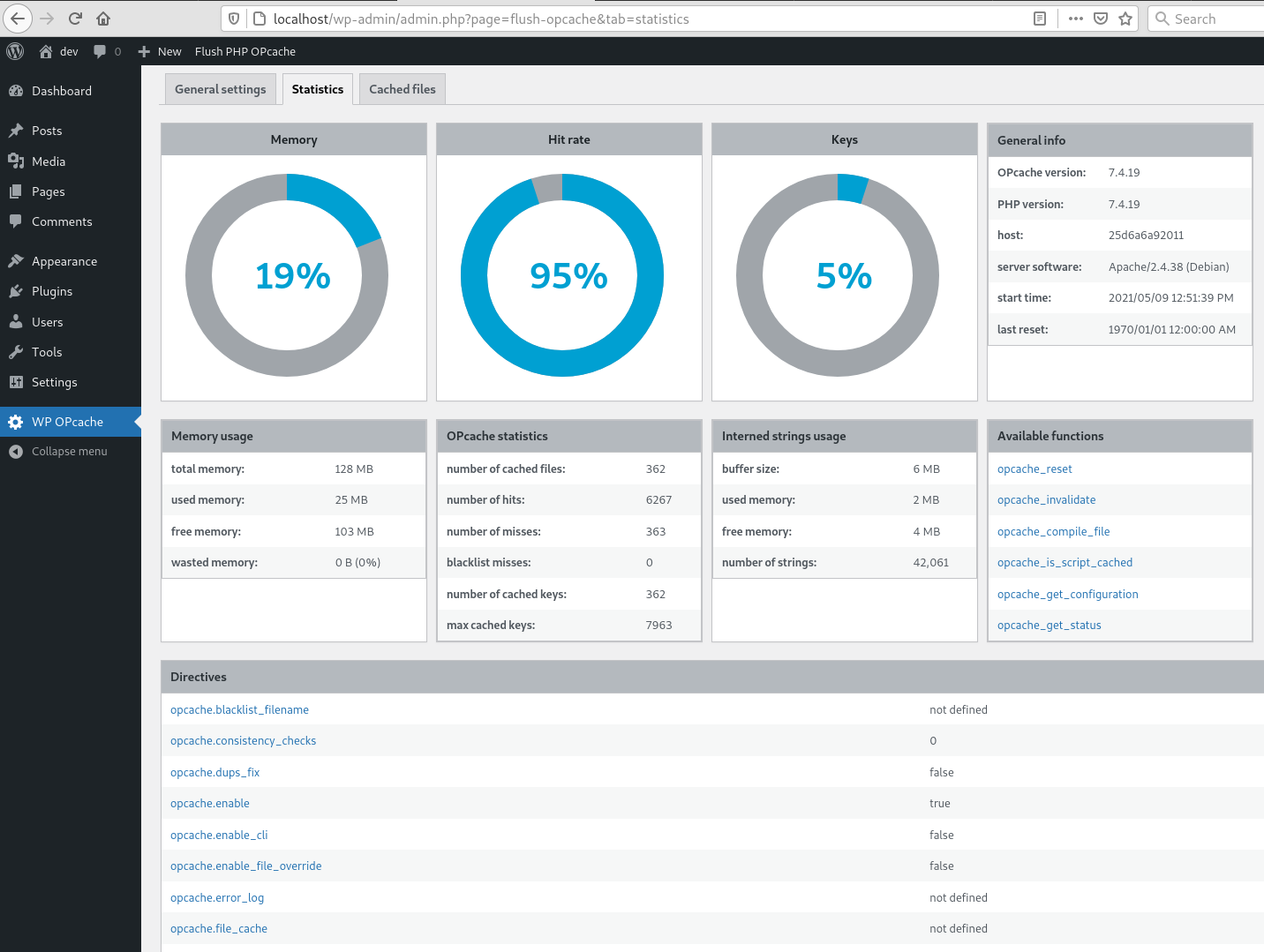
OPcache Statistics
- memory, hits, strings and keys statistics
- directives, functions and general informations
- list all files
- fully responsive
WP CLI ready
- add flush-opcache command to flush cache with cli:
wp flush-opcache flush - don’t forget to add
opcache.enable_cli=1to your PHP configuration
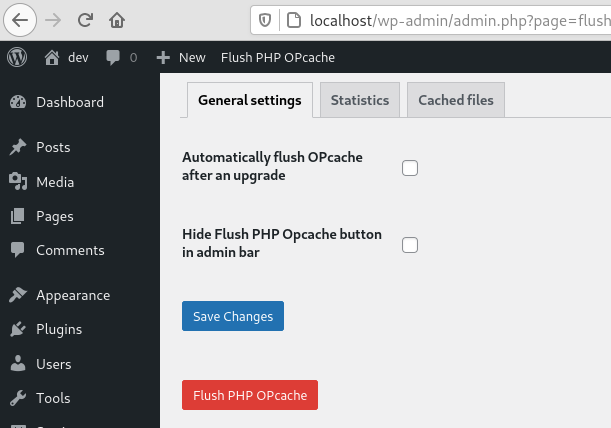
There are three tabs in admin page under Tools:
- General settings: plugin settings
- Statistics: responsive dashboard about OPcache statistics
- Cached files: list of cached files with the possibility of invalidating them
Installation
As usual…
Änderungsprotokoll
4.3.0
- Fix i18n bugs
- Fix bug in multisite mode
- Support Windows/IIS files listing
- Fix bug in cached files list where timestamp is not set
- Add OPcache JIT statistics to dashboard
- Better detection of OPcache
4.2.3
- Ensure user is admin or superadmin to display flush button in admin bar
- Ensure to not continue if OPcache is disabled or not installed to avoid printing PHP errors
4.2.1
- Wartungsfreigabe
- Menu moved under Tools
4.2.0
- Add CLI support
4.1.4
- Fix a bug on clearing cache after upgrade
- Flush files even when WP use its own directory
- Use WordPress 6.0 as default
- Use php8.0 as default
4.1.3
- Fix a bug on datetime in cached file list
Screenshots



Für Entwickler
Ist das dein Plugin? Zeigen Sie die Zahlen.
Fügen Sie Ihrer Website, Docs oder GitHub Readme ein Live-Badge hinzu. Es wird von selbst aktualisiert - kein Konto erforderlich.
Best WP OPcache alternatives
Alle Cache-Plugins →



Fragen und Antworten
WP OPcache: quick answers
Gerade Antworten, gezogen von Live WordPress.org Daten.
Quelle: WordPress.org
Is WP OPcache free?
Yes. WP OPcache is free to download and use from the official WordPress.org plugin directory.
Is WP OPcache safe to use in 2026?
Yes — WP OPcache is a safe, well-maintained plugin to use in 2026. It runs on 10K+ sites, is rated 4.8/5 and was last updated 2 months ago, and scores 85/100 on our health check.
How many websites use WP OPcache?
WP OPcache is active on 10K+ WordPress websites and has been downloaded 246,651 times since it launched in February 2017. It was downloaded 3,093 times in the last 30 days.
Does WP OPcache work with WordPress 7.1?
Yes. The developer has tested WP OPcache up to WordPress 7.1.5, the latest release. It requires WordPress 6.0 or newer.
What PHP version does WP OPcache need?
WP OPcache requires PHP 8.1 or higher. Most hosts run PHP 8.x today, so it works on any modern WordPress hosting.
When was WP OPcache last updated?
The latest version, 4.3.0, was released on October 3, 2026 (2 months ago).
Who makes WP OPcache?
WP OPcache is developed and maintained by nierdz.
What are the best alternatives to WP OPcache?
The most popular alternatives to WP OPcache are WP Super Cache (1M+ installs), WP Fastest Cache (1M+ installs) and WP-Optimize (1M+ installs).
Angetrieben von PageForge
Eine Vorlage und eine Tabelle. Eine echte Seite für jede Suche.
PageForge Verwandelt jede Zeile eines CSV in eine WordPress-Seite mit eigenem Titel, URL, SEO Felder und Schema entworfen. Kostenlos auf WordPress.org.
- CSV und XLSX, plus Google Sheets auf Beruf und Unternehmen
- seinen eigenen Titel, URL, SEO Felder und Schema für jede Seite
- Arbeitet mit dem Blockeditor, Elementor, Divi und Avada
- Kostenlos auf WordPress.org, keine Kreditkarte