


Duplicador – Backups e plugin de migração – backups em nuvem, backups programados e mais
The best WordPress backup and migration plugin. Quickly and easily backup ,migrate, copy, move, or clone your site from one location to another.

Escolha segura
Yes — Duplicator is a safe, well-maintained plugin to use in 2026. It runs on 1M+ sites, is rated 4.9/5 and was last updated 4 days ago, and scores 98/100 on our health check.
- Um dos plugins mais usados na web: 1M+ sites ativos
- Loved by users — 4.9/5 from 4,941 reviews
- Desenvolvido ativamente — última atualização 4 dias atrás
- Testado com as últimas WordPress (7.1)
- Suporte responsivo — 100% dos tópicos recentes resolvidos
Como ele se acumula?
Lado a lado em instalações, atualizações, avaliações e suporte



Downloads diários
Os picos de download geralmente seguem uma nova versão — cada site que atualiza automaticamente é um download.
Rankings
Where Duplicator stands todayWordPress.org Classificações de pesquisa
Posição ao vivo na pesquisa de plugins, top 100| Palavra chave | Posição |
|---|---|
| backup | #3 |
| cloud backup | #2 |
| database backup | #2 |
| migration | #4 |
| wordpress backup | #3 |
Adoção da versão
Compartilhamento de sites ativos por lançamento.
Divisão de classificação
★★★★★★★★★★ 4.9 from 4,941 reviews
About Duplicator
From the official readme · v5.2.0Descrição
WordPress Backup & Migration Plugin
Duplicator provides a simple way to move WordPress sites, create reliable backups, or clone a site for staging. With Duplicator, you can easily migrate, transfer, or clone your WordPress site between domains or hosts with no downtime. Create full backups of your website, or package your entire site to download and install elsewhere with only a few steps.
At Duplicator, reliability, security, and ease of use are our top priorities. Duplicator is built on the same engine as Duplicator Pro: backups of any size, encrypted archives, 1-click restore and cloud storage are all part of the free plugin. Our easy migration wizard makes Duplicator the most beginner-friendly backup and migration plugin on the market. You don’t have to hire a developer. Create a backup and migrate sites in just a few minutes.
Duplicator Pro
This plugin is the Lite version of Duplicator Pro, which comes with scheduled backups, cloud storage integrations, multisite support, staging sites and more. Get Duplicator Pro for the complete migration and backup solution.
Easy Site Migration, Backup, and Cloning
Duplicator streamlines site migrations by packaging your website files and database into a single file, known as a “backup”. Download and re-install your “backup” on any new WordPress location or server without dealing with complicated setups. Launch at your new destination without installing WordPress. Duplicator is the only migration and backup plugin that works on an empty site.
See why experts love Duplicator:
“Duplicator provides an easy to use tool to make backups of your site, or to transfer it to another location.”
Richard McAdams – Expert Web Developer
Backups Without Size Limits
Duplicator’s chunked backup engine splits the work into small steps, so backups of any size complete even on shared hosting with strict server timeouts. Pick the archive engine that fits your server (DupArchive, ZipArchive or shell zip) and the database engine you prefer (mysqldump or chunked PHP). Backups build in the background while you keep working, and Duplicator runs on managed hosts such as WordPress.com, WP Engine and GoDaddy Managed.
AutoTune: Backup Settings That Configure Themselves
Not sure which settings your server needs? AutoTune runs real test backups and finds the configuration that works on your host, automatically. Before every backup Duplicator checks your server configuration, and when something goes wrong it explains the problem in plain language and offers a one-click fix.
Secure WordPress Backups
Duplicator offers WordPress backups with military-grade encryption. Protect any backup with a password and AES-256 archive encryption, and see the security status of every backup at a glance. Automatically backup your entire WordPress site to secure cloud storage.
1-Click Restore
Restore any backup with a single click from your WordPress dashboard: no FTP, no manual installer upload. Duplicator makes 1-click restores easy and stress-free. Quickly restore your entire website in minutes just like a time machine.
Duplicator Cloud Storage
Keep your backups off-site with Duplicator Cloud, our own secure cloud storage built for WordPress backups. Connect your account, send backups to the cloud and restore them from the cloud when you need them. You can also keep backups in several local folders with automatic retention of the most recent ones. Duplicator Pro adds Dropbox, Google Drive, OneDrive, Amazon S3, FTP/SFTP and any S3-compatible provider.
Fast WordPress Migrations
Duplicator makes WordPress website migrations fast and stress-free. Quickly move to a new host, domain, or server. No downtime, no data loss, and no coding required.
WordPress Multisite Backups
Duplicator offers automatic WordPress Multisite backups with easy 1-click restore. Safely backup your entire Multisite network to secure cloud storage.
WooCommerce Backups
Duplicator offers reliable WooCommerce backups with military-grade encryption. Easily and automatically back up your entire online store to secure cloud storage.
Pre-configured WordPress Installs
Never start from scratch with Duplicator’s smart pre-configured WordPress installs. Save time and hassle duplicating ready-made sites with 1-click.
WordPress Recovery Points with Quick Rollbacks
Duplicator offers hourly recovery points and 1-click rollbacks for WordPress sites. Quickly and automatically recover from failed WordPress updates or disasters.
Partial WordPress Backup Plugin
Duplicator makes partial backups for WordPress quick and easy. Save storage and restore sites faster with database-only, media-only, or completely custom backups.
Server to Server WordPress Migration Import Tool
Duplicator makes server-to-server WordPress migrations fast and hassle-free. Quickly import your website to a new server in minutes. No downtime, no data loss.
Smart WordPress Migration Wizard
Duplicator’s smart WordPress migration wizard makes transferring your website to a new host or server effortless. Advanced installer options, custom search and replace rules and security key regeneration are all included. No downtime, no data loss, and no code required.
Drag & Drop Import WordPress Website Tool
Migrating WordPress sites has never been easier with Duplicator’s drag & drop import tools. Quickly transfer your site to a new host or server in minutes, no code required.
Clone WordPress Website Plugin
Duplicator clones your entire WordPress website with 1-click, no code needed. Perfect for staging sites, sandbox, or site migration.
WordPress Staging Site
Duplicator Pro lets you create a WordPress staging site directly from your WordPress dashboard. Safely test plugin updates, theme changes, and new features on a staging environment before pushing changes to your live site. No manual setup, no separate hosting, and no risk to your production site.
AI Ready Backups
Duplicator exposes its backup abilities through the WordPress Abilities API, so AI assistants can list your backups, create a new one and check its status on your behalf. Every action respects your WordPress permissions.
Duplicator Pro Features
Duplicator Pro takes Duplicator to the next level with features you’ll love, such as:
- WordPress staging sites – create a staging copy of your site to safely test changes before going live
- Drag and Drop installs – just drag the backup file to the destination site!
- Server to server import – import a backup directly from a URL or from cloud storage, no download needed
- Scheduled backups – daily, weekly, monthly or hourly, each with its own template and storage destinations
- Backup templates to save and reuse your backup configurations
- Cloud Storage to Dropbox Backups, Google Drive Backups, Microsoft OneDrive Backups, Amazon S3 Backups and FTP/SFTP Backups
- Any S3-compatible provider: Backblaze B2, Wasabi, Cloudflare R2, DigitalOcean Spaces, Google Cloud Storage, Vultr, DreamObjects and more
- Unlimited storage destinations – send every backup to several locations at once
- Quick Connect to Duplicator Cloud with your license key
- Custom Backups and Cloning: want just plugins, or just themes, just the media? No problem!
- Recovery Points added for very fast emergency site restores
- Multisite support – back up and migrate an entire WordPress network, install a subsite as a standalone site or import a site into a network
- Subsite filtering – back up only the subsites you need
- Installer branding – white-label the installer with your own look and feel
- Multi-threaded, chunked engine to support larger websites & databases
- Support for managed and shared hosts such as WordPress.com, WPEngine, GoDaddy Managed, and more
- WP-CLI commands for backups and automation
- Custom plugin hooks for developers
- Advanced permissions – control which roles and users can create, restore, transfer or configure backups
- Email notifications when a scheduled backup fails
- Automatic updates and professional support
- … and much more!
Supported Backup Cloud Storage Integrations
The free plugin stores backups locally and on Duplicator Cloud. Duplicator Pro adds any Amazon S3 compatible storage provider plus these first-party integrations.
- Duplicator Cloud Backups
- Localhost Backups
- FTP/ SFTP Backups
- Dropbox Backups
- Google Drive Backups
- Microsoft OneDrive Backups
- Amazon S3 Backups
- Cloudflare R2 Backups
- Wasabi Backups
- Dream Objects Backups
- Vultr Backups
- Digital Ocean Spaces Backups
- Google Cloud Storage Backups
- Backblaze B2 Storage Backups
- Linode Object Storage Backups
You can easily see why Duplicator is the best WordPress backup and migration plugin on the market! Want to unlock these features? Upgrade to our Pro version
Diretrizes de branding
Duplicator® is a registered trademark of Snap Creek LLC. When writing about the backup & migration plugin by Duplicator, please make sure to uppercase the initial first letter.
- Duplicator (correct)
- duplicator (incorrect)
Instalação
- Upload the
duplicatorfolder to the/wp-content/plugins/directory, or install the plugin through the WordPress plugins screen directly - Ative o plugin através do menu 'Plugins' em WordPress
- Click on the Duplicator link in the admin menu
- Create your first backup from Duplicator > Backups, or open the help page for a guided start
Duplicator requires PHP 7.4 or higher and WordPress 6.2 or higher.
Log de Changes
Please see the following url:
https://duplicator.com/knowledge-base/changelog/
Capturas de tela
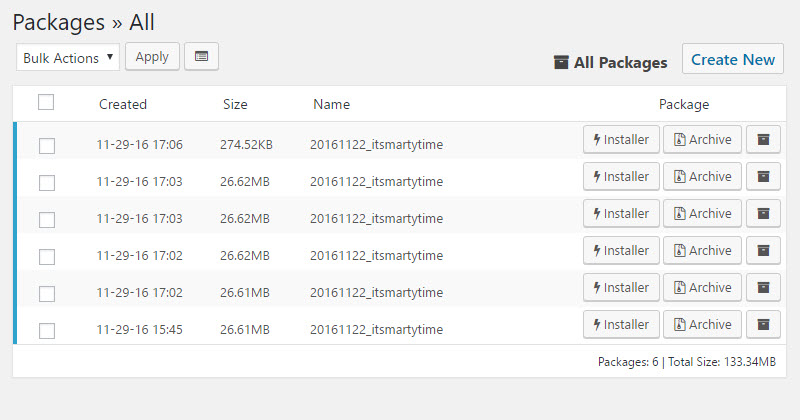
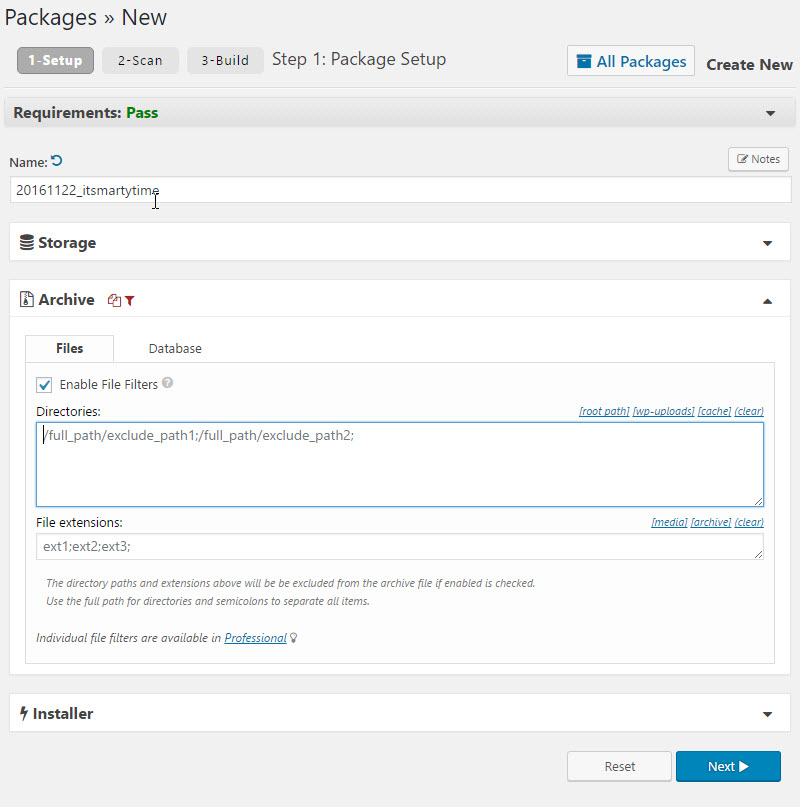

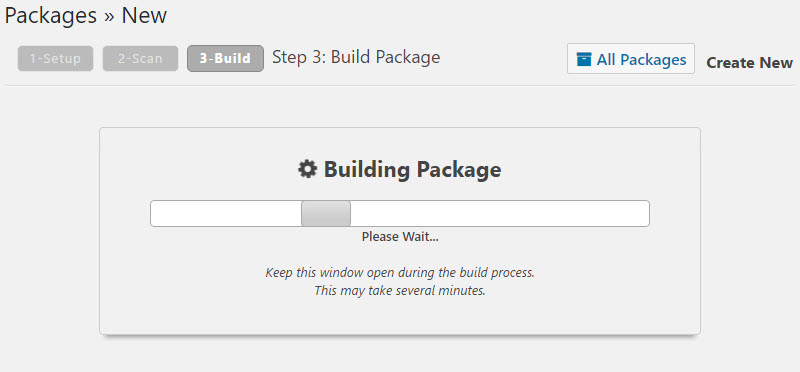

Para desenvolvedores
Este é o seu plugin? Mostre os números.
Adicione um crachá ao vivo ao seu site, Documentos ou Readme do GitHub. Ele é atualizado por conta própria - nenhuma conta necessária.
Best Duplicator alternatives
All backup plugins →





FAQ
Duplicator: quick answers
Respostas diretas, extraídas de dados ao vivo WordPress.org.
Fonte: WordPress.org
Is Duplicator free?
Yes. Duplicator is free to download and use from the official WordPress.org plugin directory.
Is Duplicator safe to use in 2026?
Yes — Duplicator is a safe, well-maintained plugin to use in 2026. It runs on 1M+ sites, is rated 4.9/5 and was last updated 4 days ago, and scores 98/100 on our health check.
How many websites use Duplicator?
Duplicator is active on 1M+ WordPress websites and has been downloaded 59,014,649 times since it launched in June 2011. It was downloaded 1,552,484 times in the last 30 days.
Does Duplicator work with WordPress 7.1?
Yes. The developer has tested Duplicator up to WordPress 7.1.5, the latest release. It requires WordPress 6.2 or newer.
What PHP version does Duplicator need?
Duplicator requires PHP 7.4 or higher. Most hosts run PHP 8.x today, so it works on any modern WordPress hosting.
When was Duplicator last updated?
The latest version, 5.2.0, was released on November 16, 2026 (4 days ago).
Who makes Duplicator?
Duplicator is developed and maintained by Syed Balkhi.
What are the best alternatives to Duplicator?
The most popular alternatives to Duplicator are All-in-One WP Migration and… (5M+ installs), UpdraftPlus: WP Backup & Mi… (4M+ installs) and Jetpack (3M+ installs).
Alimentado por PageForge
Um modelo e uma planilha. Uma página real para cada pesquisa.
PageForge Transforma cada linha de um CSV em uma página WordPress com seu próprio título, URL, SEO campos e esquema, construído no layout que você já desenhou. Gratuito em WordPress.org.
- CSV e XLSX, mais Google Sheets em Profissional e Empresarial
- Seu próprio título, URL, SEO campos e esquema para cada página
- Funciona com o editor de blocos, Elementor, Divi e Avada
- Gratuito em WordPress.org, sem cartão de crédito