


Backuply – Backup, Restore, Migrate and Clone
Backuply is a WordPress backup plugin that helps you backup your WordPress website, saving you from loss of data because of server crashes, hacks, dodgy updates, or bad plugins.

Escolha segura
Yes — Backuply is a safe, well-maintained plugin to use in 2026. It runs on 600K+ sites, is rated 4.5/5 and was last updated 4 weeks ago, and scores 91/100 on our health check.
- Comprovado em escala em mais de 600 mil sites ativos
- Loved by users — 4.5/5 from 135 reviews
- Desenvolvido ativamente — última atualização 4 semanas atrás
- Testado com as últimas WordPress (7.1)
Como ele se acumula?
Lado a lado em instalações, atualizações, avaliações e suporte



Downloads diários
Os picos de download geralmente seguem uma nova versão — cada site que atualiza automaticamente é um download.
Rankings
Where Backuply stands todayWordPress.org Classificações de pesquisa
Posição ao vivo na pesquisa de plugins, top 100| Palavra chave | Posição |
|---|---|
| backup | #9 |
| cloud backup | #9 |
| database backup | #10 |
| restore | #4 |
| wordpress backup | #12 |
Adoção da versão
Compartilhamento de sites ativos por lançamento.
Divisão de classificação
★★★★★★★★★★ 4.5 from 135 reviews
About Backuply
From the official readme · v1.6.0Descrição
Backuply is a WordPress backup plugin that helps you backup your WordPress website, saving you from loss of data because of server crashes, hacks, dodgy updates, or bad plugins.
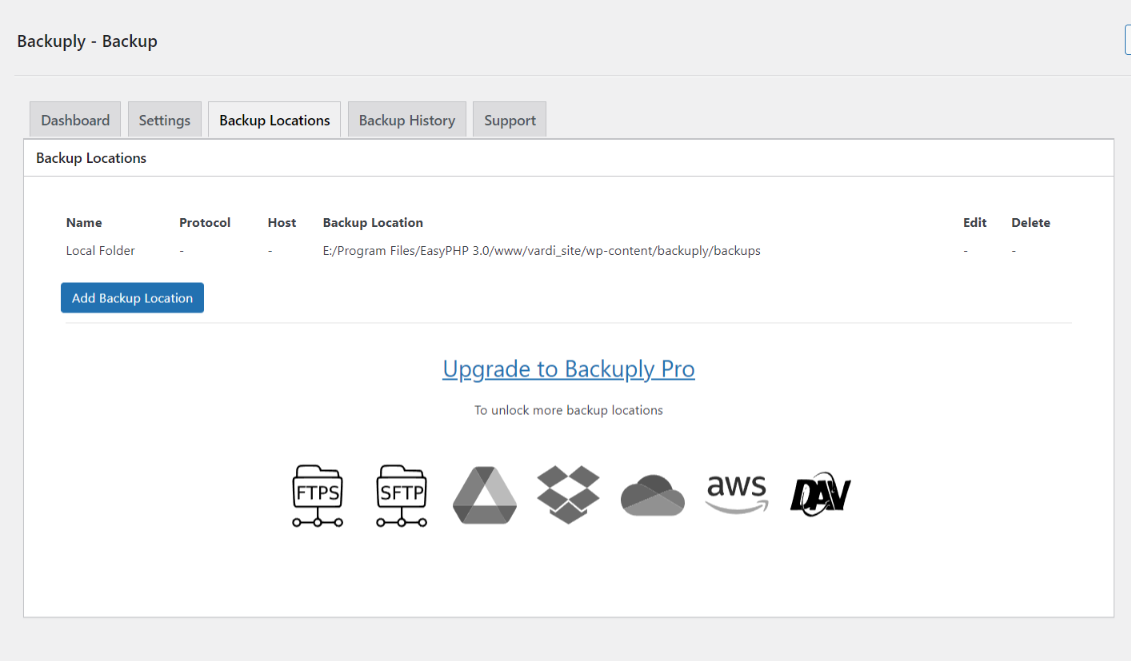
Backuply comes with Local Backups and Secure Cloud backups with easy integrations with FTP, FTPS, SFTP, WebDAV, Google Drive, Microsoft OneDrive, Dropbox, Amazon S3 and easy One-click restoration.
Your website is your asset and it needs to constantly be protected from various security issues, server issues, hacking, etc. While you take all precautionary steps to protect your website, backups are the best form of security. With Backuply, you can be confident that your data is protected and is always available for restore during any disaster. Backuply creates full backups of your website and you can restore it to the same or a new WordPress website with the click of a button.
Our backup and website cloning technology have been in use for more than a decade and we have now ported it to WordPress.
You can find our official documentation at https://backuply.com/docs. We are also active in our community support forums on wordpress.org if you are one of our free users. Our Premium Support Ticket System is at https://softaculous.deskuss.com/open.php?topicId=17
Home Page | Support | Documents
Recursos
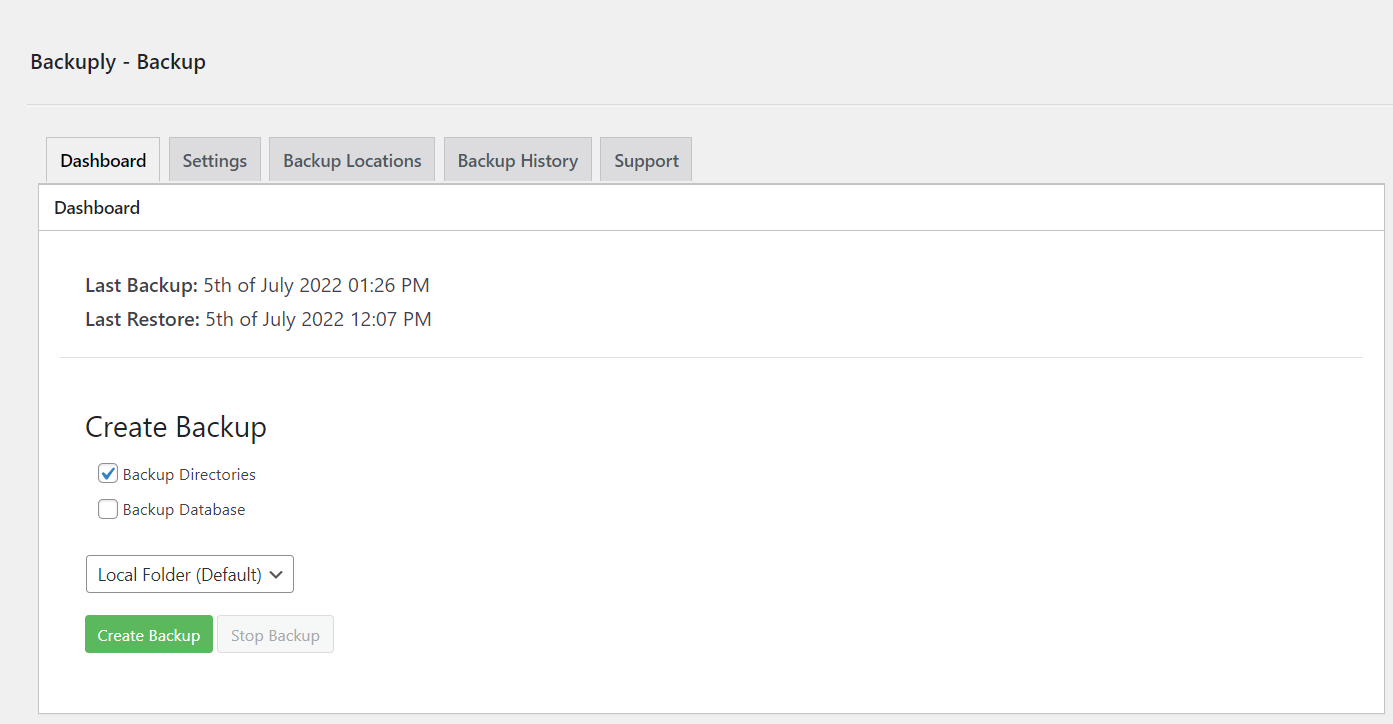
- Local Backups: Backup your complete website locally on your server with just one click.
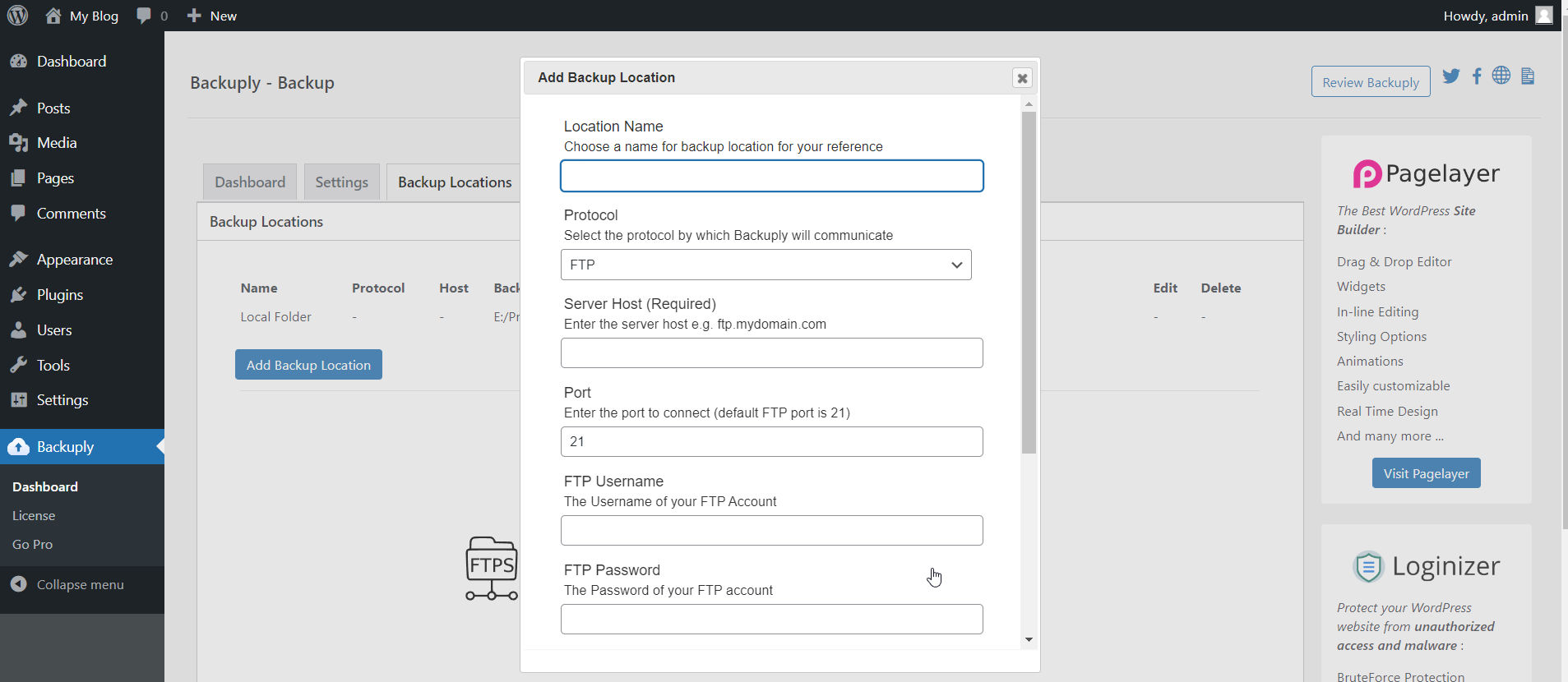
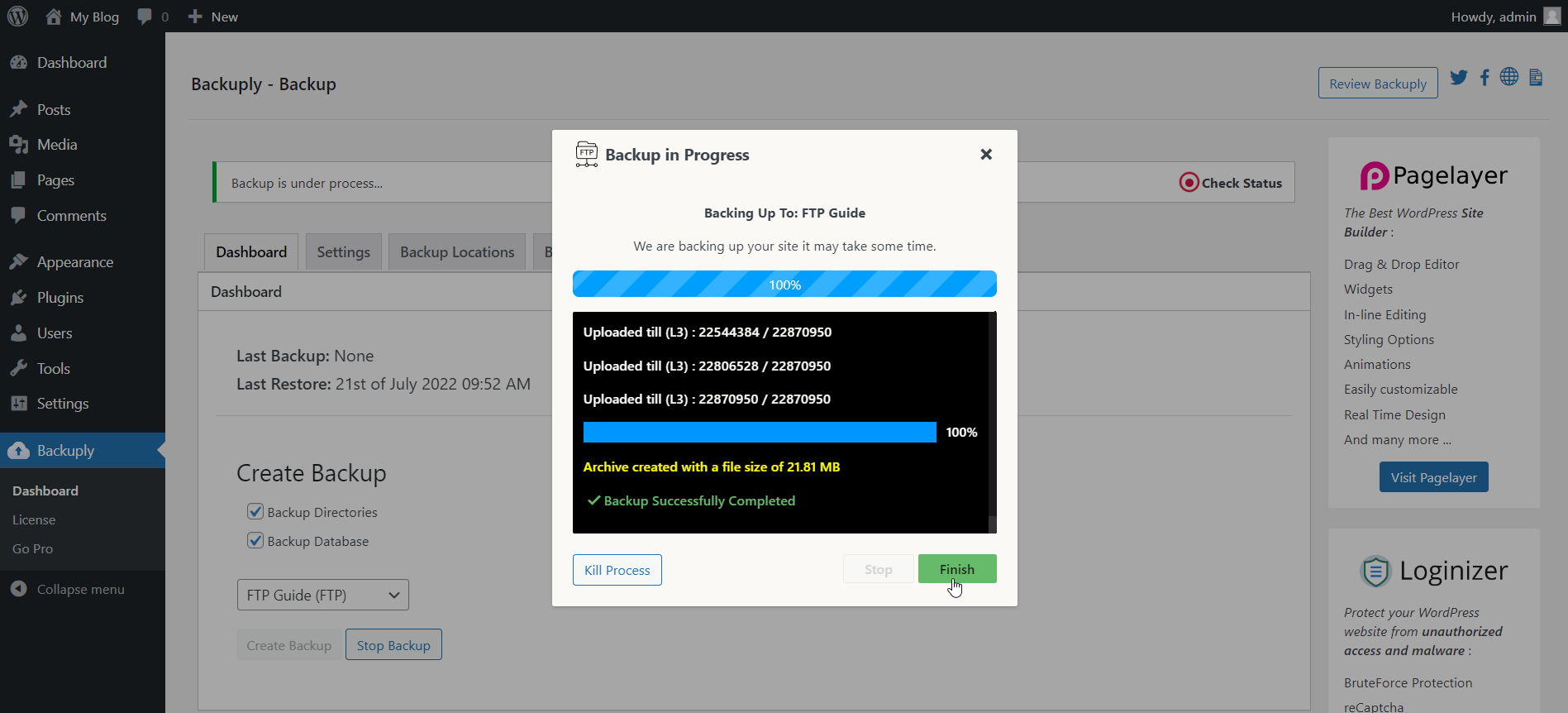
- FTP: Easily backup and restore your backup using FTP.
- Backup to Google Drive
- One-Click Restore: Restore your website files and databases with a one-click restore.
- Migration: Stress-free migration to any domain or host.
- Database Backups: Backup your website’s database only.
Premium Features
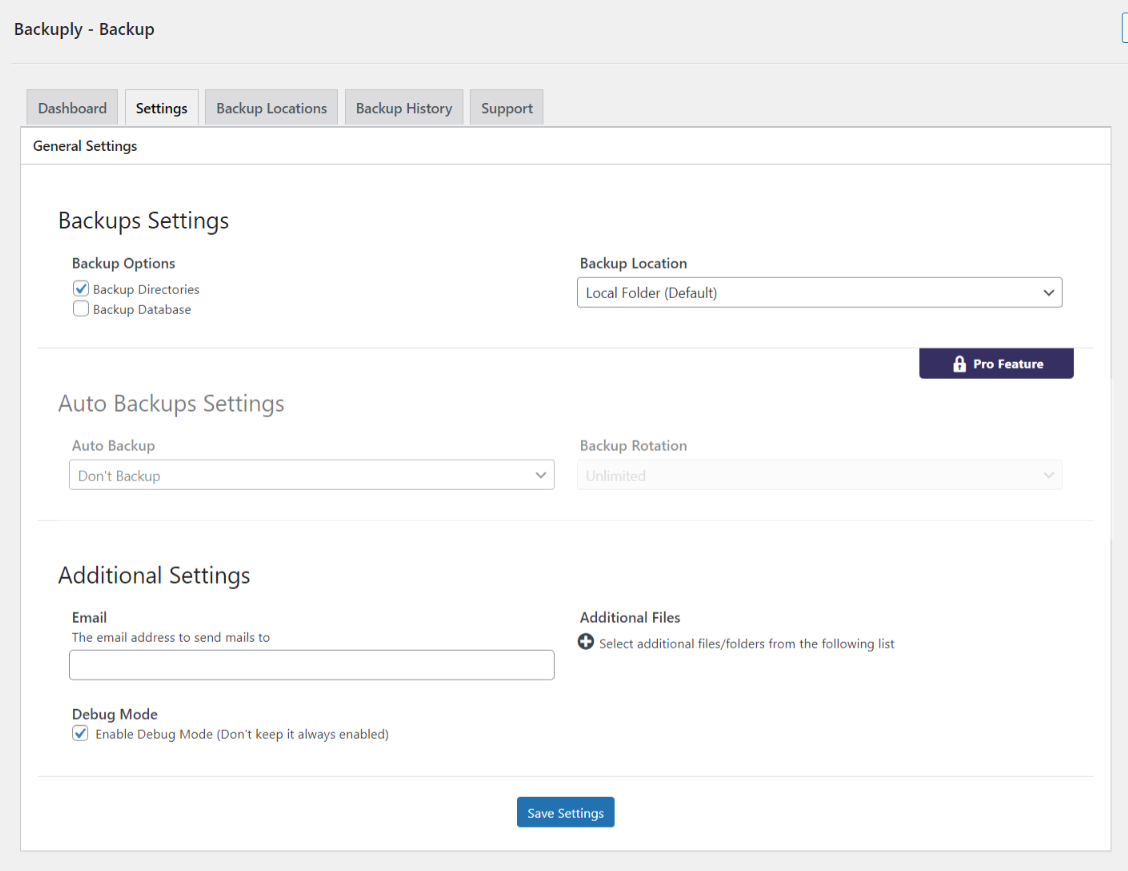
- Automatic Backups: Choose to back up your website at regular intervals like Daily, Weekly, or Monthly. You can also customize the interval.
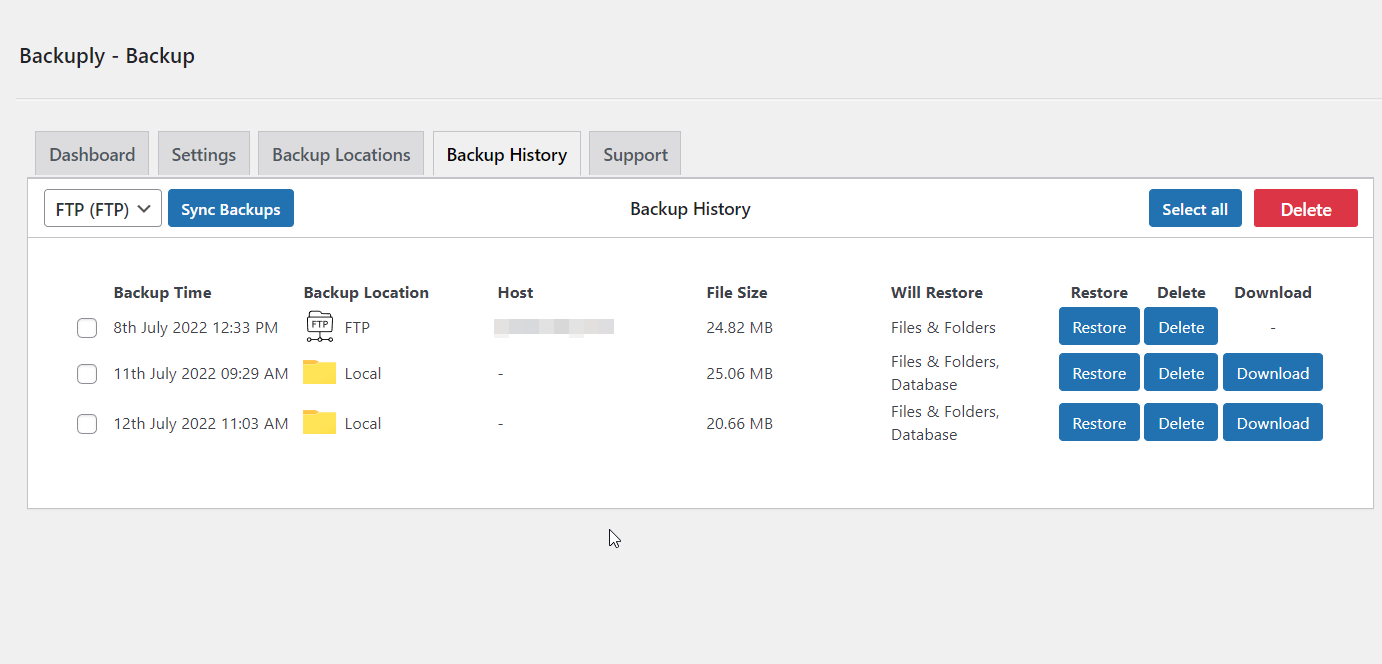
- One-click Restore: With Backuply, restoring your website is simple. Just click on the restore button next to the backup you want to restore from. Your entire backup will be downloaded and the changes will be applied to the website.
- Selective Backup: You have the option to choose from whether only files or database backups or full backups should be performed.
- Website Migration: You can easily migrate your website by restoring from one of the Cloud Backup options on the new website.
- Website Cloning: If you would like to clone your website for any purpose, Backuply can do that for you. Backuply will restore the data but replace the URLs and information as per the existing website. In this way, you can create multiple clones.
- Backup to FTPS: You can back up your site to an FTPS i.e. FTP over SSL / TLS.
- Backup to SFTP: Supports the SFTP protocol.
- Backup to Dropbox
- Backup to Microsoft One Drive
- Backup to Amazon S3
- Backup to WebDAV
- Backup to pCloud
- Backup to S3 Compatible Storages: Added support for DigitalOcean Spaces, Linode Object Storage, Vultr Object Storage, and Cloudflare R2.
- Support for WP-CLI: You can use Backuply through WP-CLI
- Professional Support: Get professional support and more features to make backup your website with Backuply
Backups
Backup is a way of copying your data or files to a secure place, which can be used to restore your website in case of data loss. Backups are vital in securing the data that you have published or written. Backups with Backuply are easy and secure with support for multiple options of storage like local storage using FTP or using third-party services like Google Drive, Dropbox, Microsoft OneDrive, AWS S3 and WebDAV.
To make it even easier we support Automatic Backups with a customizable backup schedule.
Restores
Restoring is just a One-Click process using Backuply. If the selected backup is available then Backuply will restore your backups safely. Restoring a backup will roll back your site in the exact same state as it was when the backup was created.
Migração
Backuply creates a tar file of your whole WordPress install with the Database, so you can migrate your site to any host or location where WordPress can be installed. All you need to do is create a Backup of your WordPress install on a remote location, and that’s it, It can be synced on any WordPress install with ease so you just need to restore the synced backup on the new location for Migration to happen.
How to install Backuply
Go To your WordPress install -> Plugins -> Add New Button -> In Search Box search For Backuply -> Click on Install.
Log de Changes
1.6.0 (22nd October 2026)
- [Feature Pro] Backup Before Auto Updates: Automatic WordPress Core updates now wait until a backup is taken with your Auto Backup settings. If the backup fails, the update is held and retried later.
- [Improvement Pro] Renamed the “Backup Before Updates” option to “Backup Before Manual Updates” to tell it apart from the new auto update option.
- [Improvement] Hardened the database restore by restricting unserialization of restored option/meta values to data only (no objects).
- [Bug-Fix] On some servers loopback request was getting blocked because the request did not had referrer set this has been fixed.
- [Bug-Fix] If the config file could not be created when starting a restore, a PHP warning was thrown and the restoration file was not cleaned up. This has been fixed.
- [Bug-Fix] Google Drive upload errors were shown as “100 Continue” instead of the actual error returned by Google Drive, and temporary Google Drive errors failed the backup instead of being retried. This has been fixed.
- [Bug-Fix] PHP 8.5 was logging deprecation notices for curl_close() and finfo_close(). This has been fixed.
- [Task Pro] A dependency has been update to it’s latest version.
1.5.9 (1st October 2026)
- [Security Fix] Fixed an issue related to the restoration process, reported by daroo [Wordfence].
- [Bug-Fix] Cookie values with special characters like “;” were forwarded decoded in loopback requests, splitting them into invalid cookies which firewalls could block. This has been fixed.
- [Bug-Fix] Check for an already running backup was not working, so a second backup could be started and the Stop Backup button stayed disabled. This has been fixed.
- [Bug-Fix] Backups list was sorted by the site name in the backup file name instead of the backup time, showing backups out of order. This has been fixed.
1.5.8 (23rd September 2026)
- [Improvement Pro] Added Code Signing: Every update now verifies the code signature to ensure secure updates.
1.5.7 (2nd September 2026)
- [Bug-Fix] All cookies were not being passed in a backup request, that has been handled now.
- [Bug-Fix] Restore was showing to have failed security check, this has been fixed.
- [Bug-Fix] On migration the maintenance mode was not getting started because of wrong path, fixed now.
- [Bug-Fix] In certain cases, when attempting to make a final call after import of DB in restoration process the database connection would not respond, this has been handled.
1.5.6
- [Bug-Fix] There was an issue related to Windows path that has been fixed, reported by “Youssef EL MSIYAH”
1.5.5
- [Feature Pro] pCloud Backup location support added.
- [Improvement] noabort rule for LiteSpeed cache was added earlier if litespeed PHP extension was present, now it adds based on PHP SAPI or SERVER_SOFTWARE.
- [Improvement] Option to scan and add LiteSpeed noabort rule added to Backuply support tab.
- [Bug-Fix] There was a Google Drive access token cache issue, that has been fixed.
Capturas de tela

Para desenvolvedores
Este é o seu plugin? Mostre os números.
Adicione um crachá ao vivo ao seu site, Documentos ou Readme do GitHub. Ele é atualizado por conta própria - nenhuma conta necessária.
Best Backuply alternatives
All backup plugins →





FAQ
Backuply: quick answers
Respostas diretas, extraídas de dados ao vivo WordPress.org.
Fonte: WordPress.org
Is Backuply free?
Yes. Backuply is free to download and use from the official WordPress.org plugin directory.
Is Backuply safe to use in 2026?
Yes — Backuply is a safe, well-maintained plugin to use in 2026. It runs on 600K+ sites, is rated 4.5/5 and was last updated 4 weeks ago, and scores 91/100 on our health check.
How many websites use Backuply?
Backuply is active on 600K+ WordPress websites and has been downloaded 7,626,747 times since it launched in July 2022. It was downloaded 192,206 times in the last 30 days.
Does Backuply work with WordPress 7.1?
Yes. The developer has tested Backuply up to WordPress 7.1.5, the latest release. It requires WordPress 4.7 or newer.
What PHP version does Backuply need?
Backuply requires PHP 5.5 or higher. Most hosts run PHP 8.x today, so it works on any modern WordPress hosting.
When was Backuply last updated?
The latest version, 1.6.0, was released on October 22, 2026 (4 weeks ago).
Who makes Backuply?
Backuply is developed and maintained by Softaculous.
What are the best alternatives to Backuply?
The most popular alternatives to Backuply are All-in-One WP Migration and… (5M+ installs), UpdraftPlus: WP Backup & Mi… (4M+ installs) and Jetpack (3M+ installs).
Alimentado por PageForge
Um modelo e uma planilha. Uma página real para cada pesquisa.
PageForge Transforma cada linha de um CSV em uma página WordPress com seu próprio título, URL, SEO campos e esquema, construído no layout que você já desenhou. Gratuito em WordPress.org.
- CSV e XLSX, mais Google Sheets em Profissional e Empresarial
- Seu próprio título, URL, SEO campos e esquema para cada página
- Funciona com o editor de blocos, Elementor, Divi e Avada
- Gratuito em WordPress.org, sem cartão de crédito