


Widget preto do estúdio tinymce
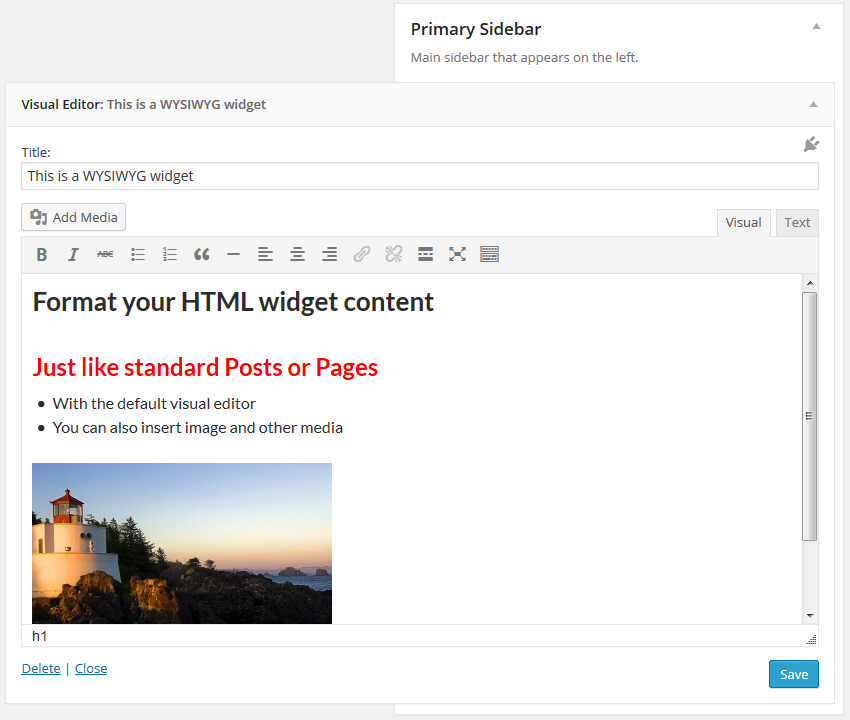
O widget do Visual Editor de WordPress.

Escolha segura
Yes — Black Studio TinyMCE Widget is a safe, well-maintained plugin to use in 2026. It runs on 200K+ sites, is rated 4.8/5 and was last updated 3 months ago, and scores 81/100 on our health check.
- Comprovado em escala em mais de 200 mil sites ativos
- Loved by users — 4.8/5 from 191 reviews
- Testado com as últimas WordPress (7.1)
Como ele se acumula?
Lado a lado em instalações, atualizações, avaliações e suporte



Downloads diários
Os picos de download geralmente seguem uma nova versão — cada site que atualiza automaticamente é um download.
Rankings
Where Black Studio TinyMCE Widget stands todayWordPress.org Classificações de pesquisa
Posição ao vivo na pesquisa de plugins, top 100| Palavra chave | Posição |
|---|---|
| editor | >100 |
| tinyMCE | #1 |
| visual | #29 |
| widget | #10 |
| wysiwyg | #6 |
Adoção da versão
Compartilhamento de sites ativos por lançamento.
Divisão de classificação
★★★★★★★★★★ 4.8 from 191 reviews
About Black Studio TinyMCE Widget
From the official readme · v2.7.4Descrição
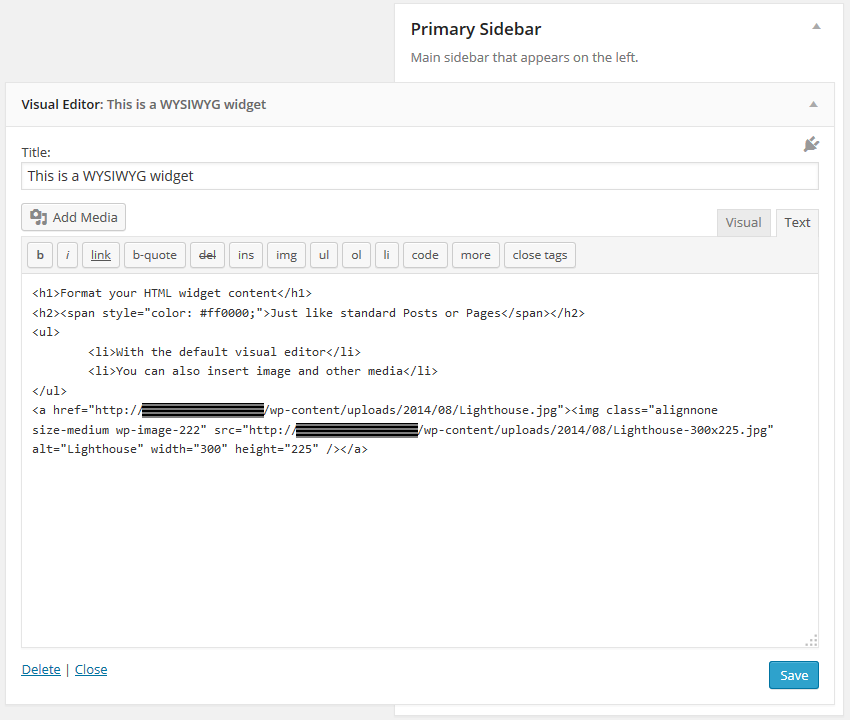
This plugin adds a new Visual Editor widget type that allows you to insert rich text and media objects in your sidebars with no hassle. With Black Studio TinyMCE Widget you will be able to edit your widgets in a WYSIWYG manner using the native WordPress TinyMCE editor, just like you do in posts and pages. And if you are a developer you may still switch back and forth from Visual to HTML mode.
For years the default WordPress text widget has been very basic and it required HTML knowledge to add formatting and images/media to the text. This plugin was born in 2011 to overcome these limitations. After a long time, in June 2017, version 4.8 of WordPress finally introduced a new text widget that included the ability to manage text widgets with the visual editor. The new widget available in WordPress core could now be used as a basic replacement of Black Studio TinyMCE Widget, but the plugin still offers some additional features, so it remains a must-have for advanced users.
Basic Features
- Add rich text widgets to your sidebars and edit them using the TinyMCE visual editor
- Switch between Visual mode and HTML mode (including Quicktags toolbar)
- Insert images, videos, and other media from WordPress Media Library
- Insert links to existing WordPress pages/posts or external resources
- Support for shortcodes, smilies and embed in widget text (including preview)
- Support for the Block-based Widgets Editor introduced with WordPress 5.8
- Support for Customizer with live preview and quick edit
- Support for widgets accessibility mode
- Compatible with multi-site (WordPress networks)
- Compatible with the most common multi-language plugins
- Compatible with Page Builder plugin by SiteOrigin
- Translations available in 20+ languages
Advanced Features
These features are what makes this plugin better than the WordPress (4.8+) native widget:
- Full featured TinyMCE Visual Editor (the same you have for pages and posts)
- Wide text area for an enhanced editing experience
- Compatible with 3rd party TinyMCE customization plugins (TinyMCE Advanced, WP Edit, …)
- Support for distraction-free (fullscreen) editing mode
- Option to “Automatically add paragraphs” to widget text
About the plugin
The story of the plugin was featured in a talk at WordCamp Europe 2018 in Belgrade.
See the video Once upon a time, there was a plugin… on WordPress.tv.
Links
- Author’s web site
- Plugin’s page
- FAQ
- Fórum de suporte
- Follow us on Twitter, Facebook, LinkedIn and GitHub
Get involved
- Developers can contribute to the source code on our GitHub repository.
- Translators can contribute through the Official WordPress Translation platform.
- Users can contribute by leaving a 5 stars review or making a donation.
Instalação
This section describes how to install and use the plugin.
- Install automatically through the
Pluginsmenu andAdd Newbutton (or upload the entireblack-studio-tinymce-widgetfolder to the/wp-content/plugins/directory) - Activate the plugin
- Go to
Appearance=>Widgets - Drag and drop the
Visual Editorwidget to the desired sidebar (or, if using Accessibility mode, click theAddlink) - Fill in title and (rich) text
Note: the plugin doesn’t have nor requires any settings.
Log de Changes
Important: Always ensure to backup your database before upgrading.
2.7.4 (2026-08-19)
- Updated compatibility info with WordPress 7.1
- Updated minimum required WordPress version to 5.0
- Removed donation link
2.7.3 (2024-07-07)
- Updated compatibility info with WordPress version
2.7.2 (2022-07-05)
- Fixed compatibility issue with Toolset Types WYSIWYG fields
2.7.1 (2022-07-01)
- Fixed issue on Media Library with new Block-based Widgets Editor
2.7.0 (2021-10-27)
- Added compatibility with Block-based Widgets Editor (WordPress 5.8)
2.6.9 (2019-07-10)
- Fixed compatibility issue with WP Page Widget plugin
Capturas de tela

Para desenvolvedores
Este é o seu plugin? Mostre os números.
Adicione um crachá ao vivo ao seu site, Documentos ou Readme do GitHub. Ele é atualizado por conta própria - nenhuma conta necessária.
Best Black Studio TinyMCE Widget alternatives
All editor plugins →





FAQ
Black Studio TinyMCE Widget: quick answers
Respostas diretas, extraídas de dados ao vivo WordPress.org.
Fonte: WordPress.org
Is Black Studio TinyMCE Widget free?
Yes. Black Studio TinyMCE Widget is free to download and use from the official WordPress.org plugin directory.
Is Black Studio TinyMCE Widget safe to use in 2026?
Yes — Black Studio TinyMCE Widget is a safe, well-maintained plugin to use in 2026. It runs on 200K+ sites, is rated 4.8/5 and was last updated 3 months ago, and scores 81/100 on our health check.
How many websites use Black Studio TinyMCE Widget?
Black Studio TinyMCE Widget is active on 200K+ WordPress websites and has been downloaded 11,316,962 times since it launched in November 2011. It was downloaded 21,647 times in the last 30 days.
Does Black Studio TinyMCE Widget work with WordPress 7.1?
Yes. The developer has tested Black Studio TinyMCE Widget up to WordPress 7.1.5, the latest release. It requires WordPress 5.0 or newer.
What PHP version does Black Studio TinyMCE Widget need?
Black Studio TinyMCE Widget requires PHP 5.2 or higher. Most hosts run PHP 8.x today, so it works on any modern WordPress hosting.
When was Black Studio TinyMCE Widget last updated?
The latest version, 2.7.4, was released on August 20, 2026 (3 months ago).
Who makes Black Studio TinyMCE Widget?
Black Studio TinyMCE Widget is developed and maintained by Black Studio.
What are the best alternatives to Black Studio TinyMCE Widget?
The most popular alternatives to Black Studio TinyMCE Widget are Elementor Agent Ready Websi… (10M+ installs), Classic Editor (8M+ installs) and Classic Widgets (2M+ installs).
Alimentado por PageForge
Um modelo e uma planilha. Uma página real para cada pesquisa.
PageForge Transforma cada linha de um CSV em uma página WordPress com seu próprio título, URL, SEO campos e esquema, construído no layout que você já desenhou. Gratuito em WordPress.org.
- CSV e XLSX, mais Google Sheets em Profissional e Empresarial
- Seu próprio título, URL, SEO campos e esquema para cada página
- Funciona com o editor de blocos, Elementor, Divi e Avada
- Gratuito em WordPress.org, sem cartão de crédito