


Manager for IcoMoon
Manage IcoMoon icon font packages in WordPress.

Safe pick
Yes — Manager for IcoMoon is a safe, well-maintained plugin to use in 2026. It runs on 400+ sites, is rated 5/5 and was last updated 2 weeks ago, and scores 82/100 on our health check.
- Actively developed — last update 2 weeks ago
- Tested with the latest WordPress (7.1)
- Small user base (400+ active installs)
How does it stack up?
Side-by-side on installs, updates, ratings & support



Daily downloads
Download spikes usually follow a new release — each site that auto-updates counts as a download.
Rankings
Where Manager for IcoMoon stands todayWordPress.org search rankings
Live position in the plugin search, top 100| Keyword | Position |
|---|---|
| font | >100 |
| icomoon | #1 |
| icon | >100 |
| manager | >100 |
Version adoption
Share of active sites per release.
Rating breakdown
★★★★★★★★★★ 5 from 5 reviews
About Manager for IcoMoon
From the official readme · v3.3Description
Manager for IcoMoon helps you use icon fonts generated with the IcoMoon app inside WordPress.
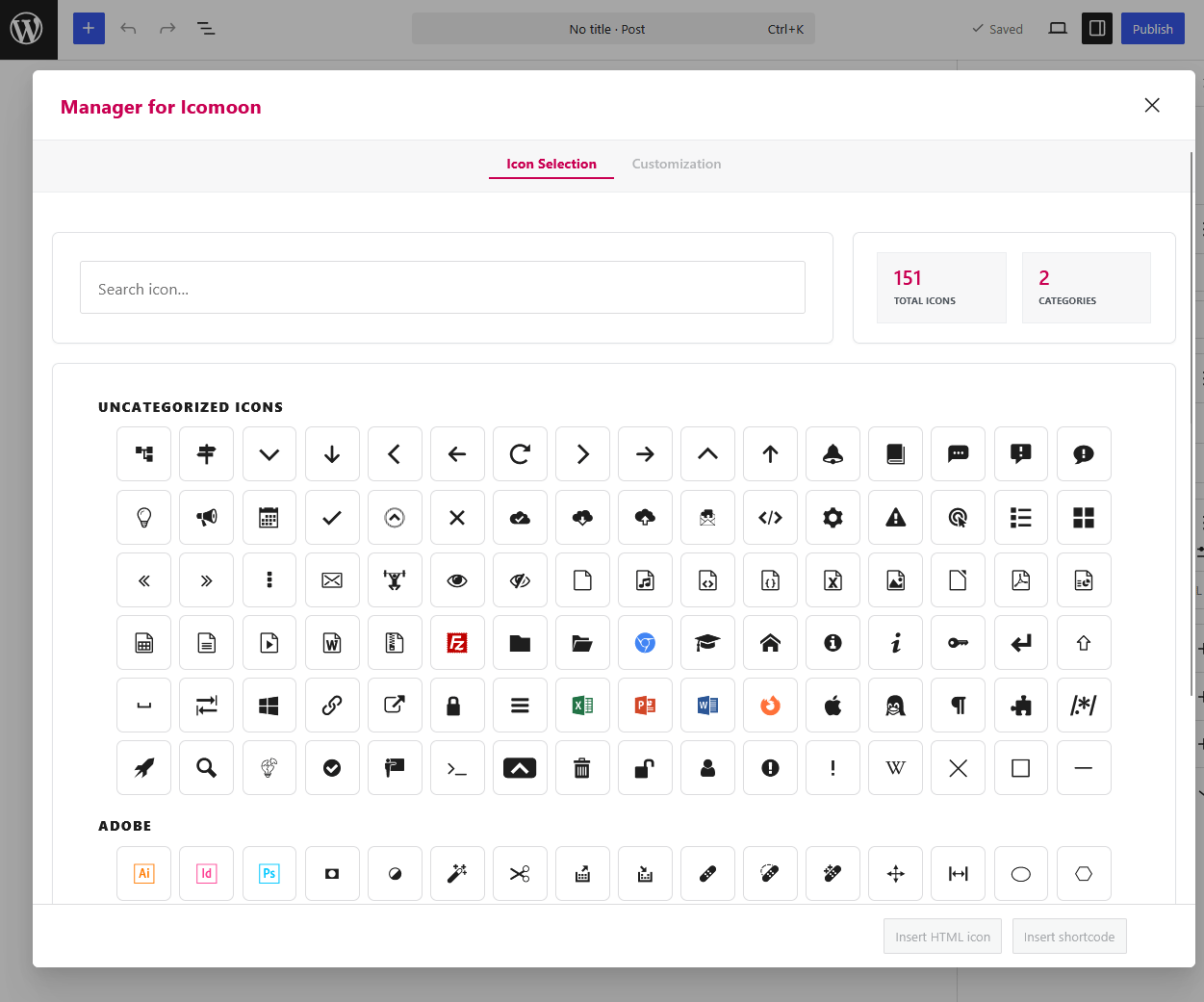
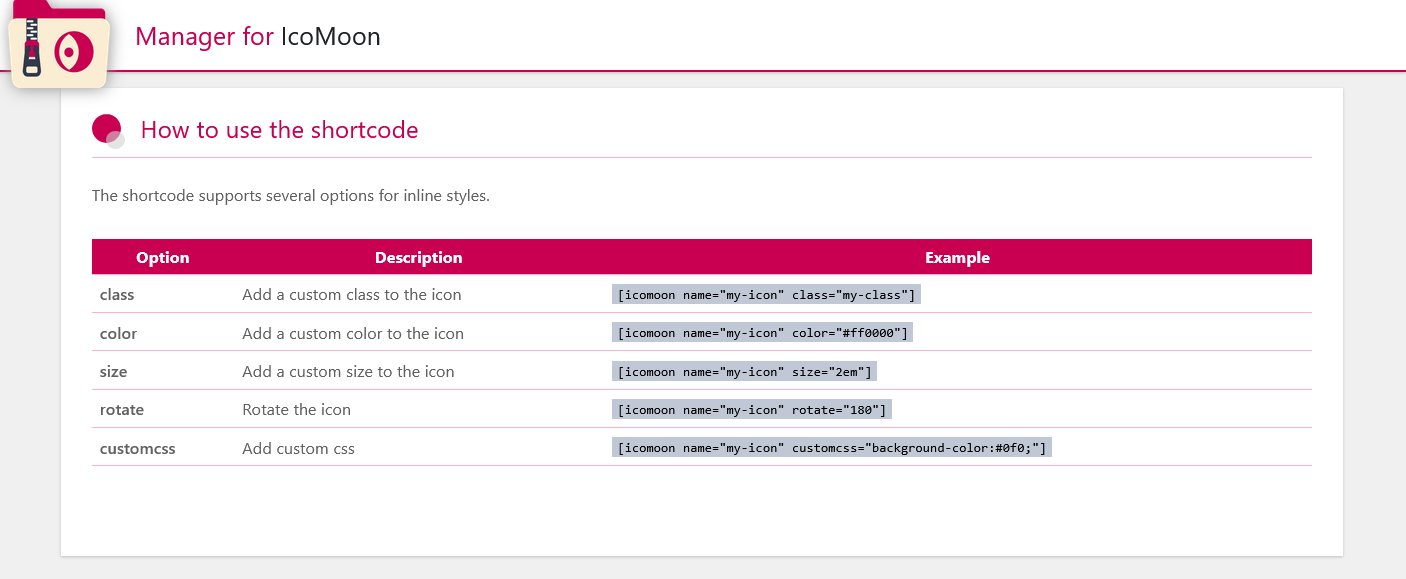
You can import a custom IcoMoon ZIP package, browse the available icons in the admin, and insert icons in your content with shortcodes or direct HTML from the Gutenberg editor.
Main features:
- Import classic IcoMoon ZIP packages (
selection.json,style.css,fonts/) and current packages using either a*.icomoon.jsonmanifest or the currentselection.jsonschema (formatsandglyphs). - Preserve the font family, base CSS class, class prefix, and class suffix configured in the imported IcoMoon project.
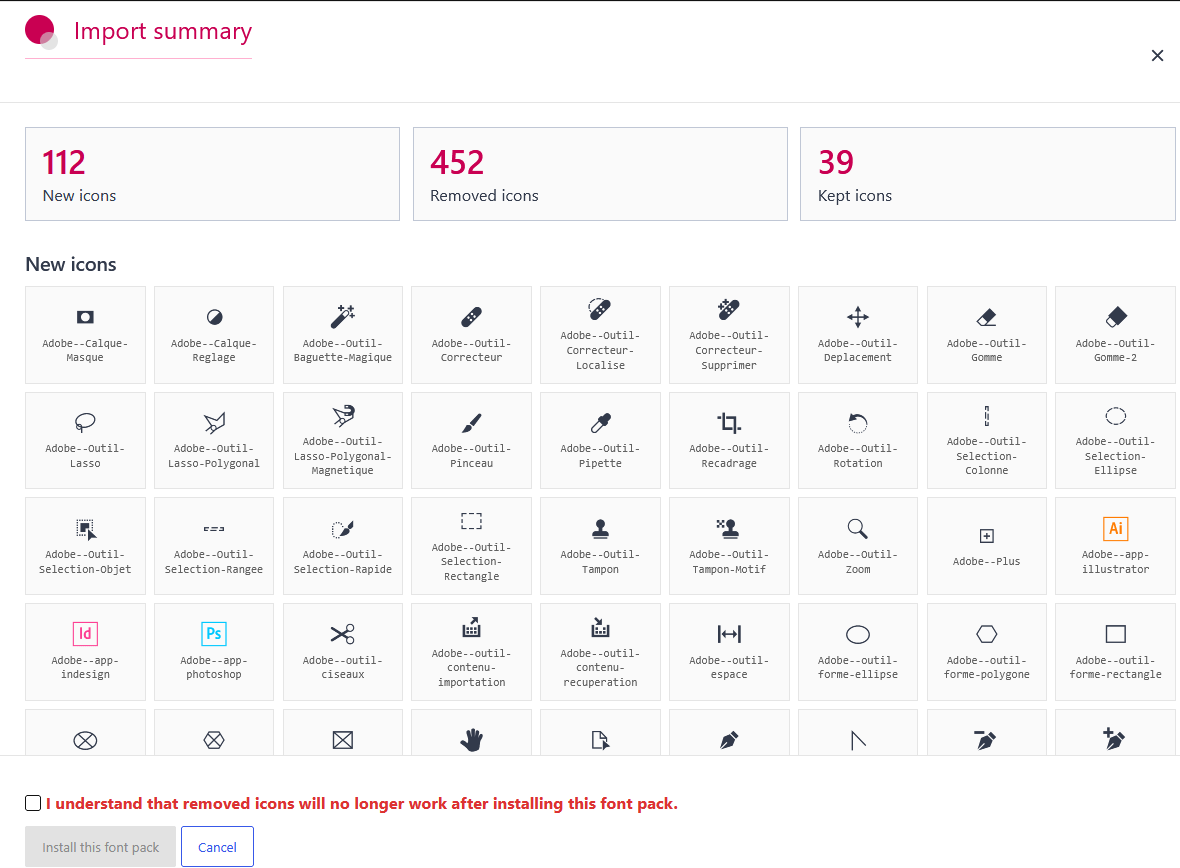
- Analyze a custom font package before installing it.
- Preview new and removed icons before replacing the current font.
- Detect removed icons that may already be used in post content.
- Warn when IcoMoon settings such as class prefix or postfix change and may affect direct HTML icons.
- Optionally update existing direct HTML icon classes when compatible icons still exist.
- Repair direct HTML icons in posts, pages, and custom post types after a font-setting change, with a preview and one-step undo.
- Insert icons from the Gutenberg editor as shortcode or HTML.
- Organize icons into categories by using a separator in IcoMoon icon names.
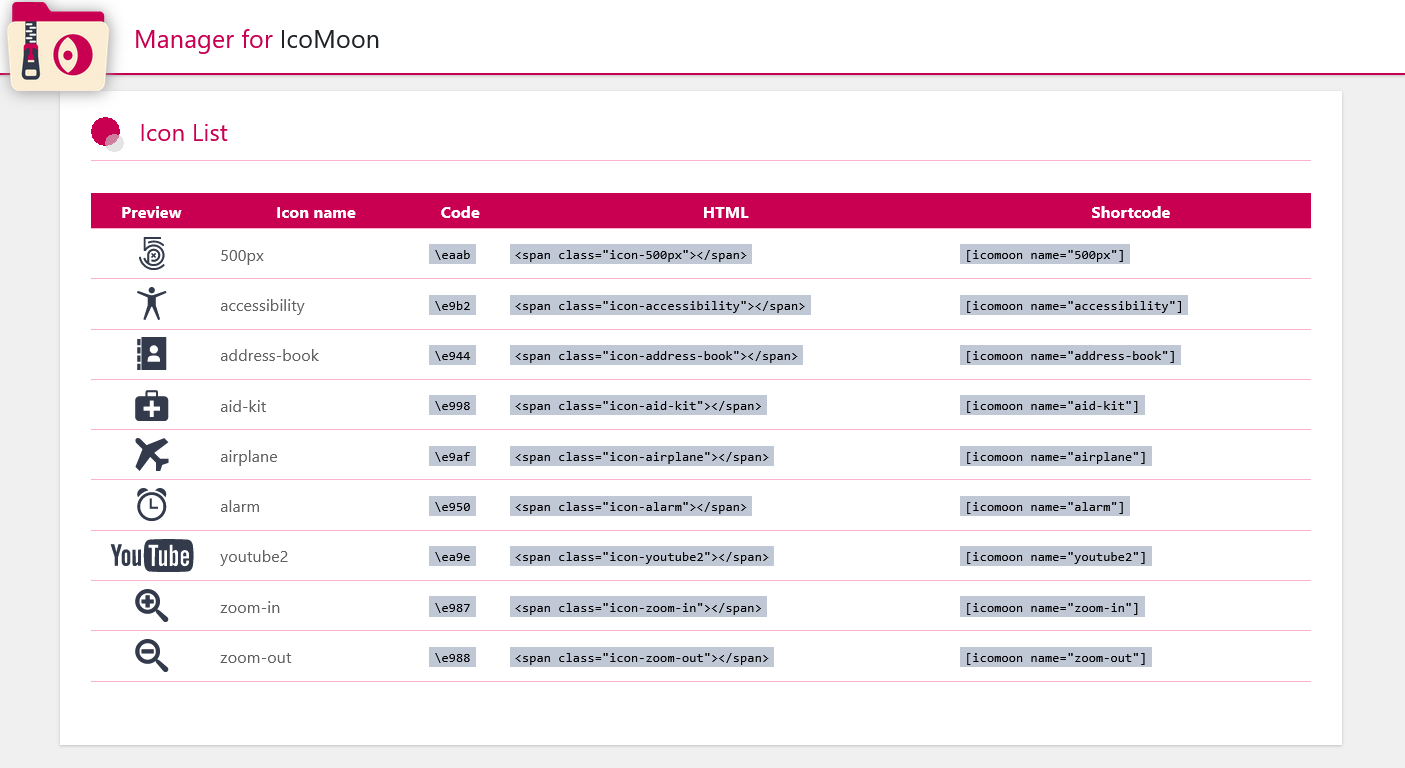
- List available icons with their shortcode, HTML markup, and code.
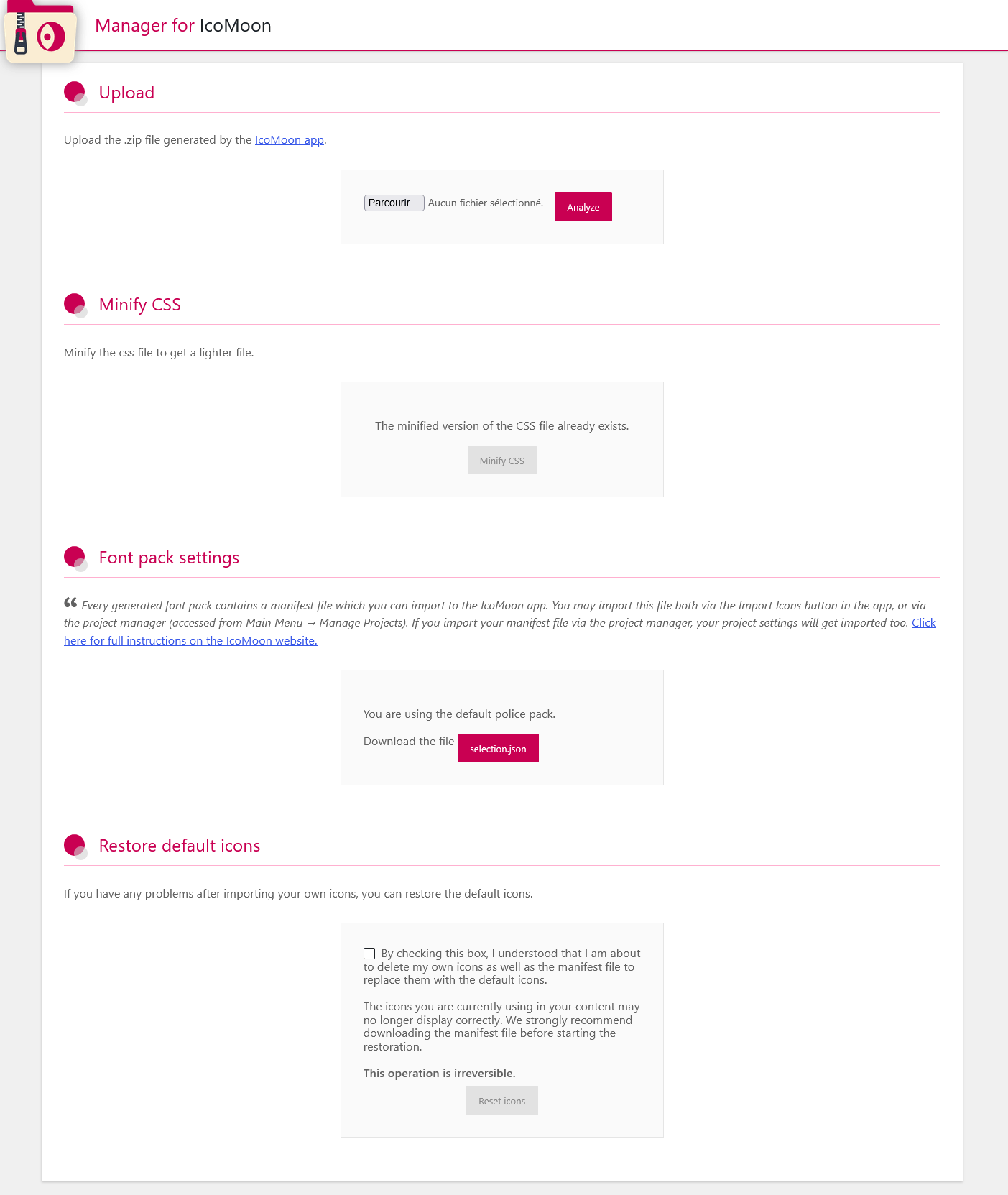
- Restore the default icon pack if needed.
Shortcodes are generally safer for long-term content because they rely on the icon name. Direct HTML gives more markup control, but may be affected when generated CSS classes change.
Quick start
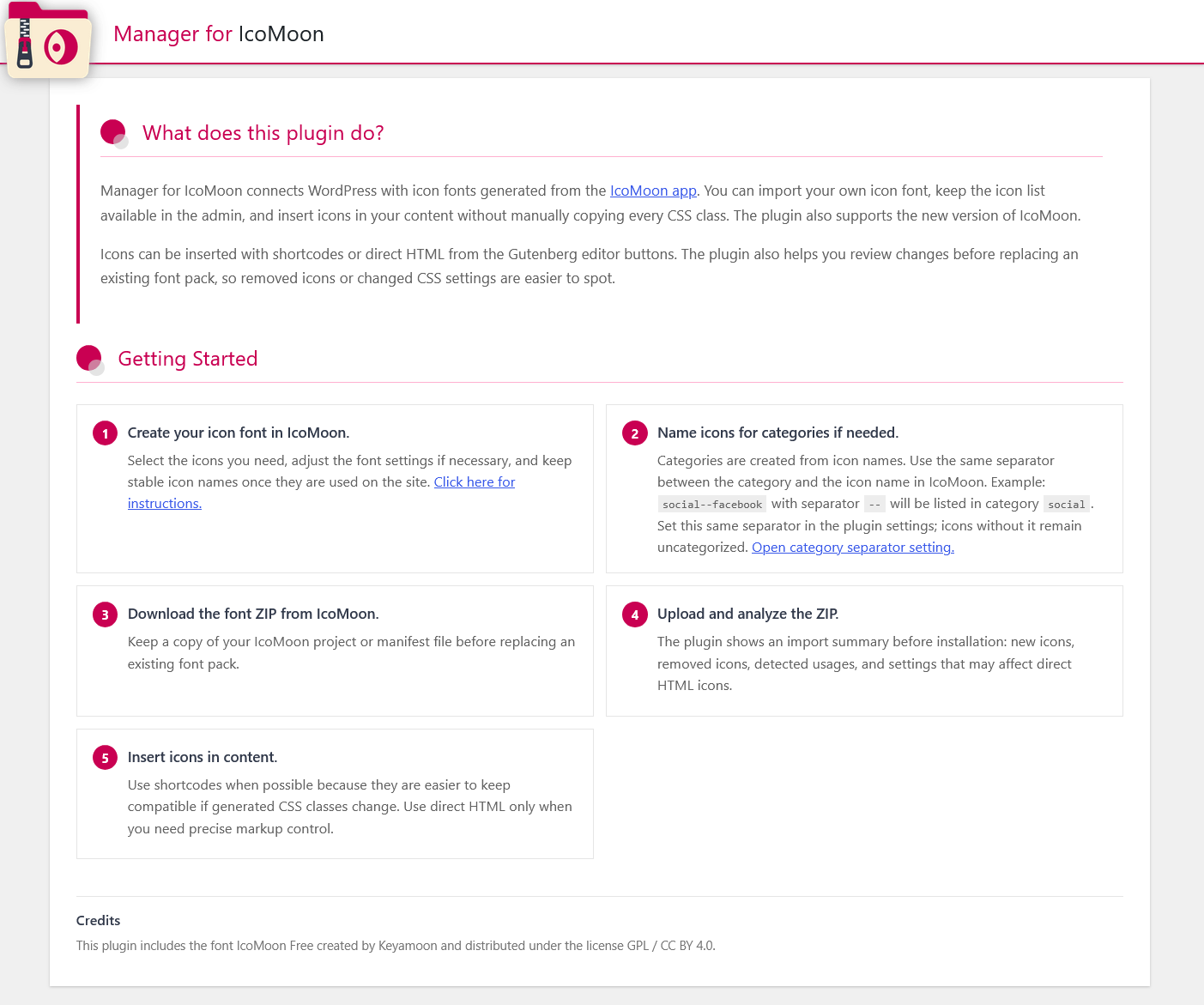
- Create your icon font in the IcoMoon app.
- If you want categories, rename icons with a separator between the category and the icon name. Example:
social--facebookwith separator--will be listed in categorysocial. - Download the font ZIP from IcoMoon.
- Upload the ZIP from the plugin upload screen and review the import summary before installation.
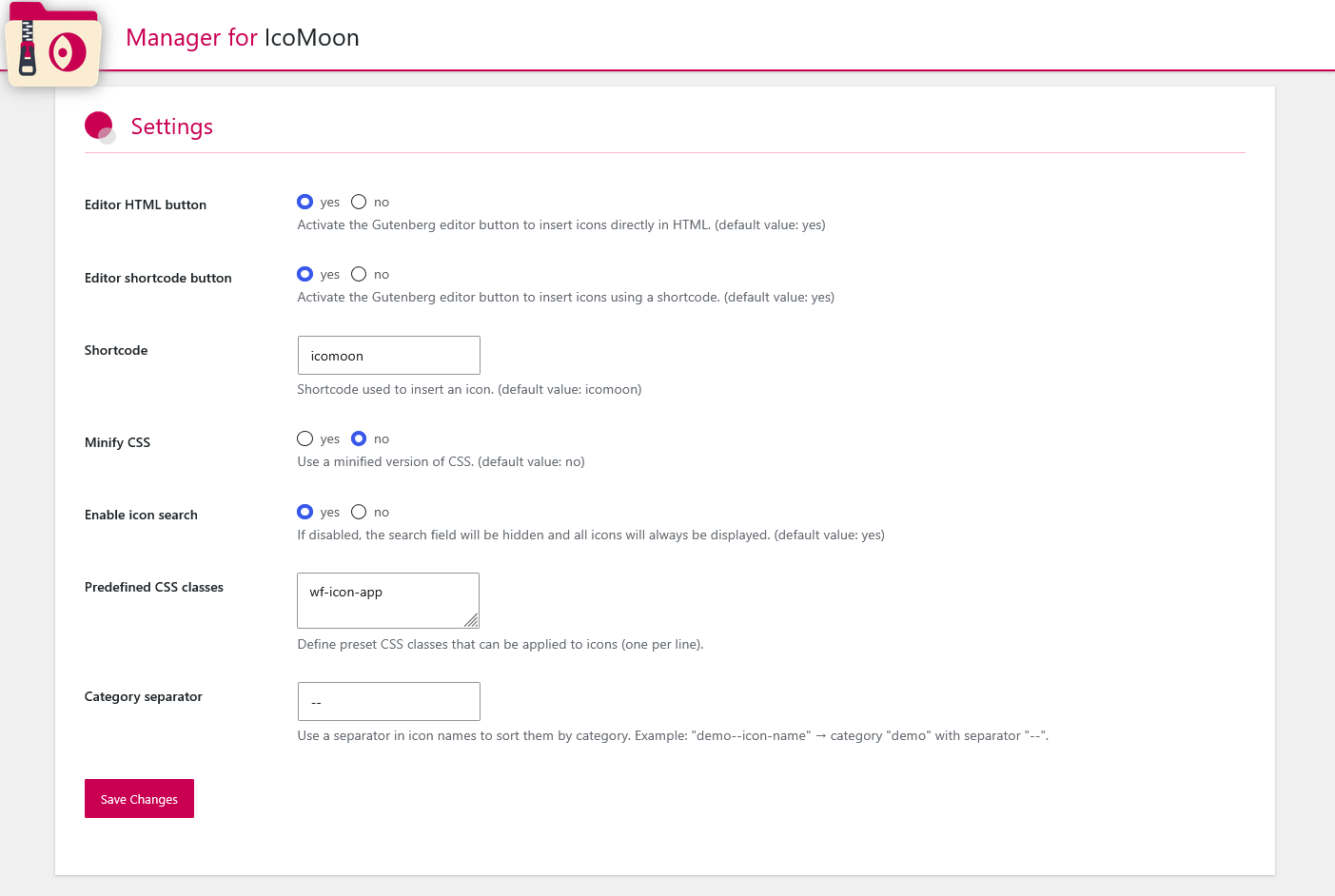
- Configure the same category separator in the plugin settings if you use categorized names.
- Insert icons with shortcodes or the Gutenberg editor buttons.
Before replacing an existing font pack, keep a copy of your IcoMoon project or manifest file. Removed icons can stop displaying in existing content.
Installation
- Upload the plugin files to the /wp-content/plugins/managerforicomoon/ directory, or install the plugin through the WordPress plugins screen – directly.
- Activate the plugin through the Plugins screen in WordPress
- Use the plugin settings to configure shortcode behavior, Gutenberg insertion, custom CSS class presets, and the category separator.
- Upload your IcoMoon ZIP package from the plugin upload screen.
Changelog
3.3
- Added an icon repair feature for changes to icon font settings.
3.2
- Fixed direct HTML icon insertion in the Gutenberg editor
3.1
- Prevented an invalid or incomplete ZIP archive from replacing the active icon pack.
- Added rollback protection if the final installation step fails.
- Restored support for classic IcoMoon archives whose font files use a custom name instead of
icomoon.*. - Added validation and normalization checks for font packages generated by the current IcoMoon app.
- Added ZIP upload safety checks for invalid uploads, unsafe paths, and unreasonable archive sizes.
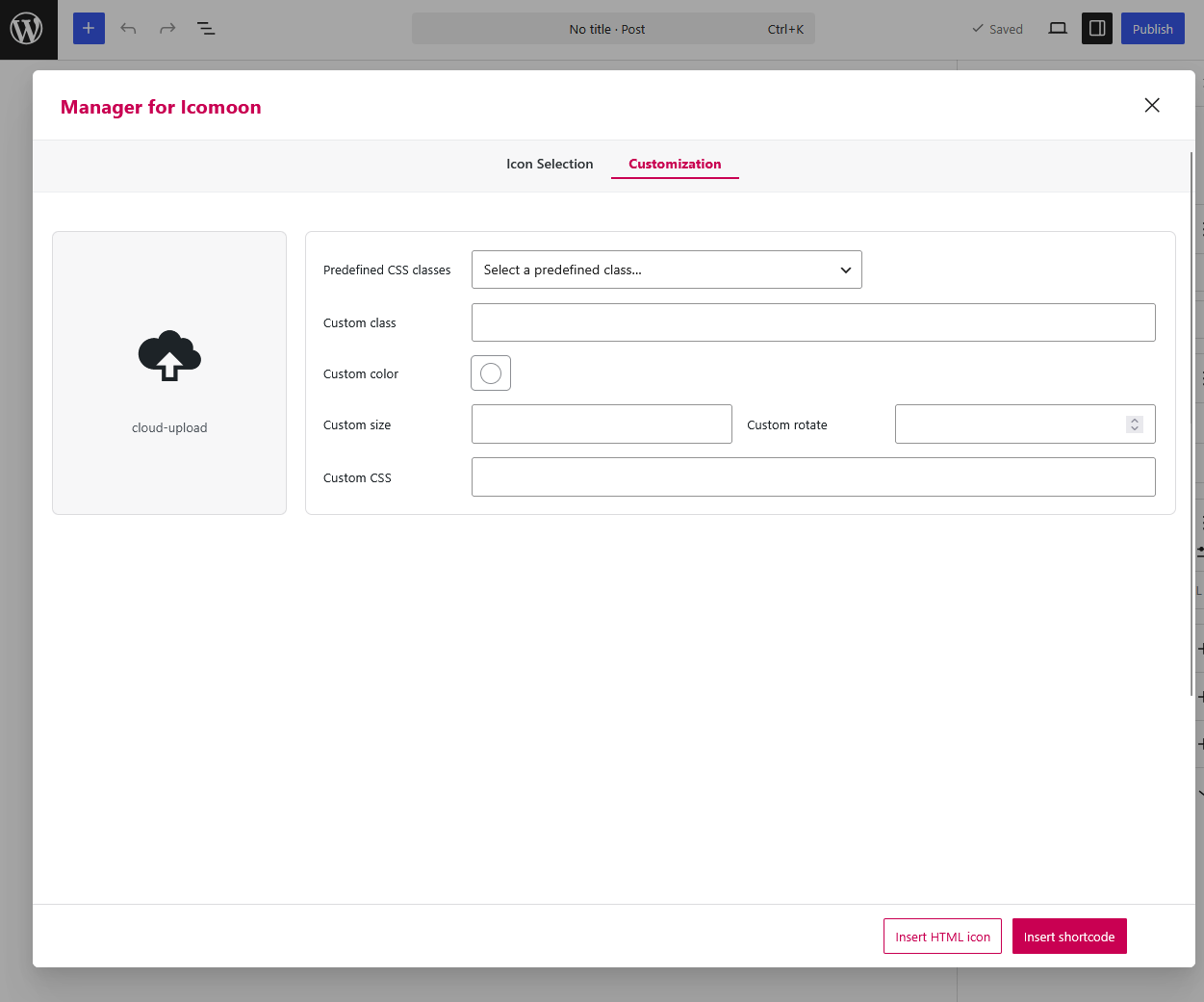
- Fixed the Gutenberg icon modal scroll position when switching from Icon Selection to Customization.
3.0
- Added support for font packages generated by the newer IcoMoon app.
- Added ZIP integrity and expected package structure checks before import.
- Added an import summary before installation with new icons, removed icons, usage detection, and settings changes.
- Added a confirmation step when removed icons may stop working.
- Added optional migration for compatible direct HTML icon class changes.
- Improved the getting started guide and category separator documentation.
- Reworked Gutenberg icon insertion into a single modal with icon selection, live preview, and HTML/shortcode insertion actions.
- Removed the setting that forced customization options to open by default.
2.4
- Added a setting to enable or disable the icon search field in the modal.
- Added support for predefined CSS class presets, configurable in the plugin settings and selectable in the modal.
- Added an option to show customization options by default when opening the modal.
2.3.10
- Local translation files included within the plugin take precedence over WordPress.org language packs, guaranteeing that custom translations are always applied, especially for the French language.
Screenshots
For developers
Is this your plugin? Show off the numbers.
Add a live badge to your site, docs or GitHub README. It updates on its own — no account needed.
Best Manager for IcoMoon alternatives
All font plugins →



FAQ
Manager for IcoMoon: quick answers
Straight answers, pulled from live WordPress.org data.
Source: WordPress.org
Is Manager for IcoMoon free?
Yes. Manager for IcoMoon is free to download and use from the official WordPress.org plugin directory.
Is Manager for IcoMoon safe to use in 2026?
Yes — Manager for IcoMoon is a safe, well-maintained plugin to use in 2026. It runs on 400+ sites, is rated 5/5 and was last updated 2 weeks ago, and scores 82/100 on our health check.
How many websites use Manager for IcoMoon?
Manager for IcoMoon is active on 400+ WordPress websites and has been downloaded 12,668 times since it launched in August 2019. It was downloaded 655 times in the last 30 days.
Does Manager for IcoMoon work with WordPress 7.1?
Yes. The developer has tested Manager for IcoMoon up to WordPress 7.1.5, the latest release. It requires WordPress 4.7.4 or newer.
When was Manager for IcoMoon last updated?
The latest version, 3.3, was released on November 3, 2026 (2 weeks ago).
Who makes Manager for IcoMoon?
Manager for IcoMoon is developed and maintained by albedo0.
What are the best alternatives to Manager for IcoMoon?
The most popular alternatives to Manager for IcoMoon are Local Google Fonts (100K+ installs), TS Webfonts for さくらのレンタルサーバ (30K+ installs) and Adobe Fonts (formerly Typek… (10K+ installs).
Powered by PageForge
One template and a spreadsheet. A real page for every search.
PageForge turns each row of a CSV into a WordPress page with its own title, URL, SEO fields and schema, built on the layout you already designed. Free on WordPress.org.
- CSV and XLSX, plus Google Sheets on Professional and Enterprise
- Its own title, URL, SEO fields and schema for every page
- Works with the block editor, Elementor, Divi and Avada
- Free on WordPress.org, no credit card