


Gerente de iCoon
Gerencie pacotes de fontes de ícones do iCoon em WordPress.

Escolha segura
Yes — Manager for IcoMoon is a safe, well-maintained plugin to use in 2026. It runs on 400+ sites, is rated 5/5 and was last updated 3 weeks ago, and scores 82/100 on our health check.
- Desenvolvido ativamente — última atualização 3 semanas atrás
- Testado com as últimas WordPress (7.1)
- Base de usuários pequenas (mais de 400 instalações ativas)
Como ele se acumula?
Lado a lado em instalações, atualizações, avaliações e suporte



Downloads diários
Os picos de download geralmente seguem uma nova versão — cada site que atualiza automaticamente é um download.
Rankings
Where Manager for IcoMoon stands todayWordPress.org Classificações de pesquisa
Posição ao vivo na pesquisa de plugins, top 100| Palavra chave | Posição |
|---|---|
| font | >100 |
| icomoon | #1 |
| icon | >100 |
| manager | >100 |
Adoção da versão
Compartilhamento de sites ativos por lançamento.
Divisão de classificação
★★★★★ ★★★★★ 5 de 5 comentários
About Manager for IcoMoon
From the official readme · v3.3Descrição
O Gerenciador de Icomoon ajuda você a usar as fontes de ícones geradas com o aplicativo iCoon dentro WordPress.
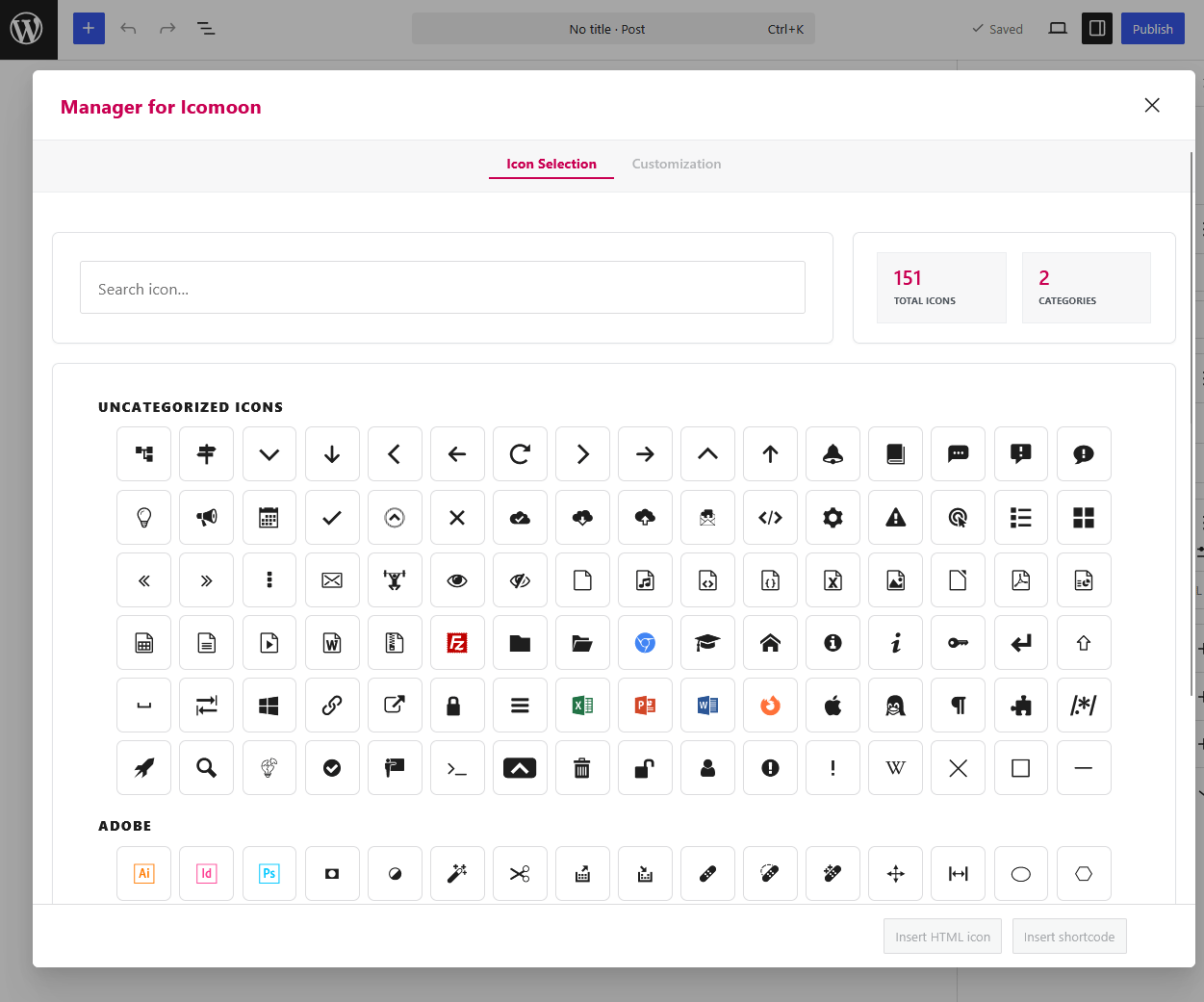
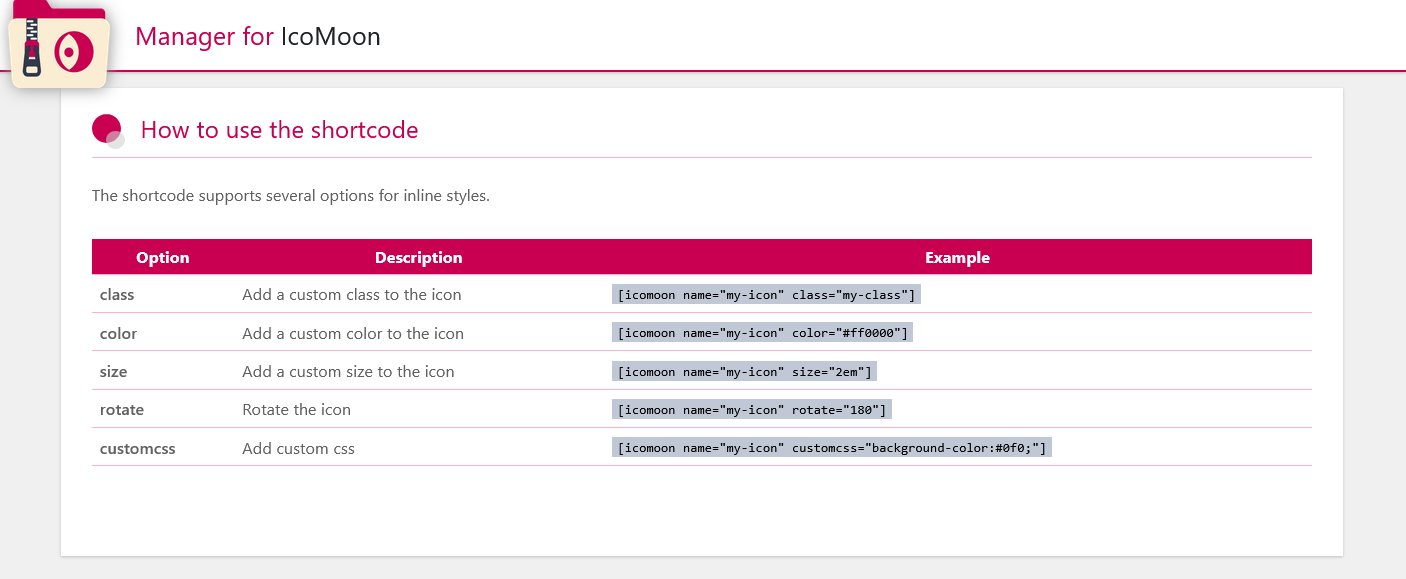
You can import a custom IcoMoon ZIP package, browse the available icons in the admin, and insert icons in your content with shortcodes or direct HTML from the Gutenberg editor.
Main features:
- Import classic IcoMoon ZIP packages (
selection.json,style.css,fonts/) and current packages using either a*.icomoon.jsonmanifest or the currentselection.jsonschema (formatsandglyphs). - Preserve the font family, base CSS class, class prefix, and class suffix configured in the imported IcoMoon project.
- Analyze a custom font package before installing it.
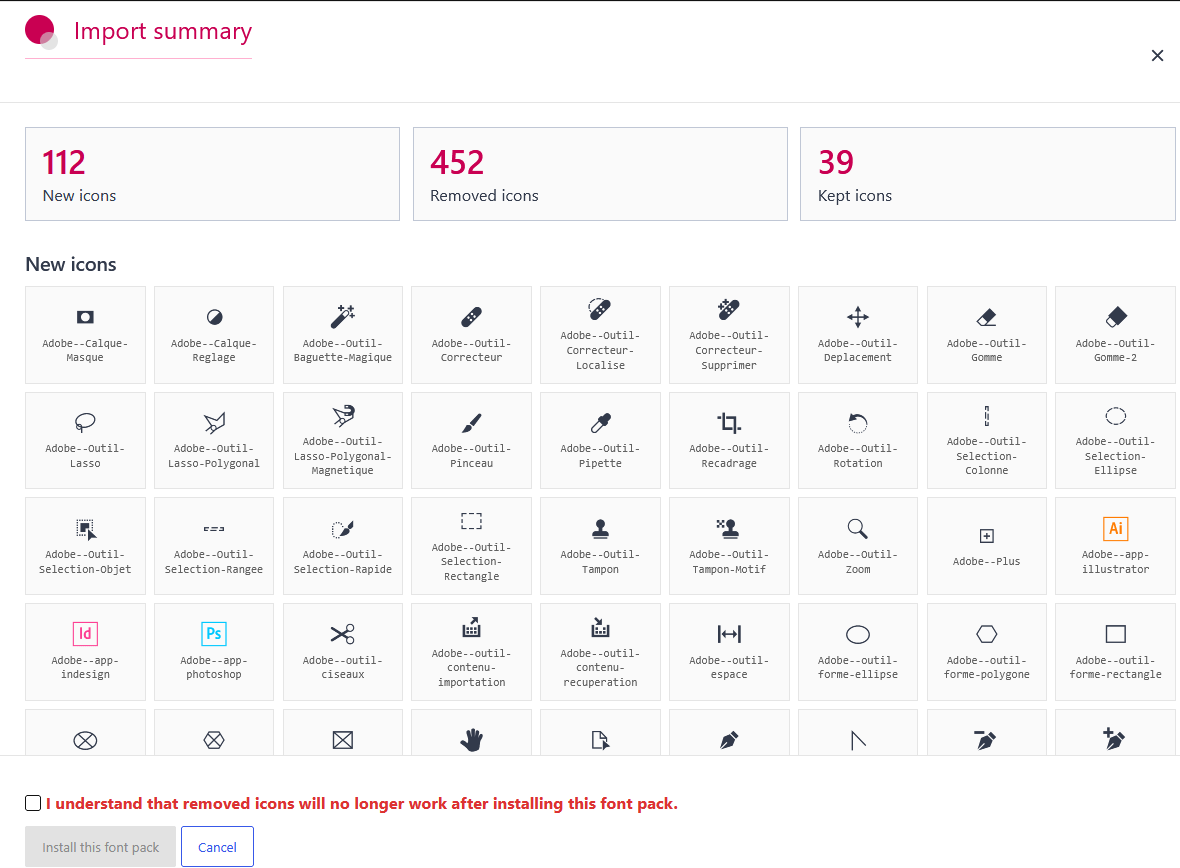
- Preview new and removed icons before replacing the current font.
- Detect removed icons that may already be used in post content.
- Warn when IcoMoon settings such as class prefix or postfix change and may affect direct HTML icons.
- Optionally update existing direct HTML icon classes when compatible icons still exist.
- Repair direct HTML icons in posts, pages, and custom post types after a font-setting change, with a preview and one-step undo.
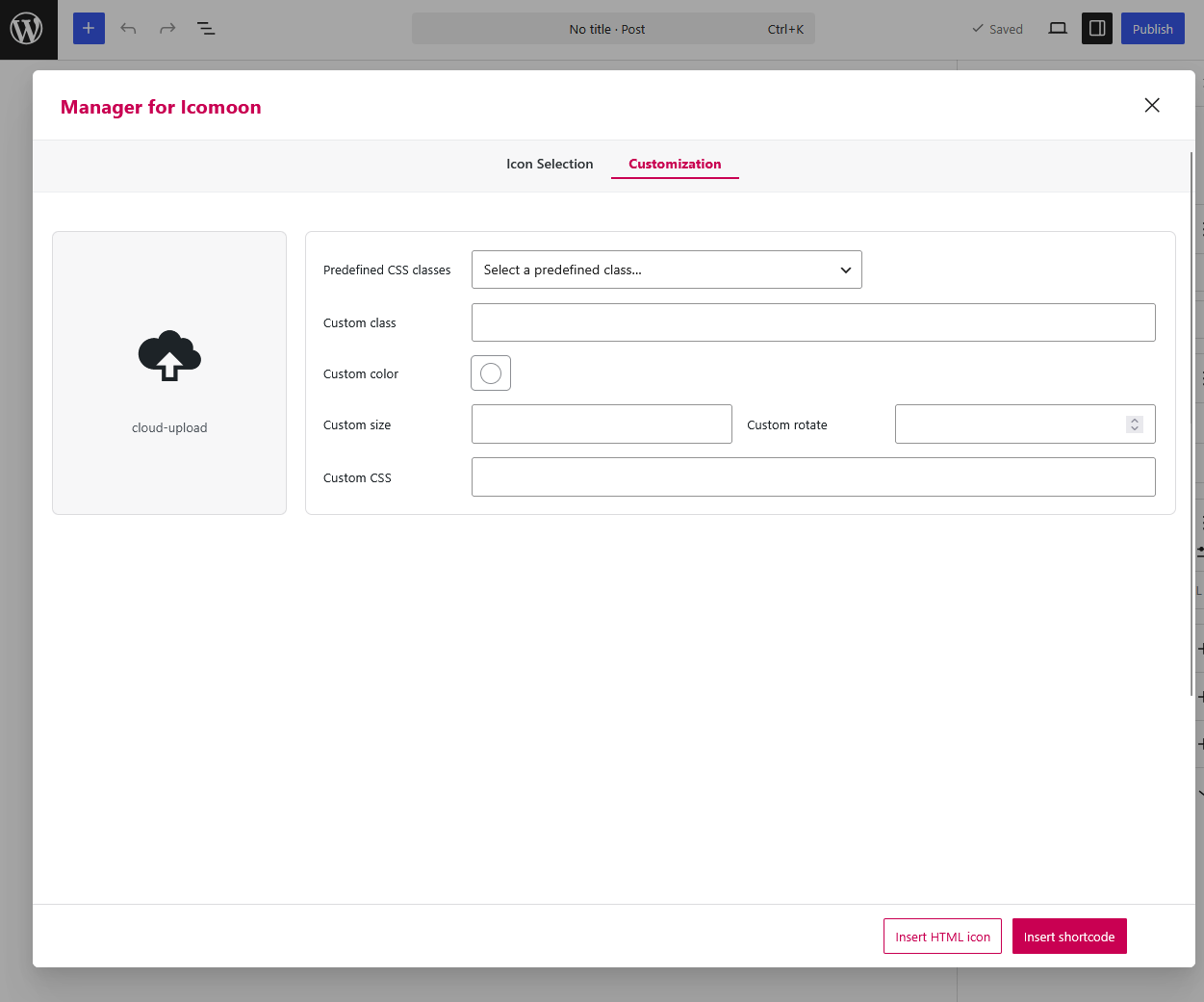
- Insert icons from the Gutenberg editor as shortcode or HTML.
- Organize icons into categories by using a separator in IcoMoon icon names.
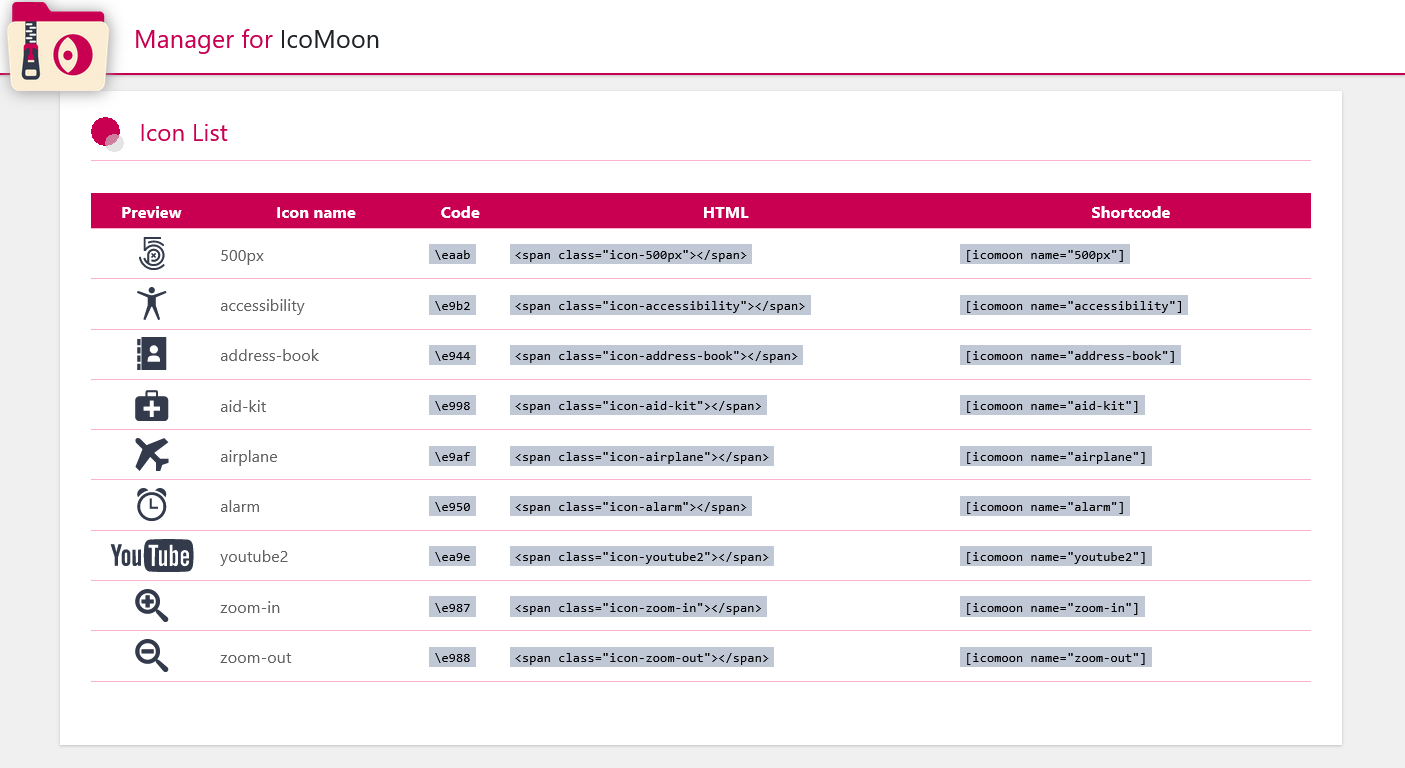
- List available icons with their shortcode, HTML markup, and code.
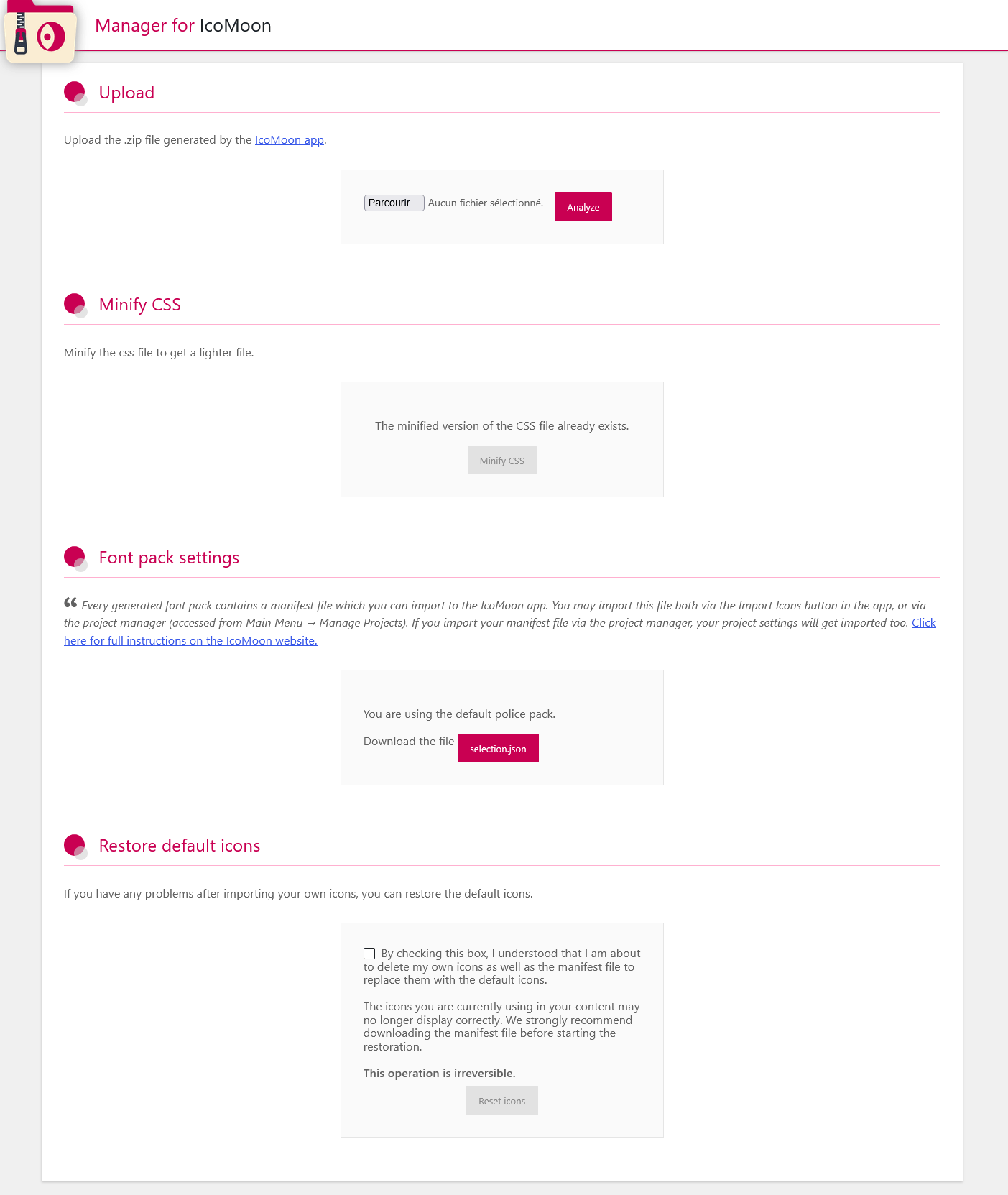
- Restore the default icon pack if needed.
Shortcodes are generally safer for long-term content because they rely on the icon name. Direct HTML gives more markup control, but may be affected when generated CSS classes change.
Quick start
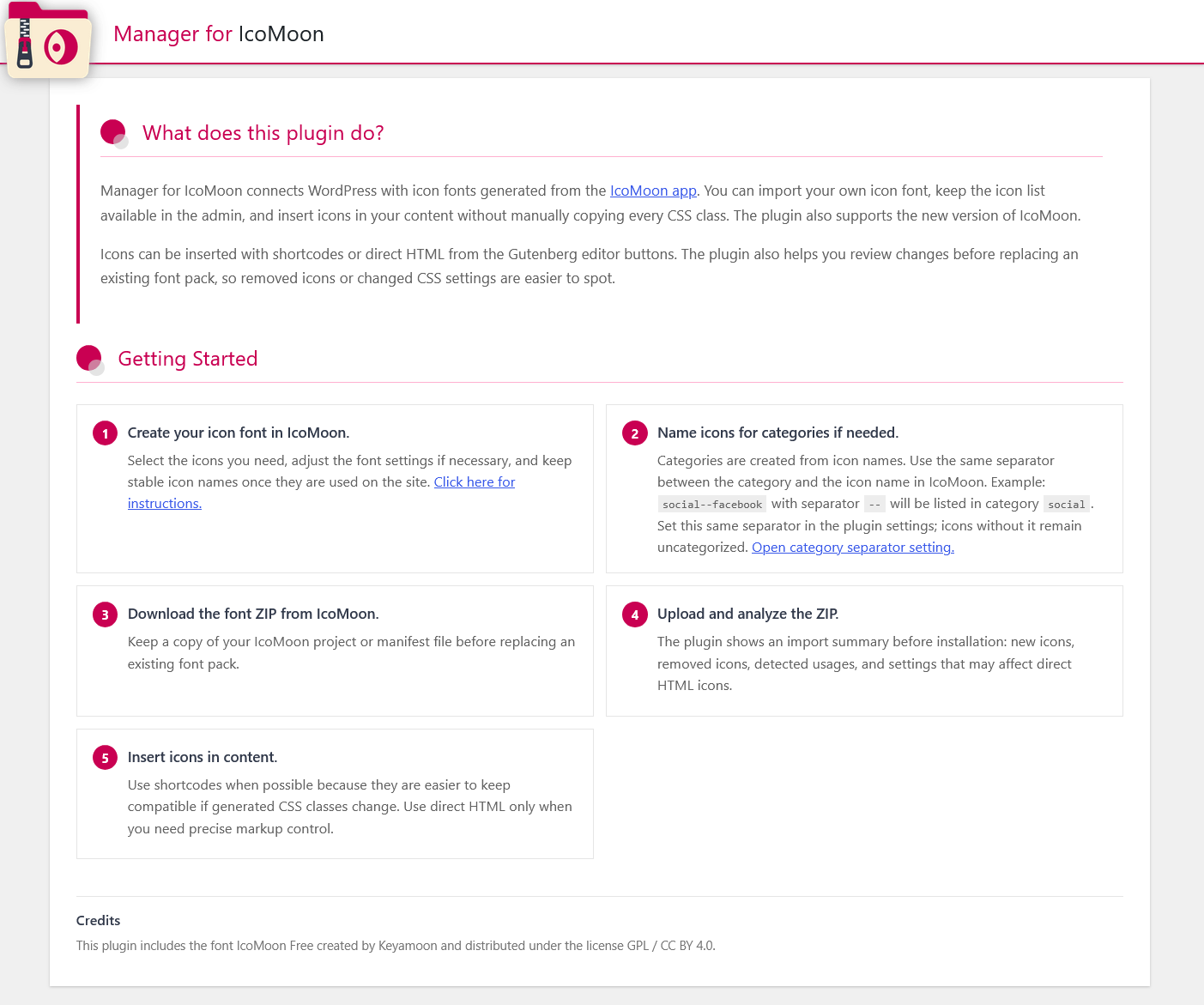
- Create your icon font in the IcoMoon app.
- If you want categories, rename icons with a separator between the category and the icon name. Example:
social--facebookwith separator--will be listed in categorysocial. - Download the font ZIP from IcoMoon.
- Upload the ZIP from the plugin upload screen and review the import summary before installation.
- Configure the same category separator in the plugin settings if you use categorized names.
- Insert icons with shortcodes or the Gutenberg editor buttons.
Before replacing an existing font pack, keep a copy of your IcoMoon project or manifest file. Removed icons can stop displaying in existing content.
Instalação
- Upload the plugin files to the /wp-content/plugins/managerforicomoon/ directory, or install the plugin through the WordPress plugins screen – directly.
- Activate the plugin through the Plugins screen in WordPress
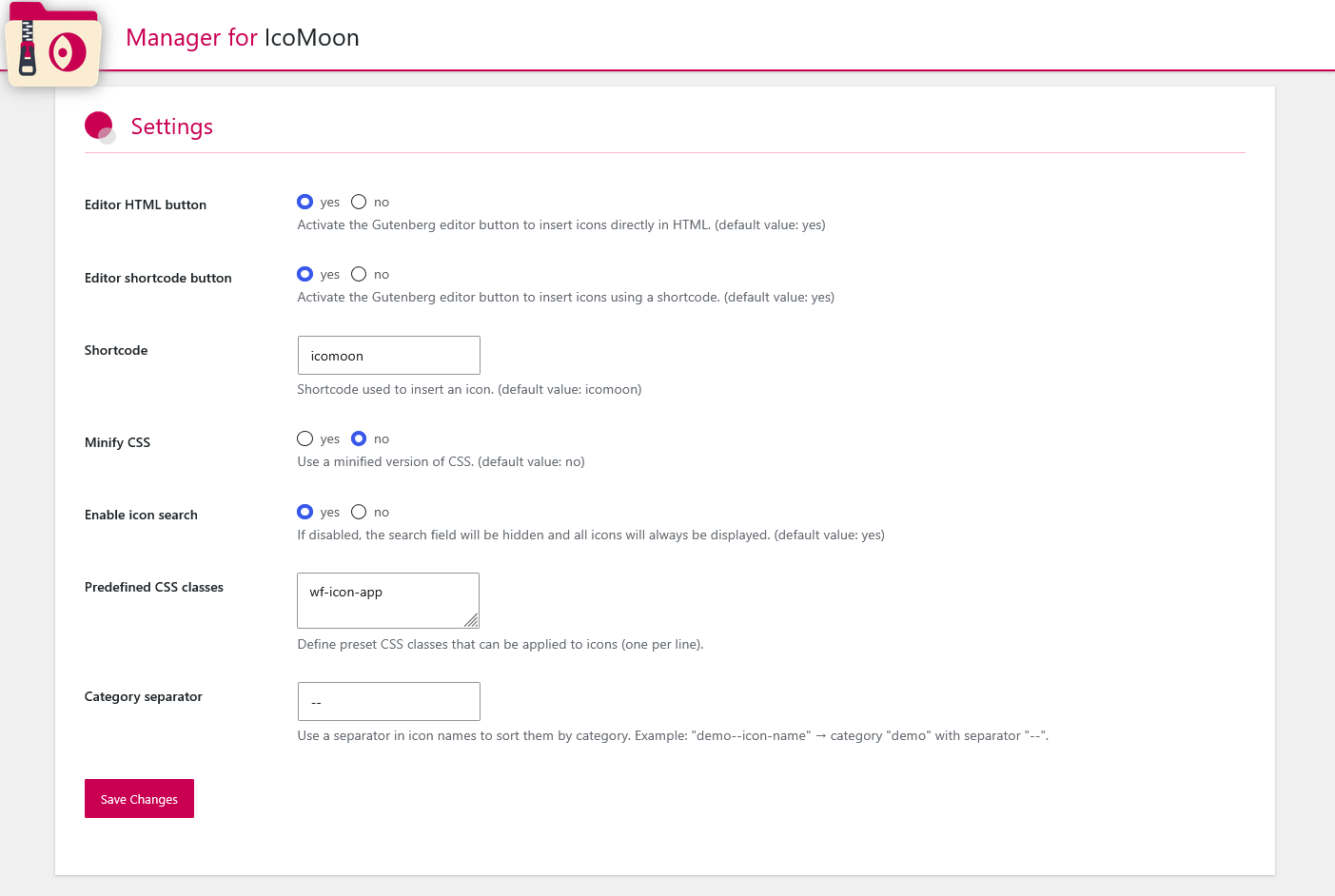
- Use the plugin settings to configure shortcode behavior, Gutenberg insertion, custom CSS class presets, and the category separator.
- Upload your IcoMoon ZIP package from the plugin upload screen.
Log de Changes
3.3
- Added an icon repair feature for changes to icon font settings.
3.2
- Fixed direct HTML icon insertion in the Gutenberg editor
3.1
- Prevented an invalid or incomplete ZIP archive from replacing the active icon pack.
- Added rollback protection if the final installation step fails.
- Restored support for classic IcoMoon archives whose font files use a custom name instead of
icomoon.*. - Added validation and normalization checks for font packages generated by the current IcoMoon app.
- Added ZIP upload safety checks for invalid uploads, unsafe paths, and unreasonable archive sizes.
- Fixed the Gutenberg icon modal scroll position when switching from Icon Selection to Customization.
3.0
- Added support for font packages generated by the newer IcoMoon app.
- Added ZIP integrity and expected package structure checks before import.
- Added an import summary before installation with new icons, removed icons, usage detection, and settings changes.
- Added a confirmation step when removed icons may stop working.
- Added optional migration for compatible direct HTML icon class changes.
- Improved the getting started guide and category separator documentation.
- Reworked Gutenberg icon insertion into a single modal with icon selection, live preview, and HTML/shortcode insertion actions.
- Removed the setting that forced customization options to open by default.
2.4
- Added a setting to enable or disable the icon search field in the modal.
- Added support for predefined CSS class presets, configurable in the plugin settings and selectable in the modal.
- Added an option to show customization options by default when opening the modal.
2.3.10
- Local translation files included within the plugin take precedence over WordPress.org language packs, guaranteeing that custom translations are always applied, especially for the French language.
Capturas de tela
Para desenvolvedores
Este é o seu plugin? Mostre os números.
Adicione um crachá ao vivo ao seu site, Documentos ou Readme do GitHub. Ele é atualizado por conta própria - nenhuma conta necessária.
Best Manager for IcoMoon alternatives
All font plugins →



FAQ
Manager for IcoMoon: quick answers
Respostas diretas, extraídas de dados ao vivo WordPress.org.
Fonte: WordPress.org
Is Manager for IcoMoon free?
Yes. Manager for IcoMoon is free to download and use from the official WordPress.org plugin directory.
Is Manager for IcoMoon safe to use in 2026?
Yes — Manager for IcoMoon is a safe, well-maintained plugin to use in 2026. It runs on 400+ sites, is rated 5/5 and was last updated 3 weeks ago, and scores 82/100 on our health check.
How many websites use Manager for IcoMoon?
Manager for IcoMoon is active on 400+ WordPress websites and has been downloaded 12,769 times since it launched in August 2019. It was downloaded 717 times in the last 30 days.
Does Manager for IcoMoon work with WordPress 7.1?
Yes. The developer has tested Manager for IcoMoon up to WordPress 7.1.5, the latest release. It requires WordPress 4.7.4 or newer.
When was Manager for IcoMoon last updated?
The latest version, 3.3, was released on November 3, 2026 (3 weeks ago).
Who makes Manager for IcoMoon?
Manager for IcoMoon is developed and maintained by albedo0.
What are the best alternatives to Manager for IcoMoon?
The most popular alternatives to Manager for IcoMoon are Local Google Fonts (100K+ installs), TS Webfonts for さくらのレンタルサーバ (30K+ installs) and Adobe Fonts (formerly Typek… (10K+ installs).
Alimentado por PageForge
Um modelo e uma planilha. Uma página real para cada pesquisa.
PageForge Transforma cada linha de um CSV em uma página WordPress com seu próprio título, URL, SEO campos e esquema, construído no layout que você já desenhou. Gratuito em WordPress.org.
- CSV e XLSX, mais Google Sheets em Profissional e Empresarial
- Seu próprio título, URL, SEO campos e esquema para cada página
- Funciona com o editor de blocos, Elementor, Divi e Avada
- Gratuito em WordPress.org, sem cartão de crédito