


Log in with Google
Minimal plugin that allows WordPress users to log in using Google.

Choix solide
Log in with Google is a solid plugin choice in 2026, with a few things worth checking first. It runs on 6K+ sites, is rated 4.6/5 and was last updated 2 weeks ago, and scores 66/100 on our health check.
- Développé activement — Dernière mise à jour il y a 2 semaines
- Momentum — downloads up 148.9% vs the previous 30 days
Comment s'accumule-t-il ?
Côte à côte sur les installations, les mises à jour, les évaluations et le support



Téléchargements quotidiens
Les pics de téléchargement suivent généralement une nouvelle version - chaque site qui met à jour automatiquement compte comme un téléchargement.
Classements
Where Log in with Google stands todayWordPress.org Classements de recherche
Position en direct dans la recherche de plugins, Top 100| Mot-clé | Position |
|---|---|
| authentication | #92 |
| Google Login | #9 |
| oauth | #23 |
| sign in | #14 |
| sso | #19 |
Adoption de version
Part de sites actifs par version.
Répartition des notes
★★★★★★★★★★ 4.6 from 17 reviews
About Log in with Google
From the official readme · v1.4.5Description
Ultra minimal plugin to let your users login to WordPress applications using their Google accounts. No more remembering hefty passwords!
Initial Setup
-
Create a project from Google Developers Console if none exists.
-
Go to Credentials tab, then create credential for OAuth client.
- Application type will be Web Application
- Add
YOUR_DOMAIN/wp-login.phpin Authorized redirect URIs
-
This will give you Client ID and Secret key.
-
Input these values either in
WP Admin > Settings > WP Google Login, or inwp-config.phpusing the following code snippet:define( 'WP_GOOGLE_LOGIN_CLIENT_ID', 'YOUR_GOOGLE_CLIENT_ID' );
define( 'WP_GOOGLE_LOGIN_SECRET', 'YOUR_SECRET_KEY' );
Browser support
These browsers are supported. Note, for example, that One Tap Login is not supported in Safari.
How to enable automatic user registration
You can enable user registration either by
– Enabling Settings > WP Google Login > Enable Google Login Registration
Ou alors
- Adding
define( 'WP_GOOGLE_LOGIN_USER_REGISTRATION', 'true' );
in wp-config.php file.
Note: If the checkbox is ON then, it will register valid Google users even when WordPress default setting, under
Settings > General Settings > Membership > Anyone can register checkbox
is OFF.
Restrict user registration to one or more domain(s)
By default, when you enable user registration via constant WP_GOOGLE_LOGIN_USER_REGISTRATION or enable Settings > WP Google Login > Enable Google Login Registration, it will create a user for any Google login (including gmail.com users). If you are planning to use this plugin on a private, internal site, then you may like to restrict user registration to users under a single Google Suite organization. This configuration variable does that.
Add your domain name, without any schema prefix and www, as the value of WP_GOOGLE_LOGIN_WHITELIST_DOMAINS constant or in the settings Settings > WP Google Login > Whitelisted Domains. You can whitelist multiple domains. Please separate domains with commas. See the below example to know how to do it via constants:
define( 'WP_GOOGLE_LOGIN_WHITELIST_DOMAINS', 'example.com,sample.com' );
Note: By default, whitelisted domain restrictions apply to both registration and login for existing accounts. To allow existing users to log in with Google regardless of domain allowlist, use the rtcamp.google_enforce_whitelisted_domains_on_login filter and return false.
Crochets
For a list of all hooks please refer to this documentation.
wp-config.php parameters list
-
WP_GOOGLE_LOGIN_CLIENT_ID(string): Google client ID of your application. -
WP_GOOGLE_LOGIN_SECRET(string): Secret key of your application -
WP_GOOGLE_LOGIN_USER_REGISTRATION(boolean) (optional): SettrueIf you want to enable new user registration. By default, user registration defers toSettings > General Settings > Membershipif constant is not set. -
WP_GOOGLE_LOGIN_WHITELIST_DOMAINS(string) (optional): Comma-separated list of allowed domains for login and registration. When configured, restricts authentication and account creation to matching email domains. By default, it will allow all domains. You can whitelist multiple domains.
BTW, We’re Hiring!
Installation
- Téléchargez
plugin-name.phpdans le répertoire/wp-content/plugins/ - Activez le plugin via le menu « Plugins » dans WordPress
- Follow “Setup” instructions in ReadMe to configure credentials from Google Developers Console.
Journal de modifications
Security hardening release: Enforces whitelisted domains on existing accounts during login, binds Google account ID (sub) to harden against account takeover, validates anti-CSRF state tokens per browser session, and masks client secret in settings.
1.4.5
Security: Enforce whitelisted domains on login for existing users by default, with rtcamp.google_enforce_whitelisted_domains_on_login filter for backward compatibility.
Security: Bind Google OAuth sub to WordPress account on first verified login (TOFU).
Security: Use per-browser anti-CSRF state token with __Host- cookie boundary.
Security: Trigger standard WordPress authentication filters during One Tap login.
Security: Mask client secret in settings UI and add explicit option to clear stored secret.
1.4.4
Update: Updated Composer and NPM dependencies.
1.4.3
Security: Reject Google identities without a verified email address.
Update: Updated Composer and NPM dependencies.
1.4.2
Fix: Migrated rtcamp.google_redirect_url from action to filter.
Chore: Documentation update.
1.4.1
Fix: Resolved the issue of redirect_to parameters not working with the shortcode.
Update: Migrated block implementation to modern block implementations.
Update: Updated Composer and NPM dependencies.
Fix: Fixed the issue of One-tap script not being enqueued if the user was logged out.
Chore: Documentation update.
1.4.0
Update: Migrated One Tap Login to use FedCM.
Update: After a successful login or logout, users are now redirected to the page they originally intended to access.
Update: When the plugin performs a redirect, it now includes an x-redirect-by header.
Update: A settings page link has been added directly under the plugin name on the Plugins screen.
Fix: Resolved an issue with generating unique usernames.
Fix: Fixed a bug where JavaScript string translations were not being applied correctly.
Chore: Documentation update.
Captures d'écran
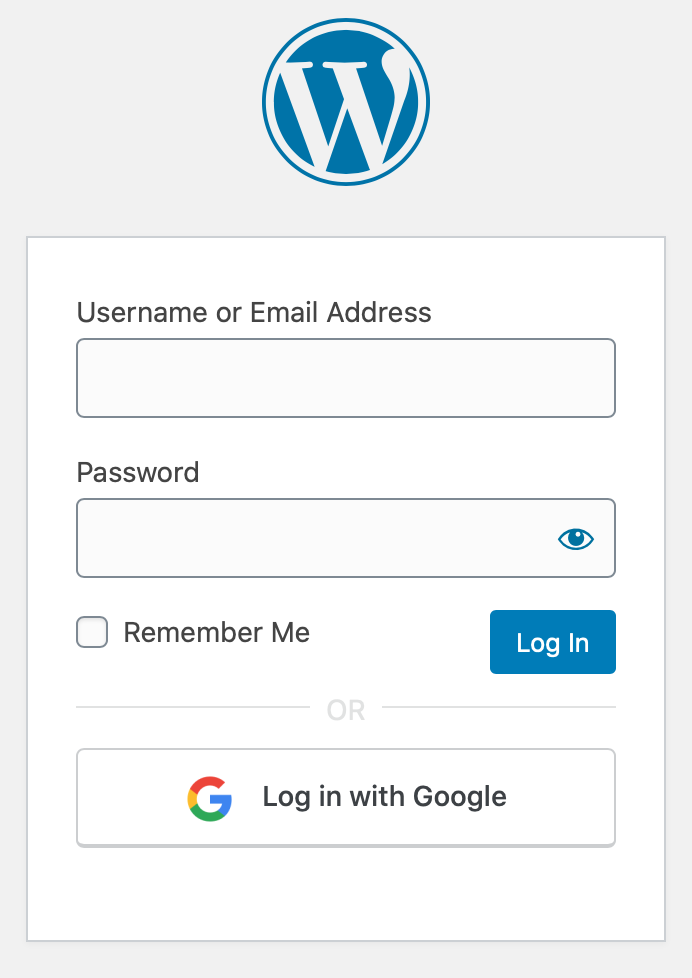
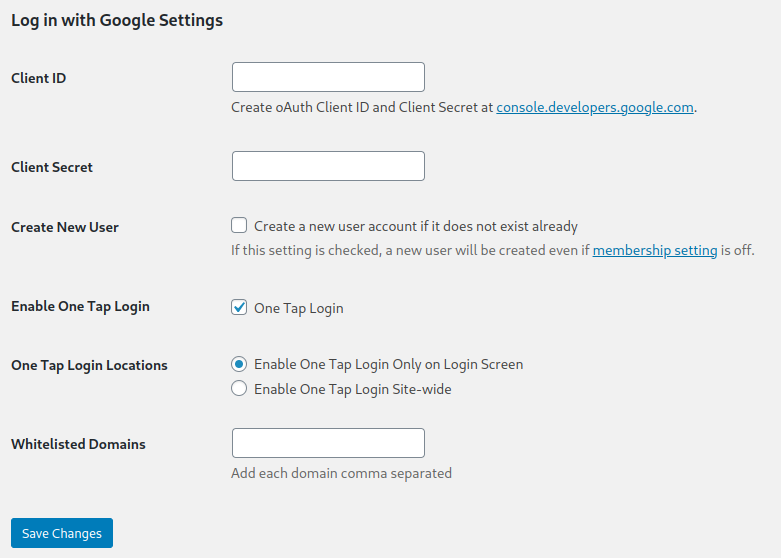
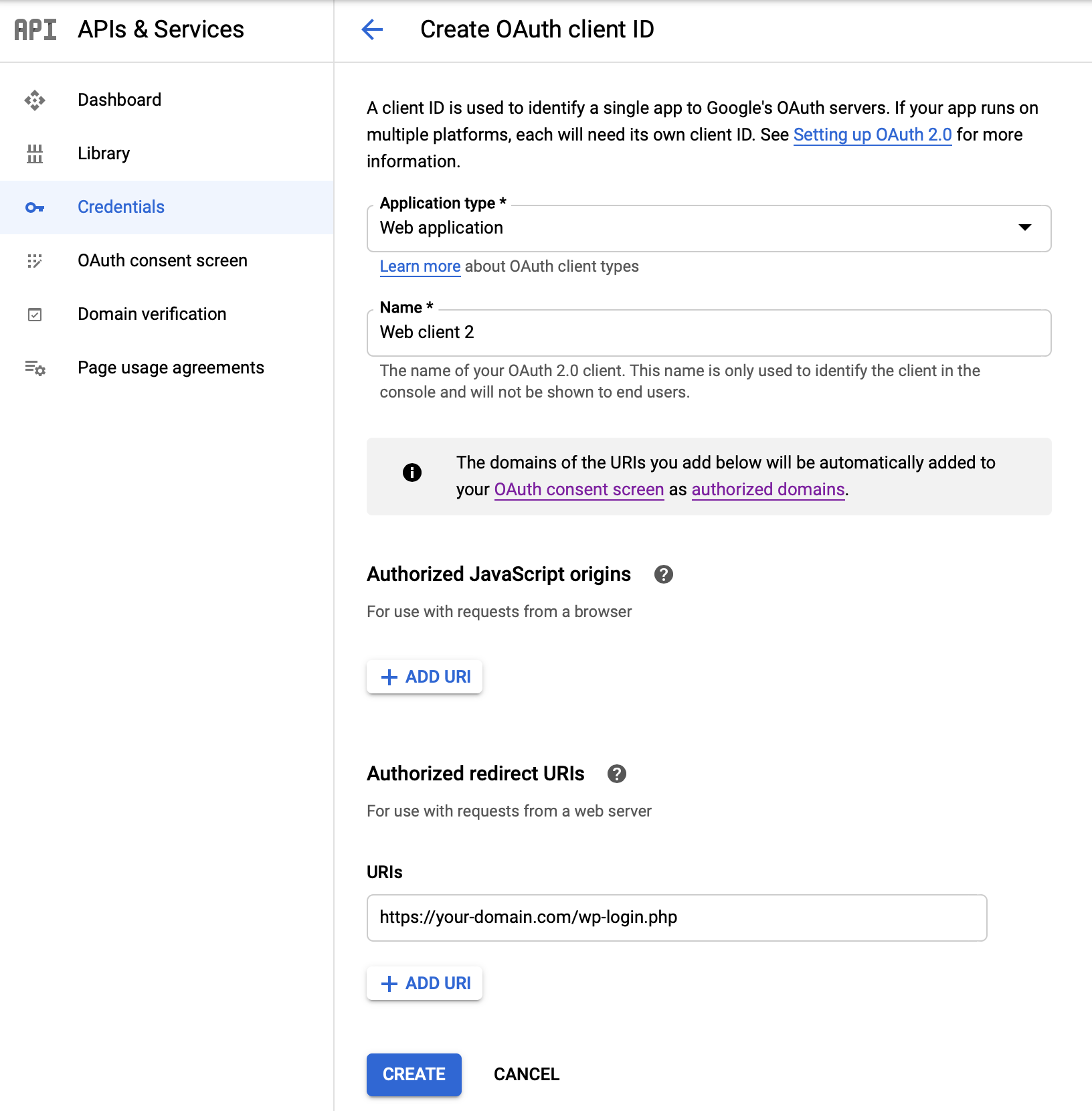
Pour les développeurs
Est-ce votre plugin ? Montrez les chiffres.
Ajoutez un badge en direct à votre site, docs ou github readme. Il se met à jour par lui-même - aucun compte n'est nécessaire.
Best Log in with Google alternatives
All authentication plugins →





FAQ
Log in with Google: quick answers
Réponses directes, extraites des données en direct WordPress.org.
Source : WordPress.org
Is Log in with Google free?
Yes. Log in with Google is free to download and use from the official WordPress.org plugin directory.
Is Log in with Google safe to use in 2026?
Log in with Google is a solid plugin choice in 2026, with a few things worth checking first. It runs on 6K+ sites, is rated 4.6/5 and was last updated 2 weeks ago, and scores 66/100 on our health check.
How many websites use Log in with Google?
Log in with Google is active on 6K+ WordPress websites and has been downloaded 148,388 times since it launched in October 2020. It was downloaded 7,080 times in the last 30 days.
Does Log in with Google work with WordPress 7.1?
Log in with Google is officially tested up to WordPress 7.0.9, while the latest release is 7.1.5. It may still work, but try it on a staging site first.
What PHP version does Log in with Google need?
Log in with Google requires PHP 7.4 or higher. Most hosts run PHP 8.x today, so it works on any modern WordPress hosting.
When was Log in with Google last updated?
The latest version, 1.4.5, was released on November 6, 2026 (2 weeks ago).
Who makes Log in with Google?
Log in with Google is developed and maintained by rtCamp.
What are the best alternatives to Log in with Google?
The most popular alternatives to Log in with Google are Limit Login Attempts (200K+ installs), Two Factor (100K+ installs) and WPS Limit Login (100K+ installs).
Propulsé par PageForge
Un modèle et une feuille de calcul. Une vraie page pour chaque recherche.
PageForge transforme chaque ligne d'un CSV en une page WordPress avec son propre titre, URL, SEO et schéma, construit sur la mise en page que vous Déjà conçu. Gratuit sur WordPress.org.
- CSV et XLSX, plus Google Sheets sur les professionnels et les entreprises
- Son propre titre, URL, SEO champs et schéma pour chaque page
- Fonctionne avec l'éditeur de blocs, Elementor, Divi et Avada
- Gratuit sur WordPress.org, pas de carte de crédit