


Events Calendar Plus
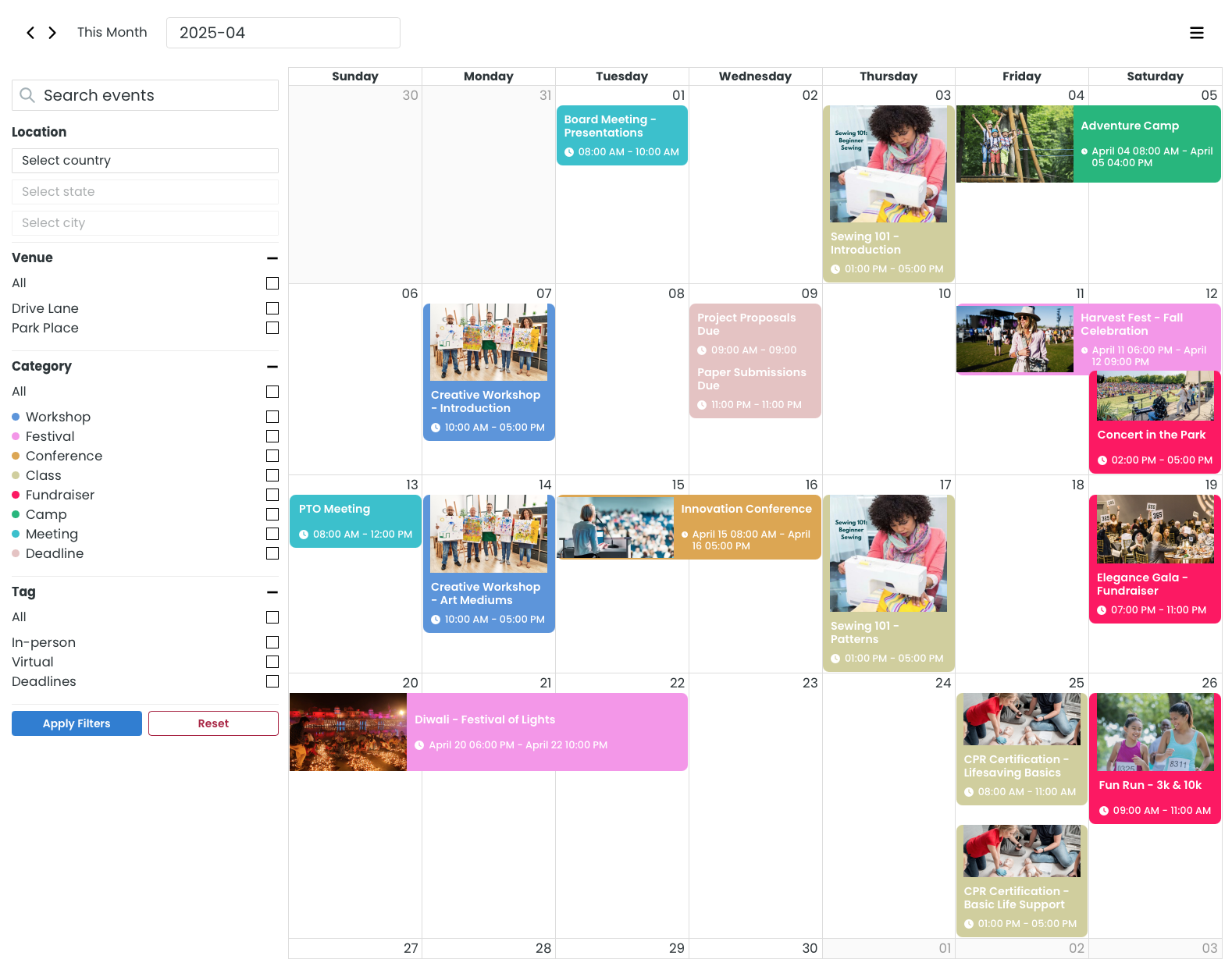
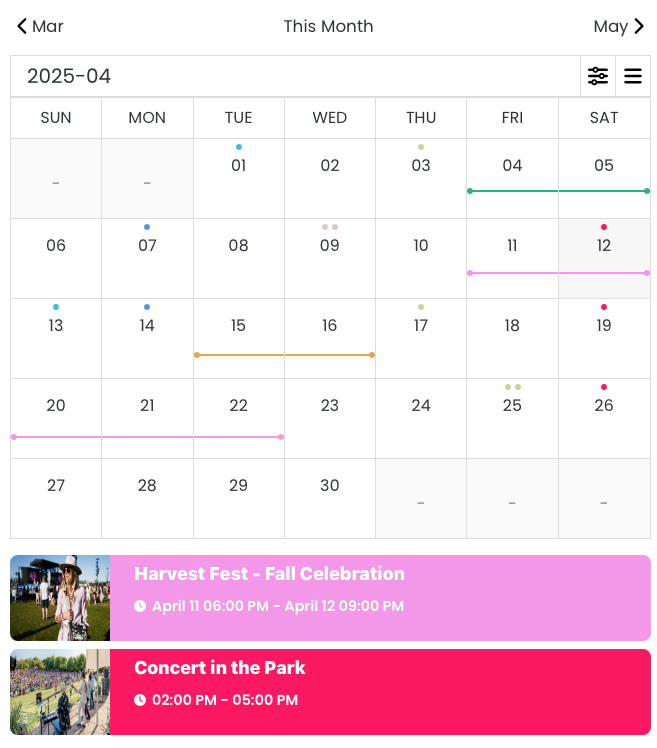
Create and manage a stunning event calendar on your WordPress site with Calendar+. Customize colors, text, views (month/day/week/list/agenda), and date formats—all fully optimized for mobile.

Choix solide
Events Calendar Plus is a solid plugin choice in 2026, with a few things worth checking first. It runs on 80+ sites and was last updated 3 days ago, and scores 72/100 on our health check.
- Développé activement — Dernière mise à jour il y a 3 jours
- Testé avec le dernier WordPress (7.1)
- Petite base d'utilisateurs (80+ installations actives)
- Très peu de critiques jusqu'à présent
Comment s'accumule-t-il ?
Côte à côte sur les installations, les mises à jour, les évaluations et le support



Téléchargements quotidiens
Les pics de téléchargement suivent généralement une nouvelle version - chaque site qui met à jour automatiquement compte comme un téléchargement.
Classements
Where Events Calendar Plus stands todayWordPress.org Classements de recherche
Position en direct dans la recherche de plugins, Top 100| Mot-clé | Position |
|---|---|
| calendrier | >100 |
| Event | >100 |
| événements | >100 |
| organizer | >100 |
| planning | >100 |
Adoption de version
Part de sites actifs par version.
About Events Calendar Plus
From the official readme · v1.0.16Description
Create and manage a stunning event calendar on your WordPress site with Calendar+. Customize colors, text, views (month/day/week/list/agenda), and date formats—all fully optimized for mobile.
Calendar+ is brought to you by the makers of Event Espresso and Event Smart. To enter event details like venues, categories, and featured images, you’ll need Event Espresso Decaf.
Calendar+ with Event Espresso Decaf offers powerful features that other plugins charge for, making it an ideal solution for event organizers—whether you need a simple event calendar or a growing event schedule.
See the calendar in action.
Looking for additional features like recurring events, electronic tickets, ticket scanning, mobile apps, custom registration forms, conditional registration forms, custom questions per ticket, and more? Check out Event Espresso for powerful event calendar, event registration and event ticket sales features.
Whether your event calendar is new and growing or your events calendar is big and full, Calendar+ can make any organization look good; small businesses, musicians, venues, restaurants, non-profits, schools, associations, clubs, fundraisers, agencies, etc. all look better and can reach their audience better with Calendar+
⭐️ Features
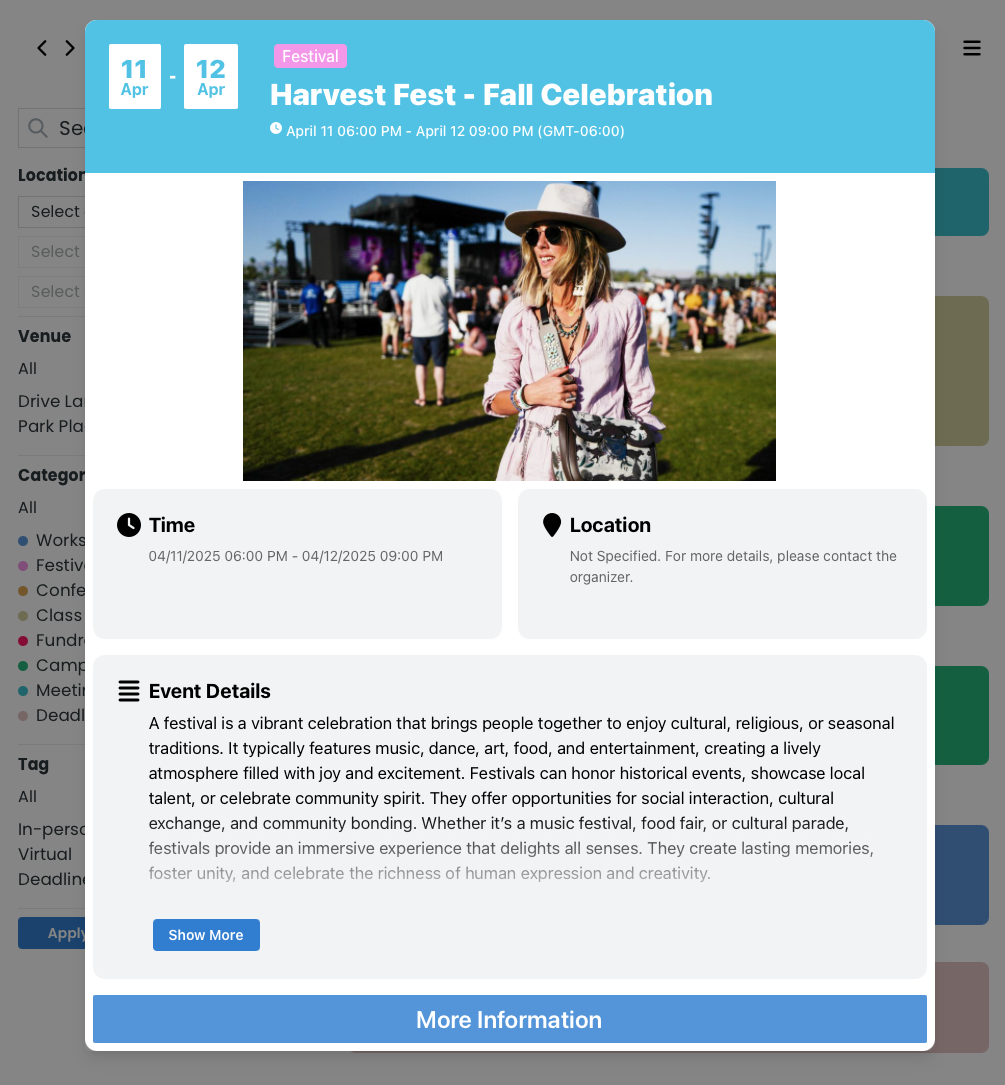
✔️ Quickly create events (Title, start/end date/time, description, featured image)
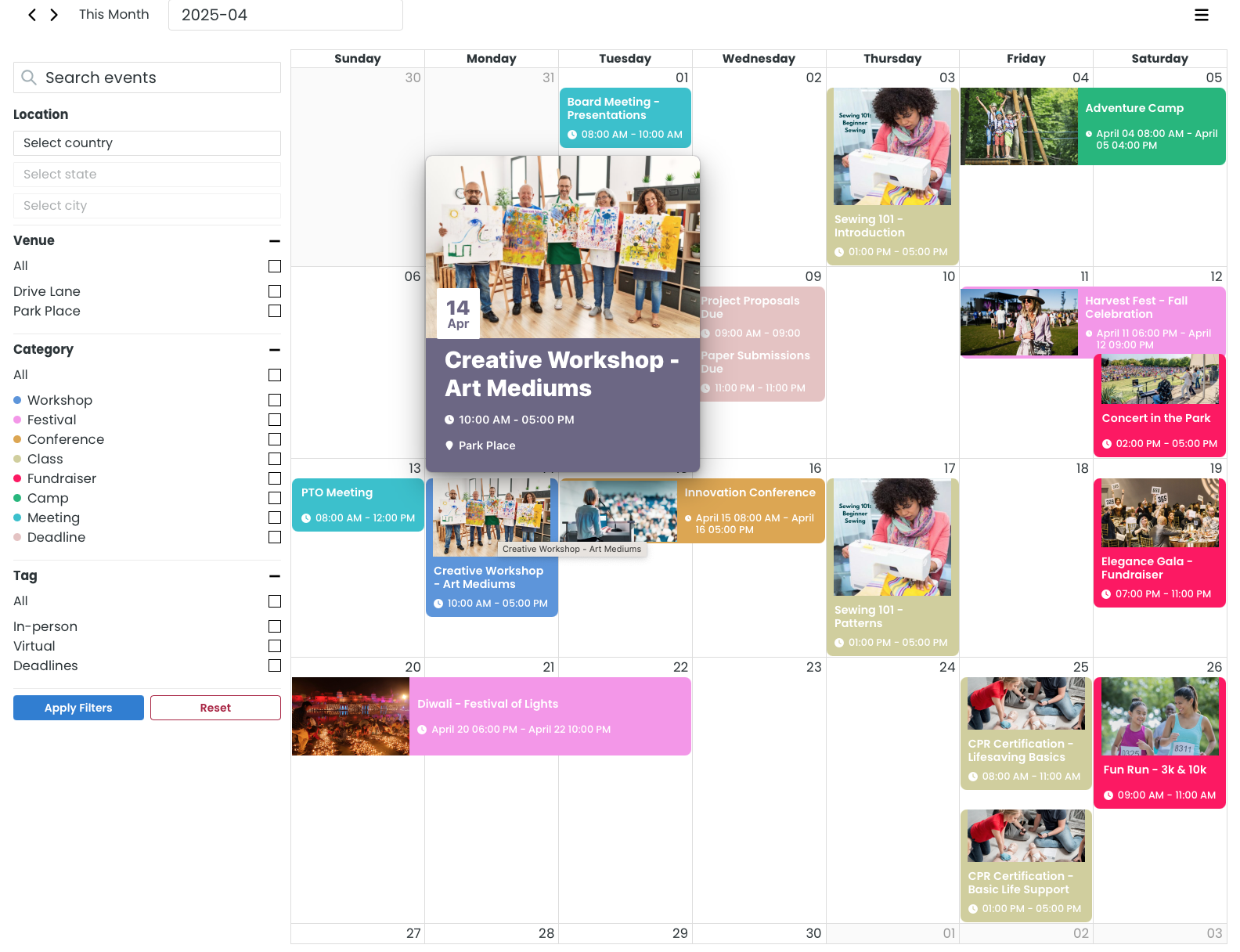
✔️ Enable or disable views with tooltips (month, week, day views, each mobile optimized)
✔️ Filters (keyword, venue, category, tag, location)
✔️ Edit text strings for easy translation
✔️ Enable/Disable display view settings
✔️ Set Default view
✔️ Keep/hide filters on mobile devices
✔️ Enable/Disable thumbnails on the calendar
✔️ Enable/Disable Tooltip/Popover
✔️ Edit text labels (easy translation)
✔️ Choose from multiple date/time formats
✔️ Easily personalize your calendar with over 20 customizable color settings using the built-in color picker
✔️ and more!
☕️ Event Espresso Decaf Includes:
✔️ Saved venues
✔️ Widget: Upcoming events list
✔️ Event Taxonomies (Categories & Tags)
✔️ Google Calendar and iCal exporting
✔️ WP REST API endpoints
✔️ Tested on the latest versions of WordPress and major theme frameworks such as Avada, Divi, Enfold, Genesis, and many more.
✔️ Extensive template tags for customization
✔️ Hooks & filters galore
✔️ Debug mode for developers
✔️ Dozens of add-on plugin extensions
☕️☕️ Event Espresso Premium Includes:
✔️ Collect attendee information for each event ticket or registration sold
✔️ Sell tickets and registrations to groups
✔️ Create multiple dates for the same event
✔️ Create custom registration forms
✔️ Create conditional registration form questions
✔️ Ask specific questions in the registration form depending on the attendees choose
✔️ Distribute digital tickets
✔️ Scan QR code tickets and validate them at the door by using our mobile apps
✔️ Accept payments with Square, Stripe, and more payment options
✔️ Automate and customize confirmation emails to staff and attendees
✔️ Google Maps
✔️ and much more.
🛟 Documentation
All of our documentation can be found in our Knowledgebase.
Aider
If you need help, post your questions in the WordPress.org forum. We check for new posts weekly. Please search existing threads before starting a new one.
Our Free Plugins:
Our Premium Plugins and Services:
☕️ Events Espresso
🎓 Event Smart (service)
Services externes
This plugin connects to the Google Maps API and sends details about your events if users choose to view directions to an event. The Google Maps API Terms of Service can be found here.
Installation
From WordPress Dashboard:
* Go to Plugins > Add New, search for Calendar+, and click Install
* Activate the plugin
Manual Installation:
* Download the plugin ZIP file
* Go to Plugins > Add New > Upload Plugin, select the ZIP file, and click Install Now
* Activate the plugin
That’s it! Just configure your settings as you see fit, and you’re on your way to creating events in style.
Display the Calendar+ Calendar:
To display a calendar, add the [EVENTS_CALENDAR_PLUS] shortcode on any WordPress page or post.
Journal de modifications
Please see the changelog for the complete list of changes in this release. Remember to always make a backup of your database and files before updating!
**v1.0.16**
Added
* Show event price ranges and currency data
* Add support for the Calendar+ List View and Grid View add-ons
[1.0.15] 2026-09-15
Fixed
* Fix calendar assets not loading when another plugin registers scripts before Calendar Plus
[1.0.14] 2026-09-11
Added
* Load polyfills on WordPress versions below 6.8
Fixed
* Include events whose start falls within the queried date range
* Fix Calendar Plus API pagination dropping the last page
* Fix disabling datetime and ticket deletion when they are a linked item and the last one
* Fix Calendar+ event timezone conversions
Changed
* Debounce applying filters while the user is typing
* Add category text color support
For all versions, please see the full changelog in our documentation
Captures d'écran

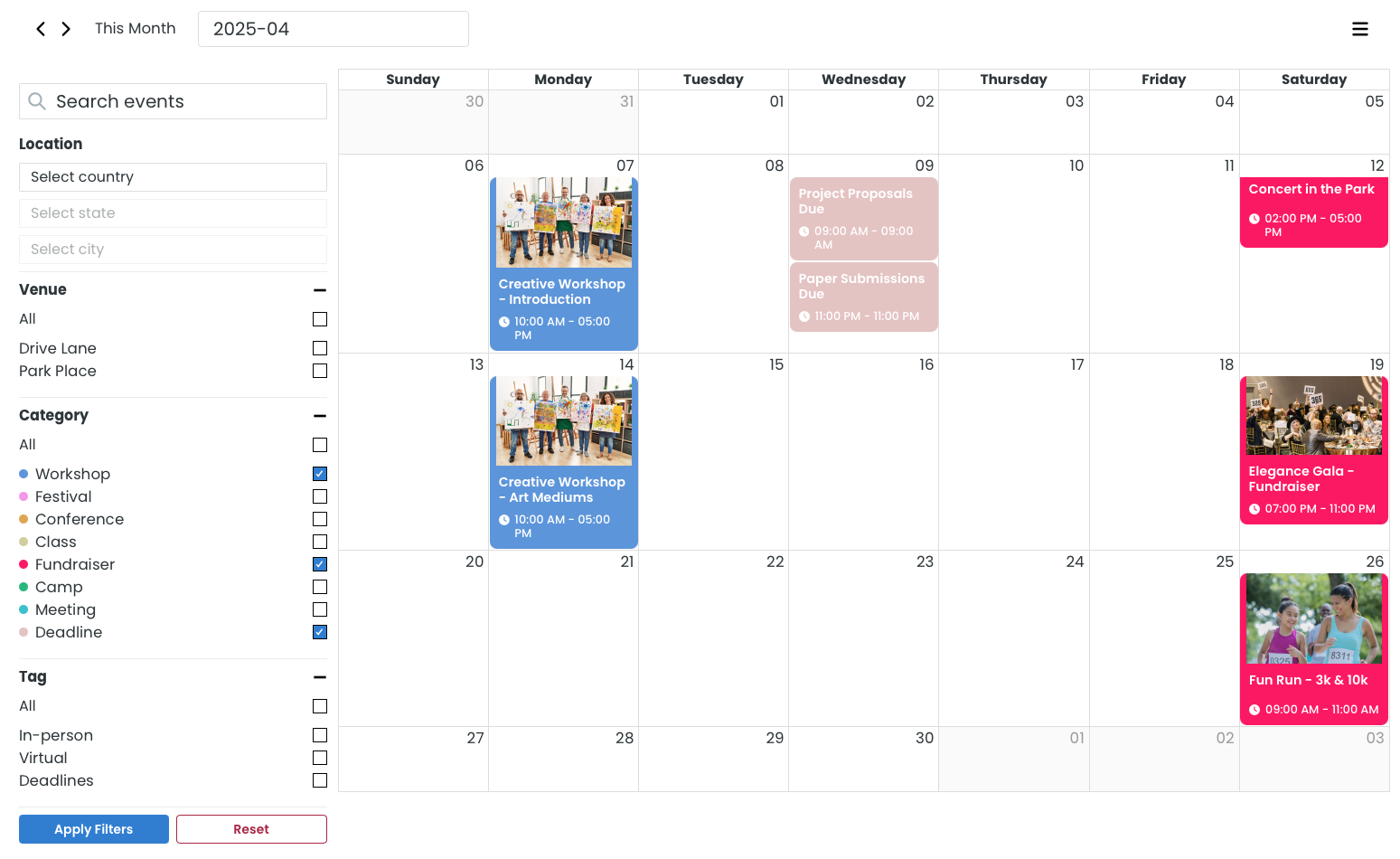
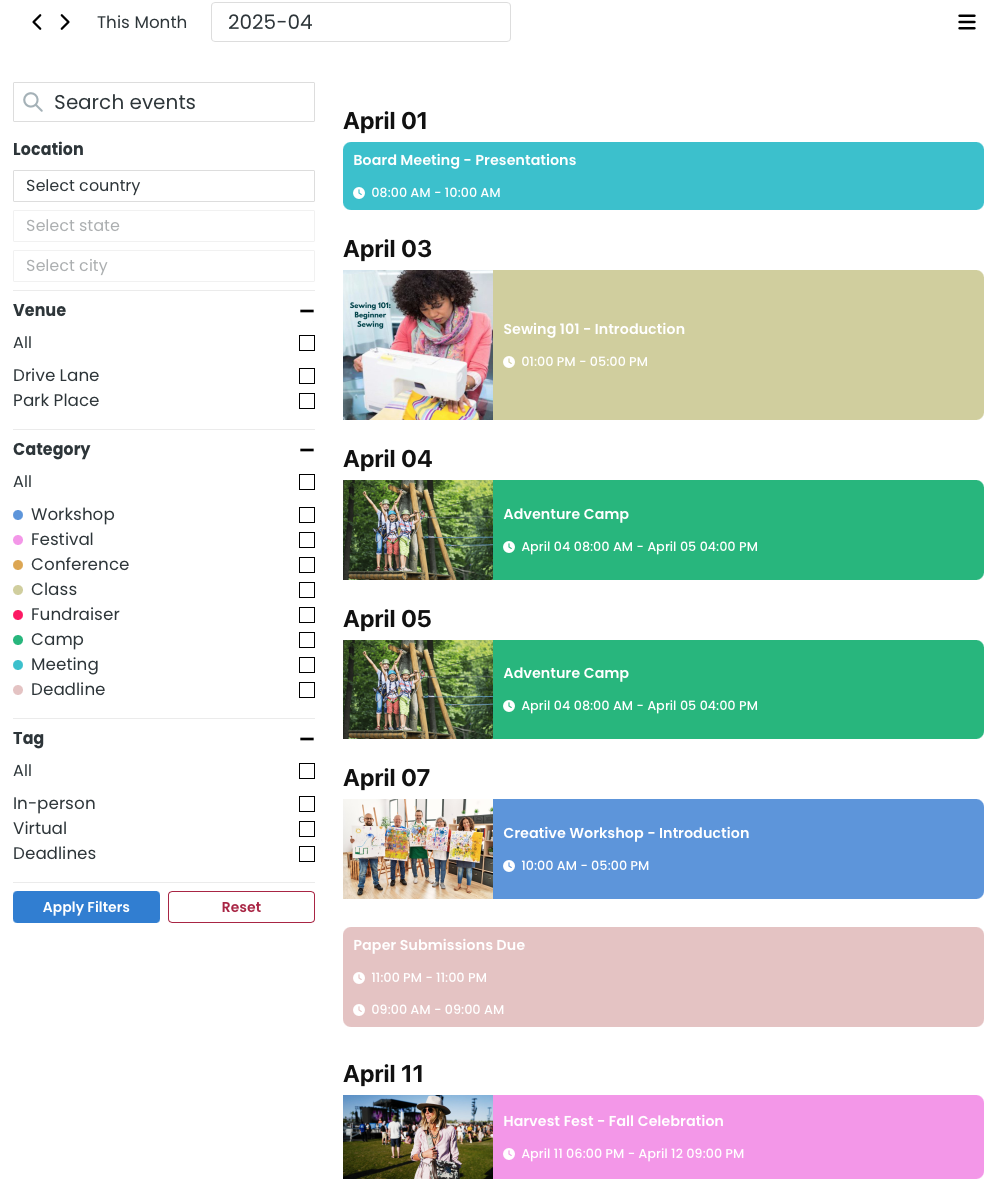
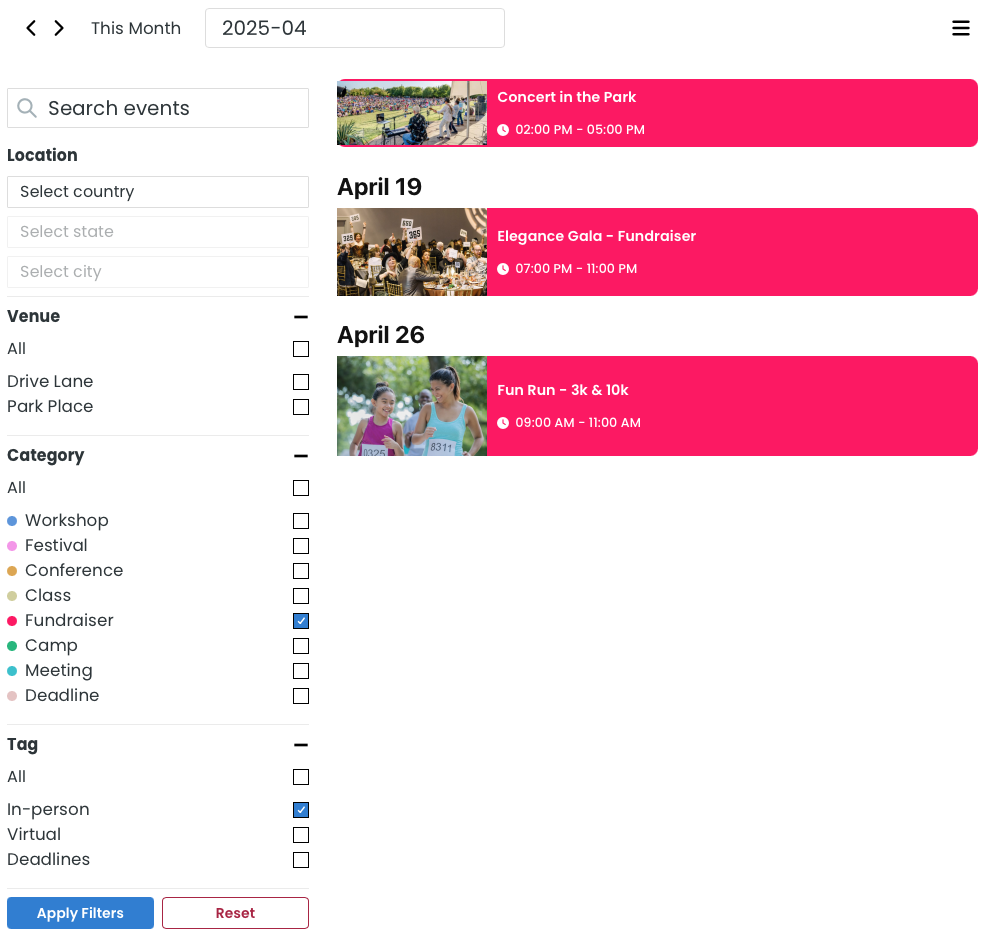
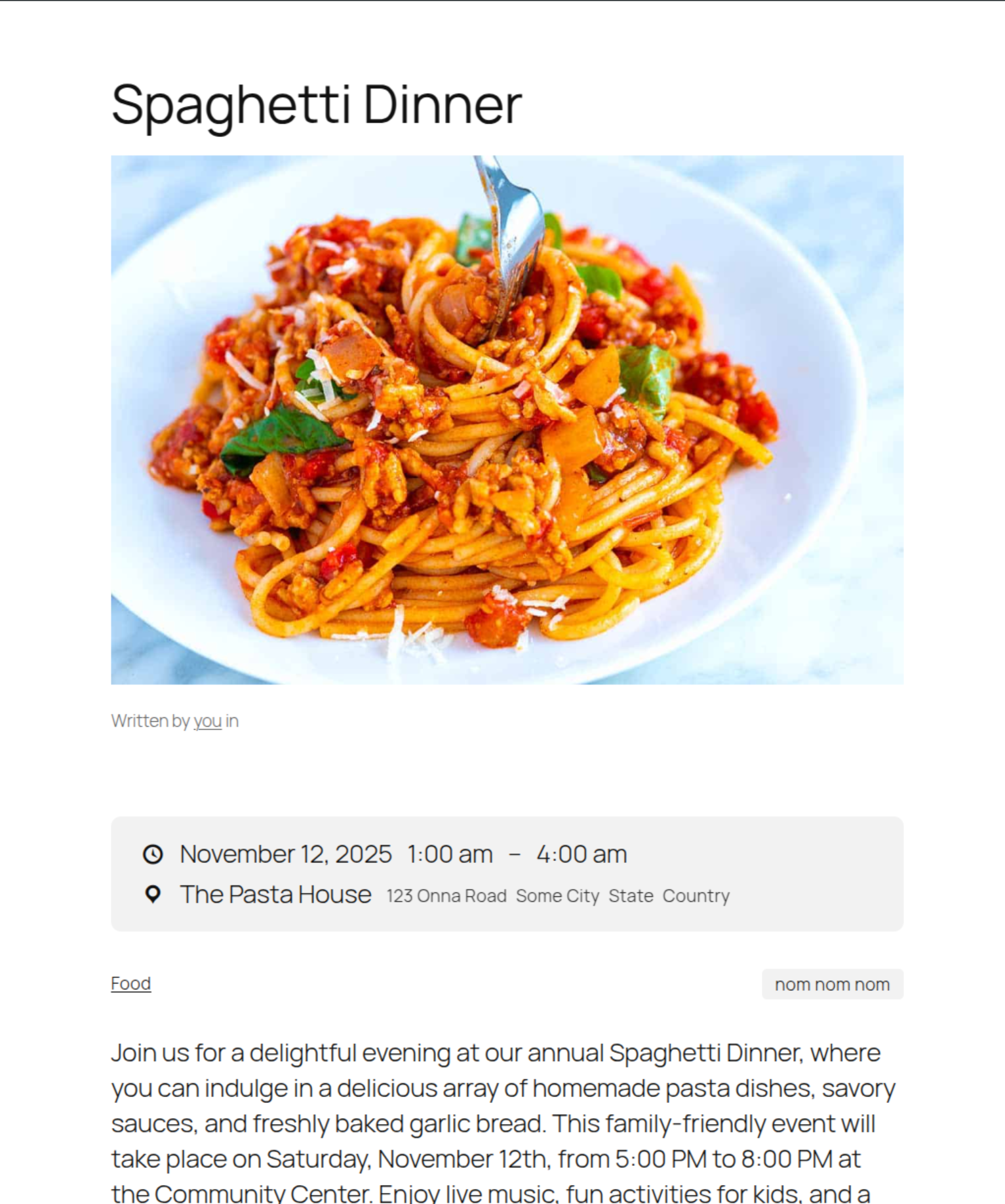
Pour les développeurs
Est-ce votre plugin ? Montrez les chiffres.
Ajoutez un badge en direct à votre site, docs ou github readme. Il se met à jour par lui-même - aucun compte n'est nécessaire.
Best Events Calendar Plus alternatives
All calendar plugins →




FAQ
Events Calendar Plus: quick answers
Réponses directes, extraites des données en direct WordPress.org.
Source : WordPress.org
Is Events Calendar Plus free?
Yes. Events Calendar Plus is free to download and use from the official WordPress.org plugin directory.
Is Events Calendar Plus safe to use in 2026?
Events Calendar Plus is a solid plugin choice in 2026, with a few things worth checking first. It runs on 80+ sites and was last updated 3 days ago, and scores 72/100 on our health check.
How many websites use Events Calendar Plus?
Events Calendar Plus is active on 80+ WordPress websites and has been downloaded 3,358 times since it launched in April 2025. It was downloaded 487 times in the last 30 days.
Does Events Calendar Plus work with WordPress 7.1?
Yes. The developer has tested Events Calendar Plus up to WordPress 7.1.5, the latest release. It requires WordPress 6.0 or newer.
What PHP version does Events Calendar Plus need?
Events Calendar Plus requires PHP 7.4 or higher. Most hosts run PHP 8.x today, so it works on any modern WordPress hosting.
When was Events Calendar Plus last updated?
The latest version, 1.0.16, was released on November 23, 2026 (3 days ago).
Who makes Events Calendar Plus?
Events Calendar Plus is developed and maintained by Event Espresso.
What are the best alternatives to Events Calendar Plus?
The most popular alternatives to Events Calendar Plus are The Events Calendar (600K+ installs), Events Manager (60K+ installs) and SimplyBook.me (30K+ installs).
Propulsé par PageForge
Un modèle et une feuille de calcul. Une vraie page pour chaque recherche.
PageForge transforme chaque ligne d'un CSV en une page WordPress avec son propre titre, URL, SEO et schéma, construit sur la mise en page que vous Déjà conçu. Gratuit sur WordPress.org.
- CSV et XLSX, plus Google Sheets sur les professionnels et les entreprises
- Son propre titre, URL, SEO champs et schéma pour chaque page
- Fonctionne avec l'éditeur de blocs, Elementor, Divi et Avada
- Gratuit sur WordPress.org, pas de carte de crédit