


Event Calendar – Calendar
Event Calendar is a flexible calendar plugin that allows you to connect to your database and show up your event days on a view. Calendar can render a Day, Week, Month and Resource calendar view. The also provides an…

Utiliser avec prudence
Event Calendar – Calendar works, but test it on a staging site before relying on it in 2026. It runs on 2K+ sites, is rated 4.7/5 and was last updated 1 year ago, and scores 53/100 on our health check.
- Loved by users — 4.7/5 from 107 reviews
- Momentum — Téléchargements en hausse de 33,2 % par rapport aux 30 jours précédents
- Pas de mise à jour depuis plus d'un an
- Uniquement testé jusqu'à WordPress 6,8 (le dernier est de 7,1)
Comment s'accumule-t-il ?
Côte à côte sur les installations, les mises à jour, les évaluations et le support



Téléchargements quotidiens
Les pics de téléchargement suivent généralement une nouvelle version - chaque site qui met à jour automatiquement compte comme un téléchargement.
Classements
Where Event Calendar – Calendar stands todayWordPress.org Classements de recherche
Position en direct dans la recherche de plugins, Top 100| Mot-clé | Position |
|---|---|
| calendrier | #86 |
| Event | #99 |
| Calendrier des événements | #54 |
| événements | >100 |
| wp calendar | #74 |
Adoption de version
Part de sites actifs par version.
Répartition des notes
★★★★★★★★★★ 4.7 from 107 reviews
About Event Calendar – Calendar
From the official readme · v1.6.0Description
Event Calendar is a flexible calendar plugin that allows you to connect to your database and show up your event days on a view. Calendar can render a Day, Week, Month and Resource calendar view. The also provides an interface for manipulating and formatting dates and times. Each event box has a link to the original event you defined in your calendar.
- Event Calendar Premium
- All Calendar Demo Types
- Event Calendar FAQ
- Event Calendar User Manual
- Forum d'assistance
Traits
- Plugin for create a calendar with events.
- Intuitive event labels.
- Easy to customize.
- Use as a date picker or a full fledged calendar.
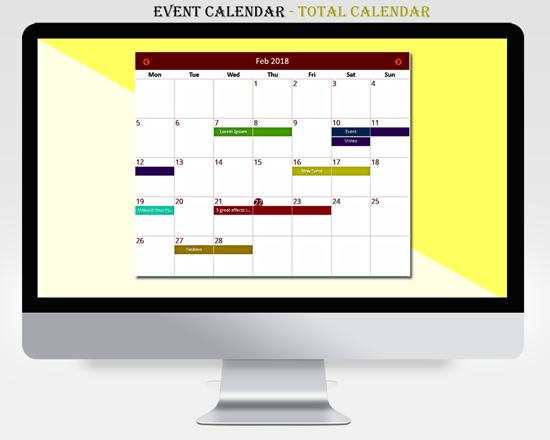
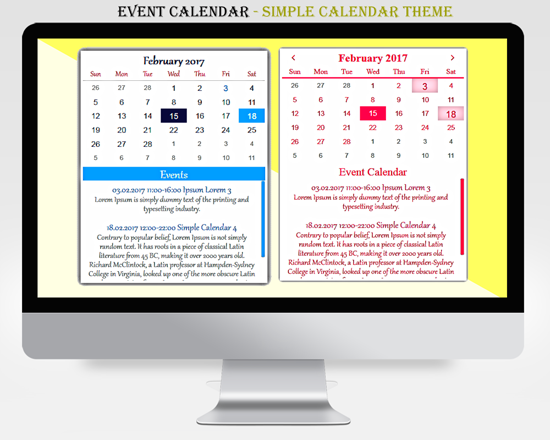
- 10 free themes with the option of select data ranges, mark events and others (4 versions of the event calendar type, 2 versions of the simple type, 2 versions of the flexible type and 2 versions of the timeline type)
- You can easily list your events on wherever you want on your page via shortcodes.
- Each event box has a link to the original event you defined in your calendar.
- Allows you to set the most appropriate navigation arrows, which will suit the best for your web site.
- The ability to display multiple events for a single day.
- Plugin lets you change the color and set it to the colors of your site.
- You can change the start and end date of the event.
- You can change the start and end time of events.
- You can customize the calendar color, font size and font family.
- The ability to change the color of the arrow and background color.
- Each species has a unique customizable settings.
- Add an unlimited number of events in one calendar. As you have already created a number of events, you can add via the shortcodes on your page as you need.
- Each calendar can be inserted in a page, post or widget shortcode.
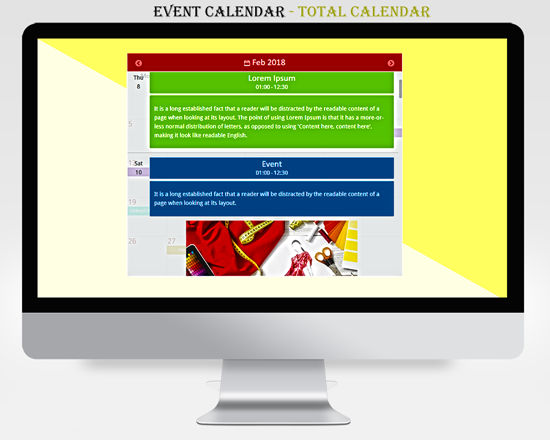
- You can add photos to the events (all types)
- Total Calendar, Timeline, Crazy, Schedule and Full Year types each event has its own color.
- Possibility to preview the theme in calendar before putting it on the page.
La version premium ajoute
- 3 beautiful customizable themes
- Crazy Calendar Theme
- Schedule Theme
- Full Year Calendar Theme
- Recurring events – Daily, Weekly, Monthly, Yearly
- WeekDay Start – Can select that day, which must be the first in the week.
- Weekday – Ability to select the style of calendar week.
- Todays numbers Color – Can choose the date color, that will be displayed.
- Icon – Possibility select the right and the left icons, which are, for change the months by sequence.
- Color – The plugin allows to change the color and enter it in the colors of your site.
- Font – The plugin allows to change the color of the date, font size and font family.
- This opens up new useful functions and new possibilities.
In addition to the features mentioned above, there are many other functions inside the plugin. You get the advantage of an intuitive user interface, that makes the plugin operation easy, easy to understand the calendar options, as well as many hooks and filters to control the output.
Main features of Event.
- Event Title – You can give a name for event.
- Calendar Name – Choose that version of themes, in which you want to see the Events.
- Start Date – You Can select the start of the event (To display events in the calendar if you have a browser Safari, firefox or Internet explorer should write yyyy-mm-dd).
- End Date – You Can select the finish date of the event (To display events if you have a browser Safari, firefox or Internet explorer should write yyyy-mm-dd).
- Event URL – You can set external URL, which should be included in the event.
- Open in new tab – Choose, by clicking on the link should open in new tab or not.
- Start Time (Required field) – Can select the event start time (To display events in the calendar if you have a browser Safari, Firefox or Internet explorer should write hh:mm).
- End Time (Required field) – Can select the event end time (To display events if you have a browser Safari, Firefox or Internet explorer should write hh:mm).
- Event color – Select that color, which you want to see for your event, which shows in the calendar (Event Color option is only for Event Calendar Type.).
- Description – You can give a description for event.
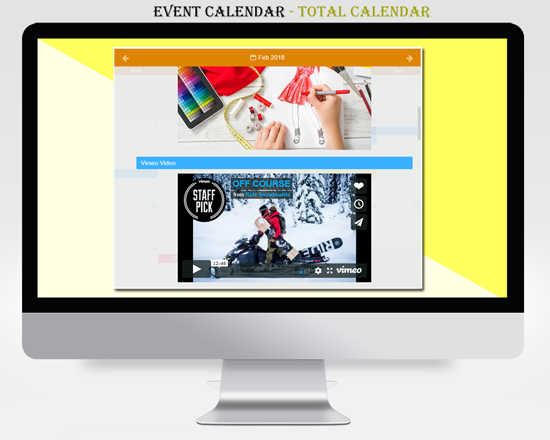
- Event Image/Video – You can give a Image and Video(YouTube and Vimeo) for event. Event Image and Video option is available for all types.
Insert plugin to the WordPress page, post, widget – Every calendar could be inserted into a page, post or widget with shortcode.
Plugin works in Chrome, Safari, Opera, Firefox, Internet Explorer – Use your calendar with all the popular browsers.
Navigation Arrow – Plugin allows you to get the most suitable navigation arrows that fit best for your website.
The Plugin is Truly Wonderful – You can create a very nice and beautiful calendar for your website. The plugin is easily editable and functionality perfectly.
Link – There is a special place for adding a Link to each event. Choose to open the Link in the new tab or not.
Technical Support
-
If you notice any errors or have any questions with our event calendar, you can notify us. We will investigate and solve the problem. Check out the Event Calendar Support Forum on our website. If you don’t find a solution to your question here, don’t hesitate to click here to contact us.Event Calendar is a flexible calendar plugin that allows you to connect to your database and show up your event days on a view. Calendar can render a Day, Week, Month and Resource calendar view. The also provides an interface for manipulating and formatting dates and times. Each event box has a link to the original event you defined in your calendar.
- All Calendar Demo Types
- Event Calendar FAQ
- Event Calendar User Manual
- Forum d'assistance
Traits
- Plugin for create a calendar with events.
- Intuitive event labels.
- Easy to customize.
- Use as a date picker or a full fledged calendar.
- 10 free themes with the option of select data ranges, mark events and others (4 versions of the event calendar type, 2 versions of the simple type, 2 versions of the flexible type and 2 versions of the timeline type)
- You can easily list your events on wherever you want on your page via shortcodes.
- Each event box has a link to the original event you defined in your calendar.
- Allows you to set the most appropriate navigation arrows, which will suit the best for your web site.
- The ability to display multiple events for a single day.
- Plugin lets you change the color and set it to the colors of your site.
- You can change the start and end date of the event.
- You can change the start and end time of events.
- You can customize the calendar color, font size and font family.
- The ability to change the color of the arrow and background color.
- Each species has a unique customizable settings.
- Add an unlimited number of events in one calendar. As you have already created a number of events, you can add via the shortcodes on your page as you need.
- Each calendar can be inserted in a page, post or widget shortcode.
- You can add photos to the events (all types)
- Total Calendar, Timeline, Crazy, Schedule and Full Year types each event has its own color.
- Possibility to preview the theme in calendar before putting it on the page.
La version premium ajoute
- 3 beautiful customizable themes
- Crazy Calendar Theme
- Schedule Theme
- Full Year Calendar Theme
- Recurring events – Daily, Weekly, Monthly, Yearly
- WeekDay Start – Can select that day, which must be the first in the week.
- Weekday – Ability to select the style of calendar week.
- Todays numbers Color – Can choose the date color, that will be displayed.
- Icon – Possibility select the right and the left icons, which are, for change the months by sequence.
- Color – The plugin allows to change the color and enter it in the colors of your site.
- Font – The plugin allows to change the color of the date, font size and font family.
- This opens up new useful functions and new possibilities.
In addition to the features mentioned above, there are many other functions inside the plugin. You get the advantage of an intuitive user interface, that makes the plugin operation easy, easy to understand the calendar options, as well as many hooks and filters to control the output.
Main features of Event.
- Event Title – You can give a name for event.
- Calendar Name – Choose that version of themes, in which you want to see the Events.
- Start Date – You Can select the start of the event (To display events in the calendar if you have a browser Safari, firefox or Internet explorer should write yyyy-mm-dd).
- End Date – You Can select the finish date of the event (To display events if you have a browser Safari, firefox or Internet explorer should write yyyy-mm-dd).
- Event URL – You can set external URL, which should be included in the event.
- Open in new tab – Choose, by clicking on the link should open in new tab or not.
- Start Time (Required field) – Can select the event start time (To display events in the calendar if you have a browser Safari, Firefox or Internet explorer should write hh:mm).
- End Time (Required field) – Can select the event end time (To display events if you have a browser Safari, Firefox or Internet explorer should write hh:mm).
- Event color – Select that color, which you want to see for your event, which shows in the calendar (Event Color option is only for Event Calendar Type.).
- Description – You can give a description for event.
- Event Image/Video – You can give a Image and Video(YouTube and Vimeo) for event. Event Image and Video option is available for all types.
Insert plugin to the WordPress page, post, widget – Every calendar could be inserted into a page, post or widget with shortcode.
Plugin works in Chrome, Safari, Opera, Firefox, Internet Explorer – Use your calendar with all the popular browsers.
Navigation Arrow – Plugin allows you to get the most suitable navigation arrows that fit best for your website.
The Plugin is Truly Wonderful – You can create a very nice and beautiful calendar for your website. The plugin is easily editable and functionality perfectly.
Link – There is a special place for adding a Link to each event. Choose to open the Link in the new tab or not.
Technical Support
- If you notice any errors or have any questions with our event calendar, you can notify us. We will investigate and solve the problem. Check out the Event Calendar Support Forum on our website. If you don’t find a solution to your question here, don’t hesitate to click here to contact us.
Event Calendar – Calendar
Contributors: totalsoft
Donate link: https://total-soft.com/wp-event-calendar
Tags: Calendar, event calendar, wp calendar, event, events,
Requires at least: 3.4
Tested up to: 6.6
Stable tag: 1.5.9
License: GPLv2 or later
License URI: http://www.gnu.org/licenses/gpl-2.0.html
Event Calendar plugin created for showing your events. Event Calendar is the best if you want to be original on your website.
Installation
THANK YOU FOR YOUR INTEREST IN EVENT CALENDAR TS.
Here’s how you install and activate the Event Calendars plugin:
Download the plugin.
Upload the .zip file in your WordPress plugin directory.
Activate the plugin from the “Plugins” menu in WordPress.
After activating Event Calendar, choose the type of version you wish to use.
For users of MAC
- Go to the downloads folder and local the folder with the event calendar.
- Right click on the folder and select Compress. Now you have just created the .zip file, which can be installed as described here.
- Click the download and install button to download and install the plugin.
- Click the Activate plugin button to activate the calendar plugin.
- If the installation is succeeded, you will see a message in the image.
- In case of any problems during the installation of the calendar, please click here to contact us.THANK YOU FOR YOUR INTEREST IN EVENT CALENDAR TS.
Here’s how you install and activate the Event Calendars plugin:
Download the plugin.
Upload the .zip file in your WordPress plugin directory.
Activate the plugin from the “Plugins” menu in WordPress.
After activating Event Calendar, choose the type of version you wish to use.
For users of MAC
- Go to the downloads folder and local the folder with the event calendar.
- Right click on the folder and select Compress. Now you have just created the .zip file, which can be installed as described here.
- Click the download and install button to download and install the plugin.
- Click the Activate plugin button to activate the calendar plugin.
- If the installation is succeeded, you will see a message in the image.
- In case of any problems during the installation of the calendar, please click here to contact us.
Journal de modifications
Version 1.6.0
- Solved a small problem with the event
Version 1.5.9
- Fixed a bug with description. The problem was with the symbols.
Version 1.5.7
- All bugs with PHP 8 have been fixed.
Version 1.5.6
- Added function for event copy.
- Calendar has been tested up to version 6.3.
Version 1.5.4
- Fixed bug. The calendar in the themes shown above the menu.
Version 1.5.3
- Page and widget calendar conflict issue.
Captures d'écran

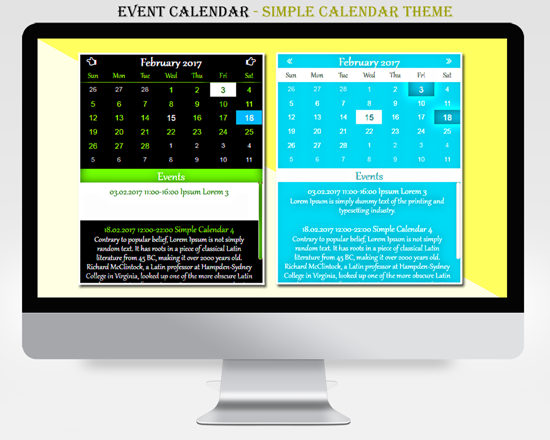
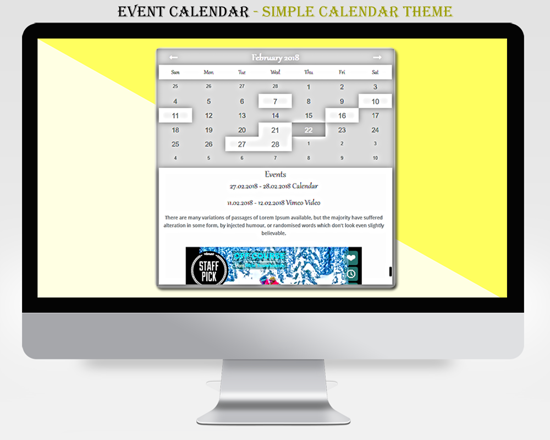
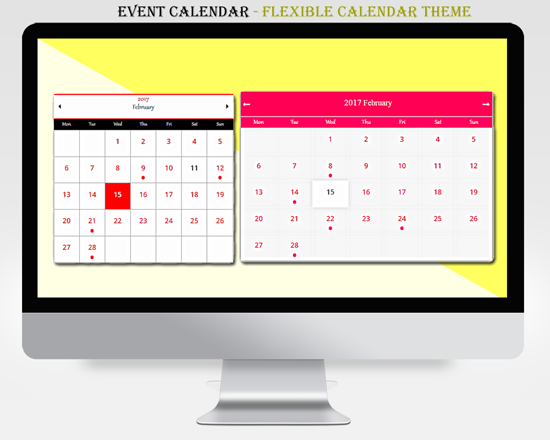
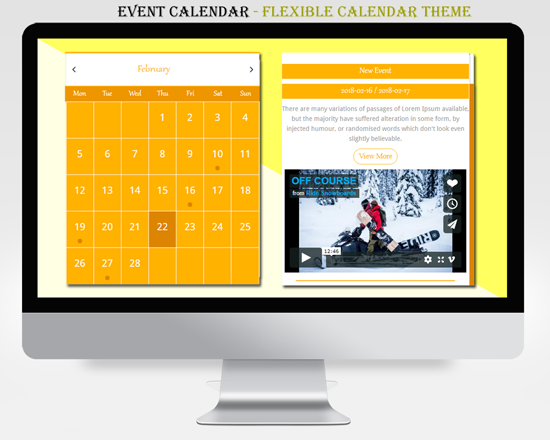
Pour les développeurs
Est-ce votre plugin ? Montrez les chiffres.
Ajoutez un badge en direct à votre site, docs ou github readme. Il se met à jour par lui-même - aucun compte n'est nécessaire.
Best Event Calendar – Calendar alternatives
All calendar plugins →




FAQ
Event Calendar – Calendar: quick answers
Réponses directes, extraites des données en direct WordPress.org.
Source : WordPress.org
Is Event Calendar – Calendar free?
Yes. Event Calendar – Calendar is free to download and use from the official WordPress.org plugin directory.
Is Event Calendar – Calendar safe to use in 2026?
Event Calendar – Calendar works, but test it on a staging site before relying on it in 2026. It runs on 2K+ sites, is rated 4.7/5 and was last updated 1 year ago, and scores 53/100 on our health check.
How many websites use Event Calendar – Calendar?
Event Calendar – Calendar is active on 2K+ WordPress websites and has been downloaded 168,421 times since it launched in June 2016. It was downloaded 658 times in the last 30 days.
Does Event Calendar – Calendar work with WordPress 7.1?
Event Calendar – Calendar is officially tested up to WordPress 6.8.13, while the latest release is 7.1.5. It may still work, but try it on a staging site first.
When was Event Calendar – Calendar last updated?
The latest version, 1.6.0, was released on July 2, 2025 (1 year ago).
Who makes Event Calendar – Calendar?
Event Calendar – Calendar is developed and maintained by totalsoft.
What are the best alternatives to Event Calendar – Calendar?
The most popular alternatives to Event Calendar – Calendar are The Events Calendar (600K+ installs), Events Manager (60K+ installs) and SimplyBook.me (30K+ installs).
Propulsé par PageForge
Un modèle et une feuille de calcul. Une vraie page pour chaque recherche.
PageForge transforme chaque ligne d'un CSV en une page WordPress avec son propre titre, URL, SEO et schéma, construit sur la mise en page que vous Déjà conçu. Gratuit sur WordPress.org.
- CSV et XLSX, plus Google Sheets sur les professionnels et les entreprises
- Son propre titre, URL, SEO champs et schéma pour chaque page
- Fonctionne avec l'éditeur de blocs, Elementor, Divi et Avada
- Gratuit sur WordPress.org, pas de carte de crédit