


Suppression en masse
Bulk delete posts, pages, users, attachments, and meta fields based on complex bulk conditions & filters.

Choix solide
Bulk Delete is a solid plugin choice in 2026, with a few things worth checking first. It runs on 30K+ sites, is rated 4.3/5 and was last updated 3 months ago, and scores 78/100 on our health check.
- Prouvé à grande échelle sur plus de 30 000 sites actifs
- Testé avec le dernier WordPress (7.1)
Comment s'accumule-t-il ?
Côte à côte sur les installations, les mises à jour, les évaluations et le support



Téléchargements quotidiens
Les pics de téléchargement suivent généralement une nouvelle version - chaque site qui met à jour automatiquement compte comme un téléchargement.
Classements
Where Bulk Delete stands todayWordPress.org Classements de recherche
Position en direct dans la recherche de plugins, Top 100| Mot-clé | Position |
|---|---|
| masse | #4 |
| bulk clean | #3 |
| bulk delete | #2 |
| clean database | #13 |
| supprimer | #3 |
Adoption de version
Part de sites actifs par version.
Répartition des notes
★★★★★★★★★★ 4.3 from 129 reviews
About Bulk Delete
From the official readme · v6.12Description
Bulk Delete allows you to delete posts, pages, attachments, users and meta fields in bulk based on different conditions and filters.
Traits
The following conditions and filters are supported.
Deleting posts
This Plugin supports the following bulk delete options for deleting posts;
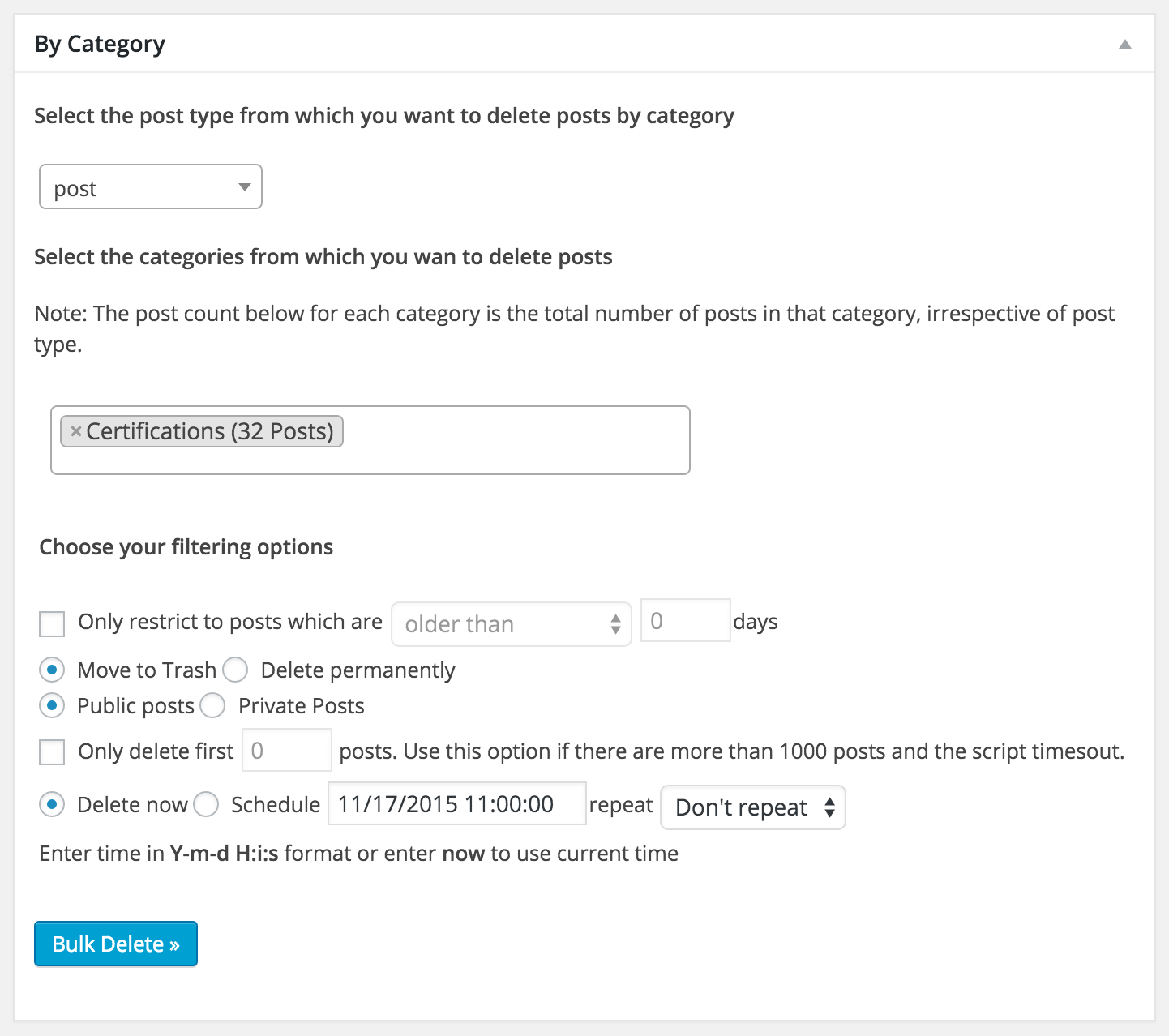
- Delete posts by category
- Delete posts by tag
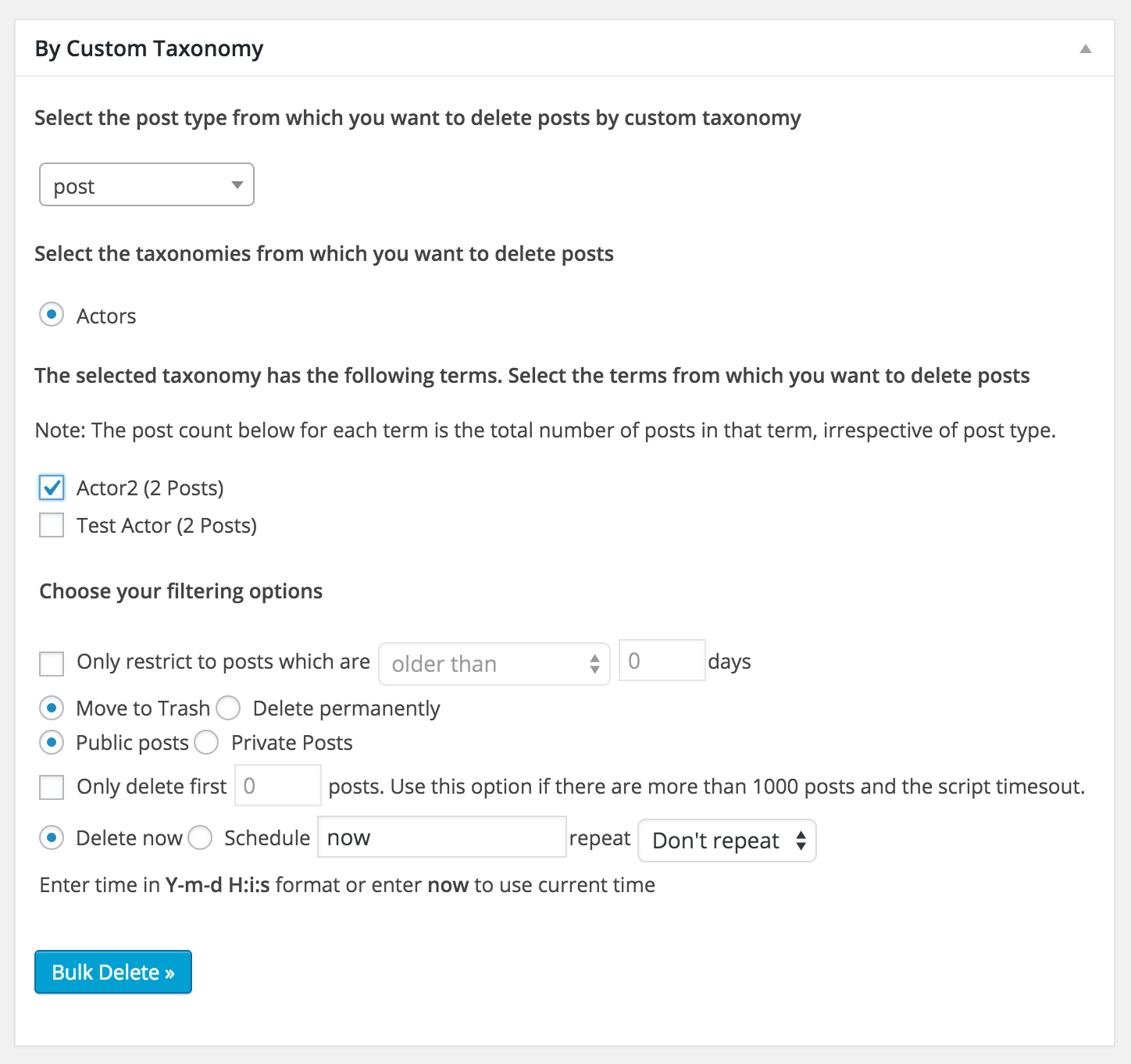
- Delete posts by custom taxonomy
- Delete posts by custom post type
- Delete posts by comment count
- Delete posts by URL
- Delete posts by custom field (Available in PRO)
- Delete posts by title (Available in PRO)
- Delete posts by duplicate title (Available in PRO)
- Delete all draft posts
- Delete all pending posts
- Delete all private posts
- Delete all scheduled posts
- Delete all posts from trash (Available in PRO)
All the above options support the following filters;
- Post date greater than X days
- Post date less than X days
- Only public posts
- Only private posts
- Restrict to first N posts
- Delete permanently or just move to trash
- Schedule deletion of posts automatically (Available in PRO)
Deleting posts by content
- Delete posts by content (Available in PRO)
- Delete duplicate posts by title (Available in [PRO]](https://bulkwp.com/))
- Delete posts based on whether it contains attachment or not (Available in PRO)
Deleting posts by user
Deleting pages
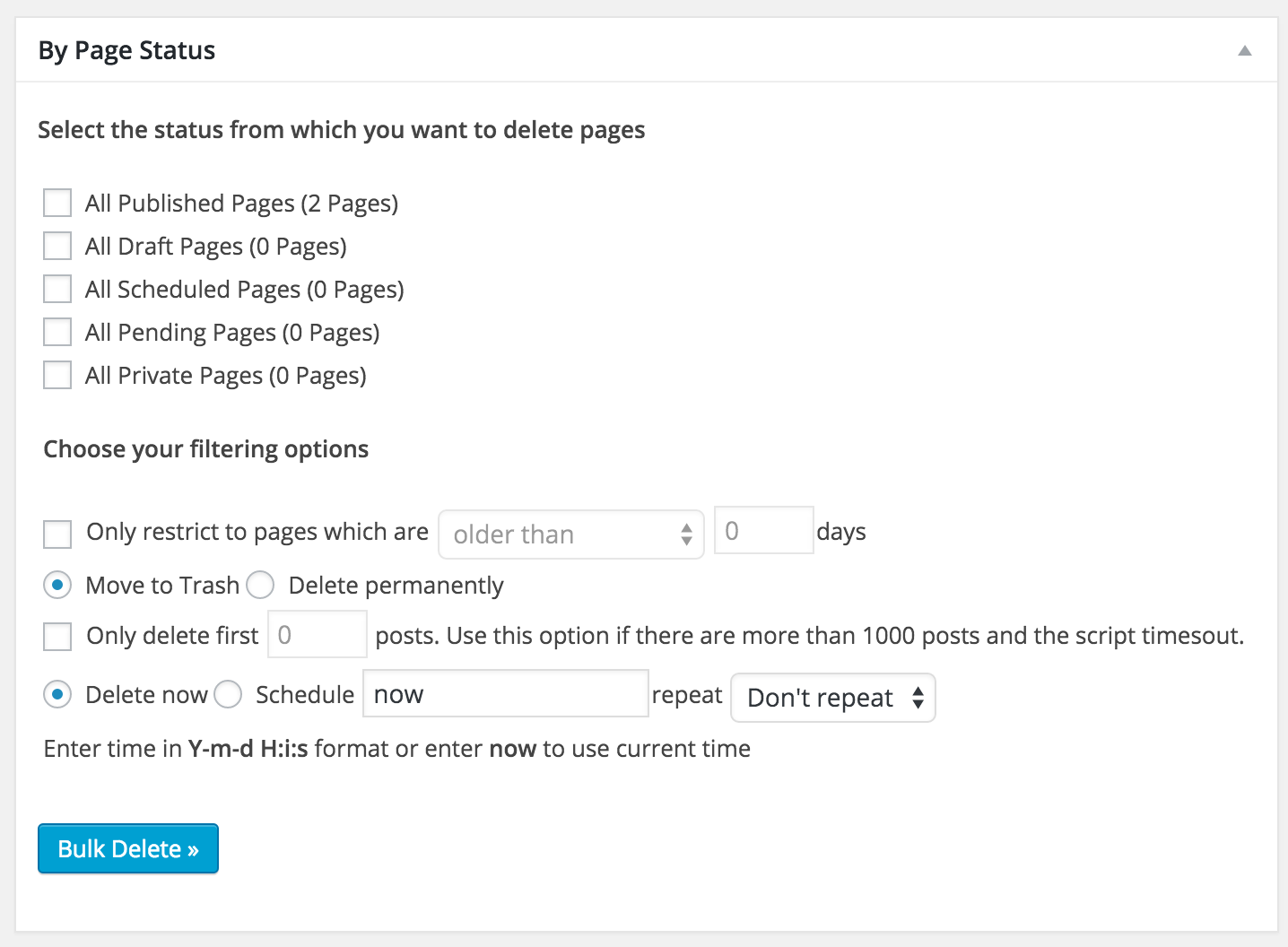
- Delete all published pages
- Delete all draft pages
- Delete all pending pages
- Delete all private pages
- Delete all scheduled pages
- Delete all pages from trash (Available in PRO)
Like posts, all the above options support the following filters as well;
- Post date greater than X days
- Post date less than X days
- Only public pages
- Only private pages
- Restrict to first N pages
- Delete permanently or just move to trash
- Schedule deletion of pages automatically (Available in PRO)
Deleting post revisions
- Delete all post revisions
Deleting users
- Delete users based on user role
- Delete users based on user meta fields
- Delete users who have not logged in in the last X days
- Delete users based on their registered date
Deleting Meta Fields
- Delete Post meta fields
- Delete Comment meta fields
- Delete User meta fields
Deleting Attachments
- Delete Attachments (Available in PRO)
Deleting content from other plugins
- Delete Jetpack Contact Form Messages
Soutien
Traduction
The Plugin currently has translations for the following languages.
- Dutch (Thanks Rene)
- Brazilian Portuguese (Thanks Marcelo of Criacao de Sites em Ribeirao Preto)
- German (Thanks Jenny Beelens)
- Turkish Portuguese (Thanks Bahadir Yildiz)
- Spanish (Thanks Brian Flores)
- Italian (Thanks Paolo Gabrielli)
- Bulgarian (Thanks Nikolay Nikolov)
- Russian (Thanks Maxim Pesteev)
- Lithuanian (Thanks Vincent G)
- Hindi (Thanks Love Chandel)
- Serbian (Thanks Diana)
- Gujarati (Thanks Puneet)
Installation
The simplest way to install the plugin is to use the built-in automatic plugin installer. Go to plugins -> Add New and then enter the name of the plugin to automatically install it.
If for some reason the above method doesn’t work then you can download the plugin as a zip file, extract it and then use your favorite FTP client and then upload the contents of the zip file to the wp-content/plugins/ directory of your WordPress installation and then activate the Plugin from Plugins page.
Journal de modifications
Added the ability to choose post status in addition to post type while deleting meta fields.
2026-07-22 – v6.12
- minor update
2025-12-23 – v6.11
- major rewrite and cleanup
2025-09-06
- WebFactory took over development
- full rewrite will follow soon
2019-04-11 – v6.0.2
Améliorations
- Show Bulk Delete menu to only administrators.
- Make Delete Comment Meta scheduler more reliable.
- Tweak the message that is shown when a cron job is manually run.
2019-04-09 – v6.0.1
Nouvelles fonctionnalités
- Added the ability to choose post status in addition to post type while deleting meta fields.
Améliorations
- Enhanced warning and error messages.
- Enhanced the taxonomy dropdown by grouping built-in and custom taxonomies.
- Enhanced UI for scheduling deletion.
2019-02-22 – v6.0.0 (10th Anniversary release)
Nouvelles fonctionnalités
- Added the ability to delete taxonomy terms based on name.
- Added the ability to delete taxonomy terms based on post count.
- Added the ability to delete posts based on comment count.
- Added the ability to delete users who don’t belong to any role (no role).
- Added the ability to reassign posts of a user who is going to be deleted to another user before deletion.
- Added the ability to unstick sticky posts.
- Added support for custom post status.
- Added the ability to delete comment meta based on both meta key and value.
- Complete rewrite of the way deletion is handled to improve performance.
Améliorations
- Load all 3rd party library js and css locally and not from CDN. The plugin can work fully in offline mode.
- Introduced a filter to exclude certain posts or users from getting deleted.
- Display schedule label instead of slug in scheduled jobs list table.
- Lot of UI/UX improvements.
- Fully compatible with from PHP 5.3 to 7.3.
- Fully compatible with Gutenberg.
Captures d'écran





Pour les développeurs
Est-ce votre plugin ? Montrez les chiffres.
Ajoutez un badge en direct à votre site, docs ou github readme. Il se met à jour par lui-même - aucun compte n'est nécessaire.
Best Bulk Delete alternatives
All bulk plugins →





FAQ
Bulk Delete: quick answers
Réponses directes, extraites des données en direct WordPress.org.
Source : WordPress.org
Is Bulk Delete free?
Yes. Bulk Delete is free to download and use from the official WordPress.org plugin directory.
Is Bulk Delete safe to use in 2026?
Bulk Delete is a solid plugin choice in 2026, with a few things worth checking first. It runs on 30K+ sites, is rated 4.3/5 and was last updated 3 months ago, and scores 78/100 on our health check.
How many websites use Bulk Delete?
Bulk Delete is active on 30K+ WordPress websites and has been downloaded 1,209,629 times since it launched in March 2009. It was downloaded 4,426 times in the last 30 days.
Does Bulk Delete work with WordPress 7.1?
Yes. The developer has tested Bulk Delete up to WordPress 7.1.5, the latest release. It requires WordPress 5.0 or newer.
What PHP version does Bulk Delete need?
Bulk Delete requires PHP 5.3 or higher. Most hosts run PHP 8.x today, so it works on any modern WordPress hosting.
When was Bulk Delete last updated?
The latest version, 6.12, was released on August 16, 2026 (3 months ago).
Who makes Bulk Delete?
Bulk Delete is developed and maintained by WebFactory.
What are the best alternatives to Bulk Delete?
The most popular alternatives to Bulk Delete are Manage (100K+ installs), WP Bulk Delete (90K+ installs) and Bulk Post Update Date (10K+ installs).
Propulsé par PageForge
Un modèle et une feuille de calcul. Une vraie page pour chaque recherche.
PageForge transforme chaque ligne d'un CSV en une page WordPress avec son propre titre, URL, SEO et schéma, construit sur la mise en page que vous Déjà conçu. Gratuit sur WordPress.org.
- CSV et XLSX, plus Google Sheets sur les professionnels et les entreprises
- Son propre titre, URL, SEO champs et schéma pour chaque page
- Fonctionne avec l'éditeur de blocs, Elementor, Divi et Avada
- Gratuit sur WordPress.org, pas de carte de crédit