


ZooMeet – Zoom Integration: Meetings, Webinars & Video Conference
WordPress Zoom integration: create Zoom meetings and webinars, give each a join page, and let visitors join in the Zoom app or browser.

Solide Wahl
ZooMeet is a solid plugin choice in 2026, with a few things worth checking first. It runs on 20+ sites, is rated 5/5 and was last updated 2 weeks ago, and scores 78/100 on our health check.
- Aktiv entwickelt — letztes Update vor 2 Wochen
- Getestet mit dem neuesten WordPress (7.1)
- Momentum — downloads up 78.8% vs the previous 30 days
- Kleine Benutzerbasis (20+ aktive Installationen)
- Bisher sehr wenige Bewertungen
Wie stapelt es sich?
Side-by-side bei Installationen, Updates, Bewertungen und Support


Tägliche Downloads
Download-Spitzen folgen normalerweise einer neuen Version - jede Website, die automatisch aktualisiert wird, gilt als Download.
Ranglisten
Where ZooMeet stands todayWordPress.org Ranglisten suchen
Live-Position in der Plugin-Suche, Top 100| Stichwort | Position |
|---|---|
| video conference | #4 |
| webinar | #11 |
| zoom | #24 |
| zoom integration | #10 |
| zoom meetings | #6 |
Versionsübernahme
Anteil aktiver Sites pro Release.
Bewertungsaufschlüsselung
★★★★★★★★★★ 5 from 3 reviews
About ZooMeet
From the official readme · v2.4.6Beschreibung
ZooMeet is a WordPress Zoom integration plugin that creates Zoom meetings and webinars from your dashboard, gives each one its own page on your site, and shows what is live on your Zoom account in wp-admin.
Connect your Zoom account once with a Server-to-Server OAuth app, and every event you create in WordPress is a real Zoom meeting or webinar. Visitors join from your site, in the Zoom app or right in the browser, and you manage the account behind it without switching tabs.
📖 Documentation | 🤝 Join Community | 🕹️ YouTube
Looking for a video conference plugin for WordPress, a simple way to integrate Zoom with WordPress, or a video call plugin that keeps visitors on your own site? ZooMeet adds Zoom meetings for WordPress in a few minutes, with no code.
Why Use ZooMeet to Integrate Zoom with WordPress? 🤔
- Real Zoom meetings and webinars, created and updated through the Zoom API, not embeds or copied links.
- A join page for every event with details, a countdown and a Join button, in the Zoom app or in the browser.
- The full agenda on every event page, as a PDF or a link, also added to the agenda Zoom sends to registrants.
- Your Zoom account in WordPress: live meetings, live webinars, imports and API logs.
- Secure by design: Zoom keys and passcodes are never sent to the browser.
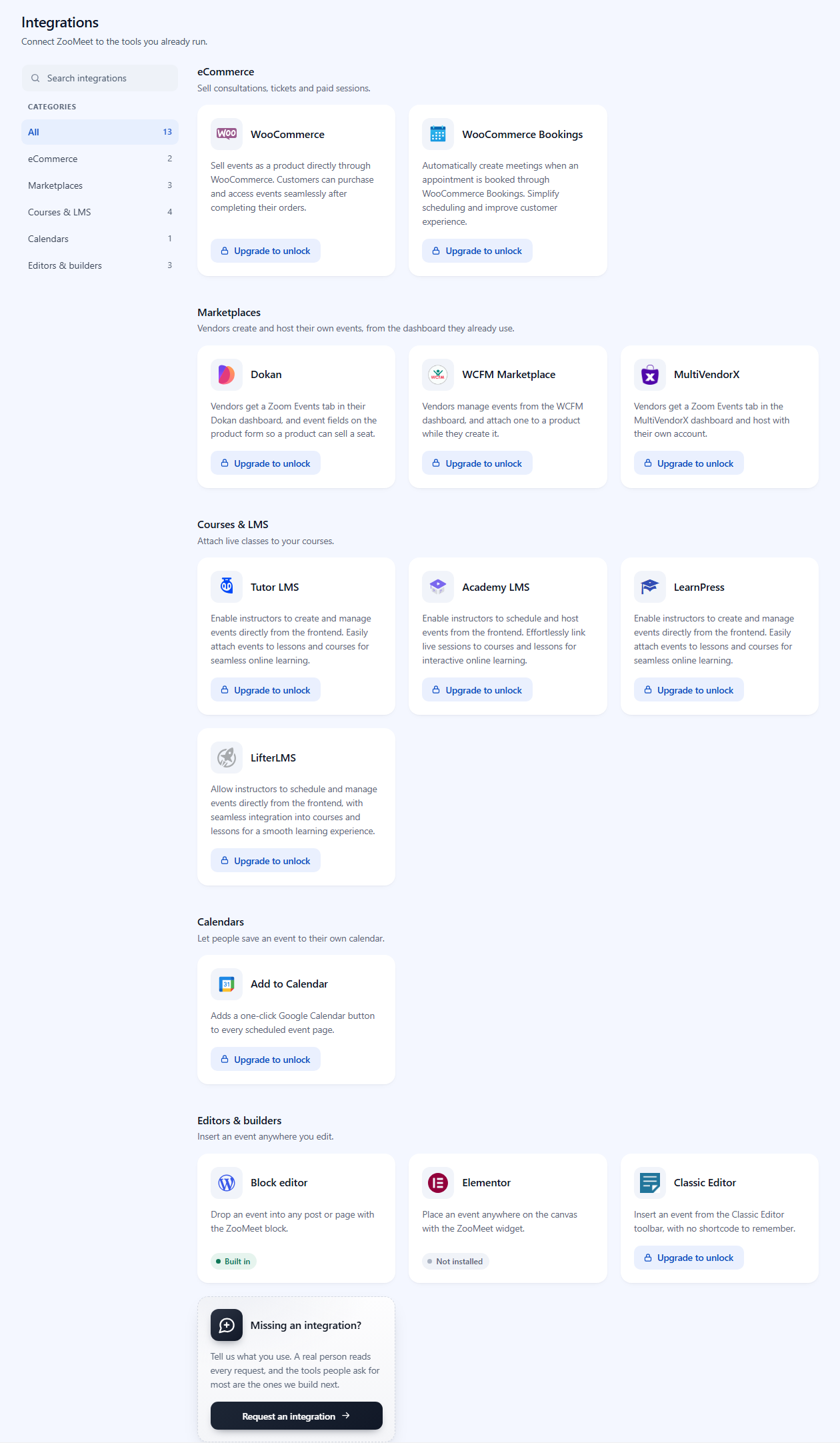
- Works with the block editor, Elementor and shortcodes, and on WordPress Multisite.
Zoom Meetings & Webinars From WordPress
-
A guided event wizard
- Create a Zoom meeting or webinar in clear steps, with quick picks for the date and length, the time zone, a passcode, the host and alternative hosts.
-
Every Zoom setting you rely on
- Waiting room, join before host, Zoom sign-in required, mute on entry, host and participant video, auto recording, and for webinars, panelist video, practice session and HD video.
-
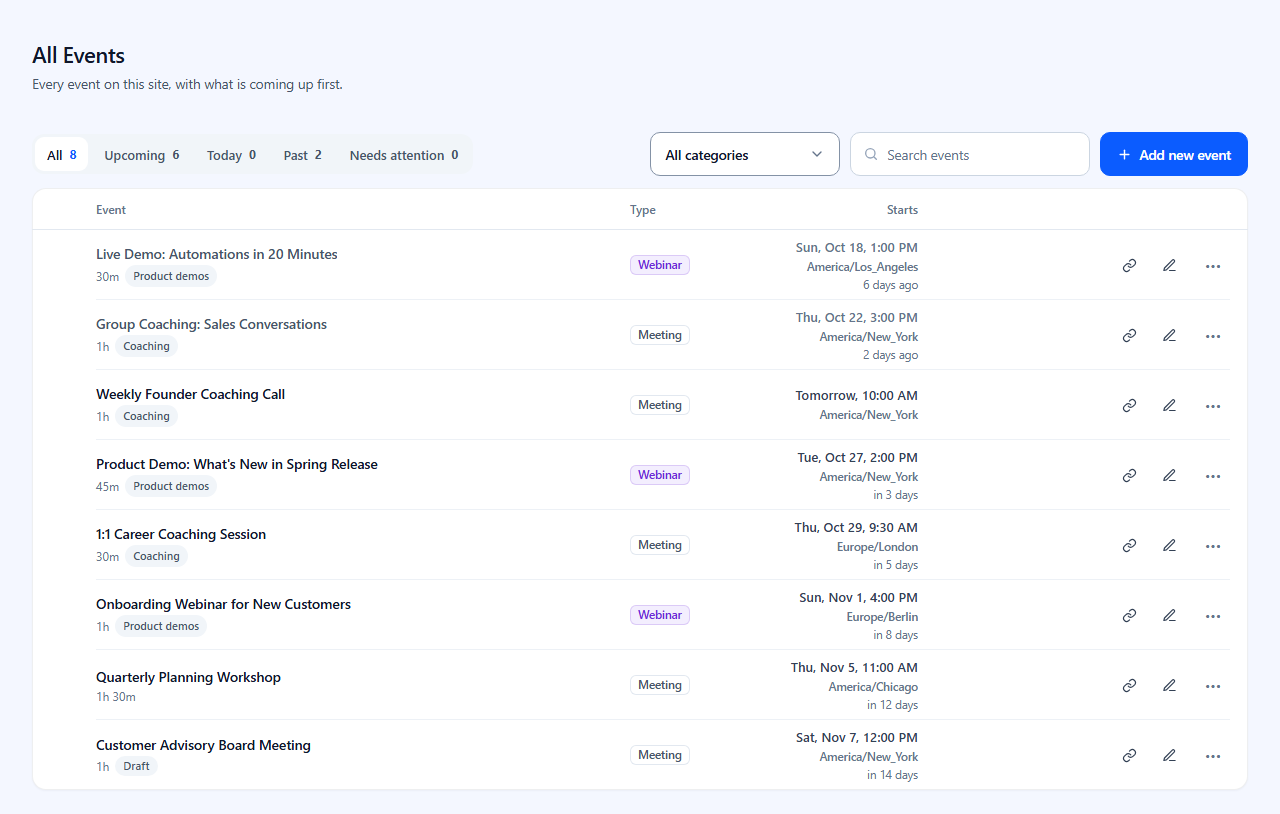
All Events in one list
- View, publish drafts, copy a shortcode and delete (to the trash, never straight away). A summary panel flags clashing events and busy days.
-
Kategorien
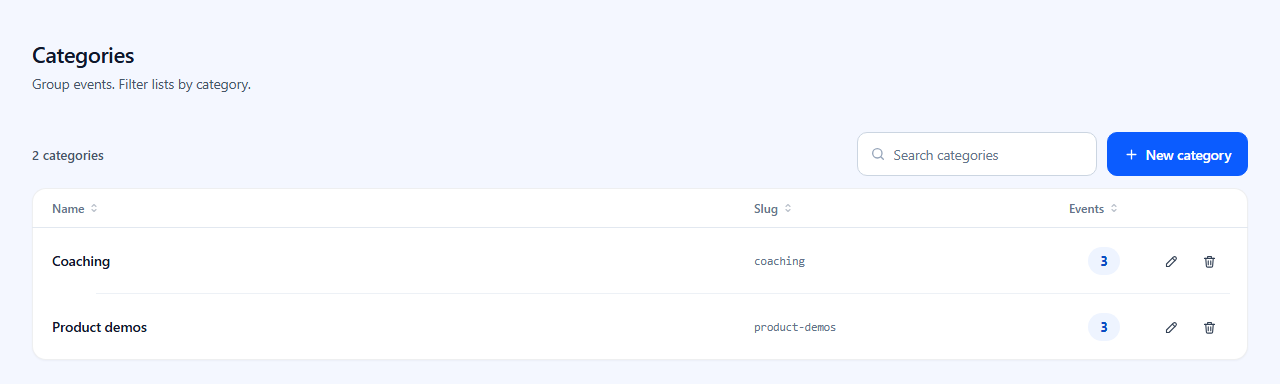
- Group events by course, client or team, with category pages and a category filter on the list shortcodes.
Event Pages: Join Zoom in the App or in the Browser
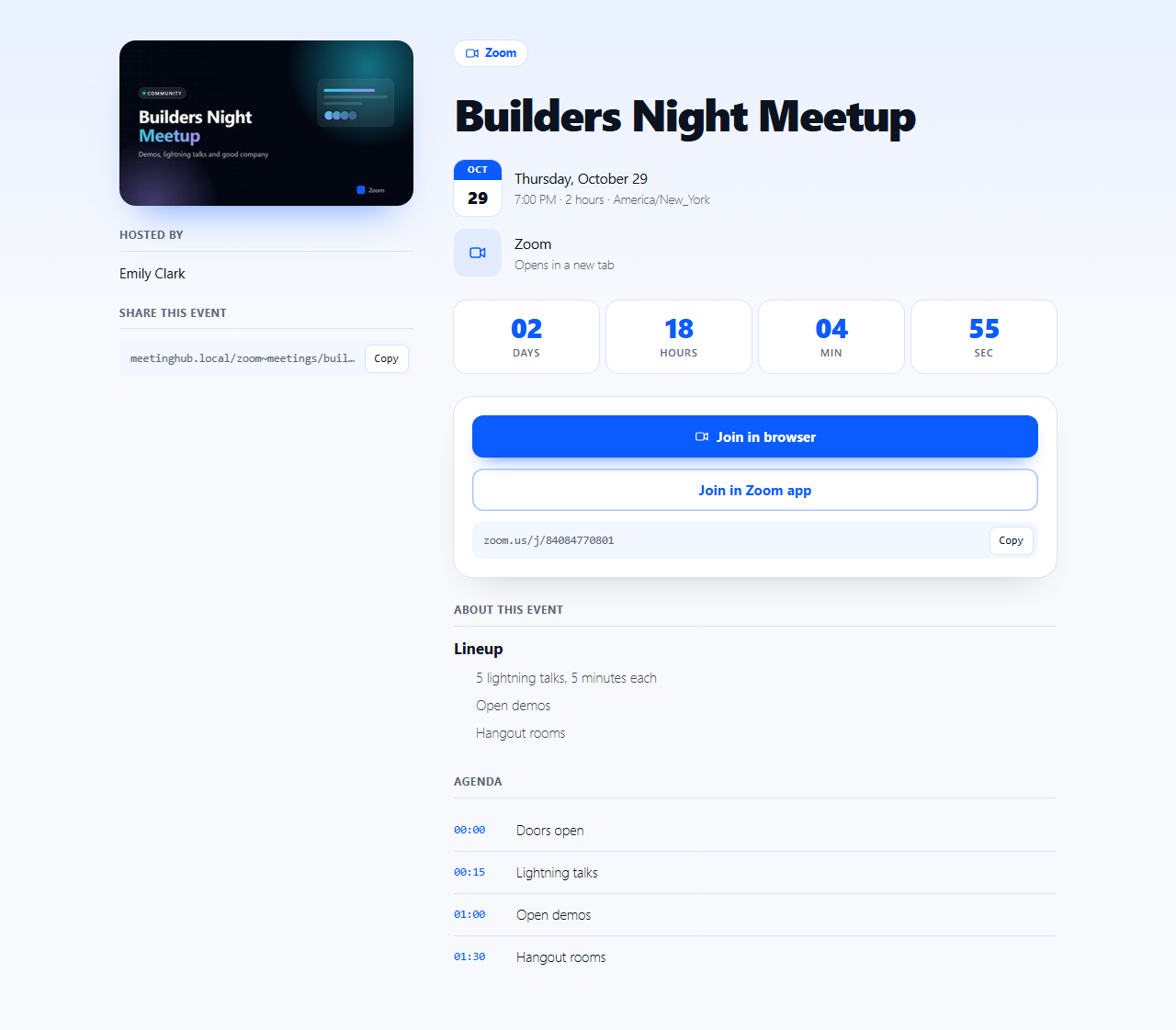
Every event gets a page on your site with the details, a countdown and a Join button.
-
Join in the Zoom app or in the browser
- Add Meeting SDK keys and visitors can join inside your site. The signature is made on your server, so no secret reaches the browser.
-
Host controls on the page
- The host can start the event, end it or let people join early.
-
Full agenda as a PDF or a link
- Upload the programme as a PDF or paste a link under Agenda. The event page shows a Full agenda link, and Zoom adds it to its registration page and confirmation emails.
-
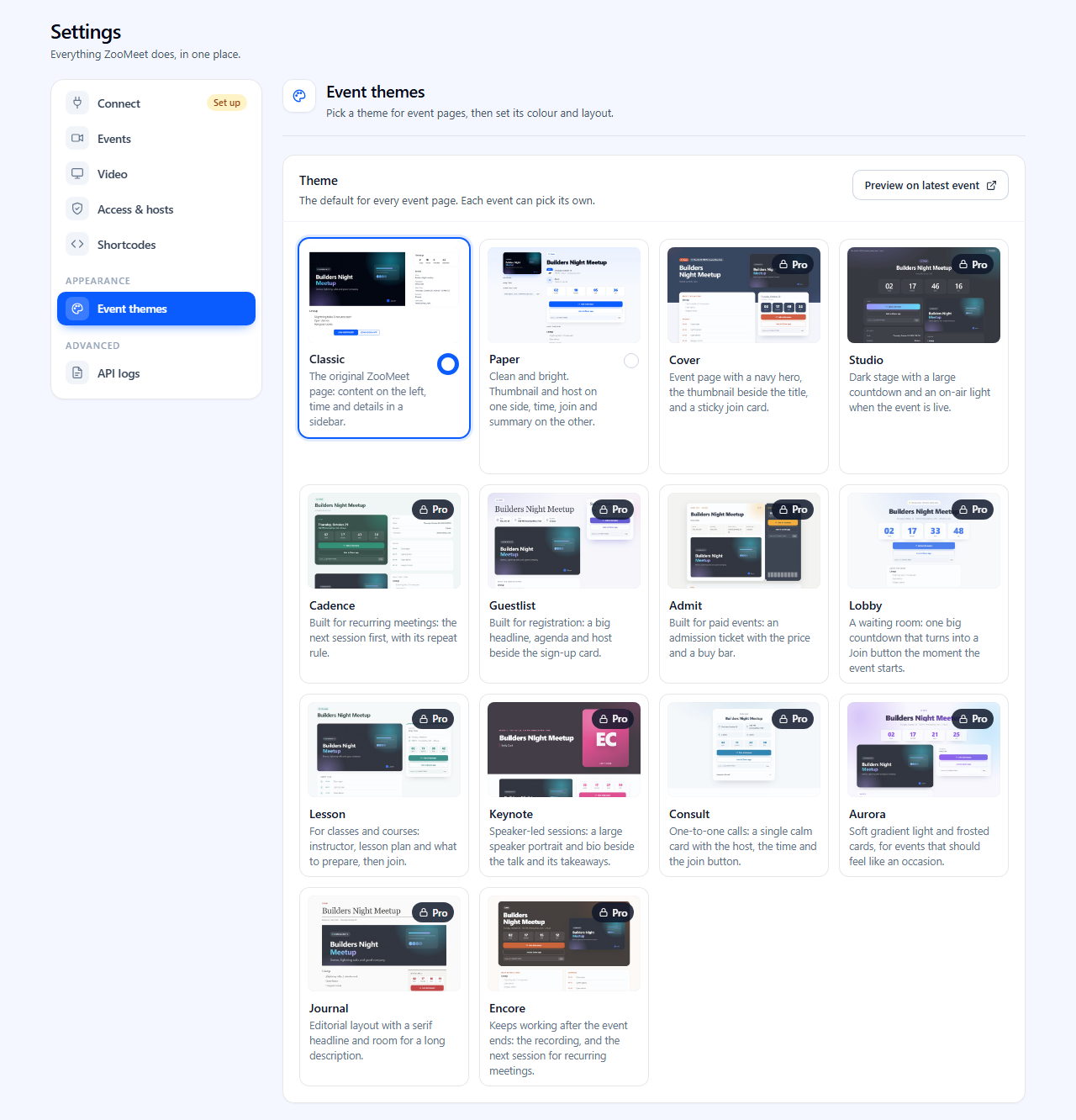
Two page designs, Classic and Paper
- Choose a brand colour, button shape, sidebar side, thumbnail, and whether the site header and footer show. Pick a design for the whole site, then change it on any one event.
-
Times in each visitor’s own time zone
- Optional, per event, with the time zone shown beside the time.
Manage Your Zoom Account Inside WordPress
- Live Meetings and Live Webinars: see what is on your Zoom account right now, refresh it, and delete on Zoom.
- Import: bring existing Zoom meetings into WordPress as events, with a duplicate check.
- API logs: see why a Zoom API request failed, with errors only or every call, kept 14 days and never storing secrets.
Zoom Shortcodes, Block Editor Block & Elementor Widget
[zmeet-zoom-meeting id="123"]and[zmeet-zoom-webinar id="123"]show one event, with options to hide the details or the timer.[zmeet-zoom-meeting-list]and[zmeet-zoom-webinar-list]list upcoming events; addcategory="slug"orshow_past="yes".- A block for the block editor and an Elementor widget that embed a meeting or webinar straight from a Zoom host.
Zoom Meeting Access & Security
- Choose who may open event pages: everyone, logged-in users, or chosen roles. Hosts and admins always get in.
- Passcodes and the waiting room, sent to Zoom with the event.
- Zoom keys and passcodes are never sent to the browser.
- Works on WordPress Multisite.
How to Integrate Zoom with WordPress in 4 Steps
- Install and activate ZooMeet from Plugins → Add New Plugin.
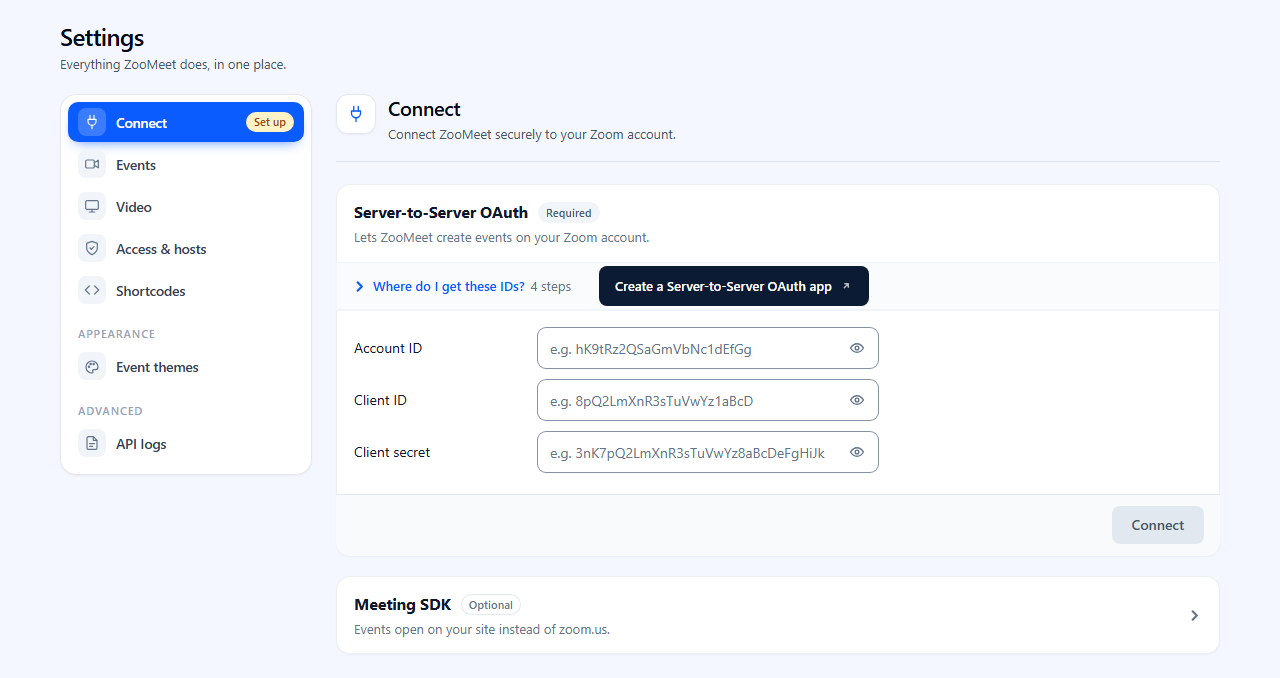
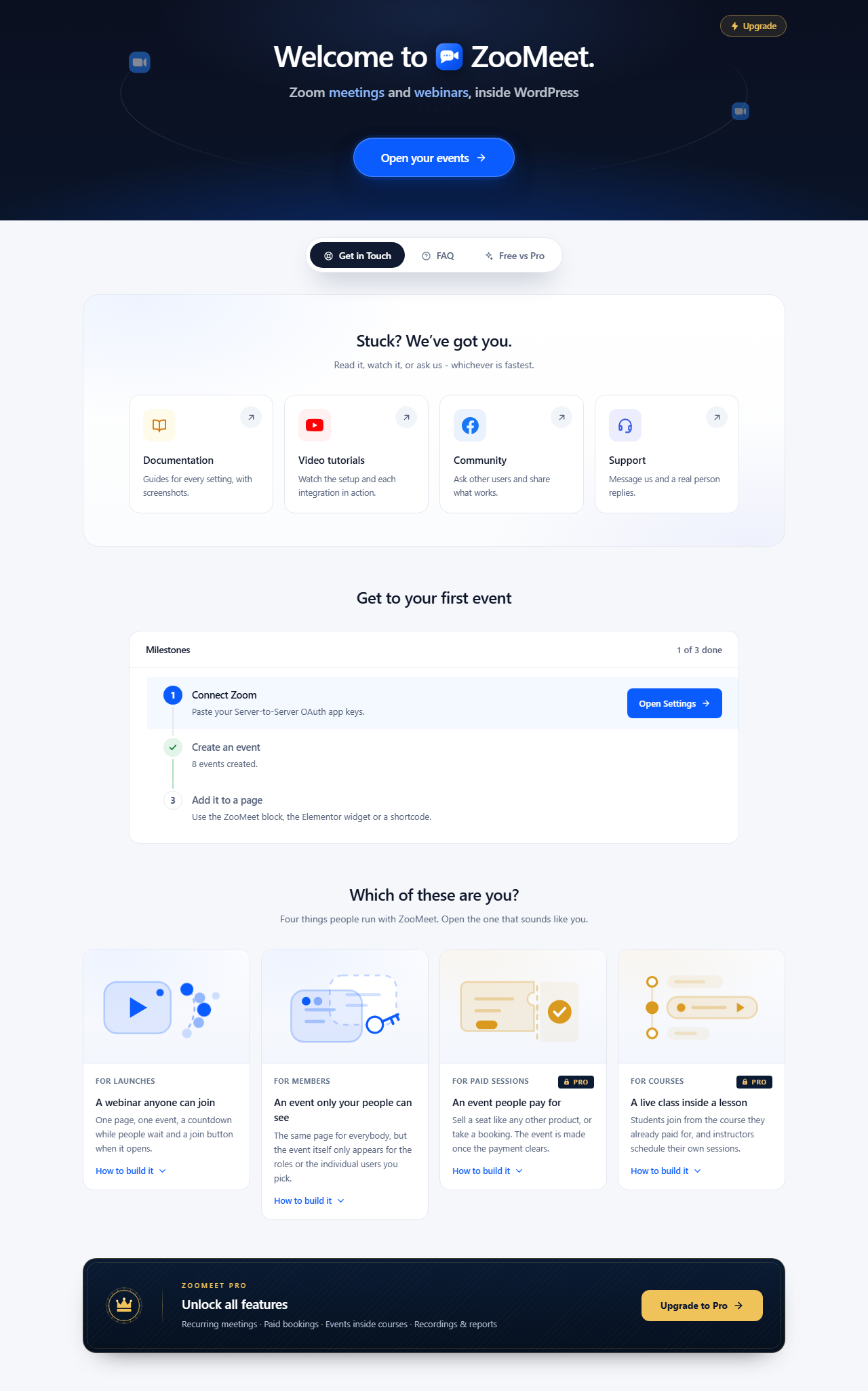
- Create a Server-to-Server OAuth app in the Zoom App Marketplace and paste its keys into Settings → Connect.
- Optional: add Meeting SDK keys so visitors can join in the browser.
- Click Add New Event, then share the event page or drop a shortcode, block or Elementor widget on any page.
Full guide: Connect Zoom with ZooMeet.
Video Conference Plugin Use Cases
- Online classes and coaching: a page for each live session, with the agenda, a countdown and a Join button.
- Webinars and virtual events: a public page with the full programme, Zoom registration and a Join button.
- Teams and agencies: run every Zoom event from one WordPress login, with each event on its own page.
📖 Documentation | 🤝 Join Community | 🕹️ YouTube
Dokumentation
Step-by-step guides with screenshots for every feature of the ZooMeet Zoom WordPress plugin:
- Connect Zoom with ZooMeet (Server-to-Server OAuth)
- Set up Join in browser (Meeting SDK)
- Create your first Zoom meeting
- Show Zoom meetings on any page with shortcodes
- All ZooMeet guides
What Users Say About ZooMeet
⭐⭐⭐⭐⭐
Best Zoom plugin for WordPress
This zoom meeting plugin is fantastic. Loved this one and its team’s dedication and support.
– by @tasnim179
😍 Other Plugins from Our Team
- MeetingHub – Appointment booking and event scheduling with Zoom, Google Meet, Microsoft Teams, Webex and Jitsi
- DriveHub – Google Drive integration: embed files, photo galleries, file lists, uploads and downloads
- GoodMeet – Meetings and classes for Google Meet
- TogMeet – Schedule Microsoft Teams meetings from WordPress
- WeMeet – Schedule Webex meetings from WordPress
Externe Dienste
This plugin connects to Zoom to create and manage meetings and webinars, and to Freemius for licensing. Each is listed with what is sent and when.
Zoom OAuth (zoom.us/oauth/token) – exchanges the Account ID, Client ID and Client Secret you enter under Settings → Connect for an access token, when you save the settings and whenever the token needs renewing.
Zoom REST API (api.zoom.us) – used to create, update, delete and import meetings and webinars, and to list the active Zoom users who can host them.
– Creating or updating an event sends its title, description, agenda (with the link to the full agenda PDF or page, if you add one), start time, time zone, duration, passcode, host, alternative hosts and the meeting settings you chose.
– Admin screens such as All Events, Live Meetings and Live Webinars read from Zoom when you open them, and event pages read the meeting’s status.
Zoom Meeting SDK (source.zoom.us) – loaded in the visitor’s browser only on the Join in browser page. The browser connects to Zoom with the meeting number, a signature made on your server, and the display name and email the visitor enters.
This service is provided by Zoom Video Communications, Inc.: Terms of Service, Privacy Policy.
Freemius – used for licensing and, if you opt in on the activation screen, to receive basic site data (site URL, WordPress, PHP and plugin versions, and your admin email) that helps us support the plugin. You can skip the opt-in; the plugin works the same either way.
This service is provided by Freemius, Inc.: Terms of Service, Privacy Policy.
Source Code
The admin interface is built with React and compiled to the minified JavaScript and CSS in assets/dist/. The uncompiled source ships with the plugin in assets/src/, and package.json in the plugin root lists the build tools (webpack, Tailwind CSS, PostCSS and Babel) and the build commands, npm run build and npm run build:getstarted, run with NODE_ENV=production. The PHP libraries in vendor/ are listed in composer.json.
Installation
- In your WordPress admin, go to Plugins → Add New Plugin and search for ZooMeet.
- Klicken Sie auf Jetzt installieren und dann Aktivieren.
- Go to Settings → Connect in the plugin’s menu and add your Zoom Server-to-Server OAuth keys to integrate Zoom with WordPress. The Connect Zoom guide shows where to find them.
- Optional: add Meeting SDK keys on the same screen so people can join inside your site (guide).
- Click Add New Event and create your first Zoom meeting or webinar.
Änderungsprotokoll
2.4.6 – 17 Nov, 2026
- Fix: The plugin’s own screens show the current logo.
2.4.5 – 17 Nov, 2026
- Enhancement: Setup guides stay closed until you open them.
- Enhancement: Small improvements to the admin screens.
2.4.4 – 13 Nov, 2026
- Enhancement: A clearer plugin name.
2.4.3 – 13 Nov, 2026
- Enhancement: The plugin page lists our other plugins.
2.4.2 – 13 Nov, 2026
- Enhancement: Small admin interface and translation updates.
2.4.1 – 7 Nov, 2026
- Enhancement: A shorter, clearer plugin description and FAQ.
Screenshots

Für Entwickler
Ist das dein Plugin? Zeigen Sie die Zahlen.
Fügen Sie Ihrer Website, Docs oder GitHub Readme ein Live-Badge hinzu. Es wird von selbst aktualisiert - kein Konto erforderlich.
Best ZooMeet alternatives
All video conference plugins →



Fragen und Antworten
ZooMeet: quick answers
Gerade Antworten, gezogen von Live WordPress.org Daten.
Quelle: WordPress.org
Is ZooMeet free?
Yes. ZooMeet is free to download and use from the official WordPress.org plugin directory.
Is ZooMeet safe to use in 2026?
ZooMeet is a solid plugin choice in 2026, with a few things worth checking first. It runs on 20+ sites, is rated 5/5 and was last updated 2 weeks ago, and scores 78/100 on our health check.
How many websites use ZooMeet?
ZooMeet is active on 20+ WordPress websites and has been downloaded 3,239 times since it launched in June 2025. It was downloaded 978 times in the last 30 days.
Does ZooMeet work with WordPress 7.1?
Yes. The developer has tested ZooMeet up to WordPress 7.1.5, the latest release. It requires WordPress 5.0 or newer.
What PHP version does ZooMeet need?
ZooMeet requires PHP 7.4 or higher. Most hosts run PHP 8.x today, so it works on any modern WordPress hosting.
When was ZooMeet last updated?
The latest version, 2.4.6, was released on November 17, 2026 (2 weeks ago).
Who makes ZooMeet?
ZooMeet is developed and maintained by Sovlix.
What are the best alternatives to ZooMeet?
The most popular alternatives to ZooMeet are Video Conferencing with Zoom (10K+ installs), eRoom (7K+ installs) and FlexMeeting (1K+ installs).
Angetrieben von PageForge
Eine Vorlage und eine Tabelle. Eine echte Seite für jede Suche.
PageForge Verwandelt jede Zeile eines CSV in eine WordPress-Seite mit eigenem Titel, URL, SEO Felder und Schema entworfen. Kostenlos auf WordPress.org.
- CSV und XLSX, plus Google Sheets auf Beruf und Unternehmen
- seinen eigenen Titel, URL, SEO Felder und Schema für jede Seite
- Arbeitet mit dem Blockeditor, Elementor, Divi und Avada
- Kostenlos auf WordPress.org, keine Kreditkarte