


Plug-N-Meet web conference integration
x-release-please-start-version Stable tag: 2.2.9 # x-release-please-end Requires PHP: 8.3.0 License: GPLv2 or later License URI: http://www.gnu.

Solide Wahl
Plug-N-Meet web conference inte… is a solid plugin choice in 2026, with a few things worth checking first. It runs on 100+ sites, is rated 3.5/5 and was last updated 4 weeks ago, and scores 66/100 on our health check.
- Aktiv entwickelt — letztes Update vor 4 Wochen
- Momentum — downloads up 22.4% vs the previous 30 days
- Kleine Benutzerbasis (100+ aktive Installationen)
- Bisher sehr wenige Bewertungen
- Needs PHP 8.3.0 or newer
Wie stapelt es sich?
Side-by-side bei Installationen, Updates, Bewertungen und Support



Tägliche Downloads
Download-Spitzen folgen normalerweise einer neuen Version - jede Website, die automatisch aktualisiert wird, gilt als Download.
Ranglisten
Where Plug-N-Meet web conference… stands todayWordPress.org Ranglisten suchen
Live-Position in der Plugin-Suche, Top 100| Stichwort | Position |
|---|---|
| live streaming | #25 |
| video conference | #10 |
| virtual classroom | #5 |
| webinar | #49 |
| zoom | >100 |
Versionsübernahme
Anteil aktiver Sites pro Release.
Bewertungsaufschlüsselung
★★★★★★★★★★ 3.5 from 2 reviews
About Plug-N-Meet web conference integration
From the official readme · v2.2.9Beschreibung
Bring a powerful, open-source video conferencing solution directly into your WordPress site. With plugNmeet, you can host live classes, webinars, and meetings without sending your users to a third-party website, keeping them engaged and on your platform.
The meeting interface is loaded directly on your page for a seamless, native experience. Best of all, the interface is fully customizable to match your brand.
Wie es funktioniert
This plugin connects your WordPress site to a plugNmeet server. As a free and open-source project, you have two great options for the server:
- Self-Host: Create your own server for maximum control and privacy by following the official installation instructions.
- Use the Cloud: Get started in minutes with a ready-to-use plugNmeet cloud subscription.
Note: The plugin includes pre-configured demo credentials to help you test its features immediately. This demo server is a shared resource and is not intended for production use as it can be unreliable. For any important meetings, we strongly recommend using one of the options above to ensure a stable and professional experience for you and your users.
Plugin-Funktionen
- Seamless Integration: Embed video conferences directly into your WordPress pages and posts using a simple shortcode.
- Room Management: Create and manage Plug-N-Meet rooms directly from the WordPress admin area.
- Advanced Analytics: Access detailed post-meeting analytics for each session, including participant engagement, talk time, connection quality, and more. Download comprehensive reports in Excel format.
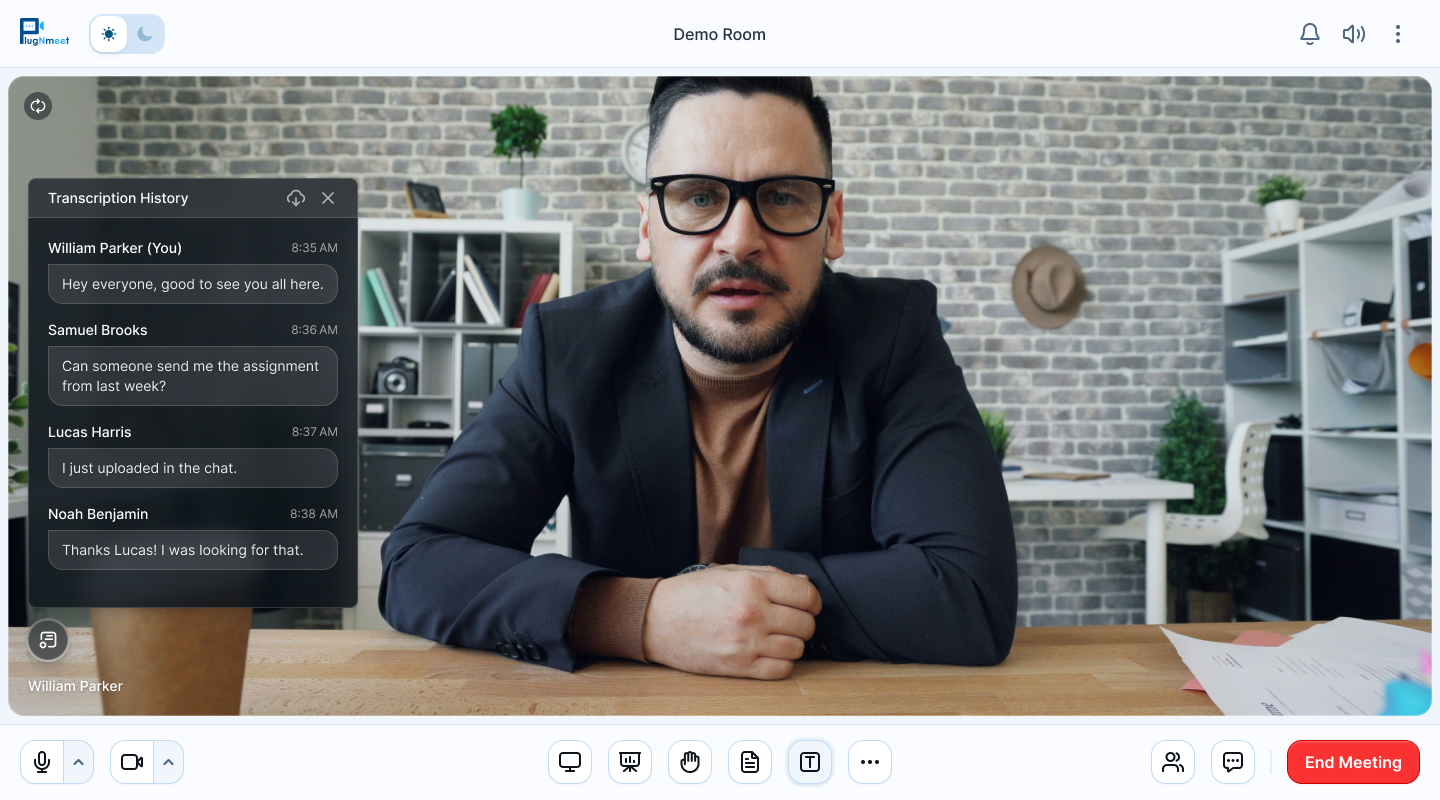
- Artifact Management: Easily access and download all room artifacts, such as speech transcripts, AI-generated meeting summaries, AI token usage/cost etc.
- Recording Management: View, download, and merge recordings from the WordPress backend.
- Role-Based Permissions: Control who can join meetings and manage recordings based on their WordPress user role.
- Frontend Join Form: The shortcode automatically displays a customizable join form for users to enter their name and, if required, a password.
- Display Recordings: The shortcode can also be configured to display a list of recordings for a specific room, with download and playback options based on the user’s role.
- Developer Friendly: Extend the plugin’s functionality by hooking into webhook events to process real-time data from your meetings.
Powerful Meeting Features
Core Conferencing Tools
- HD Audio & Video: Crystal-clear communication, screen sharing, and virtual backgrounds.
- Interactive Whiteboard: Collaborate in real-time. Upload and draw on PDFs, documents, presentations, and images.
- Shared Notepad: Work together on shared notes during the session.
- Cross-Device Compatible: Works on all modern browsers, including Chrome, Firefox, and Safari for iOS.
Engagement & Collaboration
- Breakout Rooms: Split participants into smaller groups for focused discussions.
- Polls & Voting: Easily create polls to engage your audience and gather feedback.
- Raise Hand: A simple way for participants to get your attention.
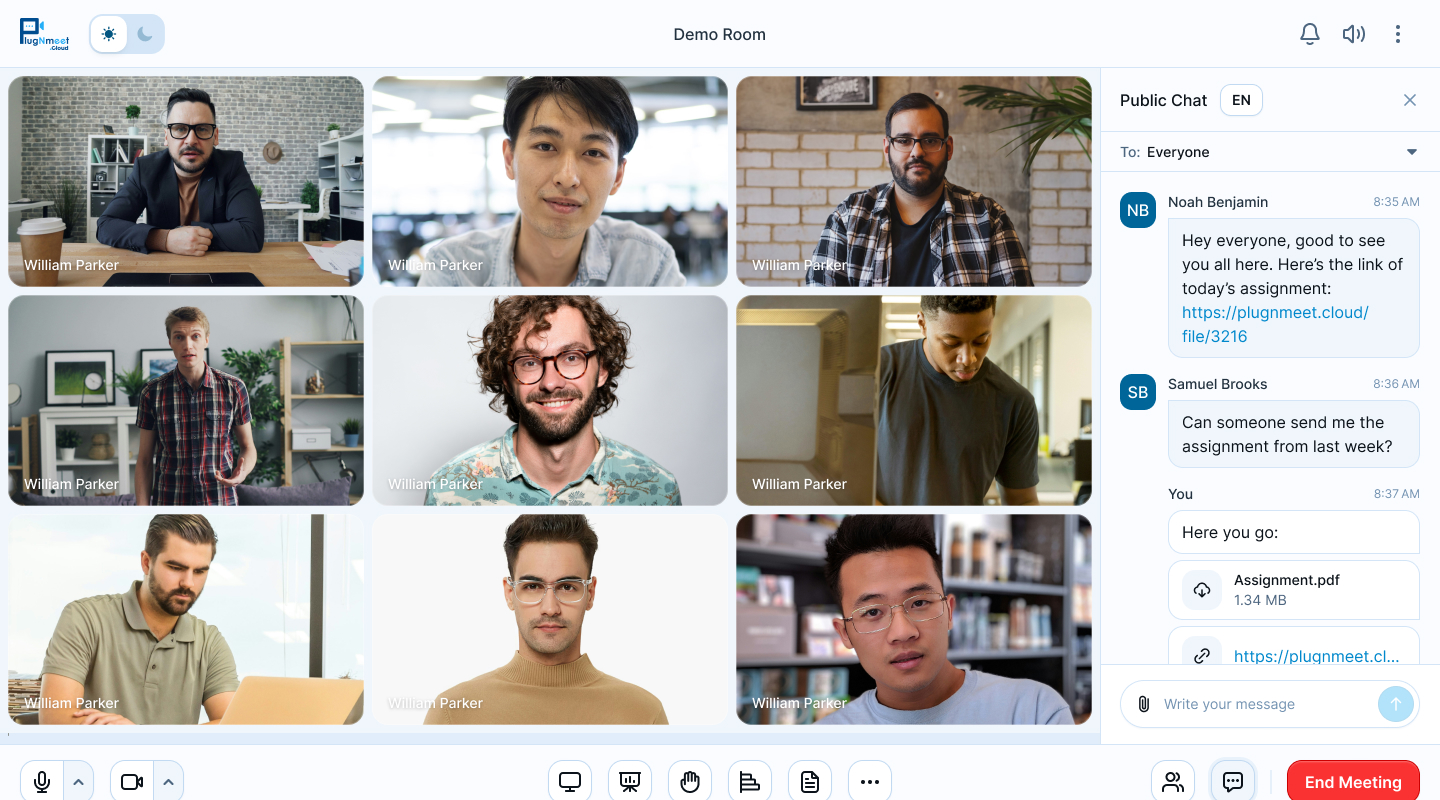
- Public & Private Chat: Allow for group and one-on-one conversations with file sharing.
Moderator Controls & Security
- Advanced Lock Settings: Fine-grained control over participant permissions (e.g., lock webcams, microphones, chat).
- Customizable Waiting Room: Manage who enters your meeting and when.
- End-to-End Encryption (E2EE): Secure your meetings with the highest level of privacy (on supported browsers).
- Secure & Encrypted: All communication is secured using WebRTC standards.
Advanced Capabilities
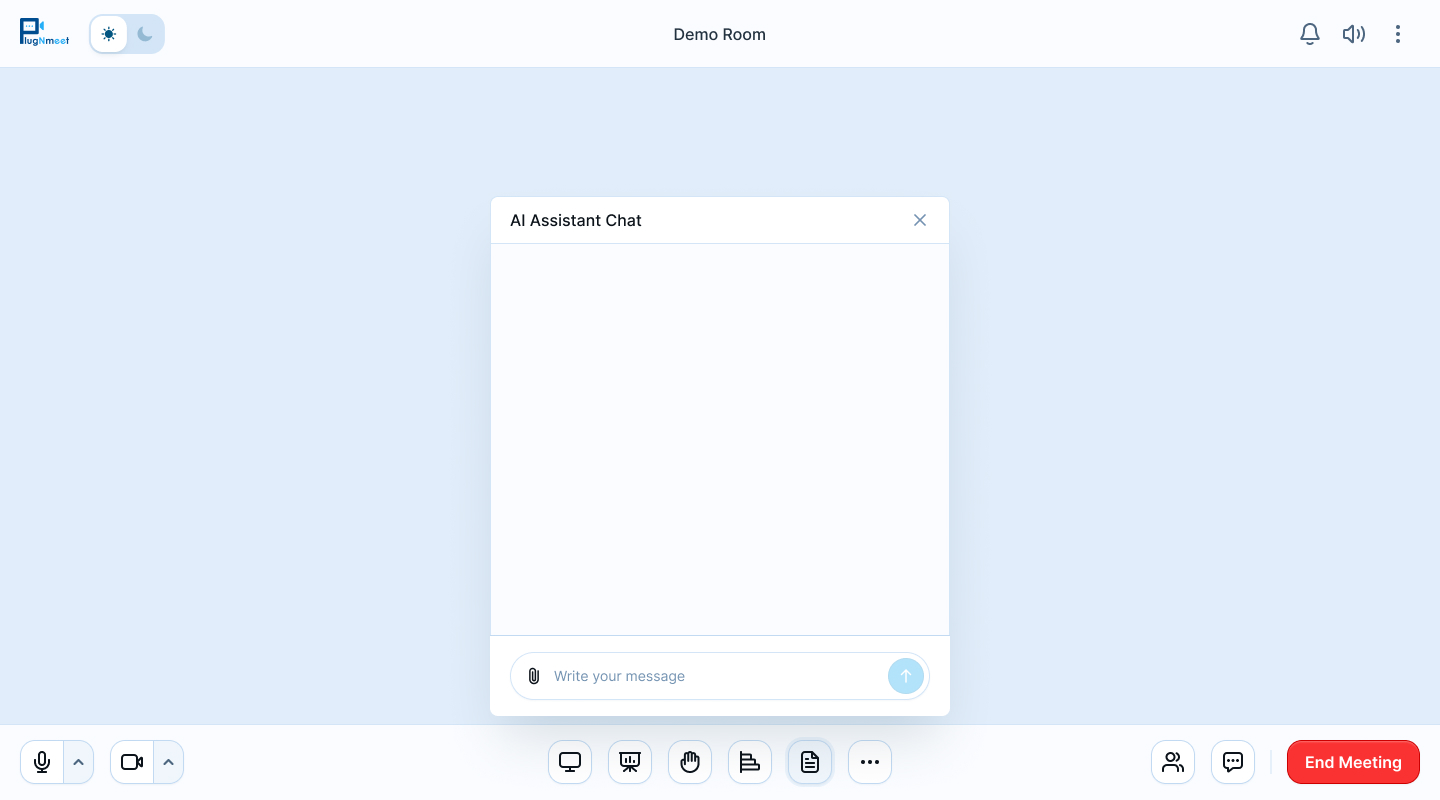
- AI Meeting Agent: Turn your meetings into actionable intelligence. Our powerful AI agent provides live spoken translations, generates automated summaries, creates full transcriptions, and many more…
- MP4 Recording: Record your sessions to share or review later.
- Live Broadcasting: Stream your meetings live to platforms like YouTube via RTMP.
- Telephone Dial-In (SIP Gateway): Allow participants to join the audio of your meeting by dialing a standard phone number—no internet required.
- Stable on Any Connection: Adaptive streaming (Simulcast & Dynacast) ensures a smooth experience, even on slower internet.
Installation
- Set up your server: First, ensure you have a running plugNmeet server. You can either self-host or use the plugNmeet cloud.
- Install the plugin: Upload the plugin files to the
/wp-content/plugins/plugnmeetdirectory, or install the plugin through the WordPress plugins screen directly. - Activate the plugin: Activate the plugin through the ‘Plugins’ screen in WordPress.
- Configure settings: Go to the plugNmeet settings page in your WordPress admin area and enter your server URL, API Key, and Secret.
- Create a room: Go to the plugNmeet menu, create a new conference room, and use the provided shortcode to embed it on any page or post.
Änderungsprotokoll
For a detailed list of changes, please see the CHANGELOG.md file on GitHub.
Screenshots
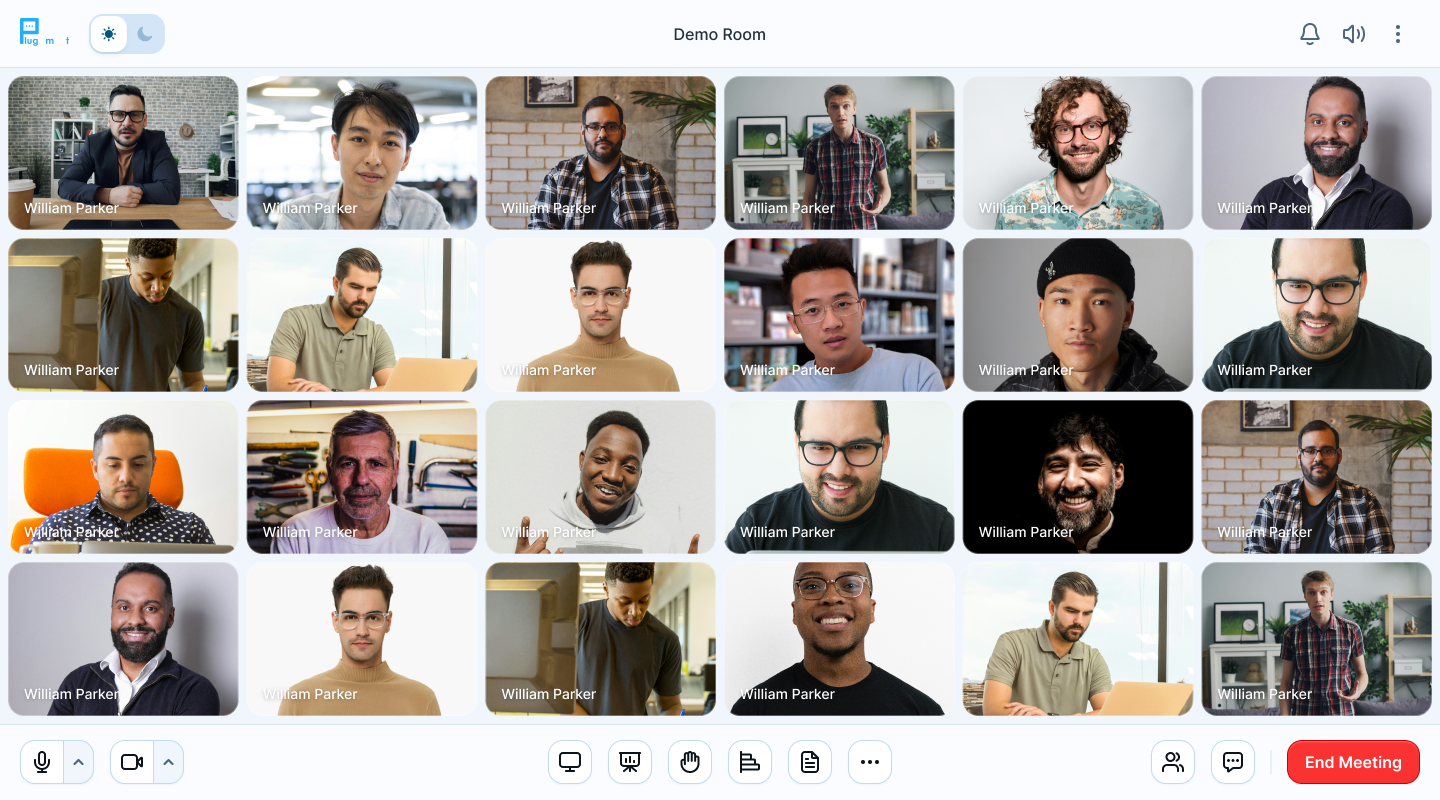
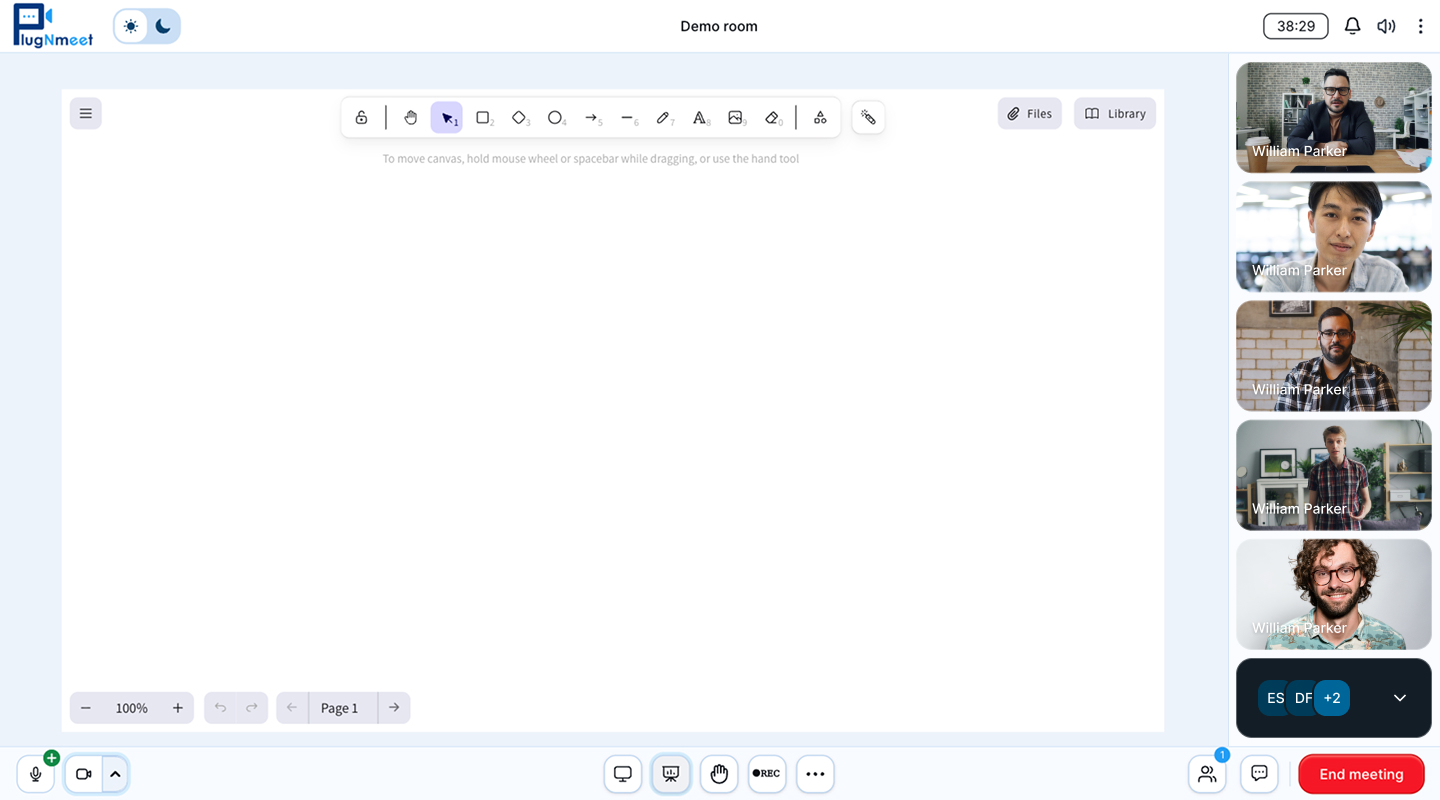
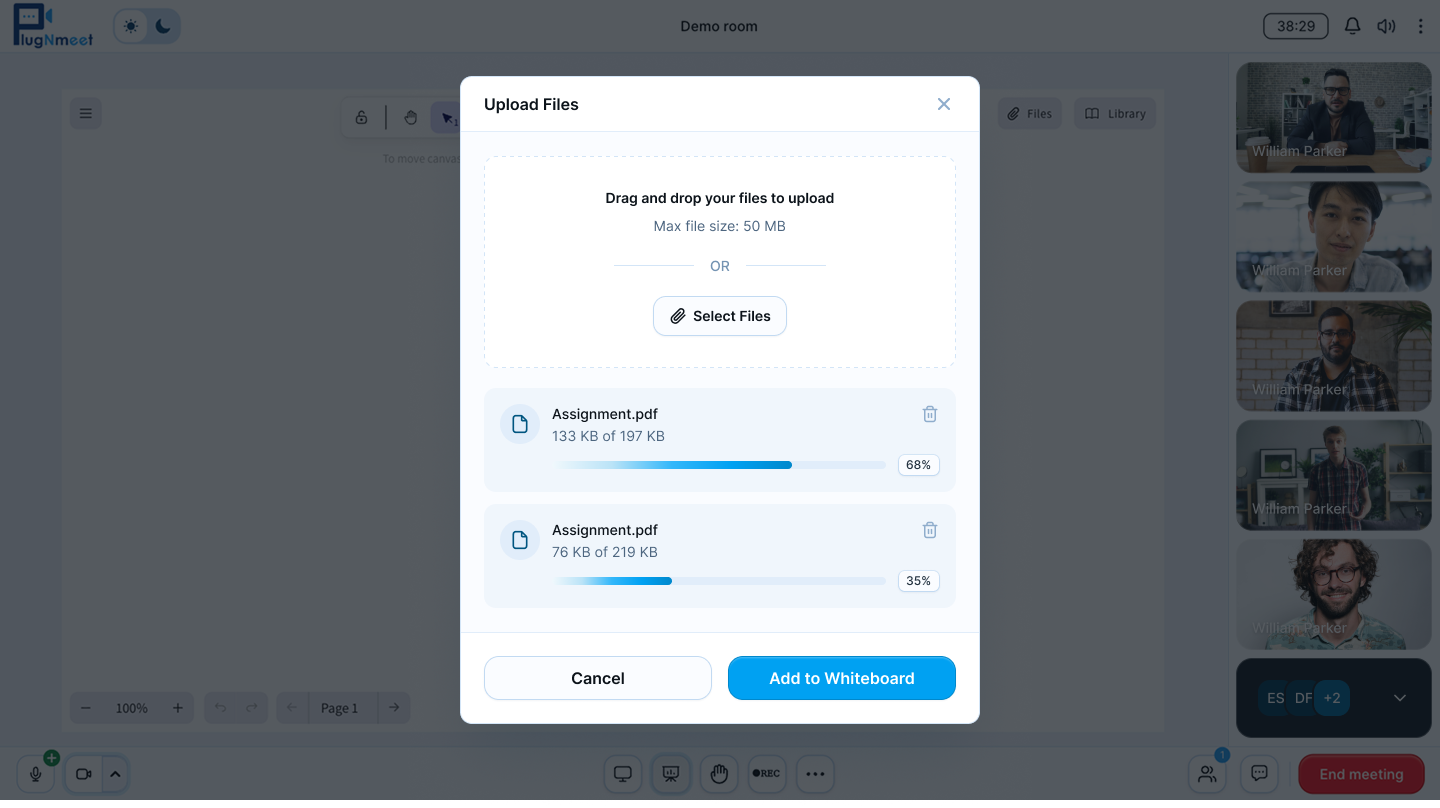
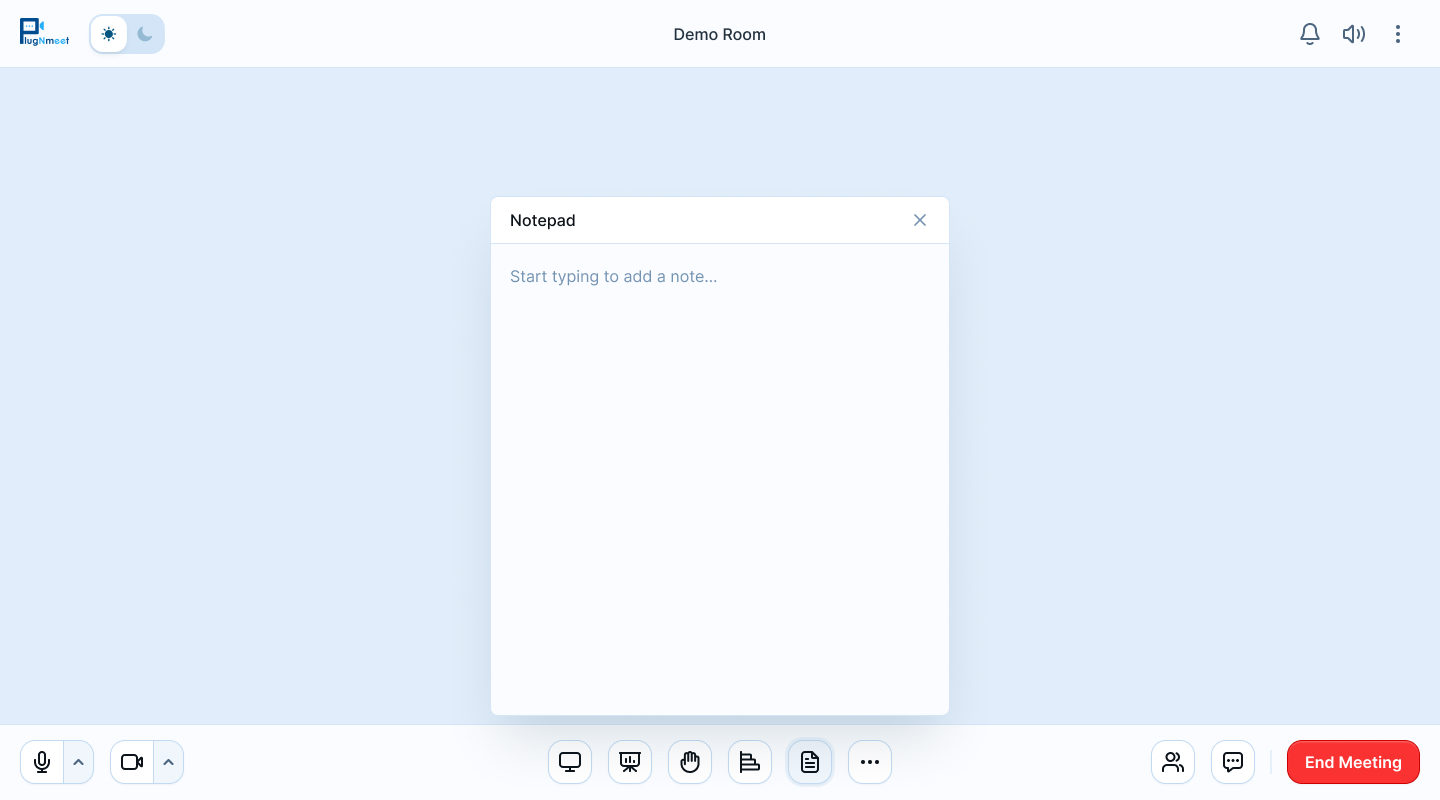
Für Entwickler
Ist das dein Plugin? Zeigen Sie die Zahlen.
Fügen Sie Ihrer Website, Docs oder GitHub Readme ein Live-Badge hinzu. Es wird von selbst aktualisiert - kein Konto erforderlich.
Best Plug-N-Meet web conference in… alternatives
All live streaming plugins →





Fragen und Antworten
Plug-N-Meet web conference integrat…: quick answers
Gerade Antworten, gezogen von Live WordPress.org Daten.
Quelle: WordPress.org
Is Plug-N-Meet web conference inte… free?
Yes. Plug-N-Meet web conference inte… is free to download and use from the official WordPress.org plugin directory.
Is Plug-N-Meet web conference inte… safe to use in 2026?
Plug-N-Meet web conference inte… is a solid plugin choice in 2026, with a few things worth checking first. It runs on 100+ sites, is rated 3.5/5 and was last updated 4 weeks ago, and scores 66/100 on our health check.
How many websites use Plug-N-Meet web conference inte…?
Plug-N-Meet web conference inte… is active on 100+ WordPress websites and has been downloaded 16,431 times since it launched in March 2022. It was downloaded 662 times in the last 30 days.
Does Plug-N-Meet web conference inte… work with WordPress 7.1?
Plug-N-Meet web conference inte… is officially tested up to WordPress 7.0.9, while the latest release is 7.1.5. It may still work, but try it on a staging site first.
What PHP version does Plug-N-Meet web conference inte… need?
Plug-N-Meet web conference inte… requires PHP 8.3.0 or higher. Most hosts run PHP 8.x today, so it works on any modern WordPress hosting.
When was Plug-N-Meet web conference inte… last updated?
The latest version, 2.2.9, was released on November 5, 2026 (4 weeks ago).
Who makes Plug-N-Meet web conference inte…?
Plug-N-Meet web conference inte… is developed and maintained by bobteng.
What are the best alternatives to Plug-N-Meet web conference inte…?
The most popular alternatives to Plug-N-Meet web conference inte… are Instant Indexing for Google (200K+ installs), WpStream (3K+ installs) and Broadcast Live Video (300+ installs).
Angetrieben von PageForge
Eine Vorlage und eine Tabelle. Eine echte Seite für jede Suche.
PageForge Verwandelt jede Zeile eines CSV in eine WordPress-Seite mit eigenem Titel, URL, SEO Felder und Schema entworfen. Kostenlos auf WordPress.org.
- CSV und XLSX, plus Google Sheets auf Beruf und Unternehmen
- seinen eigenen Titel, URL, SEO Felder und Schema für jede Seite
- Arbeitet mit dem Blockeditor, Elementor, Divi und Avada
- Kostenlos auf WordPress.org, keine Kreditkarte