


Visual CSS Style Editor
Style your WordPress site visually. Discover the most popular front-end design plugin! Try live demo.

Sichere Auswahl
Yes — Visual CSS Style Editor is a safe, well-maintained plugin to use in 2026. It runs on 30K+ sites, is rated 4.1/5 and was last updated 24 hours ago, and scores 87/100 on our health check.
- Bewährt auf 30.000 aktiven Standorten
- Actively developed — last update 24 hours ago
- Getestet mit dem neuesten WordPress (7.1)
- Momentum — downloads up 195.3% vs the previous 30 days
Wie stapelt es sich?
Side-by-side bei Installationen, Updates, Bewertungen und Support

Tägliche Downloads
Download-Spitzen folgen normalerweise einer neuen Version - jede Website, die automatisch aktualisiert wird, gilt als Download.
Ranglisten
Where Visual CSS Style Editor stands todayWordPress.org Ranglisten suchen
Live-Position in der Plugin-Suche, Top 100| Stichwort | Position |
|---|---|
| css | #16 |
| css editor | #8 |
| anpassen | #78 |
| Entwurf | #73 |
| visual css | #1 |
Versionsübernahme
Anteil aktiver Sites pro Release.
Bewertungsaufschlüsselung
★★★★★★★★★★ 4.1 from 90 reviews
About Visual CSS Style Editor
From the official readme · v7.6.8Beschreibung
Style your WordPress site visually. Discover the most popular front-end design plugin! Try live demo.
Visual CSS Editor
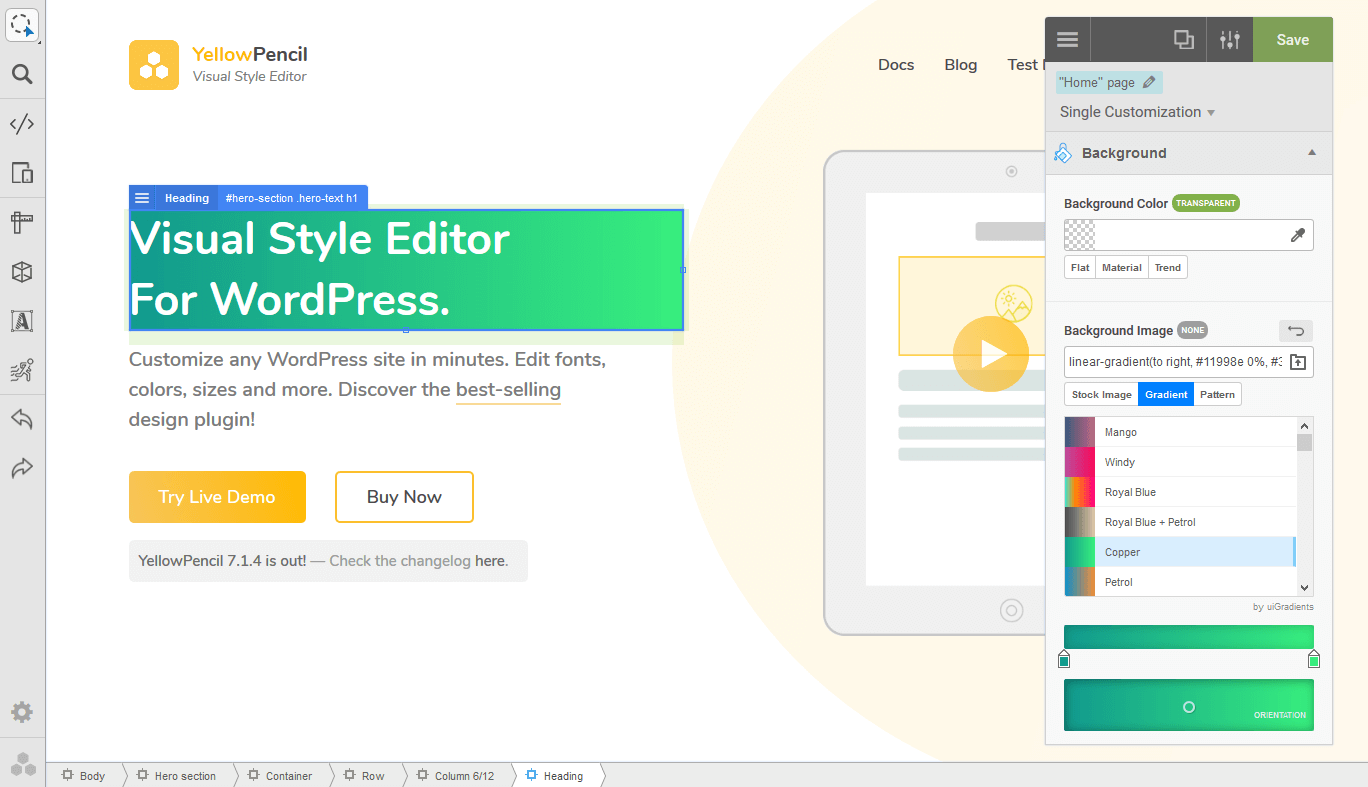
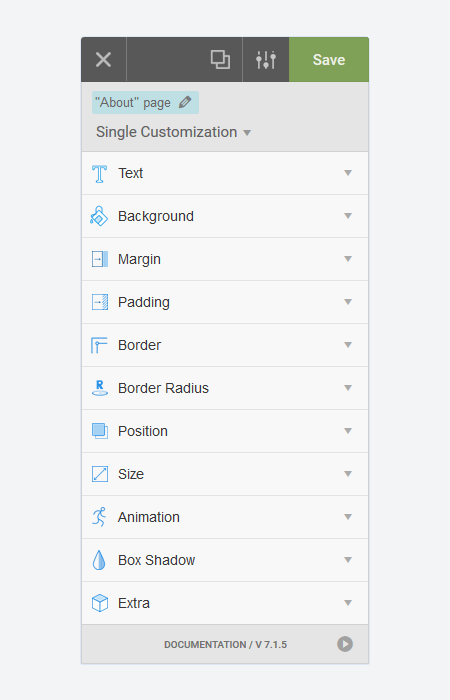
The plugin allows you to customize any page and theme without coding. Click on an element and start visual editing. Adjust colors, fonts, sizes, positions and a lot more. Take full control over your website’s design with more than 60 style properties.
Hauptmerkmale
- Customize any page, any element
- Customize WordPress login page
- Automatic CSS selectors
- 60+ CSS properties
- Visual Drag & Drop
- Visual Margin & Padding editing
- Live CSS editor
- Live-Vorschau
- Manage the changes
- Undo / Redo history
- Export stylesheet file
Design Tools
The plugin provides you advanced tools and ready-to-use libraries for styling your website effortlessly.
- Flexible element inspector
- Single element inspector
- Responsive tool
- Element search tool
- Measuring tool
- Wireframe view
- Design information tool
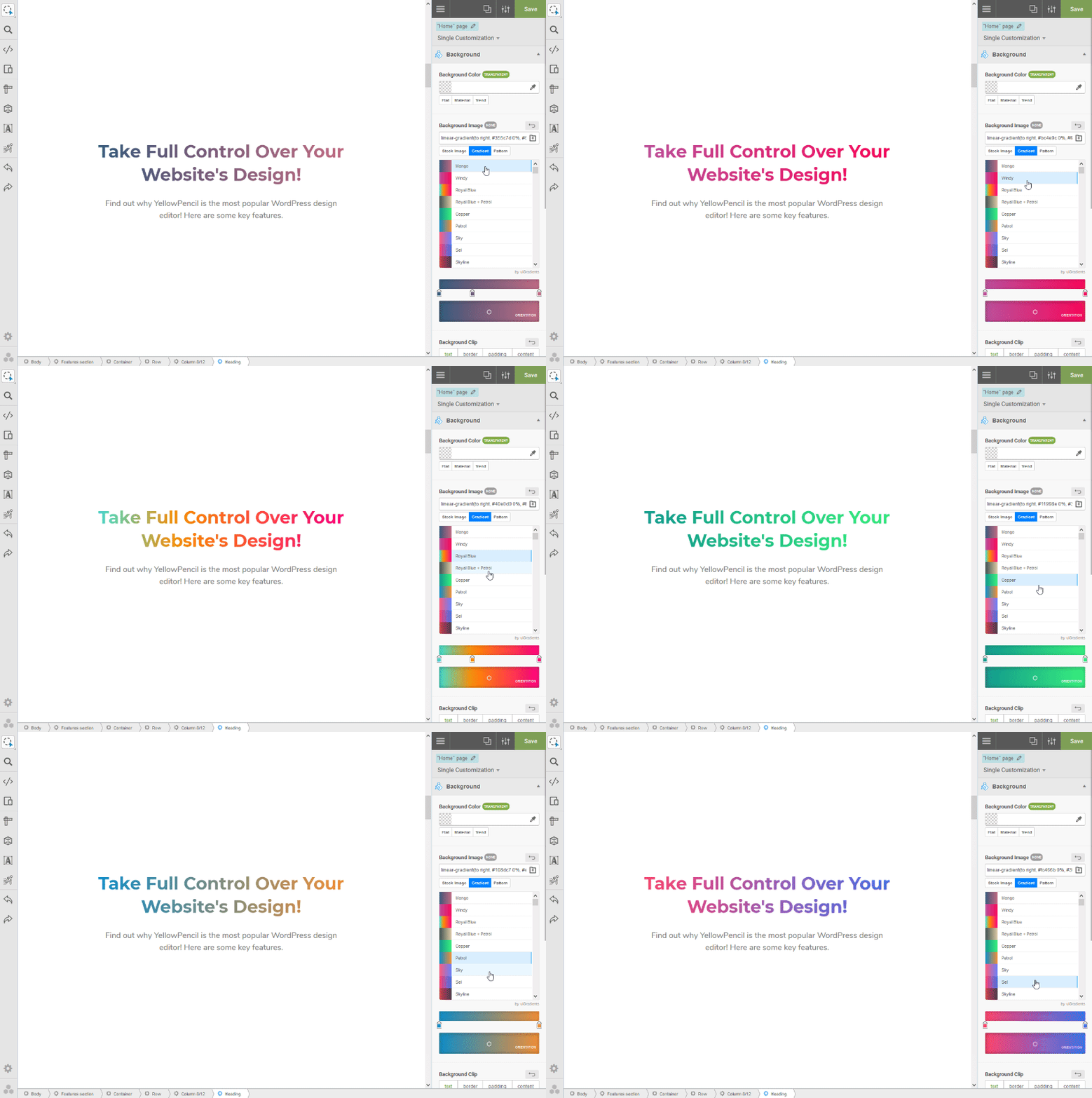
- Gradient generator (pro version)
- Animation manager (pro version)
- Animation generator (pro version)
Design Assets
Reach many design assets with one click. Customize your website’s design to fit your needs!
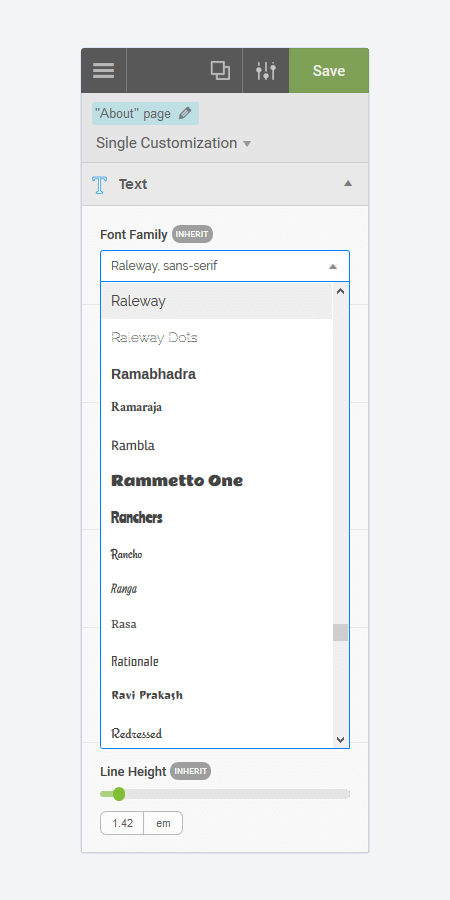
- 900+ Google fonts (pro version)
- 300+ Background patterns (pro version)
- Unsplash background stock images (pro version)
- Material and flat color palettes (pro version)
- 50+ Animations (pro version)
CSS Properties: Text
- Font Family (pro version)
- Font Weight
- Color (pro version)
- Text Shadow
- Font Size
- Line Height
- Font Style
- Text Align
- Text Transform
- Letter Spacing
- Word Spacing
- Text Decoration
- Text Indent
- Word Wrap
CSS Properties: Background
- Background Color (pro version)
- Background Image (pro version)
- Background Clip
- Background Blend Mode
- Background Position
- Background Size
- Background Repeat
- Background Attachment
Other CSS Properties
- Margin
- Padding
- Border
- Border Radius
- Position
- Width (pro version)
- Height (pro version)
- Lists
- Flexbox
- Animation
- Box Shadow
- Transition
- Filter
- Transform
- Opacity
- Anzeigen
- Cursor
- Float
- Klar
- Visibility
- Pointer Events
- Overflow
Compatible with any theme & plugin
This works seamlessly with almost any WordPress theme and plugin. You can use it for editing the pages that you created with the page builders.
Compatible with All Page Builders
The plugin allows you to customize the pages created with Gutenberg block editor, Elementor, or another page builder. Re-design your website today.
How does this work?
The plugin generates CSS codes like a professional web developer in the background while you are editing the web page visually.
The plugin doesn’t modify any theme file, instead of it loads the generated CSS codes to the website in a dynamic way so that you can manage the changes anytime.
Premium-Funktionen
The following properties are available only in paid version;
- Font Families (Google fonts)
- Font Color
- Background Color
- Background Image
- Width & Height
- Animations
Purchase pro version now to unlock all features.
Documentation and Support
- For documentation and tutorials go to our Documentation.
- We provide very limited support on the WordPress.org forums. Please feel free to post questions or bug reports, but for timely support, we recommend purchasing a YellowPencil Pro license.
- For more information, check out our website at YellowPencil Visual CSS Style Editor.
Gemeinschaft
- Join our Facebook Group.
- Rate us on WordPress.
Installation
- Upload ‘yellow-pencil-visual-theme-customizer’ folder to the ‘/wp-content/plugins/’ directory
- Aktivieren Sie das Plugin über das „Plugins“-Menü in WordPress.
- Go to WordPress Panel > Appearance > “YellowPencil Editor” to customize!
Änderungsprotokoll
7.6.8
- Fixed: Security improvements and bug fixes.
7.6.7
- Fixed: a few minor bugs.
7.6.5
- Fixed: Security improvements and bug fixes.
7.6.4
- Fixed: A minor security bug.
7.6.1
- Fixed: a few minor bugs.
7.6.0
- Fixed: Issue of “Edit With YellowPencil” button showing up on unrelated pages in WordPress panel.
Screenshots

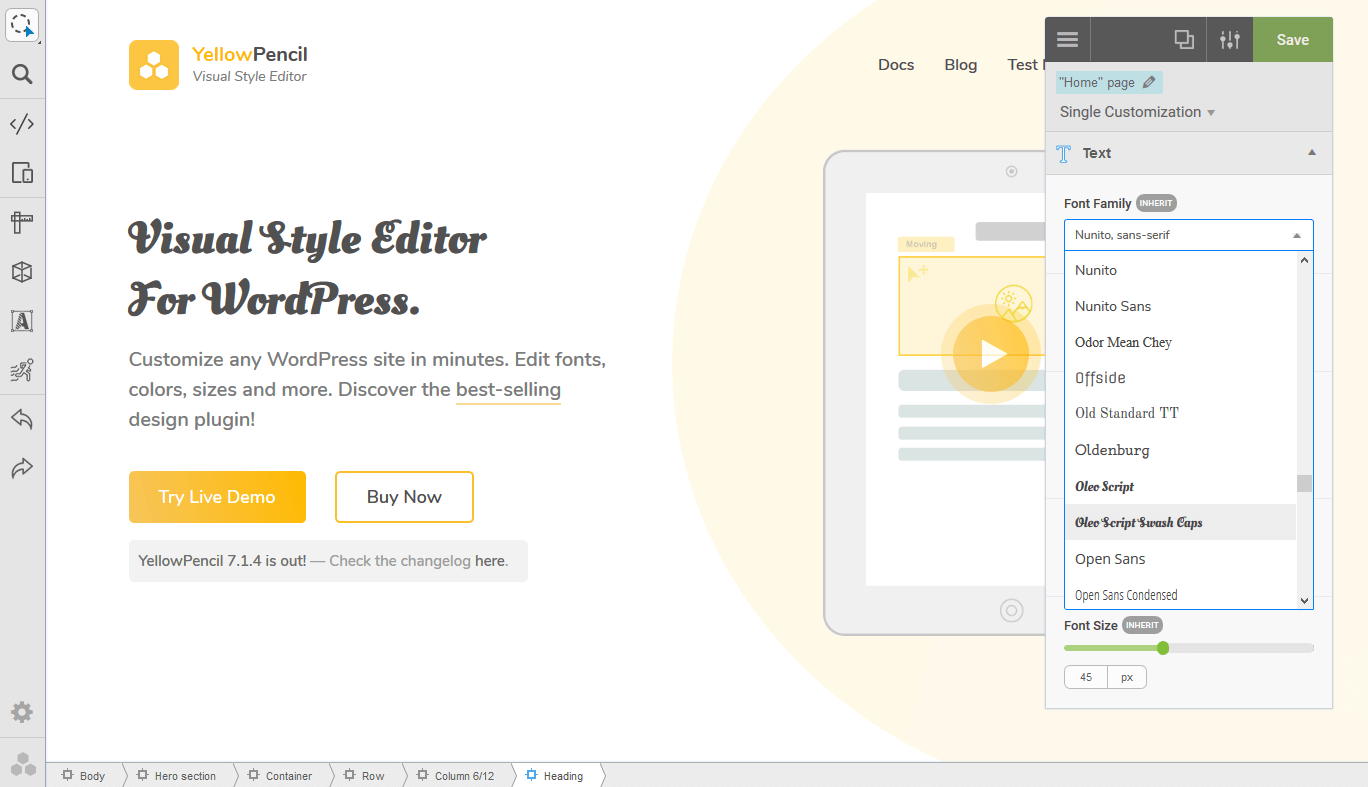
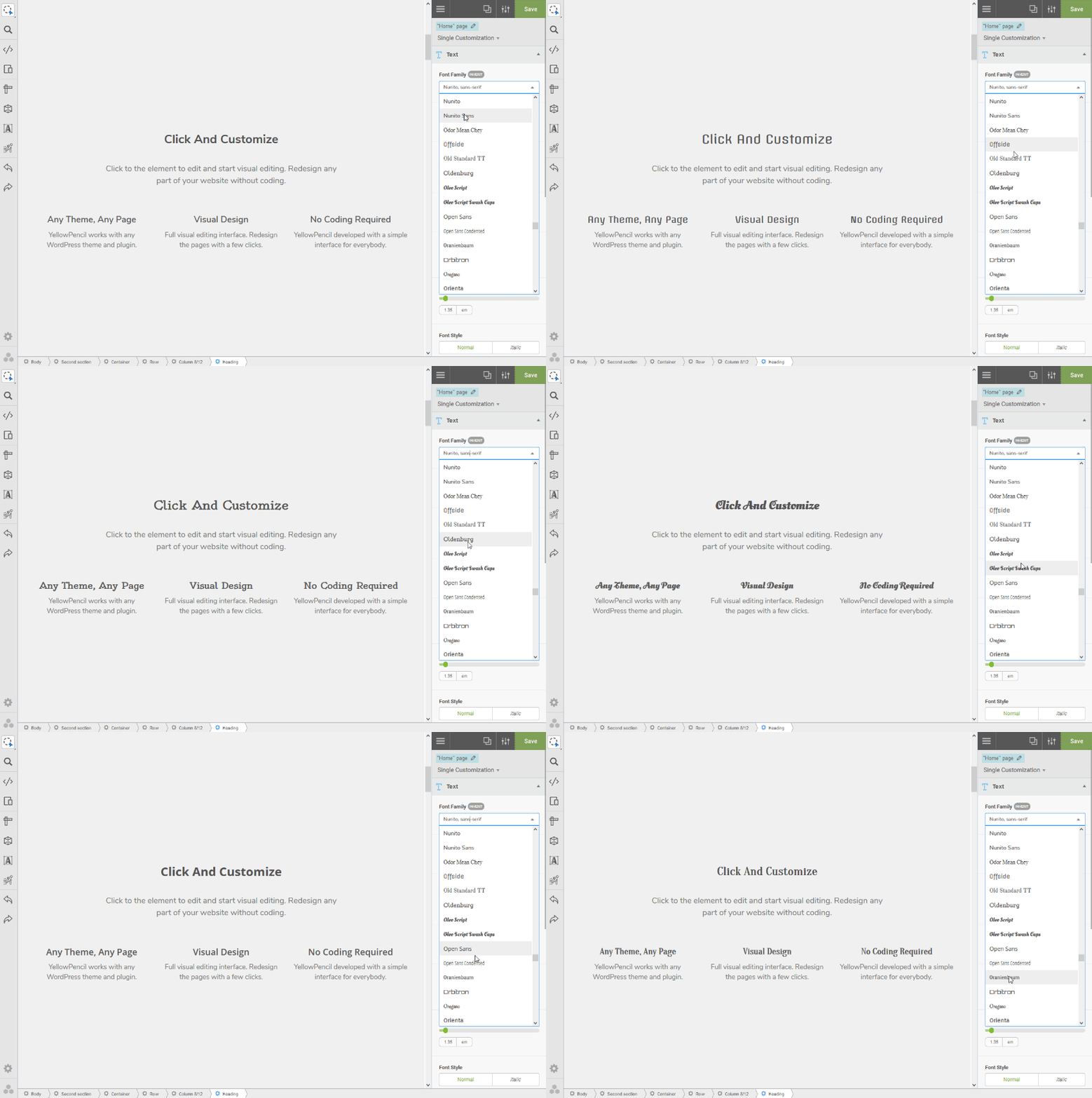
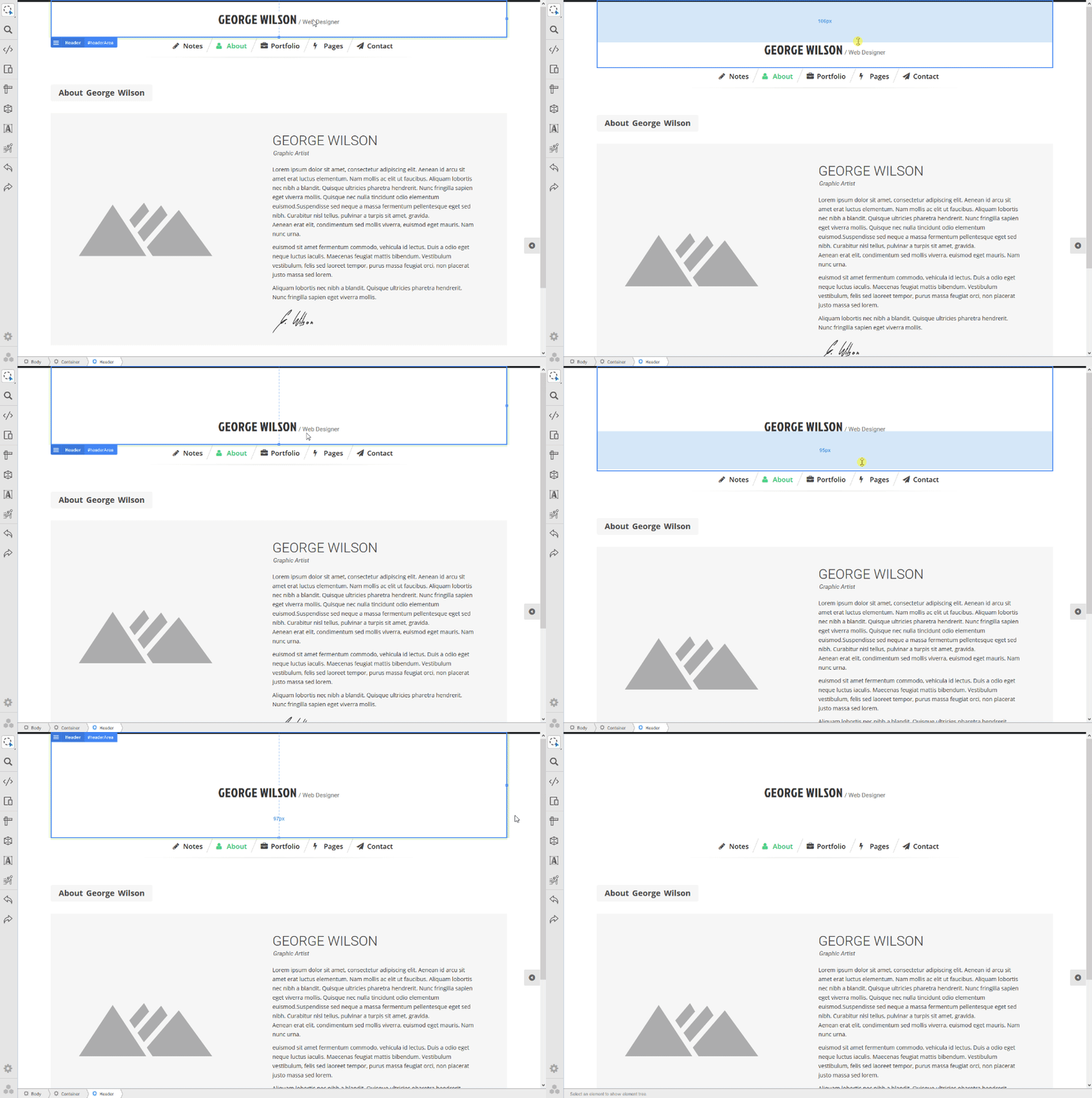
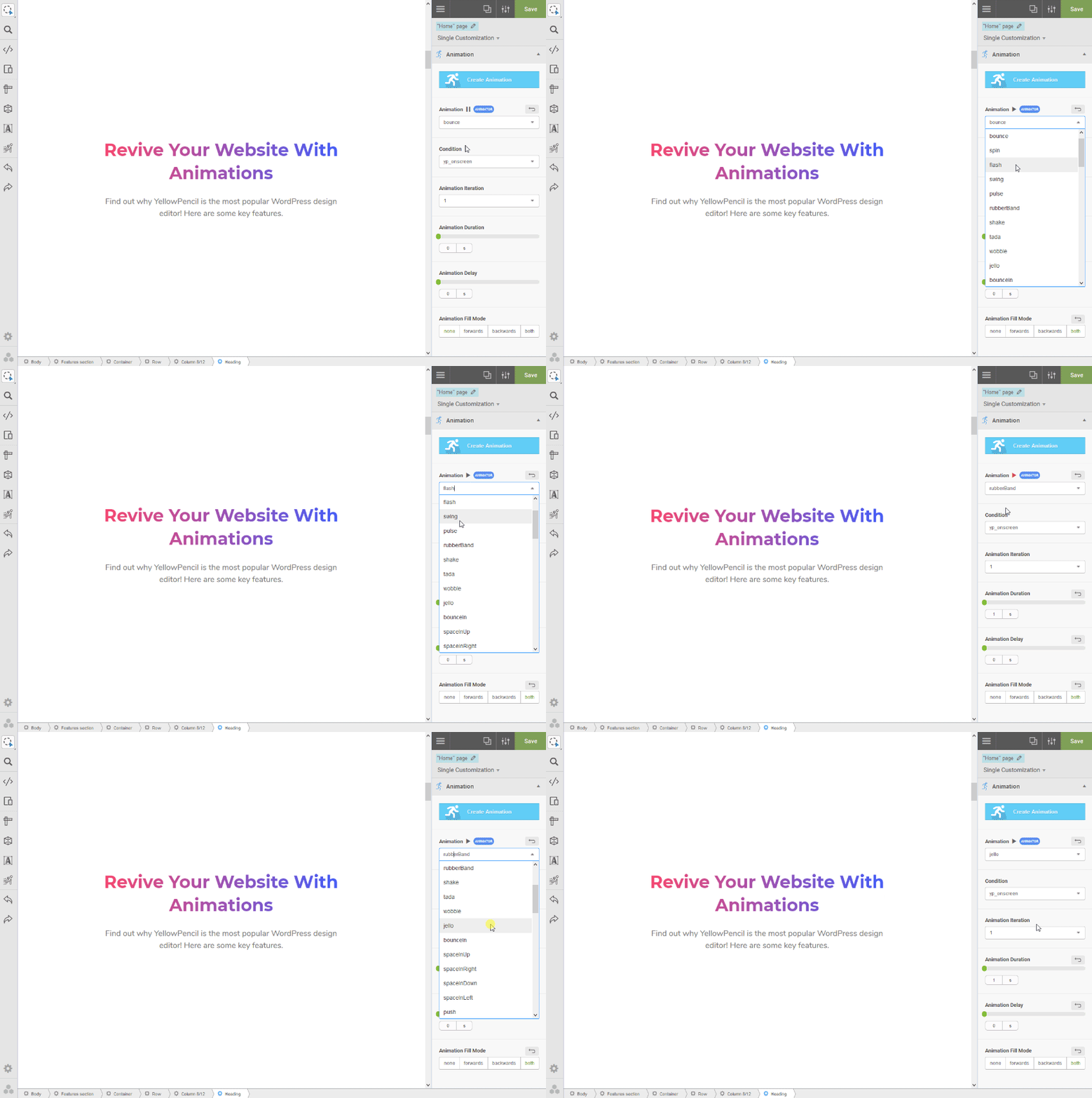
Für Entwickler
Ist das dein Plugin? Zeigen Sie die Zahlen.
Fügen Sie Ihrer Website, Docs oder GitHub Readme ein Live-Badge hinzu. Es wird von selbst aktualisiert - kein Konto erforderlich.
Best Visual CSS Style Editor alternatives
All css plugins →





Fragen und Antworten
Visual CSS Style Editor: quick answers
Gerade Antworten, gezogen von Live WordPress.org Daten.
Quelle: WordPress.org
Is Visual CSS Style Editor free?
Yes. Visual CSS Style Editor is free to download and use from the official WordPress.org plugin directory.
Is Visual CSS Style Editor safe to use in 2026?
Yes — Visual CSS Style Editor is a safe, well-maintained plugin to use in 2026. It runs on 30K+ sites, is rated 4.1/5 and was last updated 24 hours ago, and scores 87/100 on our health check.
How many websites use Visual CSS Style Editor?
Visual CSS Style Editor is active on 30K+ WordPress websites and has been downloaded 1,511,892 times since it launched in August 2015. It was downloaded 7,534 times in the last 30 days.
Does Visual CSS Style Editor work with WordPress 7.1?
Yes. The developer has tested Visual CSS Style Editor up to WordPress 7.1.5, the latest release. It requires WordPress 4.0 or newer.
When was Visual CSS Style Editor last updated?
The latest version, 7.6.8, was released on November 19, 2026 (24 hours ago).
Who makes Visual CSS Style Editor?
Visual CSS Style Editor is developed and maintained by YellowPencil.
What are the best alternatives to Visual CSS Style Editor?
The most popular alternatives to Visual CSS Style Editor are WPCode (3M+ installs), Simple Custom CSS Plugin (100K+ installs) and Blocks Animation: CSS Anima… (90K+ installs).
Angetrieben von PageForge
Eine Vorlage und eine Tabelle. Eine echte Seite für jede Suche.
PageForge Verwandelt jede Zeile eines CSV in eine WordPress-Seite mit eigenem Titel, URL, SEO Felder und Schema entworfen. Kostenlos auf WordPress.org.
- CSV und XLSX, plus Google Sheets auf Beruf und Unternehmen
- seinen eigenen Titel, URL, SEO Felder und Schema für jede Seite
- Arbeitet mit dem Blockeditor, Elementor, Divi und Avada
- Kostenlos auf WordPress.org, keine Kreditkarte