


Team Members Showcase
WordPress Team Members Showcase plugin – display staff or team profiles in grids, sliders, tables, or lists with filters, popups, drawers & panels.

Sichere Auswahl
Yes — Team Members Showcase is a safe, well-maintained plugin to use in 2026. It runs on 4K+ sites, is rated 4.9/5 and was last updated 1 month ago, and scores 89/100 on our health check.
- Loved by users — 4.9/5 from 21 reviews
- Getestet mit dem neuesten WordPress (7.1)
Wie stapelt es sich?
Side-by-side bei Installationen, Updates, Bewertungen und Support



Tägliche Downloads
Download-Spitzen folgen normalerweise einer neuen Version - jede Website, die automatisch aktualisiert wird, gilt als Download.
Ranglisten
Where Team Members Showcase stands todayWordPress.org Ranglisten suchen
Live-Position in der Plugin-Suche, Top 100| Stichwort | Position |
|---|---|
| staff directory | #14 |
| team members | #4 |
| team showcase | #4 |
| team slider | #6 |
| wordpress team plugin | #8 |
Versionsübernahme
Anteil aktiver Sites pro Release.
Bewertungsaufschlüsselung
★★★★★★★★★★ 4.9 from 21 reviews
About Team Members Showcase
From the official readme · v4.2.2Beschreibung
WordPress Team Members Showcase plugin – display staff or team profiles in grids, sliders, tables, or lists with filters, popups, drawers & panels.
🛠️ A powerful Team Showcase plugin with Live Shortcode Builder
The WPS Team Plugin is a powerful and📱responsive WordPress Team Plugin for displaying team members on your WordPress website. Whether you’re building a team showcase, a staff directory, or an “About Us” page, this plugin gives you everything you need — from photos and bios to departments and social links.
This flexible Team Members WordPress Plugin is ideal for:
✅ businesses, ✅ agencies, ✅ schools, and ✅ startups.
It lets you create a stylish, mobile-friendly team section using grid, slider, table, or filter layouts. You can build unlimited teams and showcase them using shortcodes or page builders.
Choose from multiple 🎨 themes, 1400+ Google Fonts, unlimited 🌈 colors, and responsive options — all within one feature-rich team showcase WordPress plugin.
With a visual shortcode builder, creating layouts is easier than ever ✨. The plugin works smoothly with all themes and supports 🌍 WPML, Polylang, and other multilingual tools.
👉 Plugin Demo | Get Pro Version | Documentation
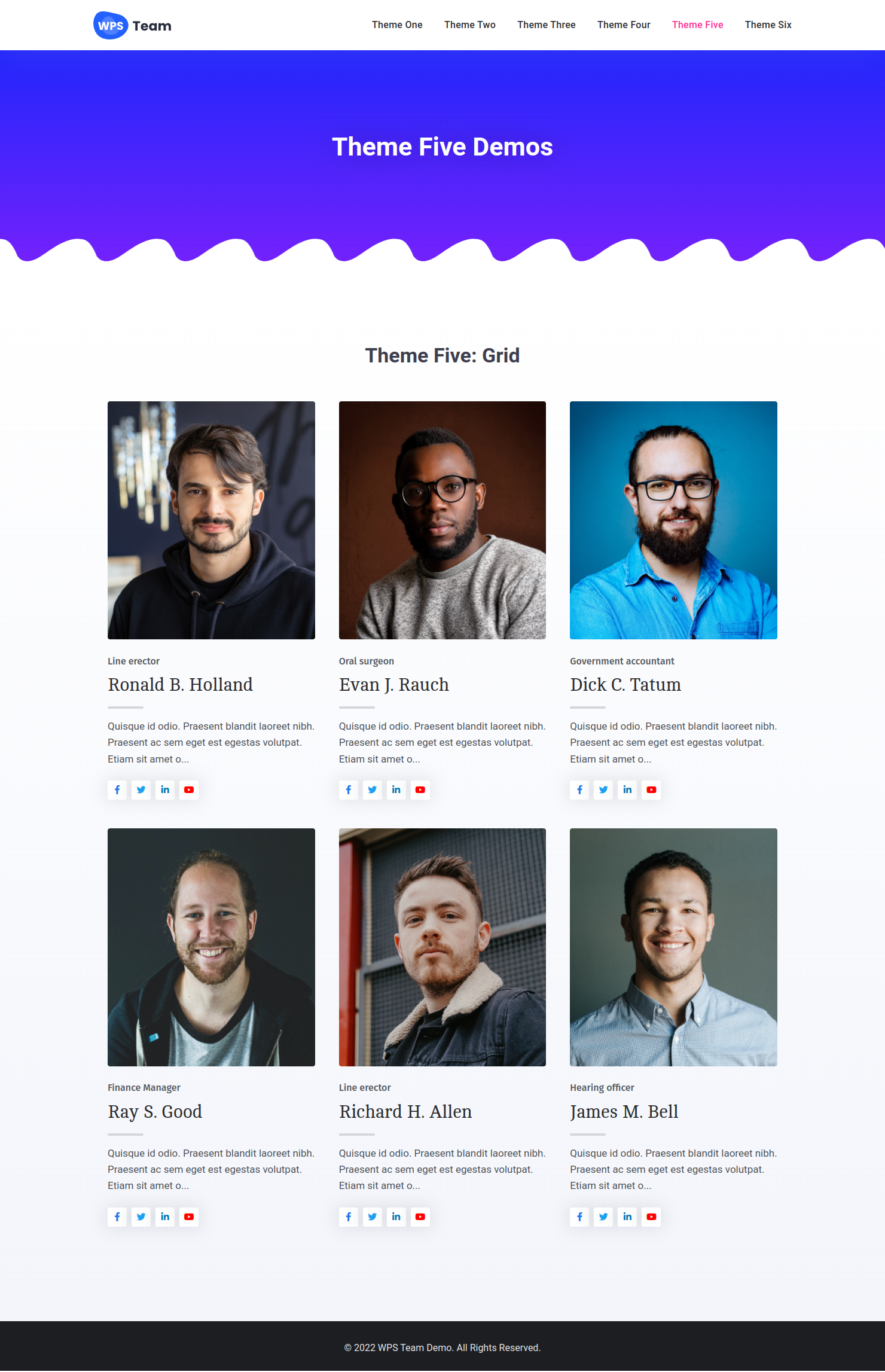
This team members plugin for WordPress allows you to display profiles in Grid, Slider, Table, or Filter layouts (Filter in Pro). Whether you want a classic team section or a modern layout, this plugin gives you full flexibility and control.
Themes include Square, Circle, Horizontal, and Table styles. All are responsive and support Grid, Slider, and Filter layouts (Pro). Great for building a WordPress team directory, team carousel, or staff showcase.
With 50+ layout controls and 100+ style settings, it’s the most customizable WordPress team slider plugin available.
🏆 Exclusive Features of this WordPress Team Plugin
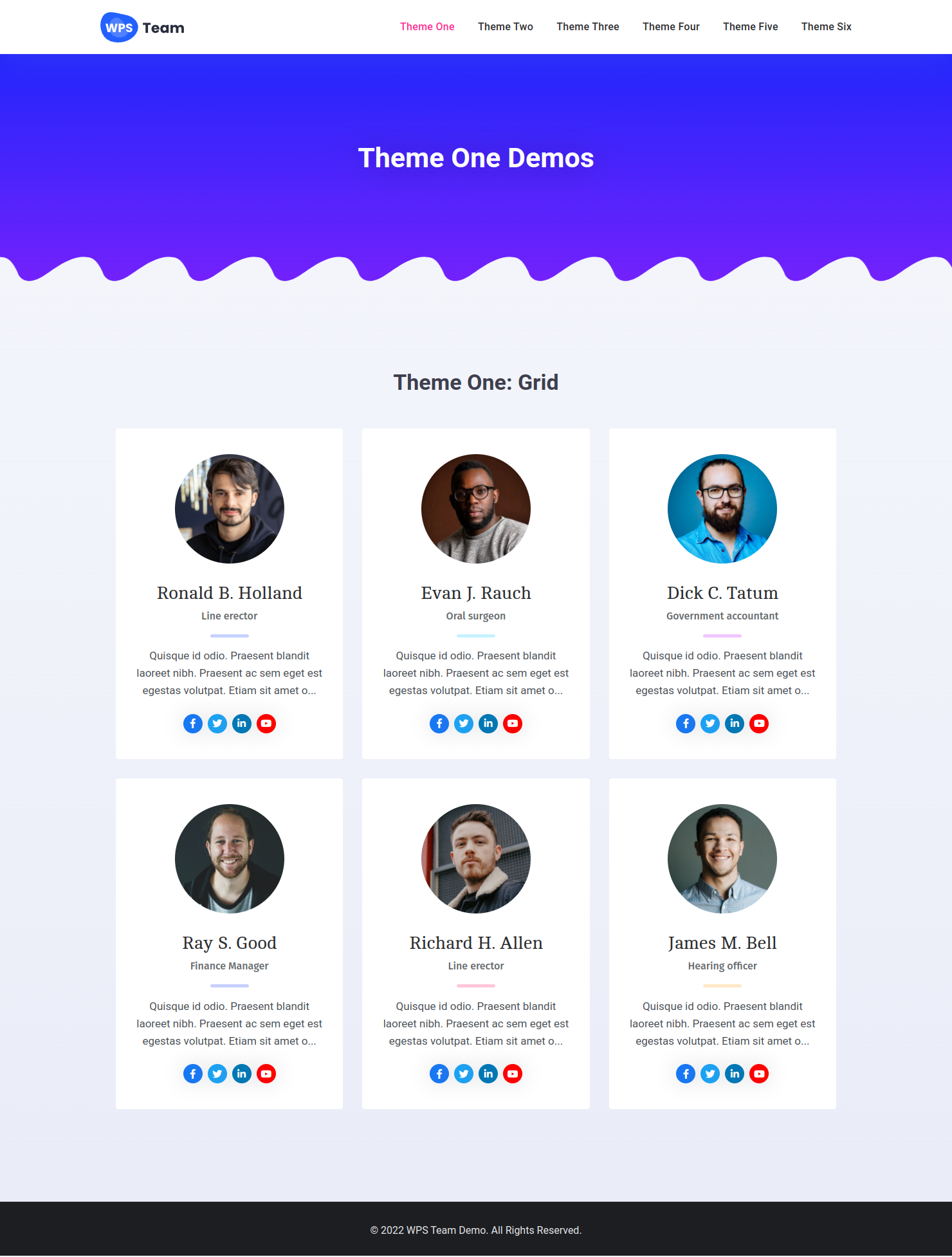
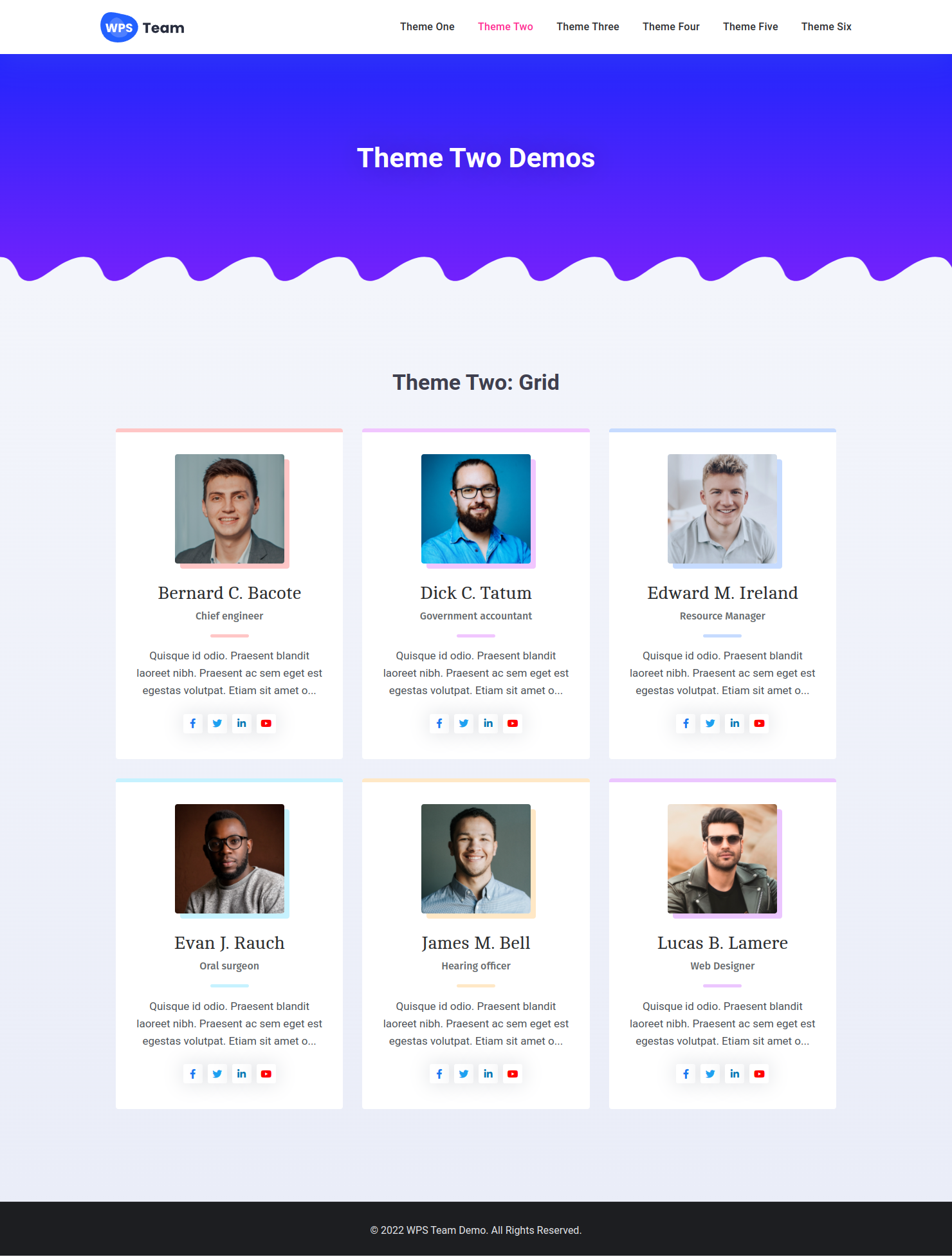
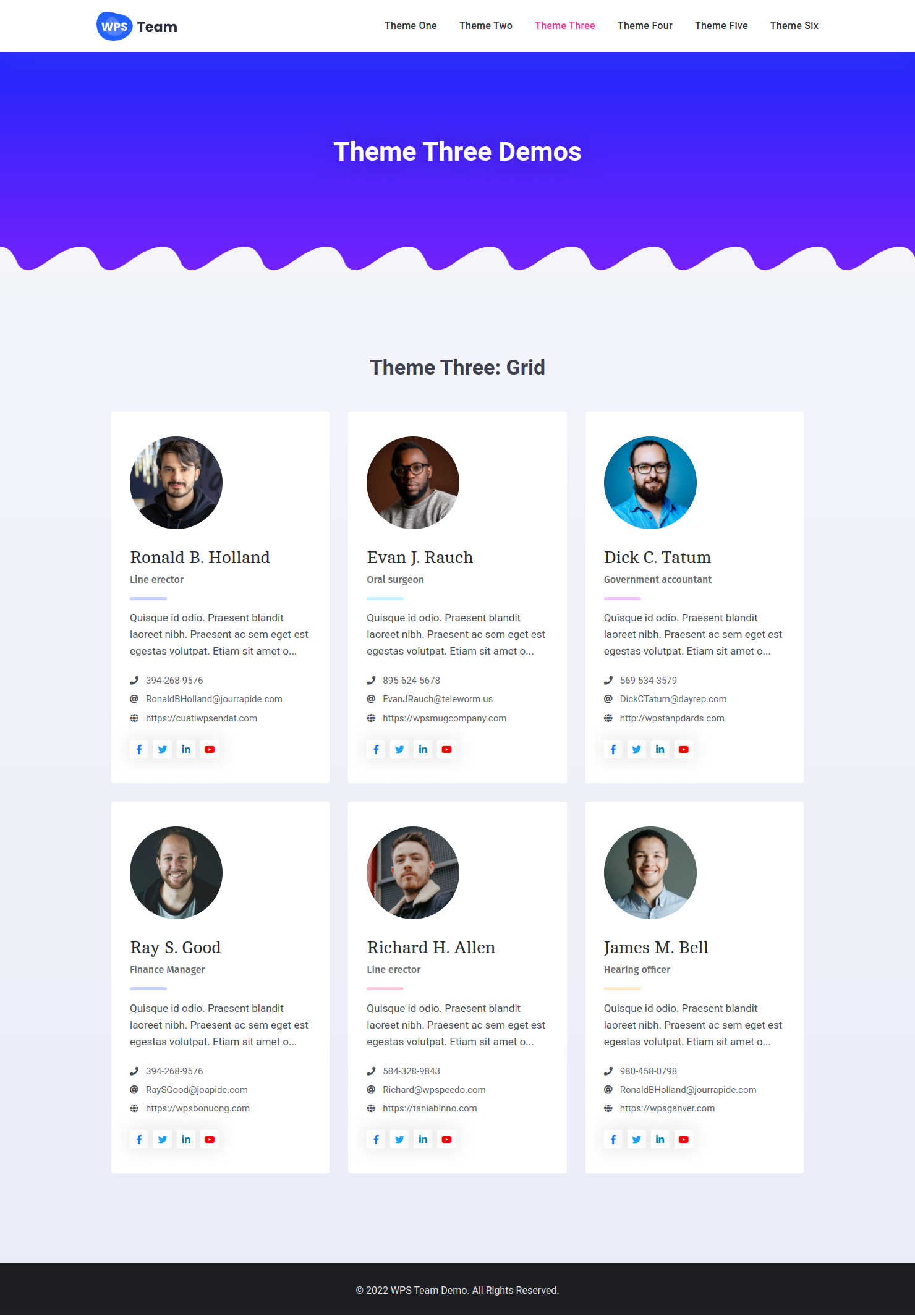
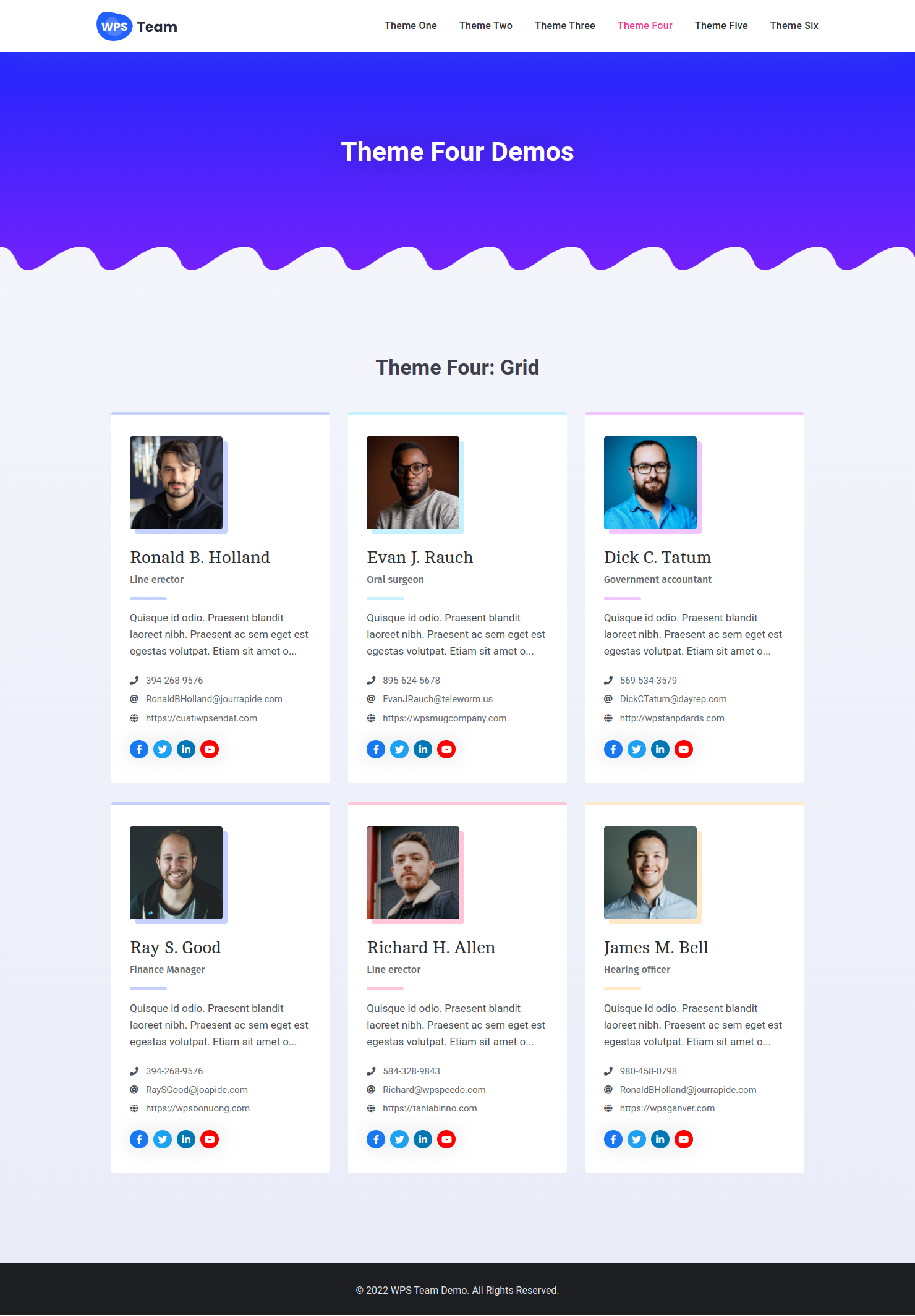
- Grid Layouts: Six responsive grid designs are available in the free version.
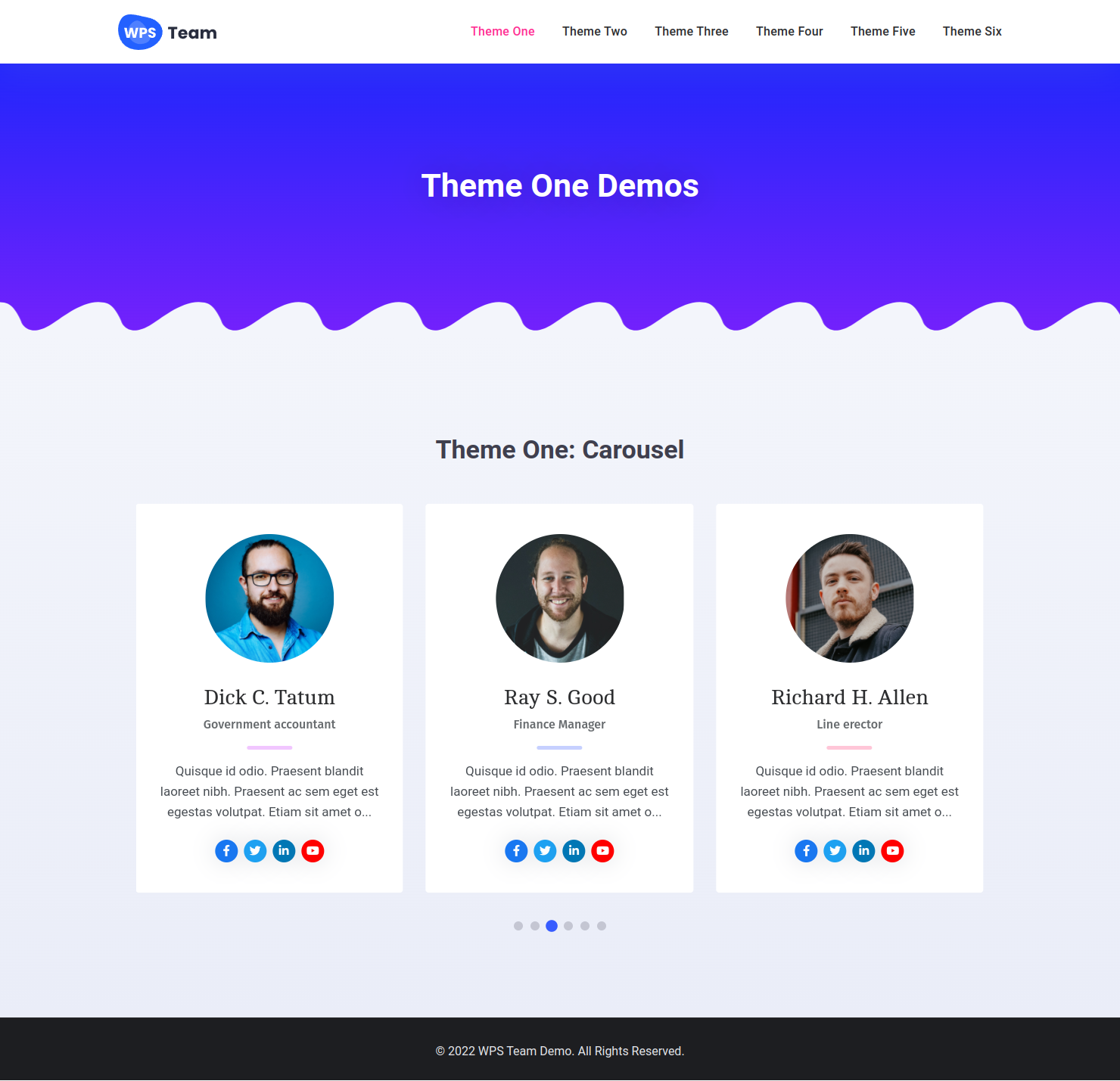
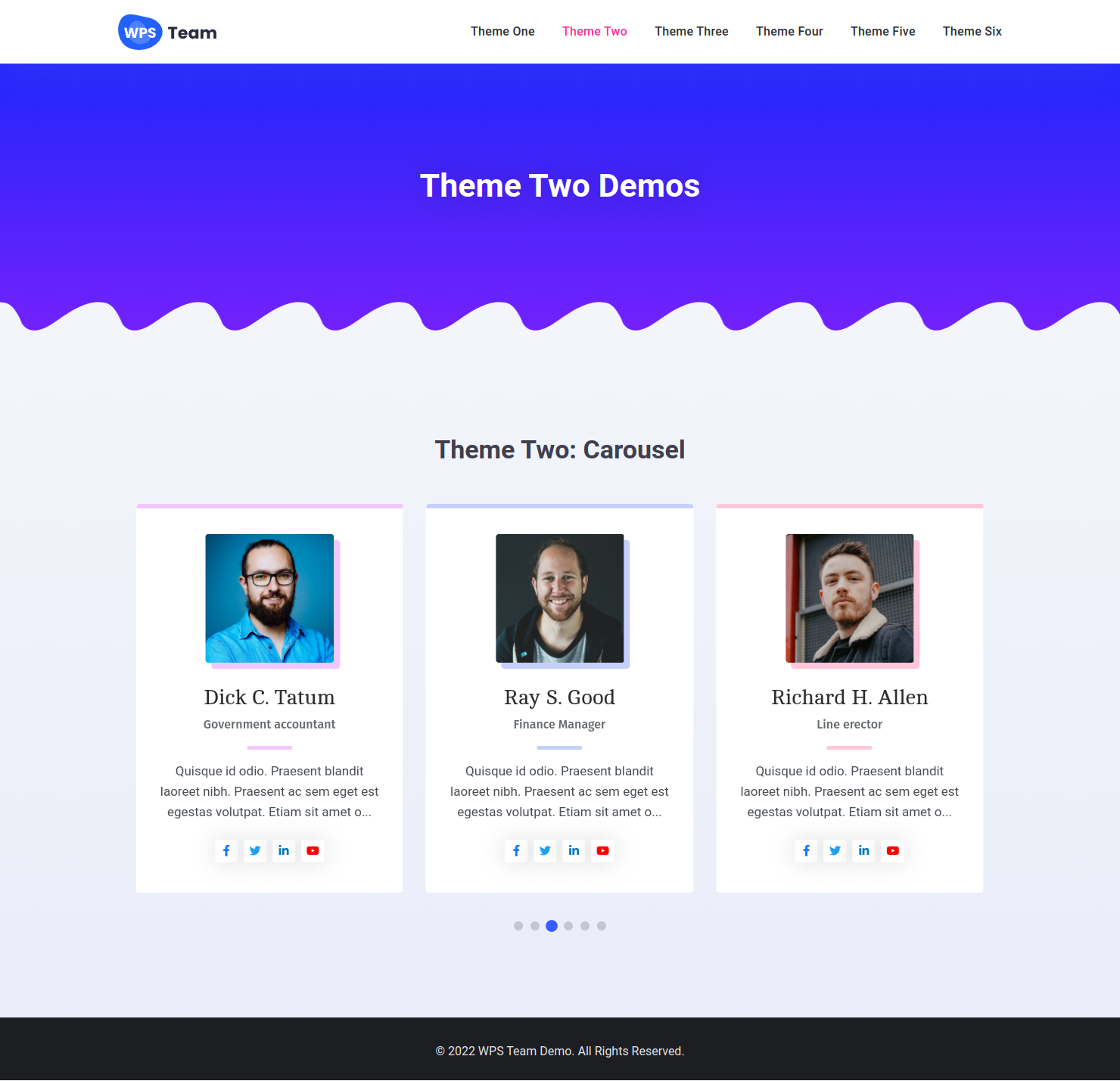
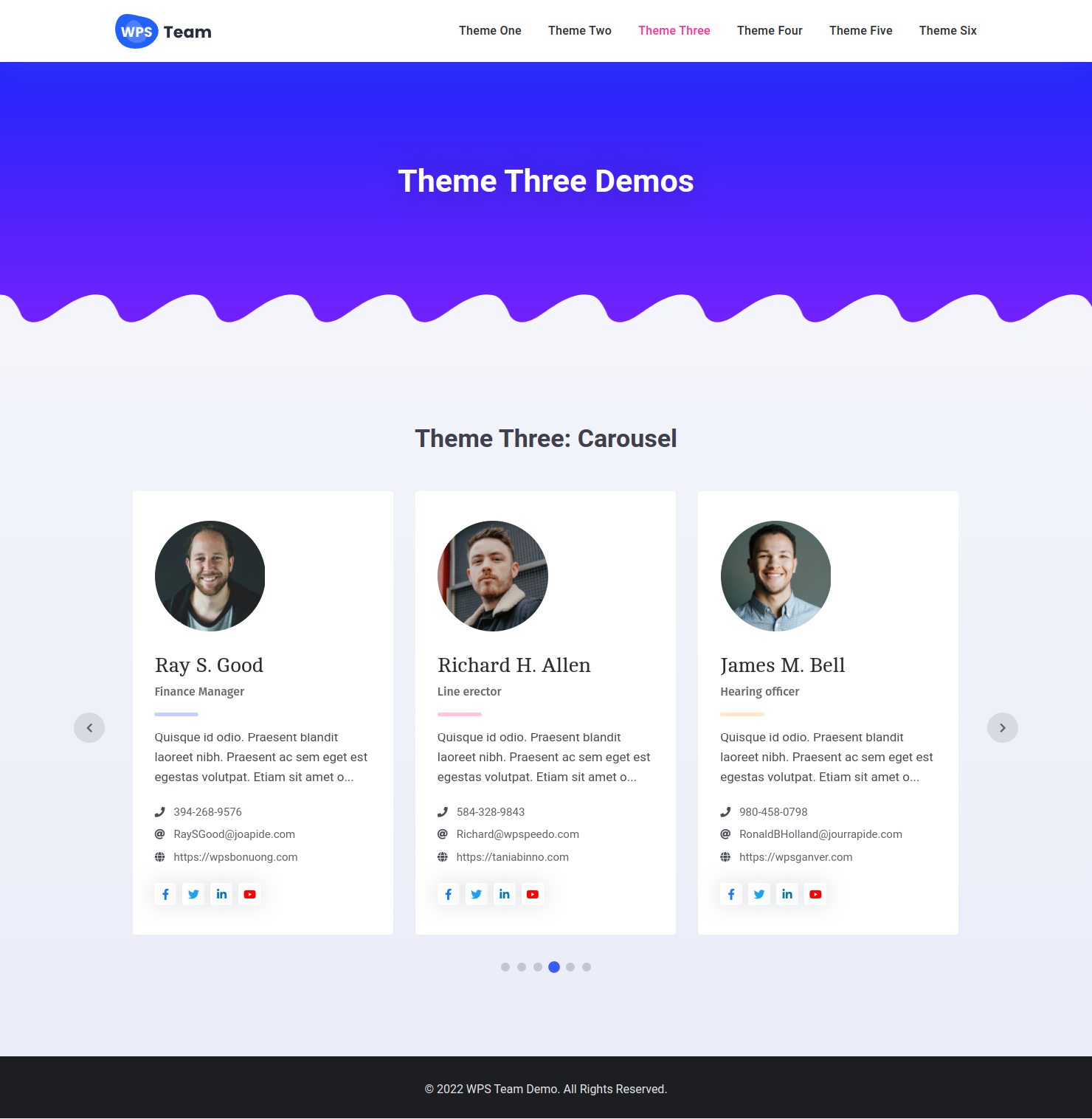
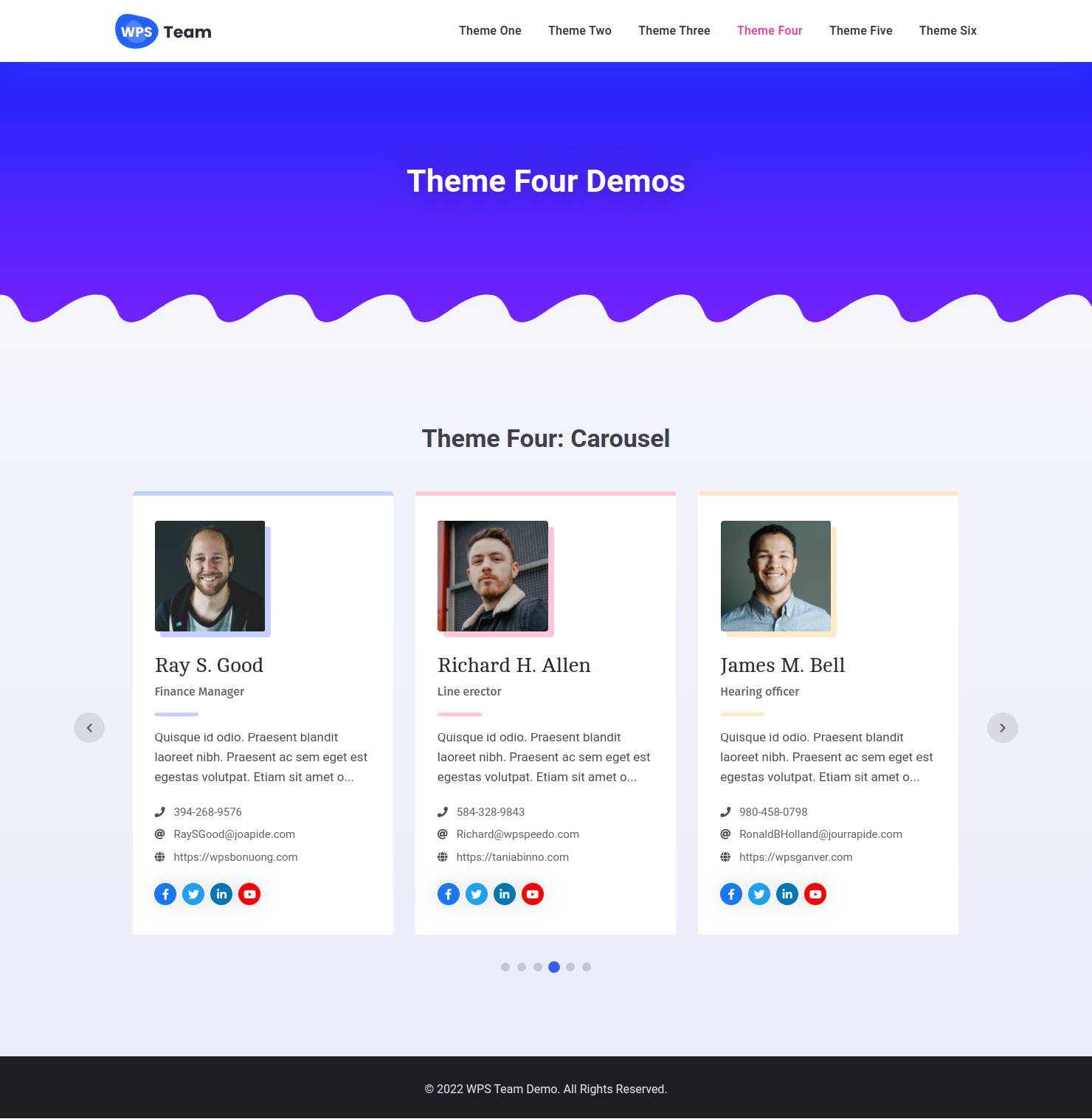
- Carousel Layouts: Create stunning team sliders with navigation, loop, and autoplay.
- Isotope Filter (PRO): Filter team members by group, location, or specialty.
- Pagination (Standard / AJAX) (PRO): Load more members via traditional or AJAX pagination.
- AJAX Load More (PRO): Show more team members without reloading the page.
- Infinite Scroll (PRO): Automatically load members on scroll.
- AJAX Carousel (PRO): Loop and fetch new members when the slider reaches the end.
- Modal & Popup (PRO): Open team member profiles in a responsive popup or modal.
- Side Panel (PRO): Show extended details in a sleek side panel on click.
- Drawer & Expand (PRO): Expand more info below the card with drawer effects.
- Two Custom URLs (PRO): Link name and image to different external or internal URLs.
- Gutter / Gap Control: Fine-tune spacing between items by device.
- Columns Control: Set column count for desktop, tablet, and mobile.
- Carousel Options: Adjust speed, loop, autoplay, arrows, and dots.
- Styling & Theming: 100+ styling options for cards, containers, and typography.
- Advanced Query Builder: 14+ filters for displaying targeted team members.
- Element Visibility: Toggle visibility for profile fields and sections.
- On-Demand Asset Loading: Only loads scripts where shortcodes are used, improving site performance.
💼 Key Features of WPS Team Plugin
- Fully responsive and mobile-optimized for all devices
- Unlimited team groups, members, and directories (staff directory, team directory, people directory)
- Team Builder: Easily create and manage your team showcases
- Shortcode builder for seamless integration on pages, posts, or custom sections
- Team Widget: Display team members in sidebars, footers, or any widget area
- Custom Post Type for team members with flexible fields
- Works perfectly with any WordPress theme
- Team Masonry and grid layouts for stylish, dynamic presentations
- Dedicated Meet The Team pages to introduce your staff, team, or collaborators
- Custom image sizes, colors, and typography options
- Unlimited social icons with an intuitive icon picker
- Custom fields for phone, email, designation, company, and more
- Advanced styling options: custom backgrounds, gradients, z-index, and CSS class (Pro)
- Filter team members by Group, Location, Role, Language, Specialty, and more
- Built-in drag-and-drop ordering for easy sorting
- Fully compatible with WPML, Polylang, and Loco Translate for multilingual sites
- SEO-friendly and lightweight for fast page loading
😎 Free Version Fields
- First & Last Name
- Short Bio & Detailed Bio
- Profile Photo & Gallery
- Designation / Role
- Email, Fax, Mobile, Telephone
- Website, Company Name, Education
- Years of Experience
- Ribbon / Badge / Tag
- Custom Colors
- Skills with custom labels
- Social Media Profiles
- Two Custom Links per member
🏷️ 10 Taxonomies & Groups
- Gruppe
- Lage
- Sprache
- Specialty
- Gender
- Extra One to Extra Five (rename and customize)
These taxonomies allow you to filter, include, or exclude team members from specific displays, making this the most dynamic WordPress team plugin for taxonomy-based filtering.
🎨 Available Themes
- 12+ Square themes – Clean grid styles for traditional layouts
- 6+ Circle themes – Modern look for team showcase
- 4+ Horizontal themes – Best for row-based card layouts
- 4+ Table styles – Ideal for listing team data in a tabular format
🖱️ Click Behavior Options
- None – Disable all click actions
- Single Page – Link to the team member’s single profile page
- Modal / Popup – Open a modal window with team details
- Drawer Expand – Expand an additional section beneath the card
- Side Panel – Show full profile in a slide-in panel
- External Link 1 & 2 – Redirect to any external or internal URL
🧱 Builders Support
Our plugin is fully compatible and integrates seamlessly with popular page builders, making it easy to display your team members anywhere on your website:
✅ Elementor – Team Widget
- Fully integrates with Elementor layouts and sections.
- Works with Elementor’s templates and dynamic content.
- Allows you to select created shortcodes directly via the widget.
- Compatible with both free and Pro versions.
✅ Gutenberg (WordPress Block Editor) – Team Block
- Works natively with Gutenberg blocks.
- Supports custom blocks for flexible team display.
- Allows you to select created shortcodes directly via the widget.
- Fully compatible with all block-based layouts.
✅ Divi – Team Module (Divi 4 & Divi 5)
- Native Divi 4 module and native Divi 5 module for the Visual Builder.
- Supports Divi layouts, visual editing, and Divi 5 Migrator conversion from legacy modules.
- Allows you to select created shortcodes directly via the module.
- Fully functional with the Divi theme and standalone Divi Builder.
✅ Who Can Use the WPS Team WordPress Plugin?
WPS Team is perfect for anyone who wants to showcase their team members, staff, or people beautifully and efficiently. It is suitable for:
👉 Businesses & Corporates: Display staff, management, or department teams in a staff directory or team directory.
👉 Agencies & Freelancers: Showcase project teams, partners, or collaborators in a people directory.
👉 Educational Institutions: Present teachers, faculty, or administrative staff in a team directory or contact directory.
👉 Healthcare & Medical Services: Highlight doctors, nurses, and clinic staff in a clear staff directory.
👉 Non-Profits & Organizations: Introduce volunteers, board members, or committee teams via a people directory.
👉 Creative Professionals & Studios: Display photographers, designers, or any creative teams in a team directory.
👉 Corporate Intranets: Utilize for internal staff listings, enhancing internal communication and engagement.
👉 Event Organizers: Showcase event staff, speakers, or coordinators in a dedicated directory.
👉 Community Groups: Present group leaders, volunteers, or coordinators in a community directory.
No matter your industry or organization size, WPS Team helps you create engaging staff, team, or people directories with ease.
🏆 A Top Free WordPress Team Plugin with 🛠️ Advanced Features inside
Thousands of users trust this responsive, feature-rich WordPress Team Members plugin to create modern, dynamic, and user-friendly team showcases.
WPS Team plugin helps you create the perfect layout for your needs, whether it’s a team slider, a filterable team directory, or a modal view of profiles.
🔹 Plugin Demo | Get Pro Version | Documentation
Externe Dienste
This plugin may connect to third-party services when certain features are enabled.
Google Fonts
- What: When typography uses Google Fonts and loading is not disabled in settings, the visitor or admin browser requests font CSS files from Google.
- When: On pages that display a team shortcode/block using those fonts, in the shortcode preview iframe, and on plugin admin screens that load the bundled admin stylesheet.
- Provider: Google LLC
- Terms: https://policies.google.com/terms
- Privacy: https://policies.google.com/privacy
- Data sent: Standard HTTP request data (IP address, user agent, referrer, requested font families). No member content is uploaded to Google.
Freemius (optional)
- What: License activation, updates, opt-in usage analytics, and in-dashboard upgrade/checkout flows when you interact with those features.
- When: Only when you connect a license, open upgrade/pricing screens, or opt in to Freemius communications—not on every page load.
- Provider: Freemius, Inc.
- Terms: https://freemius.com/terms/
- Privacy: https://freemius.com/privacy/
- Data sent: Site URL, plugin version, admin email (if provided), license status, and similar data required for licensing and support. See Freemius documentation for details.
You can disable Google Fonts loading under WPS Team → Settings → Advance. Freemius data collection follows your choices in the Freemius opt-in/opt-out screens.
❓ Need support?
✅ We’re here to help!
For the fastest and priority support, please use our official WordPress Support Forum
We actively monitor the forum and provide prompt, detailed help there.
If you prefer, you can also:
📧 Email us at: support@wpspeedo.com
💬 Access live support 12 hours a day (response times may vary).
Using the WordPress.org support forum helps us assist you quickly and improves the plugin for everyone. Your satisfaction is our top priority!
Installation
🏆 Install and Activate
- Unzip the downloaded ‘wps-team’ zip file
- Upload the ‘wps-team’ folder to your ‘/wp-content/plugins/’ directory
- Activate ‘wps-team’ through the Plugins menu in WordPress
🏆 Requirements
WordPress version: >= 5.9
PHP version: >= 7.0
Änderungsprotokoll
4.2.2 – 13-10-2026
* Security: Emergency Freemius SDK upgrade to 2.13.5. Admin notices now escape untrusted output, and only administrators can opt in.
4.2.1 – 30-09-2026
* Fixed: Member details no longer fail to save or disappear after editing the bio when stored values contain HTML quote entities.
4.2.0 – 20-09-2026
* Added: Include Child option in Group Filter Config to show child groups in the filter dropdown (PRO).
* Added: Child Group / Child Item color controls and Parent (Child Active) styles for Group Filter (PRO).
* Added: Auto thumbnail aspect ratio option (relayouts Isotope when changed).
* Added: Dynamic table columns with Theme Layout placement controls.
* Added: Editable table column widths with live editor preview.
* Added: Translatable public labels for table column headers.
* Added: Filled, Outlined, and Flat button types for Resume and Hire actions.
* Added: Read More button type controls under the Buttons section.
* Fixed: Member color picker typing/paste so hex and RGB/A values save as CSS-safe colors and stick in the editor.
* Fixed: Hierarchical term order on taxonomy screens (children stay under parents; sibling sorting preserved).
* Fixed: Dimension inputs no longer change on mouse wheel unless focused.
* Fixed: Masonry Load More inserts items through Isotope and relayouts after images load.
* Fixed: Square-05 card shadows clipped inside ticker overflow.
* Tweak: Elementor widget registration uses elementor/widgets/register (ready for Elementor 4.3).
* Fixed: Table Contact column now uses Info Icon / Text / Link colors and Contact Display Format defaults (PRO).
* Tweak: Read More button style settings are applied in generated CSS.
* Tweak: Flat action buttons use zero padding.
4.1.3 – 08-09-2026
* Added: Native Divi 5 Team module with Visual Builder shortcode preview (Divi 4 module retained for dual support).
* Added: Divi 5 Migrator conversion for legacy wps_team_divi modules.
* Fixed: Divi 5 Visual Builder preview staying hidden until a manual refresh/trigger.
* Fixed: Divi 5 shortcode dropdown options/labels not resolving correctly in the Visual Builder.
* Fixed: Shortcode Include/Exclude so selected terms actually filter members (multi-select IDs preserved on save).
* Fixed: Gutenberg preview not re-initializing when changing the shortcode inside the editor iframe.
* Fixed: AJAX filter briefly mixing old and new members (old items are now removed from the DOM before the new results load).
* Fixed: Filter and Load More loaders activating together (each loader now shows only in its own context).
* Fixed: Filter dropdown not closing when clicking the trigger a second time.
* Tweak: Divi 4 Visual Builder assets are skipped when Divi 5 is active.
* Tweak: Divi theme detection for frontend Divi CSS compatibility styles.
* Tweak: Release build excludes Divi 5 Visual Builder source/dev files and ships only the compiled bundle.
* Tweak: Gutenberg blocks declare Block API v3 and editor styles load inside the always-iframed post editor (WordPress 7.1).
* Tweak: Updated “Tested up to” to WordPress 7.1.
* Tweak: Group Filter child terms overlay as a dropdown instead of stretching the filter row (PRO).
* Tweak: Group Filter submenus flip when they would overflow, and parent terms show a dropdown arrow (PRO).
* Tweak: Group Filter submenu restyled as a compact hover-only menu (PRO).
4.1.2 – 07-08-2026
* Fixed: Member gallery field name collision with themes/plugins that also use a gallery POST field (could cause a critical error on Update under PHP 8+).
* Fixed: Gallery IDs not persisted due to missing echo on hidden inputs.
* Fixed: Free/unrelated member saves no longer wipe gallery meta.
* Tweak: Renamed gallery post meta _gallery → _wps_member_gallery (auto-migrated on upgrade; legacy reads still supported).
* Tweak: Slimmed custom image size helper (removed unused global image-editor overrides).
4.1.1 – 26-07-2026
* Added: Detail view background and overlay color controls for Modal, Expand, and Side Panel (PRO).
* Added: Detail view padding controls for Modal, Expand, and Side Panel (PRO).
* Added: Close and navigation button color controls for detail views (PRO).
* Added: Skills color controls (bar and tags) for detail views (PRO).
* Added: Details Social Links styling support for Expand card action (PRO).
* Added: Modal Settings and Expand Settings sections in the shortcode editor (PRO).
* Added: Hierarchical Group Filter submenu for parent/child groups (PRO).
* Added: Hide Empty Sub Menu option for Group Filter (PRO).
* Fixed: Detail view button/nav colors not applying on the frontend.
* Fixed: Shortcodes disappearing from the admin list when object caching is enabled.
* Fixed: Admin input field height issue on WordPress 7.
* Fixed: PHP warning when reading missing shortcode setting fields.
* Tweak: Moved panel background, overlay, and padding controls to the Style tab.
* Tweak: Migrated legacy panel style settings to the new detail style keys.
* Tweak: Updated “Tested up to” to WordPress 7.0 and required PHP to 7.4.
* Tweak: Upgraded Freemius.
4.1.0 – 17-05-2026
* Added: Native drag-and-drop sorting on team and taxonomy admin lists (PRO).
* Added: Global Order column with cross-page positioning (PRO).
* Added: Per-term member order on filtered listings (PRO).
* Added: Custom order when filtering for Filter layouts (PRO).
* Removed: Legacy Sort Order admin page.
* Fixed: Taxonomy custom order DESC issue.
* Fixed: Term Edit link and drag-and-drop on taxonomy screens.
* Fixed: Pro notice on native WordPress taxonomies.
* Fixed: Social links and Free version color issues.
* Fixed: Full Card Link not working on AJAX-loaded team members.
4.0.1 – 14-05-2026
* Fixed: Fatal error on PHP 7.x during upgrade to 4.0.0 (incorrect mixed type hints in namespaced code). Sites stuck in recovery mode can update to this version to complete migration safely.
* Fixed: AJAX load more querying draft posts in admin-ajax context.
4.0.0 – 12-05-2026
* Added: Custom responsive breakpoints (Settings → Advance).
* Added: Reset Filters button for the Filter layouts.
* Added: Taxonomy icon picker.
* Added: Ticker view (Pro).
* Added: Template Status tool.
* Added: Few layouts for Carousel.
* Added: Export/Import conflict policies (Upsert, Skip Existing, Duplicate).
* Added: Bulk Import CSV and validation improvements.
* Added: Bulk update existing members from CSV (post_id or id column).
* Added: Bulk Import tag-style skills (no numbers).
* Added: Bulk Import notice + one-click enable for disabled taxonomies.
* Fixed: Bulk Import invalid taxonomy notices when CSV uses disabled taxonomies.
* Fixed: Same-site image URLs reuse existing attachments (thumbnail & gallery).
* Fixed: Read More migration and backward compatibility.
* Fixed: Meta keys caching issue.
* Fixed: Security issue.
* Tweak: Taxonomy labels use singular/plural by term count.
* Tweak: Editor fields performance improvements.
3.5.7 – 04-05-2026
* Added: Alphabet Filter.
* Added: Option to allow group filter deselection for users.
* Added: Option to enable/disable both archive and singular page.
* Fixed: Images cut off issue on safari browser.
* Fixed: Shortcode deletion issue.
* Fixed: Displaying wrong items per page on AJAX filter.
* Tweak: Improved Filtering mechanism.
* Tweak: Upgraded Freemius.
3.5.6 – 09-12-2025
* Added: Erase/Reset data tool.
* Added: Local file import facility.
* Fixed: AJAX conflict with WPBakery page builder.
* Fixed: Bulk Import errors.
* Tweak: Improved execution time for large operations.
* Tweak: Enhanced caching mechanism.
3.5.5 – 30-11-2025
* Fixed: Single page formatting issues.
* Fixed: Compatibility issue with PHP 8.1 version.
3.5.4 – 27-11-2025
* Added: Pricing fields for pro users.
* Fixed: Social icons style on some themes.
* Tweak: Improved templates.
* Tweak: Improved AJAX loading compatibility with caching plugins.
3.5.3 – 04-11-2025
* Fixed: svg icon display issue.
3.5.2 – 04-11-2025
* Fixed: Search by Name in AJAX mode.
3.5.1 – 21-10-2025
* Fixed: include and exclude by category issues
* Fixed: caching issue
3.5.0 – 17-10-2025
* Added: Custom URL control for custom single team page
* Added: Compatibility with OceanWP theme
* Added: Hover BG Color option
* Added: New Square 13 theme
* Added: Full card linking
* Added: Typography for Read More link
* Added: Thumbnail spacing control
* Added: New Panel theme
* Added: Controls for animation speed, width, blur effect, body sliding effects for panels
* Added: Controls for panel BG, panel overlay BG and many more
* Added: More controls for social icons
* Added: Control for contact display formats in settings
* Fixed: Popup arrow and close icons conflict with other themes
* Fixed: Content alignment issue on some themes
* Fixed: Gallery in the popup and single page
* Fixed: Table themes and drawer expand
* Fixed: Popup Next/Prev duplication issue
* Fixed: AJAX pagination issues
* Fixed: Custom CSS not loading issue on preview
* Tweak: Improved typography CSS compatibility with other themes
* Tweak: Improved plugins security
* Tweak: Improved the settings UI and editor
* Tweak: Template improvements
3.4.7 – 22-08-2025
* Added: Ability to add Custom CSS
* Fixed: address field not displaying issue
* Fixed: Order by last name issue
3.4.6 – 09-07-2025
* Fixed: shortcodes disappear issues and fatal errors.
* Added: Support for basic HTML formatting in excerpts (bold, italic, links, etc.).
* Added: Typography controls for the detail view.
* Added: Custom text and icon color options for the detail view.
* Fixed: Displacement issue with the modal close button.
* Fixed: PHP Object Injection vulnerability patched for enhanced security.
3.4.4 – 26-06-2025
* Added: Support for single pages on block-enabled themes.
* Tweak: Improved the shortcodes page on the admin, added pagination.
* Fixed: Modal close button displacement issues.
* Fixed: Read more color and hover color issues.
* Tweak: Changed the education field to a native WordPress editor field.
* Fixed: Various security issues.
3.4.1 – 20-04-2025
* Added: Fax field.
* Added: Excerpt field.
* Fixed: Unexpected notices.
* Fixed: Theme conflicts with filter.
3.4.0 – 13-03-2025
* Added: Template-override support from the mu-plugins directory.
* Added: Drawer expands support for Filter layout.
* Added: Offset control for Drawer expands.
* Fixed: Fixed Avada theme swiper JS conflict.
* Fixed: Fixed the IOS image zooming issue.
* Fixed: Fixed carousel color conflict with other themes.
1.0 – 04-03-2022
* Initial Release
Screenshots
Für Entwickler
Ist das dein Plugin? Zeigen Sie die Zahlen.
Fügen Sie Ihrer Website, Docs oder GitHub Readme ein Live-Badge hinzu. Es wird von selbst aktualisiert - kein Konto erforderlich.
Best Team Members Showcase alternatives
All staff directory plugins →





Fragen und Antworten
Team Members Showcase: quick answers
Gerade Antworten, gezogen von Live WordPress.org Daten.
Quelle: WordPress.org
Is Team Members Showcase free?
Yes. Team Members Showcase is free to download and use from the official WordPress.org plugin directory.
Is Team Members Showcase safe to use in 2026?
Yes — Team Members Showcase is a safe, well-maintained plugin to use in 2026. It runs on 4K+ sites, is rated 4.9/5 and was last updated 1 month ago, and scores 89/100 on our health check.
How many websites use Team Members Showcase?
Team Members Showcase is active on 4K+ WordPress websites and has been downloaded 119,173 times since it launched in March 2022. It was downloaded 2,126 times in the last 30 days.
Does Team Members Showcase work with WordPress 7.1?
Yes. The developer has tested Team Members Showcase up to WordPress 7.1.5, the latest release. It requires WordPress 5.9 or newer.
What PHP version does Team Members Showcase need?
Team Members Showcase requires PHP 7.4 or higher. Most hosts run PHP 8.x today, so it works on any modern WordPress hosting.
When was Team Members Showcase last updated?
The latest version, 4.2.2, was released on October 13, 2026 (1 month ago).
Who makes Team Members Showcase?
Team Members Showcase is developed and maintained by WPSpeedo.
What are the best alternatives to Team Members Showcase?
The most popular alternatives to Team Members Showcase are Team Members (6K+ installs), Organization chart (5K+ installs) and Simple Staff List (3K+ installs).
Angetrieben von PageForge
Eine Vorlage und eine Tabelle. Eine echte Seite für jede Suche.
PageForge Verwandelt jede Zeile eines CSV in eine WordPress-Seite mit eigenem Titel, URL, SEO Felder und Schema entworfen. Kostenlos auf WordPress.org.
- CSV und XLSX, plus Google Sheets auf Beruf und Unternehmen
- seinen eigenen Titel, URL, SEO Felder und Schema für jede Seite
- Arbeitet mit dem Blockeditor, Elementor, Divi und Avada
- Kostenlos auf WordPress.org, keine Kreditkarte