


wpDataTables – WordPress Data Table, Dynamic Tables & Table Charts Plugin
The best WordPress table plugin. Create responsive, and searchable tables and charts from Excel (.xlsx, .xls or .ods), CSV, XML, JSON, and PHP.

Sichere Auswahl
Yes — wpDataTables is a safe, well-maintained plugin to use in 2026. It runs on 60K+ sites, is rated 4.5/5 and was last updated 2 weeks ago, and scores 93/100 on our health check.
- Bewährt im Maßstab auf 60k + aktiven Standorten
- Loved by users — 4.5/5 from 449 reviews
- Aktiv entwickelt — letztes Update vor 2 Wochen
- Getestet mit dem neuesten WordPress (7.1)
- Momentum — downloads up 17.3% vs the previous 30 days
Wie stapelt es sich?
Side-by-side bei Installationen, Updates, Bewertungen und Support



Tägliche Downloads
Download-Spitzen folgen normalerweise einer neuen Version - jede Website, die automatisch aktualisiert wird, gilt als Download.
Ranglisten
Where wpDataTables stands todayWordPress.org Ranglisten suchen
Live-Position in der Plugin-Suche, Top 100| Stichwort | Position |
|---|---|
| chart | #3 |
| CSV | #22 |
| datatable | #3 |
| Tabelle | #5 |
| Table Builder | #8 |
Versionsübernahme
Anteil aktiver Sites pro Release.
Bewertungsaufschlüsselung
★★★★★★★★★★ 4.5 from 449 reviews
About wpDataTables
From the official readme · v6.6.1.2Beschreibung
wpDataTables is a popular WordPress table plugin used to quickly create, data tables & charts from Excel, CSV, XML, JSON, PHP, and many other data sources. Use our table & charts plugin to represent vast amounts of complicated data in a concise, and user-friendly way everyone understands.
Thanks to our new premium integration, you can also create WooCommerce product tables that update automatically and have “Add to Cart” functionality.
The main benefits wpDataTables provides to its users are more time (as it automates displaying data on a website) and no need to learn to code.
We did the heavy lifting of coding, so you can enjoy the beautiful tables and charts in just a few clicks.
The Best WordPress Table Builder
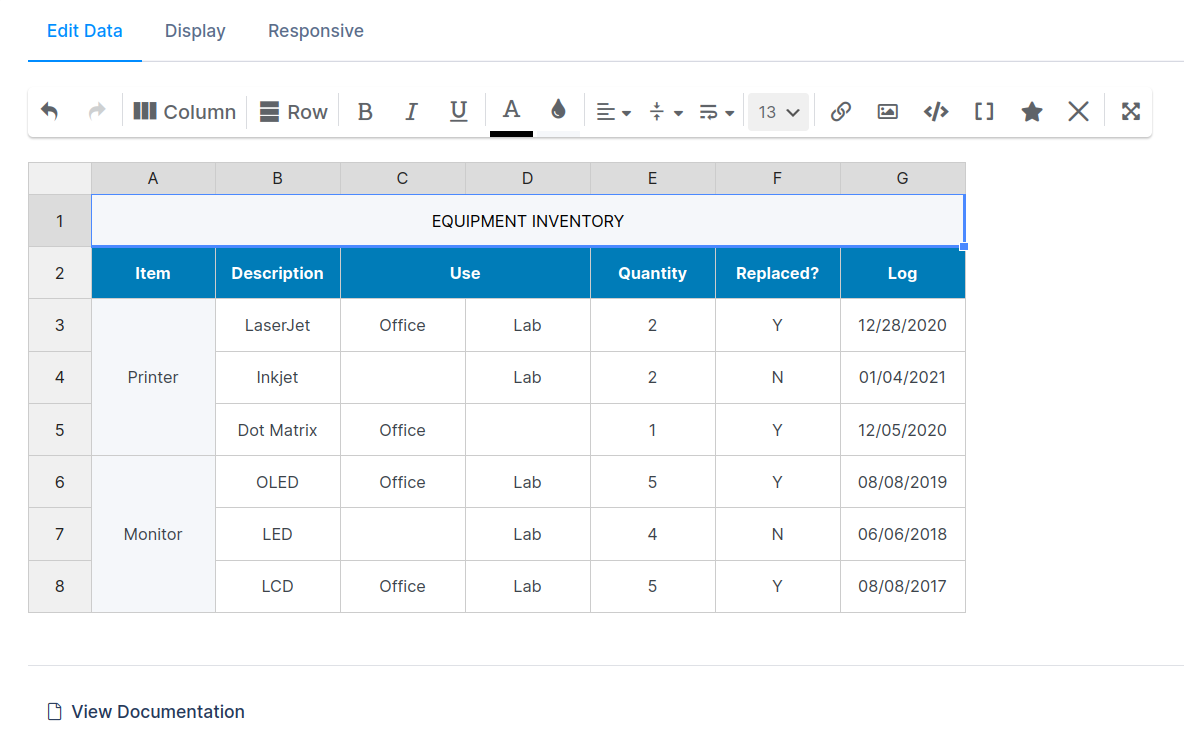
Our table builder serves an important purpose – creating simple WordPress tables from scratch. But don’t worry, these tables can be as simple or as complicated as you want as you can now merge cells, style each cell differently, add star ratings to cells, media and so much more.
Our main goal was to build a table & charts plugin with looks and functionalities. It’s similar to Excel but for WordPress websites & it’s less complicated.
Here is the list of features in those simple tables:
- Merge cells
- Excel like editor
- Responsive mode
- Add/Remove columns and rows
- Resize/Reorder columns and rows
- Cell custom formatting
- Font family and font size
- Undo/Redo
- Add star rating
- Custom links
- Add media
- Custom HTML editor
- Shortcode in cells
- Border options
Who is the wpDataTables Plugin For?
The wpDataTables plugin is designed for a broad range of users who need to manage, display, and analyze data efficiently within their WordPress sites.
1. Data Analysts and Researchers
-
Use Case: Display complex data sets in an easily digestible format.
-
Features: Advanced filtering, sorting, and the ability to create charts and graphs directly from tables..
2. Developers and Designers
-
Use Case: Add dynamic and customizable data tables to client websites without needing to code from scratch.
-
Features: Highly customizable appearance, responsive design, and integration with popular page builders like WPBakery and Elementor.
3. Educational Institutions
-
Use Case: Present academic data, grades, or research findings.
-
Features: Easy handling of large datasets, multi-language support, and user-friendly interface.
4. E-commerce Sites
-
Use Case: Showcase product comparisons, pricing tables, or inventory management. Automatically generate WooCommerce tables for products. Replace a traditional WooCommerce grid with a data table layout to cater to detailed shoppers.
-
Features: Pricing table options and automatic data updates. The data in your product table is synced with your WooCommerce store, ensuring accuracy as you update your inventory or pricing.
5. Bloggers and Content Creators
-
Use Case: Embed engaging data-driven content within posts or pages.
-
Features: Easily embed tables and charts in posts, customizable themes, and shortcodes for quick deployment.
6. Anyone Needing to Display Data
-
Use Case: Virtually anyone who needs to present structured data in an accessible way on a WordPress site.
-
Features: Simple setup, versatile table creation options, and responsive design for all devices.
The wpDataTables plugin is versatile, user-friendly, and powerful, making it an excellent tool for anyone who needs to work with data in WordPress.
Other Use Cases for WordPress Tables & Charts Plugin
-
Pricing tables
-
Amazon product comparison table
-
Searchable catalogs of car parts, books, etc.
-
Currency and crypto rates
-
WooCommerce Product Tables
-
Financial and investment rates
-
Customer lists
-
Statistics data (weather for example)
-
Scientific data
-
Monitoring of data
-
Tourist agency – rating hotels and trips
-
Game popularity comparison
-
Gamers statistics
-
Monthly employee statistics
-
Product lists
-
Product lists with links to online stores
-
Pedigree tables
-
Historical data
-
Country population statistics
-
Datatables
Features of Free Table Plugin
Create a Responsive Data Table In A Few Clicks
Easily create responsive data tables in just a few clicks with wpDataTables. Automatically adjust to any screen size, ensuring your tables look great on desktops, tablets, and smartphones—no coding required!
Create Data Table on Your Website from Excel
Effortlessly create data tables on your website by importing directly from Excel (.xls, .ods, .xlsx) with wpDataTables. Simply upload your file, and our tables plugin will generate a fully customizable, responsive table—perfect for displaying complex data in an easy-to-read format.
Learn How to create WordPress tables from Excel files.
Make Data Table from CSV
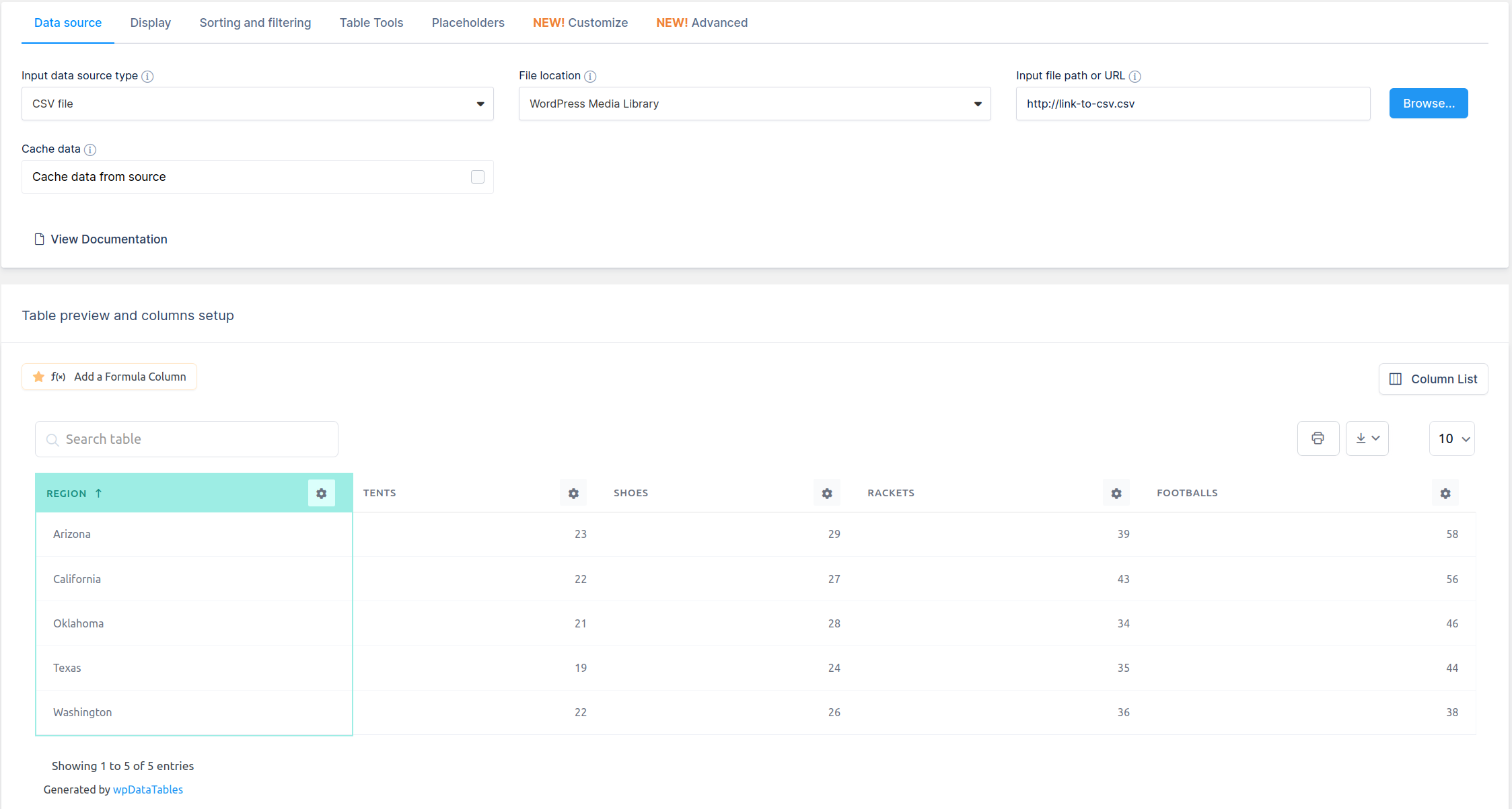
CSV is one of the most popular data formats—it’s lightweight, easy to generate from almost any software, and even simple to create manually. With wpDataTables, you have more flexibility by using not just the standard ‘comma’ delimiter, but also ‘colon’, ‘semicolon’, ‘vertical bar (pipe)’, and ‘TAB’ options. Creating WordPress tables from CSV files has never been easier!
Generate Data Table from XML
Easily generate data tables from XML, a universal standard for presenting data. Many web services rely on XML, and wpDataTables fully supports it as an input data source. Check out our documentation to learn How to Create WordPress Tables with XML and seamlessly integrate your data.
Build WordPress Table from JSON
JSON has become the ‘de facto’ standard for packing data on the web and wpDataTables also supports the JSON format as an input data source.
Learn How to create WordPress tables from JSON.
Create Data Table from Nested JSON
Previously, only one-level arrays of same-structured objects were supported, but now you can select the root path of your data—whether it’s nested or not, with or without JSON Authentication. For more details, check out our guide on Creating Data Tables in WordPress from Nested JSON.
JSON Authentication
Most of JSON APIs are locked, password protected, and can’t be accessed without some authentication. wpDataTables support basic authentication and also custom headers where you can provide details needed for authentication for that specific JSON (for example API keys, tokens, etc.). More info in our docs about JSON Authentication.
Cache Tables Data
This feature dramatically increases the loading performance of your tables created from existing data sources like CSV, Excel, XML, JSON, Nested JSON and PHP array. Learn all about Caching tables in WordPress.
Auto Update Table Cache from Source File
If you are updating your source file frequently, and want to keep the data in the table updated after a custom interval, the new feature Auto update cache from the source file will be perfect for you. Learn more about Auto update cache from source and cron job instructions.
Develop Dynamic WordPress Table From Serialized PHP Array
For developers who use our table and chart plugin, learn how you can prepare a PHP file and How to create WordPress tables based on serialized PHP arrays in our docs.
Free Chart Features
Create Responsive Charts
With wpDataTables, you can effortlessly create responsive charts using a simple, step-by-step wizard right in the WordPress admin panel. These charts automatically adjust to any screen size, ensuring they look stunning on all devices. Explore the full range of customization options in our guide on How to Create Responsive Charts in WordPress.
Editing Charts
Editing charts in wpDataTables is seamless and intuitive. Using the same chart creation wizard, you can easily update existing charts with prefilled data, making adjustments a breeze. Learn more in our guide on Editing Charts in WordPress.
Grouping Data in Charts
wpDataTables offers a powerful grouping feature for charts, allowing you to sum up row values with the same label and display them as a single series. This makes data presentation clearer and more effective. Discover how to use this feature in our guide on Grouping Data in WordPress Charts.
wpDataTables allows creation of 23 different chart types using the Google Charts & Chart.js rendering engine:
How to Create Tables & Charts with WP Data Tables?
Creating tables, datatables and charts with a WordPress tables plugin has never been easier. It only takes 3 basic steps:
Provide Table Data
Upload data from Excel, CSV, JSON, any API, XML, or Serialized PHP arrays, or start from scratch using the WordPress table builder.
Customize Tables
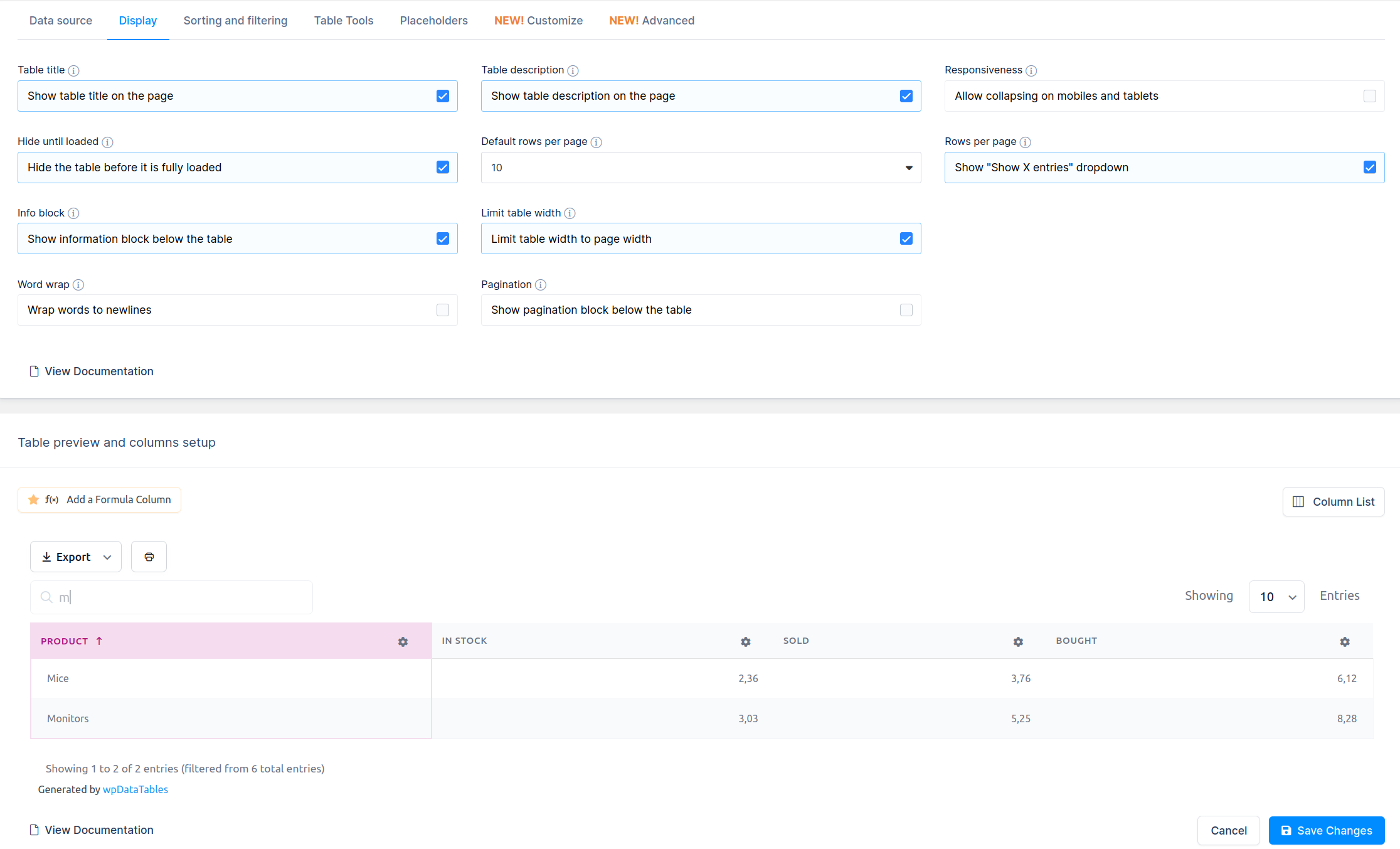
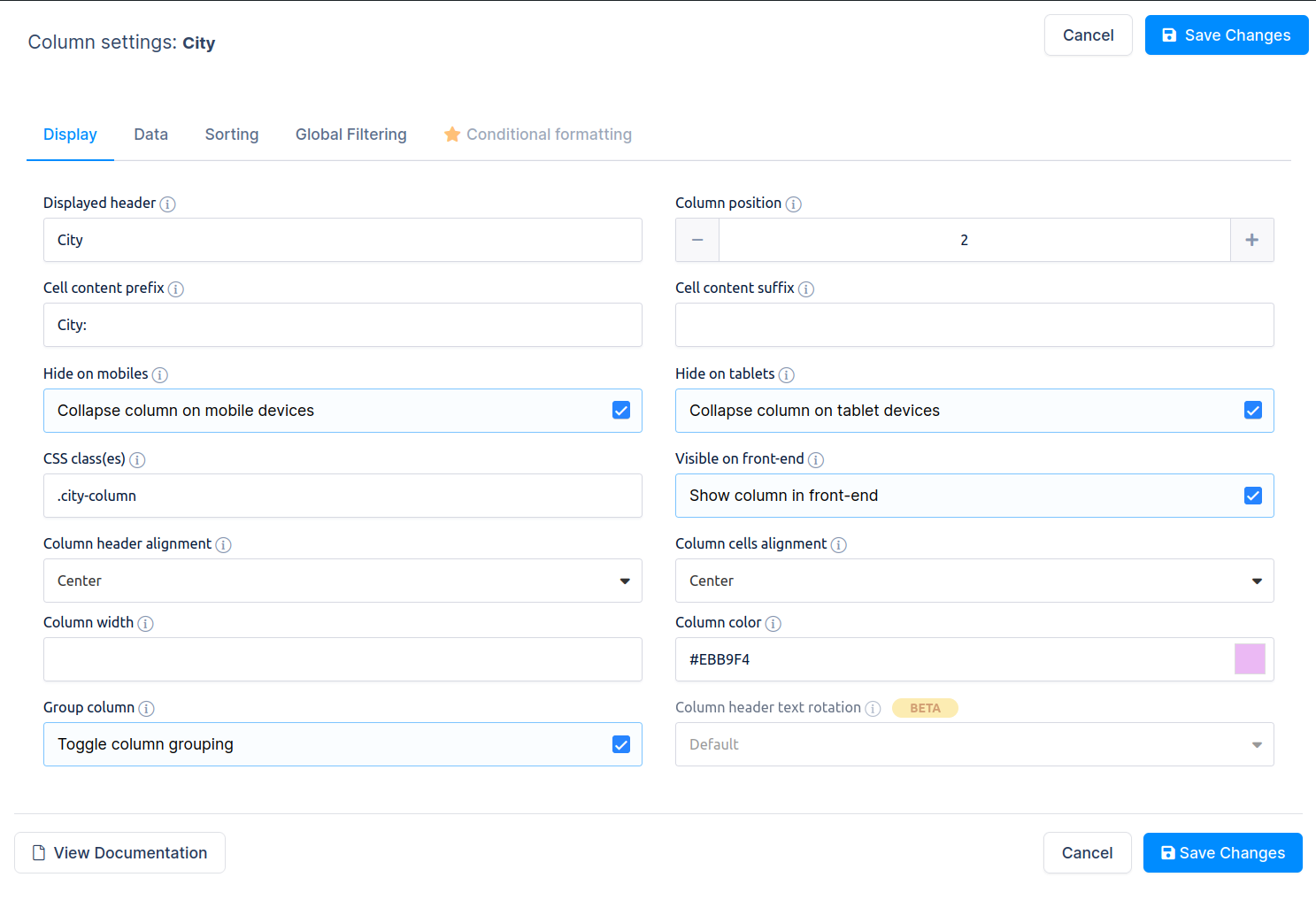
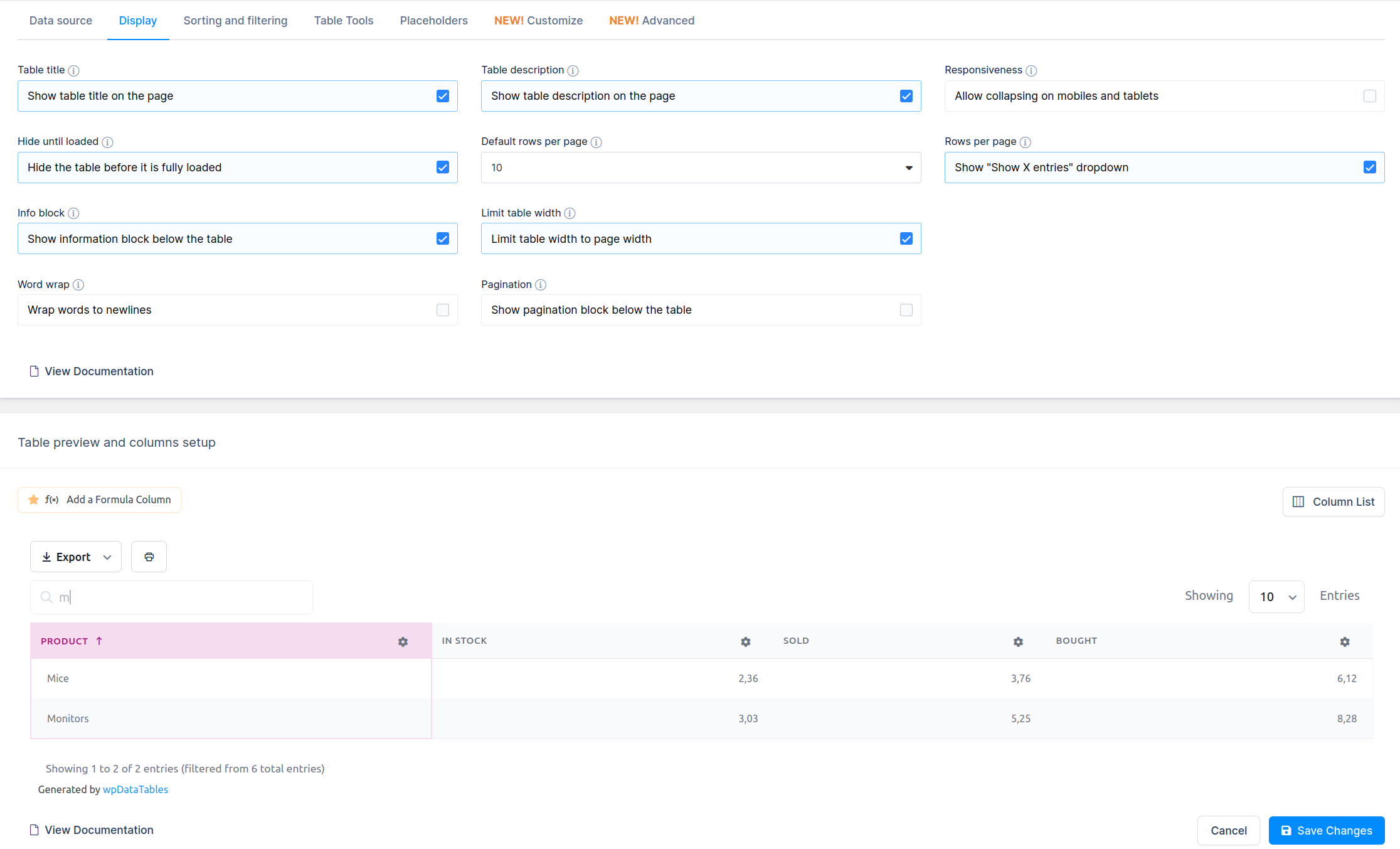
Adjust columns, rename, reorder, apply CSS, change colors, hide on mobile, and fine-tune fonts, borders, rows, and pagination to fit your style.
Publish Your Table
Once your table is ready, add it to any post or page with Gutenberg, WP Editor, shortcodes, or page builders like Avada, Divi, WPBakery, and Elementor.
Additional Table Tools
Export Table Data & Column Visibility
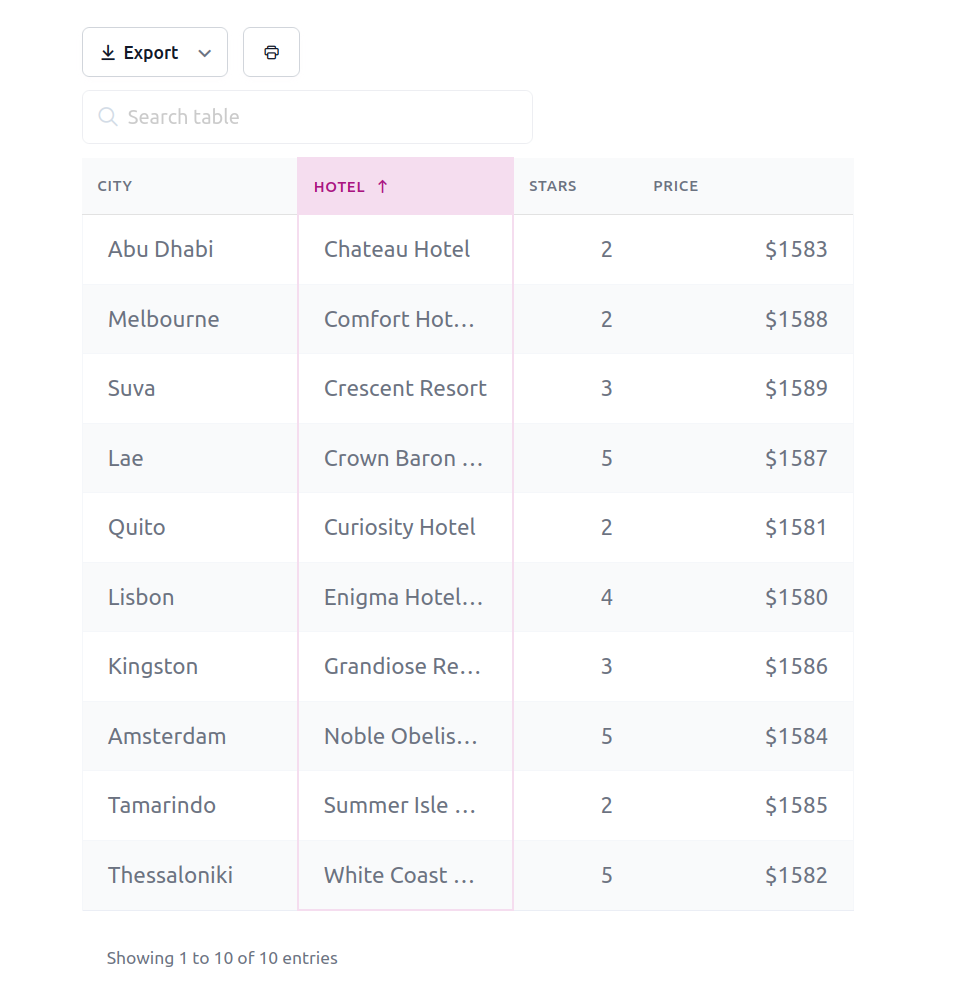
Every table (except simple tables) can have search, display length, pagination, and export options like Copy to Clipboard, CSV, PDF, XLS, and Print. Explore more in our guide on Table Tools in wpDataTables and Table and Column Settings.
Full Front-End WCAG Compatibility
wpDataTables ensures full compliance with Web Content Accessibility Guidelines (WCAG), making your tables accessible to all users, including those with disabilities.
Global, Individual & Multi-Column Sorting
All tables (except simple tables) are sortable by default, allowing you to organize data by one or multiple columns. For more, see our guide on Creating Sortable Tables in WordPress.
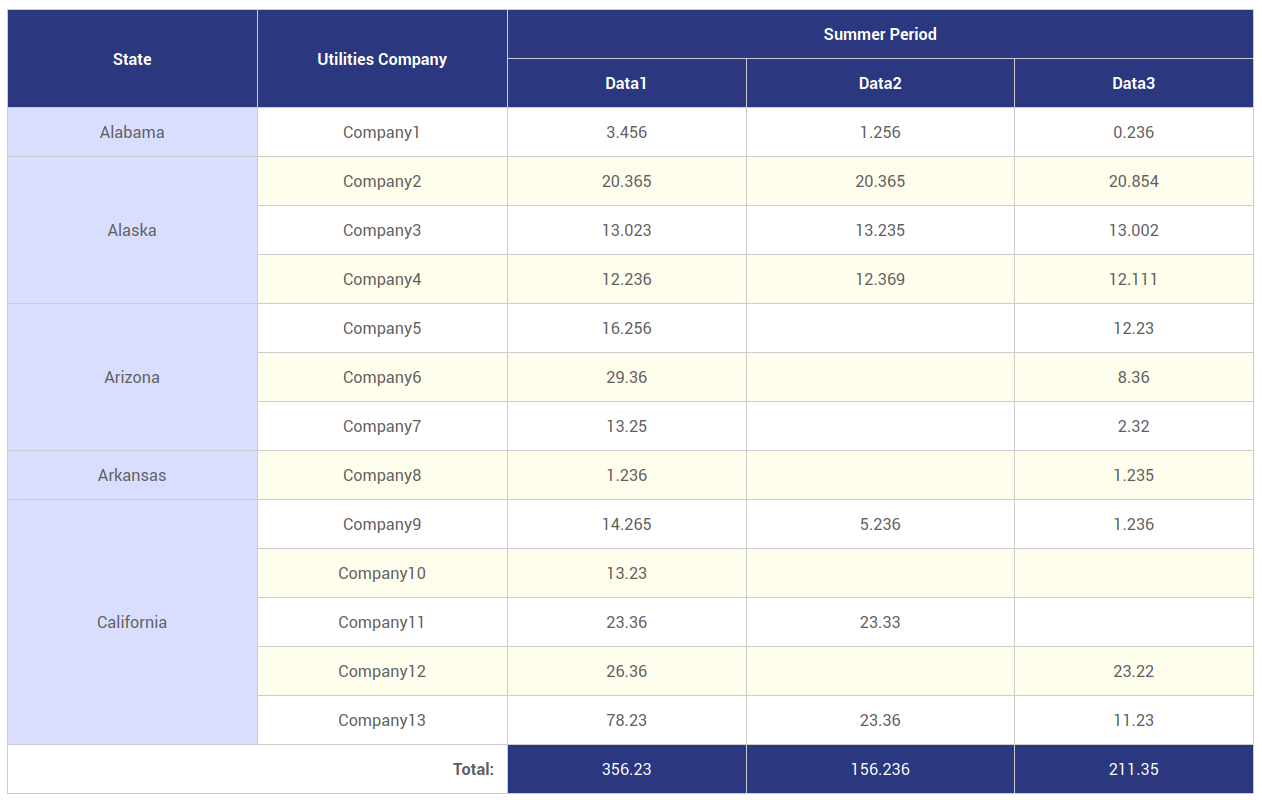
Row Grouping
Group similar values from one column for a clearer, more organized table view. Learn more in our guide on How to Set Up Row Grouping in WordPress Tables.
Single Cell Shortcode
Most of the users need to show a single value from their tables. With our table plugin, you can display dynamic single values from your tables using wpDataTables’ single-cell shortcode.
Premium Features of wpDataTables
-
WooCommerce Integration – Create dynamic and customizable WooCommerce product tables to display product data directly from your WooCommerce store.
-
WP Posts Builder – New Table Type – Easily generate tables displaying posts, pages, or custom post types with the new WP Posts Builder integration.
-
Folders/Categories – Organize Tables and Charts in WordPress Using Folders.
-
Transform Value – Convert column values into links, mail triggers, phone triggers, or images.
-
Sticky Headers/Columns: Easily freeze headers or left/right columns for better navigation.
-
Customize Options For Each Table – Personalize each table with different skins, fonts, backgrounds, and colors.
-
Create Tables via Google Spreadsheet API –Instantly sync tables with private Google Sheets using the API.
-
Manual tables – Create a wpDataTable based on a query to a MySQL table.
-
Update manual tables from source files – Dramatically improve the updating process of manual tables from existing data sources like CSV, Excel, and Google sheets.
-
Editable Tables – Edit tables easily on both the back-end and front-end,
-
Excel-like editing – Excel-like spreadsheet editing interface is available both for back-end and front-end editing
-
Advanced Filters and Search– Apply individual and cascading filters for precise results with the Powerful Filters addon.
-
Highlighting – Highlight rows, columns, or cells based on specific conditions.
-
Highcharts & Highcharts stock – Create stunning, interactive charts, including financial visualizations.
-
ApexCharts – create beautiful and interactive visualizations on the website
-
Calculating Tools – Quickly calculate sums, averages, and other metrics for any column.
-
Placeholders – Use placeholders in SQL queries to make tables dynamic with shortcodes.
-
MySQL based tables – Create a wpDataTable based on a query to a MySQL table.
-
SQL query builder – built-in SQL query constructor with graphical user interface which allows a user to pick and join other tables from database
-
WPDB query builder – built-in WPDB query constructor with graphical user interface which allows a user to pick the post types, custom/meta fields, and taxonomies
-
Foreign key – Link multiple tables using the Foreign key method.
-
Multiple databases support – Display data from MySQL, MS SQL, or PostgreSQL databases, only with wpDataTables.
-
Handle large tables with millions of rows – Manage tables with millions of rows efficiently via MySQL.
-
Users can see and edit only their own data – Restrict users to see and edit only their own data on the front end.
-
and much more…
You can get all of these features by purchasing the Premium version.
Extend wpDataTables Functionality with Add-Ons
wpDataTable Lite and Premium users have the option to extend wpDataTables functionality with FREE add-ons such as:
- Forminator Forms Integration – Create data tables from Forminator Forms submissions.
wpDataTable Premium users have the option to extend wpDataTables functionality with premium add-ons such as:
-
Master-detail tables** – View row details in both tabular and non-tabular displays with a simple click in a popup or custom page/post.
-
Powerful Filters** – Add advanced cascade filters and hide tables before filtering.
-
Report Builder** – Instantly generate Word or Excel reports from your site in a few clicks.
-
Gravity Forms integration** – Create editable tables from Gravity Forms data.
-
Formidable Forms Integration** –Build wpDataTables from Formidable Forms submissions.
**Note: These add-ons are sold separately from the premium plugin.
What do people say about wpDataTables?
★★★★★
Great plugin, great features, great support. Highly customizable and performing. – mirkolofio
★★★★★
This is the best plugin for displaying tables and charts! And the support is the best one I had on WordPress. Responses within hours and problem fix the same day ! – ldeschenes
★★★★★
I don’t do many reviews, but my experience with wpDataTables has been awesome; from using the plugin to interacting with customer service and their support team. I was pretty amazed that even through the holiday season the support team replied quickly to my request. – tekv
Useful links
- Official Page – wpDataTables – WordPress Table Plugin
- Documentation – How to use wpDataTables?
- Learn from our tutorials on Youtube channel
- Showcases for every industry
- Facebook Page
- Instagram Feed
- Twitter Profile
Installation
Installation of the plugin is really simple.
- Install using one of these options:
- Install directly from WordPress Admin panel: go to Plugins -> Add New -> Search for “wpDataTables”, and click the Install button.
- Download the ZIP manually from WordPress’ plugins repository, and upload it through WordPress Admin panel: go to Plugins -> Add New -> Upload Plugin, browse to the downloaded Zip and upload it.
- Download the ZIP, extract it and manually upload the extracted folder through FTP to the
/wp-content/plugins/directory of your WordPress installation.
- Aktivieren Sie das Plugin über das „Plugins“-Menü in WordPress.
- That’s it!
Änderungsprotokoll
6.6.1.2
- BugFix: Minor CSS fix.
- Compatibility with WordPress 7.1.4 approved.
Other small bug fixes and stability improvements.
6.6.1.1
- Feature: Role- and user-based permissions are now available in Lite.
- Feature: Angie AI can use wpDataTables tools when the Angie plugin is active.
- Feature: AI chart suggester in the chart wizard recommends a render engine, chart type, title, and axis columns.
- Feature: Setting to enable or disable MCP for AI assistants.
- Compatibility with WordPress 7.1.3 approved.
Other small bug fixes and stability improvements.
6.5.1.7
- Minor CSS improvements.
Other small bug fixes and stability improvements.
6.5.1.6
- Fixed MCP Compatibility issue throwing an error message.
Other small bug fixes and stability improvements.
6.5.1.5
- Security: Fixed a reflected Cross-Site Scripting (XSS) vulnerability in Browse Tables pagination where the
ssearch parameter was appended to page links after URL escaping. - Security: Hardened search-parameter handling in Browse Tables, Browse Charts, and Permissions list pagination by unslashing input before sanitization.
Other small bug fixes and stability improvements.
6.5.1.4
- Minor CSS improvements.
Other small bug fixes and stability improvements.
Screenshots
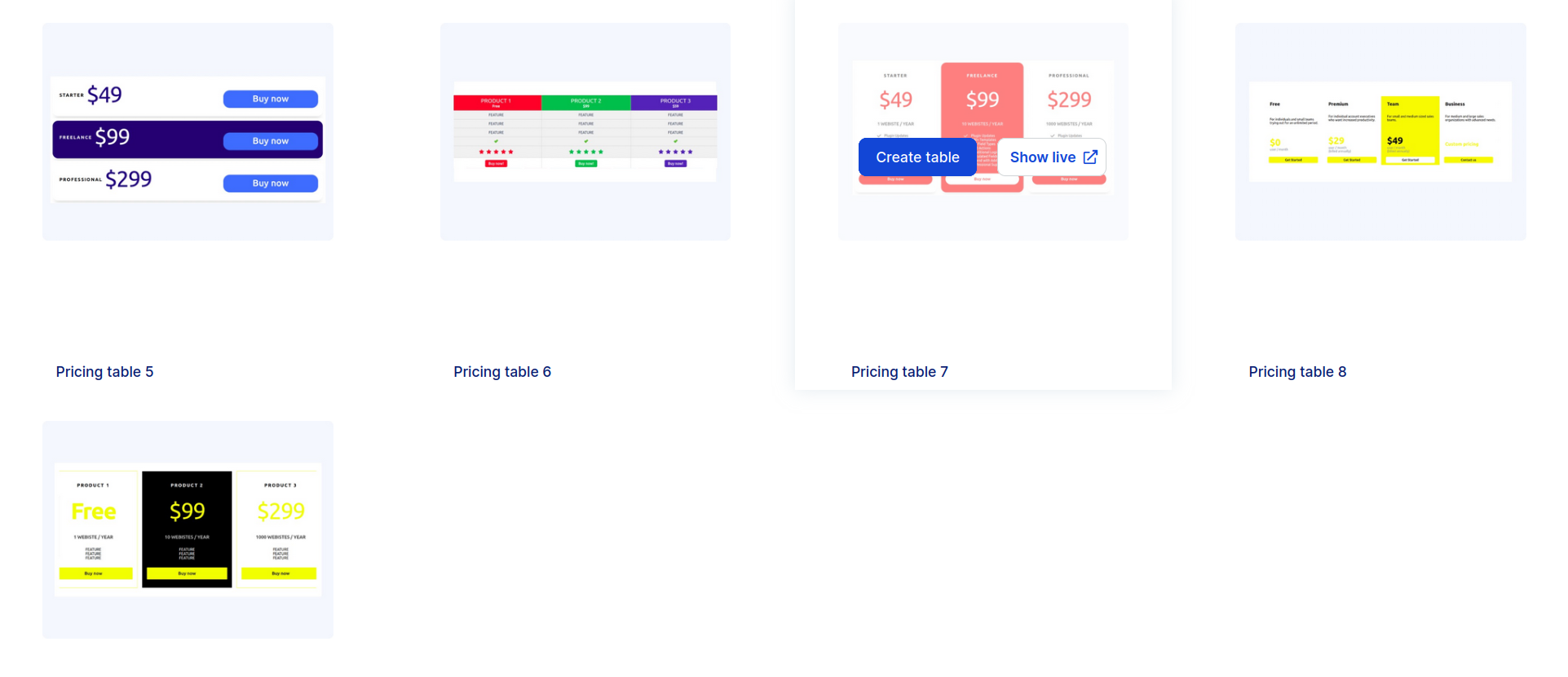
Für Entwickler
Ist das dein Plugin? Zeigen Sie die Zahlen.
Fügen Sie Ihrer Website, Docs oder GitHub Readme ein Live-Badge hinzu. Es wird von selbst aktualisiert - kein Konto erforderlich.
Best wpDataTables alternatives
All chart plugins →




Fragen und Antworten
wpDataTables: quick answers
Gerade Antworten, gezogen von Live WordPress.org Daten.
Quelle: WordPress.org
Is wpDataTables free?
Yes. wpDataTables is free to download and use from the official WordPress.org plugin directory. The developer also sells premium add-ons or a Pro version with extra features.
Is wpDataTables safe to use in 2026?
Yes — wpDataTables is a safe, well-maintained plugin to use in 2026. It runs on 60K+ sites, is rated 4.5/5 and was last updated 2 weeks ago, and scores 93/100 on our health check.
How many websites use wpDataTables?
wpDataTables is active on 60K+ WordPress websites and has been downloaded 2,838,458 times since it launched in November 2015. It was downloaded 34,073 times in the last 30 days.
Does wpDataTables work with WordPress 7.1?
Yes. The developer has tested wpDataTables up to WordPress 7.1.5, the latest release. It requires WordPress 4.0 or newer.
What PHP version does wpDataTables need?
wpDataTables requires PHP 7.4 or higher. Most hosts run PHP 8.x today, so it works on any modern WordPress hosting.
When was wpDataTables last updated?
The latest version, 6.6.1.2, was released on November 9, 2026 (2 weeks ago).
Who makes wpDataTables?
wpDataTables is developed and maintained by Melograno Venture Studio.
What are the best alternatives to wpDataTables?
The most popular alternatives to wpDataTables are Chartify (3K+ installs), Stock Market Ticker (2K+ installs) and Yes/No Chart (2K+ installs).
Angetrieben von PageForge
Eine Vorlage und eine Tabelle. Eine echte Seite für jede Suche.
PageForge Verwandelt jede Zeile eines CSV in eine WordPress-Seite mit eigenem Titel, URL, SEO Felder und Schema entworfen. Kostenlos auf WordPress.org.
- CSV und XLSX, plus Google Sheets auf Beruf und Unternehmen
- seinen eigenen Titel, URL, SEO Felder und Schema für jede Seite
- Arbeitet mit dem Blockeditor, Elementor, Divi und Avada
- Kostenlos auf WordPress.org, keine Kreditkarte