


WP RSS Aggregator – Import RSS Feeds, Feed to Post, Autoblogging
Add unlimited RSS feeds, import their items automatically, and show them anywhere on your site with a block or shortcode.

Sichere Auswahl
Yes — WP RSS Aggregator is a safe, well-maintained plugin to use in 2026. It runs on 40K+ sites, is rated 4.5/5 and was last updated 2 weeks ago, and scores 89/100 on our health check.
- Bewährt auf 40.000 aktiven Standorten
- Loved by users — 4.5/5 from 566 reviews
- Aktiv entwickelt — letztes Update vor 2 Wochen
- Getestet mit dem neuesten WordPress (7.1)
- Momentum — downloads up 366.2% vs the previous 30 days
Wie stapelt es sich?
Side-by-side bei Installationen, Updates, Bewertungen und Support



Tägliche Downloads
Download-Spitzen folgen normalerweise einer neuen Version - jede Website, die automatisch aktualisiert wird, gilt als Download.
Ranglisten
Where WP RSS Aggregator stands todayWordPress.org Ranglisten suchen
Live-Position in der Plugin-Suche, Top 100| Stichwort | Position |
|---|---|
| autoblogging | #1 |
| feed to post | #4 |
| news aggregator | #1 |
| News Feed | #4 |
| rss aggregator | #1 |
Versionsübernahme
Anteil aktiver Sites pro Release.
Bewertungsaufschlüsselung
★★★★★★★★★★ 4.5 from 566 reviews
About WP RSS Aggregator
From the official readme · v5.8.0Beschreibung
WP RSS Aggregator is the perfect plugin to quickly import RSS feeds, build a news aggregator, and for easy autoblogging.
This is why it is used on 40,000+ websites to aggregate and curate content from all over the web.
WP RSS Aggregator: The original and still the most popular RSS import plugin for WordPress
Import and display RSS feeds anywhere on your site.
Set up any RSS feed once and let Aggregator do the rest automatically. Create a constant flow of fresh content to keep your audience engaged.
Whether you’re creating a news aggregator, sharing related posts, curating videos, or displaying a collection of articles, RSS is still the best way to do it.
All Features | Video Guides | Get Aggregator Pro
Discover the power of Aggregator and RSS feeds
With more than a decade of experience in the aggregator and RSS space, we’ve built WP RSS Aggregator to be your ideal partner for autoblogging, content hubs, and news aggregators of all kinds. Here are our main features:
🚀 Quick Setup: Add RSS feeds from unlimited sources in seconds, whether for news feeds, blog posts, or anything else. Learn more
🔎 RSS Feed Auto-Discovery: Enter a website’s URL and let WP RSS Aggregator find the RSS feed. Learn more
🧭 The Hub: Get a full view of your imported feed items, filter by source or folder, and quickly reject unwanted content. A clearer way to manage what gets shown on your site.
🚦 Manage Your Sources: Keep track of your RSS feed sources in one place. Monitor, pause, and track their automation. Learn more
🔄 Auto-Updating Content: Keep your website fresh with new content, both as an autoblog & to supplement existing content.
🛠 Customizable Displays: Showcase your RSS feeds in stylish layouts that highlight the content you want to share. Learn more
🙋 Built-In Attribution: Automatically credit the original authors and content creators.
📊 Optimize Performance: Control the number of RSS feed items imported and stored on your site to keep it running smoothly.
🏗️ Build It Your Way: Use the WP RSS Aggregator block or shortcode to display RSS feeds anywhere, using any site builder.
WP RSS Aggregator is built with you in mind
There is a lot more to an RSS aggregator than meets the eye. Here are a few additional perks that make working with RSS feeds worth your while.
📈 SEO Benefits: Become an instant source of quality content, generate backlinks, and gain more trust in the eyes of search engines (like Google) and AI systems that rely on structured, regularly updated content.
💡 Generate Original Content (Elite plan): Publish unique content in your name by automatically rewriting imported articles into new content.
🔗 Custom RSS Feeds: Create a custom RSS feed from imported RSS feed items to use anywhere you want.
🌍 Multilingual Support: Integrate with translation plugins to translate imported content into any language.
💵 Monetize Your Content: Learn how to make money with WordPress by leveraging your content.
🔑 Unlock Premium Upgrades
Your website deserves the best, so we’ve been building premium upgrades for WP RSS Aggregator since 2013 with the goal of helping you deliver the best experience possible to your visitors while improving your website’s performance.
-
AI Content Suite: Automatically summarize or rewrite imported articles right inside your import workflow,
-
Feed to Post (❤️ Most Popular): Automatically convert RSS feeds into WordPress posts, pages, or any custom post type.
-
Full Text RSS Feeds: Import the full content from sources that only provide RSS feed excerpts or are missing images.
-
Manual Curation: Automatically or manually curate your content to only share the most relevant items on your site.
-
Custom Displays: Attract more attention with stylish feed designs, including titles, excerpts, images, audio, video, and attribution.
-
Video Feeds: Import and share YouTube videos from any channel or user.
-
Organization Folders: Use Folders as a powerful way to group, manage, and display your sources more effectively.
-
Automatic Filtering: Precisely control what content is imported and displayed using keywords, phrases, and tags.
-
Custom Mapping: Map custom fields from RSS feed sources to any custom field in your posts or pages.
Get access to all of these amazing features with our Premium WP RSS Aggregator Plans.
Why use WP RSS Aggregator?
From bloggers and content creators to developers and digital teams, people have built some wonderful projects using RSS feeds. Here’s are a few we’ve highlighted over the years.
Content Curation: Personal Finance Blogs
“It has been approximately four and a half months since the launch. We’ve seen some strong traffic growth month over month. We’re up to over 10,000 page views a month, which is great for a new blog but also just any blog in general. In terms of the traffic, we’re sending about 150 clicks to various posts and blogs on a daily basis.” – Erik Tozier ⭐️⭐️⭐️⭐️⭐️
Industry News Aggregator: World of WordPress
“I was searching for a good plugin to aggregate all the feeds. WP RSS Aggregator has the functionality I was looking for. I’ve tried other plugins, but this was the one I knew could do everything. I get 150 visitors a day, so that’s probably 4,500 visitors per month, and I think maybe 99% of visitors land on one of the articles aggregated by the plugin.” – Ronald Heijnes ⭐️⭐️⭐️⭐️⭐️
Content Syndication: The Broker List
“WP RSS Aggregator is time-saving. Our members love it because it doesn’t cause them any extra work. We can just pull their content in. Don’t hesitate! I would definitely work with Mark and his team. They will give you 110% and solve any issues you may have.” – Linda Day Harrison ⭐️⭐️⭐️⭐️⭐️
Local News Aggregator: Bristol Today
“After identifying the news sources I wanted to link out to, I searched for the best possible way to create a reliable feed (and without ruffling any feathers!). Thankfully, RSS is still going strong and each of the sites had active feeds. After a bit of research, WP RSS Aggregator stood out as the leading WordPress plugin in the space and I was impressed with their product pages. – Ross Merritt ⭐️⭐️⭐️⭐️⭐️
Browse through our Showcase to see how WP RSS Aggregator is being put to great use on a large variety of WordPress sites, from CrossFit to celebrity news, and gaming to government updates.
A word of advice: Don’t steal other people’s work; give credit where it’s due. WP RSS Aggregator makes it extremely easy to automatically credit the original source for full attribution.
5-star customer support
Our comprehensive Help Center provides you with everything you need to install, set up and customize WP RSS Aggregator to your needs. You can also browse through a number of FAQs to get started.
If that doesn’t do the trick, we provide support for the free version of WP RSS Aggregator via the WordPress support forums, while for premium support and pre-sales questions you can contact us via our premium support channel.
Installation
Installing and setting up the WP RSS Aggregator plugin:
Methode 1:
- Go to the Plugins page in your WordPress site’s dashboard.
- Click the “Add Plugin” button.
- Search for “WP RSS Aggregator”.
- When found, click on the “Install” button, then hit the “Activate” button once it has installed.
- Go to the Aggregator menu item to access the Hub.
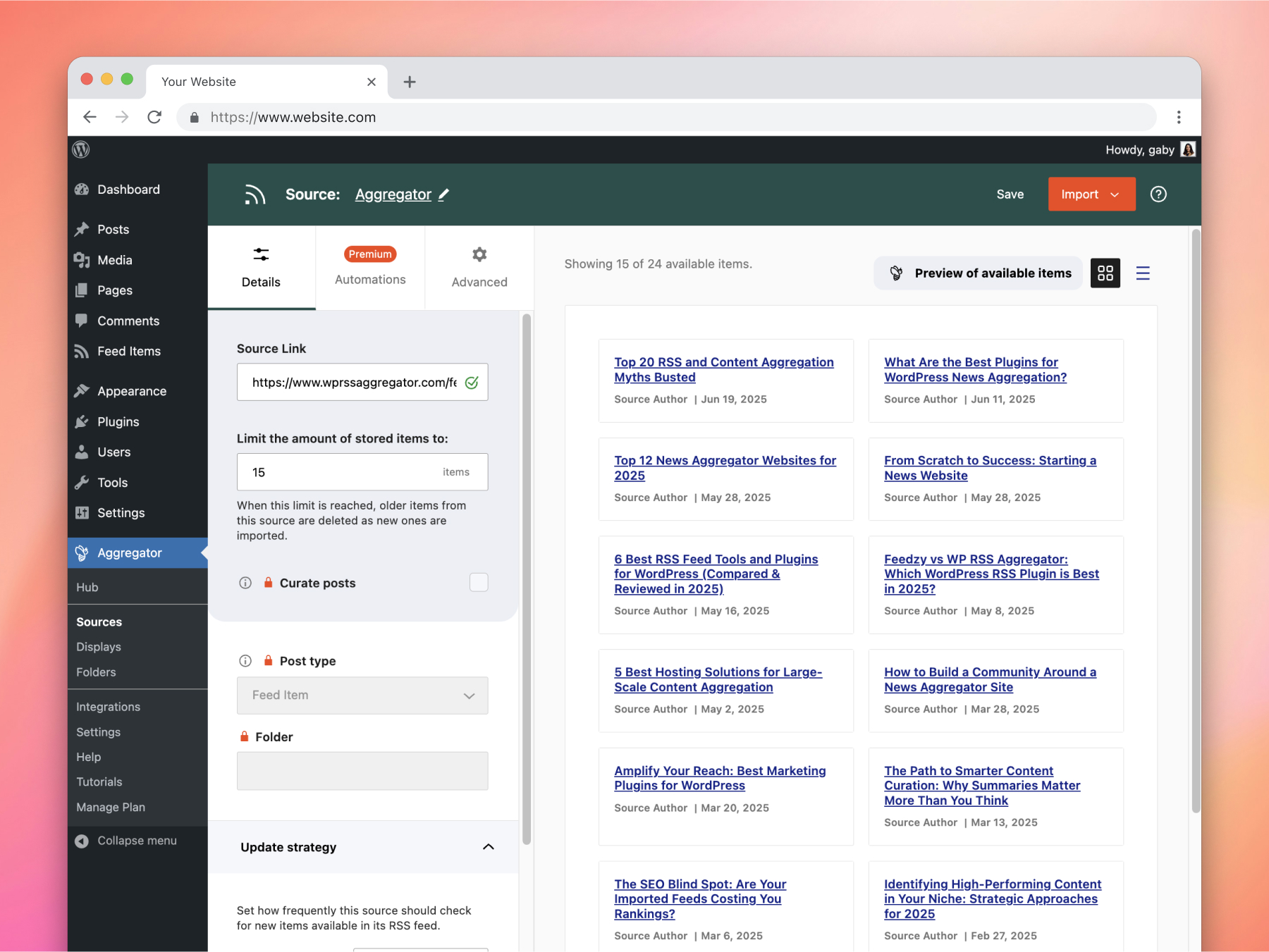
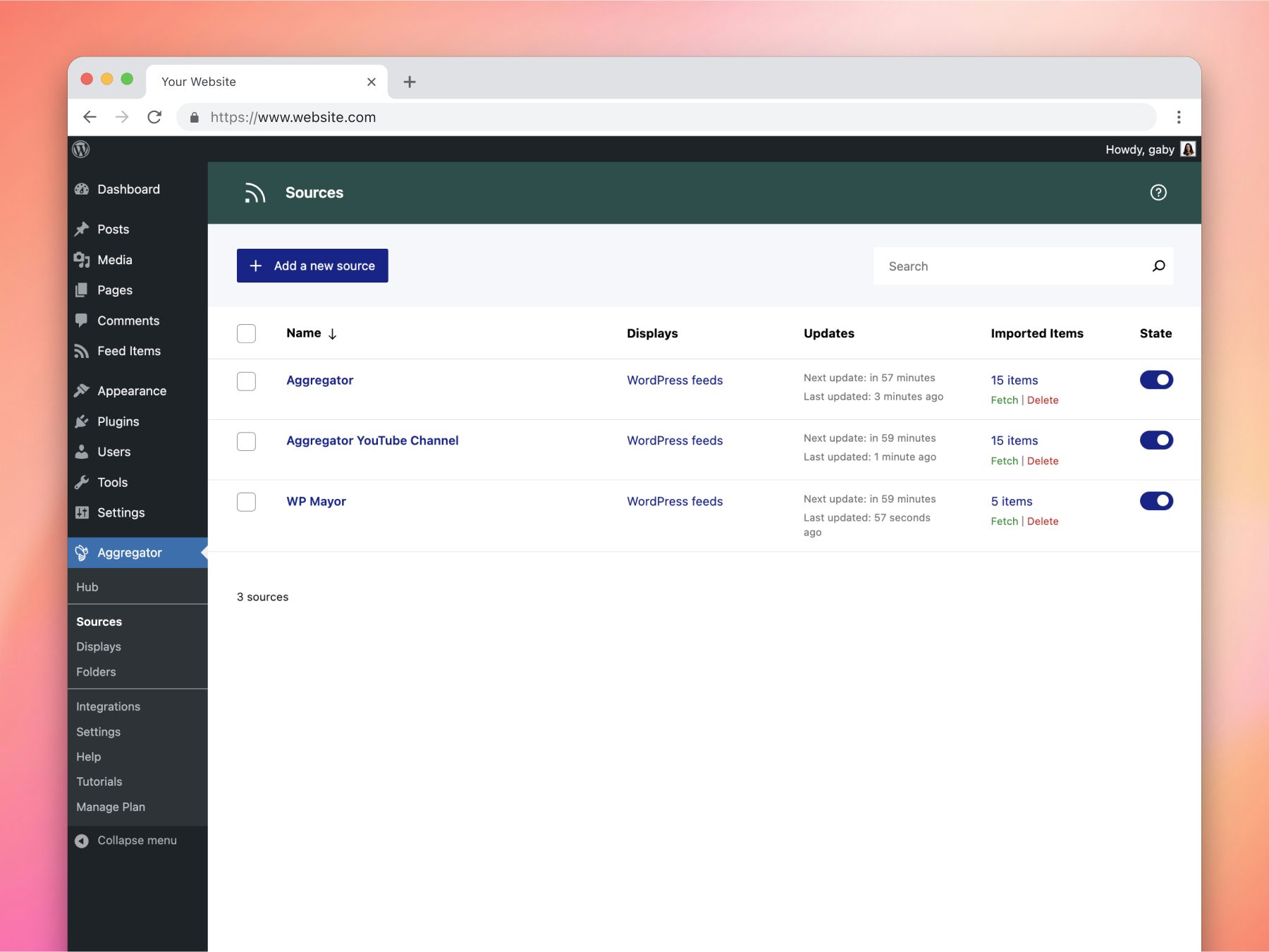
- Click “Add a new source” to set up your first feed source and start importing content.
- Then click “Create a new display” to build a display using that source and embed it on your site.
Methode 2:
- Click on the “Download” button above.
- Go to the Plugins page in your WordPress site’s dashboard.
- Click the “Add Plugin” button.
- Click the “Upload Plugin” button.
- Click the “Choose file” button and upload the wp-rss-aggregator.zip file, and click “Install Now”.
- Activate the WP RSS Aggregator plugin from the ‘Plugins’ section in your dashboard.
- Go to the Aggregator menu item to access the Hub.
- Click “Add a new source” to set up your first feed source and start importing content.
- Then click “Create a new display” to build a display using that source and embed it on your site.
Displaying the feed items
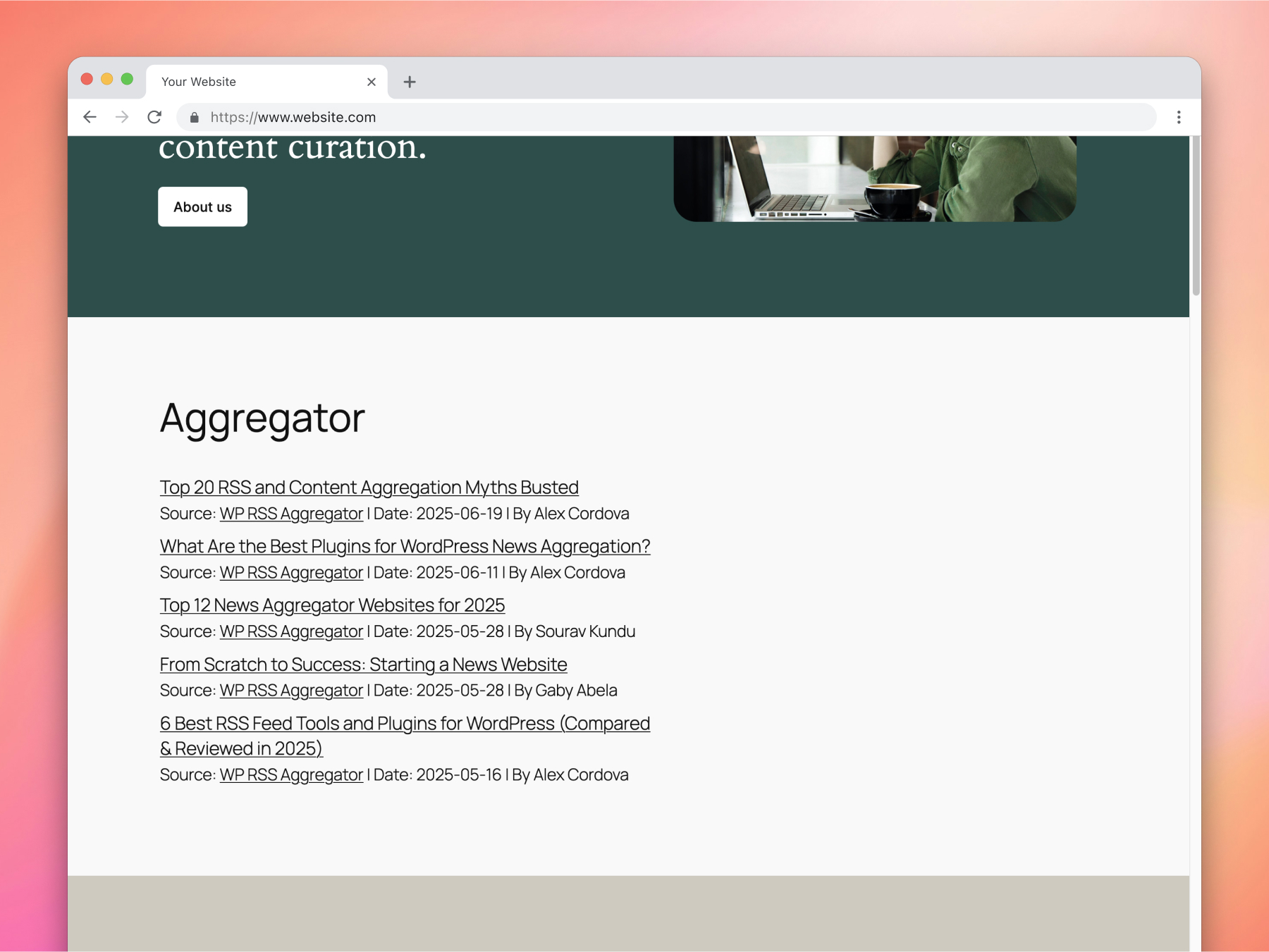
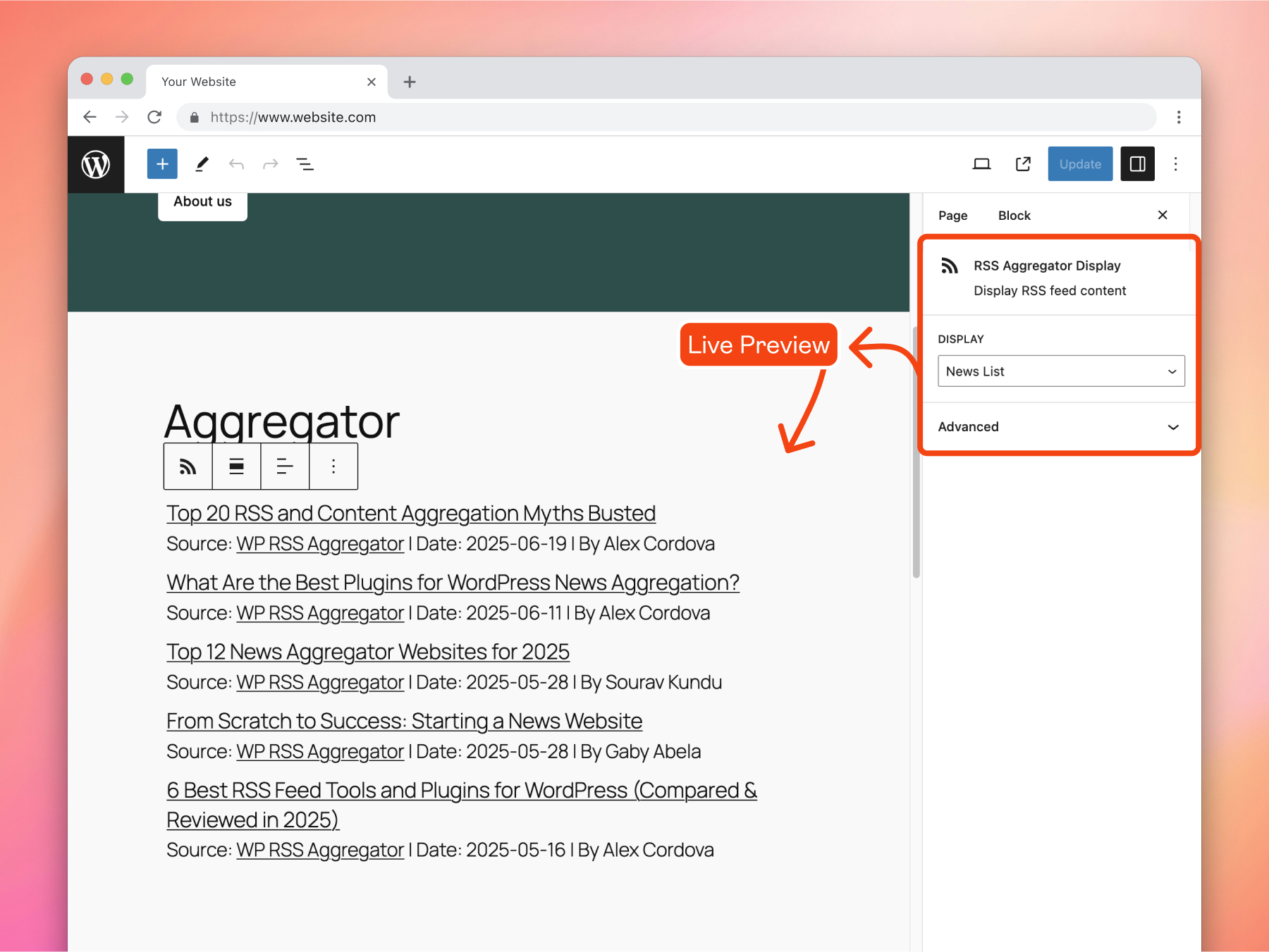
Use the RSS Aggregator Display block or shortcode on any page or post to display the imported items.
Note: Each display has its own shortcode, which you can find on the Displays page.
Änderungsprotokoll
5.8.0 (2026-11-18)
Added
– Medium length option for AI TL;DRs.
– A warning in the source editor when a source’s post type changes after it has imported items, with the choice to keep them or delete and re-import them into the new post type.
– Toolkit page that recommends RebelCode’s free plugins and installs them from inside Aggregator.
– Order setting for the Custom RSS feed, with the newest items first by default.
– Read-only REST endpoint that lists imported items with their source, for headless sites.
Changed
– Sources whose last update failed now show a failed status in the Sources list, with the error and the time of the next attempt.
– The Custom RSS feed now only includes published items and is served as a valid Atom feed.
– The Update strategy description now explains what “Keep items up-to-date” covers.
– The changelog for versions before 5.0.0 is now on the website.
Fixed
– The Custom RSS feed showed the oldest imported items instead of the newest.
– The Custom RSS feed showed the content of password-protected items and swapped the published and updated dates.
– Imported posts were not credited to WordPress users matched by the feed author’s email or username.
– Content cleaning stopped imports on PHP 7.4.
– “Last image in content” used the first image in the content as the featured image.
– Sources scheduled every few minutes from a start minute updated about once a day.
– Feed Items showed as “(no title)” in Bulk Edit.
– The Upgrade page kept showing the old plan after the premium plugin was deleted.
– Aggregator crashed sites that also load a newer version of a shared logging library, such as Constant Contact Forms.
– Database tables could not be created on MySQL older than 5.6.5.
– The wp rss source list command stopped with a fatal error.
– The Custom RSS feed rewrote the site’s permalink rules on every request.
– Hardened how links from feeds are handled: they’re now escaped in displays, Feed to Post templates and the Custom RSS feed, and checked when items are imported.
5.7.0 (2026-11-03)
Added
– Full translations for Brazilian Portuguese, Dutch, French, German, Italian, Japanese, Portuguese, and Spanish in the free and premium versions.
– Option to add custom text before or after imported post titles.
– Sort order setting in Displays to show the newest or oldest items first.
– Option to place the “Read more” link on a new line in Displays.
– Export and Import options in Settings to copy Sources, Displays, and Folders to another site or keep them as a backup.
– Debug Logs tab in Settings to view, filter, download, and clear plugin logs.
Changed
– New Sources are now named after their feed title automatically.
– Dates in Source attribution now follow the site’s date format, time format, and timezone.
– Full Text requests now use HTTPS and send the site URL the license was activated with.
Fixed
– Spanish translations now load correctly.
– Admin labels and Display pagination links now follow the site language.
– “x ago” dates in the Displays and the Sources tables now follow the site language.
– Imported content is now handled consistently in every import path, including manual and WP-CLI imports.
– Source names with special characters now show correctly in Displays.
5.6.0 (2026-09-15)
Added
– Added notices that explain when WordPress Cron is disabled, so administrators know scheduled imports will not run.
– Added a wpra-attribution CSS hook so Source attribution can be styled through theme CSS.
Changed
– Licence validation now accepts additional common staging and local-development URLs.
Fixed
– Searchable Sources, Folders, and Displays lists now clearly report when no results match a search.
– Source migrations now preserve zero as a valid minimum image width or height.
– The Manage Plan page no longer shows a licence panel when Premium is not installed.
– Display pagination continues to work when plugin styles are disabled.
– Clearing Source attribution or Custom Text no longer leaves empty output or spacing.
– Display excerpts now retain spacing between list items.
– Source previews now show configured Custom Text before and after content.
5.5.0 (2026-09-02)
Added
– Displays can now be filtered by Item Status, with new Displays defaulting to Published while existing Displays keep their current Any status behavior.
Changed
– Hub row, selection, action, and preview states now match the intended interface.
– Hub bulk actions now show clear deleting, deleted, rejecting, rejected, and imported states.
– Newly imported images now keep useful source filenames instead of being given generic ones.
– Imported images now keep their source alt text in the Media Library and on featured images.
Fixed
– Pending-item links on the Sources page now open the Hub filtered to the selected source.
– Sources bulk actions are now cleared once the selected sources have been deleted.
– Source preview automation notices now appear on the Details and Advanced tabs when every available item has been filtered out.
– Whole-word automation rules no longer match parts of punctuated terms such as AT&T, Wi-Fi, and TCP/IP.
– The last link in a source’s attribution text is no longer stripped when you save an edited source.
– Sources no longer fail when Remove Unwanted Content rules are applied while on the Plus Plan.
– Fixed “Keep Only Matching Elements” content-cleaning rules and contained rare cleanup failures without interrupting imports.
– Updating a source no longer removes existing AI content, and newly enabled AI content is now applied.
– Expired or missing Full Text licences no longer continue using the Full Text service.
– Full Text imports now select the article’s featured image rather than a logo or other small image.
– The Display publish date format field is now locked while relative “time ago” dates are enabled.
– When using the “Excerpts & Thumbnails” displays layout, image sizing no longer pushes excerpts out of view.
– Empty folders are easier to create, and no longer show a phantom source once created.
– Rank Math no longer overrides Aggregator’s canonical link setting on imported posts.
– Fixed alignment on the Tutorials page, made card images consistent, and enlarged card click targets.
5.4.0 (2026-08-11)
Added
– Added a date and time column to the Hub so imported and pending items are easier to review.
Fixed
– Fixed display filters using “Show items” with OR conditions showing unrelated site content outside the selected sources.
– Fixed Global Automations being skipped for sources that did not also have source-level automations.
– Fixed imported Custom Post Type items becoming published when they were set to Draft and used the Feed Import Date.
– Fixed Trash and Reject failing for imported items with long or encoded GUIDs.
– Fixed Full Text imports failing when feed content contained malformed image URLs.
– Fixed Source previews applying item limits before eligibility filters and automations.
– Fixed Feed Items in WordPress search results linking to local feed-item URLs instead of the original article.
– Fixed the Hub author column showing the original feed author when items were assigned to a selected or fallback site user.
– Fixed Source Custom Text showing shortcodes as plain text on imported posts.
– Fixed new displays created from a source import missing their Customization settings until they were renamed and saved.
– Fixed the Recently Imported Hub section being hidden when empty.
– Fixed the Folders duplicate action reusing the original folder name.
– Fixed Aggregator uninstall leaving plugin-owned cron events behind.
– Fixed unwanted horizontal scrolling and bottom spacing on Aggregator admin pages.
5.3.0 (2026-07-29)
Added
– AI credit warnings now appear on standard WordPress admin pages when a site is low on or out of AI credits.
– Added a developer-controlled strict source sync filter for sites that need imported items to mirror the current feed exactly.
Changed
– Source imports are more resilient: one failing source no longer stops other pending sources from updating.
– New Sources and Displays now stay on the saved editor screen after the first save, avoiding unnecessary browser reloads or unsaved-change warnings.
– The Hub Sources filter now shows more sources, keeps selected sources visible, and makes individual selections easier to remove.
Fixed
– Fixed migrated or never-fetched sources not being picked up by automatic fetching.
– Fixed missing bulk-select checkboxes and bulk actions on the Feed Items admin table.
– Fixed WordPress 6.7+ early translation-loading warnings for Aggregator and Aggregator Premium.
– Fixed age-limited imported items not being cleaned up during scheduled source updates.
– Fixed dismissed AI notices briefly flashing again on page refresh.
Screenshots
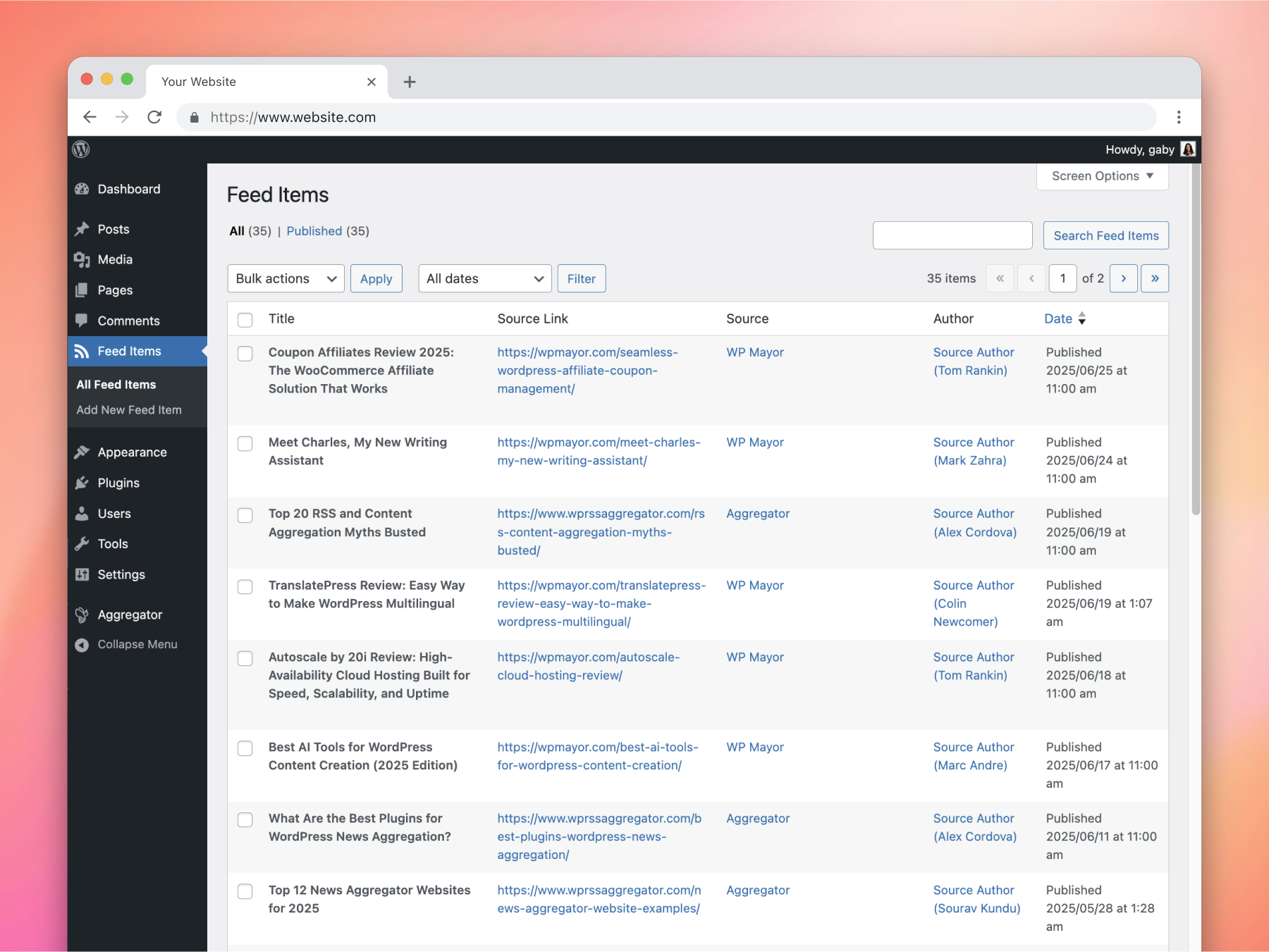
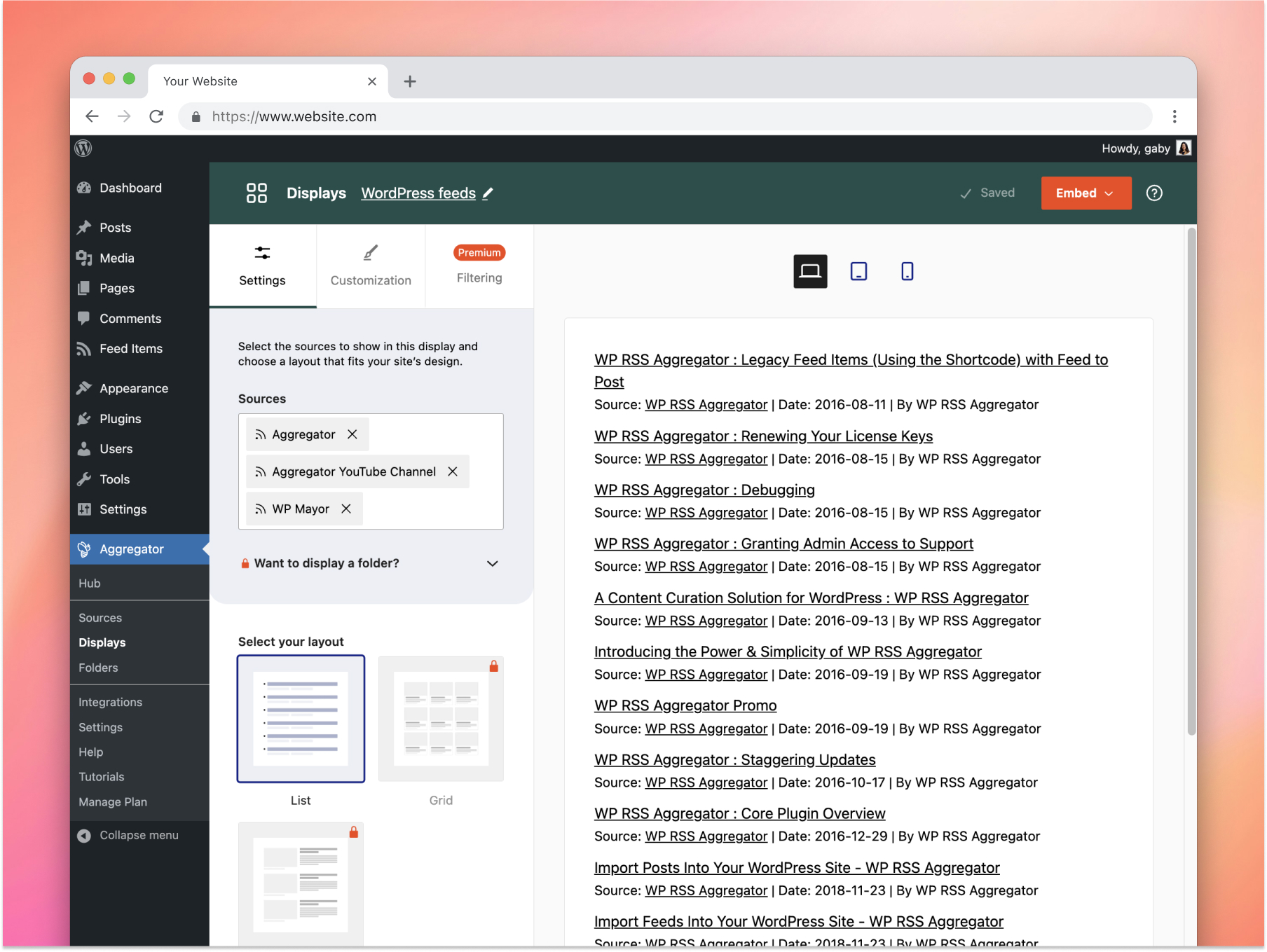
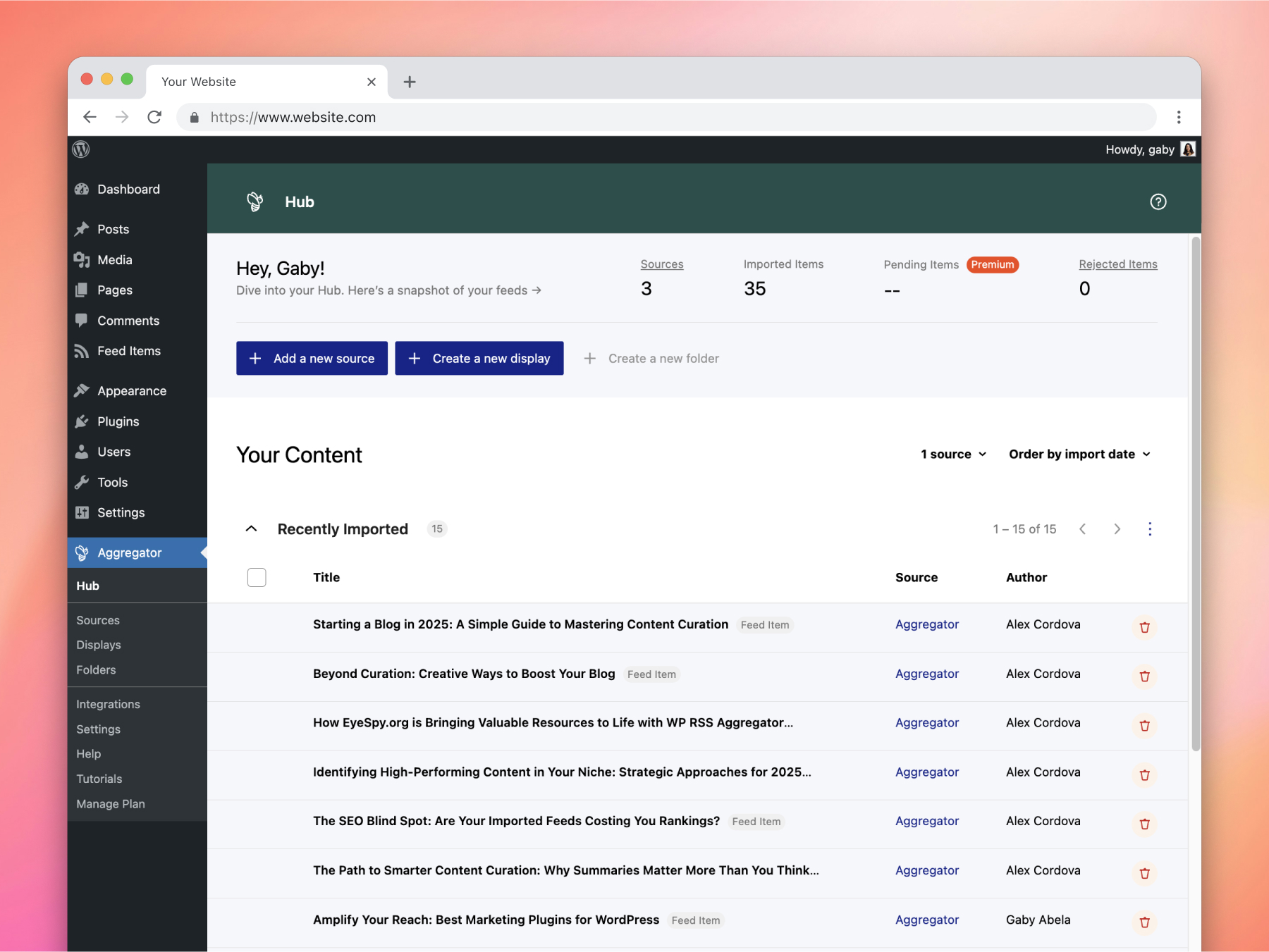


Für Entwickler
Ist das dein Plugin? Zeigen Sie die Zahlen.
Fügen Sie Ihrer Website, Docs oder GitHub Readme ein Live-Badge hinzu. Es wird von selbst aktualisiert - kein Konto erforderlich.
Best WP RSS Aggregator alternatives
All autoblogging plugins →


Fragen und Antworten
WP RSS Aggregator: quick answers
Gerade Antworten, gezogen von Live WordPress.org Daten.
Quelle: WordPress.org
Is WP RSS Aggregator free?
Yes. WP RSS Aggregator is free to download and use from the official WordPress.org plugin directory.
Is WP RSS Aggregator safe to use in 2026?
Yes — WP RSS Aggregator is a safe, well-maintained plugin to use in 2026. It runs on 40K+ sites, is rated 4.5/5 and was last updated 2 weeks ago, and scores 89/100 on our health check.
How many websites use WP RSS Aggregator?
WP RSS Aggregator is active on 40K+ WordPress websites and has been downloaded 3,567,088 times since it launched in January 2012. It was downloaded 49,379 times in the last 30 days.
Does WP RSS Aggregator work with WordPress 7.1?
Yes. The developer has tested WP RSS Aggregator up to WordPress 7.1.5, the latest release. It requires WordPress 6.2.2 or newer.
What PHP version does WP RSS Aggregator need?
WP RSS Aggregator requires PHP 7.4.0 or higher. Most hosts run PHP 8.x today, so it works on any modern WordPress hosting.
When was WP RSS Aggregator last updated?
The latest version, 5.8.0, was released on November 18, 2026 (2 weeks ago).
Who makes WP RSS Aggregator?
WP RSS Aggregator is developed and maintained by RebelCode.
What are the best alternatives to WP RSS Aggregator?
The most popular alternatives to WP RSS Aggregator are RSS Aggregator by Feedzy (40K+ installs), Arvow AI SEO Writer (1K+ installs) and RightBlogger (600+ installs).
Angetrieben von PageForge
Eine Vorlage und eine Tabelle. Eine echte Seite für jede Suche.
PageForge Verwandelt jede Zeile eines CSV in eine WordPress-Seite mit eigenem Titel, URL, SEO Felder und Schema entworfen. Kostenlos auf WordPress.org.
- CSV und XLSX, plus Google Sheets auf Beruf und Unternehmen
- seinen eigenen Titel, URL, SEO Felder und Schema für jede Seite
- Arbeitet mit dem Blockeditor, Elementor, Divi und Avada
- Kostenlos auf WordPress.org, keine Kreditkarte