


RightBlogger – AI SEO Agent & Autoblogging
Publish AI-written posts to WordPress, then let Site Agent keep them ranking with internal links, meta fixes and freshness updates.

Solid choice
RightBlogger is a solid plugin choice in 2026, with a few things worth checking first. It runs on 600+ sites, is rated 5/5 and was last updated 2 weeks ago, and scores 77/100 on our health check.
- Actively developed — last update 2 weeks ago
- Tested with the latest WordPress (7.1)
- Momentum — downloads up 100% vs the previous 30 days
- Small user base (600+ active installs)
- Very few reviews so far
How does it stack up?
Side-by-side on installs, updates, ratings & support



Daily downloads
Download spikes usually follow a new release — each site that auto-updates counts as a download.
Rankings
Where RightBlogger stands todayWordPress.org search rankings
Live position in the plugin search, top 100| Keyword | Position |
|---|---|
| AI writer | #24 |
| autoblogging | #3 |
| content automation | #88 |
| internal links | #53 |
| seo | >100 |
Version adoption
Share of active sites per release.
Rating breakdown
★★★★★★★★★★ 5 from 3 reviews
About RightBlogger
From the official readme · v1.6.6Description
RightBlogger is an AI SEO platform for bloggers. This plugin connects your WordPress site to your RightBlogger account so it can publish new posts and keep the ones you already have improving.
Write and publish
- Autoblogging – Plan posts from keyword research in the Content Planner, and RightBlogger writes and publishes them on your schedule
- Ready-to-publish posts – Featured and inline images land in your Media Library, and categories, tags and the post author are set for you
- SEO plugin support – Writes the meta title, description and focus keyphrase to Yoast, Rank Math, AIOSEO, SEOPress, The SEO Framework and Squirrly SEO
- IndexNow – On paid plans, tells search engines about a post as soon as it goes live
Keep your site improving with Site Agent
Site Agent audits your published posts on a regular schedule and fixes what it finds:
- Adds internal links between related posts
- Rewrites meta descriptions on pages with a low click-through rate in Google
- Removes or replaces broken outbound links
- Refreshes outdated years in post titles
Pick Ask Approval, Smart or Fully Automatic mode to decide how much it applies on its own, or give it plain-language tasks. Every change can be undone for 30 days.
Turn on the optional Site Agent box (Settings → RightBlogger) to approve or dismiss its edits, see this week’s changes and add tasks from your WordPress Dashboard.
Also included
- Custom HTML embeds – Publish posts with third-party widgets, scripts and iframes (Elfsight, Calendly, forms, etc.) when the post’s author is allowed to post unfiltered HTML in WordPress
- Tool Studio block – Embed your interactive RightBlogger tools with the “RightBlogger Tool” block
- No password sharing – The plugin connects with a site-specific key, so you never share your WordPress login
How it works
- Install and activate the plugin
- Go to Settings → RightBlogger and click “Connect to RightBlogger”
- Sign in or create a free account, then pick the project for this site
- Publish from RightBlogger, or turn on autoblogging and Site Agent
Requirements
- WordPress 5.8 or higher and PHP 7.4 or higher
- A RightBlogger account. The free plan lets you try the writing tools and publish to WordPress; autoblogging, Site Agent and IndexNow are on paid plans (see pricing).
External Services
This plugin connects your WordPress site to the RightBlogger platform (rightblogger.com), which is required for its core purpose: publishing content you create in RightBlogger to your WordPress site.
What it does and what data is involved:
- Connection: when you connect your site, the plugin registers your site URL with your RightBlogger account and stores a secret connection key on your site. RightBlogger’s servers use this key to authenticate requests to your site’s REST API (creating and updating posts, uploading images, reading site info needed for publishing).
- Post status updates: when a post RightBlogger published changes status (published, scheduled, trashed), the plugin sends RightBlogger the post ID, URL, title and new status so your RightBlogger dashboard stays in sync.
- Account details: while connected, the plugin checks the connection and loads your account’s branding and Tool Studio tool list from rightblogger.com.
- Tool Studio embeds (optional): these render only when you insert one of your own tools with the block editor; nothing loads on sites that have not done so. When a page with the block is viewed, the tool loads from rightblogger.com so visitors can use it. The visitor’s browser requests the embed from rightblogger.com, which receives standard request data (IP address, user agent) as with any embedded third-party content.
- Site Agent Dashboard box (optional, off by default): when an administrator turns it on and opens the Dashboard, the plugin loads the Site Agent’s pending edits and this week’s changes from rightblogger.com. Clicking Approve, Dismiss or Add task sends that choice (and the task text) to RightBlogger, and an approved edit is then written to the post through the same connection used for publishing.
- IndexNow: the post status update includes your site’s IndexNow key, and on paid plans RightBlogger uses it to notify IndexNow search engines of the post’s URL. The plugin serves the key file at
/{key}.txtso those search engines can verify it.
No data is sent to RightBlogger until you explicitly connect your site. Disconnecting or uninstalling removes the stored keys.
This service is provided by RightBlogger: Terms of Service, Privacy Policy.
Installation
- In WordPress, go to Plugins → Add New and search for “RightBlogger”
- Click Install Now, then Activate
- Go to Settings → RightBlogger and click “Connect to RightBlogger”
Changelog
1.6.6
- Fixed: Publishing no longer fails with “You are not currently logged in” when a security plugin or code snippet limits the WordPress REST API to logged-in users. Requests from RightBlogger that carry your site’s connection key now get through. Every other security block still applies.
1.6.5
- New: An optional Site Agent box on your WordPress Dashboard. It lists the edits waiting for your review with Approve and Dismiss buttons, shows the changes made this week, and lets you add a task. Turn it on under Settings > RightBlogger. Only administrators see it.
- Fixed: Saving the plugin settings showed “Settings saved.” twice.
1.6.4
- New: RightBlogger can see and change the featured image of a post that is already on your site, not only when it first publishes the post.
1.6.3
- Fixed: Connecting no longer fails with “Security check failed” and leaves the site unconnected when WordPress asks you to log in again on the way back from RightBlogger.
1.6.2
- Changed: Plugin updates now come from WordPress.org.
- Fixed: On ClassicPress and other sites without block support, posts published or edited by RightBlogger no longer carry block editor markers, which showed up as empty paragraphs on the live page and as extra comment lines in the Text tab.
1.6.1
- Changed: Custom HTML embeds (scripts, iframes, widgets) are now kept only when the post’s author is allowed to post unfiltered HTML in WordPress, the same rule the WordPress editor applies. Administrators and editors on single sites, the default author, are unaffected. On multisite, on sites with DISALLOW_UNFILTERED_HTML, or for posts credited to an Author or Contributor, scripts are removed. Embeds already on a post are left alone when RightBlogger edits it.
- Improved: The tool embed block now loads its script through WordPress’s script loader instead of printing it inline.
- Improved: Every message with a placeholder now carries a note for translators.
Screenshots

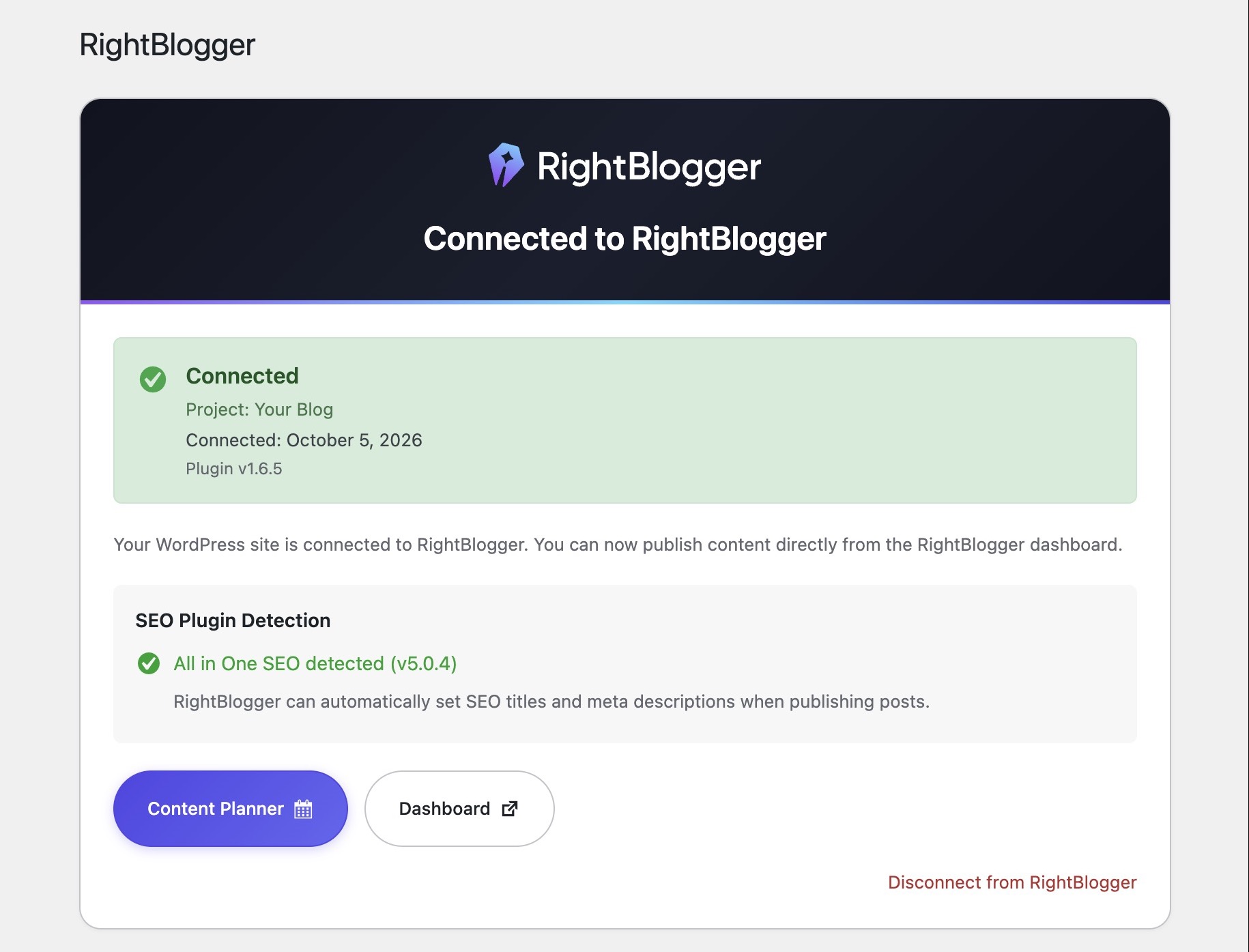
For developers
Is this your plugin? Show off the numbers.
Add a live badge to your site, docs or GitHub README. It updates on its own — no account needed.
Best RightBlogger alternatives
All AI writer plugins →





FAQ
RightBlogger: quick answers
Straight answers, pulled from live WordPress.org data.
Source: WordPress.org
Is RightBlogger free?
Yes. RightBlogger is free to download and use from the official WordPress.org plugin directory.
Is RightBlogger safe to use in 2026?
RightBlogger is a solid plugin choice in 2026, with a few things worth checking first. It runs on 600+ sites, is rated 5/5 and was last updated 2 weeks ago, and scores 77/100 on our health check.
How many websites use RightBlogger?
RightBlogger is active on 600+ WordPress websites and has been downloaded 3,095 times since it launched in October 2026. It was downloaded 2,040 times in the last 30 days.
Does RightBlogger work with WordPress 7.1?
Yes. The developer has tested RightBlogger up to WordPress 7.1.5, the latest release. It requires WordPress 5.8 or newer.
What PHP version does RightBlogger need?
RightBlogger requires PHP 7.4 or higher. Most hosts run PHP 8.x today, so it works on any modern WordPress hosting.
When was RightBlogger last updated?
The latest version, 1.6.6, was released on November 18, 2026 (2 weeks ago).
Who makes RightBlogger?
RightBlogger is developed and maintained by Andy Feliciotti.
What are the best alternatives to RightBlogger?
The most popular alternatives to RightBlogger are TextBuilder (3K+ installs), BotWriter (1K+ installs) and WP Wand (1K+ installs).
Powered by PageForge
One template and a spreadsheet. A real page for every search.
PageForge turns each row of a CSV into a WordPress page with its own title, URL, SEO fields and schema, built on the layout you already designed. Free on WordPress.org.
- CSV and XLSX, plus Google Sheets on Professional and Enterprise
- Its own title, URL, SEO fields and schema for every page
- Works with the block editor, Elementor, Divi and Avada
- Free on WordPress.org, no credit card