


WP Protect Content
A very useful wordpress plugin to give extra protection for your website content. This plugin give you an option to Disable Copy content or prevent copy, Disable Right Click, Disable F12 functional key, Allow right…

Mit Vorsicht verwenden
WP Protect Content works, but test it on a staging site before relying on it in 2026. It runs on 1K+ sites, is rated 4/5 and was last updated 10 months ago, and scores 50/100 on our health check.
- Nur getestet bis WordPress 6.9 (letzt ist 7.1)
Wie stapelt es sich?
Side-by-side bei Installationen, Updates, Bewertungen und Support



Tägliche Downloads
Download-Spitzen folgen normalerweise einer neuen Version - jede Website, die automatisch aktualisiert wird, gilt als Download.
Ranglisten
Where WP Protect Content stands todayWordPress.org Ranglisten suchen
Live-Position in der Plugin-Suche, Top 100| Stichwort | Position |
|---|---|
| Inhalt | >100 |
| content copy protection | #22 |
| content-protection | #39 |
| disable right click | #62 |
| prevent copy | #31 |
Versionsübernahme
Anteil aktiver Sites pro Release.
Bewertungsaufschlüsselung
★★★★★★★★★★ 4 from 16 reviews
About WP Protect Content
Aus der offiziellen Readme · V2.8Beschreibung
A very useful wordpress plugin to give extra protection for your website content. This plugin give you an option to Disable Copy content or prevent copy, Disable Right Click, Disable F12 functional key, Allow right click for links, Disable print page(Ctrl+P), Disable save page(Ctrl+S), Disable view page source(Ctrl+U) and Disable save image via drag/drop. In this plugin you will have an option to disable restriction for some specific pages.
Merkmale
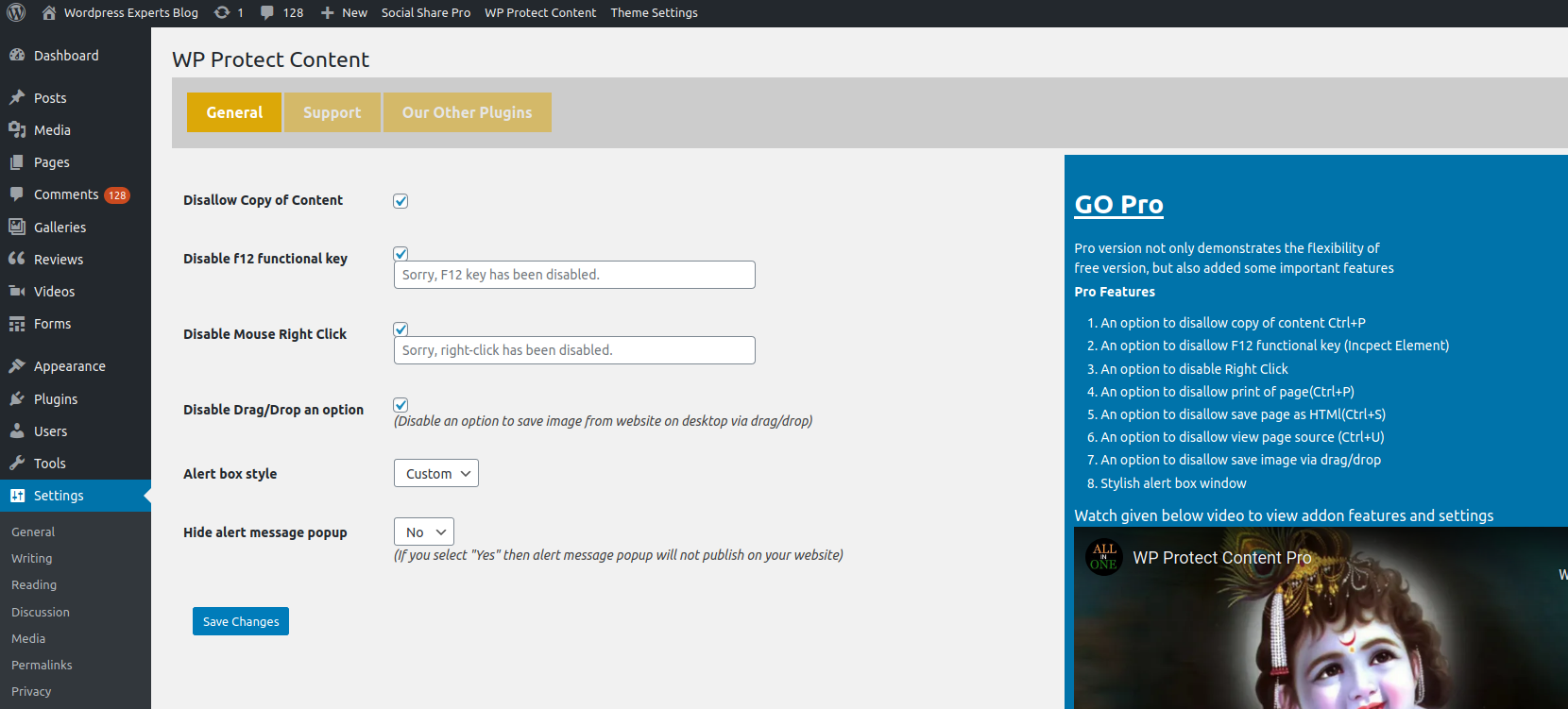
* Disable Copy Content
* Disable Mouse Right Click
* Disable F12 Functional Key (Inspect Element)
* Modern Alert Popup Box
* Disable Alert Message Box
* Debug Mode (Disable Restriction for Registered User)
Note: If you are using any cache plugin on your website then please clear site cache after enable/update plugin settings
Please don’t forget to leave your valuable feedback and suggestions to make our plugin much better compared to other plugins.
Have you any suggestion? share it
Video Tutorial:
We have released an Add-on of this plugin which not only demonstrates the flexibility of free version, but also added given below important features:
FLAT 15% DISCOUNT ON ADDON! No Coupon Code Required. Hurry! Limited Time Offer!
= Pro Features =
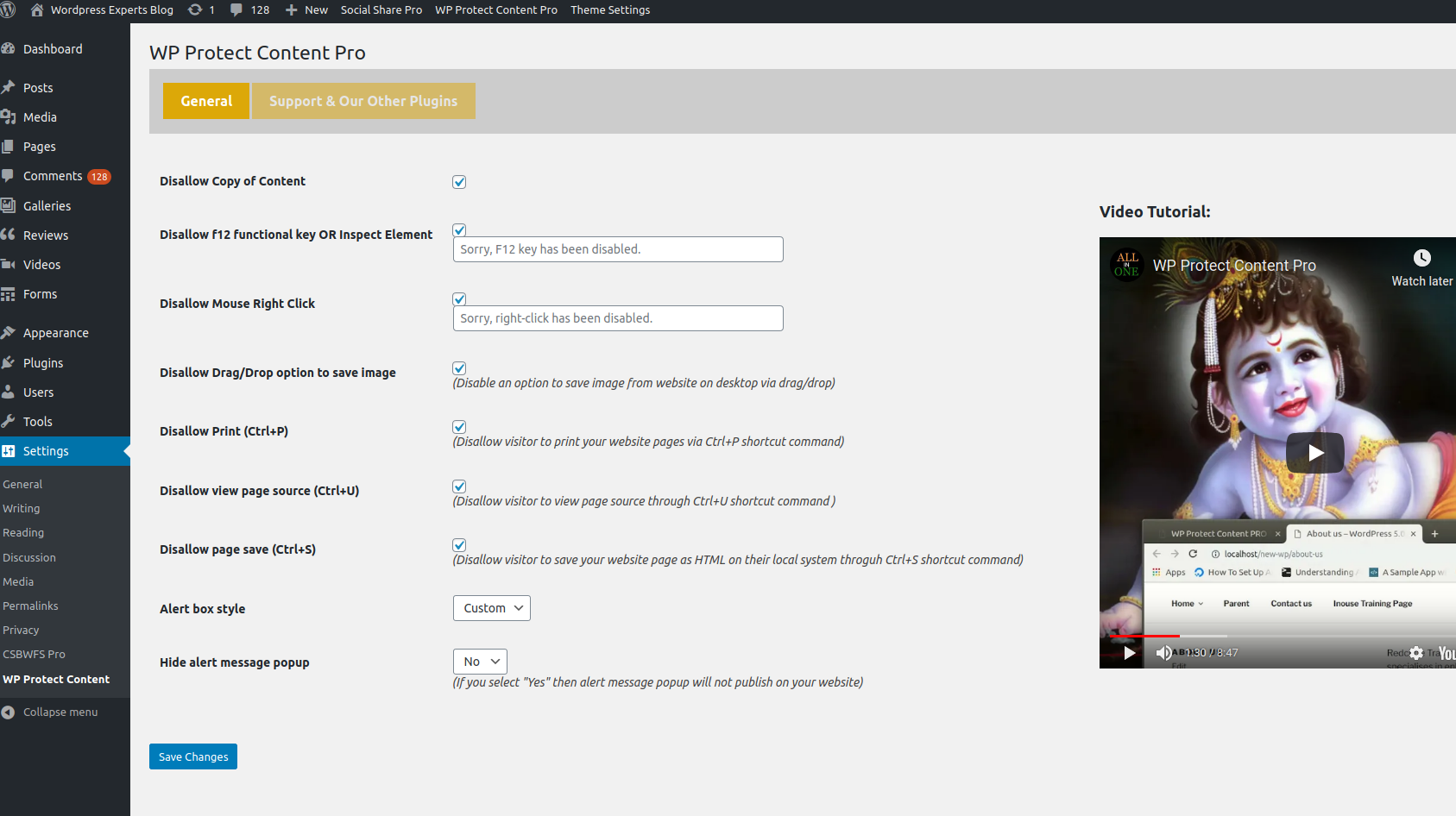
* Disable Copy Content(Ctrl+C)
* Disable F12 Functional Key(Inspect Element)
* Disable Right Click
* Allow Right Click for Links
* Disable Print Page (Ctrl+P)
* Disable Save Page HTML (Ctrl+S)
* Disable View Page Source (Ctrl+U)
* Disable Save Image via Drag/Drop
* Page Specific Settings
* Stylish Alert Box Window
* Faster Support
Add-on Features Video Tutorial:
Installation
Installing the plugin:
- Unzip the plugin’s directory into
wp-content/plugins. - Aktivieren Sie das Plugin über das „Plugins“-Menü in WordPress.
- The settings page will be available under settings menu (Settings >> WP Protect Content)
Änderungsprotokoll
Erste Freigabe
2.6
* Tested with wordpress 5.9.3
* Optimized code
2.4
* Tested with wordpress 5.5
* Fixed error with new wp version
2.3
* Tested with wordpress 5.4.2
* Added debug mode
2.2
* Tested with wordpress 5.4.1
* Optimized code
2.1
* Tested with wordpress 5.2.3
* Fixed form field click issue for Mozilla Firefox browser
2.0
* Fixed copy content error for ios device
Screenshots

Für Entwickler
Ist das dein Plugin? Zeigen Sie die Zahlen.
Fügen Sie Ihrer Website, Docs oder GitHub Readme ein Live-Badge hinzu. Es wird von selbst aktualisiert - kein Konto erforderlich.
Best WP Protect Content alternatives
Alle Content-Plugins →





Fragen und Antworten
WP Protect Content: quick answers
Gerade Antworten, gezogen von Live WordPress.org Daten.
Quelle: WordPress.org
Is WP Protect Content free?
Yes. WP Protect Content is free to download and use from the official WordPress.org plugin directory.
Is WP Protect Content safe to use in 2026?
WP Protect Content works, but test it on a staging site before relying on it in 2026. It runs on 1K+ sites, is rated 4/5 and was last updated 10 months ago, and scores 50/100 on our health check.
How many websites use WP Protect Content?
WP Protect Content is active on 1K+ WordPress websites and has been downloaded 39,265 times since it launched in November 2016. It was downloaded 454 times in the last 30 days.
Does WP Protect Content work with WordPress 7.1?
WP Protect Content is officially tested up to WordPress 6.9.12, while the latest release is 7.1.5. It may still work, but try it on a staging site first.
What PHP version does WP Protect Content need?
WP Protect Content requires PHP 8.0 or higher. Most hosts run PHP 8.x today, so it works on any modern WordPress hosting.
When was WP Protect Content last updated?
The latest version, 2.8, was released on January 8, 2026 (10 months ago).
Who makes WP Protect Content?
WP Protect Content is developed and maintained by WP-EXPERTS.IN.
What are the best alternatives to WP Protect Content?
The most popular alternatives to WP Protect Content are One Click Demo Import (1M+ installs), Advanced Excerpt (80K+ installs) and Rara One Click Demo Import (20K+ installs).
Angetrieben von PageForge
Eine Vorlage und eine Tabelle. Eine echte Seite für jede Suche.
PageForge Verwandelt jede Zeile eines CSV in eine WordPress-Seite mit eigenem Titel, URL, SEO Felder und Schema entworfen. Kostenlos auf WordPress.org.
- CSV und XLSX, plus Google Sheets auf Beruf und Unternehmen
- seinen eigenen Titel, URL, SEO Felder und Schema für jede Seite
- Arbeitet mit dem Blockeditor, Elementor, Divi und Avada
- Kostenlos auf WordPress.org, keine Kreditkarte