


WPCafe – Restaurant Menu, Online Food Ordering & Table Booking System
Restaurant management solution for restaurant menus, online food ordering, delivery, pickup, QR ordering, and table reservations with WooCommerce.

Sichere Auswahl
Yes — WPCafe is a safe, well-maintained plugin to use in 2026. It runs on 5K+ sites, is rated 4.6/5 and was last updated 1 week ago, and scores 91/100 on our health check.
- Loved by users — 4.6/5 from 116 reviews
- Aktiv entwickelt — letztes Update vor 1 Woche
- Getestet mit dem neuesten WordPress (7.1)
Wie stapelt es sich?
Side-by-side bei Installationen, Updates, Bewertungen und Support



Tägliche Downloads
Download-Spitzen folgen normalerweise einer neuen Version - jede Website, die automatisch aktualisiert wird, gilt als Download.
Ranglisten
Where WPCafe stands todayWordPress.org Ranglisten suchen
Live-Position in der Plugin-Suche, Top 100| Stichwort | Position |
|---|---|
| booking | #56 |
| Food Delivery | #4 |
| food menu | #4 |
| reservation | #19 |
| restaurant | #5 |
Versionsübernahme
Anteil aktiver Sites pro Release.
Bewertungsaufschlüsselung
★★★★★★★★★★ 4.6 from 116 reviews
About WPCafe
From the official readme · v3.1.0Beschreibung
WPCafe is a restaurant menu and online food ordering plugin for WordPress built for restaurants, cafes, cloud kitchens, takeaway businesses, catering services, and multi-location food chains.
WPCafe lets you create a responsive restaurant menu, accept online food orders through WooCommerce, manage food delivery and pickup schedules, handle table reservations, and run your entire restaurant business from one WordPress dashboard. Powered by AI-assisted restaurant management, WPCafe also helps streamline restaurant operations with QR ordering, visual table layouts, live kitchen alerts, automated workflows, and multi-location management.
Live Demo | Documentation | Roadmap | Tutorials | Restaurant Theme | Upgrade to Pro
Need help setting up your online food ordering website? 👉 Contact Support
Why Thousands of Restaurants Choose WPCafe
⭐⭐⭐⭐⭐ “WPCafe V3.0 is more than a menu plugin — it’s a complete restaurant management solution with smooth online ordering and a powerful table booking system.”
— Barham, Lead Generation & Sales Optimization Strategist
👉 Read all WPCafe reviews on WordPress.org
⭐⭐⭐⭐⭐ “Our team transformed a basic WooCommerce website into a complete restaurant online ordering system using WPCafe.”
— Keyd, IT Manager, Wokai Restaurant — France
⭐⭐⭐⭐⭐ “How QR Code Ordering Helped a Beach Club Grow Sales.”
— Kinai – ikinai.com
With WPCafe, you can:
✔ Create a modern, responsive restaurant menu with 34+ templates
✔ Accept online food orders via WooCommerce — delivery, pickup, and dine-in
✔ Manage delivery zones, pickup schedules, and food delivery time slots
✔ Handle restaurant reservations and table booking with automated email notifications
✔ Let guests order using QR code ordering for contactless dine-in
✔ Let customers pick their exact table from a visual interactive table layout
✔ Manage multiple restaurant locations from a single dashboard
✔ Track sales, top dishes, and customer trends in the analytics dashboard
Unlike plugins that only handle menus or only handle bookings, WPCafe combines restaurant menu + online food ordering + restaurant booking system + delivery management + QR ordering + visual table reservation into one plugin — no extra platform needed.
Who is WPCafe For?
WPCafe is the ideal restaurant management system for:
- Restaurant Owners (dine-in, takeaway, and delivery)
- Cloud Kitchen and Virtual Restaurant Operators
- Café and Coffee Shop Owners
- Catering Companies and Event Caterers
- Street Food Vendors and Food Trucks
- Multi-Location Restaurant Chains and Franchises
- Online Food Delivery and Food Service Businesses
- Multi-Vendor Food Marketplace Owners
The Problems We Solve 💪
Running an online restaurant, café, or takeaway business comes with real operational challenges — especially when you depend on a food ordering or restaurant reservation system for daily operations. Here is how WPCafe solves them.
📌 Problem: Managing online food orders manually is time-consuming and prone to errors.
Solution: WPCafe automates online food ordering with real-time order notifications, live order tracking, and order preparation time settings to keep customers informed.
📌 Problem: Overbooking and no-shows disrupt table reservations.
Solution: WPCafe provides a smart table booking and restaurant reservation system that you can set up in minutes, with branch-wise seat capacity control to prevent overbooking.
📌 Problem: Keeping the restaurant menu updated is difficult for multi-location businesses.
Solution: WPCafe offers a location-based restaurant menu and menu-of-the-day options so you can update offerings instantly for each branch.
📌 Problem: A poor ordering experience leads to abandoned carts and lost sales.
Solution: WPCafe delivers a mobile-friendly food ordering experience with QR code ordering and a customizable floating mini cart for smooth checkout.
📌 Problem: Delays in communication cause customer dissatisfaction.
Solution: WPCafe sends real-time notifications and live order alerts to keep your kitchen and customers in sync.
📌 Problem: Managing multi-location restaurants from separate tools is complex.
Solution: WPCafe supports multi-branch management from a single dashboard, including delivery zone settings and Google Maps integration.
📌 Problem: Outdated menu designs and poor page builder compatibility turn customers away.
Solution: WPCafe offers customizable food menu templates for Elementor, Gutenberg, Divi, and other page builders to match your brand.
📌 Problem: Lack of data makes menu and staffing decisions difficult.
Solution: WPCafe’s sales reports and analytics dashboard give you the data to optimize menu items, promotions, and staffing.
WPCafe FREE Features – Essential Tools for Every Restaurant
The free version of WPCafe gives you everything you need to run an online restaurant business. Every feature is purpose-built for restaurants, cafés, and food ordering businesses.
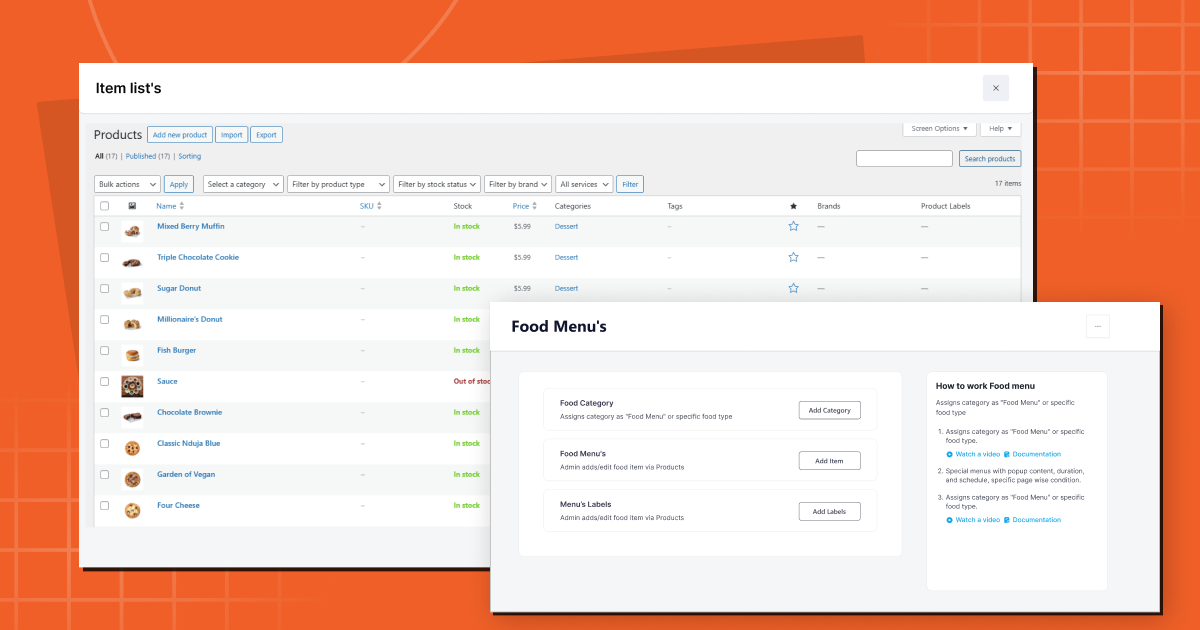
🍕 Food Menu Design
34+ Food Menu Templates
WPCafe offers 34+ pre-made layouts for creating a modern, responsive food menu using Gutenberg blocks, Elementor widgets, shortcodes, and more — no coding required.
Food Menu List Widget
Display your dishes in a clean, organized list view so customers can browse and add items to their cart quickly.
Food Menu Tab Widget
Organize your restaurant menu into category tabs — Breakfast, Lunch, Dinner, Drinks — for a smoother, faster ordering flow.
📅 Restaurant Reservation System
Single & Multiple Slot Reservation
A modern restaurant reservation system fully customizable for your schedule — for example, lunch reservations from 12:00–3:00 PM or dinner from 6:00–10:00 PM.
Seat Capacity & Guest Number Control
Set the maximum number of guests per reservation or time slot so your table booking system never allows overbooking.
Reservation Email Notifications
Automatically send confirmation, cancellation, and reminder emails to customers when their reservation status changes.
Customizable Reservation Form Builder
Build the reservation form your restaurant needs. Add custom fields and tailor the booking experience for your guests.
🚴 Food Pickup & Delivery Features
Weekly Delivery & Pickup Schedule
Define the exact days and hours your restaurant offers food delivery or pickup — so you only receive orders when your kitchen is ready.
Time Interval Selection
Let customers choose specific pickup or delivery time slots (e.g., every 15 or 30 minutes) for food delivery control and reduced kitchen pressure.
🛒 Floating Mini Cart
Quantity Picker
Customers can adjust item quantities directly in the minicart without navigating back to the menu — making the ordering experience faster.
Minicart Style and Icon
Customize your minicart for a branded WooCommerce food ordering experience with various cart icon styles.
Minicart Empty Button
Let customers clear their cart with a single click — especially useful for dine-in QR code sessions.
✨ Additional Free Features
Product Add-ons
Let customers customize their order with extras, toppings, and add-ons to increase average order value. See product addons →
Order Bump (Cross-sell at Checkout)
Suggest relevant items during checkout — when a customer orders a burger, suggest fries or a drink. A proven way to increase revenue per order.
Advanced Search & Filtering
Help customers find exactly what they want by filtering by category, ingredients, or dietary preferences — especially useful for large menus.
Detailed Sales Reports
Track revenue, best-selling dishes, and customer trends to make smarter menu and staffing decisions.
Shortcodes
Add your food menu, ordering button, or reservation form to any page with WPCafe shortcodes — no coding required.
WPCafe PRO — More Power, Automation & Control 🏆
The PRO version includes everything in the free version plus advanced features to help you scale your restaurant, automate operations, and deliver a premium customer experience.
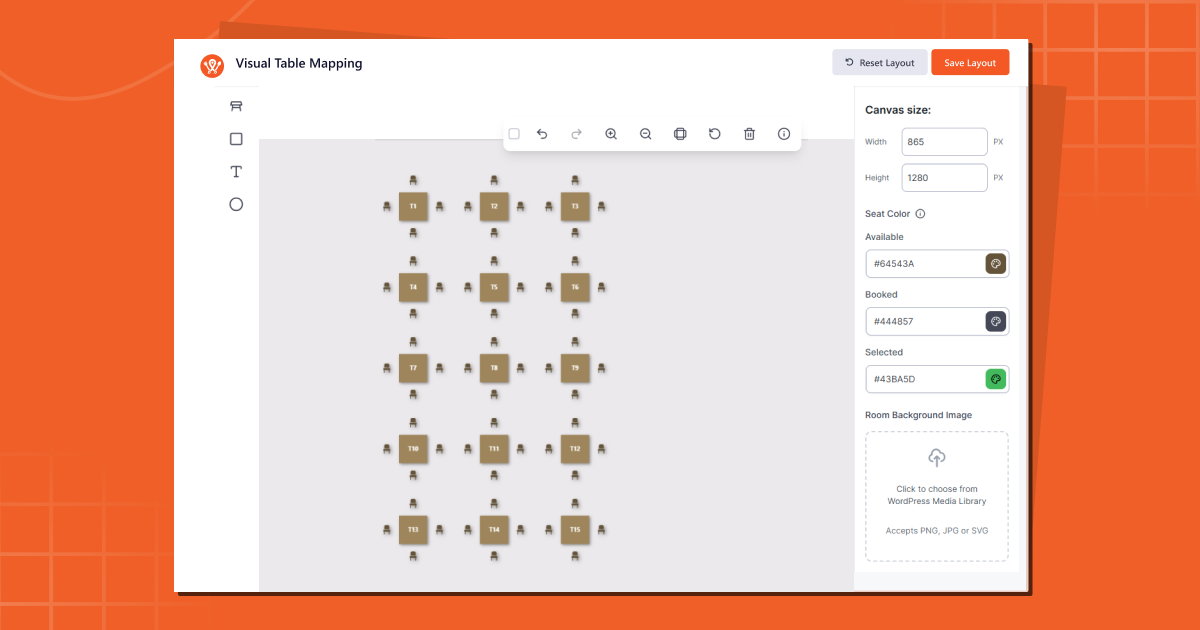
🖼️ Visual Interactive Table Reservation (Exclusive to WPCafe)
Limited WordPress restaurant plugin offers this. Design your restaurant’s floor plan visually — place tables, set capacities, and label sections. Customers browse your actual layout and choose exactly where they want to sit when booking.
📲 QR Code Ordering – Contactless Dine-In & Takeaway
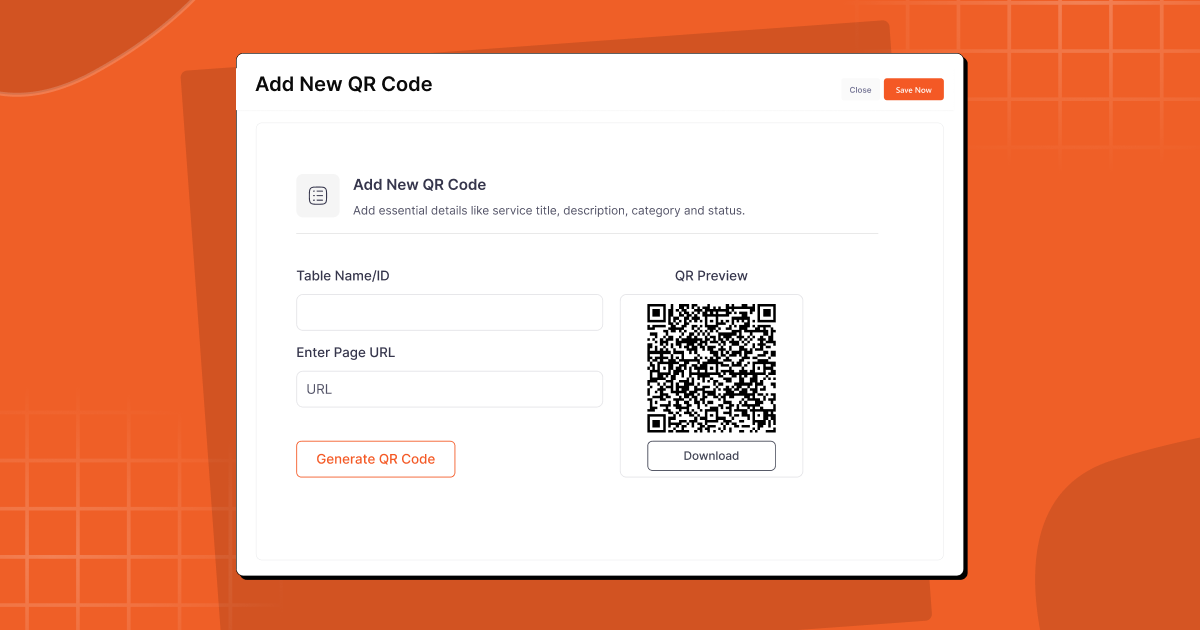
Generate QR codes for individual tables, the full menu, or your takeaway page. Guests scan with their phone, browse the menu, and order — fully contactless, no staff interaction required.
🍽 Advanced Food Menu Features
Menu of the Day
Highlight daily specials or best-selling dishes with a dynamic restaurant menu section that refreshes automatically.
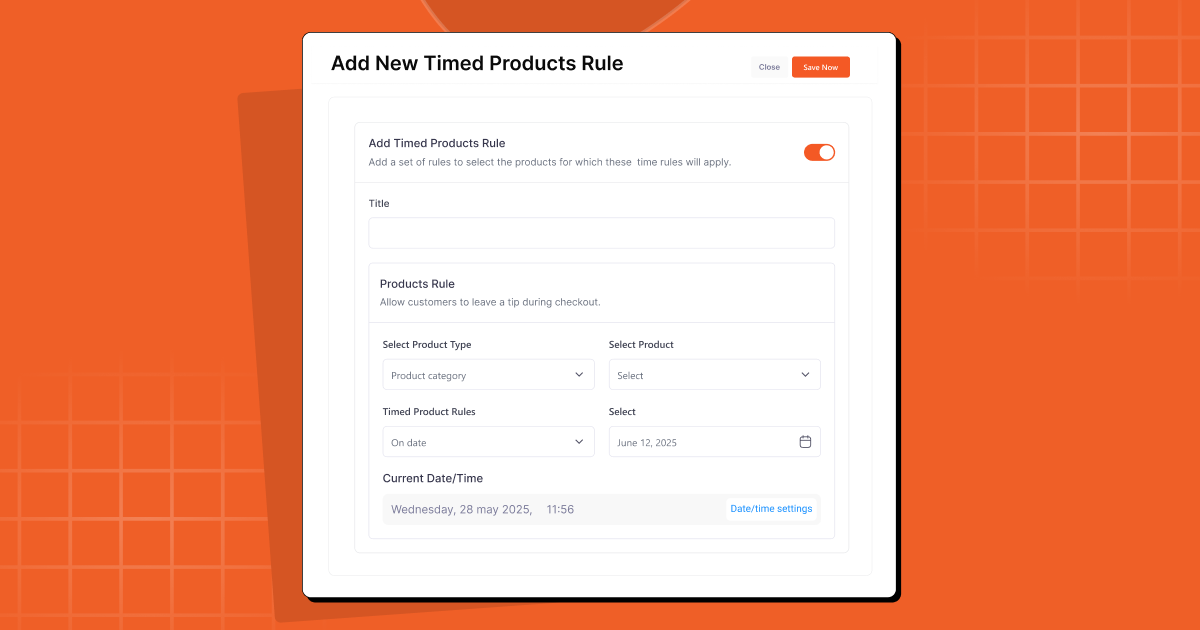
Menu Popup & Limited-Time Offers
Display timed popups to promote happy hours, seasonal specials, or events — converting browsing visitors into ordering customers.
Location-Based Food Menu
Show a different menu per branch or delivery zone — ideal for chains, franchises, and multi-concept restaurants.
📅 Advanced Reservation Features
Holiday & Special Event Scheduling
Create custom booking rules for holidays and special occasions — Valentine’s Day dinner, Mother’s Day brunch, or holiday banquets — without disrupting your regular schedule.
Food Pre-Ordering with Table Reservation
Let customers order their meal while booking their table. Your kitchen prepares in advance, improving table turnover and guest satisfaction.
Branch-Wise Seat Capacity Management
Set and automate seat availability for each branch. Bookings are blocked automatically when capacity is reached.
🍜 Advanced Online Food Ordering Features
Live Order Notifications with Sound & Visual Alert
Get instant audible alerts and pop-up notifications for every new order — your kitchen never misses an incoming request during peak hours.
Set Order Preparation Time
Communicate accurate wait times to customers for both delivery and pickup.
Minimum Order Amount
Set a minimum spend for delivery or pickup to protect order profitability.
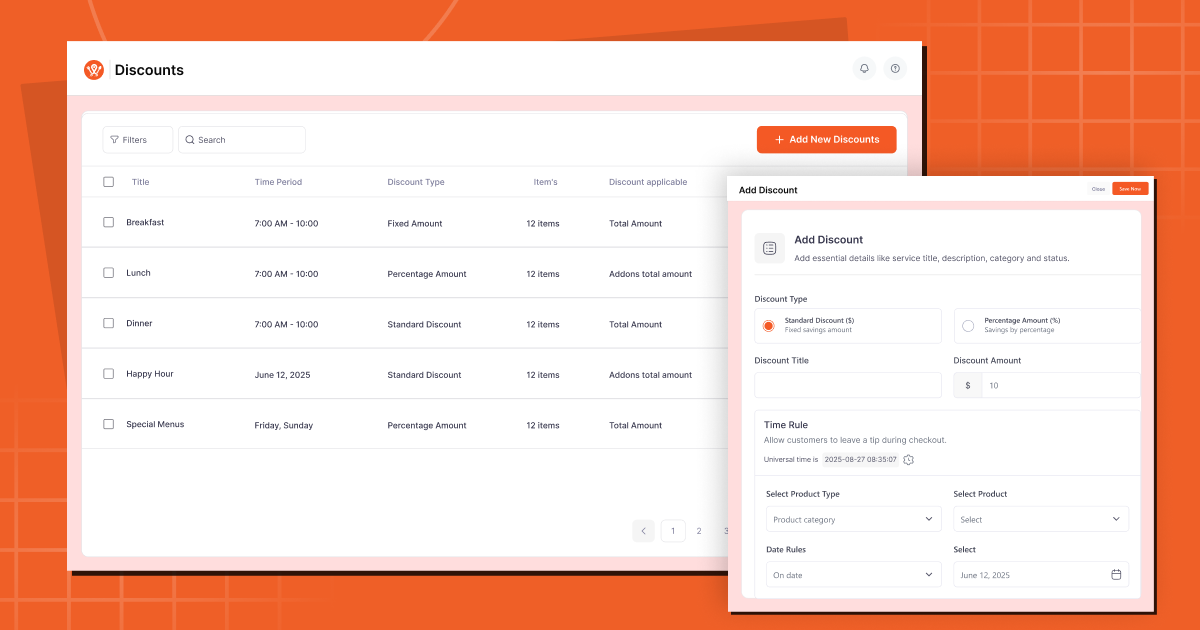
⚖️ Food Order Discounts & Promotions
- Percentage-based discounts on total orders or individual items
- Fixed-amount standard discounts
- Custom discount messages displayed at checkout
🚴 Enhanced Delivery & Pickup Features
Pickup & Delivery Time Interval Control — Set structured time slots to keep kitchen flow smooth and driver schedules manageable.
Holiday Availability Settings — Pause delivery or pickup on specific dates while keeping future ordering open.
Google Maps Autocomplete — Speed up checkout by letting customers confirm their delivery address automatically.
Pickup/Delivery Custom Messages — Add instructions or notes at the checkout stage for a better customer experience.
Percentage & Flat Tip Options — Offer tipping at checkout for both delivery and dine-in.
🏪 Multi-Vendor Restaurant Marketplace
Turn your WordPress site into a food delivery marketplace where multiple restaurant vendors operate independently — each with their own menu, delivery zones, orders dashboard, and product control — with centralized admin oversight for you. Powered by Dokan Multi-vendor integration.
🎁 Loyalty Program for Repeat Customers
Run a restaurant loyalty program that rewards returning diners with points, discounts, or exclusive offers — built directly into WordPress, no third-party app required.
✳️ Extra PRO Features
- RTL language support (Arabic, Hebrew, and other right-to-left scripts)
- Thermal printer integration for kitchen order tickets
- Deposit & partial payment support (Deposet integration)
- Bit Integrations & Bit Flows for advanced workflow automation
- Zapier and Pabbly for connecting external apps and automating restaurant workflows
Integrationen
➕ WooCommerce — The foundation of WPCafe’s online food ordering system. All payments, checkout, and orders run through WooCommerce.
➕ Elementor Page Builder — Dedicated food menu widgets and reservation widgets available directly in the Elementor editor.
➕ Gutenberg (Block Editor) — Native Gutenberg blocks for food menus, ordering buttons, reservation forms, and location selectors. Learn more →
➕ Divi Page Builder — Customize your restaurant menu with Divi without switching themes.
➕ Oxygen Page Builder — Full visual design control over your restaurant website from header to footer.
➕ Dokan Multi-Vendor — Build a multi-vendor food marketplace with WPCafe and Dokan.
➕ Bricks Builder — Compatible with Bricks Builder for visual restaurant website design.
➕ Zapier — Connect WPCafe to thousands of apps to automate ordering workflows and notifications.
➕ Pabbly — Automate restaurant workflows from order alerts to customer follow-up emails.
➕ Bit Integrations & Bit Flows — Connect WPCafe with hundreds of tools and create multi-step automation workflows for complex restaurant operations.
➕ OpenStreetMap — Delivery zone mapping without requiring a Google Maps API key.
Trusted and Featured by WordPress Industry Leaders
- Elegant Themes: “Complete restaurant management plugin for WordPress that offers a full range of features to help manage virtually every aspect of a food business.”
- WPLeaders: “Besides food ordering, WP Cafe also gives you the ability to create beautiful responsive restaurant menus for your website. The menus are highly customizable and let you set food availability based on location.”
- ThemeGrill: “Complete food menu, restaurant reservation, food delivery and pickup for WooCommerce.”
Support and Documentation
- Documentation: support.themewinter.com/docs/plugins/docs/wp-cafe/
- Support Forum: wordpress.org/support/plugin/wp-cafe/
- Feature Roadmap: themewinter.com/wpcafe-roadmaps/
Gemeinschaft
- Join the Facebook Community Group
- Watch tutorials on the YouTube Channel
- Leave a review on WordPress.org
- Rate us on Trustpilot
More Plugins from the WPCafe Team
- Eventin — AI-powered event management and ticket selling for WordPress.
- WP Timetics — AI-powered appointment scheduling with visual seat arrangement.
- Booktics — Free all-in-one online booking solution for service businesses.
- Poptics — Popup builder for WordPress designed to increase leads and conversions.
Visit ThemeWinter for more WordPress tools, restaurant tips, and marketing guides.
Installation
From the WordPress Plugin Directory (Recommended)
- Go to Plugins > Add New in your WordPress admin.
- Search for “WPCafe”.
- Click Install Now, then Activate.
Manuelle Installation
- Download the WPCafe plugin zip file.
- Go to Plugins > Add New > Upload Plugin.
- Upload the zip file and click Install Now, then Activate.
Setting up WPCafe in 6 steps
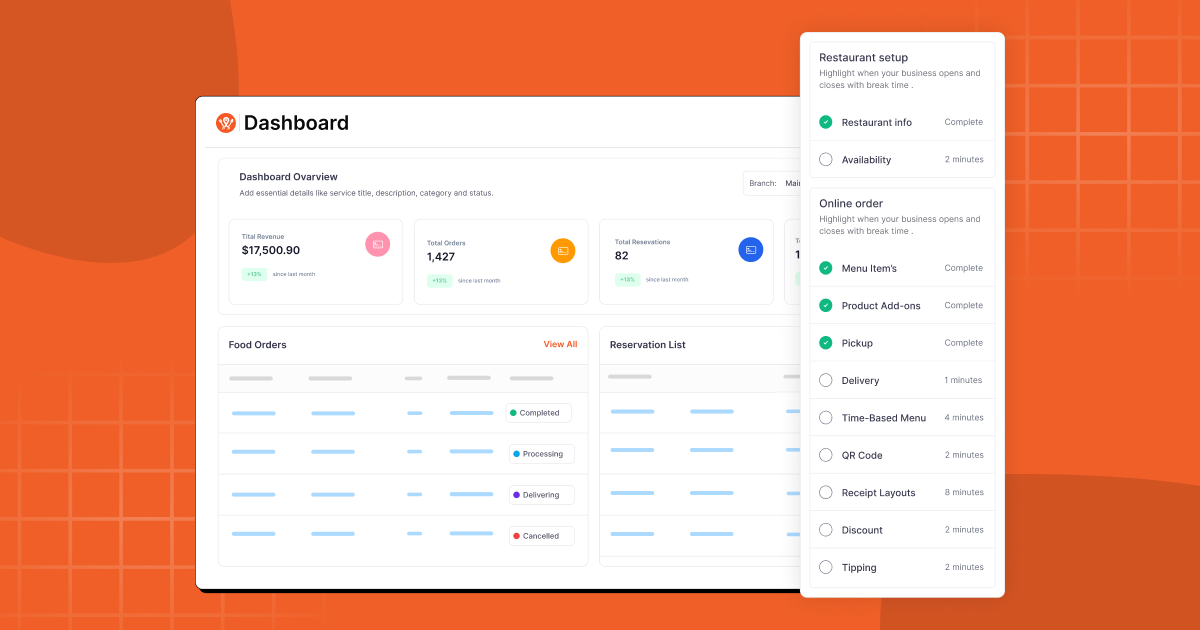
- Install WPCafe — WooCommerce will be detected automatically or prompted for installation if not already active.
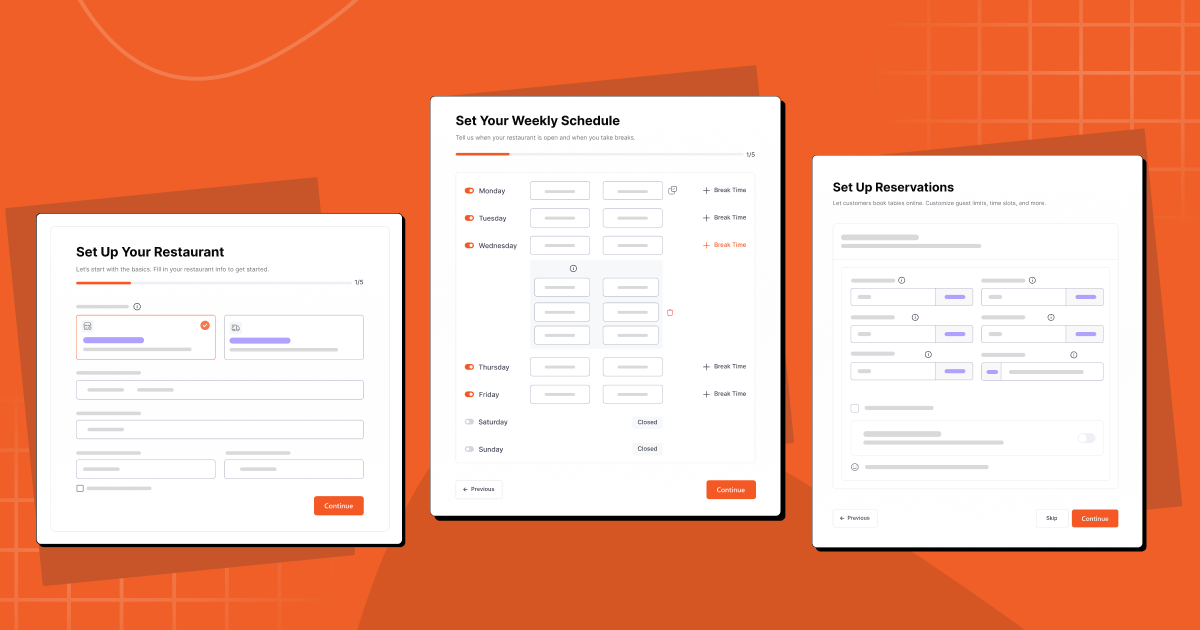
- Run the setup wizard — Enter your restaurant name, address, cuisine type, and opening hours.
- Add your food menu — Create menu categories and add dishes with photos, descriptions, prices, and add-on options.
- Configure delivery & pickup — Set your delivery zones, available days and time slots, minimum order amounts, and holiday schedules.
- Set up table reservations — Configure your reservation schedule, seat capacity, and automated email notifications.
- Publish and go live — Add your ordering button and reservation form to any page using shortcodes or Gutenberg blocks.
Note: WooCommerce is required for online food ordering functionality. It is free and will be prompted during setup if not already installed.
Änderungsprotokoll
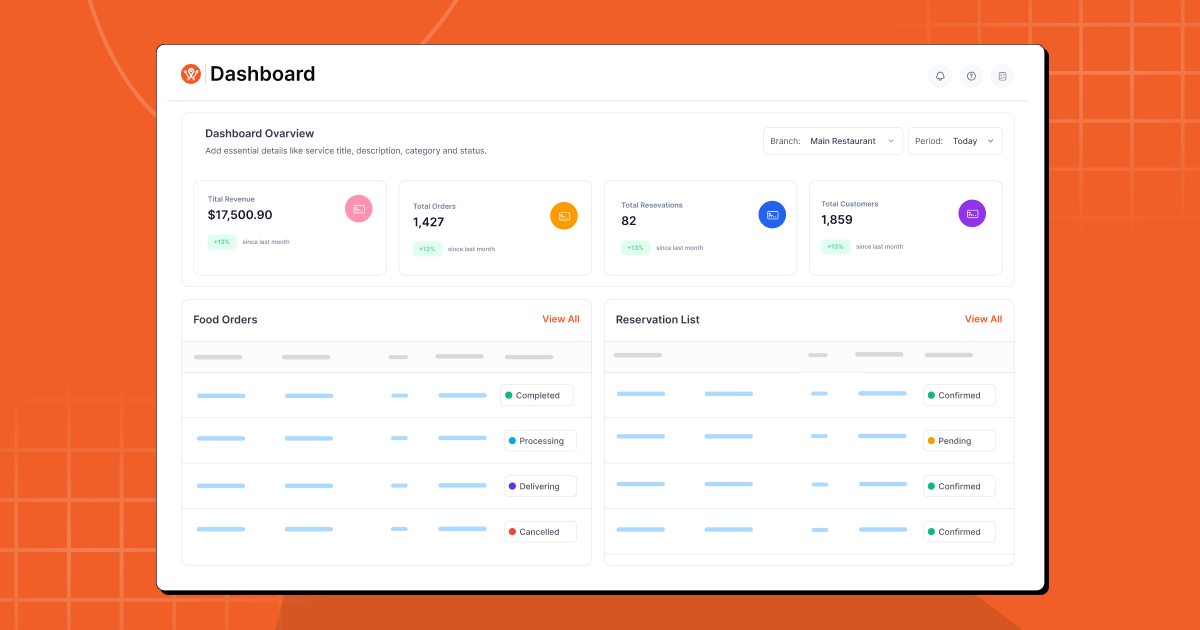
WPCafe 3.0 is a major release. New features include multi-vendor support, visual table reservation builder, QR code ordering, email automation, OpenStreetMap integration, and a redesigned admin dashboard. Back up your site before upgrading.
3.1.0 (November 22, 2026)
New: Reservation – Reservations Overview page with number cards and a busiest-times heatmap.
New: Reservations List – Calendar view integrated.
New: Reservation form styling – Change inputs, labels, buttons, colors, borders, spacing and layout without CSS, with desktop, tablet and mobile preview.
New: Reservation pauses – Pause bookings for all or some branches, now or on a schedule. Bookings open again when the pause ends.
Tweak: Reservation Form – Booking form asks for guests first and crosses out times with no free table.
Tweak: Reservation – Area and table names show after booking, in emails and in the admin preview.
Tweak: Settings – “Total Guests” stays on while “Select table” is on.
Fix: Reservation Form – “Until?” now lists only times after the start time.
Fix: Reservation List – Refunded orders broke the Orders list on the staff page.
Fix: Payment – Guests could not pay with WooCommerce when Dokan is active.
3.0.24 (November 14, 2026)
Security: Improved security for reservations.
3.0.23 (October 19, 2026)
Improvement: Reservations – the booking form loads faster.
Improvement: Food Menu – menu and ordering pages load faster.
Tweak: AI Assistant – shows free AI credits instead of a token count.
Fix: Reservations – the booking form no longer crashes or loses details in some theme templates.
Fix: Reservations – field validation messages can now be fully translated.
Security: Settings – improved protection for saved settings.
3.0.22 (October 12, 2026)
New: Customer Accounts – optional account creation and automatic sign-in for booking customers.
New: Pointics – earn loyalty points on table reservations.
New: Pointics – spend points on reservations paid at the restaurant.
New: Pointics – reward customers for referring friends who book a table.
New: Food Menu – optional Pointics rewards badges beneath product prices.
Improvement: Performance – faster page loads and settings checks.
Tweak: Compatibility – minimum PHP requirement corrected to 8.0.
Fix: QR Ordering – table information is saved on orders placed through block checkout.
Fix: Reservations – pay-at-restaurant bookings no longer add fees to later food orders.
Fix: Reservations – all selected food items appear in booking details, totals and checkout.
Fix: Reservations – status emails are sent only when the booking status changes.
Fix: Settings – reservation schedules save correctly when daily order limits are blank.
Fix: Settings – booking fees accept zero and retain decimal amounts.
3.0.21 (September 30, 2026)
Tweak: Improved Oxygen Builder compatibility.
Fix: Improved settings saving reliability.
Security: Improved protection for product information.
3.0.20 ( September 22, 2026 )
Improvement: Security – Security hardening for the food menu templates.
Improvement: Admin – live order and reservation alerts with sound now show on every admin page.
Improvement: Addons – installing an addon now installs and activates its required plugin automatically.
Fix: Reservation – site no longer crashes on the reservation form when WooCommerce is inactive.
Fix: Reservation – changing a status in the reservation list no longer opens the edit page.
Fix: Elementor – style controls now apply to the new food menu card styles.
Fix: Themes – reservation form and mini cart keep their layout on more themes.
Screenshots
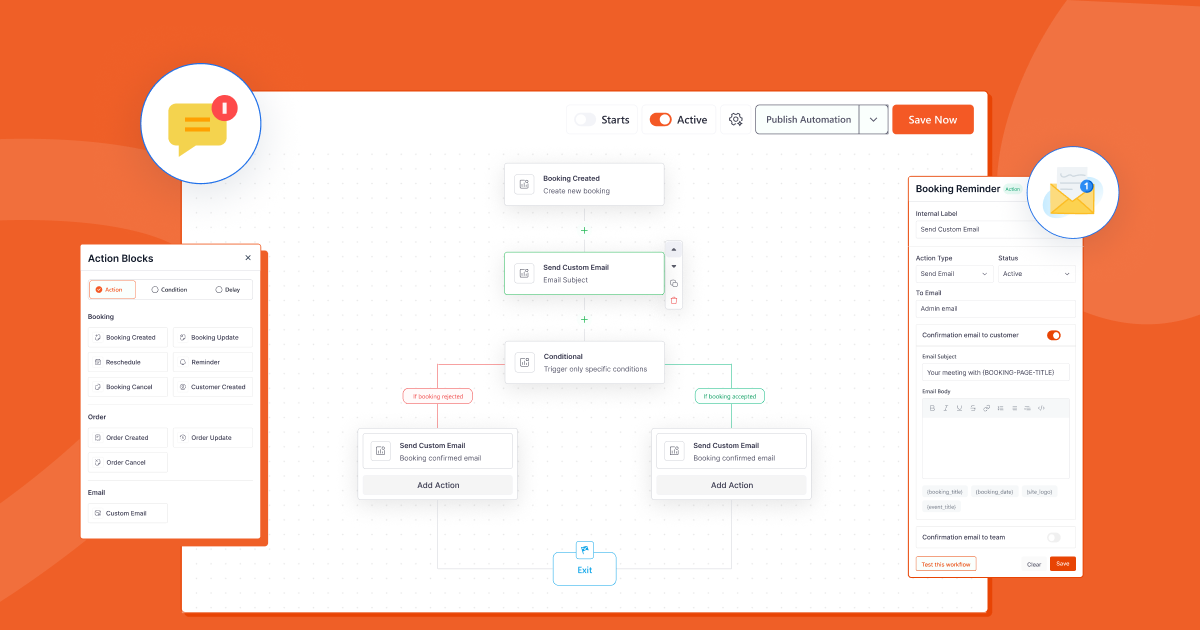
Für Entwickler
Ist das dein Plugin? Zeigen Sie die Zahlen.
Fügen Sie Ihrer Website, Docs oder GitHub Readme ein Live-Badge hinzu. Es wird von selbst aktualisiert - kein Konto erforderlich.
Best WPCafe alternatives
All booking plugins →





Fragen und Antworten
WPCafe: quick answers
Gerade Antworten, gezogen von Live WordPress.org Daten.
Quelle: WordPress.org
Is WPCafe free?
Yes. WPCafe is free to download and use from the official WordPress.org plugin directory.
Is WPCafe safe to use in 2026?
Yes — WPCafe is a safe, well-maintained plugin to use in 2026. It runs on 5K+ sites, is rated 4.6/5 and was last updated 1 week ago, and scores 91/100 on our health check.
How many websites use WPCafe?
WPCafe is active on 5K+ WordPress websites and has been downloaded 321,252 times since it launched in May 2020. It was downloaded 8,478 times in the last 30 days.
Does WPCafe work with WordPress 7.1?
Yes. The developer has tested WPCafe up to WordPress 7.1.5, the latest release. It requires WordPress 6.2 or newer.
What PHP version does WPCafe need?
WPCafe requires PHP 8.0 or higher. Most hosts run PHP 8.x today, so it works on any modern WordPress hosting.
When was WPCafe last updated?
The latest version, 3.1.0, was released on November 22, 2026 (1 week ago).
Who makes WPCafe?
WPCafe is developed and maintained by Arraytics.
What are the best alternatives to WPCafe?
The most popular alternatives to WPCafe are Booking for Appointments an… (90K+ installs), Online Scheduling and Appoi… (60K+ installs) and Simply Schedule Appointments (50K+ installs).
Angetrieben von PageForge
Eine Vorlage und eine Tabelle. Eine echte Seite für jede Suche.
PageForge Verwandelt jede Zeile eines CSV in eine WordPress-Seite mit eigenem Titel, URL, SEO Felder und Schema entworfen. Kostenlos auf WordPress.org.
- CSV und XLSX, plus Google Sheets auf Beruf und Unternehmen
- seinen eigenen Titel, URL, SEO Felder und Schema für jede Seite
- Arbeitet mit dem Blockeditor, Elementor, Divi und Avada
- Kostenlos auf WordPress.org, keine Kreditkarte