


EMC – Embed Calendly Scheduling With Ease
Embed Calendly scheduling features in WordPress and optimize your booking flow with custom design, availability indicator, and conversion tools.

Solide Wahl
EMC is a solid plugin choice in 2026, with a few things worth checking first. It runs on 10K+ sites, is rated 4.8/5 and was last updated 3 days ago, and scores 73/100 on our health check.
- Bewährt im Maßstab auf 10k + aktiven Standorten
- Aktiv entwickelt – letztes Update vor 3 Tagen
- Getestet mit dem neuesten WordPress (7.1)
Wie stapelt es sich?
Side-by-side bei Installationen, Updates, Bewertungen und Support



Tägliche Downloads
Download-Spitzen folgen normalerweise einer neuen Version - jede Website, die automatisch aktualisiert wird, gilt als Download.
Ranglisten
Where EMC stands todayWordPress.org Ranglisten suchen
Live-Position in der Plugin-Suche, Top 100| Stichwort | Position |
|---|---|
| appointment | #48 |
| booking | >100 |
| Calendly | #1 |
| Ablaufplanung | #1 |
Versionsübernahme
Anteil aktiver Sites pro Release.
Bewertungsaufschlüsselung
★★★★★★★★★★ 4.8 from 14 reviews
About EMC
From the official readme · v6.0Beschreibung
EMC Scheduling Manager makes it easy to embed Calendly scheduling pages into your WordPress website.
EMC is designed not only to embed scheduling pages, but also to help businesses improve booking completion and understand how visitors interact with their scheduling pages.
Add Calendly booking forms anywhere on your site using a simple shortcode. Display your scheduling page inline, open it in a popup, or trigger it from a button — all without writing code.
Whether you’re a consultant, coach, agency, or business owner, this plugin helps you turn website visitors into scheduled meetings quickly and easily.
Upgrade to EMC Pro to unlock powerful tools for tracking bookings, improving conversion, upsell rates, and managing scheduling workflows more efficiently.
Kostenlose Versionsfunktionen
The free version includes everything you need to start embedding Calendly scheduling pages in WordPress:
- Import Calendly event types directly into WordPress
- Embed scheduling pages with a shortcode
- Inline embed, popup button, and popup text widgets
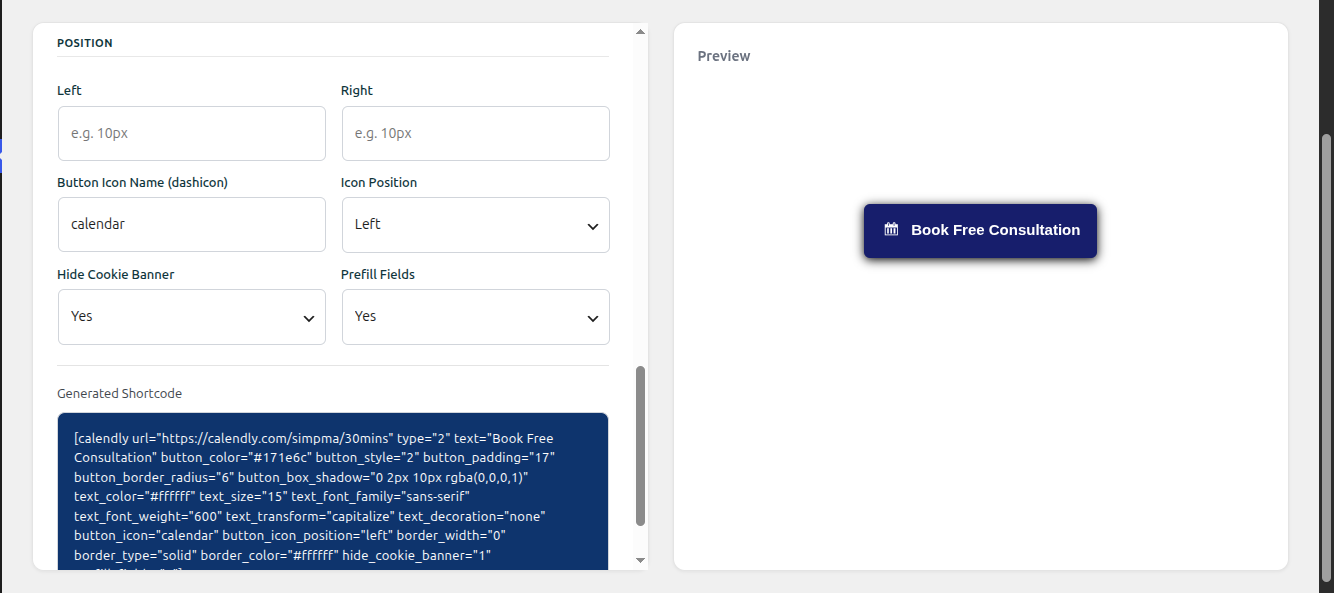
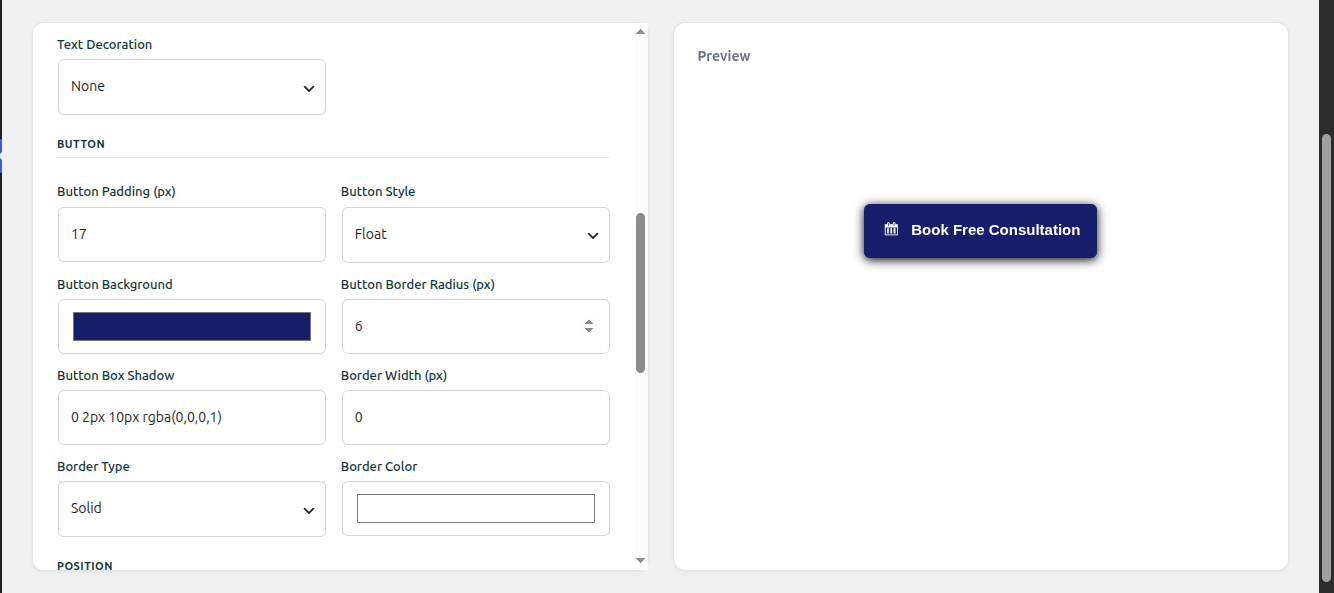
- Visual widget customizer to generate embed shortcodes
- Prefill booking fields for logged-in users
- Customizable embed appearance
- Quick setup with no coding required
Perfect for anyone who simply wants to add a Calendly booking widget to WordPress.
Pro Version Features (Advanced Scheduling Tools)
EMC Pro expands the plugin from a simple embed solution into a booking optimization toolkit, helping you create custom booking widget design, increase completed bookings and understand what drives scheduling activity.
Advanced Customizer
- Customize the booking widget to match your site’s design
- Add custom CSS for greater control over buttons, fonts, colors, spacing, borders, hover states, and positioning
- Control the widget’s position instead of being limited to the default bottom-right placement
Business Integrations & Marketing Tracking
- WooCommerce integration for booking after purchase
- Redirect users after scheduling to custom pages
- Track marketing campaigns Pass common UTM parameters like utm_source, utm_medium, utm_campaign, utm_content, and utm_term directly to your booking pages.
- CRM-friendly leads Integrate booking data with your CRM to see exactly which campaigns are converting into booked calls.
Scheduling Workflow Tools
- View and manage bookings from your WordPress dashboard
- Send automated and manual email reminders from WordPress
Analytics & Booking Insights
- Track booking activity and engagement
- Know which pages drive appointments and growth.
- Export analytics data for reporting
Advanced Embedding Features
- Dynamic embed options for flexible booking layouts
- Enhanced shortcode customization
- Elementor integration
EMC Pro helps turn your booking widget into a powerful scheduling and conversion tool.
Upgrade to EMC Pro to unlock powerful features designed to help you increase bookings and manage scheduling more effectively.
Installation & Setup
After installing EMC Scheduling Manager:
- Connect your Calendly account using the API Key settings.
- Make sure all required API configurations and permissions are accepted when generating your Calendly API key.
- Save your API settings.
- Run a sync to confirm that your Calendly data is being imported correctly.
- Use basic/advanced customizer to configure your scheduling settings.
Shortcode
To simply embed a scheduling page, use:
[calendly url="https://calendly.com/example/call" type="1"]
Example with customization:
[calendly url="https://calendly.com/example/call" type="2" text="Book Now" text_color="#ffffff" text_size="14" button_style="1" button_size="1" button_color="#2694ea" branding="false" hide_details="false"]
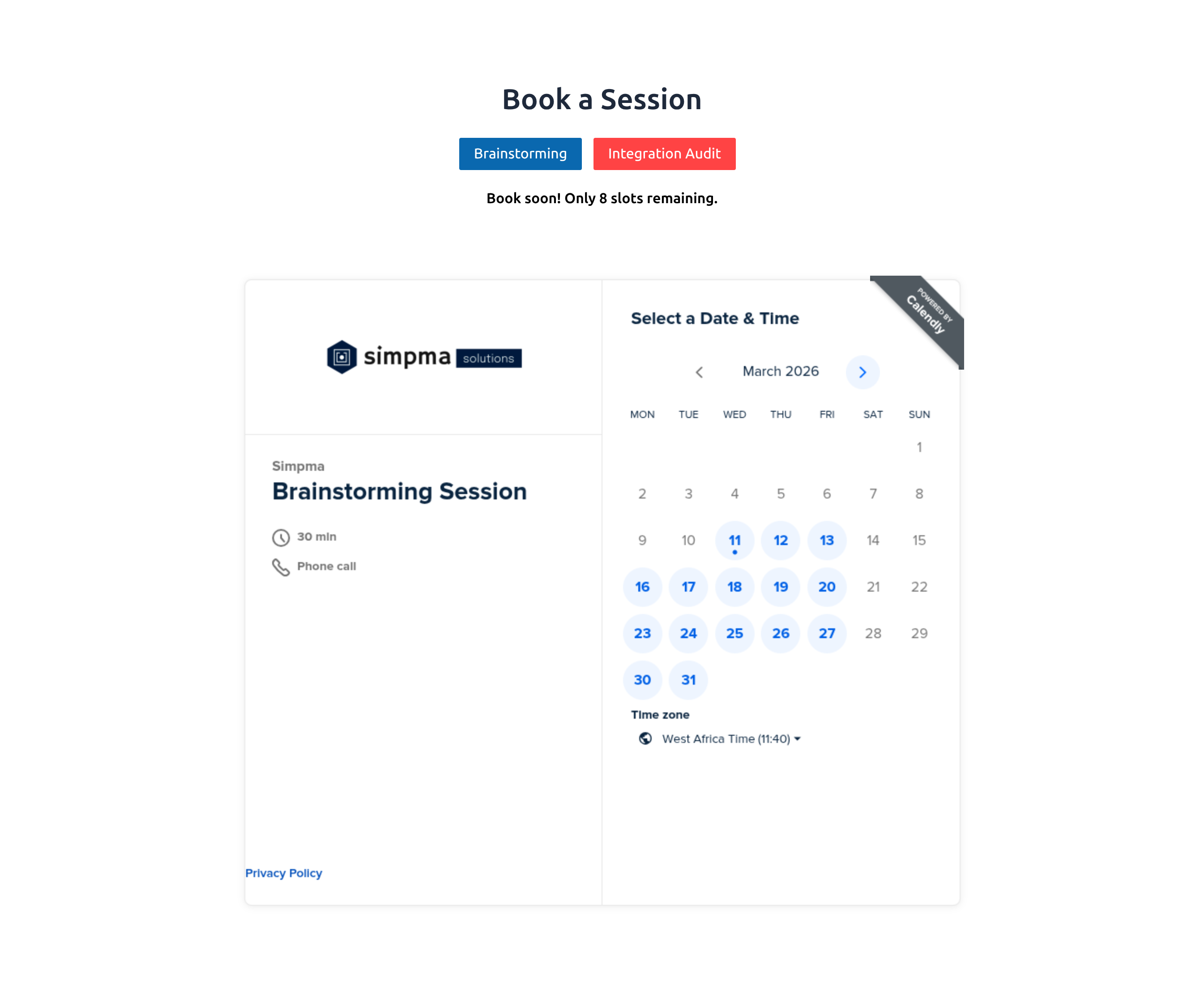
Use the dynamic embedder when you want to display multiple Calendly event types on a single page, allowing visitors to switch between them without reloading the page.
[calendly_dynamic_embedder url="https://calendly.com/example/call" form_height="600px"]
(Pro Feature) Make your embed widget fit your existing design
style_class– Custom CSS class to match your theme’s design
(Pro Feature) Customize your dynamic embedder with these options
form_height– Calendar heightstyle– 1 for Horizontal tab display, 2 for Vertical tab displaytab_color– Tab colortab_active– Active tab colortext_color– Text colortext_size– Text sizeshow_slots– 1 Yes, 0 Noslots_max– Maximum slots availableslots_text– Eg “Only %d slots left” where %d is automatically replaced with booking slots left
(Pro Feature) Display your availability slots with
[calendly_slots url=”https://calendly.com/example/call”] or [calendly_dynamic_embedder show_slots=”1″]
(Pro Feature) Customize how your availability slots is displayed with
text– Eg “Only %d slots left” where %d is automatically replaced with booking slots lefttext_color– Text colortext_size– Text sizemax_slots– Maximum slots available
New Availability Shortcode (Free Version)
The free version now includes the [calendly_availability] shortcode to display your weekly availability as readable text.
[calendly_availability theme="default" text_color="#cc3366"]
Example output:
“Available on Monday(8am-5pm), Tuesday(9am-5pm), Wednesday(2pm-8pm) …”
Parameters
theme– “default” (inline text). Additional themes are reserved for Pro.text_color– Hex color applied as an inline text style to the rendered availability text.
Customization
Use the Widget Customizer under Dashboard > EMC > Customizer or configure the shortcode manually.
Available Options
-
type- 1 – Inline embed
- 2 – Popup button
- 3 – Popup text
-
url– Calendly scheduling page URL text– Button or link text
Custom CSS
The Advanced Customizer allows you to further customize the appearance and positioning of your booking widget using CSS.
You can customize:
- Text color, size, font family, and weight
- Inline or floating button display
- Button borders, border radius, and icon
- Button and text colors
- Spacing and sizing
- Hide or show branding
- Hide or show cookie banner
- Page URL to redirect users to after booking completion
- Other widget elements using CSS selectors
Built for Booking Conversion
EMC Scheduling Manager is designed to do more than embed scheduling pages:
- Encourage faster decisions with limited availability indicators (Pro)
- Present multiple booking options without overwhelming visitors (Pro)
- Track how visitors interact with scheduling widgets (Pro)
- Optimize booking flows using real usage data (Pro)
If scheduling is part of your sales or lead generation process, EMC Pro helps you optimize your booking flow for conversion.
Why Use EMC Scheduling Manager
Designed for consultants, coaches, agencies, and business that rely on scheduled calls to generate leads & sales.
- Turn website visitors into scheduled meetings by embedding your scheduling pages directly inside WordPress.
- Reduce booking friction with inline widgets, popup buttons, and customizable scheduling layouts.
- Increase booking completion rates by displaying limited availability (e.g. “Only 3 slots left”), encouraging faster decisions while remaining transparent.
- Keep visitors on your website while they book, improving engagement and reducing drop-offs.
- Offer multiple meeting options on one page using dynamic embeds so visitors can quickly choose the right event.
- Upgrade to Pro to unlock booking insights, and conversion tools that help you understand and grow your scheduling activity.
Start with the free version and upgrade to EMC Pro when you’re ready to unlock advanced scheduling features.
Popular Use Cases
EMC is used by professionals and businesses that rely on scheduled meetings to generate leads, sales, or revenue:
- Consultants & coaches offering paid or free strategy calls
- Agencies booking discovery calls and client onboarding sessions
- Freelancers managing availability without email back-and-forth
- Online educators scheduling 1:1 sessions or onboarding calls
- WooCommerce store owners linking products to post-purchase booking flows
Upgrade to Pro to unlock advanced customizer, analytics, availability tracking, and booking optimization features.
Disclaimer
This plugin is an unofficial integration for embedding Calendly scheduling pages in WordPress and is not affiliated with or endorsed by Calendly.
The free version may display optional promotional notices in the WordPress admin dashboard. These notices can be dismissed using the “Don’t show again” option.
You can also disable them using the following filter:
add_filter('emcs_promotions', 'emcs_show_promotions');

function emcs_show_promotions() {
    return false;
}
Änderungsprotokoll
6.0 – 17-11-2026
- Added [calendly_availability] shortcode for displaying weekly availability summary
- Tested & ensured compatibility with the latest WordPress version
5.9 – 23-09-2026
- Added support for EMC Pro advanced customizer
- Tested & ensured compatibility with the latest WordPress version
5.8 – 27-08-2026
- Ensured event type sync is backward compatible
- Tested & ensured compatibility with the latest WordPress version
5.7 – 16-07-2026
- Tested & ensured compatibility with the latest WordPress version
5.6 – 01-06-2026
- Improved inline popup button styling
- Tested & ensured compatibility with the latest WordPress version
5.5 – 29-04-2026
- Improved compatibility with older PHP versions
Screenshots



Für Entwickler
Ist das dein Plugin? Zeigen Sie die Zahlen.
Fügen Sie Ihrer Website, Docs oder GitHub Readme ein Live-Badge hinzu. Es wird von selbst aktualisiert - kein Konto erforderlich.
Best EMC alternatives
All appointment plugins →





Fragen und Antworten
EMC: quick answers
Gerade Antworten, gezogen von Live WordPress.org Daten.
Quelle: WordPress.org
Is EMC free?
Yes. EMC is free to download and use from the official WordPress.org plugin directory.
Is EMC safe to use in 2026?
EMC is a solid plugin choice in 2026, with a few things worth checking first. It runs on 10K+ sites, is rated 4.8/5 and was last updated 3 days ago, and scores 73/100 on our health check.
How many websites use EMC?
EMC is active on 10K+ WordPress websites and has been downloaded 444,235 times since it launched in October 2020. It was downloaded 10,184 times in the last 30 days.
Does EMC work with WordPress 7.1?
Yes. The developer has tested EMC up to WordPress 7.1.5, the latest release. It requires WordPress 4.6 or newer.
What PHP version does EMC need?
EMC requires PHP 7.4 or higher. Most hosts run PHP 8.x today, so it works on any modern WordPress hosting.
When was EMC last updated?
The latest version, 6.0, was released on November 17, 2026 (3 days ago).
Who makes EMC?
EMC is developed and maintained by Simpma.
What are the best alternatives to EMC?
The most popular alternatives to EMC are Easy Appointments (10K+ installs), Appointment Hour Booking (10K+ installs) and Booking Package (10K+ installs).
Angetrieben von PageForge
Eine Vorlage und eine Tabelle. Eine echte Seite für jede Suche.
PageForge Verwandelt jede Zeile eines CSV in eine WordPress-Seite mit eigenem Titel, URL, SEO Felder und Schema entworfen. Kostenlos auf WordPress.org.
- CSV und XLSX, plus Google Sheets auf Beruf und Unternehmen
- seinen eigenen Titel, URL, SEO Felder und Schema für jede Seite
- Arbeitet mit dem Blockeditor, Elementor, Divi und Avada
- Kostenlos auf WordPress.org, keine Kreditkarte