

Visibility Control for MasterStudy
Visibility Control for MasterStudy LMS helps you hide messages and content for specific criterion anywhere on your WordPress page.

Betrachten Sie eine Alternative
Visibility Control for MasterSt… shows warning signs in 2026 — compare the alternatives below before installing. It runs on 30+ sites and was last updated 1 year ago, and scores 33/100 on our health check.
- Kleine Benutzerbasis (30+ aktive Installationen)
- Bisher sehr wenige Bewertungen
- Kein Update in über einem Jahr
- Nur getestet bis WordPress 6.8 (letzt ist 7.1)
Wie stapelt es sich?
Side-by-side bei Installationen, Updates, Bewertungen und Support



Tägliche Downloads
Download-Spitzen folgen normalerweise einer neuen Version - jede Website, die automatisch aktualisiert wird, gilt als Download.
Ranglisten
Where Visibility Control for Mast… stands todayWordPress.org Ranglisten suchen
Live-Position in der Plugin-Suche, Top 100| Stichwort | Position |
|---|---|
| elearning | #83 |
| hide content | >100 |
| Hide Message | >100 |
| lms | >100 |
| masterstudy | #28 |
Versionsübernahme
Anteil aktiver Sites pro Release.
About Visibility Control for MasterStudy
Aus der offiziellen Readme · V1.0Beschreibung
Visibility Control for MasterStudy helps you hide messages and content for specific criterion anywhere on your WordPress page.
You can show/hide HTML elements, menus, and other details based on:
1. User’s access to a particular MasterStudy LMS Course,
2. User’s course completion status of a particular MasterStudy LMS Course, Or
3. User is Logged In or Logged Out.
4. User’s role.
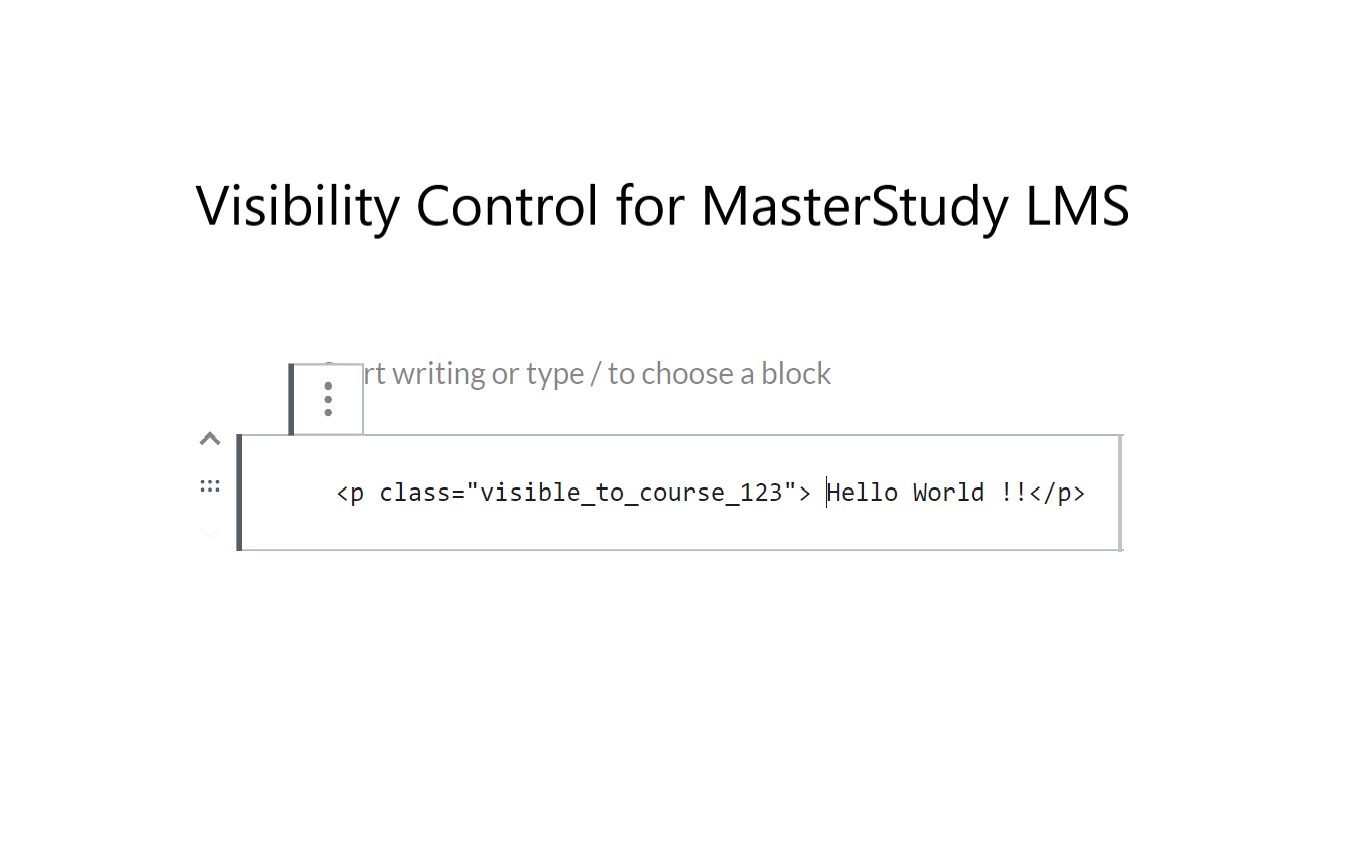
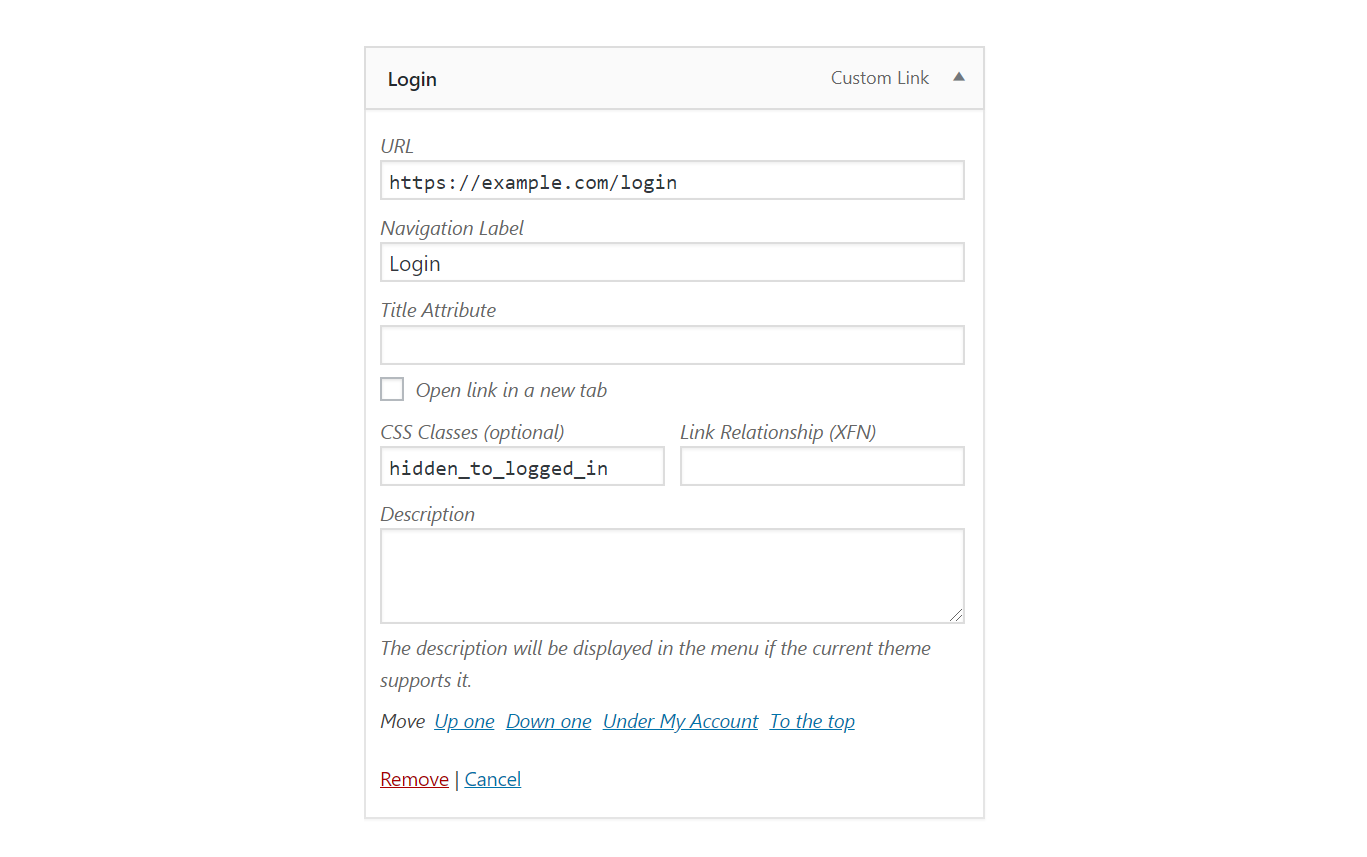
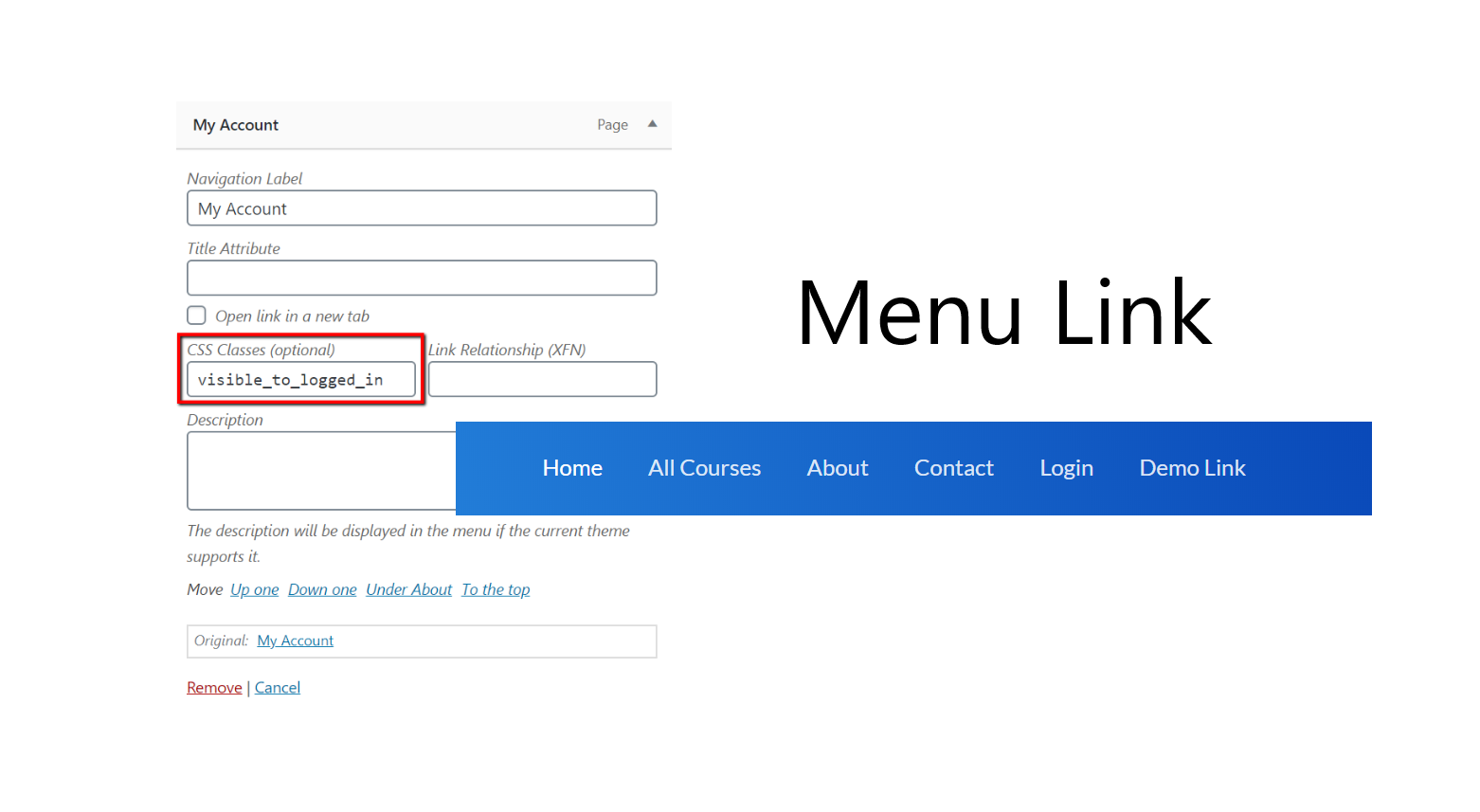
You simply need to add a CSS class to your element div or span. As explained here:
Beispiel:
Login/Logout Status:
- To show the element/menu item to a logged-in user, add this CSS class: visible_to_logged_in OR hidden_to_logged_out
- To hide the element/menu item from a logged-in user, add this CSS class: visible_to_logged_out OR hidden_to_logged_in
For user’s role:
* To show the element/menu item to a user will role administrator, add this CSS class: visible_to_role_administrator OR hidden_to_role_administrator
* Note: To show an element to multiple specific roles only, you need add the element multiple times, one for each role. To hide an element/menu from specific multiple roles only you can add the element once add multiple classes to the same element.
If Course ID is 123
- To show the element/menu item to user with access to above Course, add this CSS class: visible_to_course_123
- To hide the element/menu item from user with access to above Course, add this CSS class: hidden_to_course_123
- To show the element/menu item to a logged-in user, add this CSS class: visible_to_logged_in OR hidden_to_logged_out
- To hide the element/menu item from a logged-in user, add this CSS class: visible_to_logged_out OR hidden_to_logged_in
For a course completion status, if Course ID is 123:
- To show the element/menu item to user who completed above course, add this CSS class: visible_to_course_complete_123
- To hide the element/menu item from user who completed above course, add this CSS class: hidden_to_course_complete_123
- To show the element/menu item to user who has not completed above course, add this CSS class: visible_to_course_incomplete_123
- To hide the element/menu item from user who has not completed above course, add this CSS class: hidden_to_course_incomplete_123
Mechanism of Functioning
- Multiple CSS Classes: If multiple visibility control classes are added, ALL of them must meet the criterion to keep the element visible. If any one of them hides the element, it will be hidden. For example: visible_to_course_123 visible_to_course_124 will show the element only to those who have access to both courses.
- Hidden data/elements reaches the browser. Though user’s do not see it.
- CSS is added to the page for all CSS elements that needs to be hidden based on above rules.
- After page is loaded. These elements are removed from page using jQuery (if available), so it won’t be available on Inspect.
- Elements rendered after the page load are hidden but not removed from DOM/page.
Future Development
Depending on the interest in this feature, we will decide on adding a shortcode and/or a Gutenberg Block to achieve this feature.
Other Visibility Control Plugins:
– Visibility Control for LearnDash LMS
– Visibility Control for WP Courseware LMS
– Visibility Control for LearnPress LMS
– Visibility Control for LifterLMS
– Visibility Control for TutorLMS
– Visibility Control for Sensei LMS
– Visibility Control for WooCommerce
Related Plugins for MasterStudy LMS:
– Experience API for MasterStudy LMS
Installation
In diesem Abschnitt wird beschrieben, wie Sie das Plugin installieren und zum Laufen bringen.
z.B.
- Laden Sie die Plugin-Dateien in das
/wp-content/plugins/visibility-control-for-masterstudy-Verzeichnis hoch oder installieren Sie das Plugin über den WordPress-Plugin-Bildschirm direkt. - Aktivieren Sie das Plugin über den Bildschirm „Plugins“ in WordPress
- Add the CSS classes to your HTML elements or Menu Items as described in the Details section.
Screenshots

Für Entwickler
Ist das dein Plugin? Zeigen Sie die Zahlen.
Fügen Sie Ihrer Website, Docs oder GitHub Readme ein Live-Badge hinzu. Es wird von selbst aktualisiert - kein Konto erforderlich.
Best Visibility Control for Master… alternatives
All elearning plugins →




Fragen und Antworten
Visibility Control for MasterStudy: quick answers
Gerade Antworten, gezogen von Live WordPress.org Daten.
Quelle: WordPress.org
Is Visibility Control for MasterSt… free?
Yes. Visibility Control for MasterSt… is free to download and use from the official WordPress.org plugin directory.
Is Visibility Control for MasterSt… safe to use in 2026?
Visibility Control for MasterSt… shows warning signs in 2026 — compare the alternatives below before installing. It runs on 30+ sites and was last updated 1 year ago, and scores 33/100 on our health check.
How many websites use Visibility Control for MasterSt…?
Visibility Control for MasterSt… is active on 30+ WordPress websites and has been downloaded 2,119 times since it launched in July 2024. It was downloaded 124 times in the last 30 days.
Does Visibility Control for MasterSt… work with WordPress 7.1?
Visibility Control for MasterSt… is officially tested up to WordPress 6.8.13, while the latest release is 7.1.5. It may still work, but try it on a staging site first.
What PHP version does Visibility Control for MasterSt… need?
Visibility Control for MasterSt… requires PHP 5.6 or higher. Most hosts run PHP 8.x today, so it works on any modern WordPress hosting.
When was Visibility Control for MasterSt… last updated?
The latest version, 1.0, was released on September 11, 2025 (1 year ago).
Who makes Visibility Control for MasterSt…?
Visibility Control for MasterSt… is developed and maintained by Pankaj Agrawal.
What are the best alternatives to Visibility Control for MasterSt…?
The most popular alternatives to Visibility Control for MasterSt… are Tutor LMS (90K+ installs), LearnPress (60K+ installs) and Tutor LMS Elementor Addons (20K+ installs).
Angetrieben von PageForge
Eine Vorlage und eine Tabelle. Eine echte Seite für jede Suche.
PageForge Verwandelt jede Zeile eines CSV in eine WordPress-Seite mit eigenem Titel, URL, SEO Felder und Schema entworfen. Kostenlos auf WordPress.org.
- CSV und XLSX, plus Google Sheets auf Beruf und Unternehmen
- seinen eigenen Titel, URL, SEO Felder und Schema für jede Seite
- Arbeitet mit dem Blockeditor, Elementor, Divi und Avada
- Kostenlos auf WordPress.org, keine Kreditkarte