


LifterLMS – WP LMS for eLearning, Online Courses, & Quizzes
Complete WordPress LMS (learning management system) to create, launch, and scale eLearning: sell online courses, memberships, quizzes, and training.

Sichere Auswahl
Yes — LifterLMS is a safe, well-maintained plugin to use in 2026. It runs on 10K+ sites, is rated 4.8/5 and was last updated 1 day ago, and scores 93/100 on our health check.
- Bewährt im Maßstab auf 10k + aktiven Standorten
- Loved by users — 4.8/5 from 393 reviews
- Aktiv entwickelt - letztes Update vor 1 Tag
- Getestet mit dem neuesten WordPress (7.1)
Wie stapelt es sich?
Side-by-side bei Installationen, Updates, Bewertungen und Support


Tägliche Downloads
Download-Spitzen folgen normalerweise einer neuen Version - jede Website, die automatisch aktualisiert wird, gilt als Download.
Ranglisten
Where LifterLMS stands todayWordPress.org Ranglisten suchen
Live-Position in der Plugin-Suche, Top 100| Stichwort | Position |
|---|---|
| course | #5 |
| elearning | #2 |
| learning management system | #8 |
| lms | #7 |
| quiz | #27 |
Versionsübernahme
Anteil aktiver Sites pro Release.
Bewertungsaufschlüsselung
★★★★★★★★★★ 4.8 from 393 reviews
About LifterLMS
From the official readme · v11.1.0Beschreibung
LifterLMS is a complete WordPress LMS plugin designed to make it easy to create, launch, and scale online courses from your own website.
- Build structured courses: Create courses with sections, lessons, and quizzes, and track every student’s progress.
- Sell and protect your content: Sell courses and memberships, take payments, and restrict access to members-only content.
- Engage and certify learners: Manage students, award certificates, and report on how they are doing.
- Grow with premium add-ons: Start with the free core plugin, then add extensions for advanced ecommerce, assignments, groups, social learning, private coaching, advanced video, PDFs, and more.
Try LifterLMS for $1: get a 30-day demo site with every premium add-on installed.
Use LifterLMS for course businesses, membership sites, coaching, schools, corporate training, compliance, continuing education, certifications, and client LMS projects.
Own your platform, content, and student data.
What You Can Build With LifterLMS
LifterLMS helps you create and manage many types of online learning websites, including:
- Online course websites
- Training portals
- Membership-based learning sites
- Coaching programs
- Corporate training platforms
- Continuing education websites
- Internal training systems
- Client LMS projects
- Multi-instructor learning platforms
- Course marketplaces
- Private student communities
Not sure which fits you? Explore LifterLMS solutions
A WordPress LMS You Own
Hosted course platforms often limit how you build, customize, price, and grow your learning business. With LifterLMS, you run your LMS on your own WordPress website: choose your hosting, control your content, connect the tools you use, and grow without platform fees based on your number of courses, students, instructors, or revenue. That gives creators, educators, developers, agencies, and organizations complete control over their online learning platform.
Free and Open Source WordPress LMS Plugin
The core LifterLMS plugin is free and open source, with no limits on courses, memberships, enrollments, or earnings. Use it to create courses, build quizzes, manage students, and protect members-only content. When your project needs more, extend it with official add-ons and bundles for payments, advanced quizzes, assignments, groups, social learning, advanced video, private areas, PDFs, notes, continuing education, and more. Start simple and expand as your courses, students, and training programs grow.
We believe in free, distributed learning for all. LifterLMS exists to democratize education in the digital classroom.
Get Started With LifterLMS
Install the free LifterLMS plugin from WordPress.org to start building your LMS, or get a temporary 30-day demo website with LifterLMS and all premium add-ons installed to test the course builder, learner experience, ecommerce settings, reporting tools, and add-ons before deciding which setup is right for your project.
Works With Your WordPress Theme, Block Editor, and Page Builder
LifterLMS works with modern WordPress themes, full-site editing themes, the Block Editor, and popular WordPress page builders, so you can use your existing WordPress site or build a new LMS website around the theme and tools you prefer.
LifterLMS works with:
- Elementor
- Biberbauer
- Divi
- Custom WordPress themes
- WordPress plugins used for marketing, ecommerce, analytics, forms, automation, and community features
Premium Add-ons and Bundles
Some LMS projects need more than the free core plugin. LifterLMS offers official add-ons and bundles for advanced features, ecommerce, vouchers, student engagement, reporting, integrations, and business growth. See LifterLMS pricing.
See why so many people start with LifterLMS or switch from another WordPress LMS or hosted platform to LifterLMS for their successful online courses, membership sites, and remote schools.
Who LifterLMS Is For
Course creators: Create and sell courses, quizzes, certificates, and memberships from your own website instead of a hosted course platform.
Coaches and consultants: Turn your expertise into guided programs, private coaching offers, memberships, and premium learning experiences.
Schools and educators: Create online learning spaces for students, lessons, assessments, certificates, and course materials.
Training teams: Build internal training, employee onboarding, compliance training, professional development, and client education programs, with groups and group leaders.
Developers and agencies: Build WordPress LMS websites for clients who need courses, memberships, ecommerce, reporting, and custom design.
Membership site owners: Add structured courses to a membership website, restrict learning content, and bundle course access with membership plans.
Organizations and nonprofits: Deliver educational programs, community training, certification paths, or continuing education.
Meet the LifterLMS Team
The LifterLMS team is a diverse group of talented course creators, developers, designers, marketers, and entrepreneurs.
Before creating LifterLMS, we built high-end, custom WordPress learning and membership websites for clients worldwide. LifterLMS was born from that hands-on experience, with the goal of giving WordPress users the kind of LMS tools that previously required custom development.
The team continues to develop LifterLMS as an open-source project while supporting the people who use WordPress for online learning.
Learn more about the people behind LifterLMS.
LifterLMS by the Numbers
- 130 million+ Course & Membership Enrollments
- 151 million+ Courses & Lessons Completed
- 1.8 million+ Achievements Awarded
- 9.7 million+ Certificates Earned
- 308 5-star reviewers
Merkmale
Make Money Teaching Online
Set up LifterLMS and add the Stripe or PayPal payment add-on, or use WooCommerce. That’s all you need to get started. As your business grows, free and premium add-ons help you create more value for your students and increase revenue.
- Credit card payments
- One-time payments
- Recurring payments
- Payment plans
- Unlimited course and membership pricing models
- Kasse
- Free courses
- Course bundles
- Private coaching upsells
- Course and membership coupons
- Bulk course and membership sales
- Affiliate ready
- Native course and membership sales pages
- Offline course and membership sales
- Customizable course and membership enrollment
- Country and currency
- Ecommerce dashboard
- Credit card management
- Subscription switching
- Payment switching
Create Courses on Your WordPress LMS Website
Use LifterLMS to:
- Create multimedia lessons
- Build courses with sections and lessons
- Add quizzes and quiz question banks
- Create assignments
- Use course tracks
- Set course and lesson prerequisites
- Drip lesson content over time
- Add quiz time limits
- Support multiple instructors
- Add lesson downloads
- Import and export courses
- Create discussion areas
- Add course reviews
- Manage group enrollments for courses and memberships
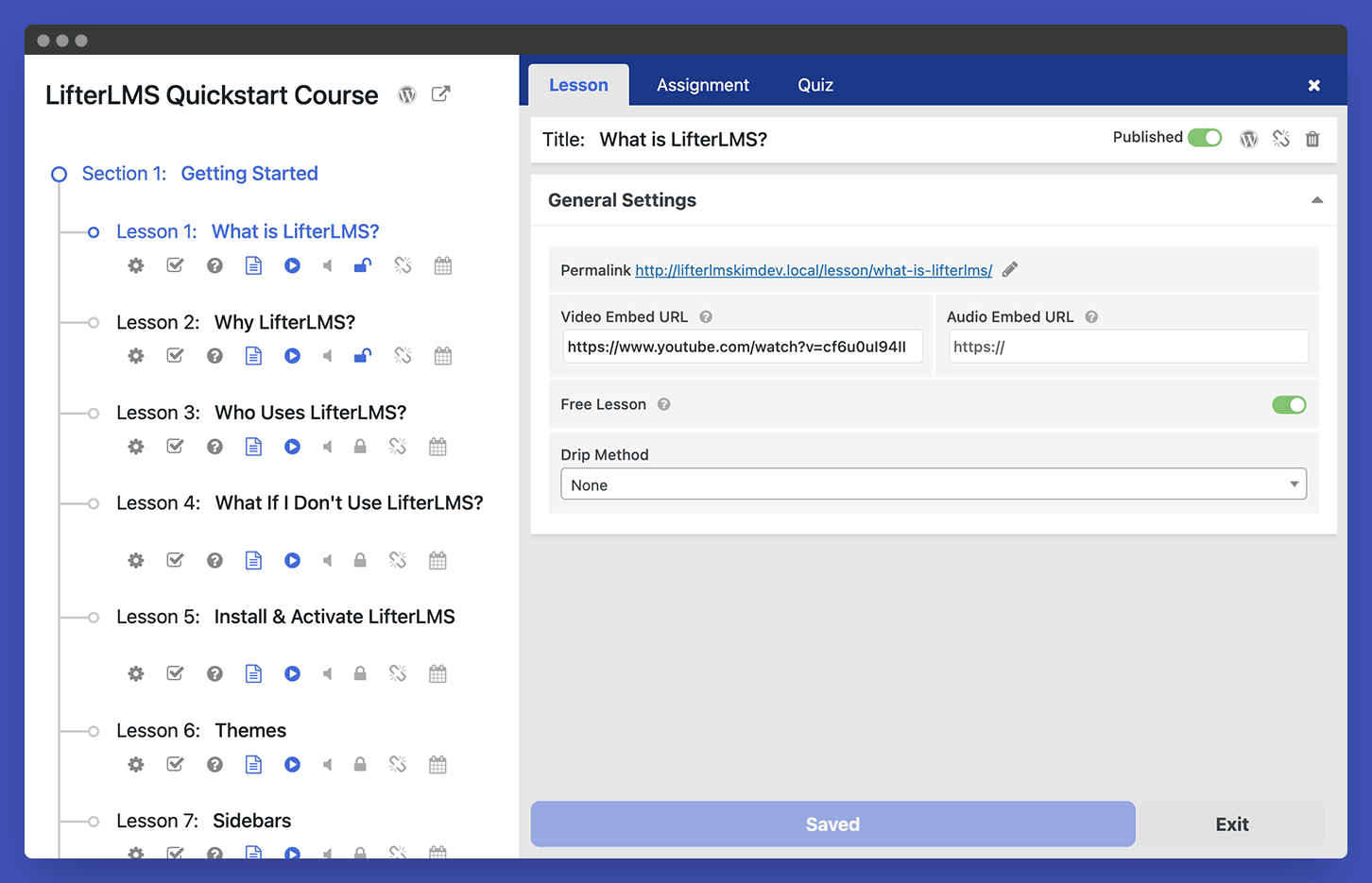
The Course Builder lets you manage sections, lessons, quizzes, and other course elements from one place, without losing sight of how the learning path fits together. Focused lesson and quiz layouts and clear course navigation help students move through course content with fewer distractions.
Engage Your Students
Use LifterLMS to:
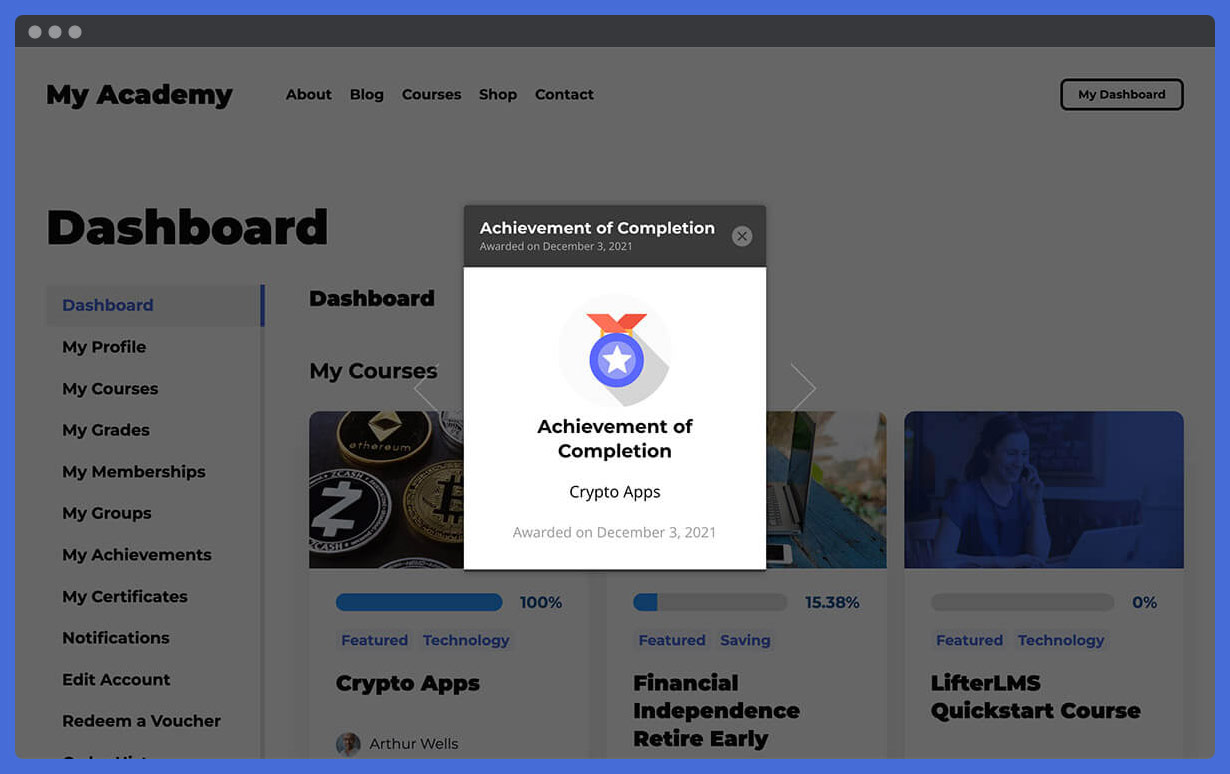
- Award achievement badges
- Issue certificates
- Send personalized emails
- Support social learning
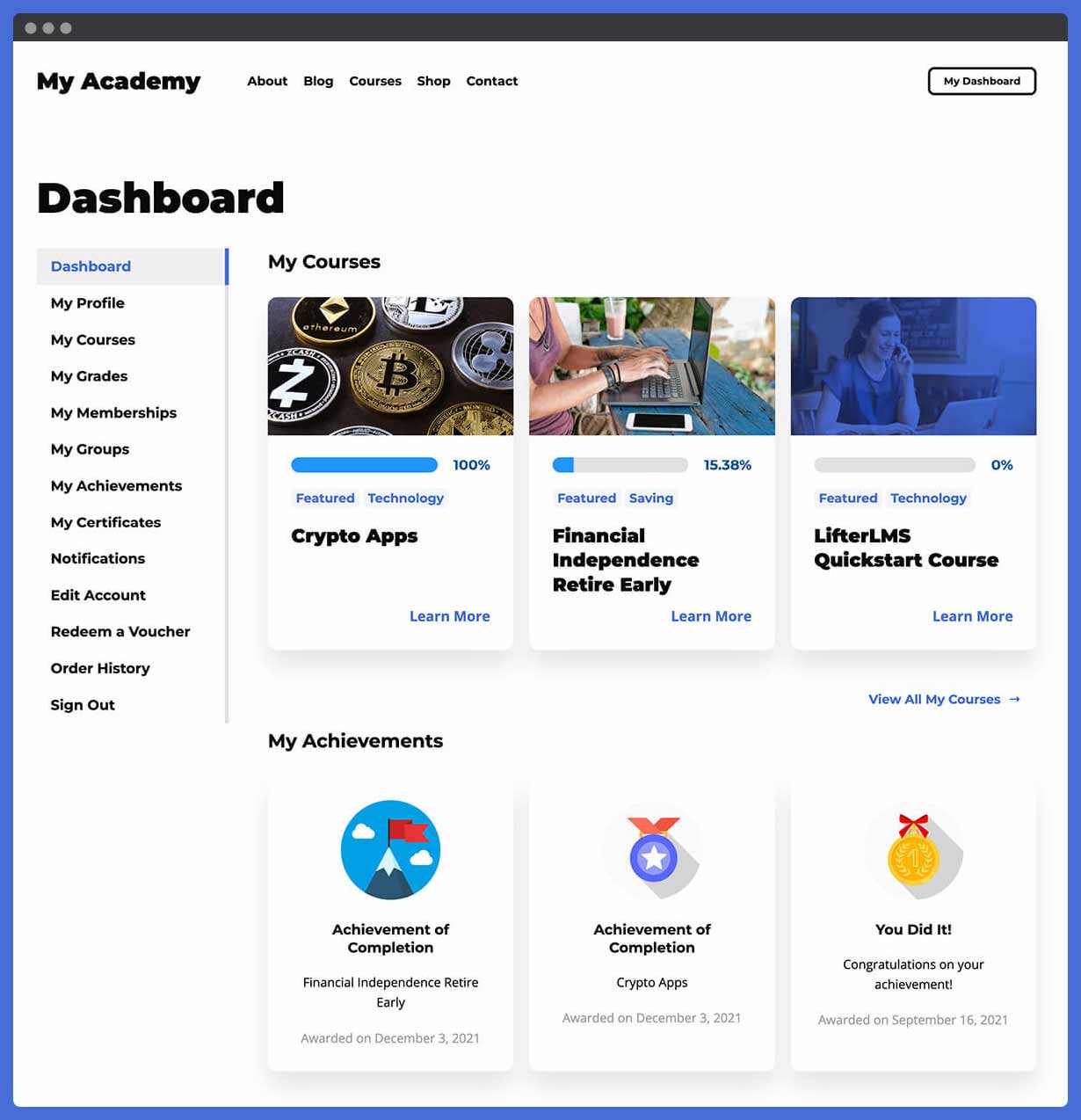
- Use student dashboards
- Show learner progress
- Track lesson and course completion
These tools help students understand where they are, what they have completed, and what to do next, and let you follow learner activity. For training programs, that supports completion rates, accountability, and clearer learner progress; for course businesses, a better student experience without manually guiding every learner.
Offer Memberships
LifterLMS includes membership tools, so you can sell more than individual courses: protect content, bundle courses, create members-only areas, and give learners access to a wider learning experience.
Use LifterLMS to:
- Create sitewide memberships
- Create traditional membership plans
- Automatically enroll members into courses
- Restrict non-course content
- Offer members-only payment plans
- Create private group discussions
- Build members-only forums
- Create learning paths for different member levels
Own and Manage Your WordPress LMS Platform
LifterLMS gives you LMS management tools inside the WordPress admin, from registration, student accounts, and passwords to reporting.
Use LifterLMS to:
- View course, membership, ecommerce, and student reporting
- Use a course gradebook
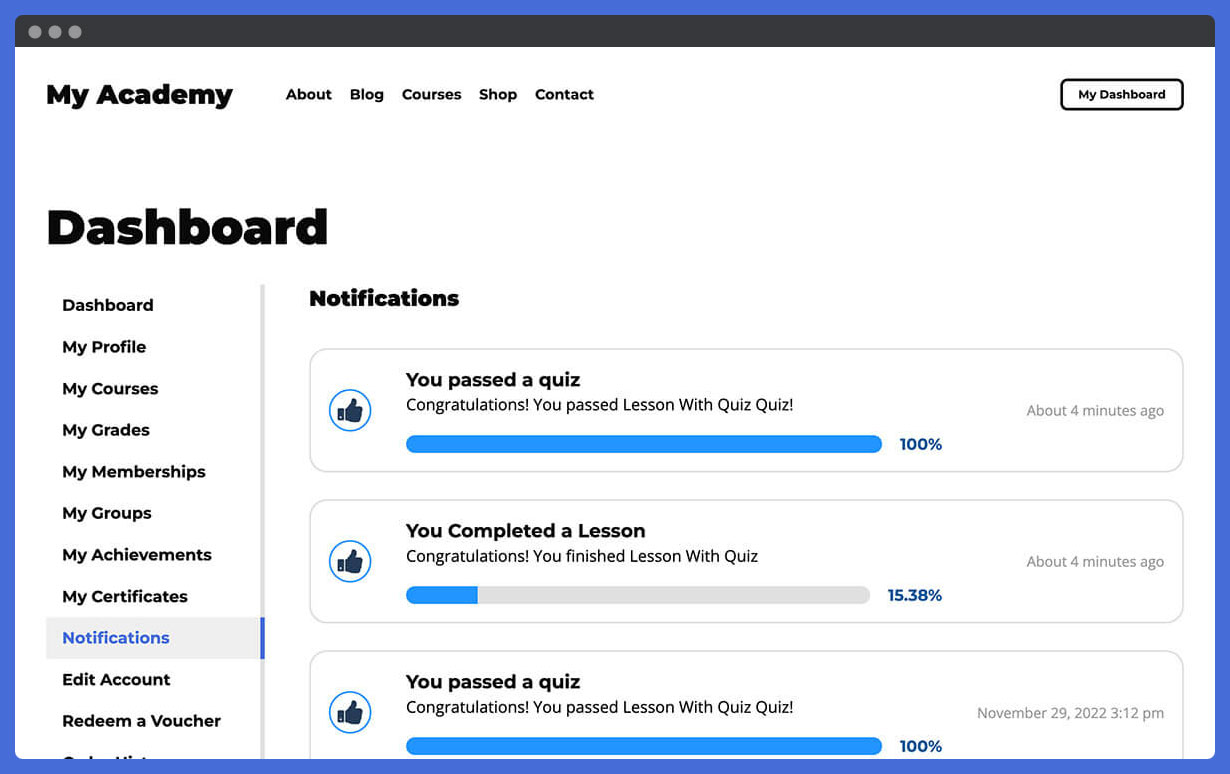
- Send email and SMS notifications
- Manage bulk course and membership enrollments
- Manage course capacity
- Use WordPress LMS user roles
- Manage branding and typography through your WordPress setup
- Test and troubleshoot your LMS
- Use the system analyzer
Get Support for Your WordPress LMS Project
LifterLMS includes documentation, training, setup tools, and support resources to help you build and manage your LMS.
- Technical support
- 30 Days of live weekly onboarding calls called Liftoff Sessions
- Live Office Hours
- Free training courses
- Free training webinars
- Setup wizard
- Detailed documentation
- Dynamic resources
- Demo course
- REST API
- Developer ecosystem
- Recommended Resources for course creators
More Resources
Enhance Your LMS With LifterLMS Add-ons
When your course, membership, or training website needs more advanced tools, extend LifterLMS with official add-ons for assessment, ecommerce, groups, media, private student support, reporting, and learning design.
Advanced LMS add-ons include:
- LifterLMS Advanced Quizzes
- LifterLMS Assignments
- LifterLMS Groups
- LifterLMS Private Areas
- LifterLMS Private Site
- LifterLMS Social Learning
- LifterLMS Advanced Videos
- LifterLMS PDFs
- LifterLMS Notes
- LifterLMS Cart Abandonment Recovery
- LifterLMS Name Your Price
- LifterLMS Course Cohorts
- LifterLMS Continuing Education
- LifterLMS Custom Fields
- LifterLMS Advanced Coupons
- LifterLMS Events
- LifterLMS Gifts
Connect LifterLMS With Your Payment, Email, and Business Tools
Official LifterLMS extensions include:
- LifterLMS Stripe
- LifterLMS PayPal
- LifterLMS Authorize.Net
- LifterLMS WooCommerce
- LifterLMS Kit
- LifterLMS Mailchimp
You can also connect LifterLMS with WordPress plugins for SEO, forms, CRM, forums, page building, analytics, security, caching, backups, community features, affiliates, and marketing automation. It also supports xAPI / Tin Can API workflows and learning authoring tools, and connects to thousands of apps through automation tools such as Zapier.
Run LifterLMS From Any AI Tool You Already Use
LifterLMS is built to work with AI assistants, agents, and automation tools.
Core LMS resources are exposed as WordPress Abilities, so compatible AI and automation tools can discover what your LMS can do and act on it through the same permissions and safeguards used by logged-in WordPress users.
The free core plugin includes AI-ready abilities for:
- Courses, sections, and lessons
- Memberships and access plans
- Students, enrollments, and student progress
- Quizzes, quiz questions, and quiz attempts
- Manual quiz grading
- Student grades and lesson-level progress
- Certificate templates and awarded certificates
- Orders and transactions in read-only mode
LifterLMS add-ons can extend this further.
With supported add-ons such as Assignments, Groups, and Events installed, AI-ready workflows can also cover assignments and submissions, group management, seats, invitations, and events.
LifterLMS can support AI and automation workflows through:
- WordPress Abilities API
- LifterLMS MCP Server
- LifterLMS CLI / WP-CLI
- LifterLMS REST API
- Webhooks for course, enrollment, quiz, order, and certificate activity
Learn more in the LifterLMS AI agent guide
LMS Website and User Experience Design Tools
Use LifterLMS with the modern LifterLMS Sky Pilot Theme for even more beautiful results. LifterLMS works with any well-coded WordPress theme, but check out Sky Pilot if you want to start with a modern, beautiful, full-site editing block-based theme. And consider using our Aircraft page builder plugin to make building beautiful web pages fast using our design template library.
Why People Switch to LifterLMS
The main reasons we hear from users switching to LifterLMS from plugins like LearnDash, Tutor LMS, LearnPress, Sensei LMS, WP Courseware, and MasterStudy LMS (see our shortlist of the best WordPress LMS plugins) are:
- The best most feature-complete customizable well-coded features
- Outstanding customer support including live calls
- The free LifterLMS plugin is amazing making the project affordable
- Memberships, ecommerce, and gamification included in LifterLMS without the need for 3rd party plugins
Hosted course platforms and other WordPress LMS plugins can suit different priorities; LifterLMS is designed for people who want to build and own a WordPress-based LMS they can truly grow with.
Save on LifterLMS With a Bundle
If your LMS project needs several add-ons, a bundle may be a better fit than buying individual extensions. LifterLMS bundles give you access to groups of tools for course creation, ecommerce, design, marketing, automation, student engagement, and advanced LMS features.
Explore:
Scaling LifterLMS
LifterLMS can support anything from a single paid course or a free training resource library to a multi-course academy, a client LMS build, or a larger learning website with multiple audiences. It is lightweight enough for small niche sites while powering huge universities and employee training in Fortune 500 corporations, and we’ve even worked with a site that has 8,019,355 course enrollments.
Because LifterLMS runs on WordPress, performance at scale depends on your hosting, caching, theme, and plugins, all of which you control.
LifterLMS in Action
Explore real LifterLMS websites and customer stories to see how course businesses, memberships, professional training, coaching, schools, and client LMS projects use WordPress for online learning.
What LifterLMS Users Say
“Now I host all my courses on LifterLMS. Totally different experience. I’m free to do things my way. I’ve never yet hit a wall where LifterLMS didn’t enable me to do things the way I wanted.”
Nick Usborne, Teacher and Entrepreneur
“As a former school teacher, professional user experience designer, and current online course creator, I can honestly attribute much of our success to LifterLMS and its consideration for multiple learning modalities, the LMS UI/UX out of the box, and natural student engagement opportunities. In less than 10 months we’ve gone from $0 to $300K in revenue with LifterLMS playing a huge part in that!!”
Sarah Lorenzen, Teacher and Entrepreneur
Join the LifterLMS Community
When you download LifterLMS, you join a thriving community of education entrepreneurs, course creators, developers, LMS professionals, and WordPress enthusiasts. Use it to see what others are building, ask questions, share ideas, and learn from other WordPress LMS projects.
Join the LifterLMS VIP Facebook group to connect with other LifterLMS users, or the LifterLMS Slack community if you prefer Slack.
Contribute to LifterLMS
Developers can review the code, report issues, and suggest improvements in the LifterLMS GitHub repository, helping improve the plugin for the wider WordPress LMS community. Start with the contributing guidelines. You can also help translate LifterLMS for more users around the world through translate.wordpress.org.
What Should You Do Next?
If you are building an LMS with WordPress, start with the free LifterLMS plugin to create your first course, test the learner experience, and see how LifterLMS fits your website. Then choose the next step that matches your project:
Installation
Minimum System Requirements
LifterLMS requires:
- PHP 7.4 or later
- WordPress 5.9 or later
- MySQL 5.6 or later
For the best experience, use supported versions of WordPress, PHP, your theme, and your other active plugins.
Review the full system requirements here:
Minimum System Requirements for LifterLMS
Automatische Installation
The easiest way to install LifterLMS is from your WordPress dashboard.
- Melden Sie sich in Ihrem WordPress-Dashboard an.
- Go to Plugins > Add New.
- Search for “LifterLMS”.
- Click Install Now.
- Click Activate.
After activation, LifterLMS will guide you through the setup wizard.
Manuelle Installation
You can also install LifterLMS manually.
Download the plugin zip file from WordPress.org, then upload it through your WordPress dashboard or by FTP.
For full instructions, see the WordPress guide to manual plugin installation:
Setup Wizard
After installation, LifterLMS launches a setup wizard to help you configure your LMS.
The setup wizard helps you create the core pages your LMS needs, including student account, checkout, course catalog, and membership catalog pages.
You can also import sample courses if you want to explore how a LifterLMS course is structured before building your own.
You can return to the setup wizard later if you need to review or update your setup.
Änderungsprotokoll
v11.1.0 – 2026-11-17
New Features
- Added the
{{STUDENT_FULL_NAME}}notification merge code, which always outputs the student’s name. The{{STUDENT_NAME}}merge code is unchanged and still outputs “you” when a student views their own notification. #1557 - Added bulk Move to Trash to the Subscriptions screen. #3466
- Failed webhook deliveries are retried on a delay before the webhook is disabled, and an admin notice explains when a webhook has been disabled. #3247
- Added a bulk “Move to Trash” action to the Orders & Transactions screen.
Updates and Enhancements
- Restrict membership auto-enroll course editing to administrators and LMS managers. #3441
- Changing the account email address now requires the current password.
Bug Fixes
- Fixed the “Update Payment Method” and “Reactivate Subscription” buttons missing from a student’s subscription when its access plan was permanently deleted. #3433
- The My Grades summary widgets wrap onto more rows on small screens, and the grades table scrolls within its own area instead of widening the page. #3462
- The Orders & Transactions and Subscriptions screens and their exports show each order’s access status again (“Expires: “, “Expired: “, or “Lifetime Access”), as the Orders screen did before 11.0.0. #3465
- On the Orders & Transactions and Subscriptions screens, the filters no longer sit flush against the LifterLMS header, and going back to the page no longer shows a filter or search value that the table isn’t using. #3467
- Fixed lesson drip dates and times in the course builder and lesson settings saving invalid values or changing on scroll by using standard date and time fields. #3492
- Fixed course builder settings toggling when clicking the empty space next to a setting’s label, and added more space between a quiz question’s Description, Image, and Video settings.
- Fixed PHP warnings from the access plans REST API endpoint when the requested
post_idis not a single course or membership. #3496 - Fixed the create and update course and lesson abilities being rejected by MCP clients because the
metainput schema encoded its emptypropertiesas a JSON list. #3484 - Fixed a quiz question’s description editor flashing in the course builder when the question’s Image or Video setting is toggled.
- Fixed the certificate template editor crashing with “The editor has encountered an unexpected error.” when the Certificate Title block is hidden or not available in the block inserter.
- When cloning a course, media protected to the course or its quizzes is copied and protected to the new course, and the new course’s content and quizzes use the copies.
- Fixed merge codes being added to the end of text fields, such as a notification’s title or an email’s subject, instead of where the cursor is.
- Fixed the Orders & Transactions screen timing out on large stores while the 11.0.0 database update is still pending.
- Fixed the Payment Status column showing “trash” for orders in the Trash. It now shows the order’s status from before it was trashed.
- Fixed a PHP warning when exporting a student’s personal data, and the missing description for their quiz attempt data in the export. #3476
- Course and lesson videos using
youtube.com/embed/oryoutube-nocookie.com/embed/URLs now display a video player instead of a link.youtube-nocookie.comURLs keep YouTube’s Privacy Enhanced Mode.
Breaking Changes
- Removed the Beta Testing tab from the LifterLMS Status screen.
Performance Improvements
- Improved the speed of the awarded certificates and achievements lists, which could time out on sites with a lot of student data.
- When cloning or importing content, featured images and quiz image choices from the same site are copied on the server instead of downloaded again.
Security Fixes
- Additional security enhancements.
Updated Templates
v11.0.1 – 2026-11-04
Bug Fixes
- Adding missing ActionScheduler file. #3444
v11.0.0 – 2026-11-03
New Features
- Added an admin notice for sites on WP Engine with protected media, linking to instructions for more efficient file serving. #3365
- Added CSS custom properties for frontend colors and corner radius so a single override updates related hovers, focus styles, and tinted backgrounds. #2286
- Added a {related_post_title} merge code for engagement emails and certificates which outputs the title of the post that triggered the engagement. #3064
- Added new engagement triggers: course progress percentage reached, course completed with a low grade, quiz failed multiple times, enrollment cancelled or expired, order failed/refunded/cancelled, and daily-scanned inactivity triggers for no course progress, course never started, days since last login, course completion deadline, and abandoned quiz attempts. #3051
- Added unenrollment notification trigger (popup and email) for courses and memberships, disabled by default.
- Added a new ‘Order Failed’ email notification for when an order fails at checkout or after recurring payment retries are exhausted. It is disabled by default and can be enabled for the customer, the product author, and custom recipients.
- Adds a “My Subscriptions” student dashboard tab and per-transaction receipt downloads.
Updates and Enhancements
- Orders now lists transactions (and free orders) with a separate Subscriptions listing, allowing export of transactions and subscriptions to csv.
- Added CSS custom properties for element border width, border style, and surface hover, using the current values as defaults.
- Updated the default password strength message so it no longer says a weak password is required. #3370
- Add-on updates are no longer installed from Add-ons & more. Available updates now link to the WordPress Plugins or Themes screen. #3371
- Explained when a password is rejected because it includes other information from the form. #3401
- Course and membership loop tiles and certificate cards now link only the title, and achievement cards open from a title button. The whole card stays clickable. Featured image alt text uses the image’s alt text, or is left empty. Themes that override the loop template keep the previous wrapping link until that template is updated.
- Improved heading structure, labels, tables, and page titles for quizzes, focus mode, and the student dashboard.
- Updated the bundled Action Scheduler library to version 3.9.3, improving compatibility with PHP 8.4.
- Clarified the help text for course enrollment, course time period, and access plan sale dates to show the exact time each date starts or ends. #3341
Bug Fixes
- Fixed a blank Scheduled Actions tab on the LifterLMS Status page after searching or running a row or bulk action. #3418
- Fixed a “headers already sent” PHP warning when a logged-out visitor views the checkout page and another plugin has already flushed the page output. #3425
- Fixed a PHP warning on REST API instructors collection requests that return no results. #3439
- Display an error message when the checkout form is submitted with an expired security nonce instead of silently reloading the form. #3422
- Fixed the permalink of a newly created quiz not being clickable in the Course Builder after saving. #3414
- Fixed icon spacing on LifterLMS buttons rendered with an icon and no supporting CSS from a theme or plugin.
- Fixed the student dashboard mobile navigation not navigating to the selected endpoint when the Go button is clicked.
- Fixed manual entry of datepicker dates being mis-parsed on sites using a non-US date format.
- Fixed lesson progression button layout and text alignment in the block editor.
- Course and membership loop titles use their previous size and weight again now that they are h2 or h3 headings.
- Fixed a PHP fatal error when viewing a course’s grades page on the student dashboard using the course ID instead of its slug.
- Fixed frontend notification toasts overlapping when several are displayed at once.
- Fixed frontend notification toasts stacking with extra space between them when the theme adds margins to notifications.
- Improved customer search in the combined orders and transactions table to match a customer’s full name.
- On the order update payment method form, only the submit button is now labeled “Reactivate Subscription” for subscriptions pending cancellation.
- Fixed a PHP 8.1+ “Automatic conversion of false to array is deprecated” notice when uploading a protected non-image file.
Developer Notes
- Updated
AGENTS.mdwith the add-on and theme repositories agents can clone and how to build them. - Replaced
[version]placeholders left in deprecation and_doing_it_wrong()notices with the versions they refer to, and release tooling now replaces any'[version]'string, including in multi-line calls. - Release preparation bumps the REST API library version when the library changed since the last release, and replaces its
[version]placeholders with that version.
Performance Improvements
- Replaced the unbounded order exclusion list in the Orders & Transactions report with an indexed
_llms_has_transactionorder flag, backfilled via a batched background migration, for better performance on large stores. - Improved performance of REST API collection requests and of the protected media folder check in the admin.
Security Fixes
- Additional checks when serving protected media.
- Additional checks on reporting collection requests.
- Additional checks on REST enrollment collection requests.
- Additional checks on quiz attempt answers.
- Additional checks on REST API collection requests.
- Additional checks when authorizing access to protected media.
- Additional checks when protecting the media uploads folder.
- Additional checks on restricted content in post type listings.
- Additional checks on restricted content in feeds.
- Additional checks on restricted content in search results and archives.
- Additional checks on timed quiz answers.
- Additional checks on REST API sections and access plans requests.
- Additional checks on student management table requests.
- Additional checks on webhook topics.
Updated Templates
- templates/achievements/template.php
- templates/admin/receipt-transaction.php
- templates/certificates/preview.php
- templates/checkout/form-switch-source.php
- templates/content-single-question.php
- templates/loop/content.php
- templates/myaccount/form-edit-account.php
- templates/myaccount/my-grades-single-table.php
- templates/myaccount/my-notifications.php
- templates/myaccount/my-subscriptions.php
- templates/myaccount/my-transactions.php
- templates/myaccount/navigation.php
- templates/myaccount/receipt-transaction.php
- templates/myaccount/view-order-transactions.php
- templates/quiz/questions/content-choice.php
- templates/quiz/questions/content-picture_choice.php
- templates/quiz/results.php
- templates/single-lesson-focus.php
v10.3.2 – 2026-10-09
Security Fixes
- Additional checks when loading templates.
v10.3.1 – 2026-10-08
Updates and Enhancements
- Captcha secret keys are partially hidden in Security settings after they are saved. #3387
Bug Fixes
- Additional fix for the plan description editor when adding a new access plan in some cases.
- Clear the post cache after migrating a post to the block editor.
Security Fixes
- Additional checks on REST API collection requests. Thanks @pokeroot and Huzaifa Jawaid!
- Additional security enhancements.
v10.3.0 – 2026-10-05
New Features
- Course builder shows a permalink preview for unsaved lessons and quizzes, based on the title, until the slug is edited.
- Added an “Add Existing Lesson” button next to “Add New Lesson” in each Course Builder section.
- Added a Customers screen under Orders with lifetime value, order history, and customer segments.
Updates and Enhancements
- Refreshed the course builder settings panels and outline columns.
Bug Fixes
- Fix overlapping percentage sign when entering certificate margins. #3373
- Fixed certificate editor sidebar control layout. #3340
- Improved styling in the back end editor for Lesson Progression and Access Plan buttons. #3359
- Fixed the course builder hiding the lesson editor after saving content added in the builder. #3360
- Fixed editing the access plan description on a new plan before it is saved. #3369
- Fixed a blank line in the order billing address when Address 2 is empty. #3375
- Fixed lesson settings in the course builder jumping back down after the drip method is changed. #3376
- Fixed deleting the last course section immediately adding three new lessons. #3377
- Fixed the course builder dropping quiz questions when the quiz editor is opened again while they are still loading.
- Improved prevention of recurring charges when the site URL no longer matches the stored lock.
- Show address fields that are populated. Thanks @robindevitt! #3020
Security Fixes
- Additional checks on feeds. Thanks @Yo1o-sir!
- Additional checks on REST API endpoints.
- Improved validation of course builder and import data.
Updated Templates
Screenshots

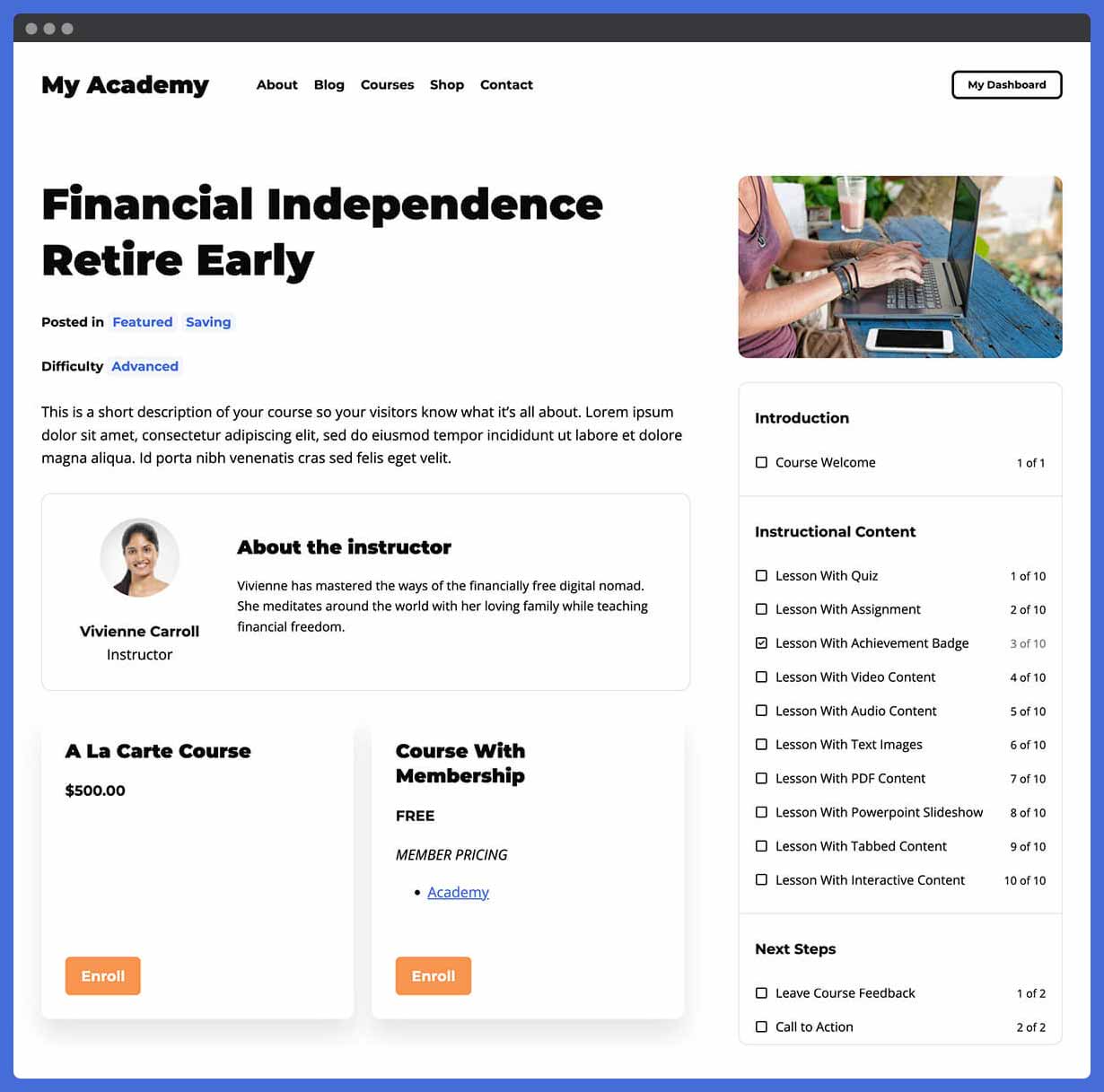
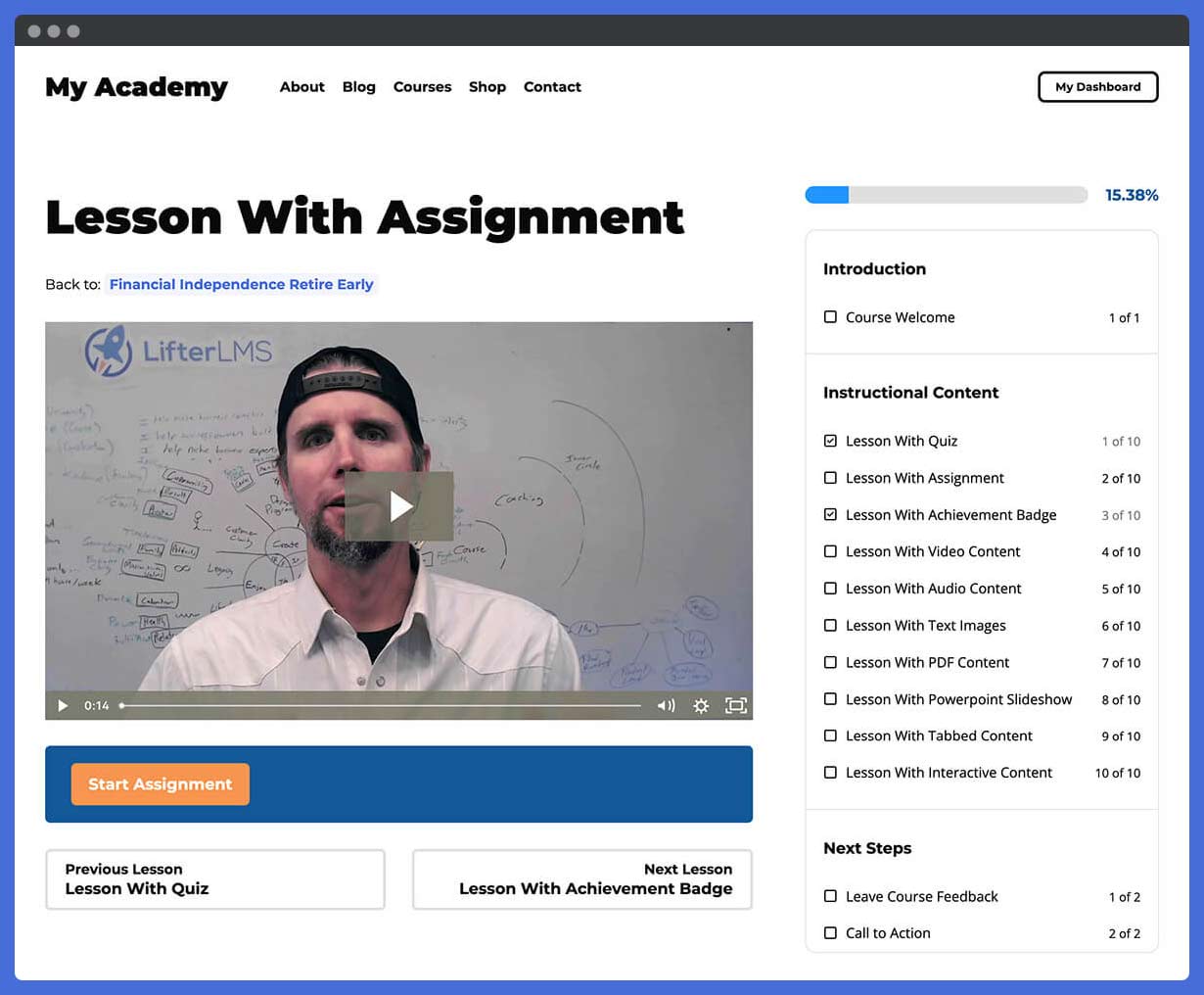
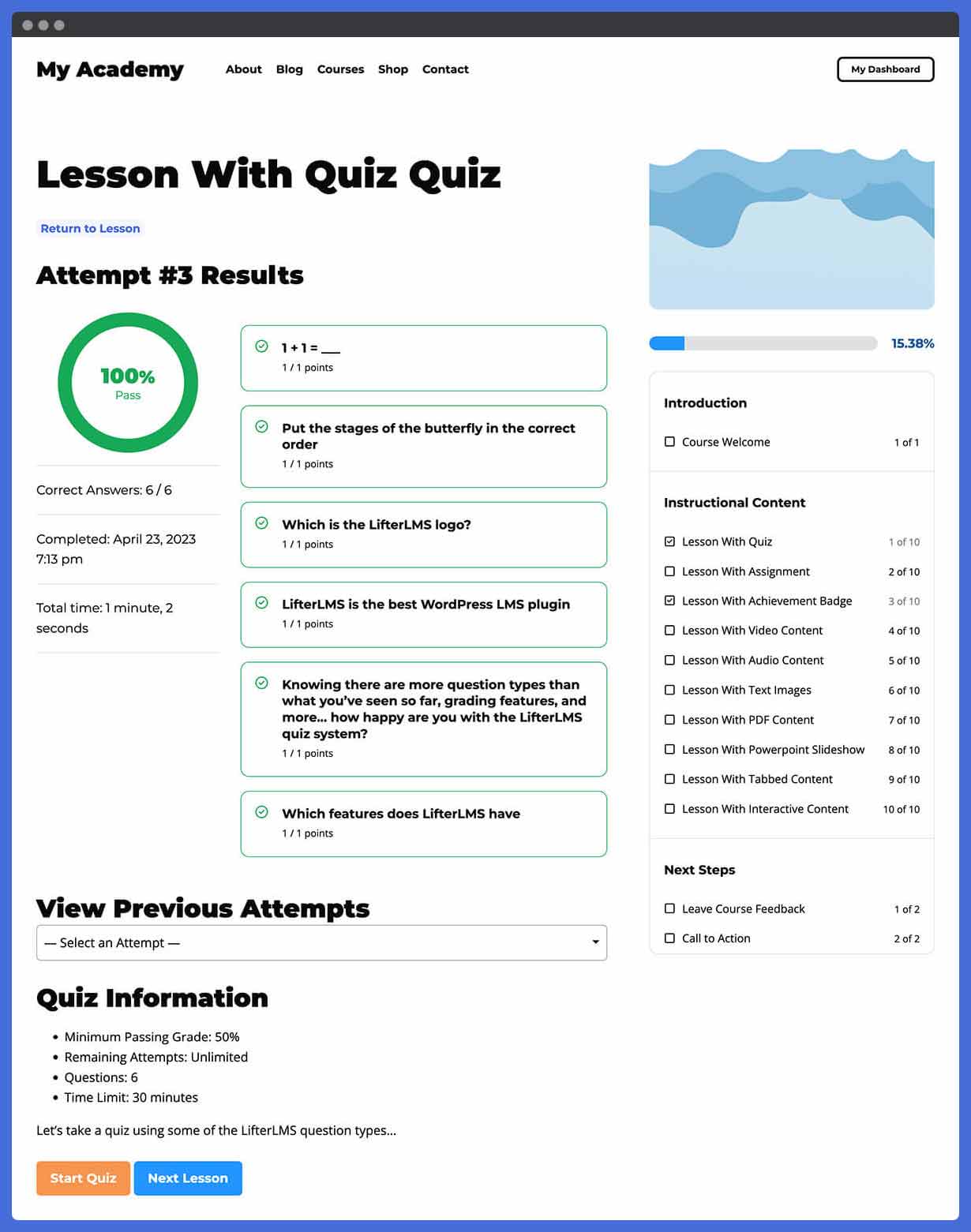

Für Entwickler
Ist das dein Plugin? Zeigen Sie die Zahlen.
Fügen Sie Ihrer Website, Docs oder GitHub Readme ein Live-Badge hinzu. Es wird von selbst aktualisiert - kein Konto erforderlich.
Best LifterLMS alternatives
All course plugins →




Fragen und Antworten
LifterLMS: quick answers
Gerade Antworten, gezogen von Live WordPress.org Daten.
Quelle: WordPress.org
Is LifterLMS free?
Yes. LifterLMS is free to download and use from the official WordPress.org plugin directory. The developer also sells premium add-ons or a Pro version with extra features.
Is LifterLMS safe to use in 2026?
Yes — LifterLMS is a safe, well-maintained plugin to use in 2026. It runs on 10K+ sites, is rated 4.8/5 and was last updated 1 day ago, and scores 93/100 on our health check.
How many websites use LifterLMS?
LifterLMS is active on 10K+ WordPress websites and has been downloaded 1,811,805 times since it launched in February 2016. It was downloaded 24,539 times in the last 30 days.
Does LifterLMS work with WordPress 7.1?
Yes. The developer has tested LifterLMS up to WordPress 7.1.5, the latest release. It requires WordPress 5.9 or newer.
What PHP version does LifterLMS need?
LifterLMS requires PHP 7.4 or higher. Most hosts run PHP 8.x today, so it works on any modern WordPress hosting.
When was LifterLMS last updated?
The latest version, 11.1.0, was released on November 17, 2026 (1 day ago).
Who makes LifterLMS?
LifterLMS is developed and maintained by LifterLMS.
What are the best alternatives to LifterLMS?
The most popular alternatives to LifterLMS are ProfilePress (100K+ installs), Tutor LMS (100K+ installs) and LearnPress (60K+ installs).
Angetrieben von PageForge
Eine Vorlage und eine Tabelle. Eine echte Seite für jede Suche.
PageForge Verwandelt jede Zeile eines CSV in eine WordPress-Seite mit eigenem Titel, URL, SEO Felder und Schema entworfen. Kostenlos auf WordPress.org.
- CSV und XLSX, plus Google Sheets auf Beruf und Unternehmen
- seinen eigenen Titel, URL, SEO Felder und Schema für jede Seite
- Arbeitet mit dem Blockeditor, Elementor, Divi und Avada
- Kostenlos auf WordPress.org, keine Kreditkarte