


Appointment Booking Calendar & Scheduling – WPTimetics
Appointment booking and scheduling plugin with online booking calendar, payments, reminders, and calendar sync.

Sichere Auswahl
Yes — Appointment Booking Calendar &… is a safe, well-maintained plugin to use in 2026. It runs on 2K+ sites, is rated 4.6/5 and was last updated 7 days ago, and scores 90/100 on our health check.
- Loved by users — 4.6/5 from 37 reviews
- Aktiv entwickelt – letztes Update vor 7 Tagen
- Getestet mit dem neuesten WordPress (7.1)
- Momentum — downloads up 39.8% vs the previous 30 days
Wie stapelt es sich?
Side-by-side bei Installationen, Updates, Bewertungen und Support


Tägliche Downloads
Download-Spitzen folgen normalerweise einer neuen Version - jede Website, die automatisch aktualisiert wird, gilt als Download.
Ranglisten
Where Appointment Booking Calenda… stands todayWordPress.org Ranglisten suchen
Live-Position in der Plugin-Suche, Top 100| Stichwort | Position |
|---|---|
| Terminbuchung | #18 |
| appointment scheduler | #7 |
| Buchungskalender | #20 |
| online booking | #29 |
| online scheduling | #5 |
Versionsübernahme
Anteil aktiver Sites pro Release.
Bewertungsaufschlüsselung
★★★★★★★★★★ 4.6 from 37 reviews
About Appointment Booking Calendar & Scheduli…
From the official readme · v1.0.68Beschreibung
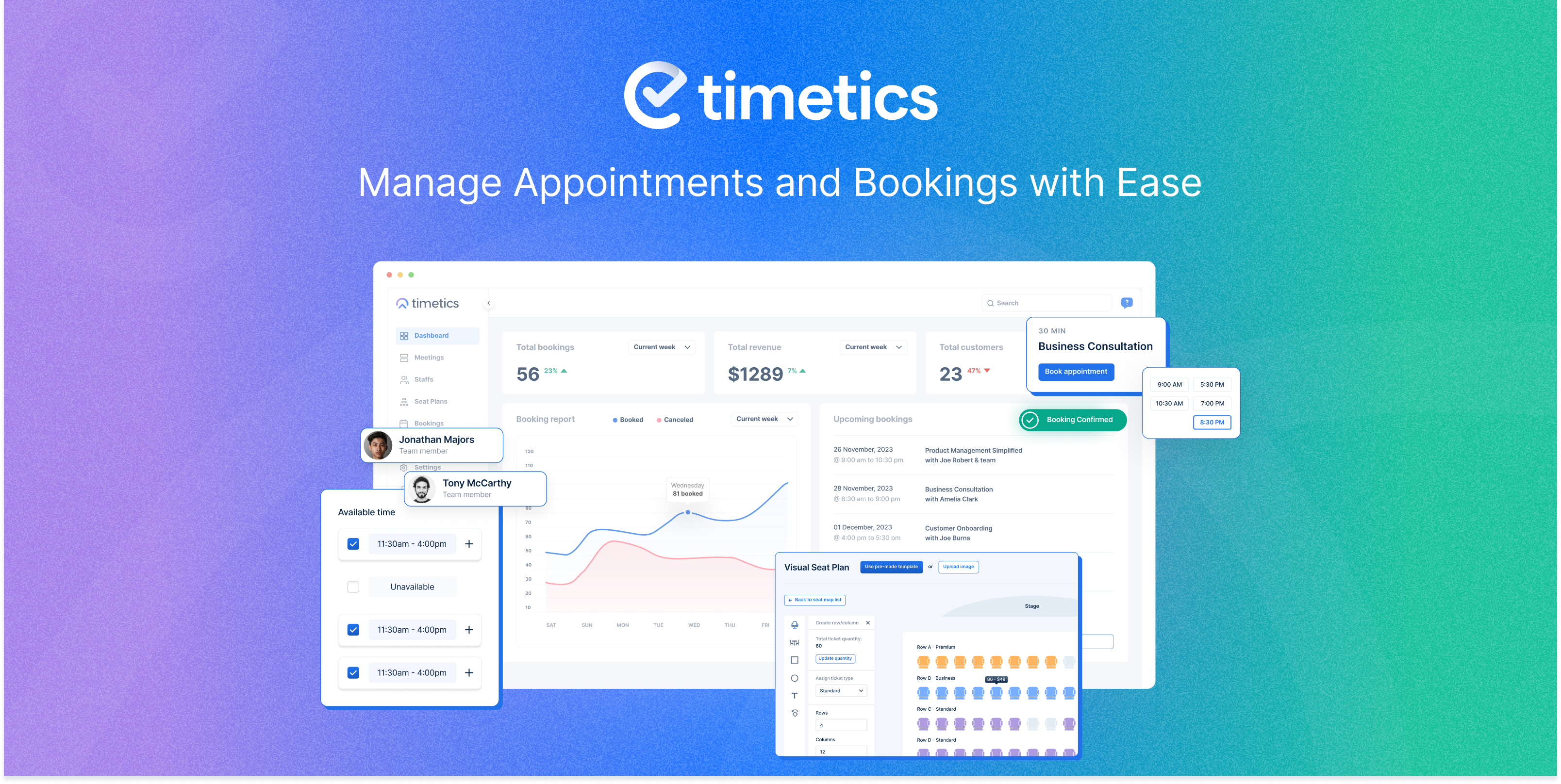
WPTimetics is an appointment booking and scheduling system that helps businesses accept online bookings, manage appointments, organize staff schedules, and automate booking workflows from one dashboard.
Customers can book appointments through an online booking calendar, choose available time slots, receive instant confirmations, and pay online. Built-in calendar management, automated reminders, and calendar sync help reduce manual scheduling and avoid booking conflicts.
Whether you run coaching sessions, consultations, eLearning and LMS appointments, classes, professional services, or team meetings, WPTimetics helps you manage bookings, schedules, payments, and customer communication more efficiently.
Let your customers book appointments online 24/7 while you stay focused on growing your business.
Why Choose Timetics Appointment Booking Plugin?
- ✅ Unlimited appointments, bookings & team members – completely free, no caps, ever
- ✅ Automatic double-booking prevention – confirmed time slots are blocked instantly
- ✅ Reduce no-shows with automated email, SMS, and WhatsApp reminders
- ✅ 24/7 self-service online booking – clients book while you sleep
- ✅ Free Google Meet integration – meeting links auto-generated on every booking
- ✅ Google Calendar two-way sync – changes reflect everywhere, in real time
- ✅ Stripe payments in the free version get paid at the point of booking
- ✅ GDPR-compliant – all booking data stays on your WordPress server
- ✅ Translation ready – fully compatible with WPML and Loco Translate
- ✅ No coding required – set up your first booking in under 5 minutes
Live Demo | Documentation | Roadmaps | Tutorials | Pro
Need help getting started? 👉 Contact our support team
Who Is the Timetics Appointment Booking Plugin For?
Timetics is a flexible WordPress booking system built for professional and service-based business that needs to schedule, manage, and automate client appointments online. Here are the most common use cases:
-
Education & Training – eLearning Use Cases– Schedule mentorship sessions, course consultations, tutoring, workshops, and career counseling with ease. WPTimetics allowing educators to manage student bookings, class scheduling, and live learning sessions without the complexity of a traditional Learning Management System. Perfect for anyone who needs class scheduling and student booking instead of a full LMS setup.
-
Recruiting & HR– Recruiters and HR teams can automate interview scheduling, let candidates choose available time slots, and receive instant booking confirmations – eliminating endless back-and-forth emails.
-
Customer Support & Client Services– Organize support calls, virtual help sessions, and follow-up appointments to ensure your customers get assistance promptly.
-
Sales & Marketing Teams– Let prospects book consultations, product demos, discovery calls, or strategy sessions directly from your website. Integrates seamlessly with CRM tools for tracking leads.
-
Consultants & Coaches – Online Learning & eLearning Sessions– From business consultants to life coaches, offer clients an easy way to book one-on-one or group sessions. Timetics is ideal for coaching-based eLearning businesses that rely on scheduled sessions instead of structured courses. A practical solution for professionals who deliver learning through live interaction rather than LMS-based courses.
-
Teachers & Mentors – Student Booking & Class Scheduling – Manage class schedules, private lessons, and tutoring sessions so students can book convenient time slots without email chains. Timetics acts as a student booking system for WordPress eLearning websites, helping teachers organize their availability and avoid scheduling conflicts. Ideal for educators who want a simple alternative to LMS platforms focused on scheduling and live classes.
-
Musicians & Creative Professionals– Allow clients and collaborators to book studio sessions, music lessons, or creative consultations. Manage availability, payments, and rescheduling with ease.
-
Self Sessions & Fitness Guide– Provide a convenient and hassle-free way for fitness-conscious clients to book appointments.
-
Event Organizers & Venues– Conference organizers, workshop hosts, venue managers, and ticketed event producers use Timetics PRO to manage event booking with an interactive Visual Seat Map — attendees browse your live floor plan, pick their exact seat, choose a ticket tier (VIP, Gold, Standard), and complete payment in one seamless flow directly on your WordPress site.
Need full-scale event management? Pair Timetics with Eventin the free WordPress event management plugin. Eventin leverages Timetics’ Visual Seat Map builder to power its own event seat plan feature, and adds speaker & schedule management, QR code attendee check-in, RSVP events, recurring events, and multi-gateway ticketing. Together, Timetics + Eventin cover every event and appointment booking need from a single WordPress dashboard.
📌 Timetics is not limited to these industries. It’s a complete appointment scheduling system for any professional or business that needs online booking, client self-service scheduling, and calendar management – from solo freelancers to multi-staff enterprises.
Free Appointment Booking Features for WordPress
The free version of Timetics is a fully capable appointment booking plugin for WordPress designed to handle your online meetings, consultations, service bookings, and client scheduling without paying a cent.
Unlimited Online Appointment Booking
Say goodbye to restrictions create unlimited appointments, unlimited bookings, and add unlimited team members with zero extra fees.
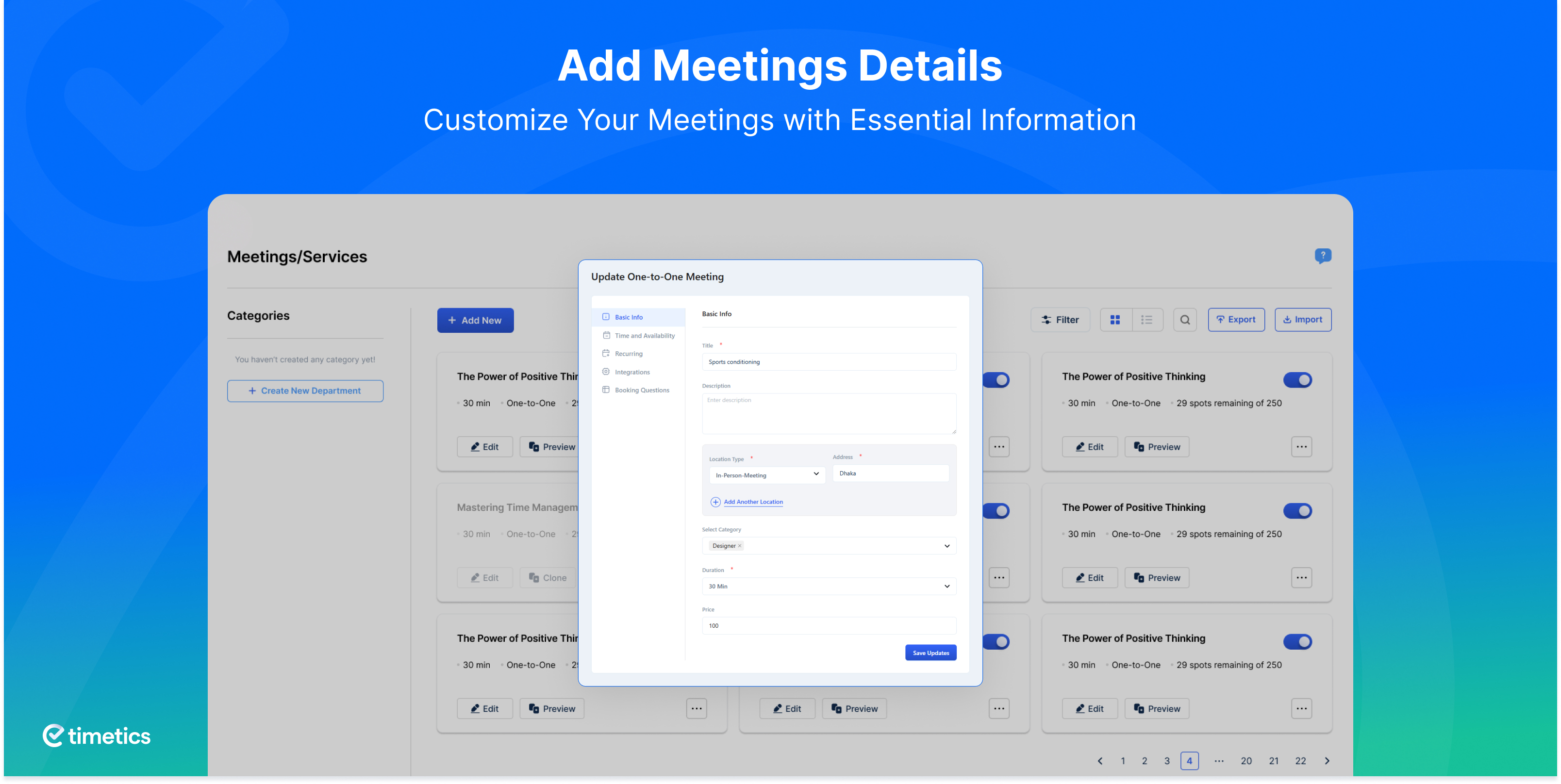
- Unlimited Meetings – Host one-on-one sessions, group events, or classes as often as you need.
- Unlimited Bookings – Accept as many online bookings as your business can handle, with no monthly caps.
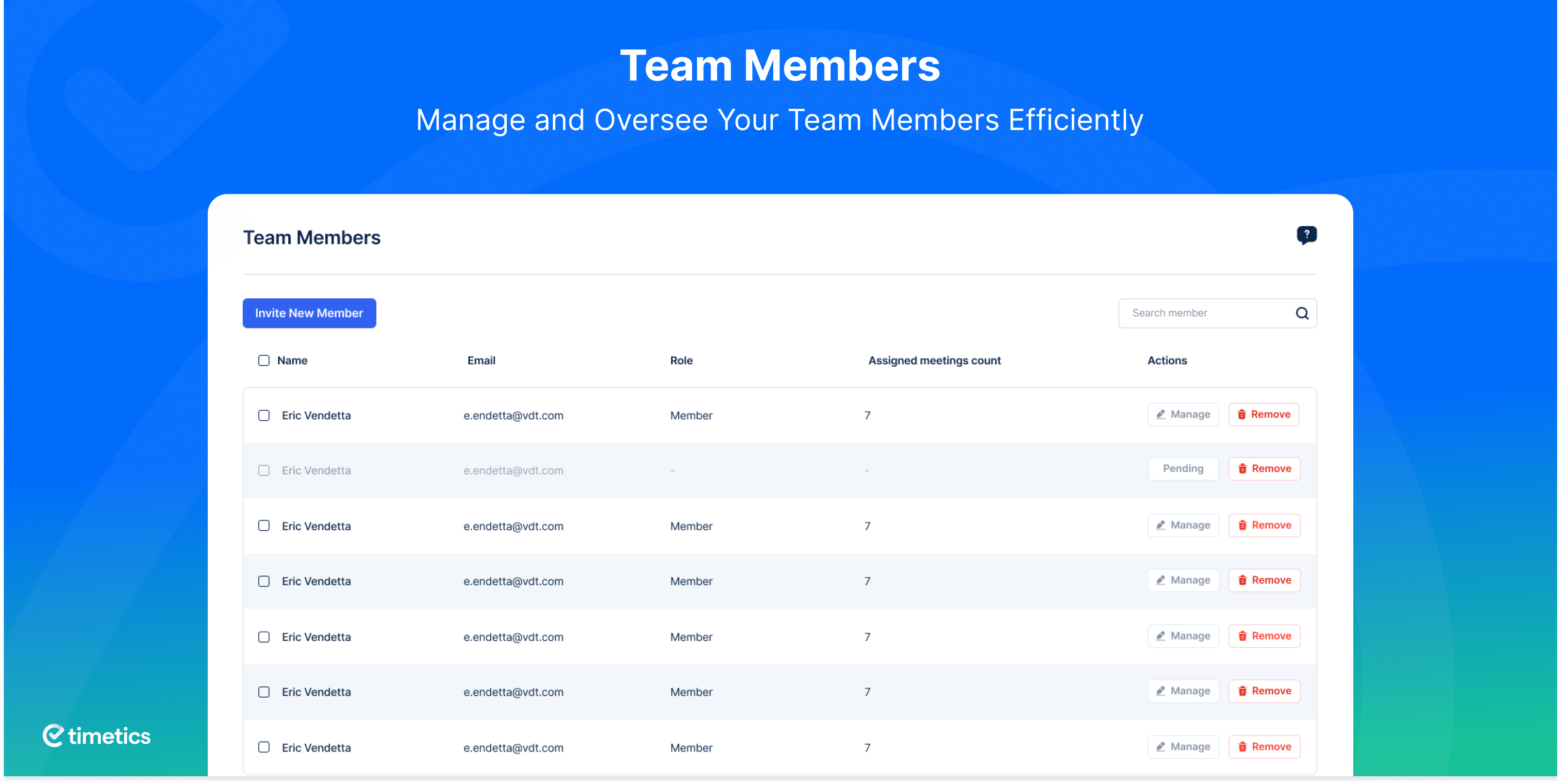
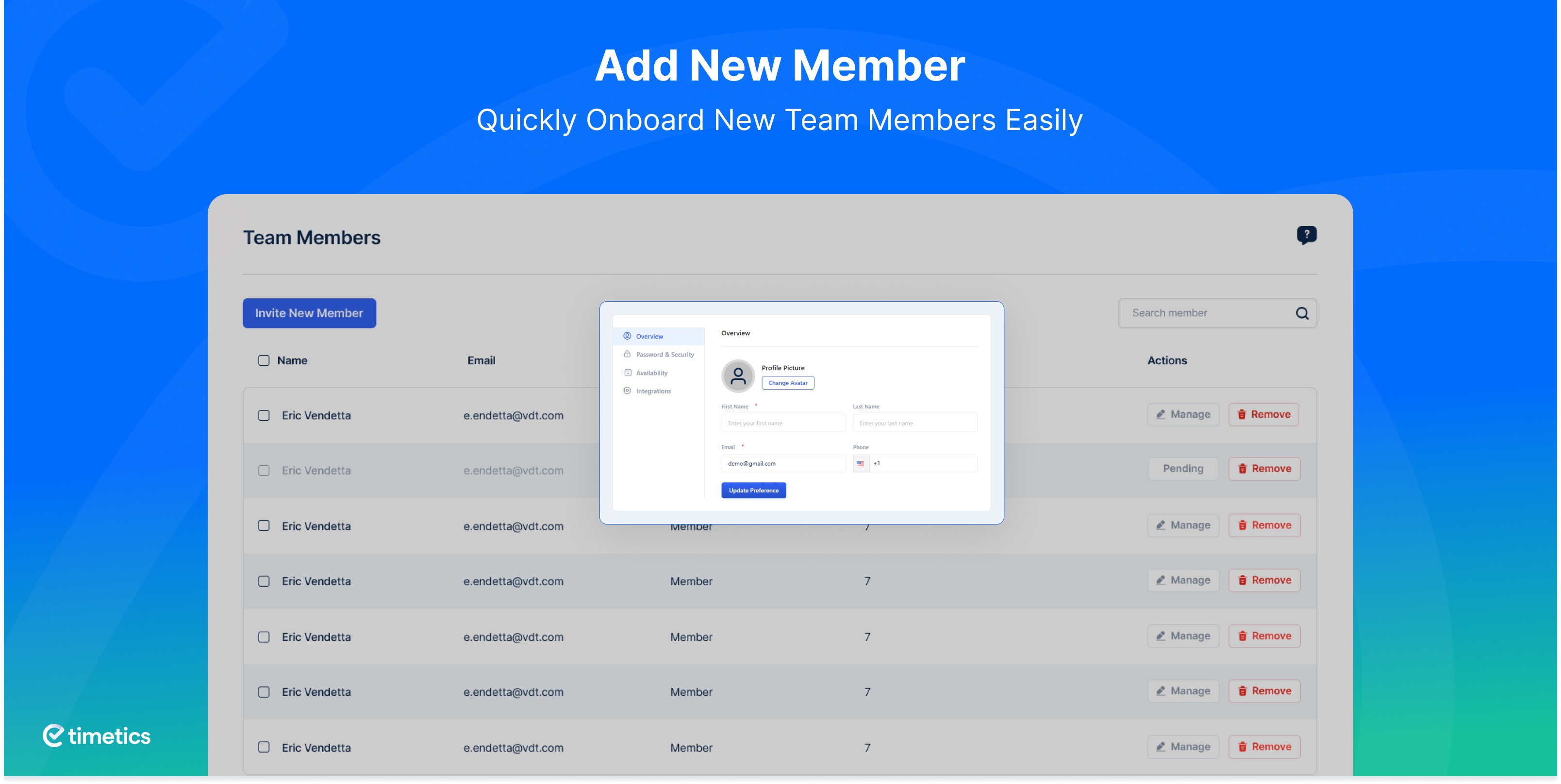
- Unlimited Team Members – Add all your staff and give each a dedicated booking profile and calendar.
- Automatic Double-Booking Prevention – Once a time slot is confirmed, it is instantly blocked. Your booking calendar stays clean and conflict-free, automatically.
Free Google Meet Integration for Online Booking
When a client books an appointment through Timetics, a Google Meet link is automatically generated and included in the confirmation email and all reminders no manual link sharing required.
- Google Meet Auto-Link – One-click join links work on desktop, mobile, and tablet.
- Organized in Google Calendar – Every booking appears in your connected Google Calendar automatically.
- Ideal for teachers, sales teams, customer support, consultants, and coaches who need a fast, secure way to hold video meetings without extra tools.
Online Booking & Appointment Management
- Availability Management – Define working hours, break times, and days off. Clients can only book genuinely available slots no overrides, no conflicts.
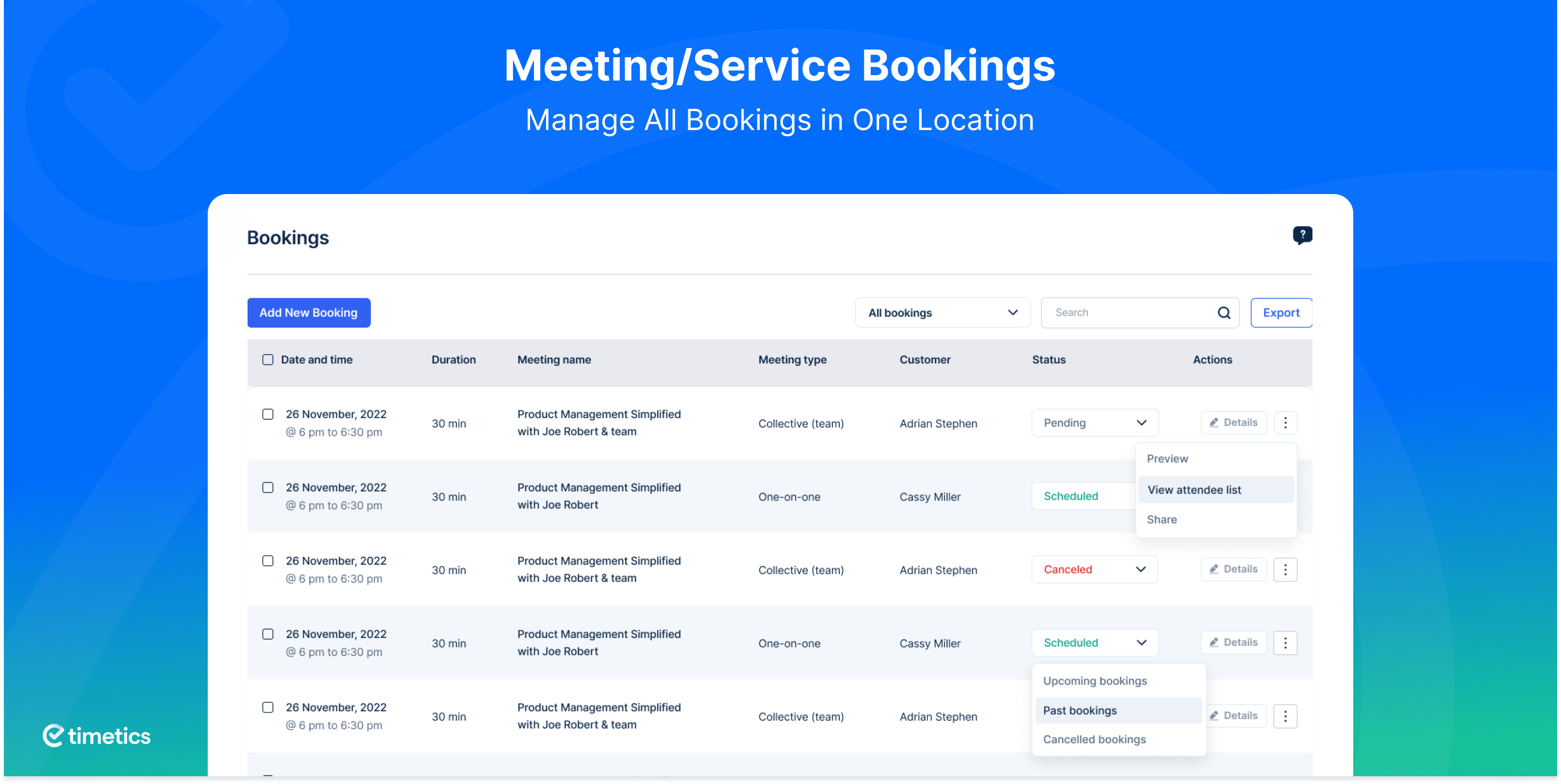
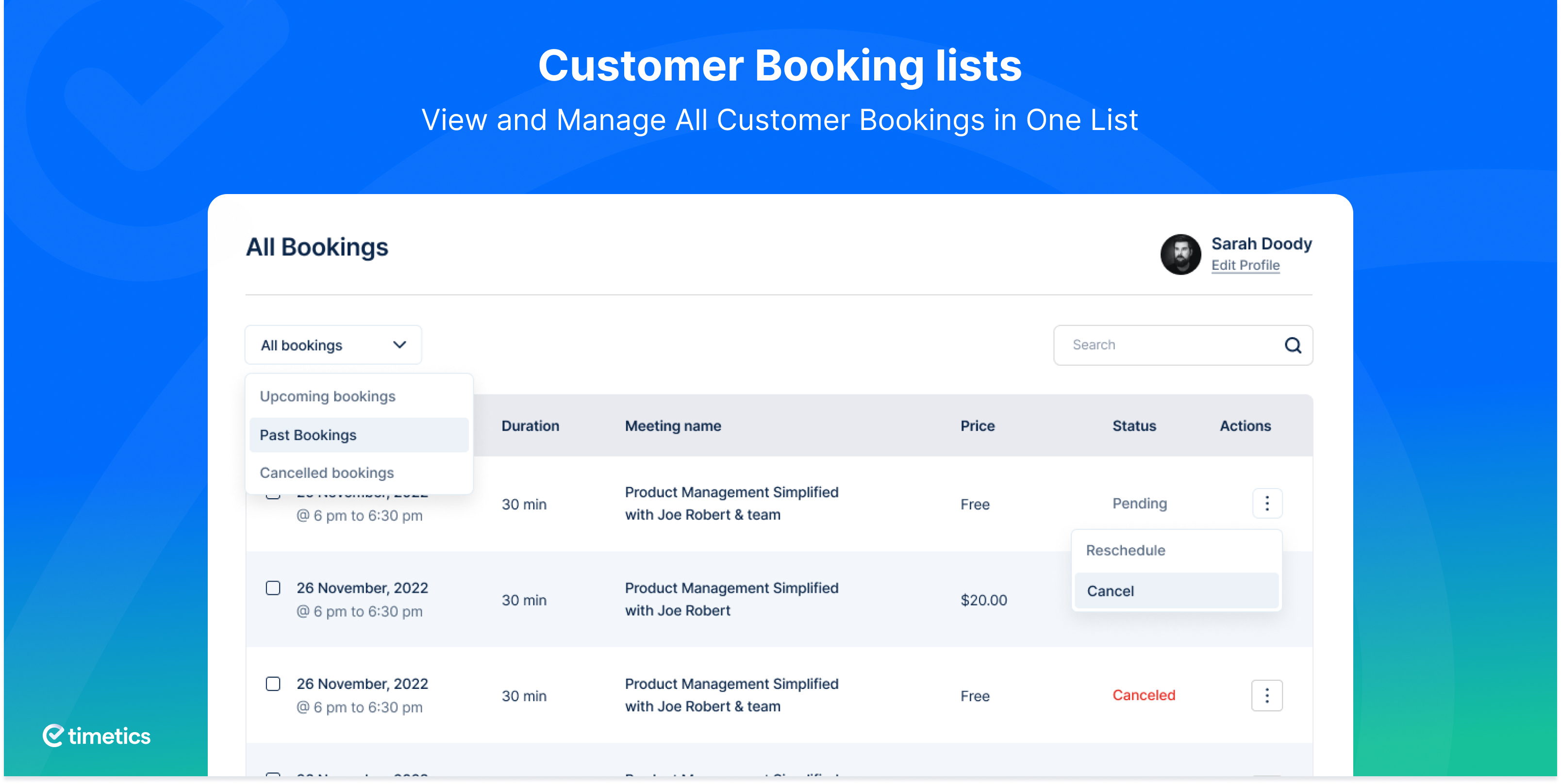
- Real-Time Booking Status – Track whether each appointment booking is pending, confirmed, or canceled from a single dashboard view.
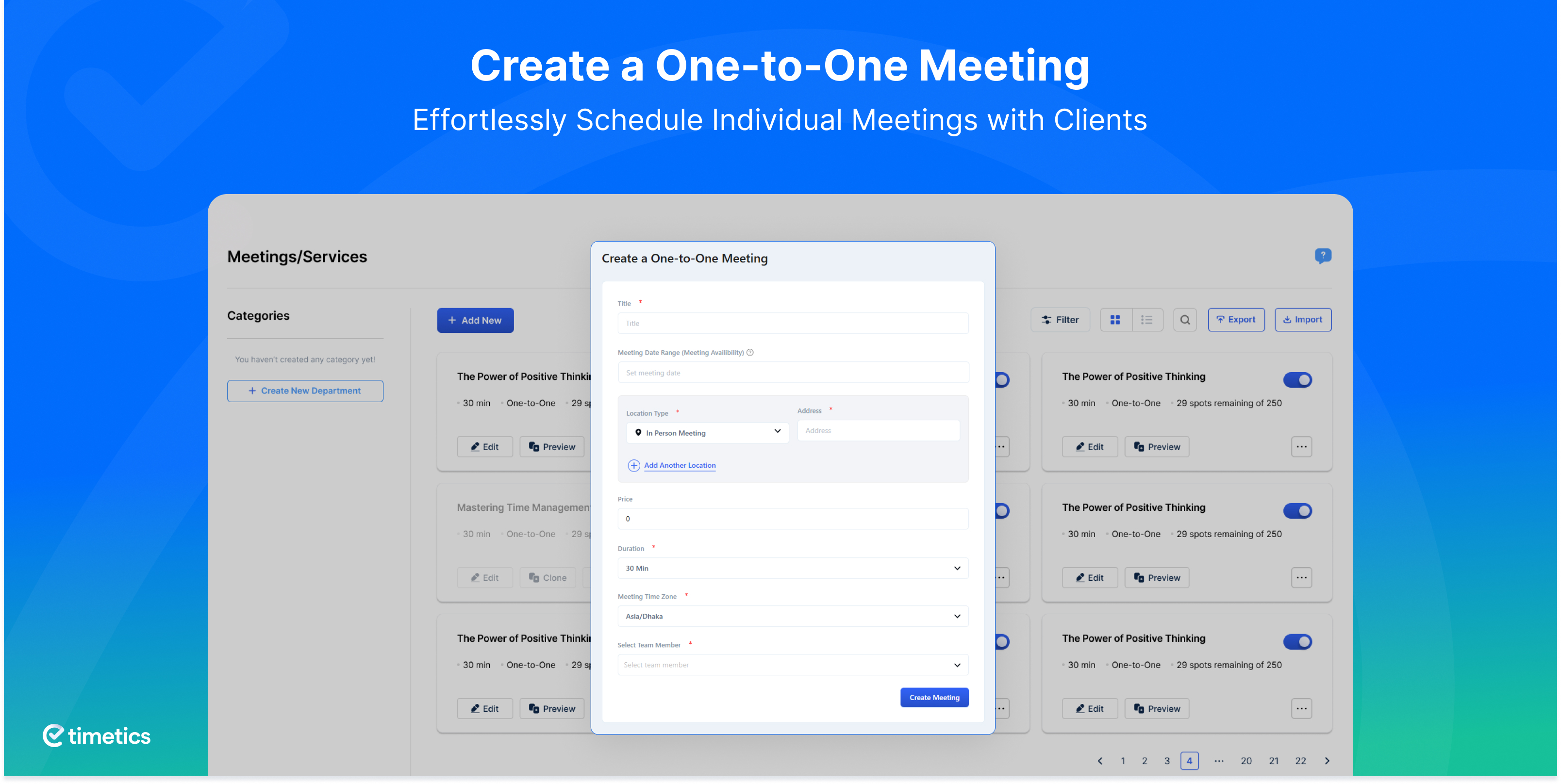
- One-to-One Appointment Booking – Perfect for private consultations, interviews, coaching sessions, and personal services. Set duration, buffer time, and location per meeting type.
- Guest Add-On – Clients can include colleagues, family members, or friends in the same booking without a separate reservation.
- 12 & 24-Hour Time Format Support – Your booking calendar displays time in the format that makes sense to every client, regardless of region.
Multi-Staff Appointment Booking & Team Management
In a multi-staff setup, clarity is everything. Timetics keeps each team member’s booking calendar accurate, assigns appointments to the right person, and eliminates the risk of double-booking or missed time slots.
- Team Management – View each staff member’s availability, assign them to bookings, and update their schedules from the admin dashboard.
- Email Notifications – Automatic alerts sent to staff the moment a booking is created or changed.
- Reduce No-Shows with Customer Reminders – Automatic booking confirmations and pre-appointment reminders keep clients informed and reduce missed appointments.
- Timezone Auto-Detection – Booking times display in each client’s local timezone automatically — no confusion, no late arrivals.
- International Phone Number Support – Country code selector ensures accurate contact records for global clients.
- Client Self-Service Dashboard – Clients log in to reschedule, cancel, or review their booking history — no need to contact you directly.
Easy Setup — Your First Booking in Under 5 Minutes
- Step-by-Step Onboarding Wizard – Guided setup takes you through every step of building your appointment booking system, even if it’s your first time.
- Shortcode Embedding – Drop your booking form into any page, post, or widget area using a simple shortcode. Works with Gutenberg, Elementor, Divi, Beaver Builder, and any WordPress page builder.
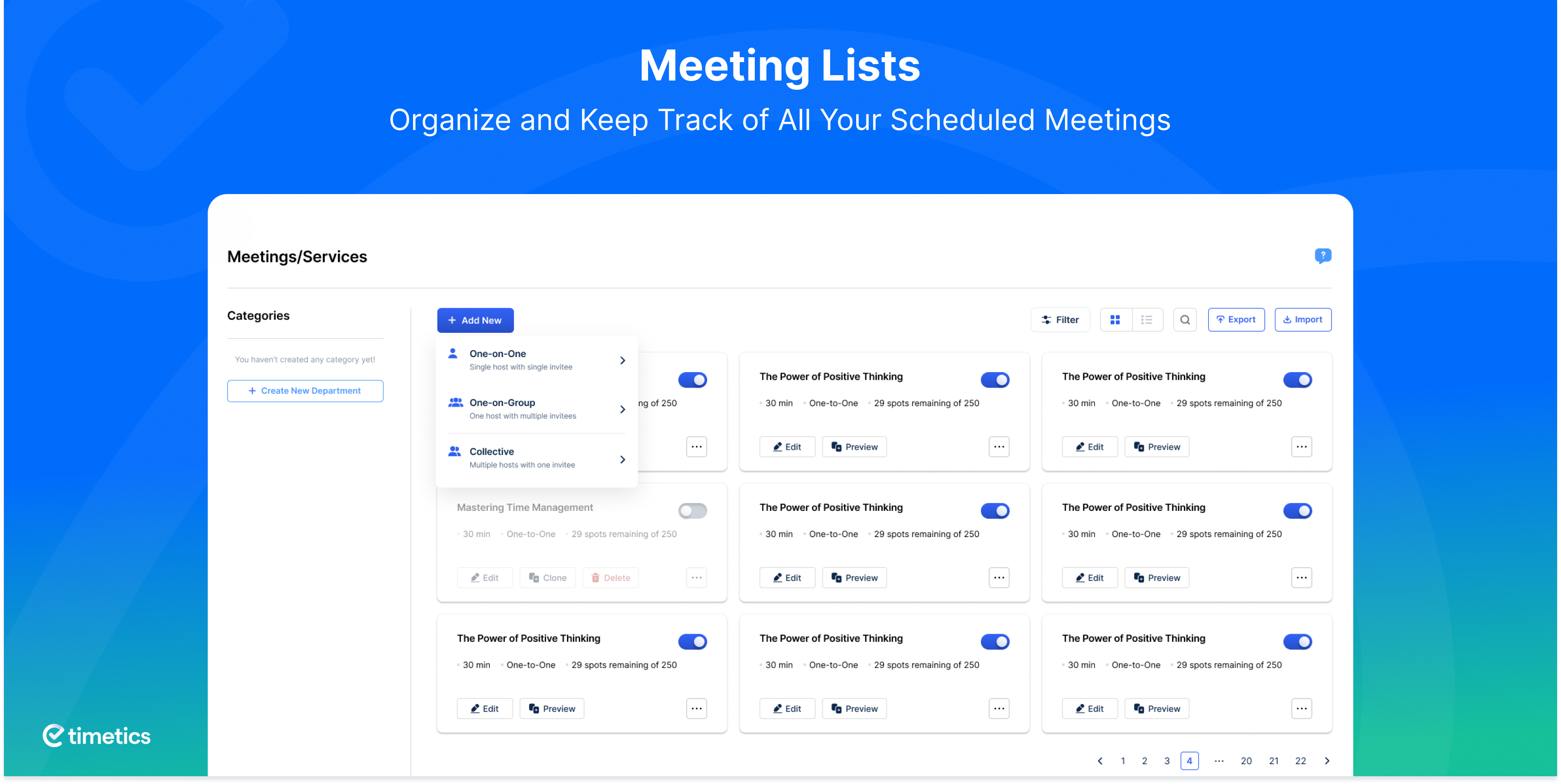
- Meeting List Shortcode – Display all your available services and appointment types in a clean, bookable list so clients can choose their preferred session instantly.
- No coding required – Timetics is built for every skill level, from beginners to developers.
Google Calendar Sync for Accurate Scheduling
- Two-Way Google Calendar Sync – Your appointment booking calendar and Google Calendar stay perfectly in sync. Any booking created, rescheduled, or canceled reflects on both sides instantly eliminating scheduling conflicts and double-booking.
Accept Online Payments at the Point of Booking
When clients pay during the booking process, they commit to the appointment reducing no-shows and securing your revenue upfront.
- Stripe Integration (Free) – Accept credit and debit card payments directly from your booking calendar. Clients confirm and pay in one seamless step.
- Local & Offline Payment Methods – Support clients who prefer cash or in-person payment by enabling flexible offline options.
- WooCommerce Integration – Unlock 100+ additional payment gateways and advanced order management by connecting Timetics to WooCommerce.
Booking Analytics & Revenue Reports
- Sales Analytics Dashboard – Monitor total bookings, revenue earned, and trends over time. Use the data to optimize your availability, services, and marketing strategy.
Timetics PRO: AI-Powered Appointment Booking & Advanced Scheduling System
Timetics PRO includes everything in the free version plus a suite of advanced, business-grade features built for teams, high-volume booking, and businesses that demand automation.
🤖 AI-Powered Appointment Scheduling (Exclusive Feature)
Timetics is the only WordPress appointment booking plugin with built-in AI scheduling. The AI engine analyzes your booking patterns and client history to automatically suggest the best available time slots for new appointments increasing booking conversions and reducing calendar gaps. No other booking plugin for WordPress offers this.
Learn more about AI-powered booking →
Advanced Appointment Scheduling & Recurring Bookings
- Recurring Appointments – Let clients book weekly, biweekly, monthly, or custom recurring slots in one step. Perfect for fitness classes, therapy sessions, coaching programs, and subscription-based services.
- Client Self-Rescheduling – Clients change their appointment date or time independently. The system sends updated confirmations and reminders automatically.
Expanded Calendar Integrations
- Google Calendar Advanced Sync – Full two-way synchronization with instant updates across all connected devices and team members.
- iCal / Apple Calendar Integration – Booking appointments sync directly to Apple Calendar for seamless mobile access.
- Outlook Calendar Sync – Designed for corporate environments running Microsoft Outlook as their primary scheduling tool.
Visual Seat Map & Group Event Booking (Exclusive Feature)
Timetics PRO is the only WordPress booking plugin with an interactive Visual Seat Map ideal for conferences, workshops, theaters, and ticketed events. Clients pick their exact seat from a live floor plan, choose a ticket tier, and complete booking in one flow.
- [Interactive Seat Selection] – Live seat map with real-time availability.
- Multi-Tiered Tickets – VIP, Gold, Standard, or any custom pricing tier.
- One-to-Many Booking – Webinars, workshops, and group sessions with multiple attendees.
- Group Event + Seat Plan – Combine group booking with visual seat selection.
Timetics’ Visual Seat Map also powers the event seat plan feature in Eventin – the free WordPress event management plugin adding speaker management, QR code check-in, RSVP, recurring events, and multi-gateway ticketing on top of Timetics’ booking engine.
Advanced Booking Form Customization
- Custom Booking Form Fields – Collect any information you need upfront: dietary requirements, project briefs, intake forms, or custom screening questions.
- Client Notes & Special Requests – Let clients add instructions or requests when booking.
- Special Availability Overrides – Override your regular schedule for holidays, staff leave, or one-off events without changing your default availability.
- Admin Calendar View – Full visual calendar overview of all scheduled appointments and bookings for easy day and week planning.
Multi-Host Event & Data Management
- Multiple Hosts Per Booking – Assign multiple team members to the same meeting, event, or session.
- CSV & Excel Data Export/Import – Migrate, back up, or report on all your booking data in standard spreadsheet formats.
Premium Integrations for Your Booking Workflow
- Zoom Integration – A unique Zoom meeting link is auto-generated the moment a booking is confirmed and delivered to both host and client. Reduces no-shows by giving clients instant, one-click access to their virtual appointment.
- FluentCRM Integration – Automatically add new and returning clients to CRM sequences for follow-ups, upsells, and retention campaigns.
- Pabbly Integration – Build automated multi-app workflows triggered by new bookings, cancellations, or rescheduling.
- Zapier Integration – Connect Timetics to thousands of apps to automate repetitive booking-related tasks.
- WhatsApp Booking Notifications – Send real-time booking confirmations and pre-appointment reminders via WhatsApp.
- Twilio SMS Reminders – Deliver instant text message reminders to clients’ phones before every appointment.
PRO Payment Options
- PayPal Integration – Accept PayPal payments from clients worldwide, in any currency.
- Stripe Integration – Full card payment support with real-time processing.
- WooCommerce Payments – Access 100+ payment gateways and advanced order management.
- Local / Offline Payment Methods – Support clients who prefer to pay in person.
Support & Resources
- 📖 Full Documentation
- 💬 Community Support Forum
- 🗺️ Feature Roadmap & Requests
- 🎥 Video Tutorials on YouTube
- 👥 Facebook Community Group
🔥 Now, What’s Next for You?
If you’re impressed with Timetics Appointments Booking Calendar and Scheduling Solution, please check out our other awesome WordPress plugins:
📅 Eventin – Free all-in-one event management and ticketing for WordPress.
🍽️ WPCafe – Online food ordering, restaurant menu, delivery, and table reservations.
📅 Booktics – Professional service-based booking for WordPress businesses.
Externe Dienste
This plugin connects to the following external services:
Arraytics FluentCRM Service
Connects to Arraytics.com’s FluentCRM service to manage contact information for marketing and communication purposes (product updates, feature announcements, support information).
Data sent: Your email address (only when you voluntarily provide it during business setup/onboarding).
Service provider: Arraytics – Terms of Service | Privacy Policy
Note: This is optional and not required for core plugin functionality.
Google Calendar API
Synchronizes appointment bookings between your WordPress site and Google Calendar (two-way sync). Enables automatic blocking of booked time slots and real-time calendar updates.
Data sent: Calendar event data (appointment details, dates, times, attendee information) when bookings are created, updated, or synchronized.
Service provider: Google LLC – Terms of Service | Privacy Policy
Note: Optional integration, only active if you connect your Google Calendar account.
Stripe Payment Processing
Handles secure online payment transactions for appointment bookings made through the booking calendar.
Data sent: Payment information (transaction amounts, booking details) when customers make payments.
Service provider: Stripe, Inc. – Terms of Service | Privacy Policy
Note: Optional integration, only active if you configure Stripe payment settings.
Installation
Mindestanforderungen
- WordPress 5.2 or higher (Tested up to WordPress 6.9)
- PHP 7.3 or higher
Automatic Installation (Recommended)
The fastest way to install Timetics and start accepting online appointment bookings:
- Log in to your WordPress Dashboard.
- Go to Plugins → Add New.
- In the search bar, type Timetics.
- Click Install Now next to the Timetics Appointment Booking plugin.
- Click Activate — the setup wizard will launch automatically.
- Follow the onboarding steps and accept your first booking in under 5 minutes.
Manuelle Installation
- Download the Timetics plugin ZIP from the WordPress.org plugin directory.
- Unzip the file on your computer.
- Upload the unzipped
timeticsfolder to your/wp-content/plugins/directory via FTP or cPanel File Manager. - Go to Dashboard → Plugins → Installed Plugins and click Activate next to Timetics.
- The onboarding wizard will guide you through your initial booking system configuration.
Updating WPTimetics
WPTimetics updates automatically through the WordPress dashboard. If you have made custom code modifications to the plugin files, back up your changes before updating. After any update, if you experience permalink issues, go to Settings → Permalinks and click Save Changes to refresh your rewrite rules.
Änderungsprotokoll
1.0.68 (November 23, 2026)
New: MCP Server – Connect AI apps like Claude, ChatGPT and Gemini to manage bookings.
New: Guest customers – Book without creating a WordPress account.
Improvement: WooCommerce – Series sessions show in the cart, and emails go out once the order is paid.
Tweak: Renamed to WPTimetics, with a new logo and plugin page cleanup.
Fix: Security – Guest bookings can no longer change existing accounts.
Fix: Security – WooCommerce checkout prices only the booking’s own cart line.
Fix: Bookings no longer fail when the site cannot send email.
Fix: Rescheduling to the same time is refused.
Fix: Free bookings no longer save a payment method.
1.0.67 (November 14, 2026)
Fix: Security improvements for guest bookings and payments.
Fix: Two bookings can no longer take the same slot or the same staff member.
Fix: WooCommerce payments, cancels and reschedules now keep slots safe.
Fix: A seat is charged its ticket price from server.
Fix: Meeting saves no longer undo each other.
Fix: 12 am times follow the site time setting.
Fix: Automation emails no longer get squashed in the flow editor.
1.0.66 (October 29, 2026)
Improvement: The phone field now opens on the site’s own country by default.
Fix: Security improvements for rescheduling and cancelling bookings.
Fix: Rescheduling a booking now keeps its host.
1.0.65 (October 22, 2026)
Fix: Free bookings now always send their confirmation emails, even when WooCommerce is the payment method.
Fix: Booking slots now show on the correct date for visitors in a different timezone.
Fix: Adding a second team member to a meeting now saves and stays after a reload.
1.0.64 (September 28, 2026)
New: Added dark mode support in admin panel.
Fix: Weekly schedule’s blank or empty saving issue got fixed.
Fix: Security – Guest booking changes are now checked more strictly.
1.0.63 (September 21, 2026)
New: Added an Ask AI page with one-click Aisentic Plugin setup.
Fix: WooCommerce orders, thankyou page and emails now show full meeting details.
Fix: Retrying a failed Stripe payment no longer drops your slot.
Fix: Calendar events and emails now wait for payment to be confirmed.
Fix: Unpaid bookings are cleaned up automatically and slots are freed.
Fix: A booking retried after a failed payment no longer stays stuck as Failed.
Fix: Failed requests now show a clear error instead of a blank one.
Screenshots

Für Entwickler
Ist das dein Plugin? Zeigen Sie die Zahlen.
Fügen Sie Ihrer Website, Docs oder GitHub Readme ein Live-Badge hinzu. Es wird von selbst aktualisiert - kein Konto erforderlich.
Best Appointment Booking Calendar… alternatives
Alle Plugins für Terminbuchungen →





Fragen und Antworten
Appointment Booking Calendar & Sche…: quick answers
Gerade Antworten, gezogen von Live WordPress.org Daten.
Quelle: WordPress.org
Is Appointment Booking Calendar &… free?
Yes. Appointment Booking Calendar &… is free to download and use from the official WordPress.org plugin directory.
Is Appointment Booking Calendar &… safe to use in 2026?
Yes — Appointment Booking Calendar &… is a safe, well-maintained plugin to use in 2026. It runs on 2K+ sites, is rated 4.6/5 and was last updated 7 days ago, and scores 90/100 on our health check.
How many websites use Appointment Booking Calendar &…?
Appointment Booking Calendar &… is active on 2K+ WordPress websites and has been downloaded 95,453 times since it launched in January 2023. It was downloaded 6,102 times in the last 30 days.
Does Appointment Booking Calendar &… work with WordPress 7.1?
Yes. The developer has tested Appointment Booking Calendar &… up to WordPress 7.1.5, the latest release. It requires WordPress 5.3 or newer.
What PHP version does Appointment Booking Calendar &… need?
Appointment Booking Calendar &… requires PHP 7.3 or higher. Most hosts run PHP 8.x today, so it works on any modern WordPress hosting.
When was Appointment Booking Calendar &… last updated?
The latest version, 1.0.68, was released on November 23, 2026 (7 days ago).
Who makes Appointment Booking Calendar &…?
Appointment Booking Calendar &… is developed and maintained by Arraytics.
What are the best alternatives to Appointment Booking Calendar &…?
The most popular alternatives to Appointment Booking Calendar &… are Appointment Booking Plugin (100K+ installs), Online Scheduling and Appoi… (60K+ installs) and Simply Schedule Appointments (50K+ installs).
Angetrieben von PageForge
Eine Vorlage und eine Tabelle. Eine echte Seite für jede Suche.
PageForge Verwandelt jede Zeile eines CSV in eine WordPress-Seite mit eigenem Titel, URL, SEO Felder und Schema entworfen. Kostenlos auf WordPress.org.
- CSV und XLSX, plus Google Sheets auf Beruf und Unternehmen
- seinen eigenen Titel, URL, SEO Felder und Schema für jede Seite
- Arbeitet mit dem Blockeditor, Elementor, Divi und Avada
- Kostenlos auf WordPress.org, keine Kreditkarte