


Team Section Block – Showcase Team Members with Layout Options
Showcase your team members in various layouts and designs.

Solide Wahl
Team Section Block is a solid plugin choice in 2026, with a few things worth checking first. It runs on 1K+ sites, is rated 3/5 and was last updated 4 days ago, and scores 71/100 on our health check.
- Actively developed — last update 4 days ago
- Getestet mit dem neuesten WordPress (7.1)
- Momentum — downloads up 275.7% vs the previous 30 days
- Bisher sehr wenige Bewertungen
Wie stapelt es sich?
Side-by-side bei Installationen, Updates, Bewertungen und Support



Tägliche Downloads
Download-Spitzen folgen normalerweise einer neuen Version - jede Website, die automatisch aktualisiert wird, gilt als Download.
Ranglisten
Where Team Section Block stands todayWordPress.org Ranglisten suchen
Live-Position in der Plugin-Suche, Top 100| Stichwort | Position |
|---|---|
| Block | >100 |
| members | #41 |
| team | #20 |
| team builder | #27 |
| team members | #15 |
Versionsübernahme
Anteil aktiver Sites pro Release.
Bewertungsaufschlüsselung
★★★★★★★★★★ 3 from 1 reviews
About Team Section Block
Aus der offiziellen Readme · V3.0.1Beschreibung
This block plugin makes the displays fully customizable, so you can create unique team showcases for your site. This is the best WordPress team plugin that displays in a fantastic way of your team members on your site. It is 100% responsive and mobile-friendly, which guarantees the best views across all devices.
Team Section | Demos | Pricing
Kostenlose Funktionen
- Universal Shortcodes – Works with Gutenberg and all page builders.
- Easy to use.
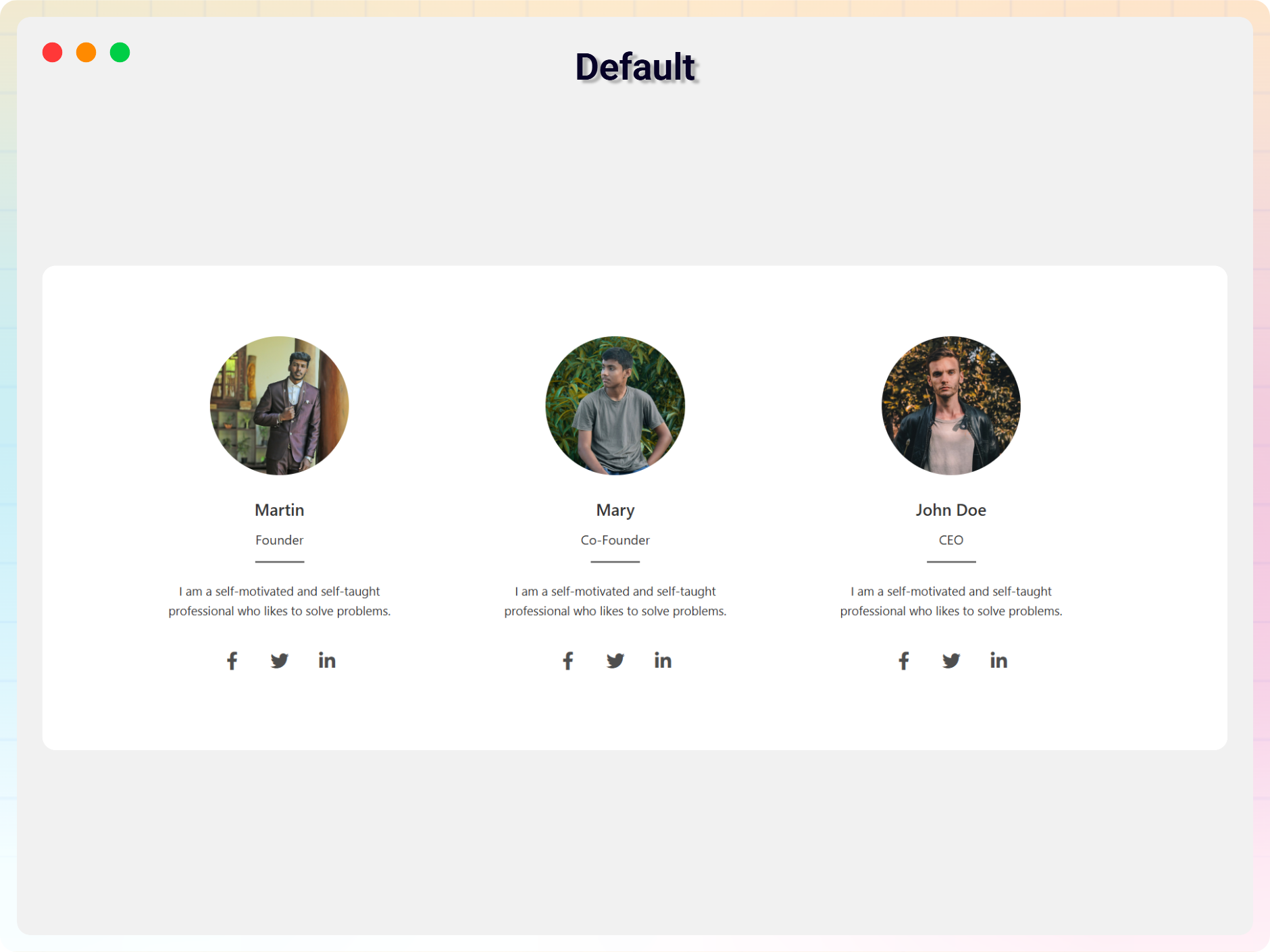
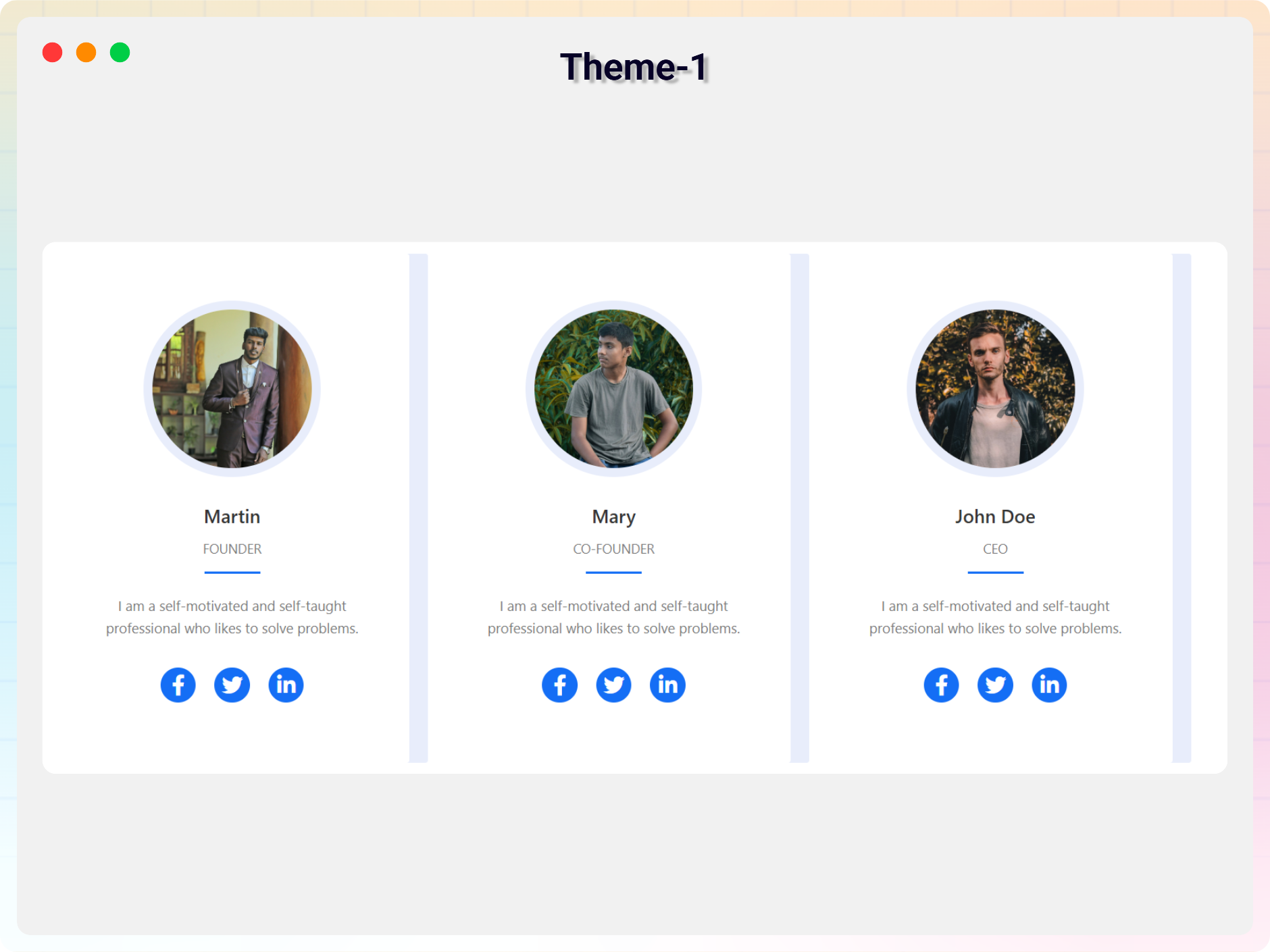
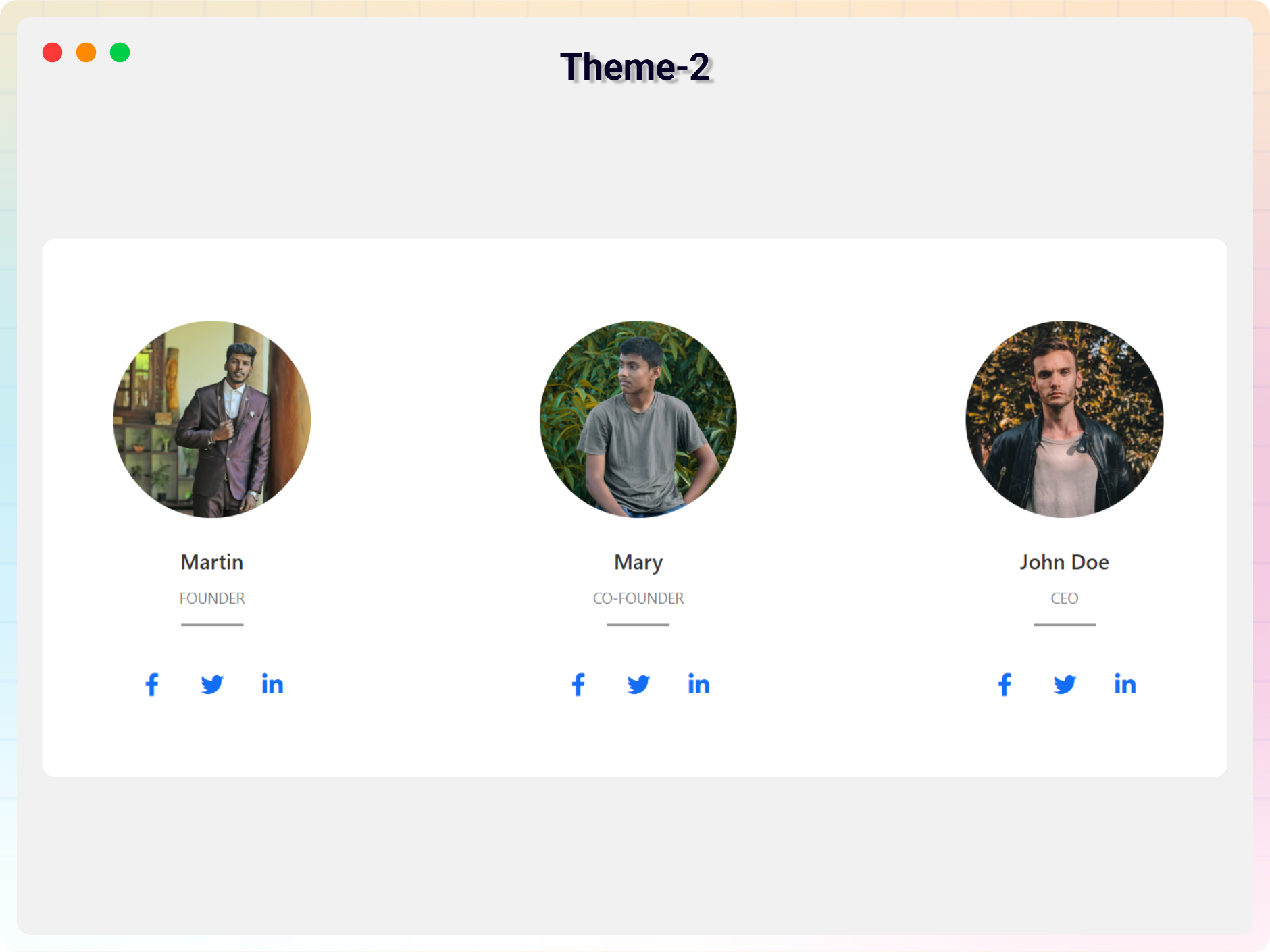
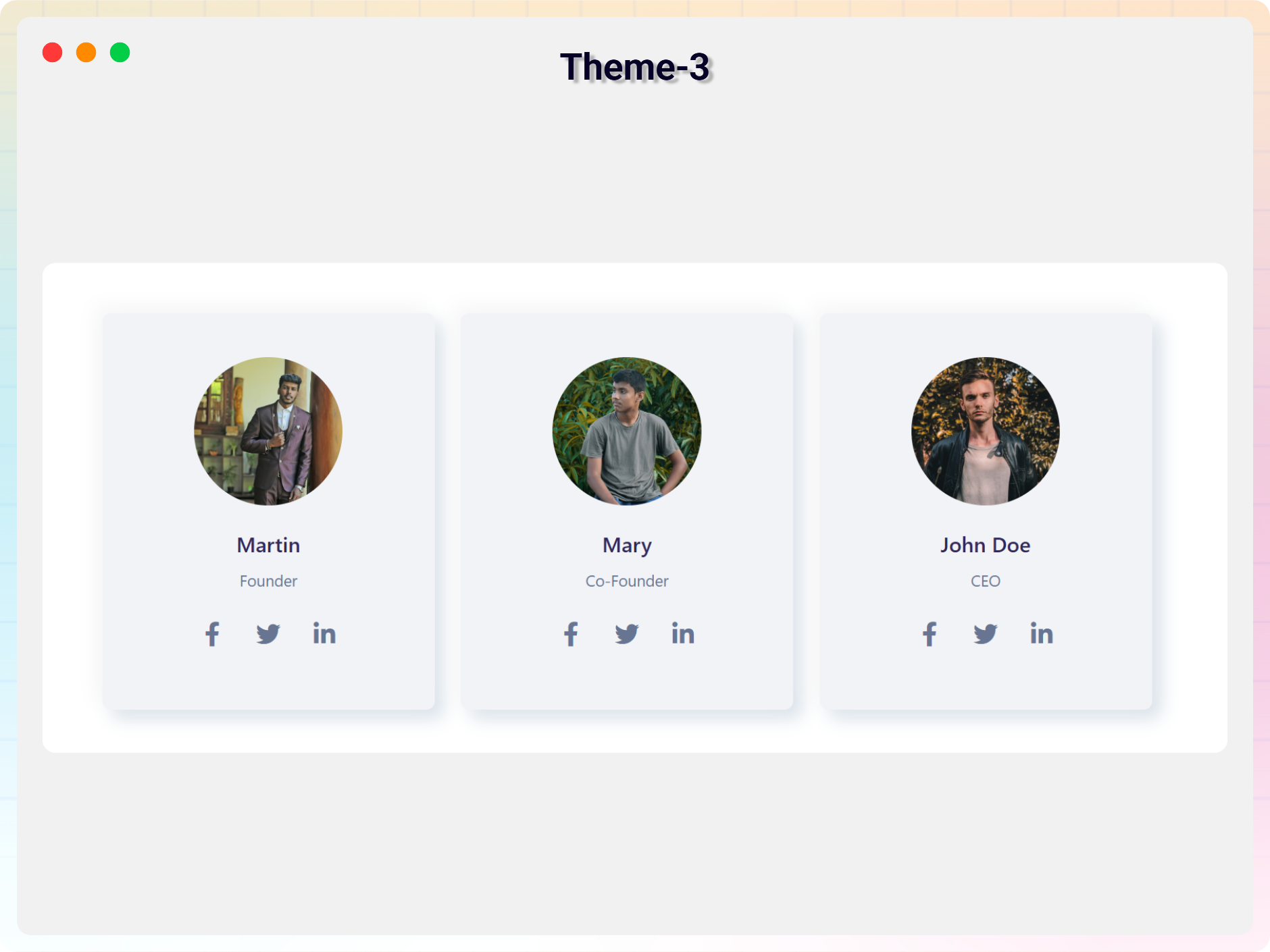
- Multiple Team Layouts.
- Fully Responsive Design – Optimized for desktop, tablet, and mobile.
- Social Media Icons – Add social links for each member.
- It does not require much technical knowledge to use.
- It is lightweight because it relies on JavaScript.
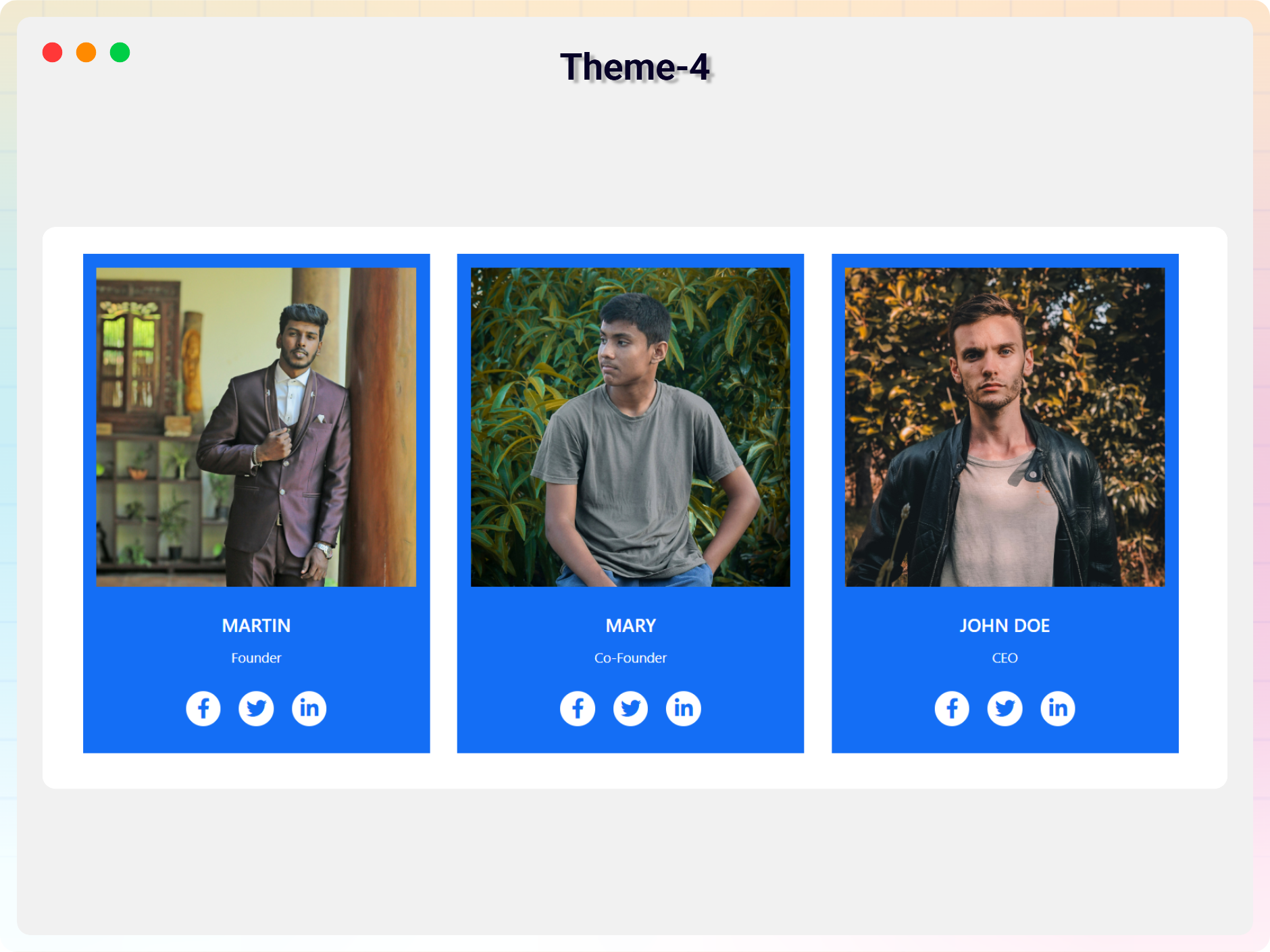
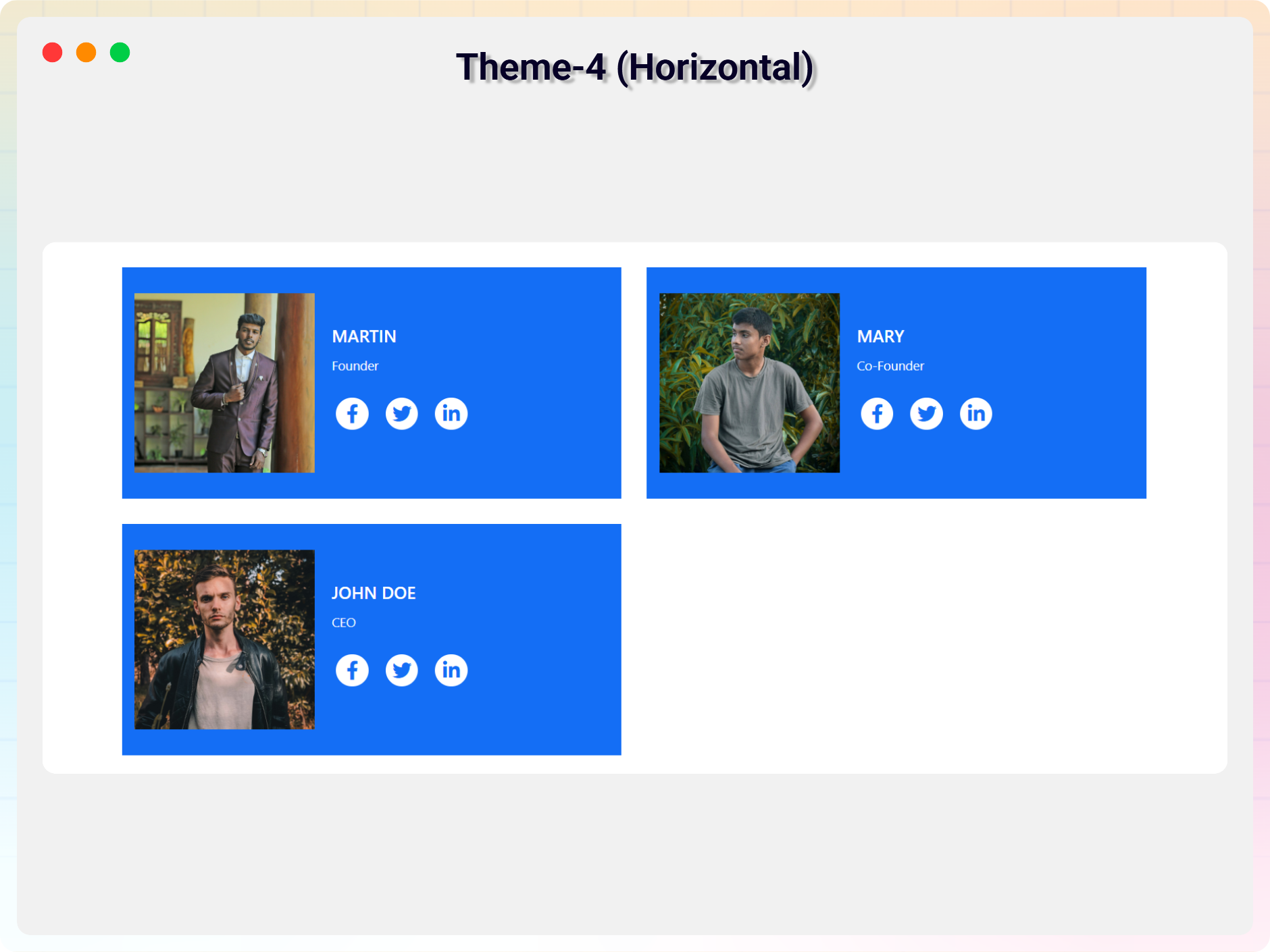
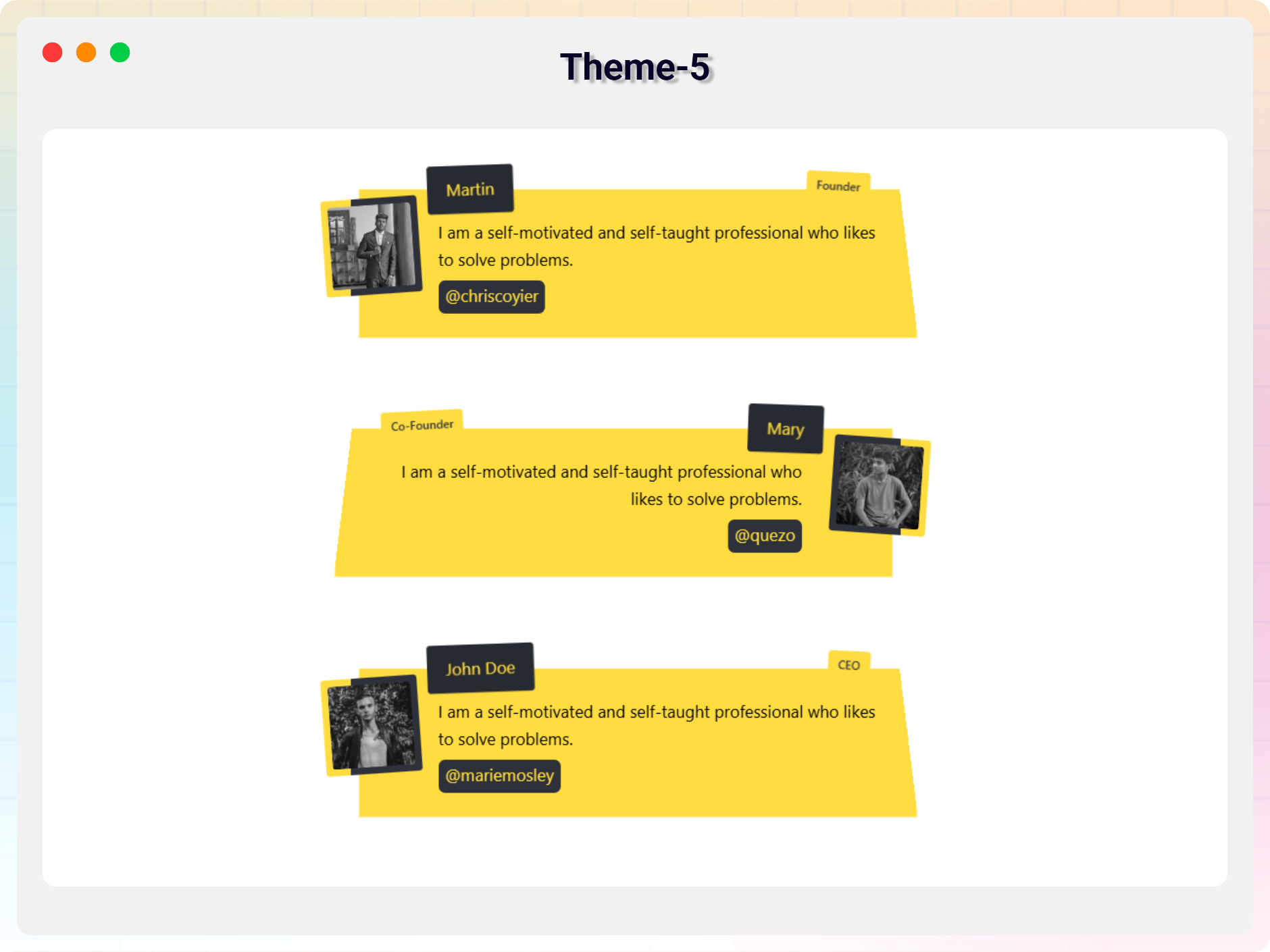
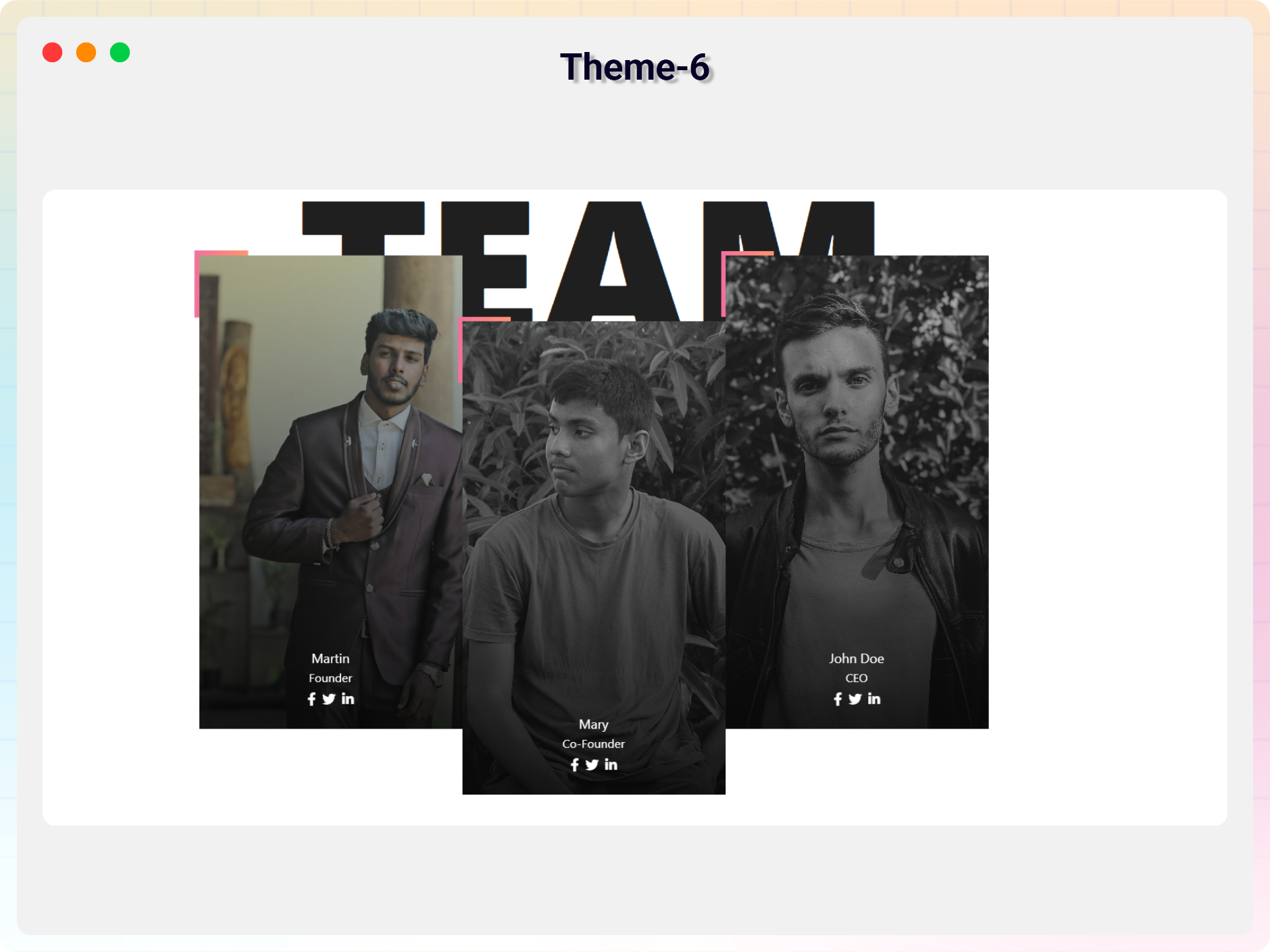
- Team Builder Block – Build team sections with 43+ ready-made themes.
- 43+ Themes – Grid, Circle, Horizontal, Flip, Table, List, Special and Sidebar layouts.
- Member Details – Open member info in a Popup, Side Panel or Inline Drawer.
- Block Selector – Choose Team Section or Team Builder when adding a new shortcode.
- Shortcode Copy Box – Copy the [tsb id=X] shortcode with one click.
- Visual Theme Browser – Browse themes with thumbnails and switch from the block toolbar.
- Responsive Columns & Gap Controls.
- Element Visibility Controls – Show or hide member fields per device.
- Featured Members First, Scroll Animation and Image Filters.
- Typography & Color Controls.
Pro-Funktionen
- All Free features.
- Includes 11+ ready-to-use templates.
- Added 1+ new built-in blocks.
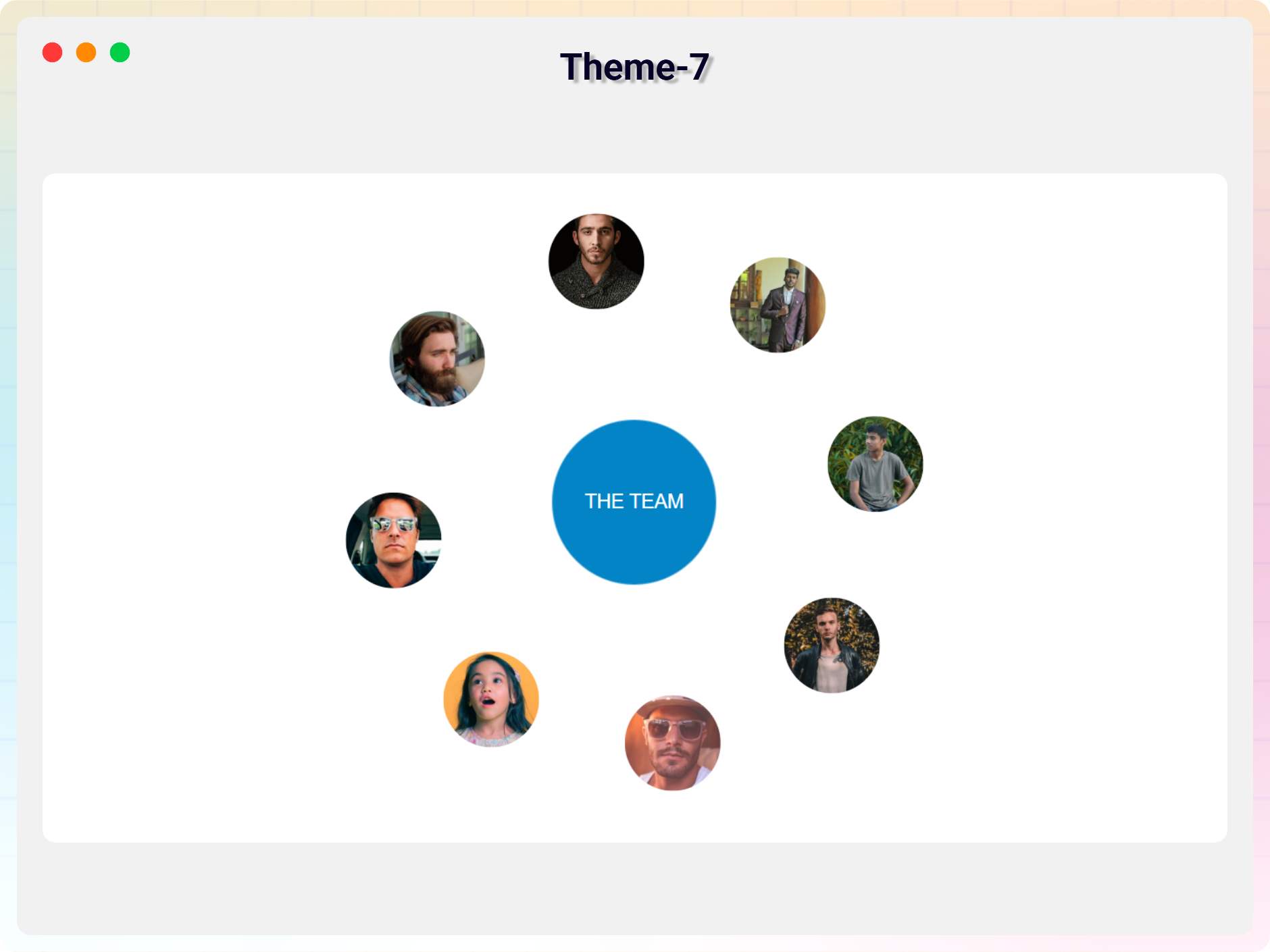
- Orbit Team – A Unique New Block
- Fully Responsive – Looks great on all devices.
- Member Styling – Customize photo, name, title, and bio.
- Typography & Color Controls – Full text and color customization.
- Photo Effects – Size, filter, and hover effects.
- Social Icons – Add and style social media links.
- Element Visibility – Show or hide any member content.
- Hover Effects & Animations – Smooth interactive effects.
- Layout Controls – Width, alignment, spacing options.
- Theme-Specific Features – Shapes, serials, stats, and more.
- Beginner Friendly – No coding required.
- Added 7+ New Blocks.
- 7+ Premium Blocks – Orbit Team, Interactive Team Profiles, Our Team Cards, Team Card Flip, Team Card Glass Effect, Team Profile, Team Section With Hover Effect.
- Team Builder: 21+ Premium Themes – Grid 9–12, Circle 5–6, Horizontal 6–9, Flip 4–6, List 5–7, Grid Slider, Grid Filter Single, Grid Filter with vCard, Grid Panel Slide, Group Filter.
- Team Builder: Carousel / Slider View – Autoplay, loop, speed, arrows and dots.
- Team Builder: Filter View – Group tabs, search, dropdown filters and Ajax filter.
- Team Builder: Query Controls – Number of members, order by, include and exclude groups.
- Team Builder: Pagination – Numbered pages, Load More button and infinite scroll.
- Team Builder: Carousel, Filter & Pagination Style Controls.
Wie man benutzt
– First, install the Team Section plugin
– Add the Team Section block from the block category called “Widgets” in the Gutenberg editor.
– You can change block settings from the right-side settings sidebar.
– Enjoy!
- For installation help click on Installation Tab
Feedback
– Did you like this plugin? Dislike it? Have a feature request? Please share your feedback with us
Check out the Parent Plugin of this plugin-
bBlocks – A blocks collection and page building tool for Gutenberg.
Check out our other WordPress Plugins-
Html5 Video Player – Display videos as single and playlist in multiple skins.
PDF Poster – Display/Embed PDF files with different styles.
Html5 Audio Player – Listen audios with awesome visuals.
StreamCast – Customizable radio player with different skins.
3D Viewer – Embed 3D models and 3D products with interaction.
Advanced Post Block – Show posts and custom posts in different layouts.
Installation
From Gutenberg Editor:
- Go to the WordPress Block/Gutenberg Editor
- Search For Team Section
- Click on the Team Section block to add the block
Download & Upload:
- Download the Team Section plugin (.zip file)
- In your admin area, go to the Plugins menu and click on Add New
- Click on Upload Plugin and choose the
team-section.zipfile and click on Install Now - Activate the plugin and Enjoy!
Manually:
- Download and upload the Team Section plugin to the
/wp-content/plugins/directory - Aktivieren Sie das Plugin über das Plugin-Menü in WordPress
Änderungsprotokoll
Universal Shortcodes – Works with Gutenberg and all page builders. Added 11+ ready-to-use templates.
3.0.1 – 18 Nov 2026
- New: Added Black Friday promotional banner and upgrade link.
3.0.0 – 11 Nov 2026
- New: 43+ ready-made themes across Grid, Circle, Horizontal, Flip, Table, List, Special and Sidebar layouts.
- New: Team Builder block — build beautiful team sections with the new themes.
- New: Member details in a Popup, Side Panel or Inline Drawer.
- New: Block selector on “Add New Shortcode” — choose Team Section or Team Builder for each shortcode.
- New: Shortcode copy box for Team Builder shortcodes ([tsb id=X]).
- New: Visual theme browser with live thumbnails, plus quick theme switching from the block toolbar.
- New: New members are added with a sample photo, name and title, ready to edit.
2.0.5 – 26 Oct 2026
- Fixed: Security fix for a reflected XSS issue in the new page default content.
2.0.4 – 26 Oct 2026
- New: 7+ New Built-in Blocks Added.
2.0.3 – 08 July 2026
- Update: Added 7+ New Blocks.
2.0.2 – 08 June 2026
- Update: Latest Dashboard Add.
Screenshots
Für Entwickler
Ist das dein Plugin? Zeigen Sie die Zahlen.
Fügen Sie Ihrer Website, Docs oder GitHub Readme ein Live-Badge hinzu. Es wird von selbst aktualisiert - kein Konto erforderlich.
Best Team Section Block alternatives
Alle Block-Plugins →




Fragen und Antworten
Team Section Block: quick answers
Gerade Antworten, gezogen von Live WordPress.org Daten.
Quelle: WordPress.org
Is Team Section Block free?
Yes. Team Section Block is free to download and use from the official WordPress.org plugin directory.
Is Team Section Block safe to use in 2026?
Team Section Block is a solid plugin choice in 2026, with a few things worth checking first. It runs on 1K+ sites, is rated 3/5 and was last updated 4 days ago, and scores 71/100 on our health check.
How many websites use Team Section Block?
Team Section Block is active on 1K+ WordPress websites and has been downloaded 28,922 times since it launched in February 2022. It was downloaded 3,780 times in the last 30 days.
Does Team Section Block work with WordPress 7.1?
Yes. The developer has tested Team Section Block up to WordPress 7.1.5, the latest release. It requires WordPress 6.5 or newer.
What PHP version does Team Section Block need?
Team Section Block requires PHP 7.4 or higher. Most hosts run PHP 8.x today, so it works on any modern WordPress hosting.
When was Team Section Block last updated?
The latest version, 3.0.1, was released on November 18, 2026 (4 days ago).
Who makes Team Section Block?
Team Section Block is developed and maintained by bPlugins.
What are the best alternatives to Team Section Block?
The most popular alternatives to Team Section Block are Spectra Legacy (1M+ installs), Breadcrumb NavXT (700K+ installs) and PDF Embedder (300K+ installs).
Angetrieben von PageForge
Eine Vorlage und eine Tabelle. Eine echte Seite für jede Suche.
PageForge Verwandelt jede Zeile eines CSV in eine WordPress-Seite mit eigenem Titel, URL, SEO Felder und Schema entworfen. Kostenlos auf WordPress.org.
- CSV und XLSX, plus Google Sheets auf Beruf und Unternehmen
- seinen eigenen Titel, URL, SEO Felder und Schema für jede Seite
- Arbeitet mit dem Blockeditor, Elementor, Divi und Avada
- Kostenlos auf WordPress.org, keine Kreditkarte